-
-
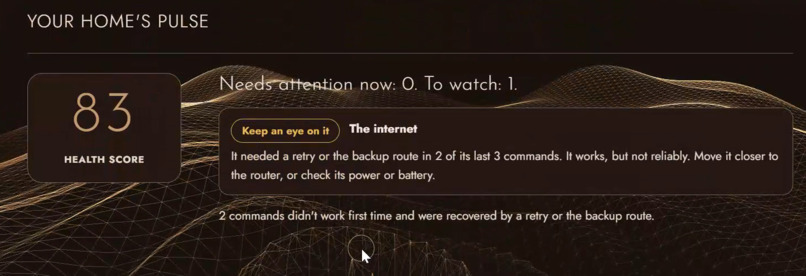
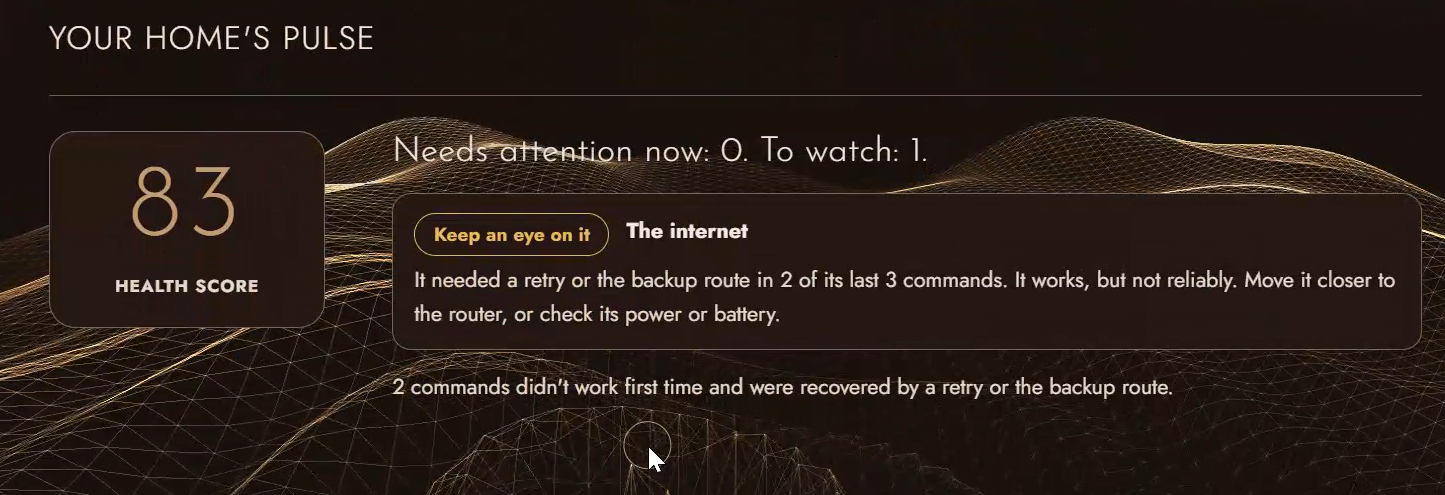
Pulse from my real network checks: the internet needed a retry in 2 of its last 3 checks, so HomePulse says keep an eye on it.
Inspiration
Smart devices sometimes fail quietly: a plug that ignored a command, a lock that never turned. When an assistant says "OK", it has told you the command was accepted, not that the device did it. For a lamp that hardly matters. For a door lock, a garage door or a heater it does. Nothing tells you which devices keep failing, so you find out by accident.
Who it's for, and why it matters
- People who rely on locks, garage doors and heating, where a silent failure has a real cost.
- Families and caregivers. The Pulse shows which device keeps failing before it fails at an important moment.
- Households with unreliable connectivity. I live in Pakistan, where Top10VPN reported 9,735 hours of internet disruption affecting 82.9 million users in 2024 (mostly from political events, so a national figure, not a household one). Home routers and providers fail too, and HomePulse's live watch logs when yours does.
- People building Alexa+ tools. The PENDING-then-VERIFIED contract is a reusable pattern, and this is an open-source implementation of it.
Evidence, and its limits. Parks Associates reported in 2018 that 12% of US smart-home device owners had a device become "basically unusable due to a technical issue" (old, US-only data, cited as a sign the problem exists, not as today's rate). Our own measurements: a median of about 12 ms per MCP tool call locally, and a real test where switching Wi-Fi off turned a check from Confirmed to Needs attention and logged the outage. We have not run a user study and have not tested on real smart-home hardware.
What it does
HomePulse sits between an assistant and your devices. It sends a command over the network, asks the device what it now reports, retries, tries a backup address, and explains the result in plain words. It remembers every check, so a Pulse shows a health score, which devices need attention, and which ones fail together.
An MCP server lets an assistant use it. Changing a device returns PENDING immediately, and a second call (get_command_status) returns the verified result, so the assistant cannot claim success before it is checked. A live watch checks real devices (your router, the internet, any address) in the background, ignores a single missed check, and logs outages, which the assistant can ask about with get_outages. Check my real network finds your router by itself and checks it and the internet in one click.
How we built it
Python, FastAPI and the official MCP Python SDK (Streamable HTTP, bearer-token auth). A check loop (send, read back, retry, backup route) over real network connections, with adapters for Shelly and Tasmota plugs, SSDP network scan, real ping, and a protocol-accurate demo plug. A simulated Alexa+ page makes real MCP calls to the server. The website is plain HTML, CSS and JavaScript in six languages (including right-to-left) with accessibility settings. 70 automated tests, including ones that unplug real local servers, and an axe-core accessibility audit with no violations on the pages we checked.
Challenges
Assistants may forget to ask for the result, so the tool contract guards against it: a next-step sentence in every PENDING answer, server instructions ("never claim success while PENDING"), and helpful REJECTED answers. We also wanted honest demos: the live-watch and network checks are real, not scripted.
What is real and what is simulated (please read)
Real: the check/retry/backup logic, the MCP server, the Pulse, live network checks and the live watch, ping, and the network scan. Simulated: the sample-home devices, the plug hardware (a pretend plug that speaks the real Shelly protocol), and the Alexa+ page (a simulated assistant making real MCP calls). Not done: a connection to a real Alexa+ account (not available to participants), and testing on real Shelly or Tasmota plugs.
How to run it (for judges, no accounts or keys)
git clone https://github.com/M25rub/homepulse.gitand open the folder.pip install -r requirements.txtthenpython run.py(on Windows you can double-clickstart.bat). The browser opens at http://127.0.0.1:8000.- Press Load a sample home on the Home page, then try Devices > Check my real network and the Alexa+ page.
- MCP server:
http://127.0.0.1:8000/mcp, headerAuthorization: Bearer homepulse-demo-token.
What's next
Test the adapters on real plugs; add more device brands (or Home Assistant / Matter); phone and email alerts; a database for many homes.
Built With
- axe-core
- css
- fastapi
- html
- javascript
- mcp-python-sdk
- model-context-protocol
- pytest
- python
- uvicorn
