-
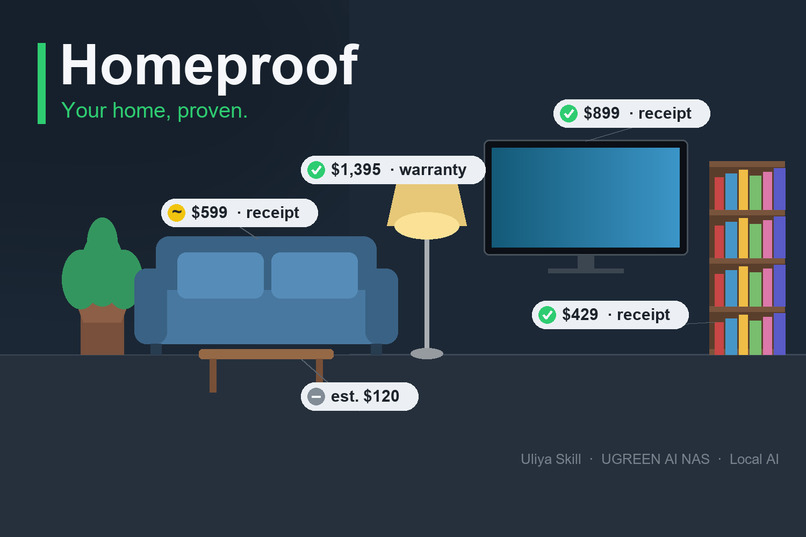
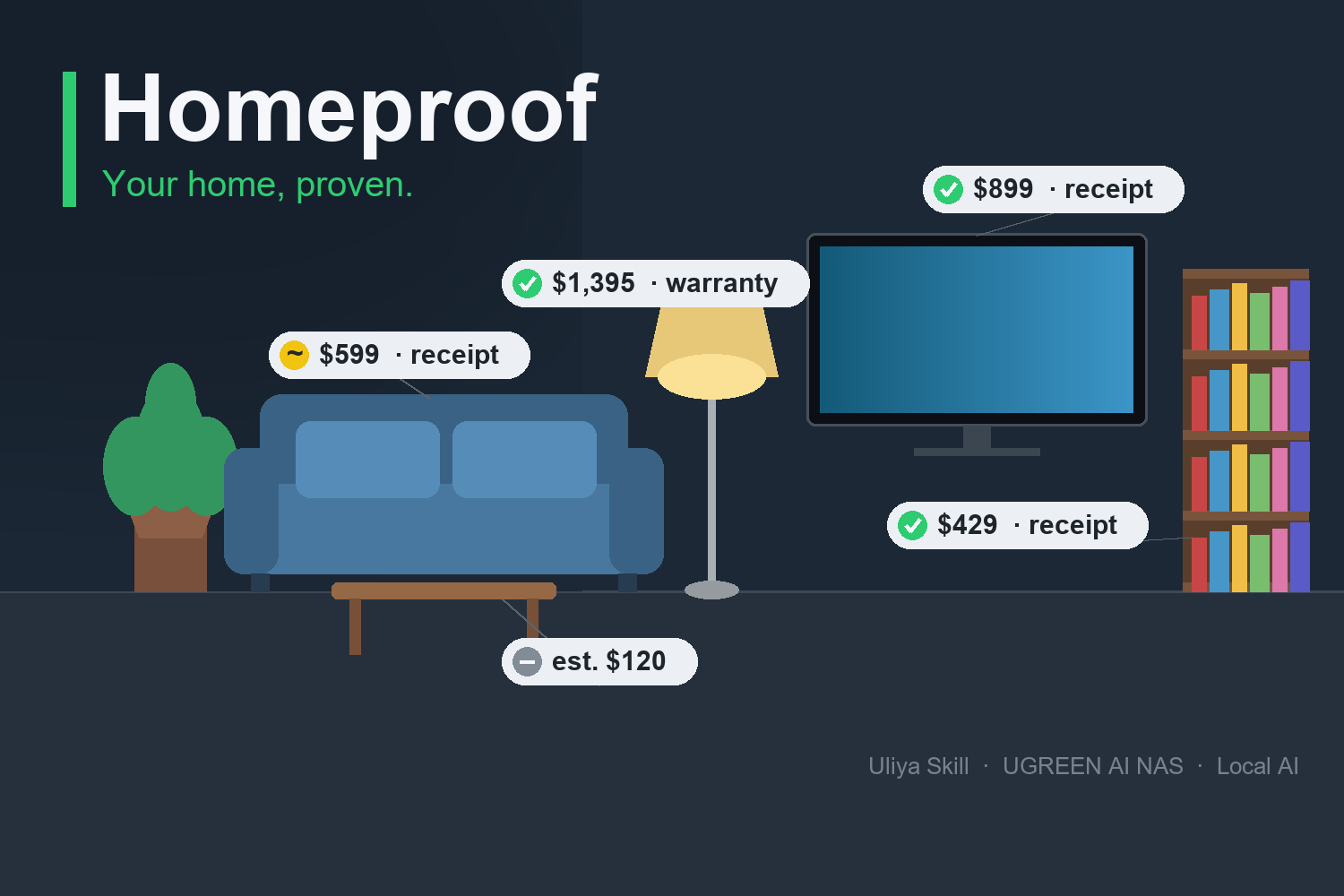
Photos and receipts on your UGREEN AI NAS become an inventory where every item shows its proof: confirmed, probable, or none.
-
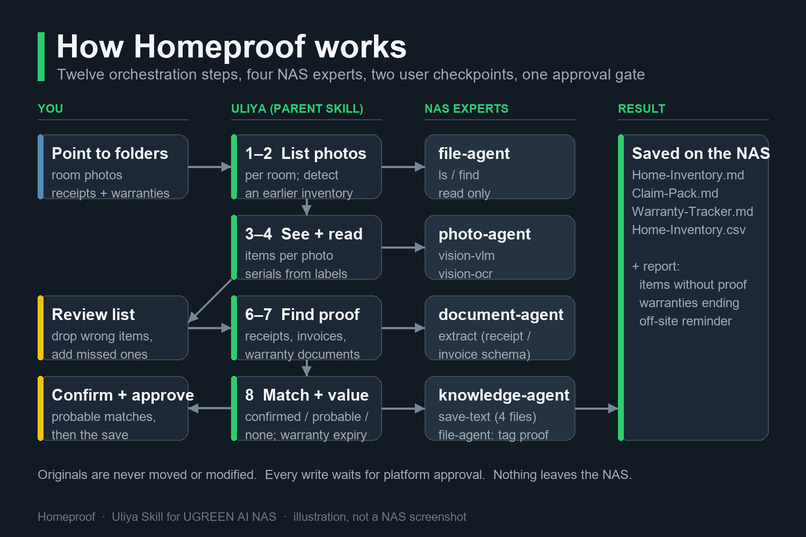
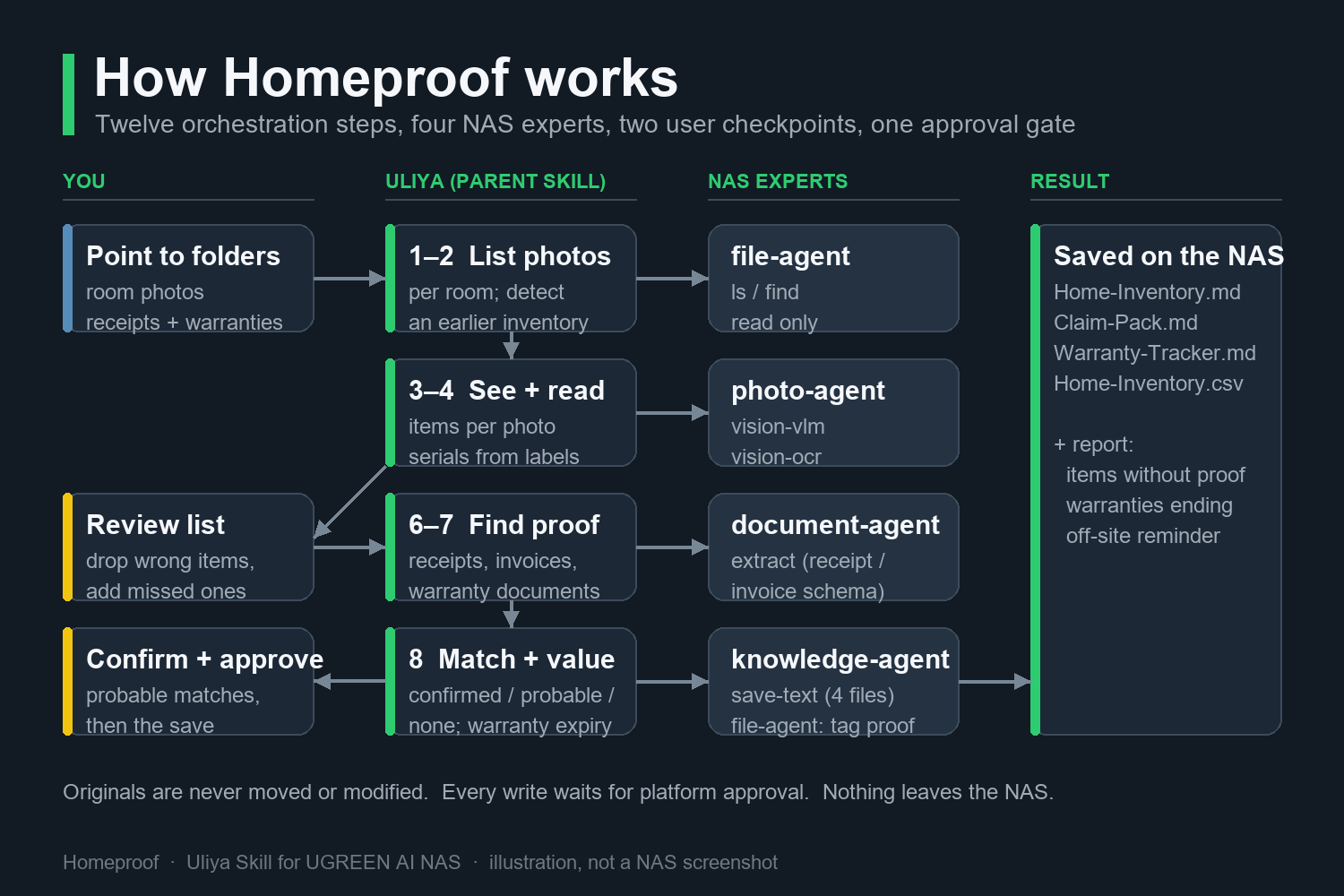
Twelve orchestration steps across file, photo, document, and knowledge experts, with user review and approval before any write.
-
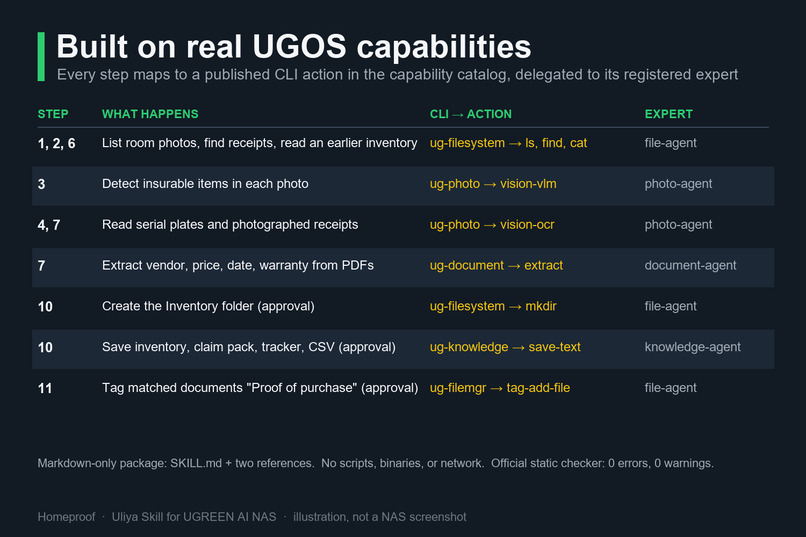
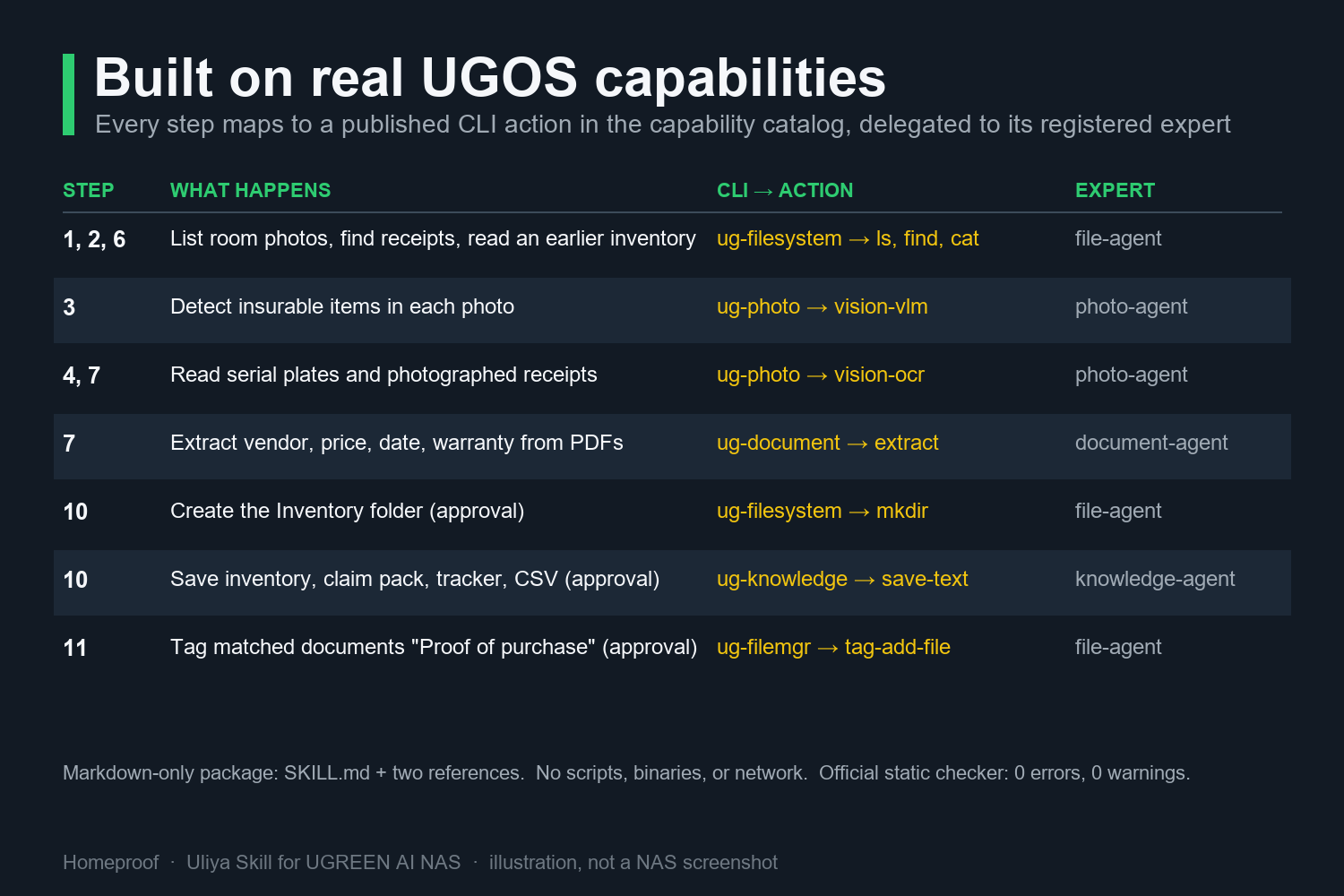
Each step maps to a published UGOS capability: vision-vlm, vision-ocr, document extract, save-text, and file tagging.
-
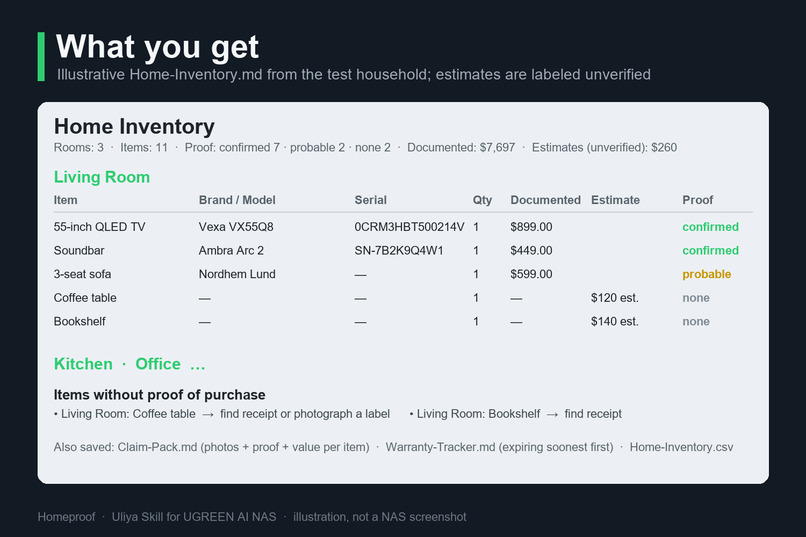
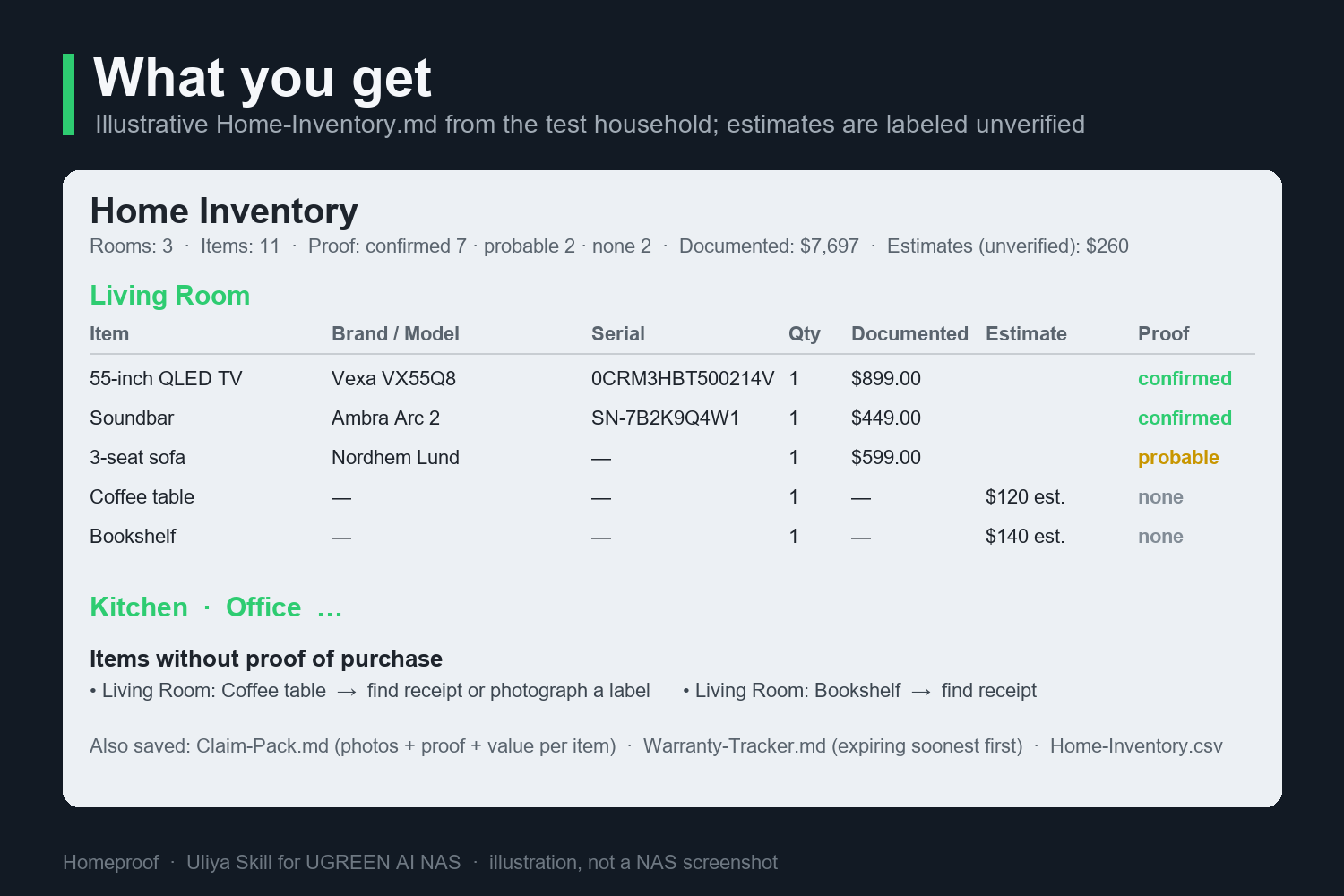
Illustrative Home-Inventory.md: documented values from matched receipts, unverified estimates kept apart, and a to-do for missing proof.
Inspiration
Ask an insurer what to do before a burglary, flood, or fire and the answer is always the same: keep an itemized inventory with proof of purchase. Almost nobody does, because building one by hand means walking every room, typing every item, and hunting for receipts in old emails. The list is out of date the day you buy a new TV.
Then it struck me that a NAS already holds the raw material. Phone photos back up to it automatically. Order confirmations, invoices, and warranty PDFs get dropped into a documents folder. A UGREEN AI NAS can also see those photos and read those documents locally. The inventory does not need to be typed; it needs to be assembled from what is already there.
What it does
Homeproof is a Uliya Skill. You photograph each room and the labels of valuable items, then say "build my home inventory". The Skill:
- lists the room folders and detects insurable items in every photo with the local vision model;
- reads brand, model, and serial numbers from label close-ups by OCR;
- lets you correct the candidate list;
- finds receipts, invoices, and warranty documents and extracts vendor, price, date, and warranty terms;
- matches proof to items with explicit rules (confirmed, probable, none) and asks you about the probable ones;
- saves, after approval, a room-by-room inventory, an insurance claim pack, a warranty tracker, and a CSV;
- optionally tags the matched documents "Proof of purchase".
Run it again next month and it only processes the new photos. Nothing leaves the NAS.
How we built it
A Skill in UGOS is pure orchestration: a SKILL.md plus linked Markdown references, with no scripts or binaries. The parent Skill never touches the NAS directly; it delegates self-contained instructions to registered experts (file-agent, photo-agent, document-agent, knowledge-agent), each of which picks its own CLI actions from the public capability catalog.
I started from the capability catalog in the Starter Kit and worked backwards: which real actions exist for listing folders, running the vision model and OCR, extracting structured data from a receipt, and saving text? Only then did I write the twelve-step workflow. Matching rules and output templates live in two reference files so the main workflow stays readable. Every write (folder creation, saving, tagging) sits behind the platform's approval gate, and the five delegation states are handled explicitly so the Skill never claims a file was saved unless the expert actually returned completed.
The package passes the official static checker with zero errors and zero warnings. For rehearsal before NAS access, I built a fake household: synthetic invoices with fictional brands, a warranty certificate, a photographed receipt, a distractor letter, and serial-plate label images per room, then ran the whole workflow locally against real room photos. The same test kit means the one assigned finalist test day can go to validation rather than setup.
Challenges we ran into
- Writing for a local model. Instructions had to be short, literal, and self-contained. Every delegation says what to return, what not to touch, and what to do when the result is empty.
- Keeping the Skill honest. Vision models misread serials and invent brands. The design treats every detection as a proposal the user confirms, and value estimates are labeled unverified and kept in a separate column from documented values.
- Matching without IDs. Receipts rarely name the exact item in the photo. The matching rules fall back from serial, to brand and model, to brand and category, and refuse to guess beyond that.
- The obvious objection. A home NAS can be lost in the same fire as the home. So the claim pack is deliberately small and portable, and the Skill ends by reminding you to copy it off-site. Most claims, though, are burglaries, water damage, and dead electronics, where the NAS survives.
What we learned
The capability catalog is the real spec. Half my first ideas died when I checked whether an action existed. Writing orchestration instead of code also changes how you think about errors: you cannot catch an exception, so you must say in plain language what happens on failed, cancelled, waiting_user, and waiting_approval.
The biggest lesson came from a local dry run before any NAS access: twelve real photos of three rooms, synthetic receipts, and Claude Code following SKILL.md literally as a stand-in for Uliya. The first version of the workflow looked complete on paper and had twelve holes in practice:
- a label close-up could attach to the wrong item when only the product type matched, so brand now has to match;
- model numbers printed on devices were never asked for, so a readable "E525w" or "P1S" was lost;
- a photo of built-in cabinets had no legal answer, so "no items" is now a valid result;
- a shelf of decor produced a dozen junk rows, so small things are grouped per shelf;
- half-visible items and sealed product boxes were listed as certain, so they are flagged;
- receipts for items that were never photographed were silently dropped, so they are surfaced and the user is asked;
- paper receipts lying in a room photo were ignored, so the report suggests scanning them;
- the repeat run re-read a Markdown table and re-analyzed empty photos, so it now reads the CSV and records empty photos.
A second run with one new photo then matched a previously orphaned sofa receipt to the new sofa, which is the moment the whole proof-matching idea proved itself. None of this would have surfaced from the static checker, which passed from the first draft.
What's next for Homeproof
Validate on the iDX6011 Pro: item-detection quality, OCR accuracy on real serial plates, and receipt extraction coverage. Then two features users will ask for immediately: a "what changed since last time" diff for moves and renters' deposits, and a depreciation view for home-office asset registers.

Log in or sign up for Devpost to join the conversation.