-
-
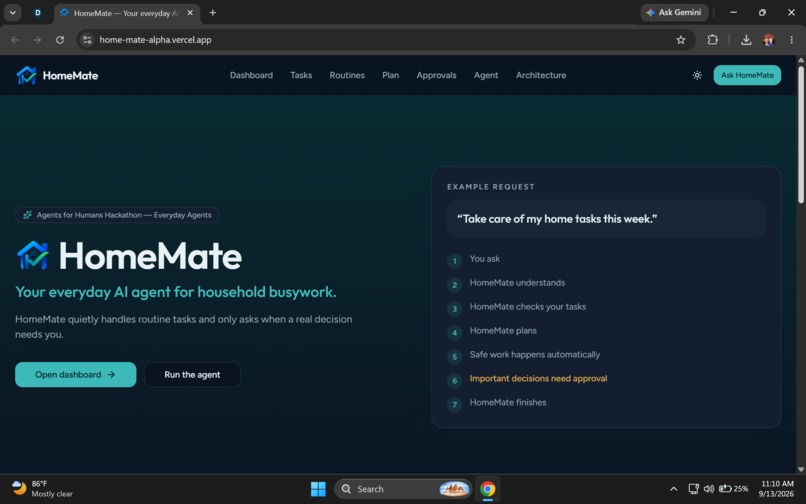
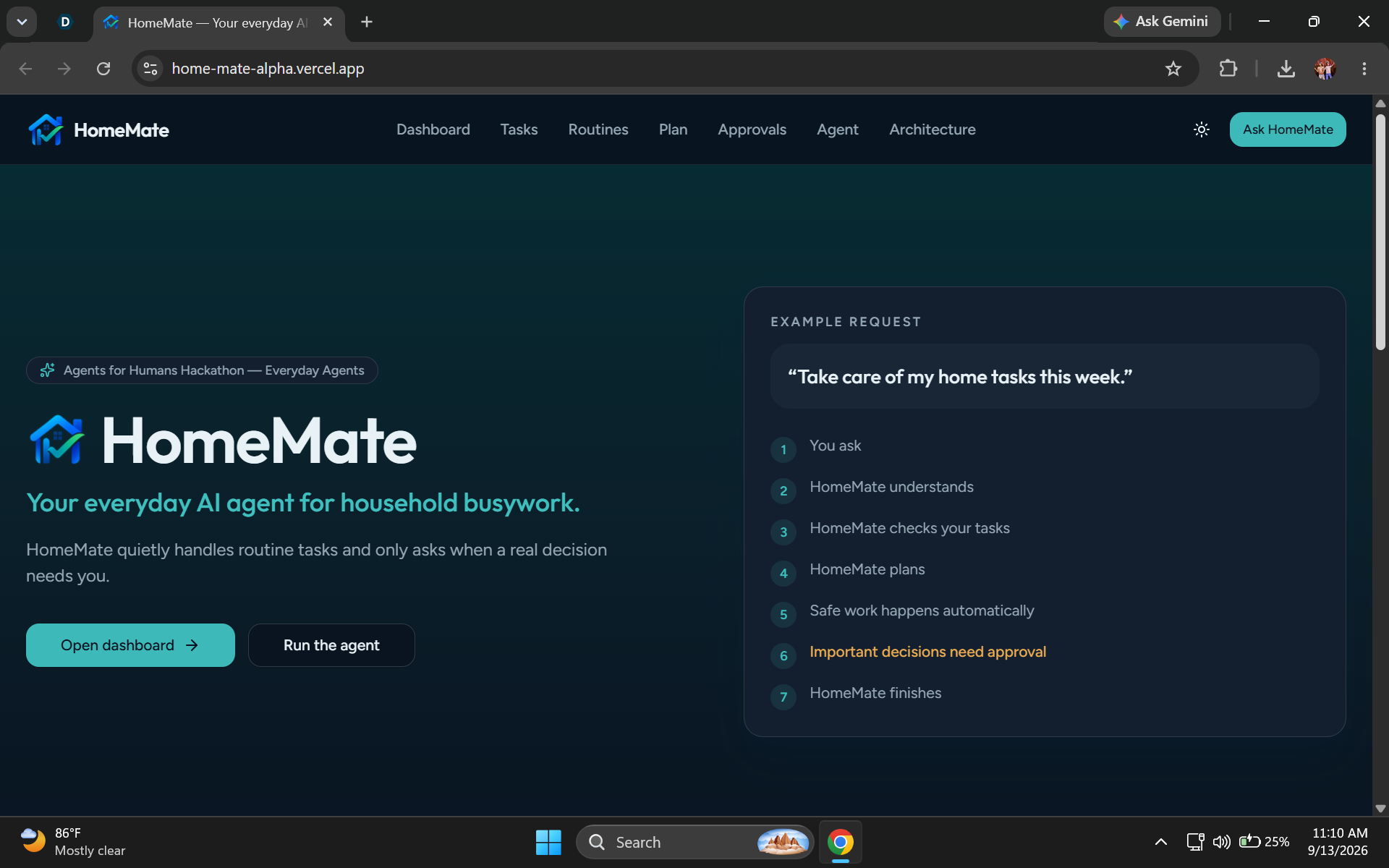
Homepage[dark mode]
-
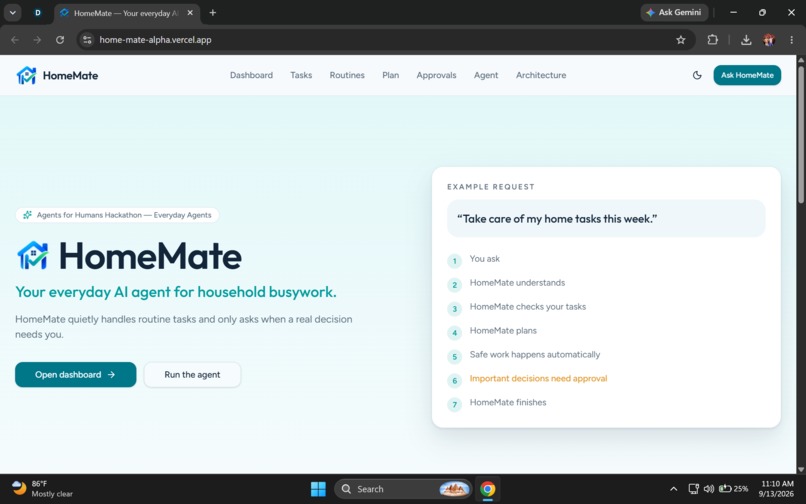
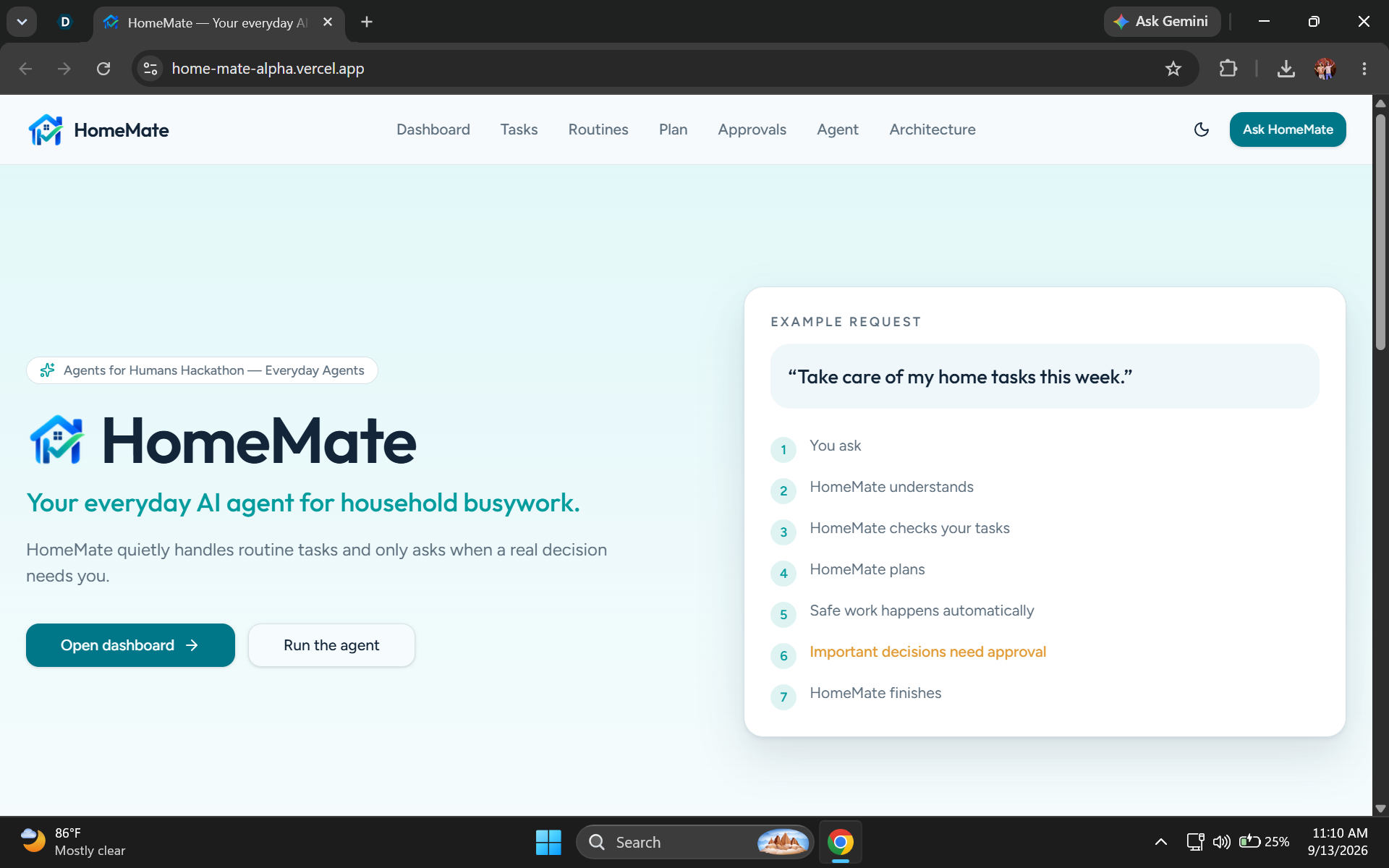
Homepage[light mode]
-
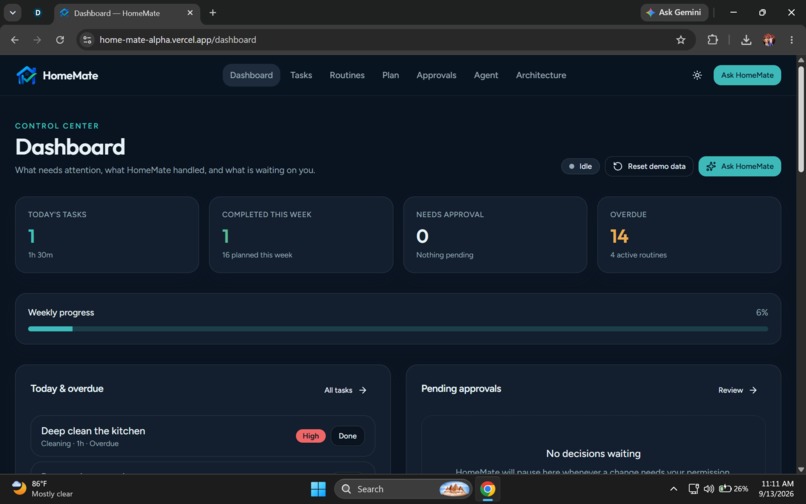
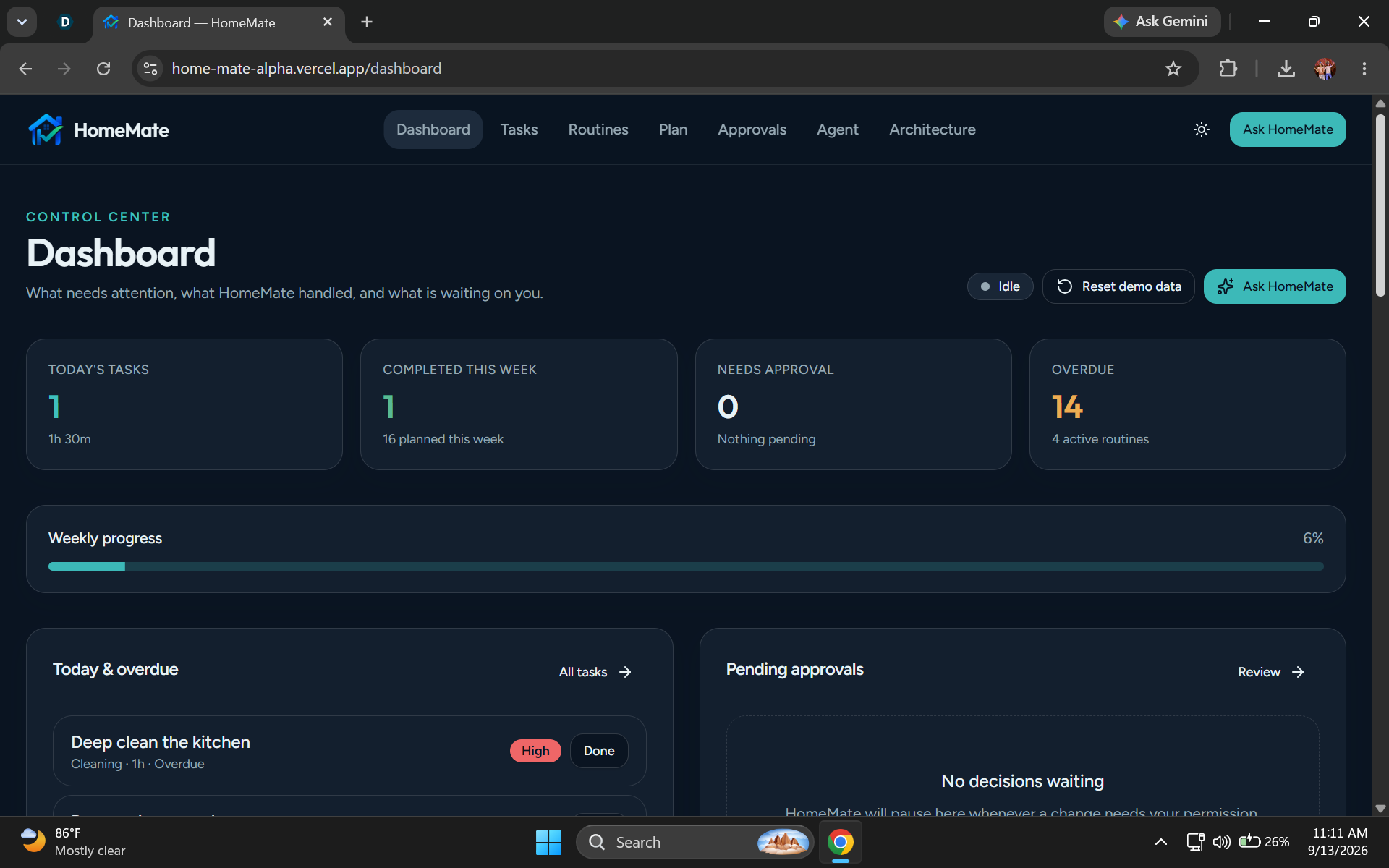
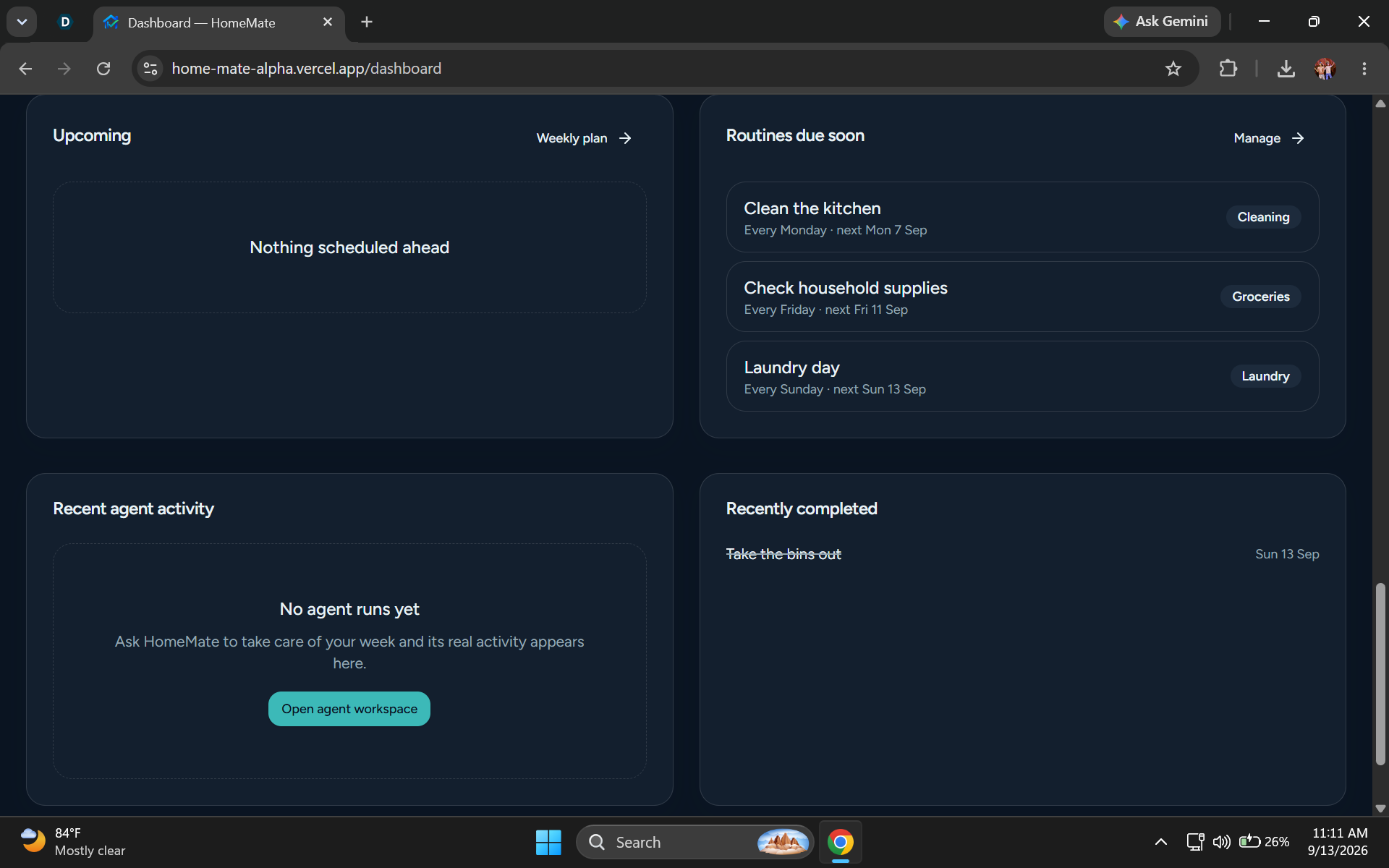
Dashboard page
-
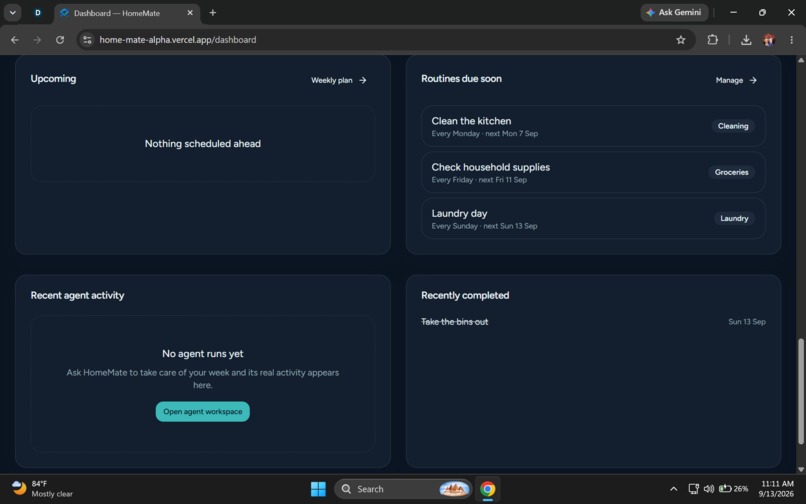
Details
-
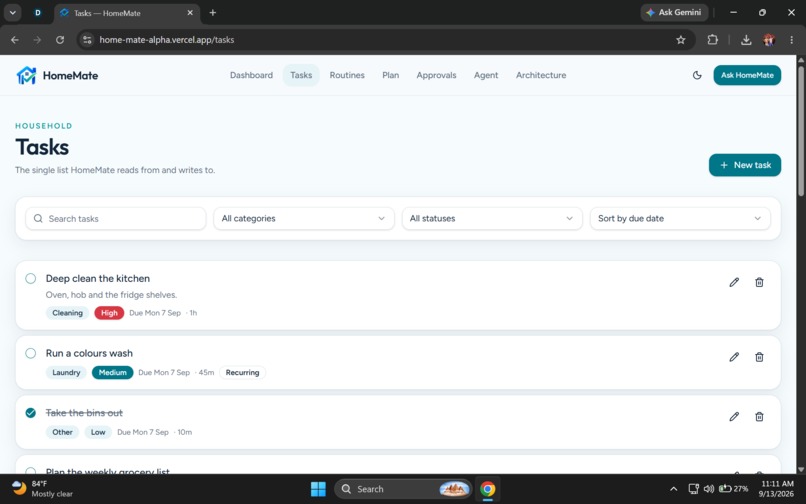
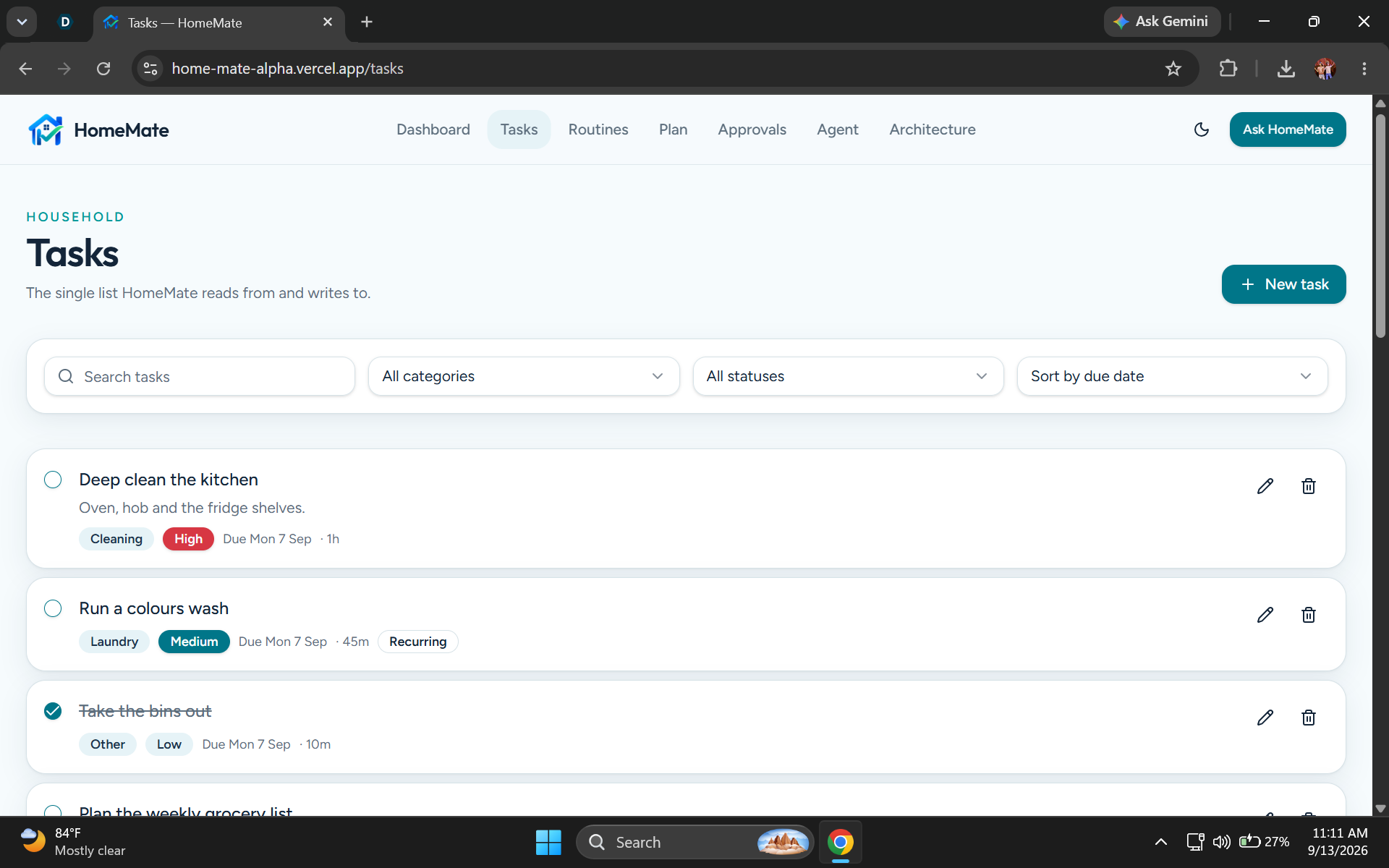
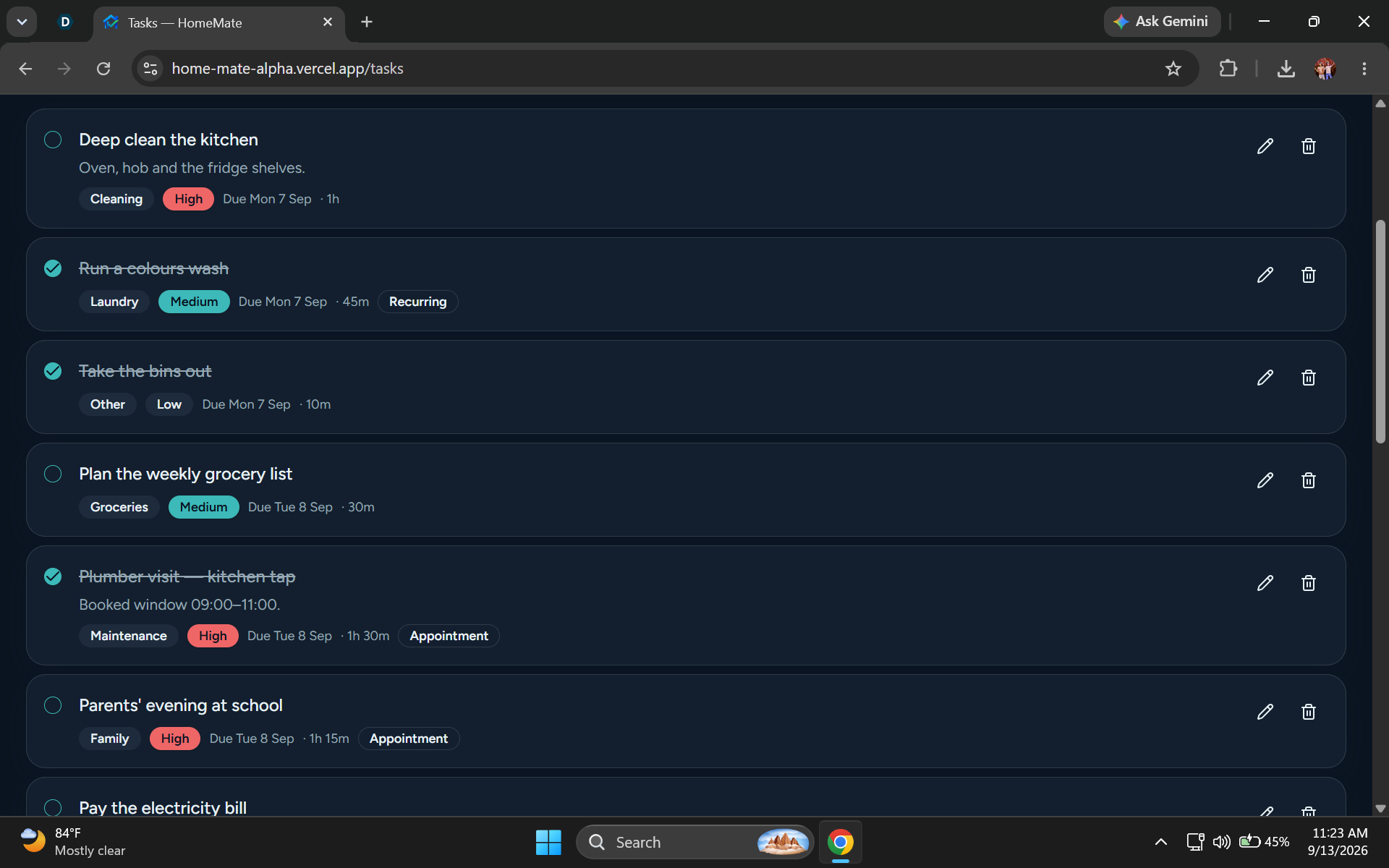
Tasks page-you can manage tasks
-
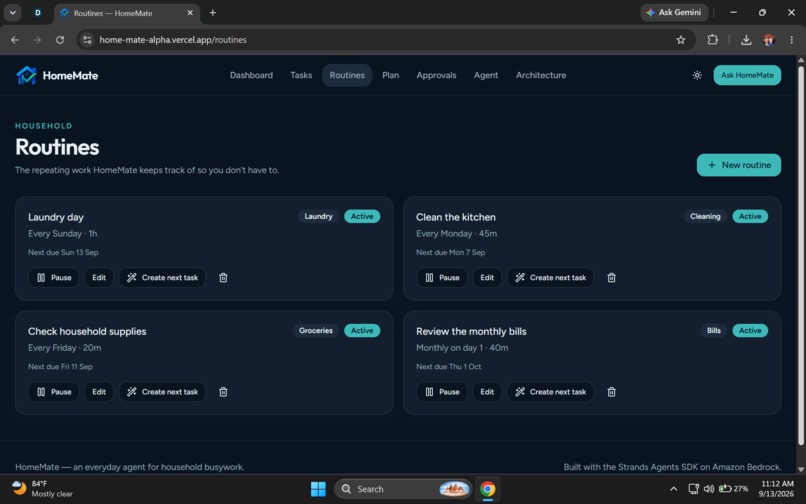
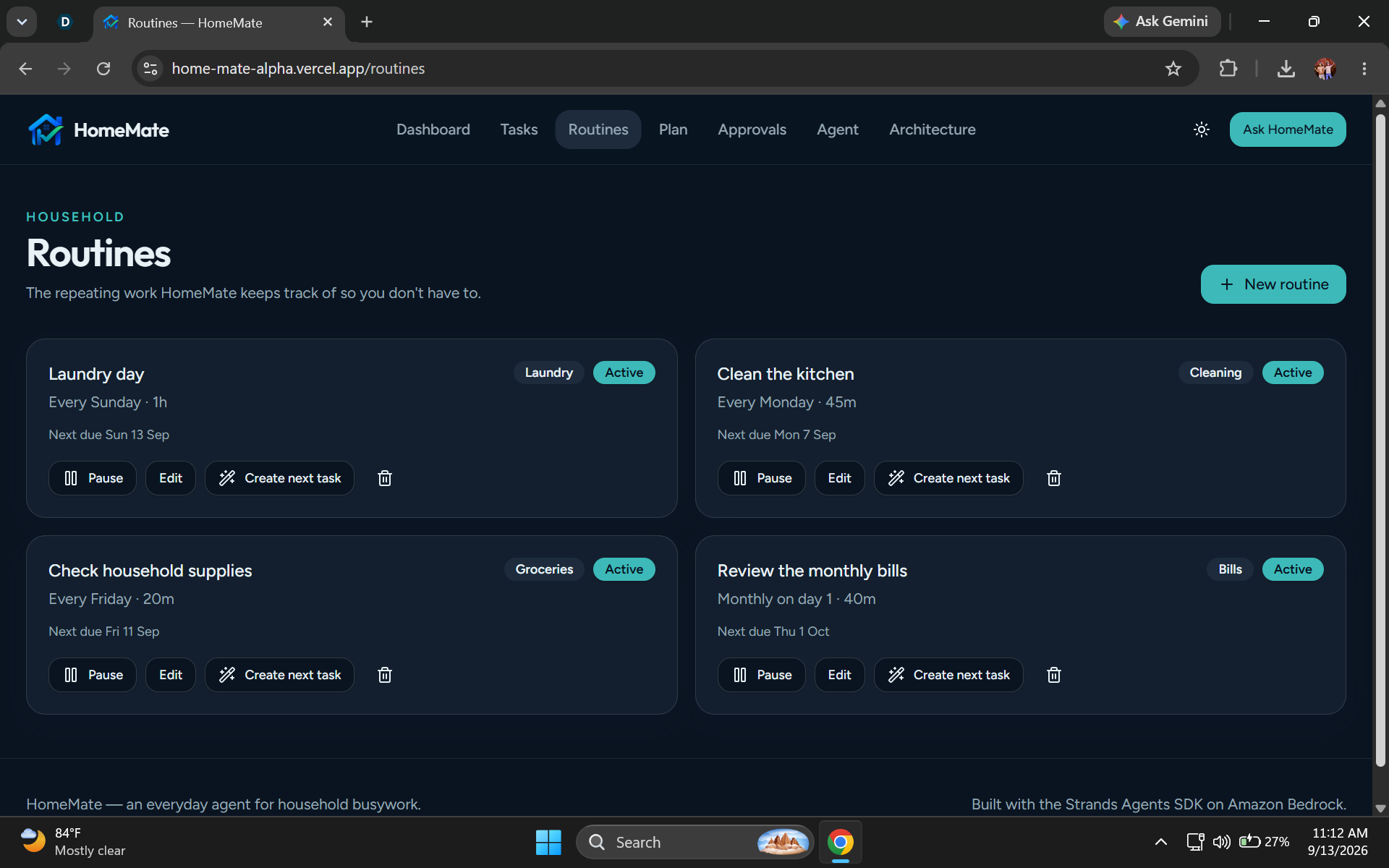
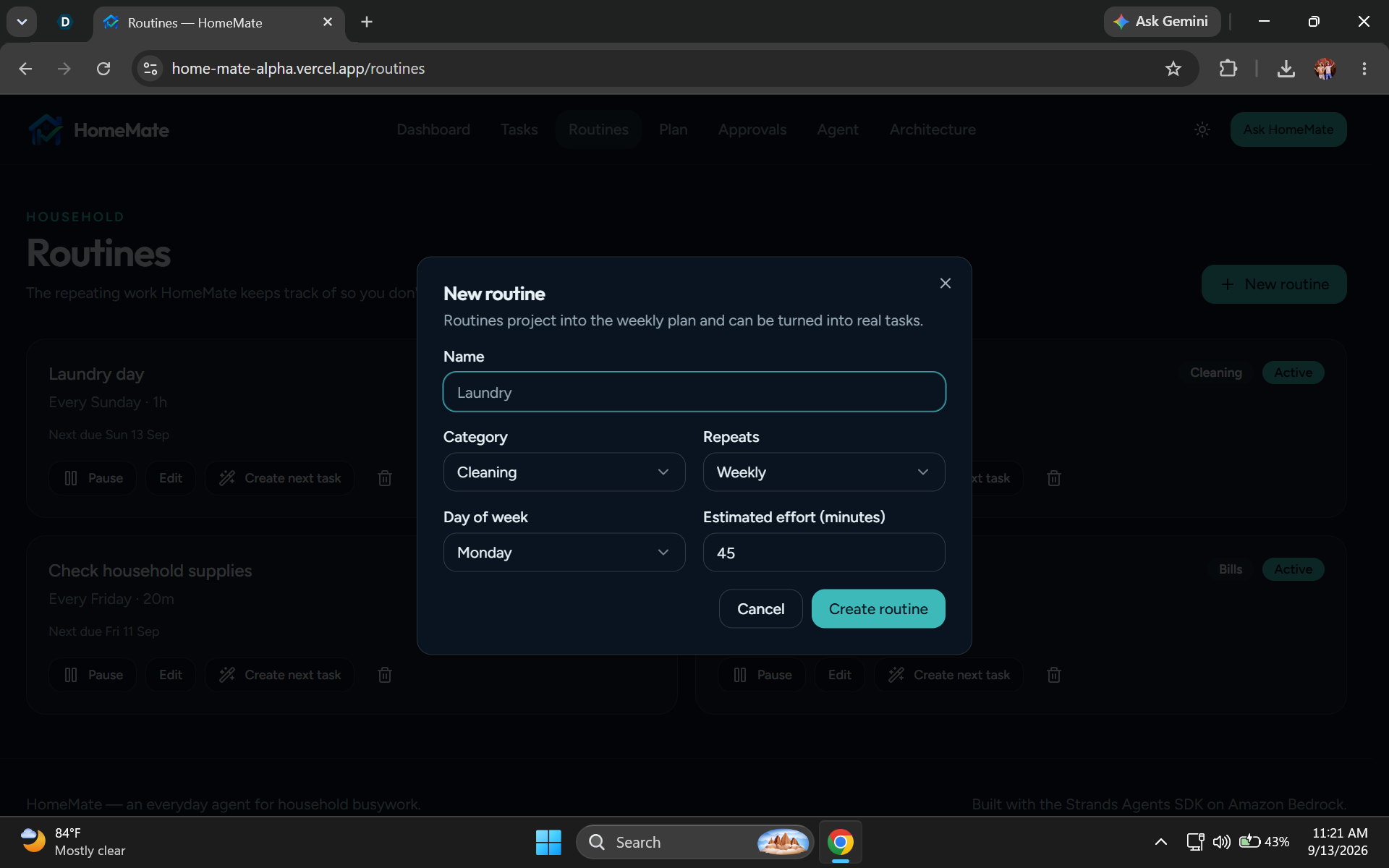
Routine page-you can manage everyday tasks
-
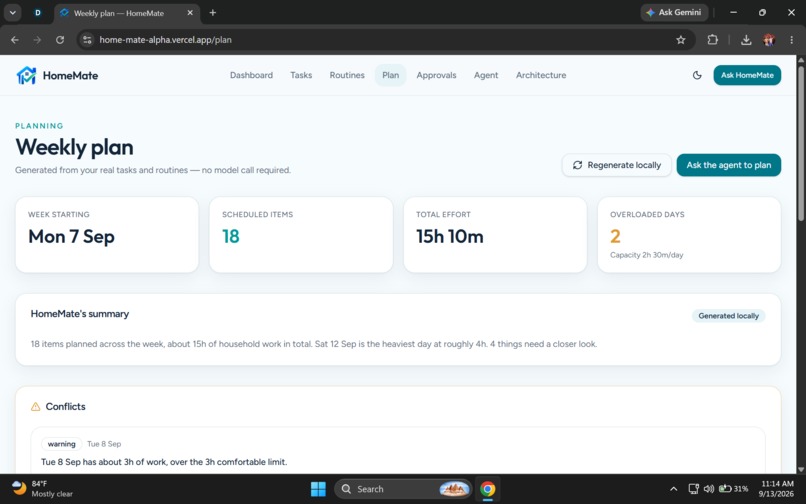
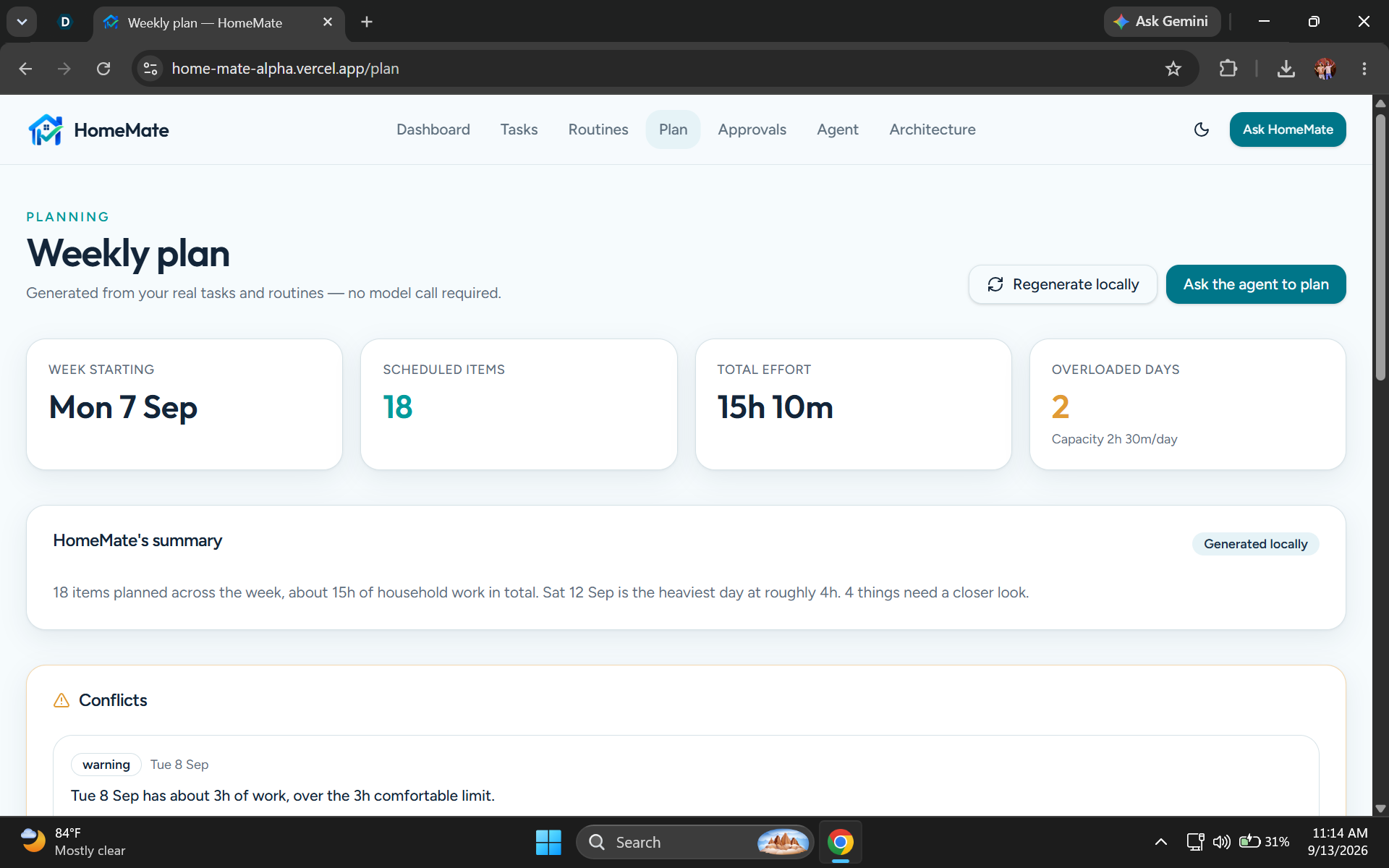
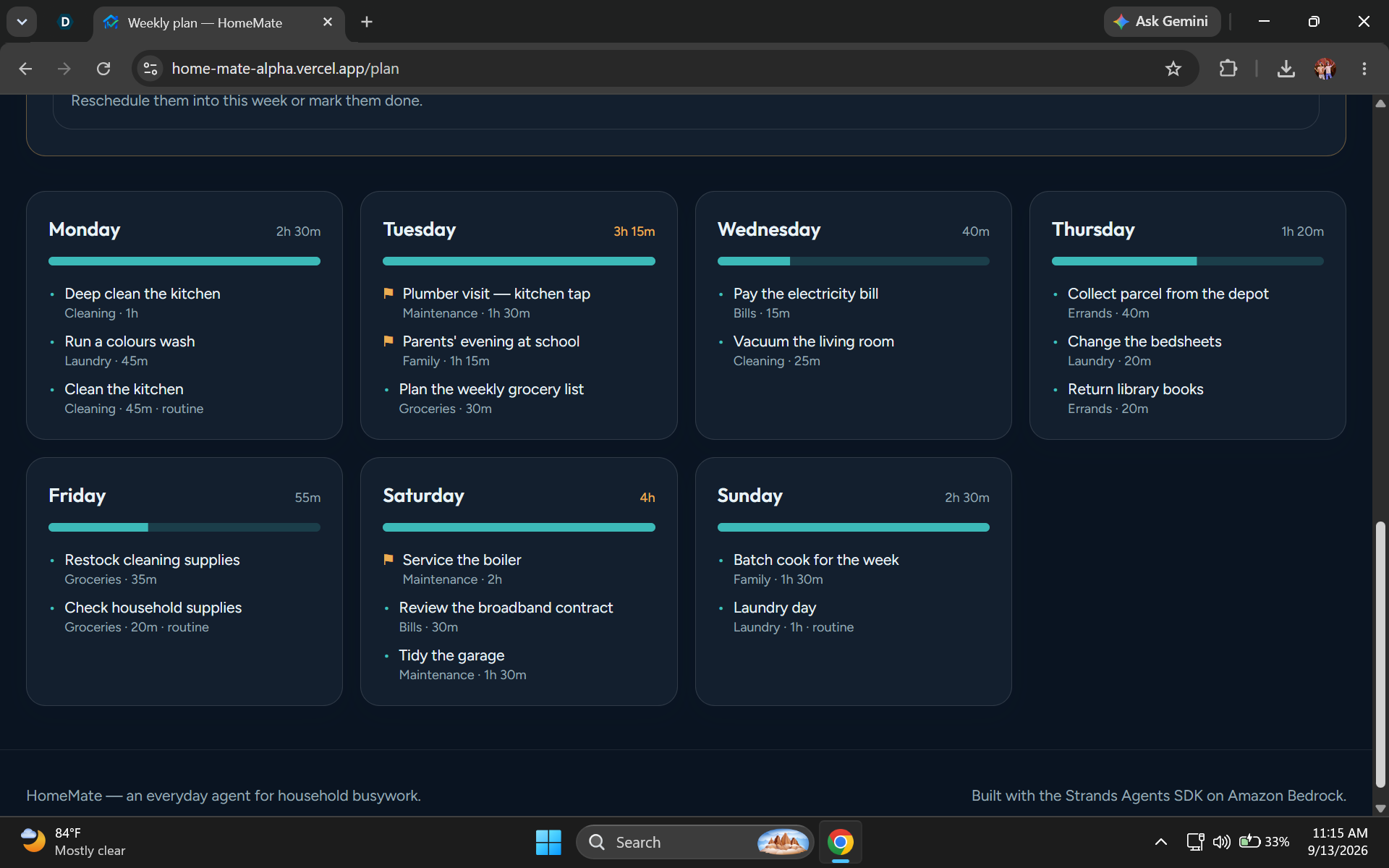
Weekly Plan-Which is created based upon both Tasks and Routines
-
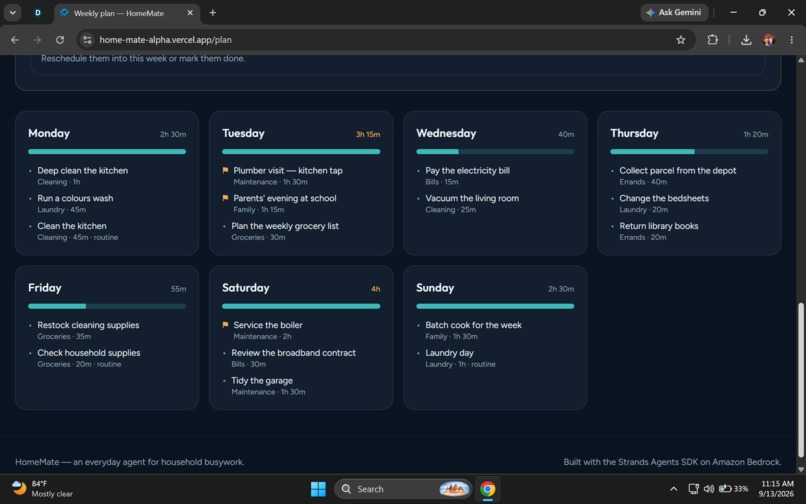
Everyday Summary-AI Auto Generate Locally
-
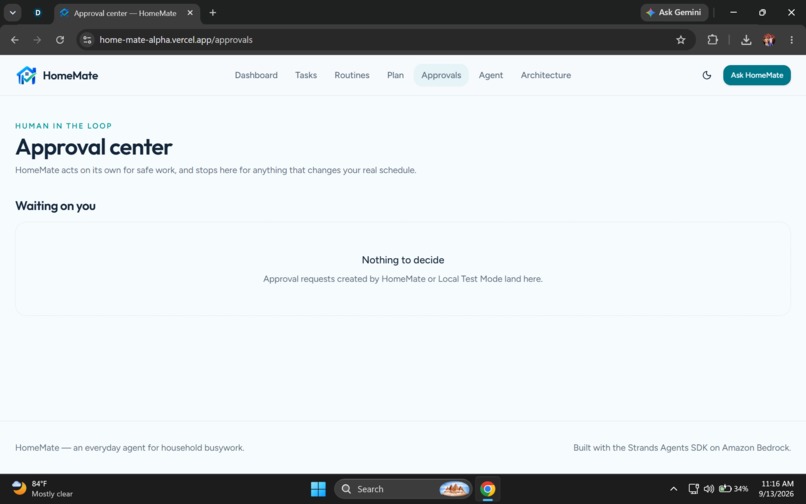
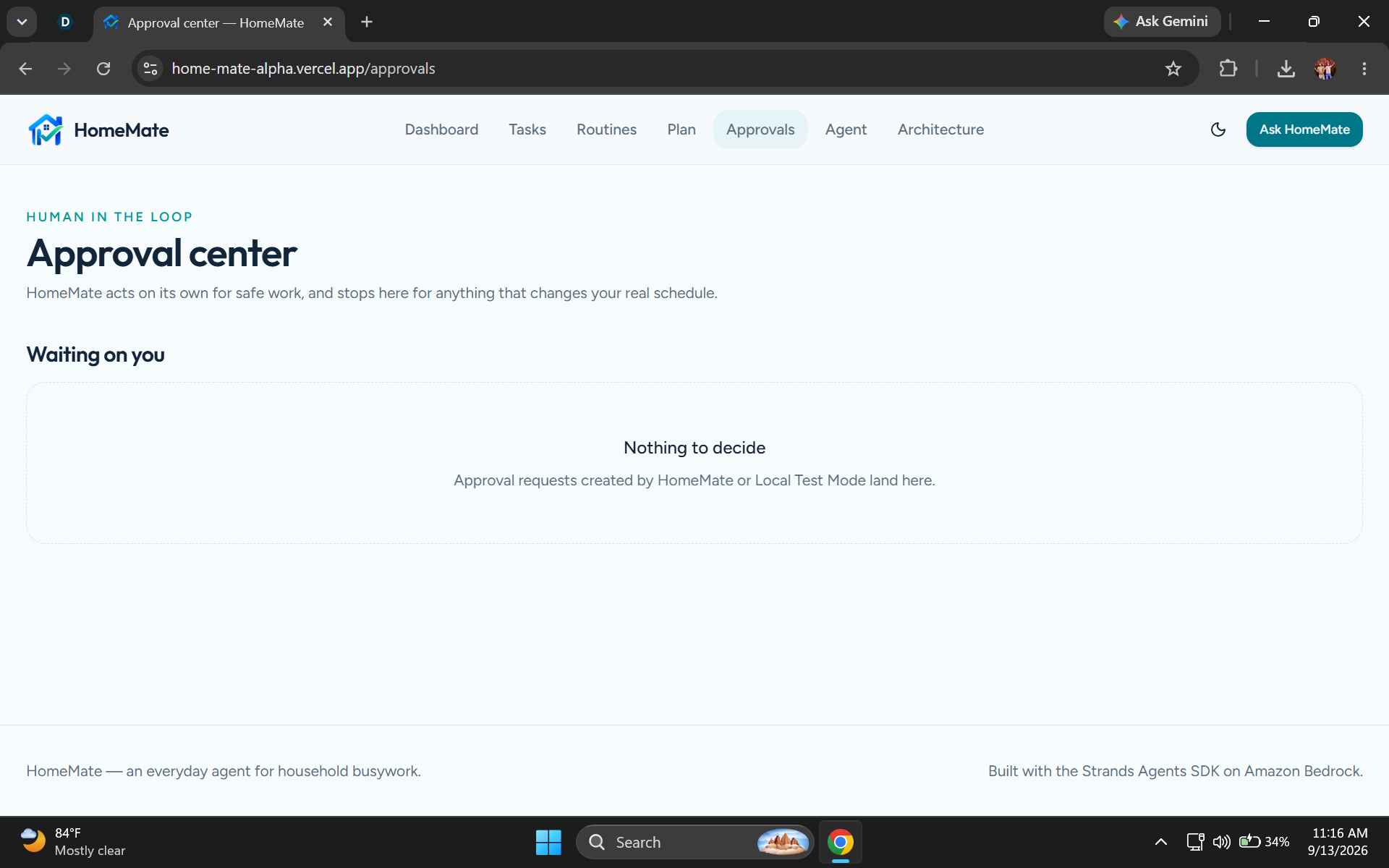
Approvals Page-Nothing To show yet inside
-
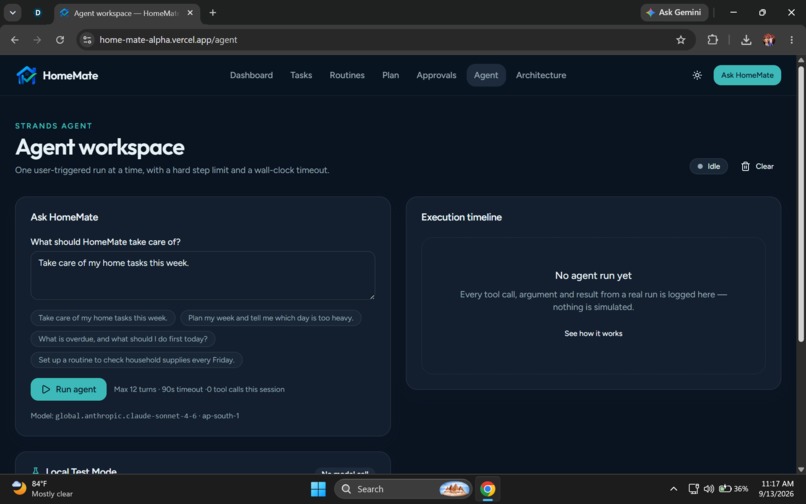
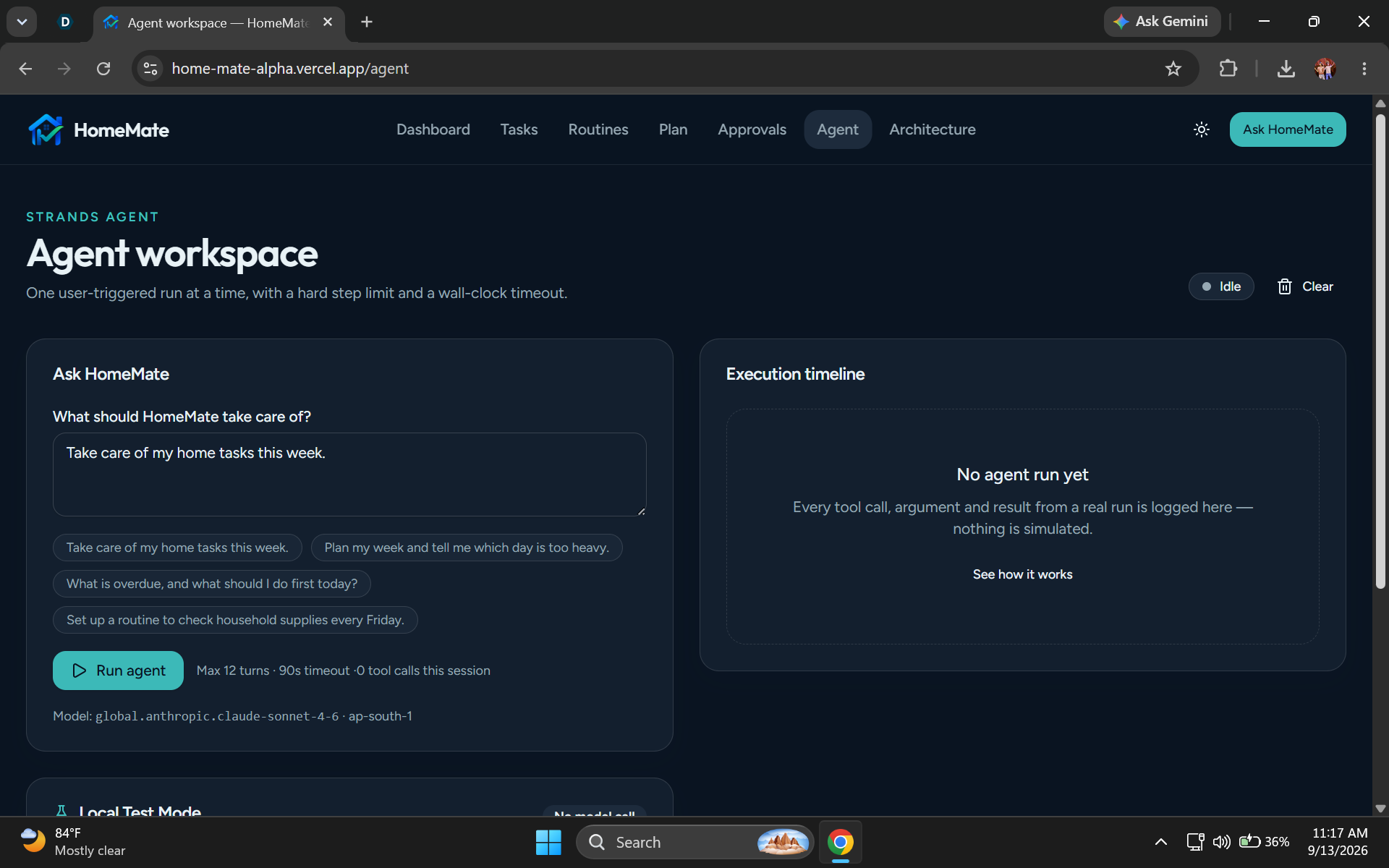
Agent Workspace-Included both Strands agent Logic + Run Local Teat Offline
-
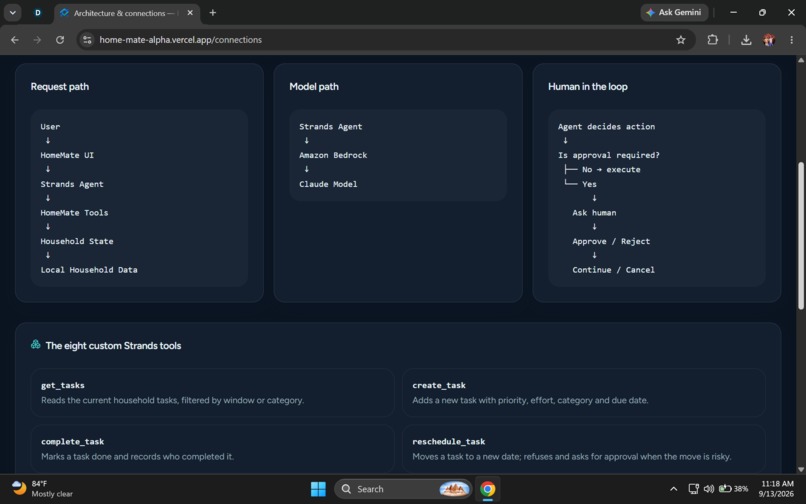
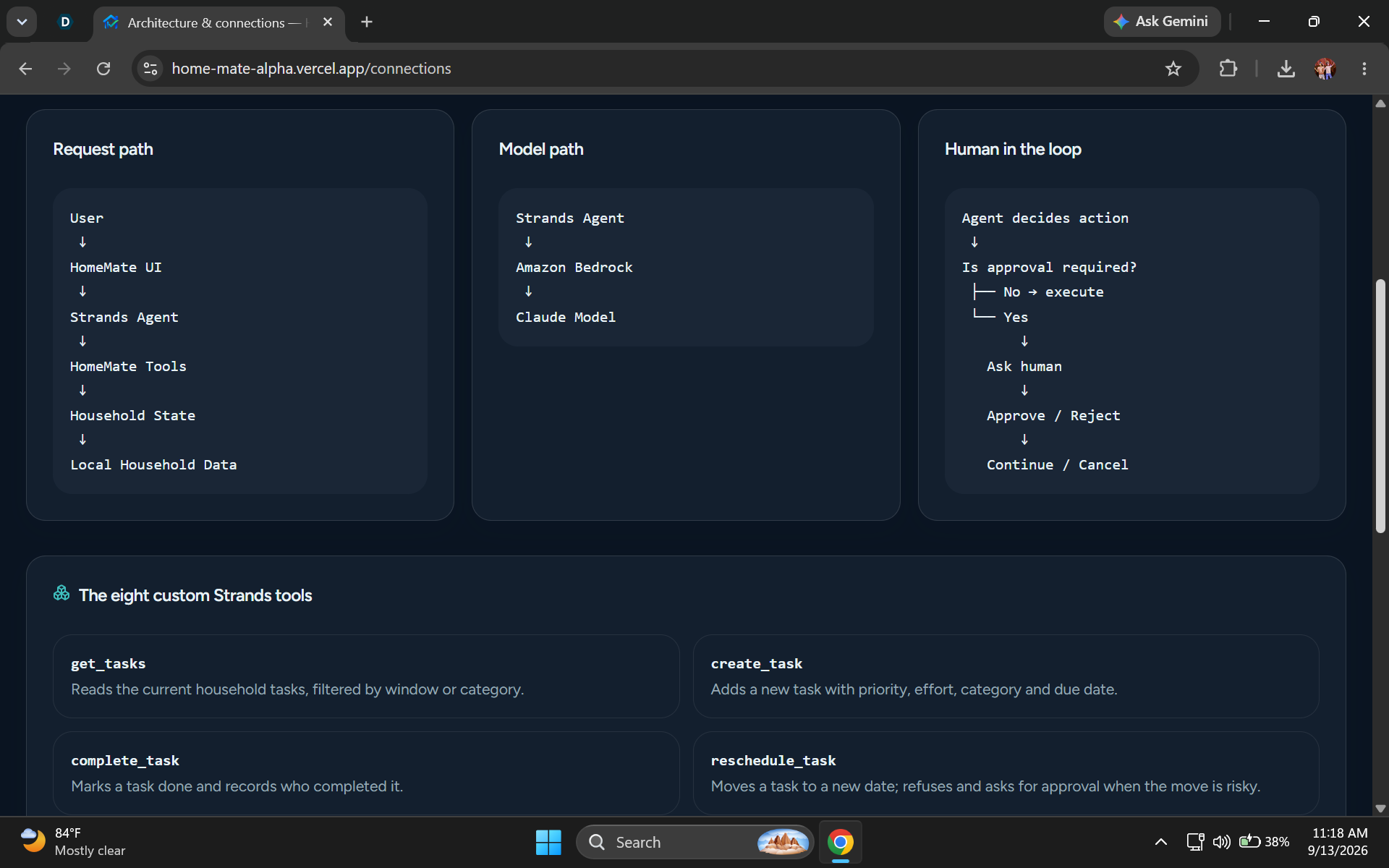
Architecture Page-Showing Every Backend connection
-
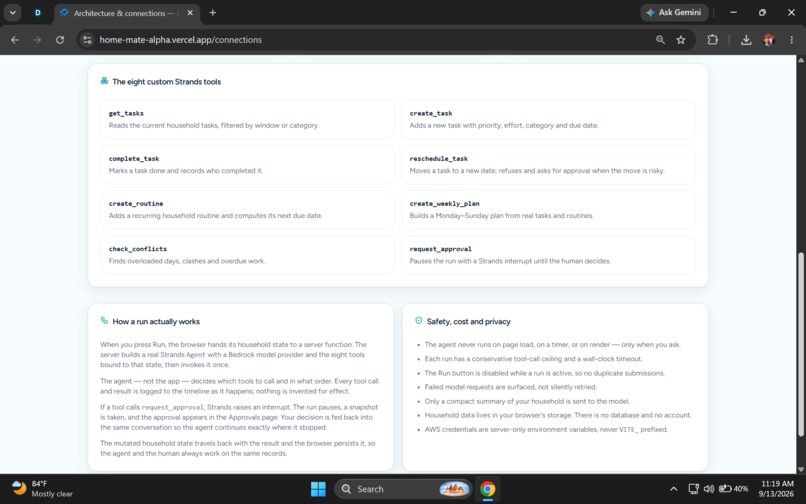
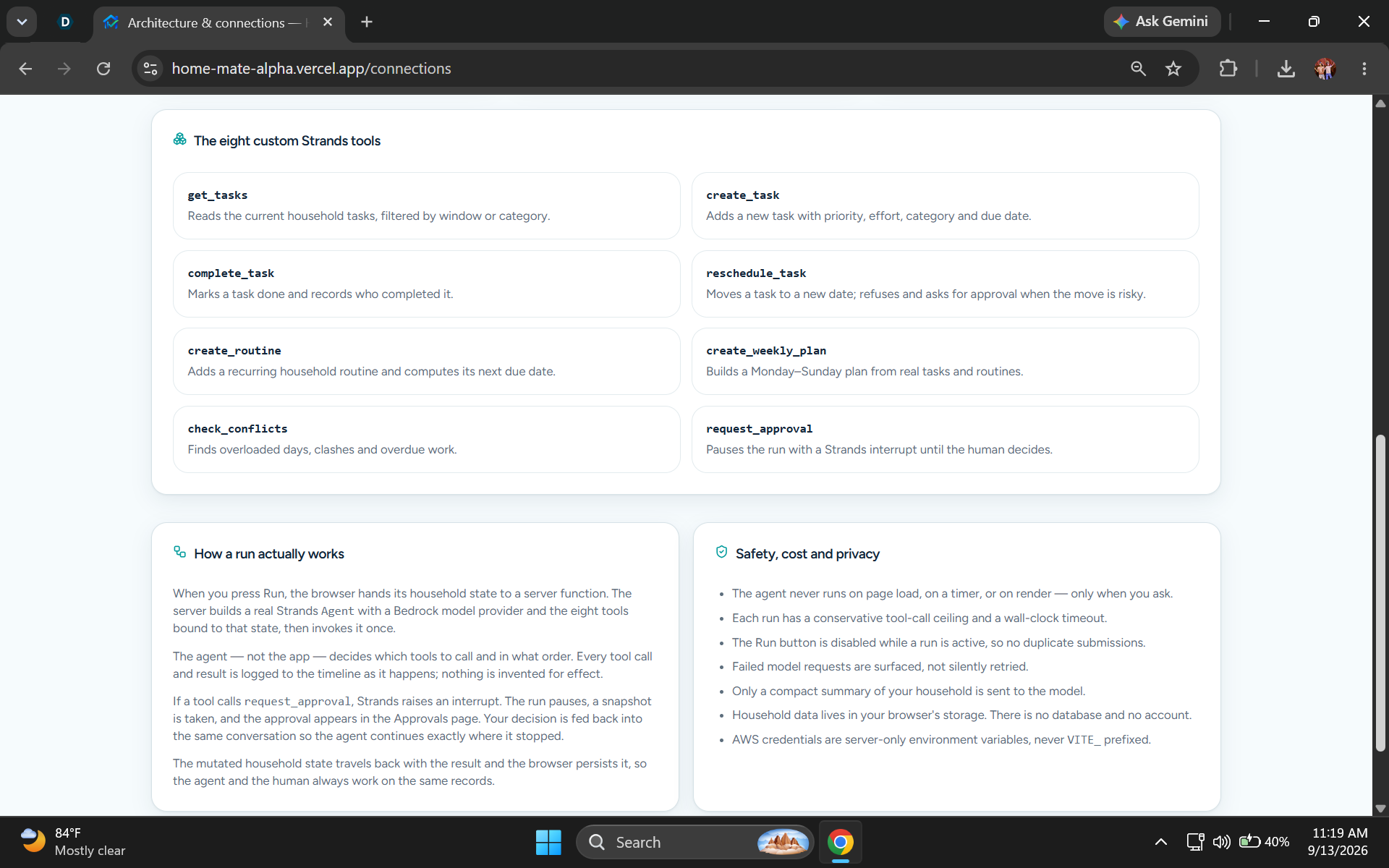
Architecture Page-Showing Eight strand tools
-
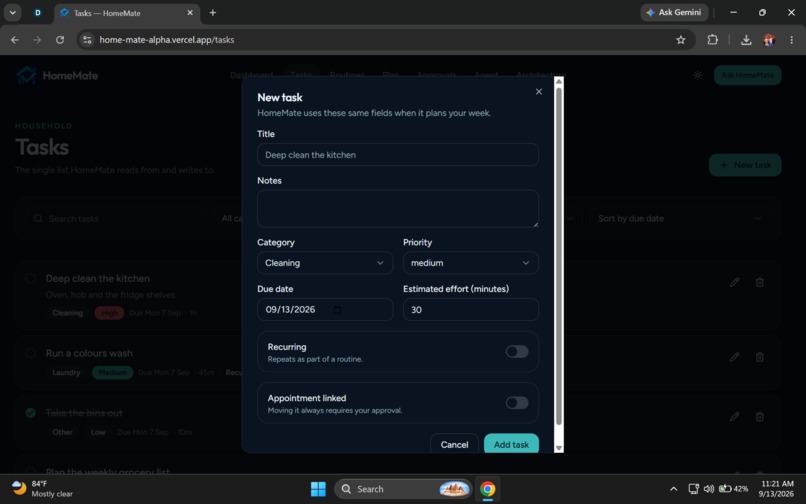
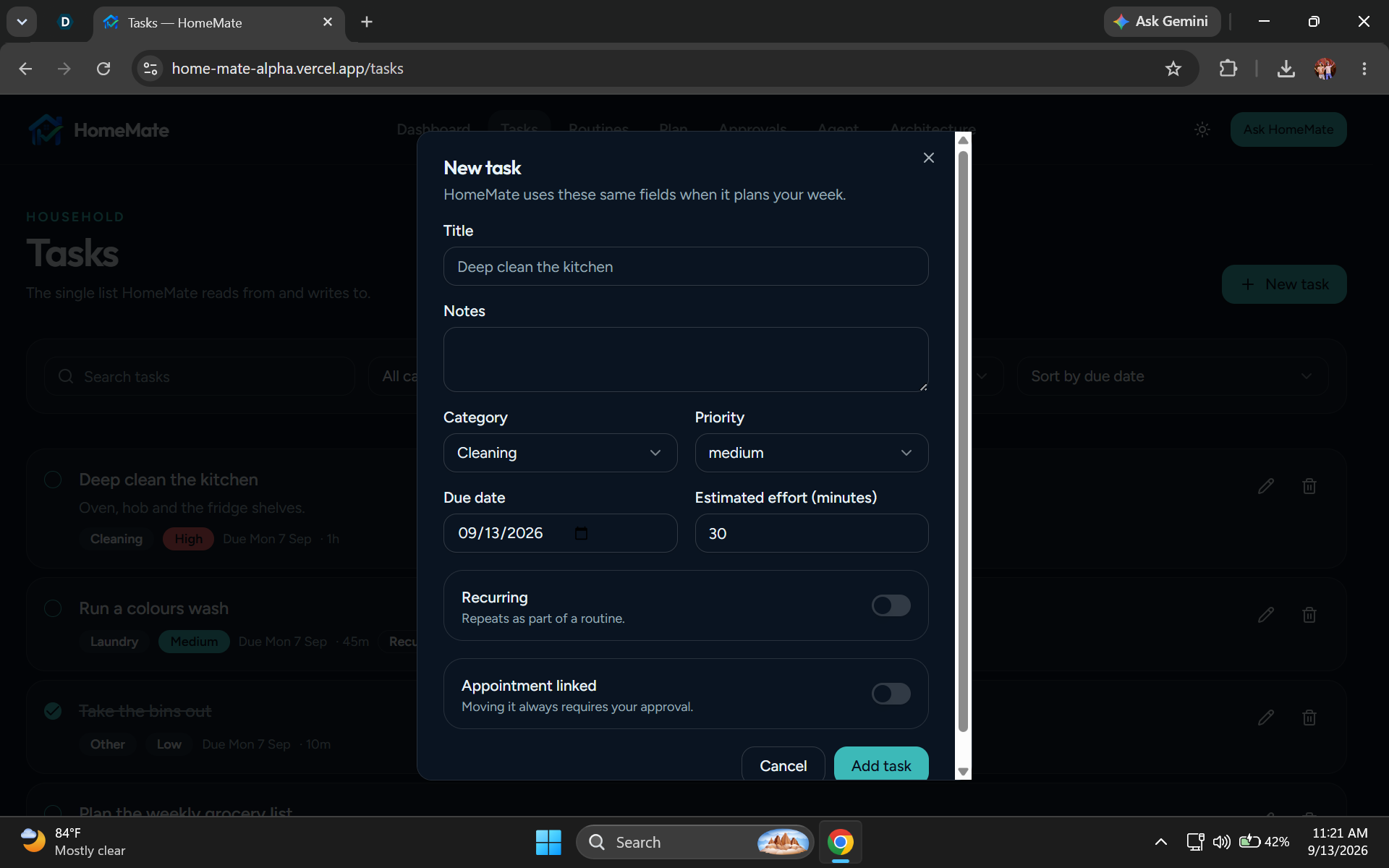
Task Add Option for adding task
-
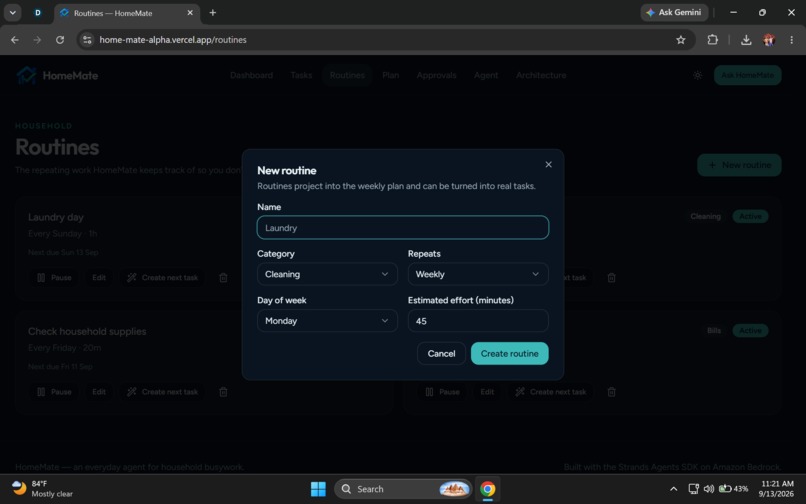
New Routine Add Option
-
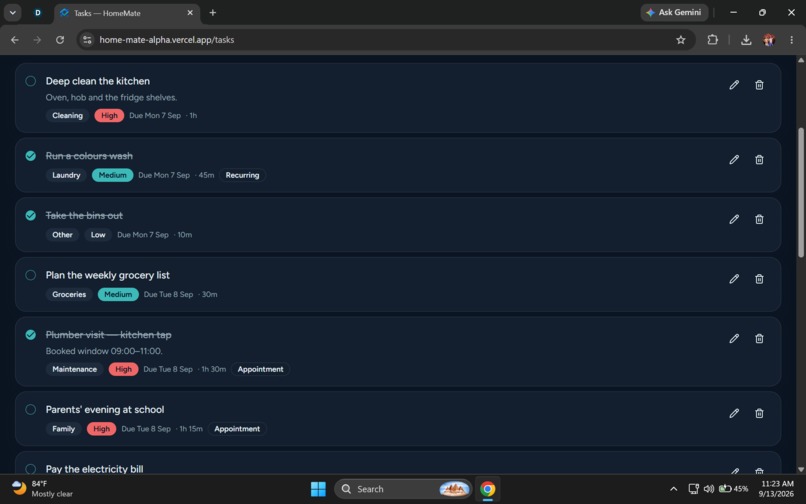
Task List-Showing All Tasks
Inspiration
Household busywork is made up of many small responsibilities: remembering recurring chores, organizing tasks, balancing schedules, deciding what needs to happen first, and adjusting plans when conflicts appear.
Individually, these tasks are small. Together, they consume time and attention.
We wanted to explore a different kind of household assistant — not another chatbot that simply gives suggestions, but an agent that can actually work through household tasks and continue until the job is finished or a human decision is required.
That idea became HomeMate.
HomeMate is designed around one principle:
"Quietly handle routine work. Interrupt only when a real decision needs you."
What HomeMate Does
HomeMate is an AI household agent that helps people manage recurring household busywork.
A user can make a request such as:
"Take care of my home tasks this week."
Instead of responding with a list of suggestions, HomeMate examines the current household state, decides which actions are needed, uses its available tools, checks for conflicts, creates or updates plans, and pauses for human approval when an action materially changes the user's schedule.
After approval, the agent continues the workflow and produces a final summary.
The Core Workflow
HomeMate follows an agentic workflow:

User request
    ↓
Strands Agent
    ↓
Read household state
    ↓
Plan
    ↓
Check conflicts
    ↓
Perform safe actions
    ↓
Approval required?
    ├── No → Continue automatically
    └── Yes → Ask the human
                    ↓
               Approve / Reject
                    ↓
                  Continue
                    ↓
               Final result
The important part is that the sequence is not a hard-coded chatbot response.
The Strands Agent decides which tools to use based on the user's request and the current household state.
The Problem
Household management often requires repeated small decisions:
- What needs to be done today?
- Which recurring routines are due?
- Is the week's schedule overloaded?
- Can a task be moved?
- Which tasks can be completed automatically?
- Which changes should require permission?
Most productivity applications leave the user responsible for making all of those decisions manually.
HomeMate is designed to take over the repetitive coordination while keeping the human in control of meaningful decisions.
Who It Is For
HomeMate is designed for people who manage recurring household responsibilities and want to reduce the mental effort involved in organizing them.
Potential users include:
- Individuals managing their own household
- Families coordinating chores
- Busy professionals
- Students living independently
- People managing recurring home routines
- Households with many small tasks competing for attention
Why It Matters
Household work is rarely one large task.
It is a continuous stream of small tasks, recurring routines, schedule adjustments, and decisions.
HomeMate focuses on the coordination layer.
Instead of asking the user to repeatedly open an app, inspect a list, reorganize dates, and decide what should happen next, HomeMate can reason over the household state and carry out appropriate actions.
The goal is to reduce administrative overhead while preserving human control.
What Makes HomeMate Different
HomeMate is not designed primarily as a conversational assistant.
The distinction is:
Traditional assistant:
User
 ↓
Question
 ↓
Answer
HomeMate:
User
 ↓
Request
 ↓
Inspect state
 ↓
Choose tools
 ↓
Perform work
 ↓
Detect conflict
 ↓
Request approval when necessary
 ↓
Resume
 ↓
Finish
This makes the agent useful because it actually changes the household state instead of only describing what the user could do.
Real Agent Architecture
HomeMate uses the Strands Agents TypeScript SDK as the actual agent framework.
The architecture is:
User
 ↓
HomeMate UI
 ↓
Server-side Strands Agent
 ↓
Amazon Bedrock
 ↕
HomeMate Tools
 ↓
Household State
 ↓
Tasks / Routines / Plans / Approvals
The Strands Agent is responsible for deciding which tools to use and in what order.
Amazon Bedrock provides the configured foundation model.
HomeMate tools perform operations against the application's household state.
Eight Custom Tools
HomeMate provides eight custom tools to the agent:
get_tasks Reads the current household tasks.
create_task Creates a new household task.
complete_task Marks a task as completed.
reschedule_task Moves a task to a different date.
create_routine Creates a recurring household routine.
create_weekly_plan Generates a weekly plan from current tasks and routines.
check_conflicts Detects scheduling conflicts and overloaded days.
request_approval Creates a human approval request when an action requires permission.
Each tool uses typed input, schema validation, real execution, and structured results.
Human-in-the-Loop
Human approval is a core part of HomeMate.
The agent is allowed to handle safe and reversible work automatically.
When a proposed action materially changes the household schedule, the agent can pause and ask for approval.
Example:
"Saturday is overloaded. I want to move the maintenance task to Sunday. Approve?"
The user can:
- Approve
- Reject
- Edit the proposed action
When approved, the real agent execution resumes and the underlying household state is updated.
This is implemented using the Strands interruption and resume flow rather than only displaying a visual approval modal.
Example Agent Run
A typical request might be:
"Take care of my home tasks this week."
A possible agent-driven workflow is:
- Read the current household tasks.
- Read recurring routines.
- Create or update the weekly plan.
- Check for conflicts.
- Evaluate which actions can be performed safely.
- Request approval for a schedule-changing action if necessary.
- Pause for the user's decision.
- Resume after approval.
- Apply the approved change.
- Return a concise final summary.
The exact tool sequence is determined by the agent and current state rather than being presented as one fixed script.
Shared Household State
HomeMate keeps the user interface and agent tools connected to the same logical household data.
The system manages:
- Tasks
- Routines
- Weekly plans
- Approvals
- Preferences
- Agent execution state
The local household state is persisted in the browser, while transient agent execution state remains separate.
This lets a human action in the UI immediately affect what the agent sees.
Local Test Mode
HomeMate includes a deterministic Local Test Mode so the household workflow can be tested without making Bedrock requests.
This makes it possible to verify:
- Creating tasks
- Completing tasks
- Rescheduling
- Creating routines
- Weekly planning
- Conflict detection
- Approvals
without requiring a live model connection.
Local Test Mode is clearly distinguished from real Strands execution.
Cost-Conscious Design
A major design goal was to avoid unnecessary model usage.
HomeMate does not:
- Call the model on page load
- Run an autonomous background loop
- Poll the model continuously
- Retry requests indefinitely
- Run the agent on every UI render
Agent execution is user-triggered.
The application also uses a conservative tool/step limit, timeout protection, and duplicate-run prevention.
This keeps the agent workflow practical and helps control model usage.
Safety and Error Handling
HomeMate handles common failure states including:
- Missing credentials
- Invalid credentials
- Bedrock access errors
- Model availability problems
- Network failures
- Tool validation errors
- Tool execution errors
- Approval rejection
- Approval timeout
- Agent timeout
- Empty household data
- Scheduling conflicts
The application translates failures into understandable messages and avoids exposing secrets or raw provider errors.
User Experience
HomeMate is intentionally designed as a household productivity product rather than a generic chatbot.
The interface focuses on:
- Tasks
- Routines
- Weekly planning
- Approvals
- Agent activity
- Household state
- Clear status indicators
The main question the dashboard answers is:
"What needs my attention?"
The product also makes a second distinction:
"What did HomeMate handle for me?"
Agent Status
The application uses clear agent states:
- Idle
- Working
- Waiting for approval
- Finished
- Error
These states are connected to the real agent lifecycle rather than decorative UI animations.
Agent Event Timeline
The agent workspace can show events such as:
10:02 Agent started 10:02 Read household tasks 10:03 Created weekly plan 10:03 Found scheduling conflict 10:03 Requested approval 10:04 User approved 10:04 Rescheduled task 10:04 Agent completed
Only real execution events are intended to appear in the timeline.
Household Management
The Tasks page supports:
- Create task
- Edit task
- Complete task
- Delete task
- Priority
- Due date
- Estimated effort
- Category
- Recurrence
- Search
- Filter
- Sort
The agent operates on the same underlying task state.
Routine Management
The Routines page supports recurring household workflows such as:
- Laundry every Sunday
- Clean kitchen every Monday
- Check supplies every Friday
- Review bills every month
Users can:
- Create
- Edit
- Pause
- Resume
- Change recurrence
- View next due date
- View run history
Weekly Planning
The Plan page presents the household schedule from Monday through Sunday.
It can show:
- Tasks by day
- Effort totals
- Conflicts
- Overloaded days
- Rescheduling suggestions
- Simple agent explanations
This turns household data into an understandable weekly view.
Approval Center
The Approvals page is where humans remain in control.
Each approval can show:
- Requested action
- Why it is needed
- Current state
- Proposed state
- What will change
- Approve
- Reject
- Edit
Approval decisions affect the real household state.
Connections / Architecture
The Connections page explains the system in simple language:
User
 ↓
HomeMate UI
 ↓
Strands Agent
 ↓
HomeMate Tools
 ↓
Household State

And the model connection:

Strands Agent
 ↓
Amazon Bedrock
 ↓
Configured Foundation Model
The page also explains the human-in-the-loop path:
Agent
 ↓
Approval required?
 ├── No → Continue
 └── Yes
       ↓
   Ask human
       ↓
Approve / Reject
       ↓
Continue / Cancel
Technologies
The project uses the Strands Agents TypeScript SDK as its agent framework and Amazon Bedrock as the model provider.
The application also uses web technologies for the interface, local household state, validation, and responsive presentation.
The exact dependency list is available in the repository's package manifest.
Why Strands
Strands is central to HomeMate because the project is intended to demonstrate a genuine tool-using agent rather than a simulated conversational experience.
The agent:
- Receives a user request
- Reasons about available actions
- Chooses tools
- Receives tool results
- Continues execution
- Can pause for human intervention
- Resumes after an approval decision
This is the core technical idea behind the project.
Why Amazon Bedrock
Amazon Bedrock provides the model runtime for the HomeMate agent.
Keeping the model configuration environment-driven allows the application to separate:
- application logic
- agent tools
- model configuration
- credentials
without exposing credentials to the browser.
Future Vision
HomeMate could eventually support:
- Additional household workflows
- More sophisticated routine planning
- Richer conflict resolution
- Shared household accounts
- Authorized calendar integrations
- More automation actions
- Voice interaction
- Mobile applications
- Additional external household services
The current prototype intentionally focuses on one strong agentic workflow rather than trying to automate every part of household life.
Conclusion
HomeMate explores a simple idea:
"An assistant should not only tell you what to do — it should handle the routine work it safely can."
The product combines a real Strands Agent, custom tools, household state, planning, conflict detection, and human approval into one end-to-end workflow.
The result is a household agent designed to reduce repetitive coordination while keeping the human in control whenever a meaningful decision is required.
⚠️ Important Note About the Live AI Demonstration
HomeMate is implemented with a real Strands Agents TypeScript SDK + Amazon Bedrock architecture, including real agent execution, custom household tools, and a Human-in-the-Loop approval workflow.
For the hackathon demonstration and testing, we used an Amazon Bedrock short-term API key. Amazon's short-term Bedrock keys are temporary credentials: they remain valid for the shorter of the active session duration or 12 hours, and they can only be used in the AWS Region in which they were generated. Because the credential is intentionally temporary, the live AI functionality on the deployed URL may stop working after the key expires unless a new valid server-side credential is configured. This is an expected property of the temporary authentication method and is not a limitation of HomeMate's Strands Agent architecture or application logic.
The project was deliberately designed so that the Bedrock credential is never exposed in the browser, client bundle, public assets, or local storage. The key is used only on the server side through the environment variable:
AWS_BEARER_TOKEN_BEDROCK
with the corresponding:
AWS_REGION
and:
BEDROCK_MODEL_ID
configuration. Amazon documents AWS_BEARER_TOKEN_BEDROCK as the supported environment variable for using a Bedrock API key.
This means that if the temporary credential has expired, visitors may still access the HomeMate interface and use its local household-management functionality, but live Bedrock-powered agent execution will require a new valid credential to be configured on the server.
We intentionally do not place a permanent or long-lived AWS credential inside the publicly deployed application simply to keep the live demo running. This preserves a safer credential boundary and avoids publishing an AWS secret as part of the hackathon project.
The application's Local Test Mode is therefore available for demonstrating the household workflow without depending on an active Bedrock credential. It can demonstrate task management, routines, planning, conflict detection, and approval behavior without pretending that a live model call occurred.
In summary
Real HomeMate Architecture
        ↓
Strands Agents SDK
        ↓
Amazon Bedrock
        ↓
Claude Sonnet
        ↓
8 Custom Tools
        ↓
Human-in-the-Loop
        ↓
Household State
Built With
- 4.6
- agentic
- agents
- ai
- amazon
- bedrock
- claude
- css
- design
- functions
- human-in-the-loop
- javascript
- localstorage
- node.js
- react
- responsive
- sdk
- server-side
- sonnet
- strands
- tailwind
- typescript
- vite
- web
- zod


Log in or sign up for Devpost to join the conversation.