-
-
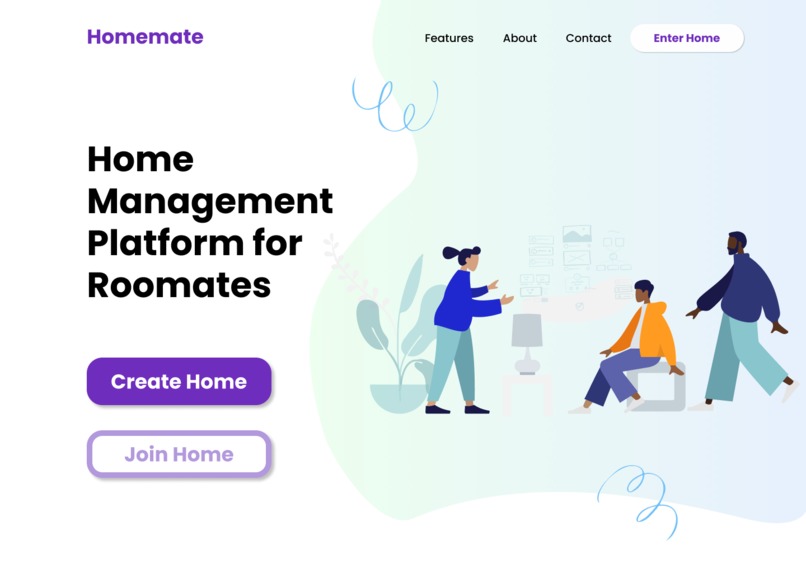
Home Page
-
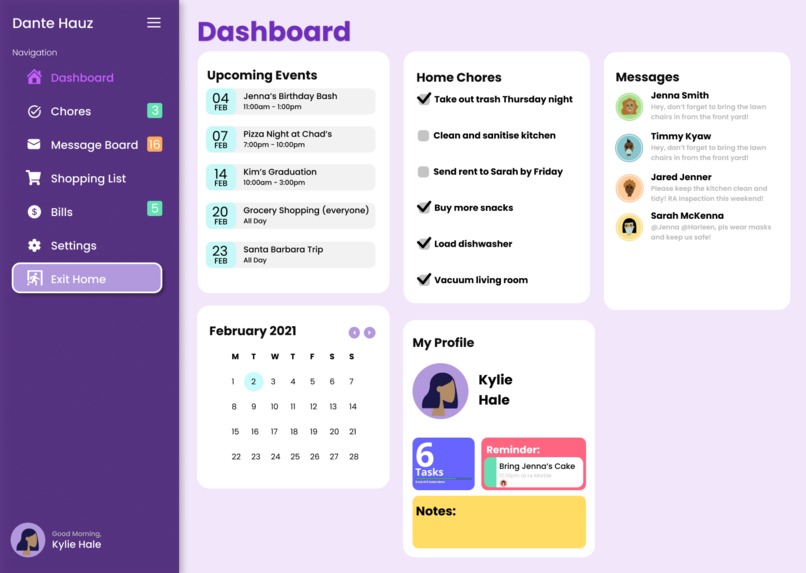
Main Page
-
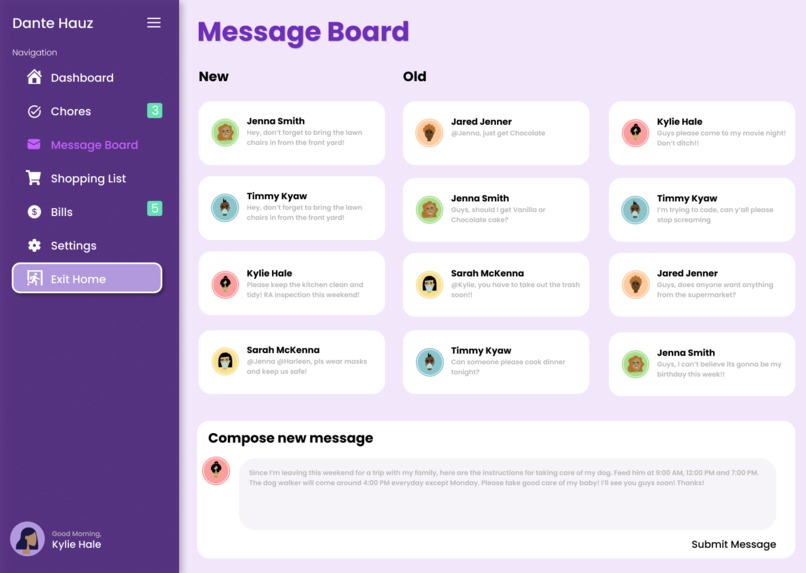
Message Board Page
-
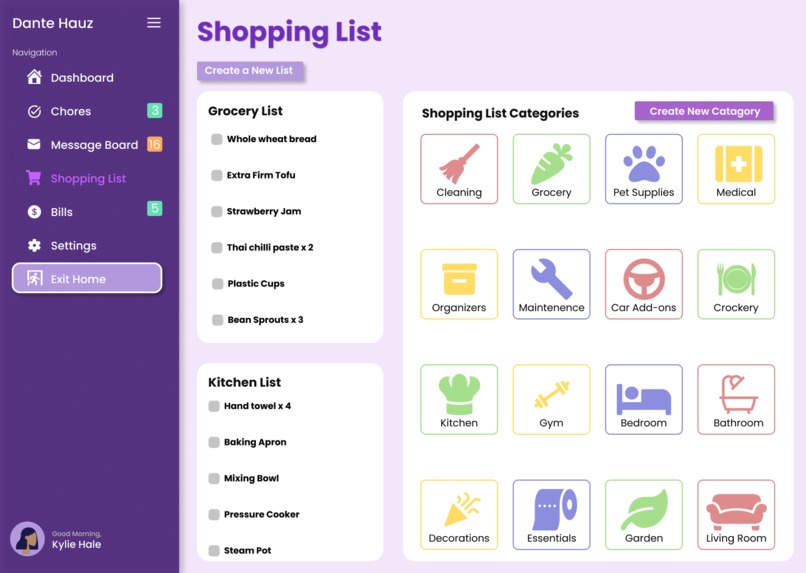
Shopping List Page
-
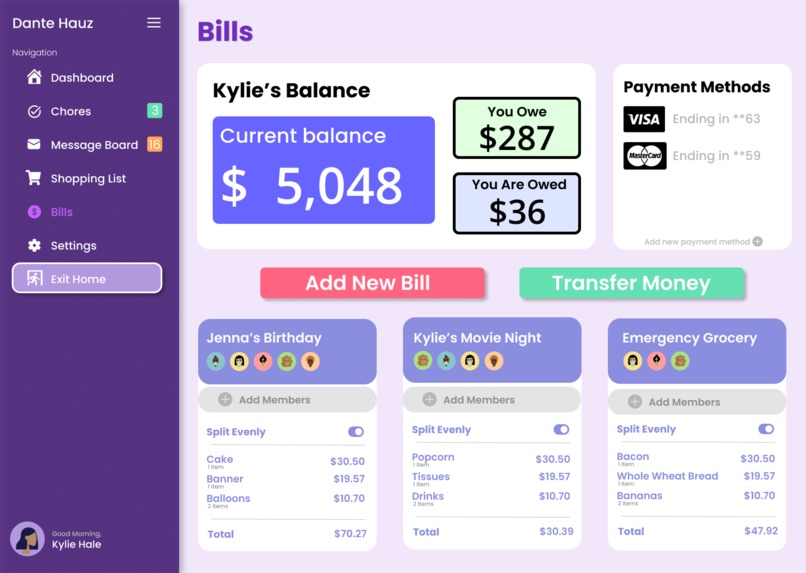
Bills Page
-
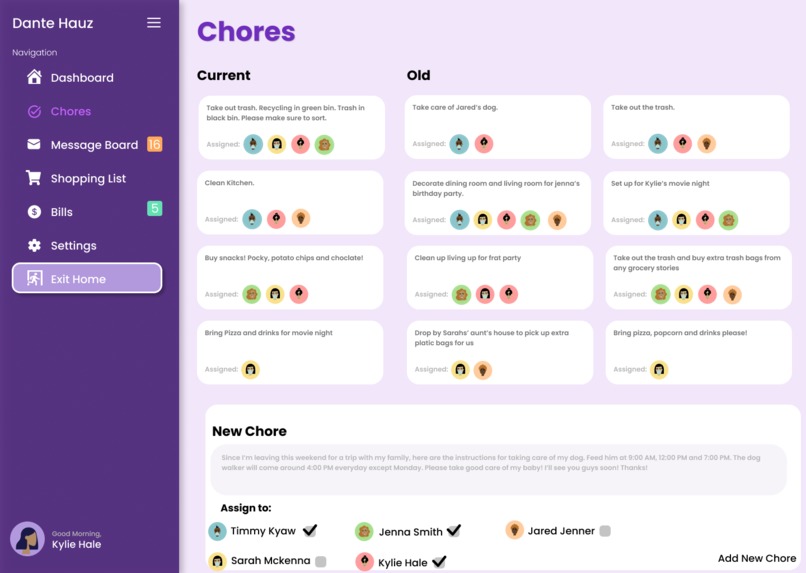
Chores Page
-
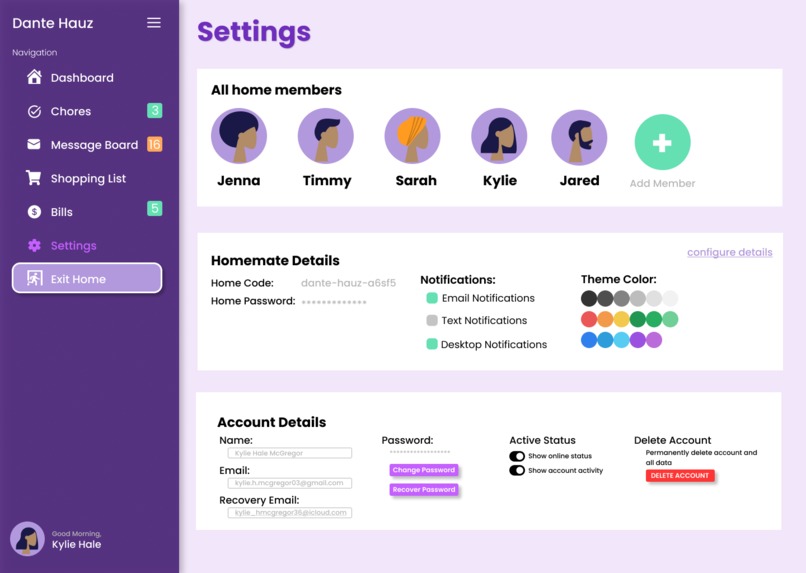
Settings Page
Inspiration
Ever since the start of Covid-19, more and more people have been spending entire days stuck inside their homes. Some of us, especially students find ourselves stuck with roommates and having to navigate the uncomfortable organization of a shared space. Although roommate organization may come easy to some roommate groups, we believe that a centralized management platform will greatly benefit those of us that aren’t as organized and responsible. Designing from experience, we decided to include all the crucial aspects of the shared space like a message board, chore list, shopping list, and bills/rent information in our web app as these were the most often brought up subjects in our shared spaces.
What it does
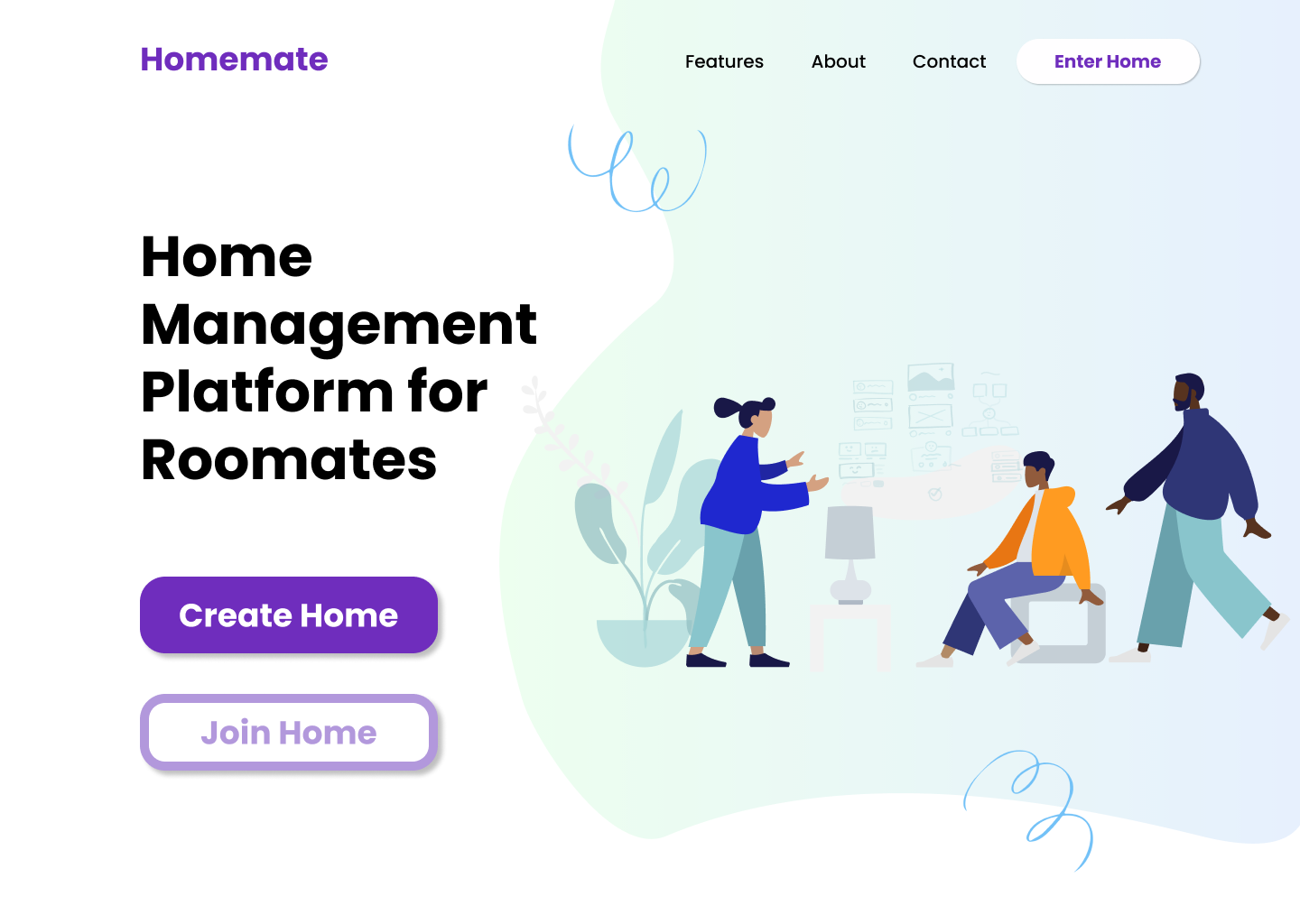
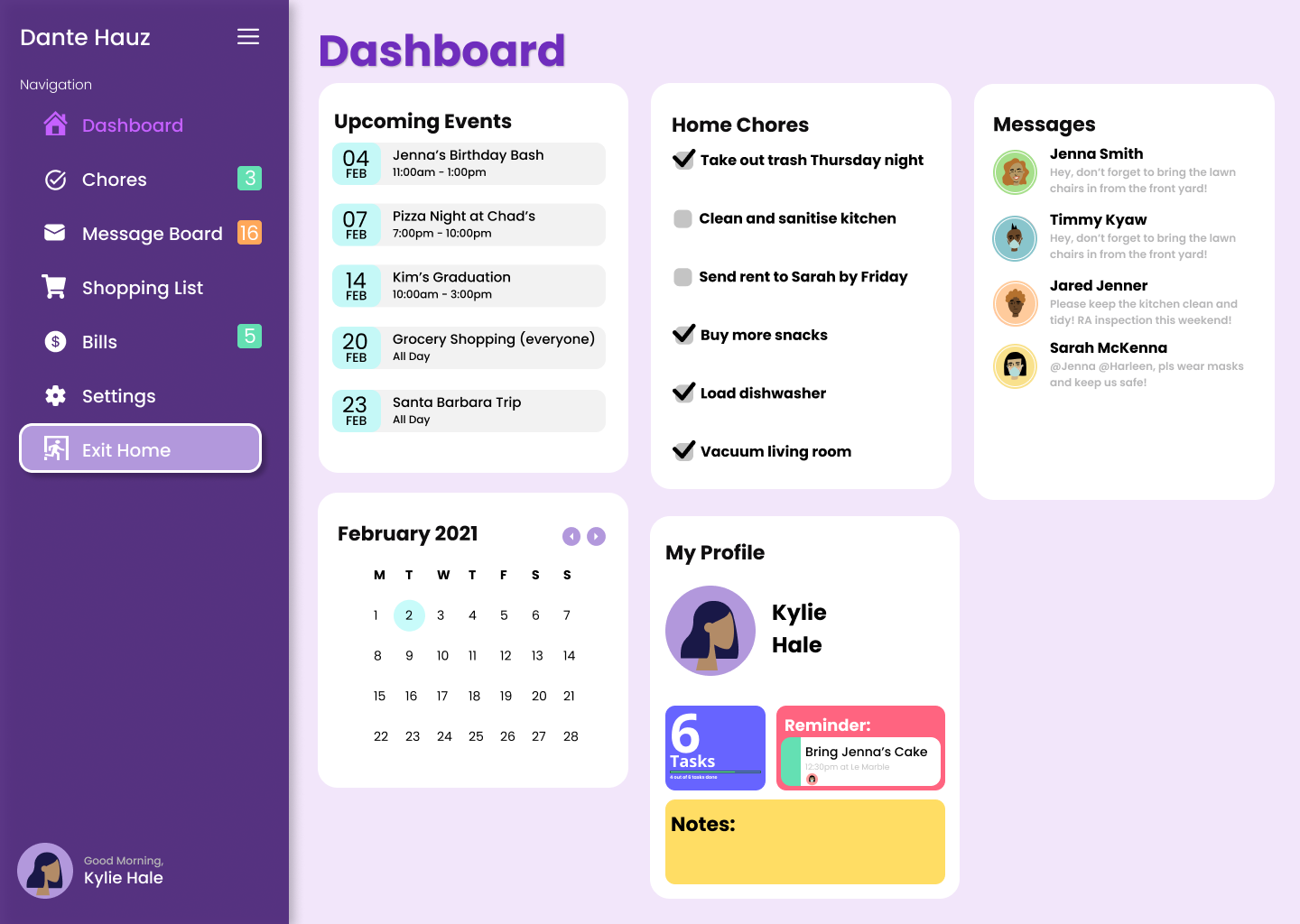
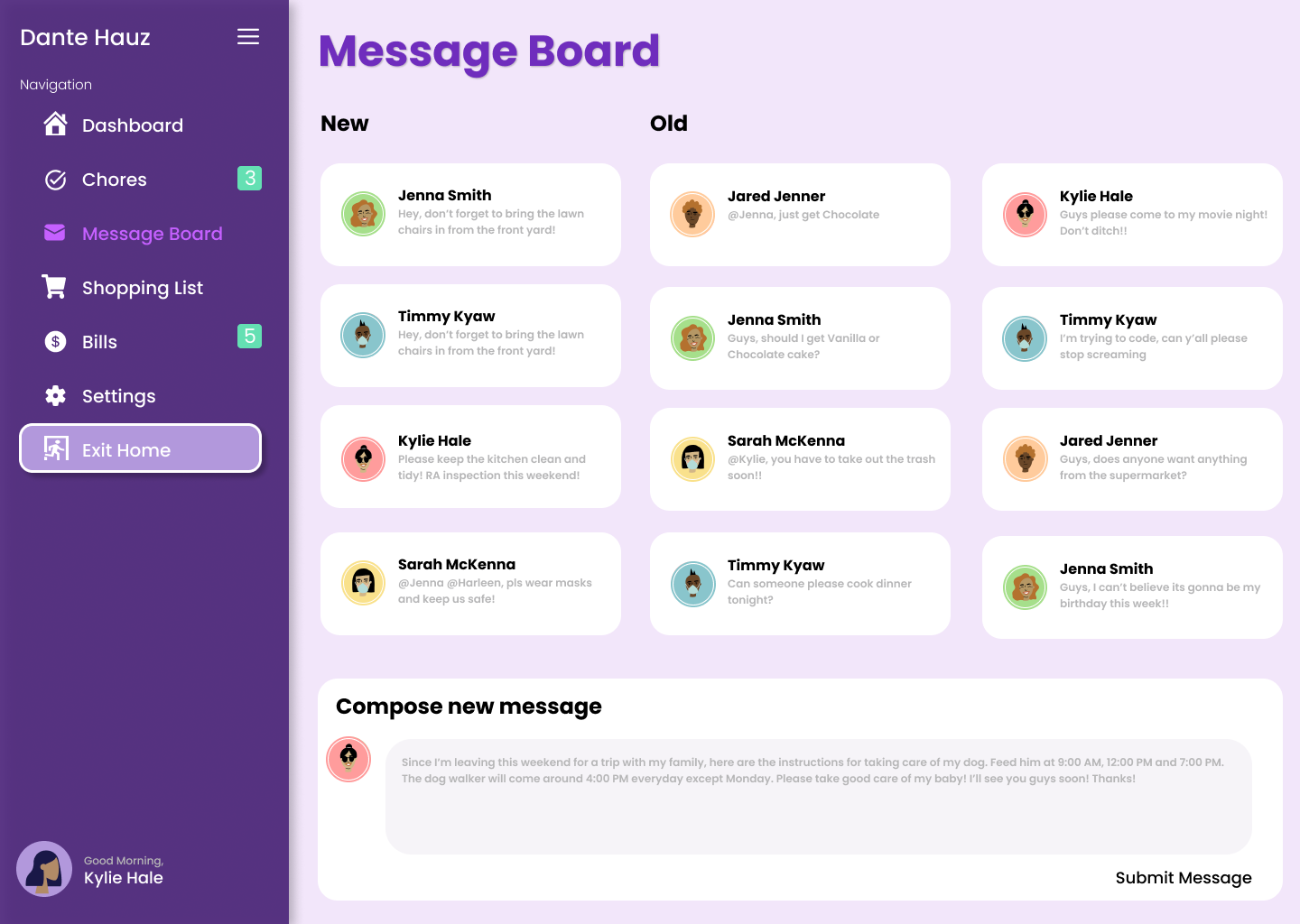
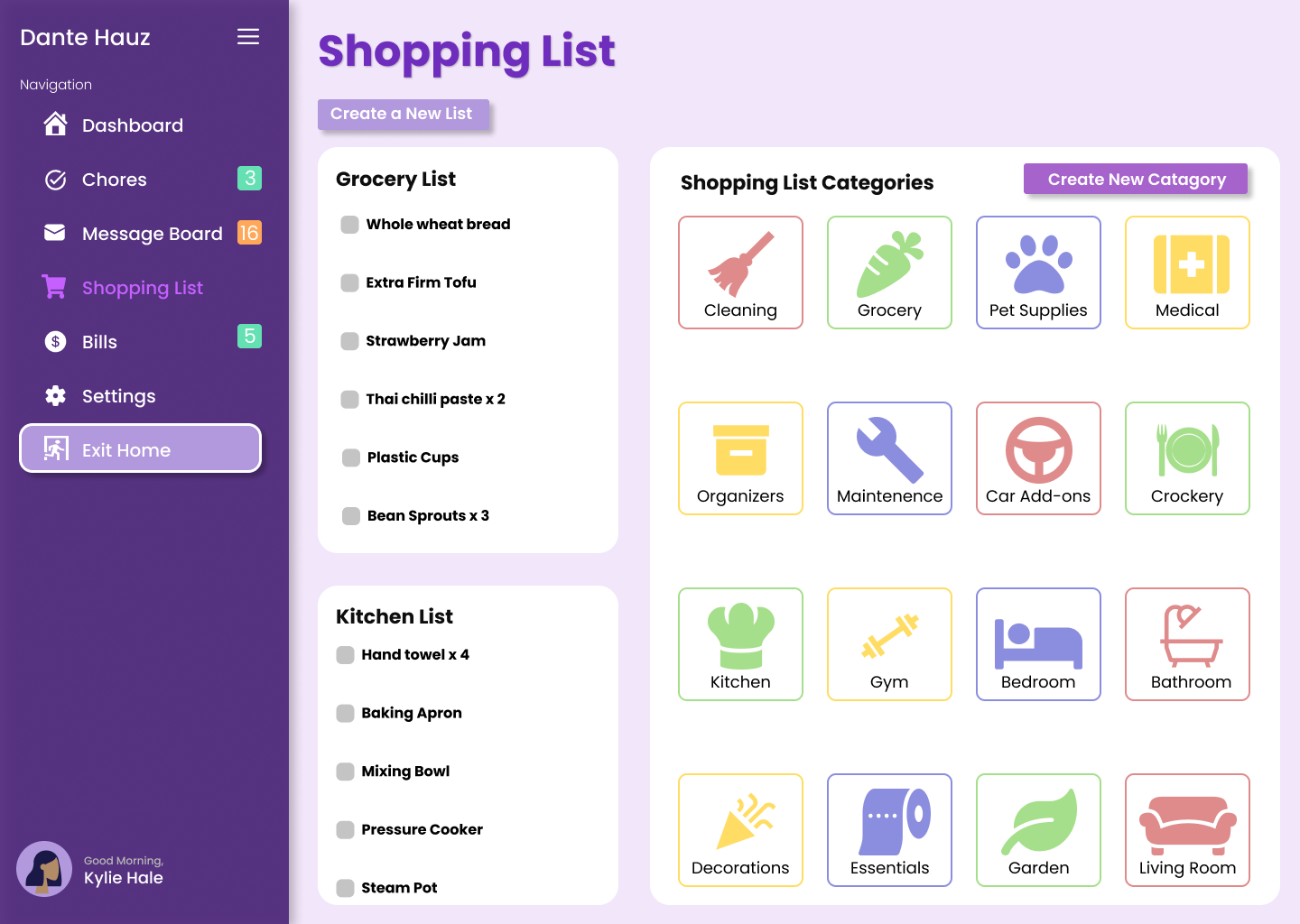
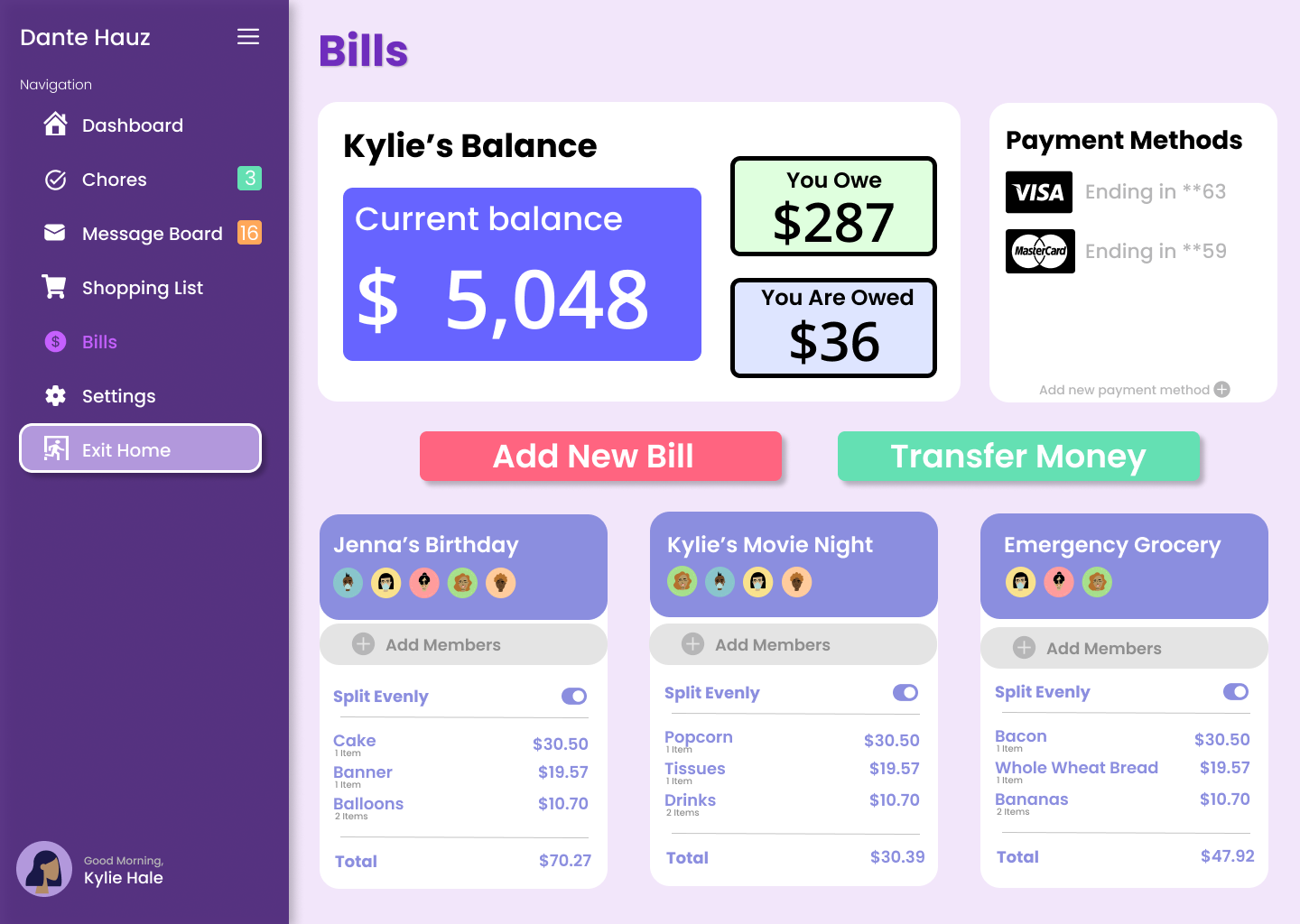
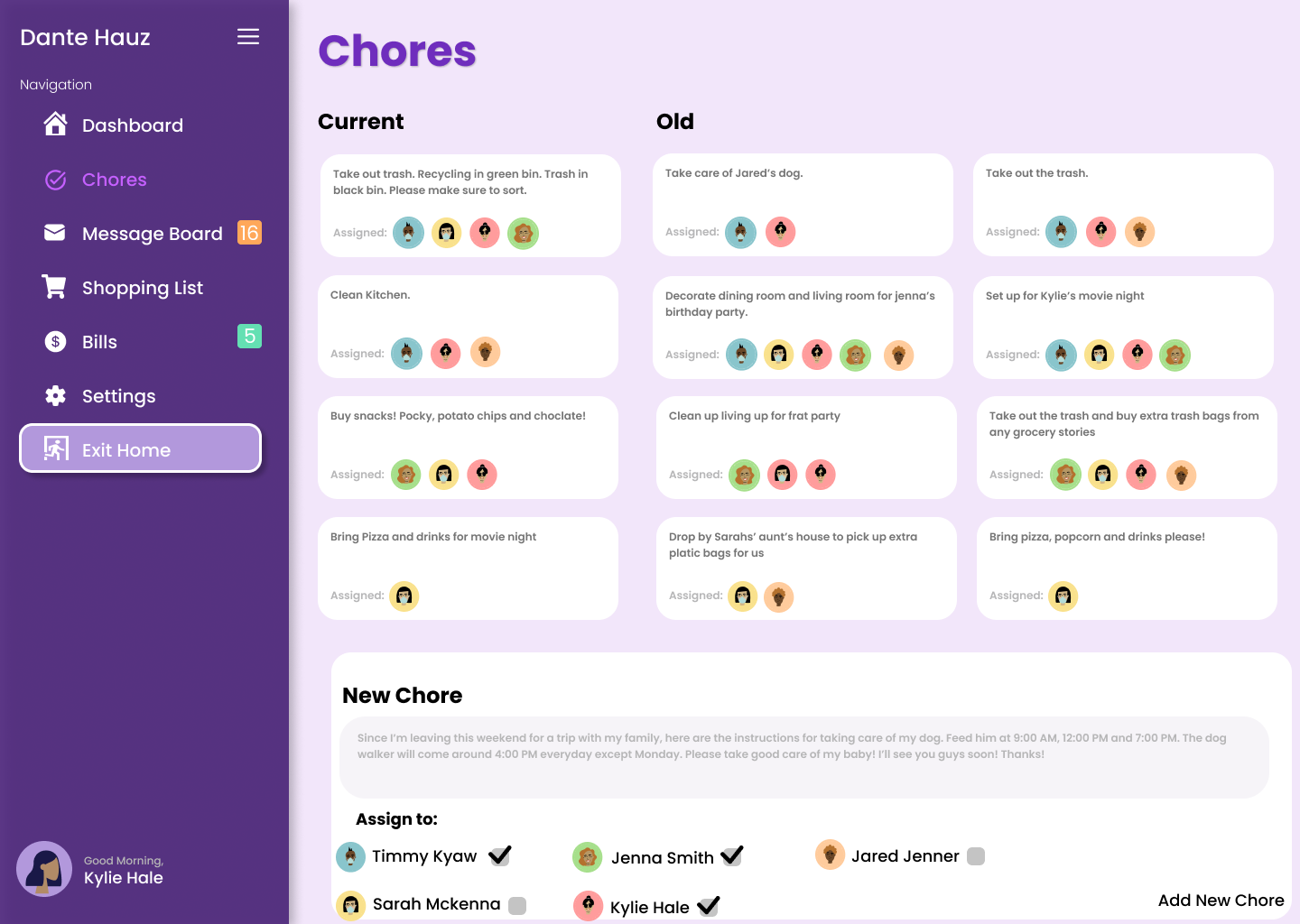
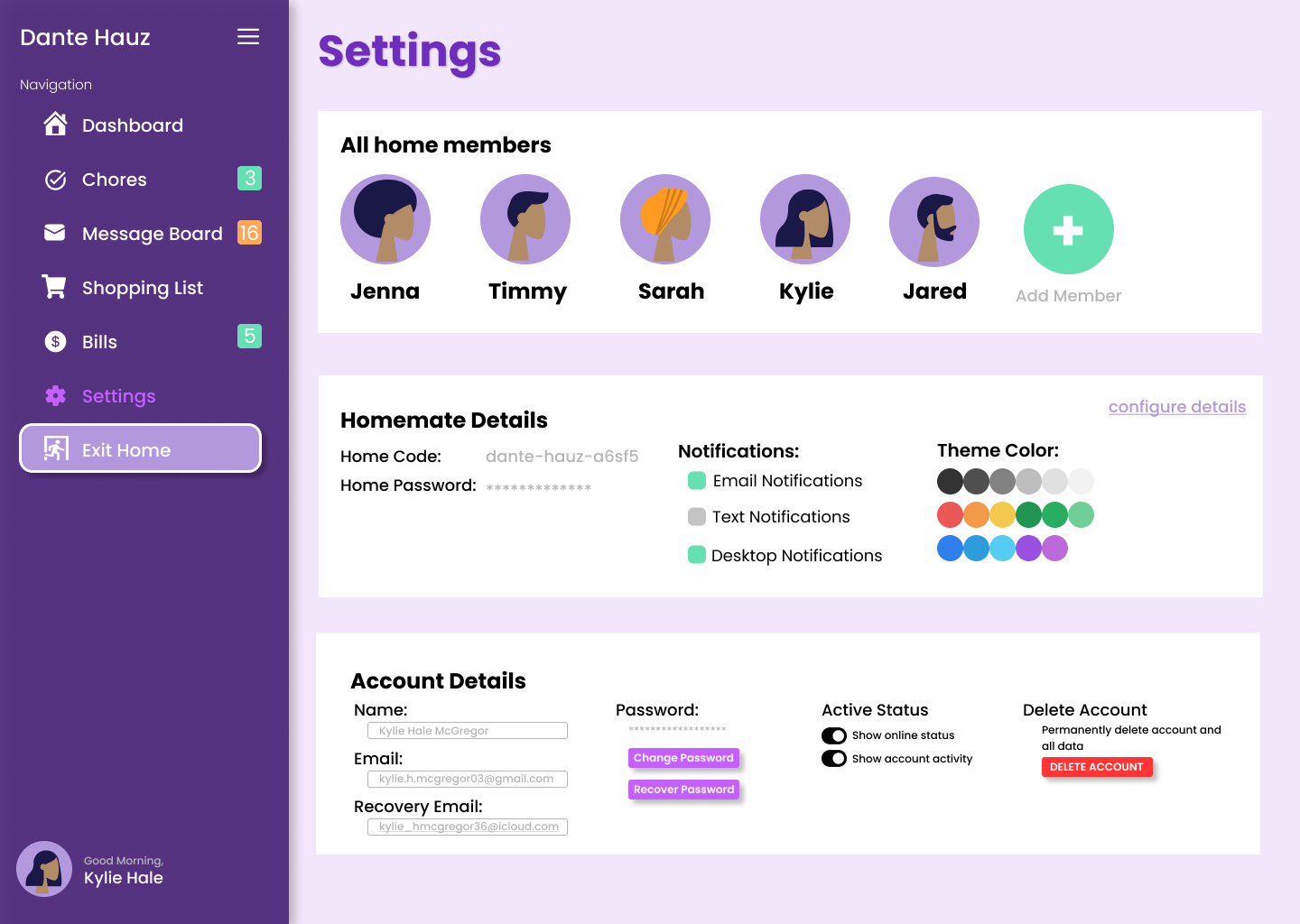
Homemate allows an initial user to create a “home” on our platform which can be accessed using a home code and home password. The main dashboard gives a simplified overview of everything including chores, messages, events, and more. On the chores page, new chores can be added and assigned to specific roommates. On the message board page, users can compose messages to be put up on the message board. On the shopping list page, users can combine to create a list together and add the list to be able to keep track of groceries needed for the house. On the bills page, users can combine splitting home-related bills and keep track of their combined financial payments such as rent, groceries, utilities, gas, supplies, and furniture. Lastly, on the settings page, users can edit their home members, their home code, and their personal account details. When a user would like to switch homes, the user can click on the ‘exit home’ button to navigate through other home groups that they may be a part of.
How we built it
We first designed the web app in Figma. Since neither of us had experience with UI/UX design especially using Figma to prototype, it was quite a learning curve but we consulted various design standards and UI inspirations. Starting with a palette, we decided to use purple then find complementary colors that worked well along with it. Our inspiration for the rest of the features was to display the color theme as well as design simple functions that are familiar to our audience ex. A dashboard, message board, etc. We also decided to incorporate patterns and designs from UI compatible websites and Figma plugins to be able to create a unique design for our pages. To structure our website, we started by designing a home screen and a navigation bar to get a rough idea of what features and pages would we need to incorporate and design in our homemate website. We then followed by creating a dashboard to layout the theme colors and fonts which then lead to the structures of the rest of the widgets ex. Chores, shopping list, bills, and message board.
Challenges we ran into
The first challenge was learning and using Figma as neither of us had used it before. It took a good portion of the first 24 hours for us to get acquainted but when we did, we started churning out beautiful designs. The second challenge was the actual coding portion which we were unable to successfully finish. Because we were a two-person team with only one programmer, it was highly difficult to turn what we designed into a working web app in time. Therefore, we decided to stick to designing a well-thought-out and fluid design to make sure that our idea was well planned out.
Accomplishments that we're proud of
Our biggest accomplishment would be the creation of our homepage and navigation bar to have a professional yet functional design.
What we learned
During our time in developing homemate we managed to learn a lot of skills including becoming experienced users in the software Figma. This was a completely new application that neither of us had any expert knowledge of and the biggest takeaway would be on us becoming intermediate learners of the application. This included building basic shapes, creating realistic website looks, exploring color palettes to make the website look professional, and setting up the auto layout. We can definitely say that at this point if we are to create a mockup website design then we can now do it without any hesitation. Other learning lessons included the development skills in creating a coded website. This included in creating a working homepage that had a well-functioned navigation bar that can be hidden and expanded by an icon. This was a new skill that one of us has acquired and can now implement in our processes in building a website in the future.
What's next for Homemate
Something that we initially thought about the setting is a point system for all the home members in the group, however, this is something that we couldn’t have developed without mapping the structure of our website. We look forward to developing the website where we are able to implement a point system in which each member has a point assigned to them depending on the number of completed chores, bills otherwise a point would be deducted if they fail to complete the assigned task of an overdue bill. We also hope to implement a feature where we can further develop the website to a mobile-friendly application and furthermore connect the application to voice command systems such as Alexa or Google Home. We plan to create homemate into a convenient yet commonly used software in which roommates in many universities would be well encouraged to use this.


Log in or sign up for Devpost to join the conversation.