Smart homes are designed to make our lives easier, but when something goes wrong, figuring out the actual problem can be frustrating.
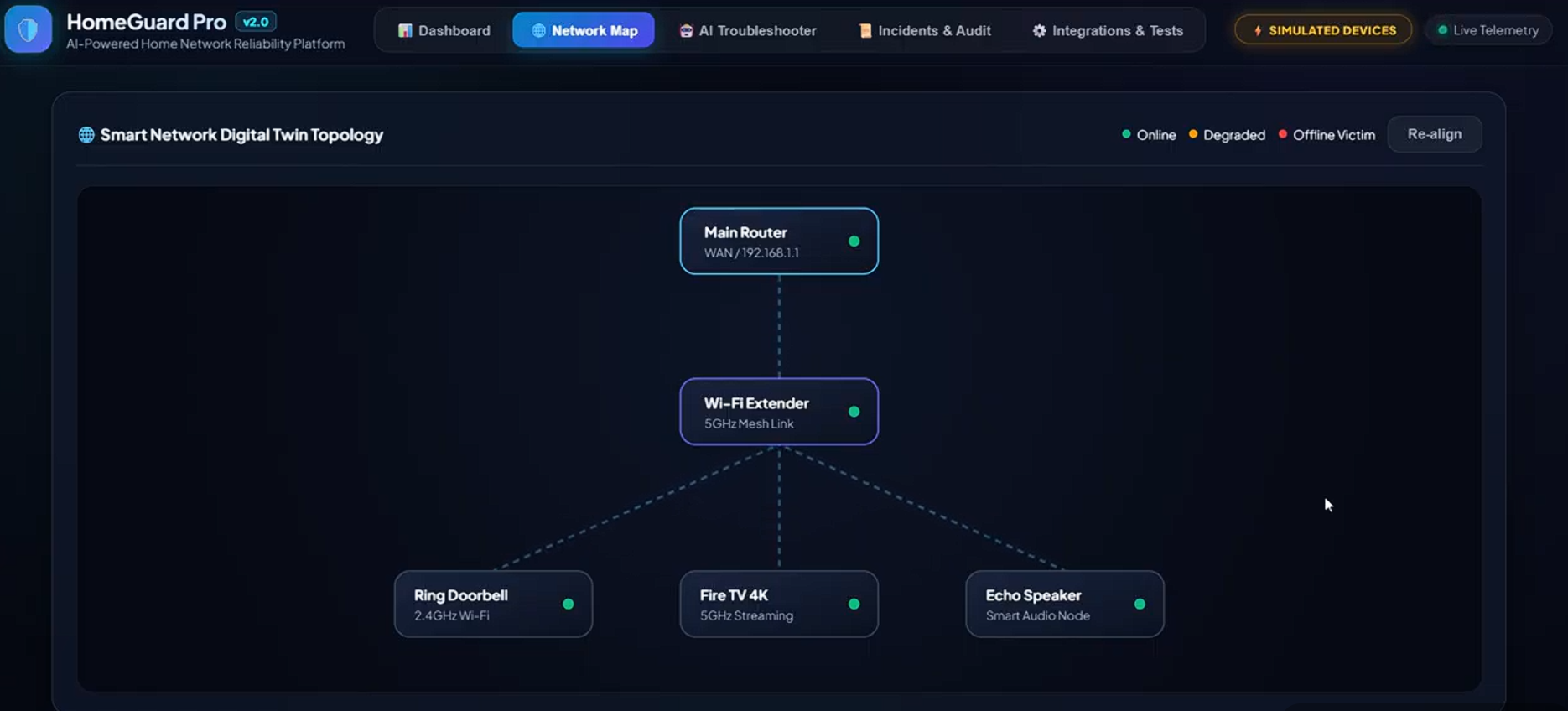
Imagine you're watching TV in the evening when your Wi-Fi extender suddenly stops working. Your Ring Video Doorbell goes offline, Fire TV starts buffering, and your Echo speaker stops responding. At first, these problems seem unrelated, so you might restart each device or spend time troubleshooting different apps.
But what if all these issues were caused by the same network problem?
Most smart home systems tell you which device is offline, but they don't always explain why multiple devices are failing together. That's what inspired us to build HomeGuard Pro — a smart home reliability assistant that identifies the root cause of problems, explains them in simple language, and helps users fix them safely.
By combining Alexa+ with a dedicated Fire TV living room interface, we wanted to make smart home troubleshooting easier for everyone.
What It Does
HomeGuard Pro helps homeowners understand, diagnose, and recover from smart home network issues without having to troubleshoot every device separately.
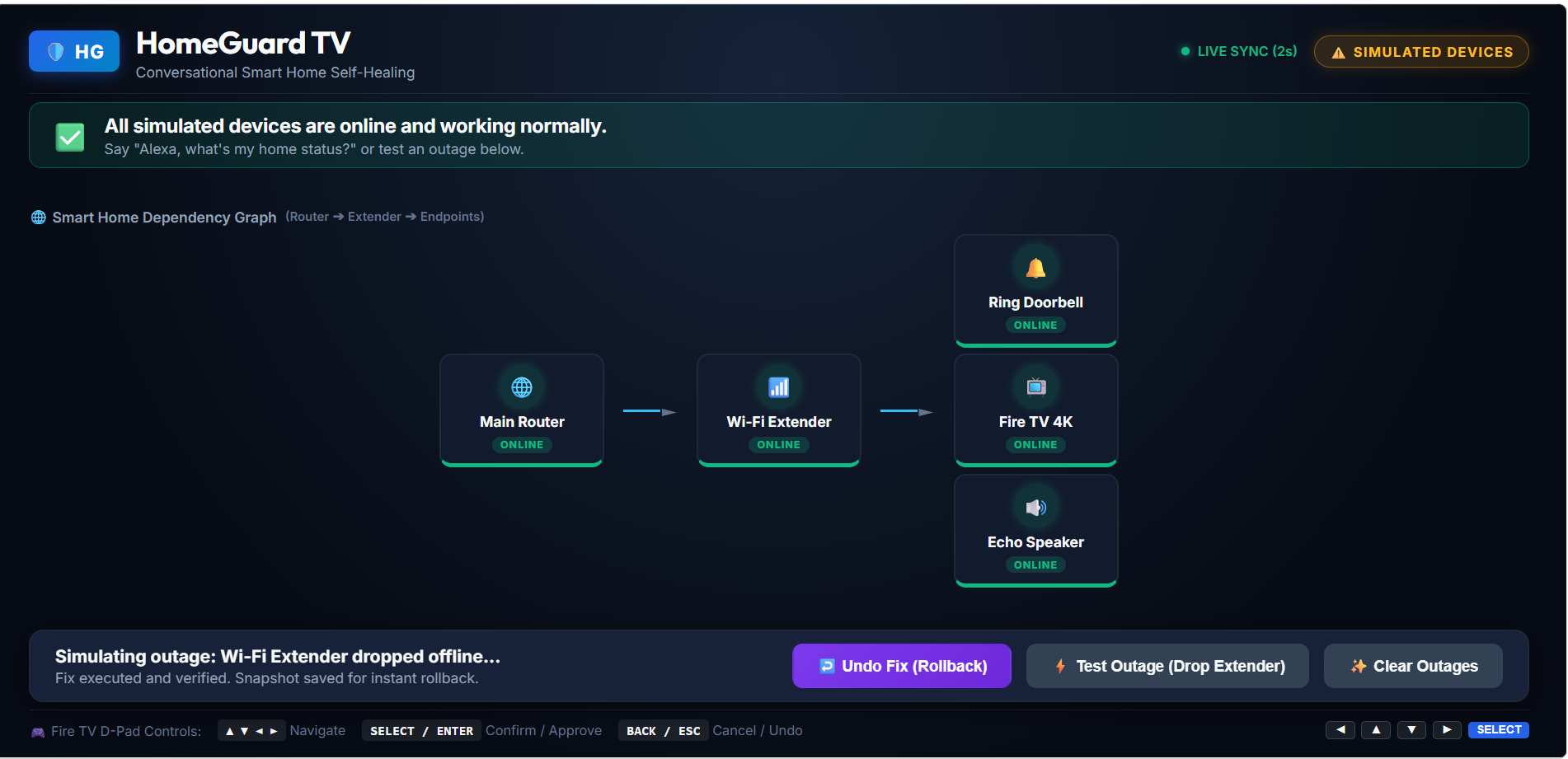
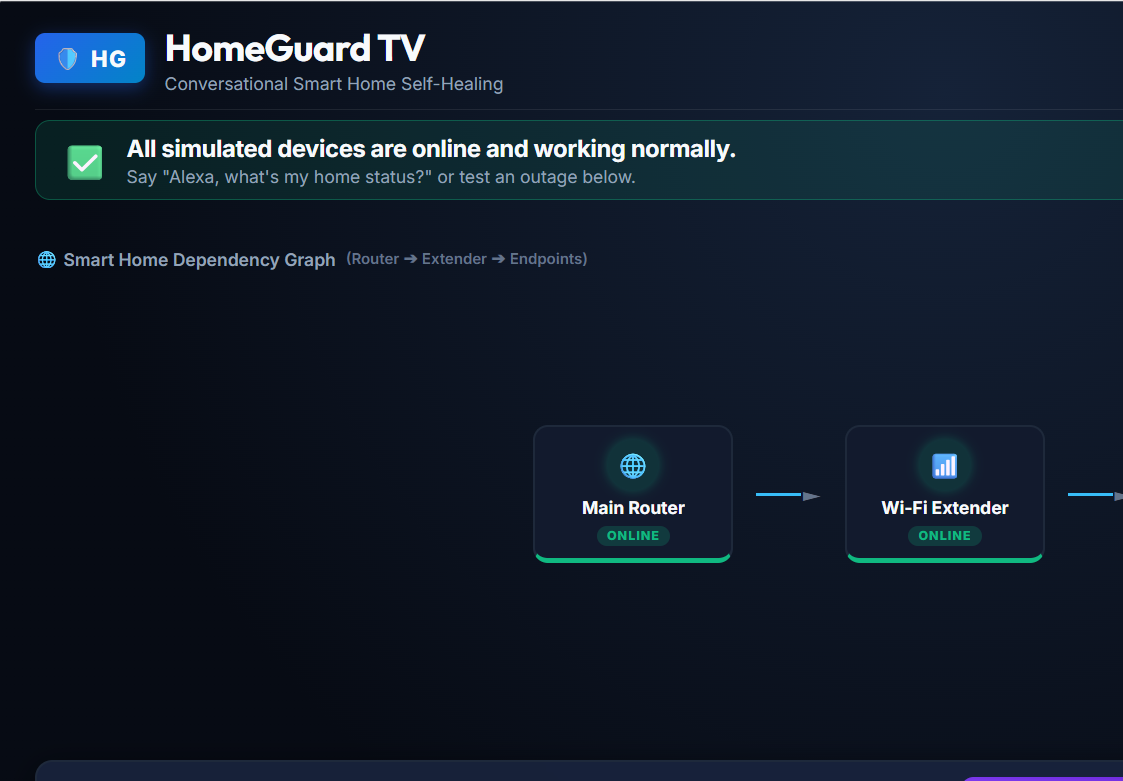
Smart Home Digital Twin: We represent the home network as a connected graph of routers, Wi-Fi extenders, cameras, and streaming devices. This helps us understand how a failure in one device can affect others.
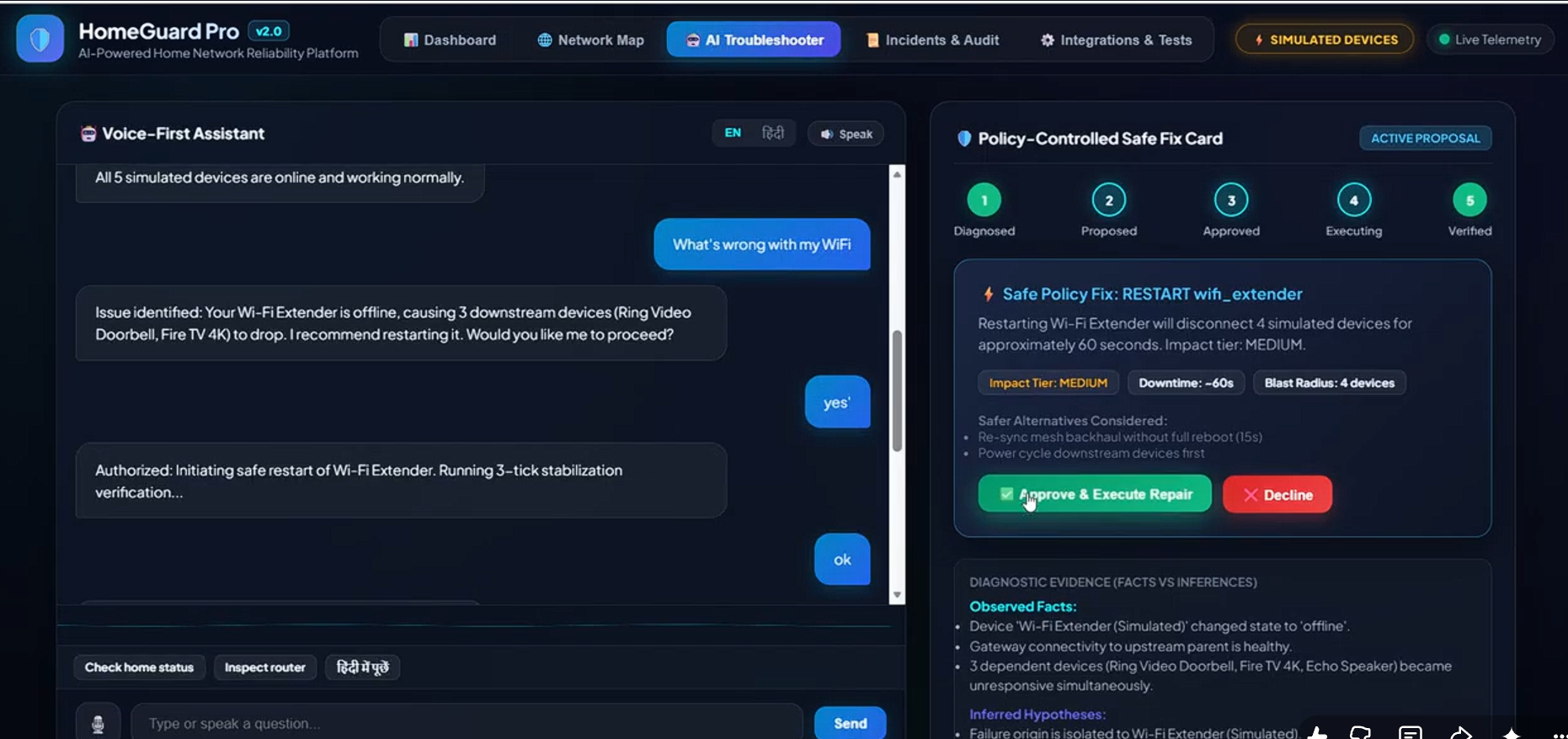
Explainable Root Cause Analysis: Instead of simply listing disconnected devices, HomeGuard identifies the most likely source of the problem and explains how it affects the rest of the network. The explanations are available in both English and Hindi.
Voice and Fire TV Experience: Users can interact with HomeGuard through Alexa+ using an MCP server or through a dedicated Fire TV interface designed for comfortable viewing and remote control navigation. Both interfaces work with the same underlying system state.
Safe, User-Approved Repairs: Before suggesting a fix, HomeGuard evaluates its potential impact. For example, restarting a Wi-Fi extender might temporarily disconnect several devices. The system explains this risk and requires explicit user approval before executing a repair.
Reliable Recovery Verification: A device appearing online for a few seconds doesn't necessarily mean the problem is fixed. HomeGuard checks device health across three consecutive verification steps before marking an incident as resolved.
Automatic Rollback and Audit Trail: If a repair fails, the system attempts to restore the previous state using a saved snapshot. Every important event is recorded in a SHA-256 hash-chained ledger, making unauthorized changes to the recorded history easier to detect.
How We Built It
MCP Integration: We built a Streamable HTTP MCP server using FastAPI and the Python MCP SDK. It exposes six tools: get_status, diagnose, propose_fix, approve_fix, verify_fix, and rollback_fix.
Backend and State Management: The backend uses Python 3.11, FastAPI, and Uvicorn. An in-memory network graph tracks device relationships and failures, while SQLite stores persistent records and the audit trail.
Fire TV Interface: We used React, TypeScript, and Vite to build a 10-foot interface with readable text, clear status indicators, and navigation designed for a TV remote.
Bilingual Voice Interaction: The application supports English and Hindi voice interactions using speech recognition and text-to-speech capabilities.
Hardware Simulation: Since testing against different physical routers and smart home devices isn't always practical, we created simulated adapters and fault scenarios. These include extender failures, unstable routers, cascading disconnections, and streaming bitrate drops.
Challenges We Faced
- Making diagnostics reliable
An AI assistant can sometimes suggest a fix that sounds reasonable but doesn't address the actual problem. To avoid this, we kept root cause analysis separate from the conversational AI layer. The diagnosis is based on deterministic graph analysis, while the AI helps communicate the findings naturally.
- Keeping voice and TV interactions in sync
A user might approve a repair through Alexa+ while another person is checking the same incident on Fire TV. We designed both interfaces to use a shared state engine so that they work with the same incident and repair status.
- Knowing when a repair has genuinely worked
A device can briefly recover and then fail again. To handle this, HomeGuard checks health across three consecutive verification steps. If stabilization fails, it triggers the rollback process rather than immediately declaring the issue resolved.
Accomplishments We're Proud Of
Reliable diagnostics: Our automated benchmark suite passed all eight tested failure scenarios.
Safety-first repairs: Repair execution is protected by explicit approval, policy checks, proposal expiration, and state validation.
English and Hindi support: Users can understand diagnostic explanations in their preferred language.
Tamper-evident audit history: The system can validate its SHA-256 hash chain to detect changes to recorded events.
A unified experience: HomeGuard brings network diagnosis, repair approval, and recovery monitoring together through voice and a TV-friendly interface.
What We Learned
Building HomeGuard Pro taught us that a smart home assistant needs to do more than respond to commands. It should understand relationships between devices, explain problems clearly, and consider the consequences of its actions.
We also learned how MCP can connect conversational assistants to practical tools, why TV interfaces need to be designed differently from mobile apps, and how verification and rollback mechanisms can make automated repair workflows safer.
What's Next for HomeGuard Pro
We want to take HomeGuard beyond simulated environments and make it more useful in real homes.
Matter and Thread Integration: Connect with compatible smart home devices and bridges to collect real device status and network information.
Predictive Wi-Fi Monitoring: Explore lightweight anomaly detection to identify signs of interference before devices start disconnecting.
ISP Connectivity Diagnostics: Monitor network latency and packet loss to help distinguish home Wi-Fi problems from wider internet outages, with the option to prepare evidence for an ISP support request.
Our long-term goal is to make smart home troubleshooting less confusing by helping people understand not just what went wrong, but also why it happened, what a fix might affect, and whether the fix actually worked.

Log in or sign up for Devpost to join the conversation.