-
-
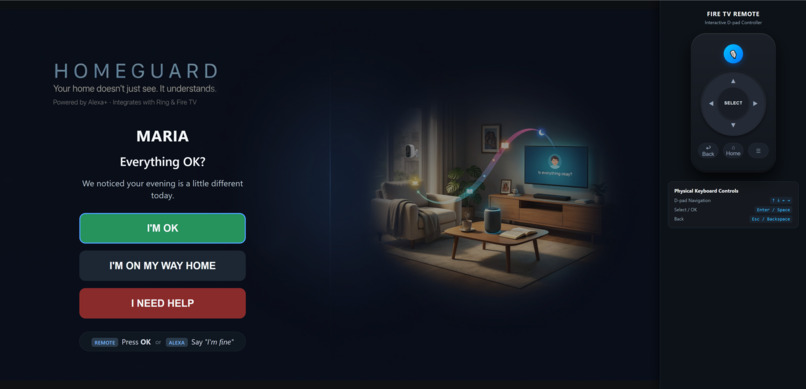
npm run firetv
-
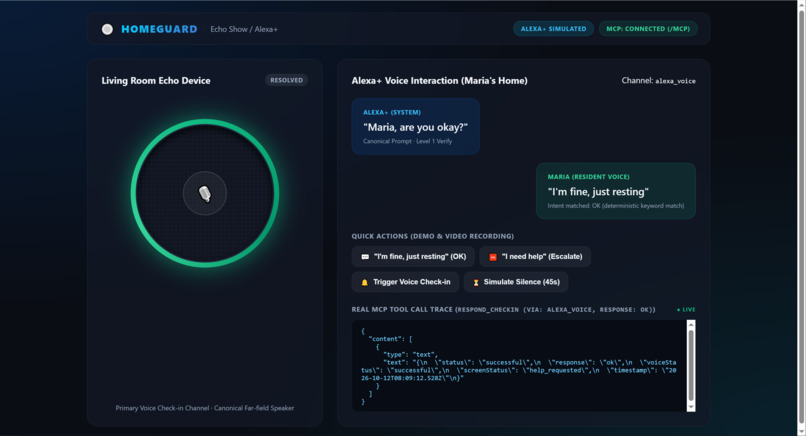
npm run alexa
-
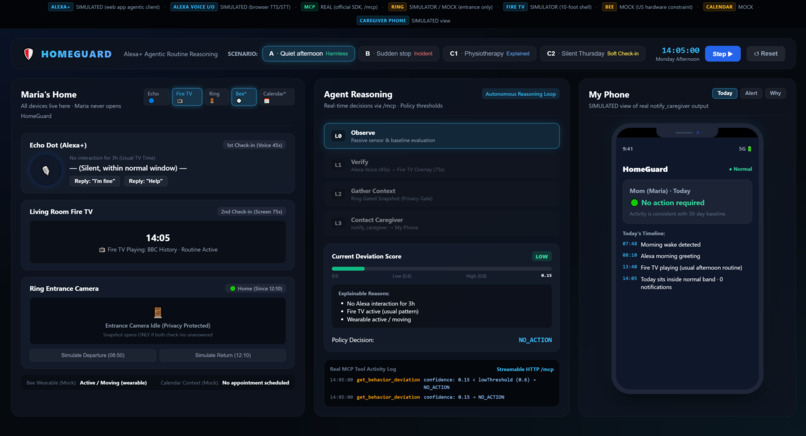
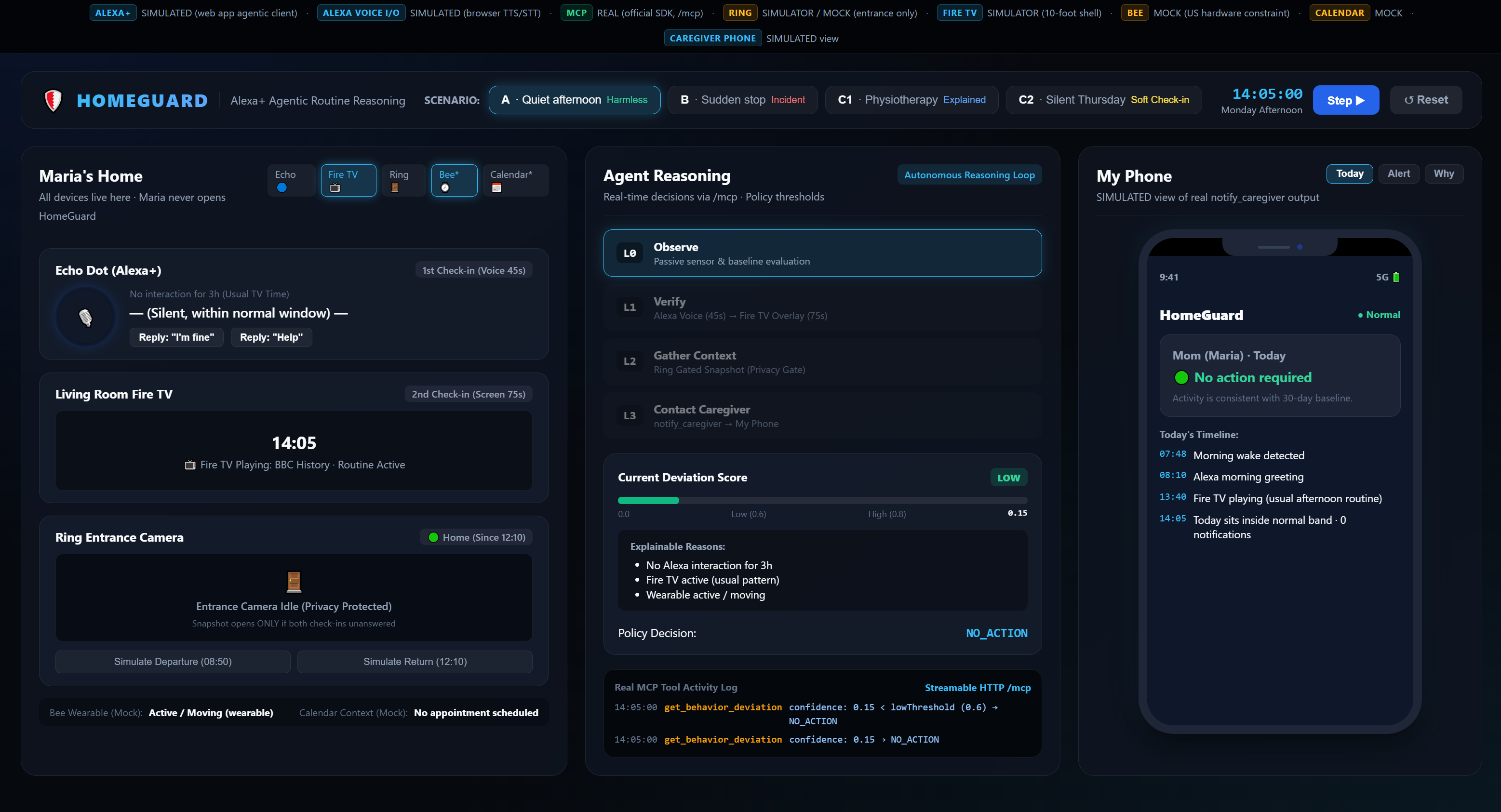
npm run dashboard - Quiet Afternoon
-
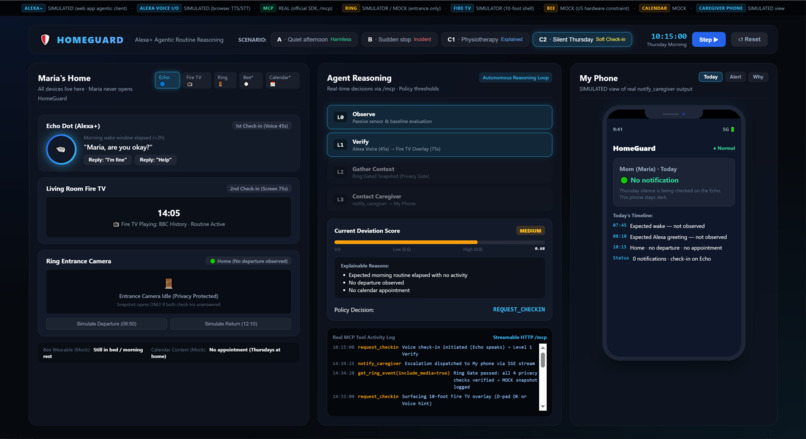
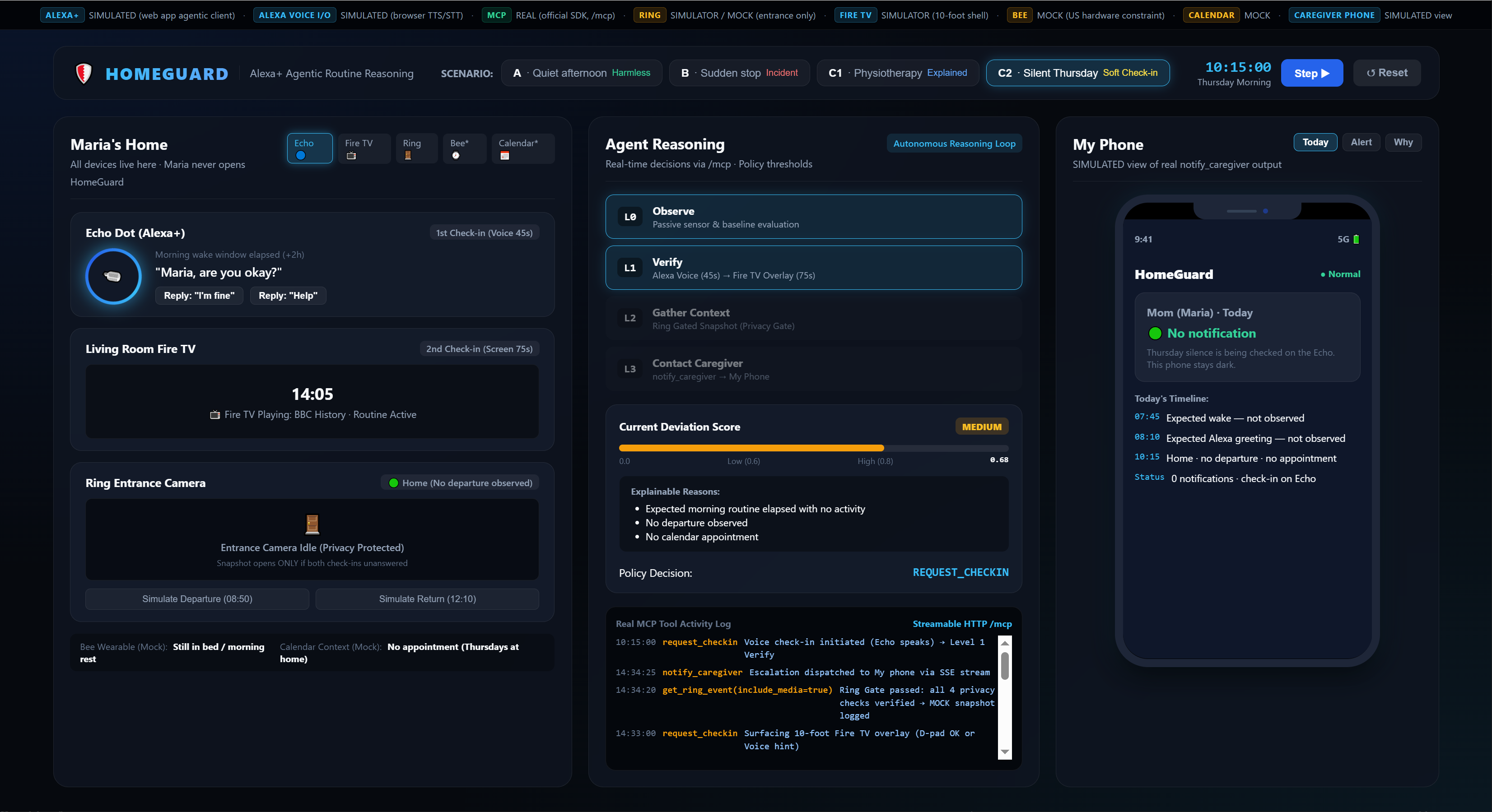
npm run dashboard - Soft CheckIn
-
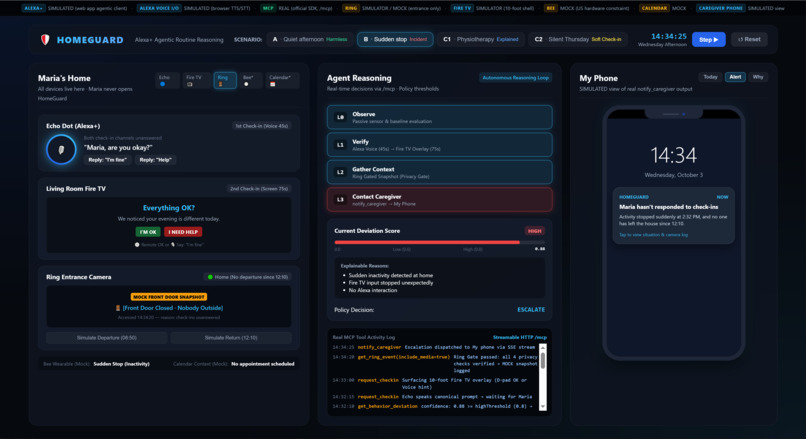
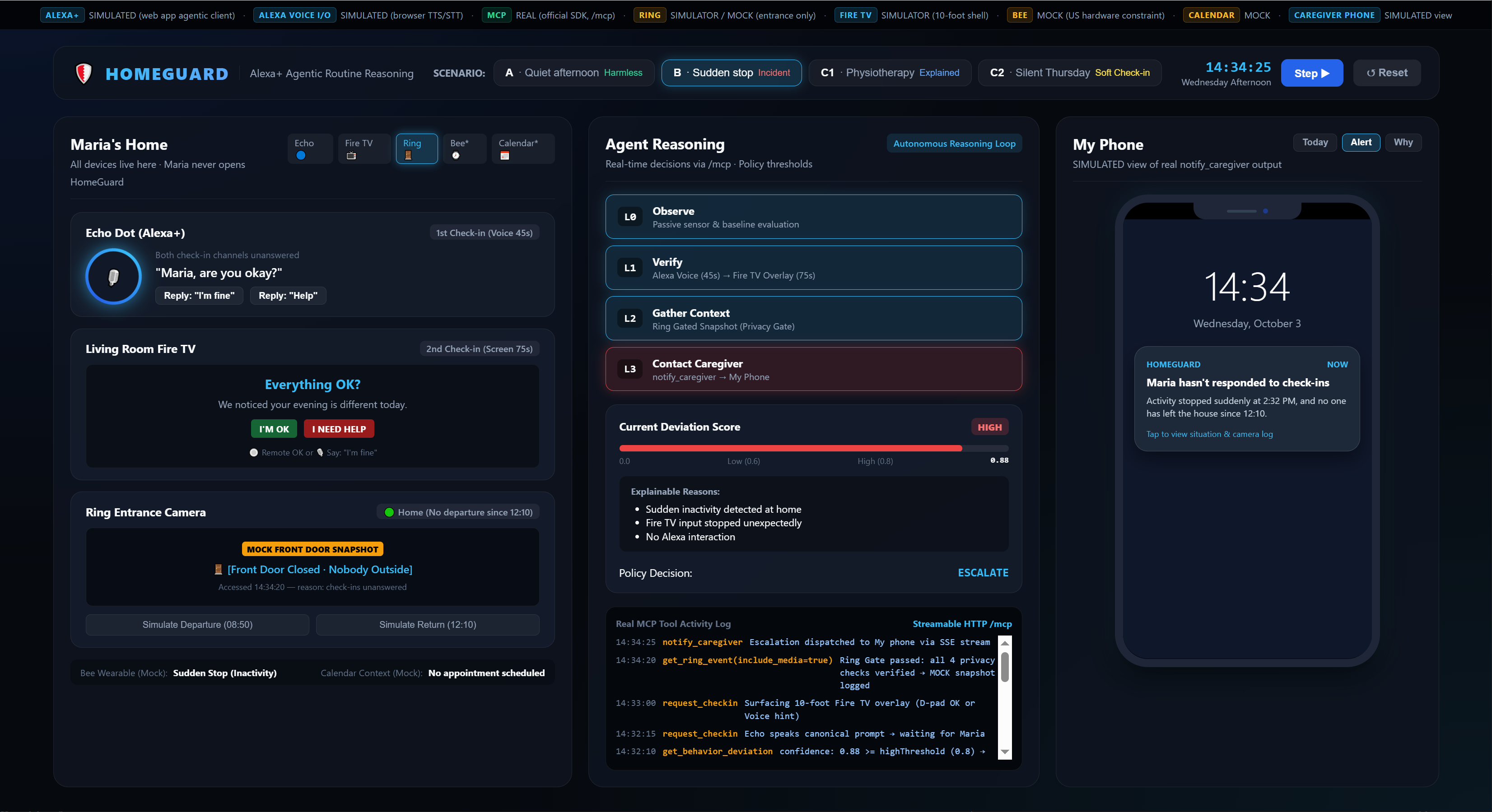
npm run dashboard - Sudden Stop, Incident
-
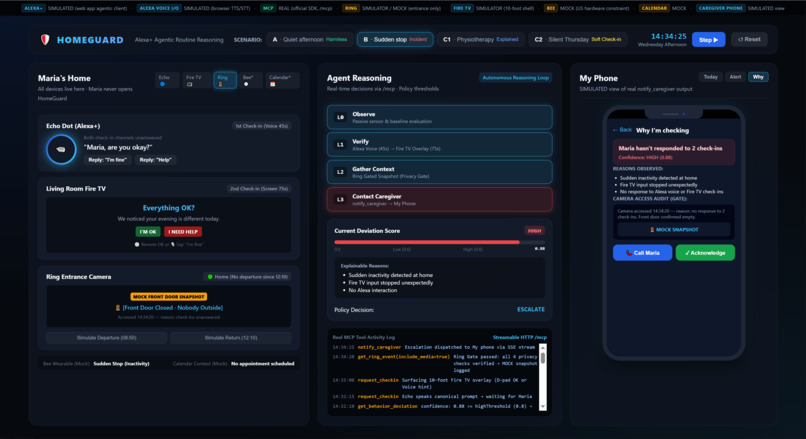
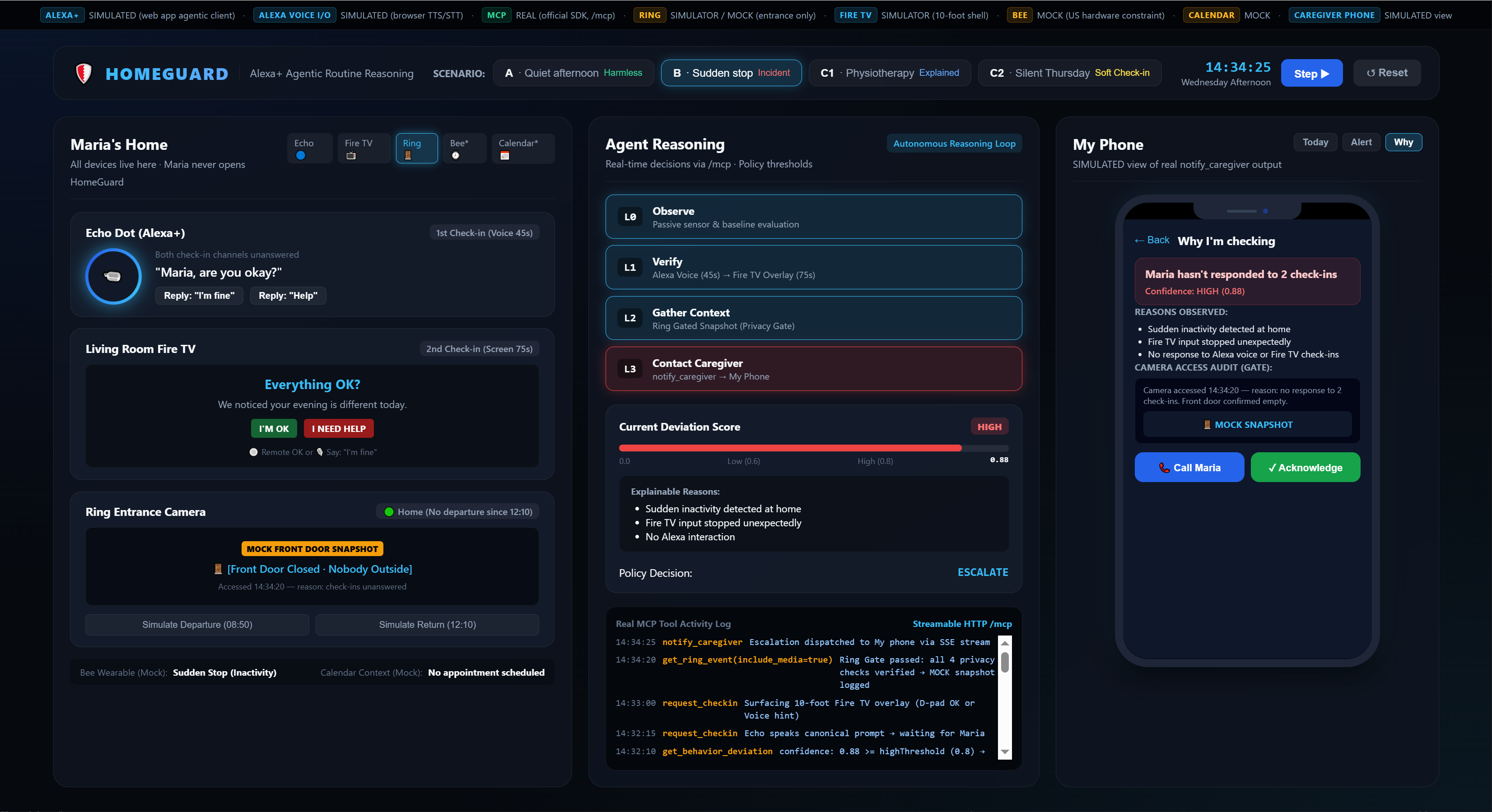
npm run dashboard - Sudden Stop, Incident
Inspiration
My mom, Maria, lives alone. Last month, I called her and she didn't answer for forty minutes. She was in the bathroom, perfectly fine. But, I spent those forty minutes not knowing if she was fine or if she needed me.
The Amazon devices already in your home each serve a purpose: Alexa can speak, Fire TV can display alerts, Ring can monitor the front door, and Bee can detect movement. But they don’t automatically connect the dots. You’re left interpreting signals, managing alerts, and figuring out when something is wrong. You become the integration layer.
These devices can help answer the question, “How can I remotely monitor my mom?” But I wanted to go further and build an Alexa+ agent that answers the question that really matters: “How do I know when my mom actually needs me?”
What it does
HomeGuard is an Alexa+ AI wellbeing agent for someone living alone. It doesn't treat every quiet morning as an emergency. It first learns what normal looks like for that particular person: their usual activity, the time of day, and the difference between a quiet Tuesday and an unusually quiet Thursday.
HomeGuard runs an agentic loop:
Observe → understand the person's normal → detect a meaningful deviation → decide whether more information is needed → check in → reassess → resolve or escalate.
It does not use a simple rule like:
“No motion for 3 hours = alert the caregiver.”
Instead, it learns a personal baseline and looks at deviations from that baseline. Every deviation has both a confidence score and human-readable reasons[].
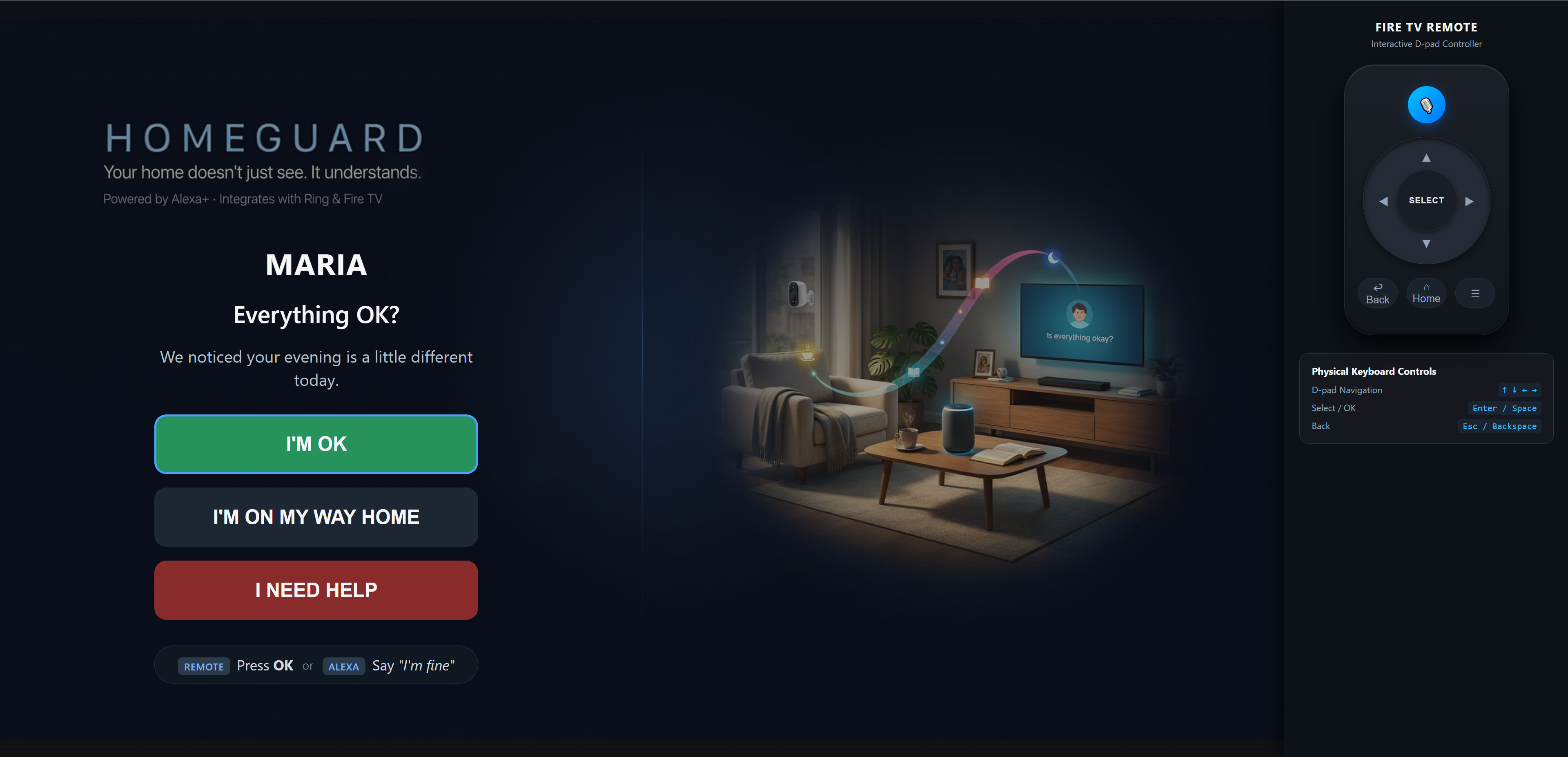
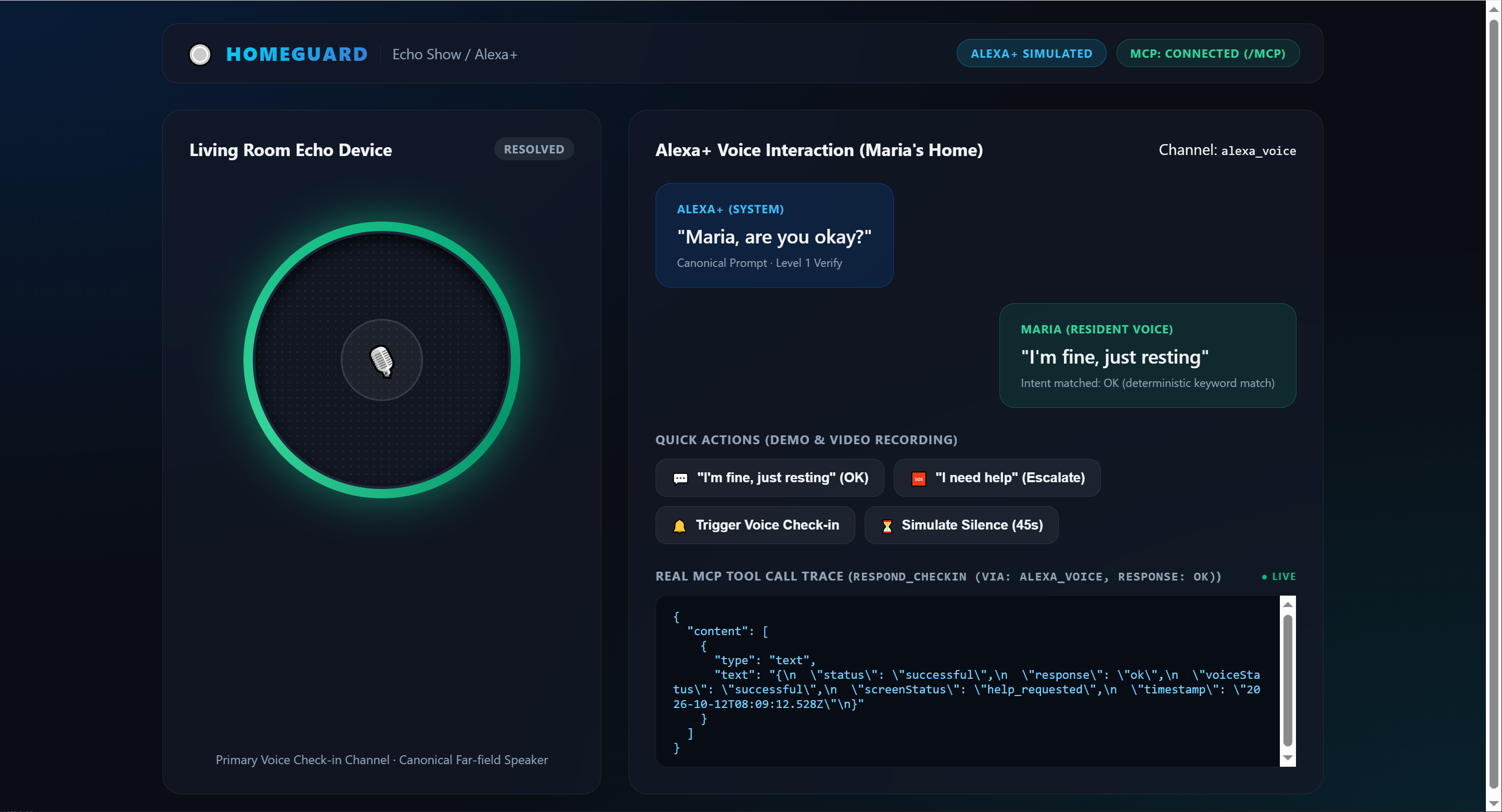
When something looks genuinely unusual, HomeGuard doesn't immediately call the caregiver. It starts with the person who matters most: the resident. It checks in through Alexa+. If there is no response, it can use the Fire TV screen as a second, more visible way to ask:
“Are you okay?”
The resident can simply say they’re fine or tap a large “I’m fine” button. That matters because a successful check-in resolves the incident, no unnecessary notification and no worried phone call.
There’s no camera and no attempt to diagnose what is happening. Only when the situation remains unresolved does HomeGuard notify the caregiver on their phone. And when it does, it doesn’t claim to know that something is medically wrong. It simply explains what triggered the alert and why the system could not resolve the situation.
Instead of:
“Something may be wrong.”
the caregiver gets something closer to:
“Maria's activity is significantly different from her normal Tuesday morning pattern. Two check-ins received no response.”
How I built it
My primary track is Alexa+.
I wanted to demonstrate the experience locally, but I also wanted the underlying integration to be real. So I built both:
- a simulated Alexa+ experience for the demo
- a real self-hosted MCP server using Streamable HTTP
The MCP server is the actual brain of the system. The Echo simulator, Fire TV MCP App, and dashboard all use the same tool surface. Under the hood, the project is built in TypeScript with npm workspaces.
Some of the key pieces are:
- Shared contracts: Zod schemas in
event-modeldefine the data crossing package boundaries. - Behavior engine:
computeDeviation()deterministically calculates deviations and always provides explainablereasons[]. - Policy as data: thresholds live in
HomeGuardPolicy, rather than being scattered through the code. - Adapters: Alexa, Ring, and Bee are isolated behind interfaces, so simulated devices can later be replaced by real integrations.
- MCP server: built with the official Model Context Protocol SDK, with tools such as
get_behavior_deviation,request_checkin,respond_checkin,get_ring_event, andnotify_caregiver. - MCP App check-in:
request_checkincan surface a purpose-built Fire TV interface with large, remote-friendly controls.
The demo itself has three views:
- Maria's home — Echo, Fire TV, Ring and Bee
- The agent's brain — the decision ladder and live MCP trace
- The caregiver's phone — the caregiver notification arriving through the real server flow
Challenges I ran into
One of the most important decisions I made was what HomeGuard should not do. The camera is not the first thing the system reaches for. In fact, I deliberately put it last. If Maria doesn't answer, HomeGuard doesn't immediately turn on a camera and start looking at her. That would solve the technical problem by creating a much bigger human one: What kind of home would you want to live in if someone could look inside every time you didn't answer the phone? So HomeGuard follows a strict escalation ladder: Context → Voice → Screen → Camera → Family
Choosing the right Alexa+ path: I considered an Agent Skill, the production MCP route, and the official web simulation. I chose a hybrid approach: real MCP server + simulated Alexa+ client. That let me demonstrate the actual integration architecture without pretending that my local simulator was a production Alexa device.
Getting MCP right: I initially had to confront an important architectural detail: an MCP server shouldn't simply be a REST API with an MCP label attached. Each
POST /mcprequest gets its ownMcpServerandStreamableHTTPServerTransport. Only domain state is shared.Building for a TV, not a desktop: A Fire TV interface is not just a web page stretched to 1080p. I needed large controls, D-pad navigation, visible focus states, and an experience that makes sense from several feet away.
Being honest about Ring: This was one of the biggest product decisions. A doorbell camera can tell us about the front door. It cannot tell us whether Maria is sitting safely on her sofa. I could have faked an indoor camera feed for the demo. Instead, I chose not to. I model Ring primarily around departure and return, and I enforce the privacy boundary on the server before any snapshot can be requested. That makes the demo less flashy but much more believable.
Bee is optional: I couldn't access a real Bee account from my country (Greece), so I kept Bee optional and mocked. That actually reinforced an important principle: HomeGuard should never depend on a wearable to work.
What I learned
The biggest lesson wasn't technical. It was about trust. A system like this is going to live in someone's home. That changes what “good AI” means.
Context is more important than thresholds: “Three hours without motion” means very different things for different people. A personal baseline is much more useful than a universal rule.
Explainability matters: A caregiver doesn't need another mysterious AI score. They need to understand: “Why are you bothering me right now?” That's why reasons[] is part of the behavior model, not an afterthought.
Least-intrusive-first is a product principle: When HomeGuard sees something unusual, the first question isn't: “Should I alert the caregiver?” It's: “Can I simply ask Maria?” And if Maria says she's fine, the system believes her and stops.
Privacy isn't a disclaimer: I didn't want to build a surveillance system and then put a privacy paragraph next to it. Privacy is part of the decision-making logic itself. The system earns the right to access more information only when less intrusive information isn't enough.
What's next for HomeGuard
The hackathon build is a working Alexa+ agent on a real MCP server. Next is taking the same tools into a home that isn’t a demo. I would:
- connect the MCP server to the sanctioned Alexa+ production path with HTTPS, OAuth 2.1 / PKCE, protected-resource metadata and account linking
- replace simulated Ring and Bee data with real adapters when accounts are available
- persist behavioral baselines so the system can survive restarts
- handle
insufficient_historyexplicitly rather than pretending a few days of data are enough - add quiet follow-ups when a caregiver hasn't acknowledged an unresolved event
- introduce proper consent flows for calendars and additional household members
- eventually support multiple caregivers and different time zones
The rule does not change: context before questions, questions before camera, camera before family.
Built With
- alexa+
- css
- express.js
- html
- javascript
- json-rpc
- mcp
- node.js
- npm
- tsx
- typescript
- vite
- zod

Log in or sign up for Devpost to join the conversation.