-
-
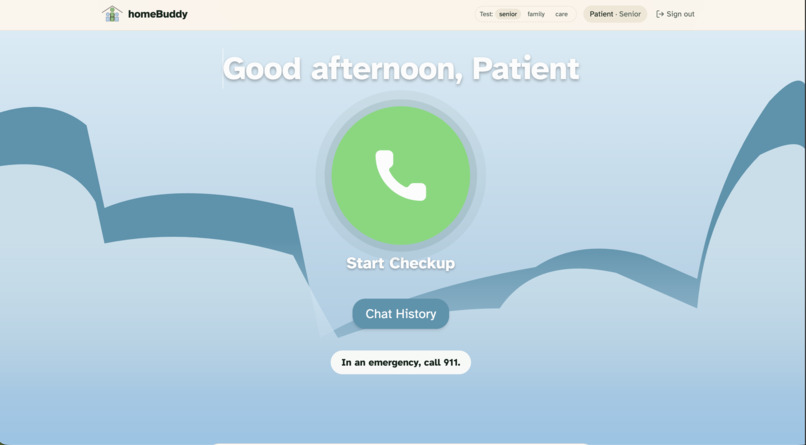
Patient View (not on call)
-
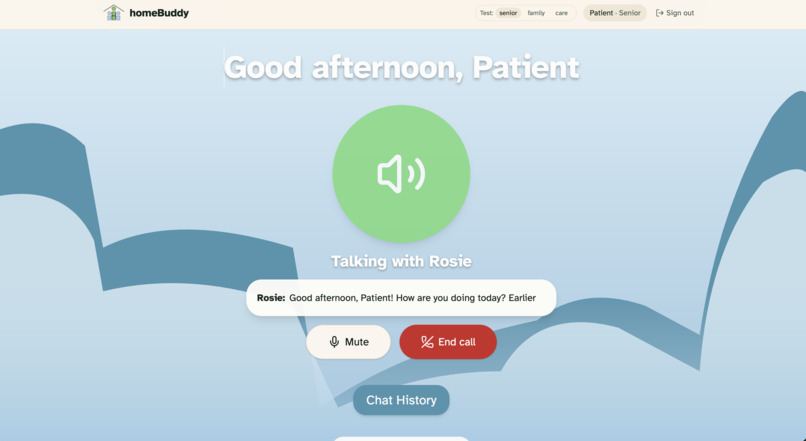
Patient View (on call)
-
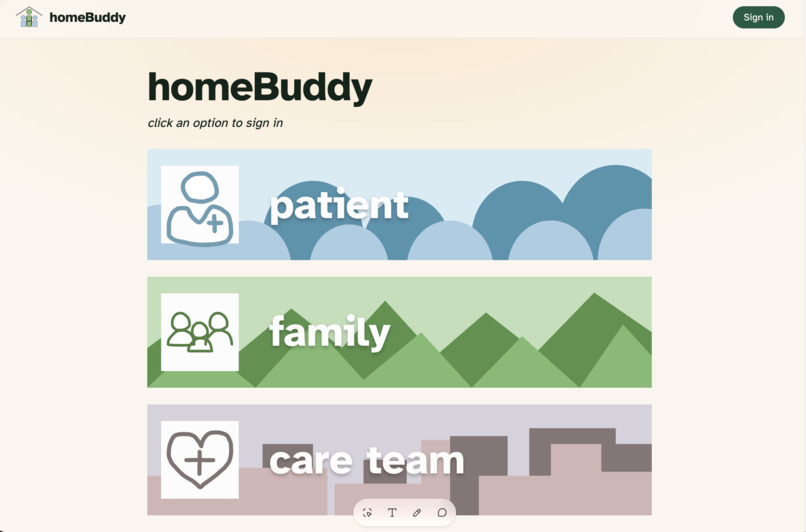
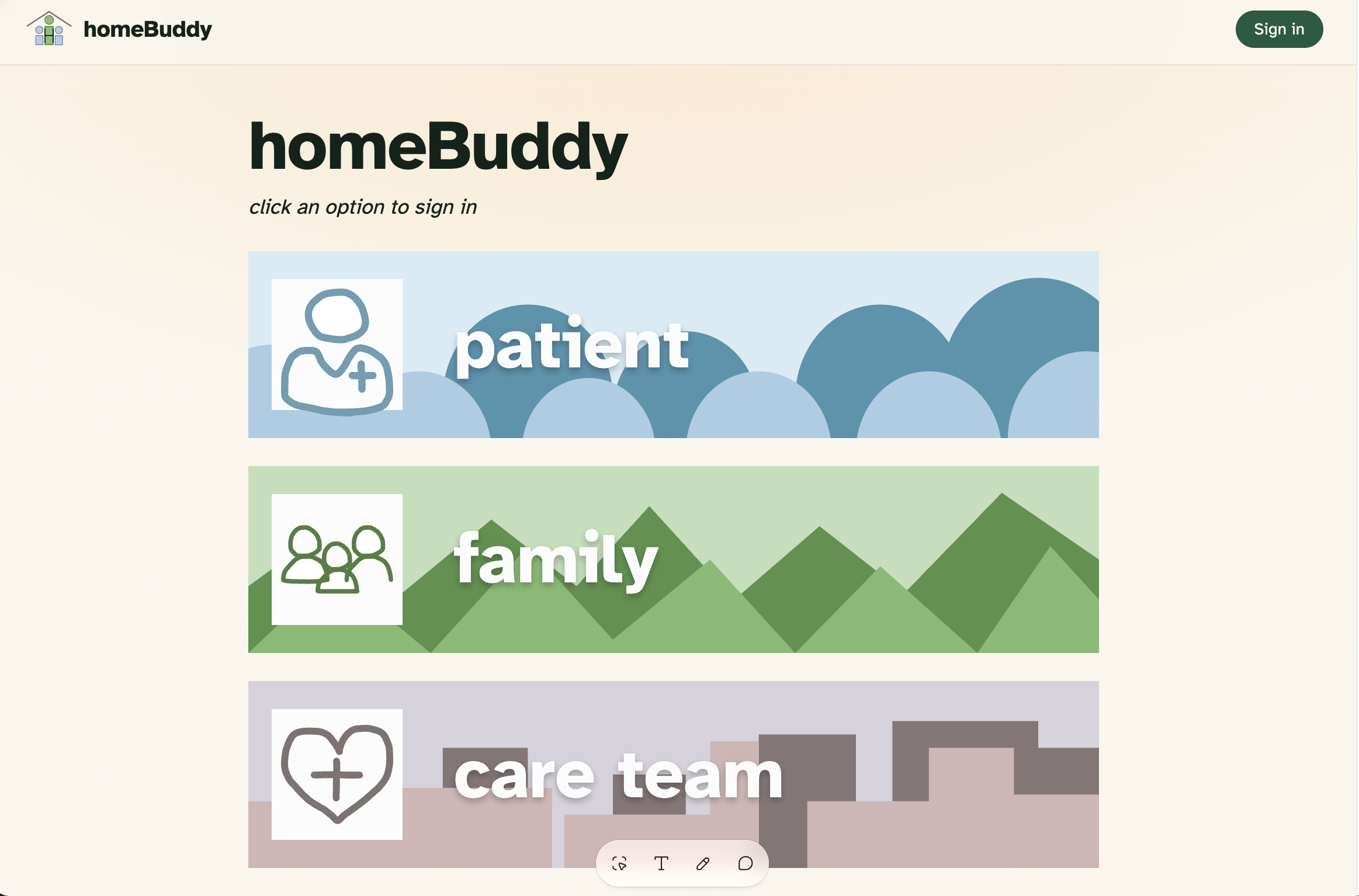
Home page
-
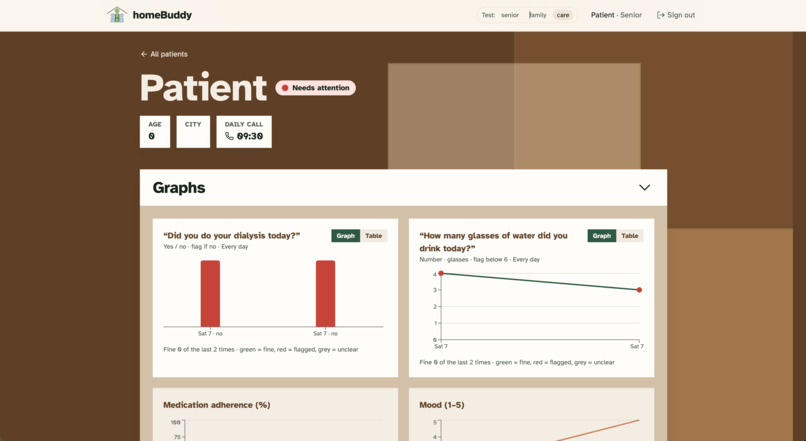
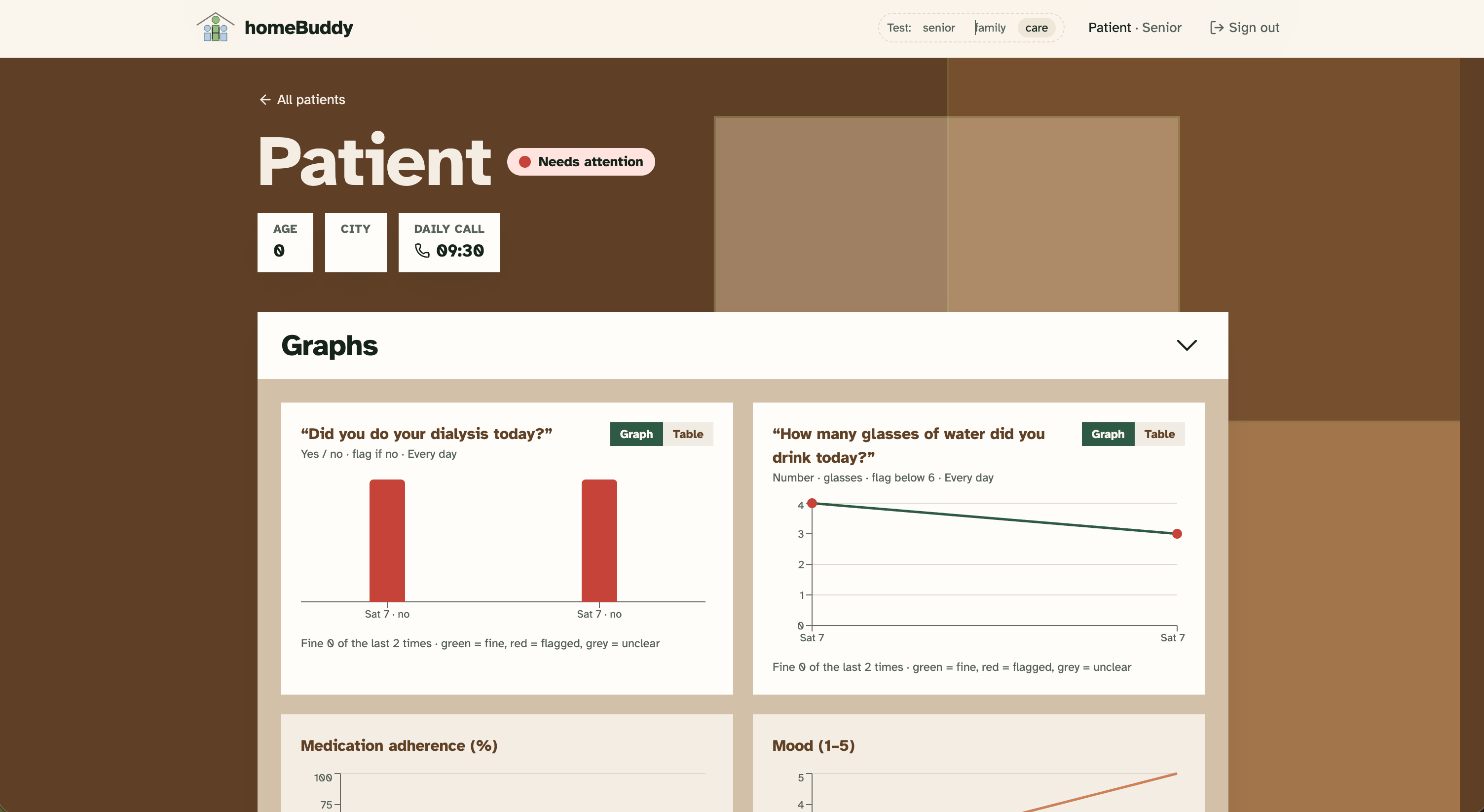
Care providers view of individual patient pt1
-
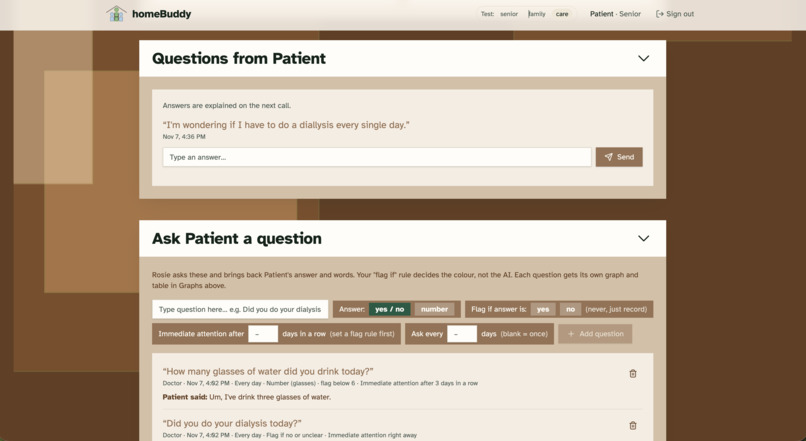
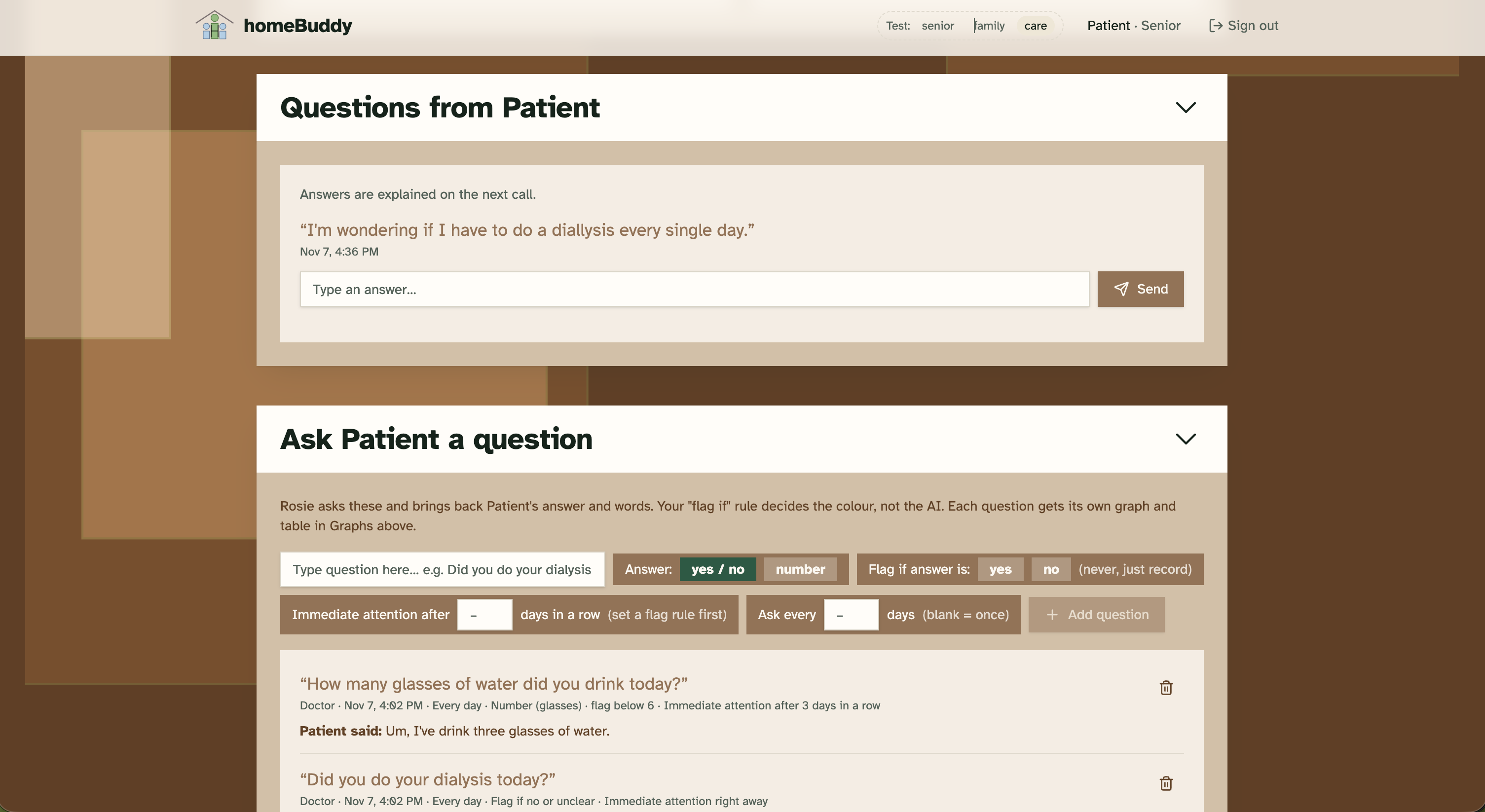
Care providers view of individual patient pt2
-
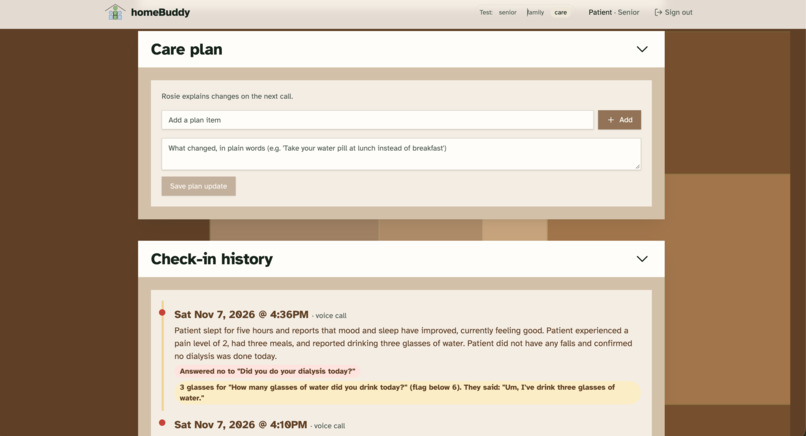
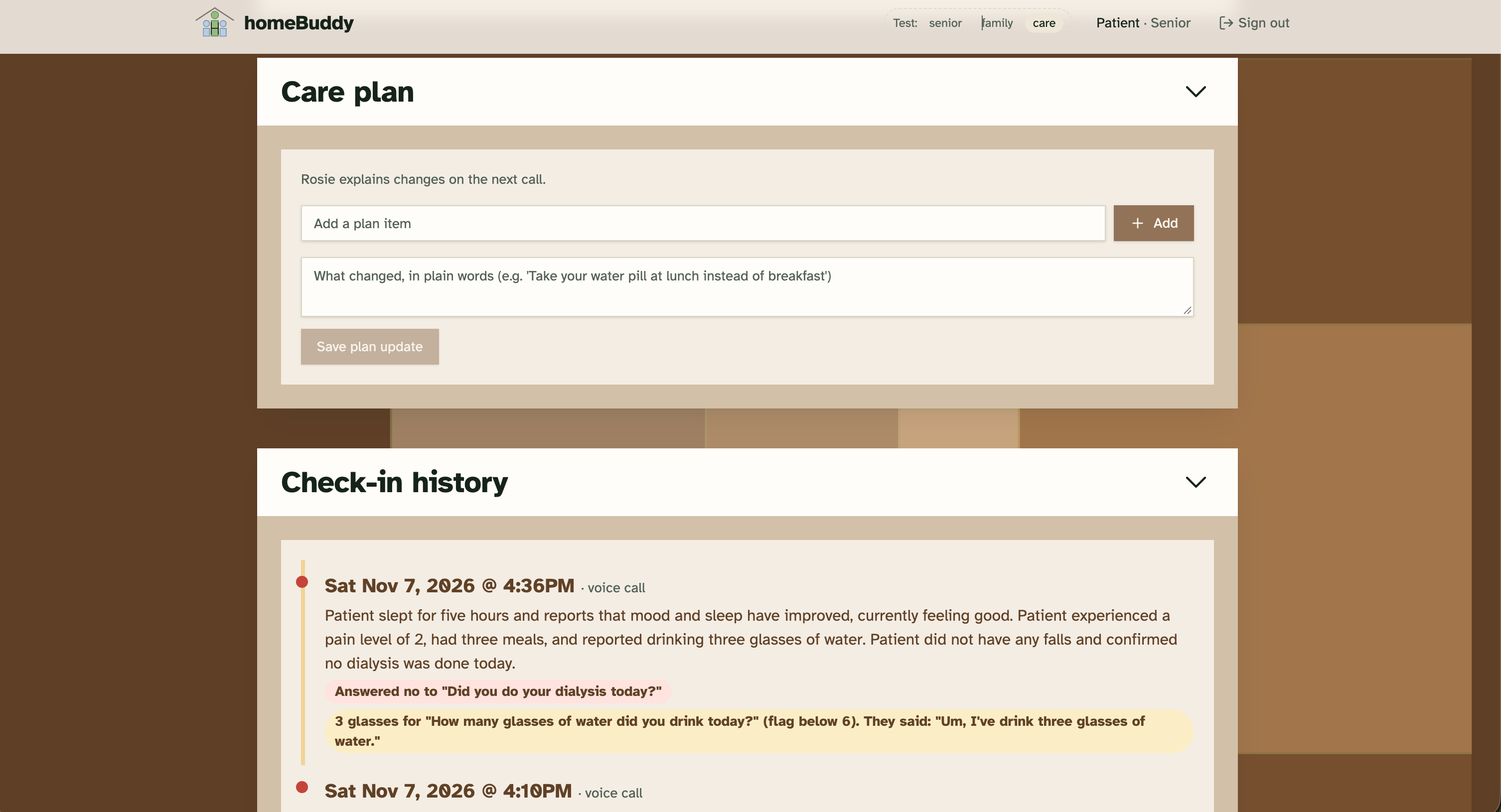
Care providers view of individual patient pt3
-
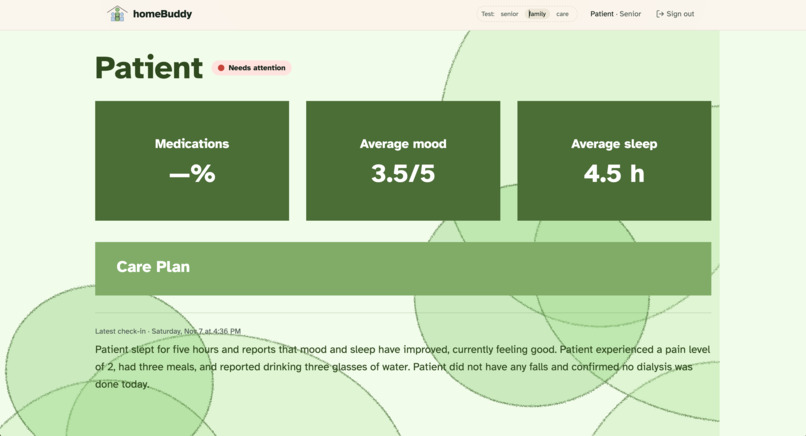
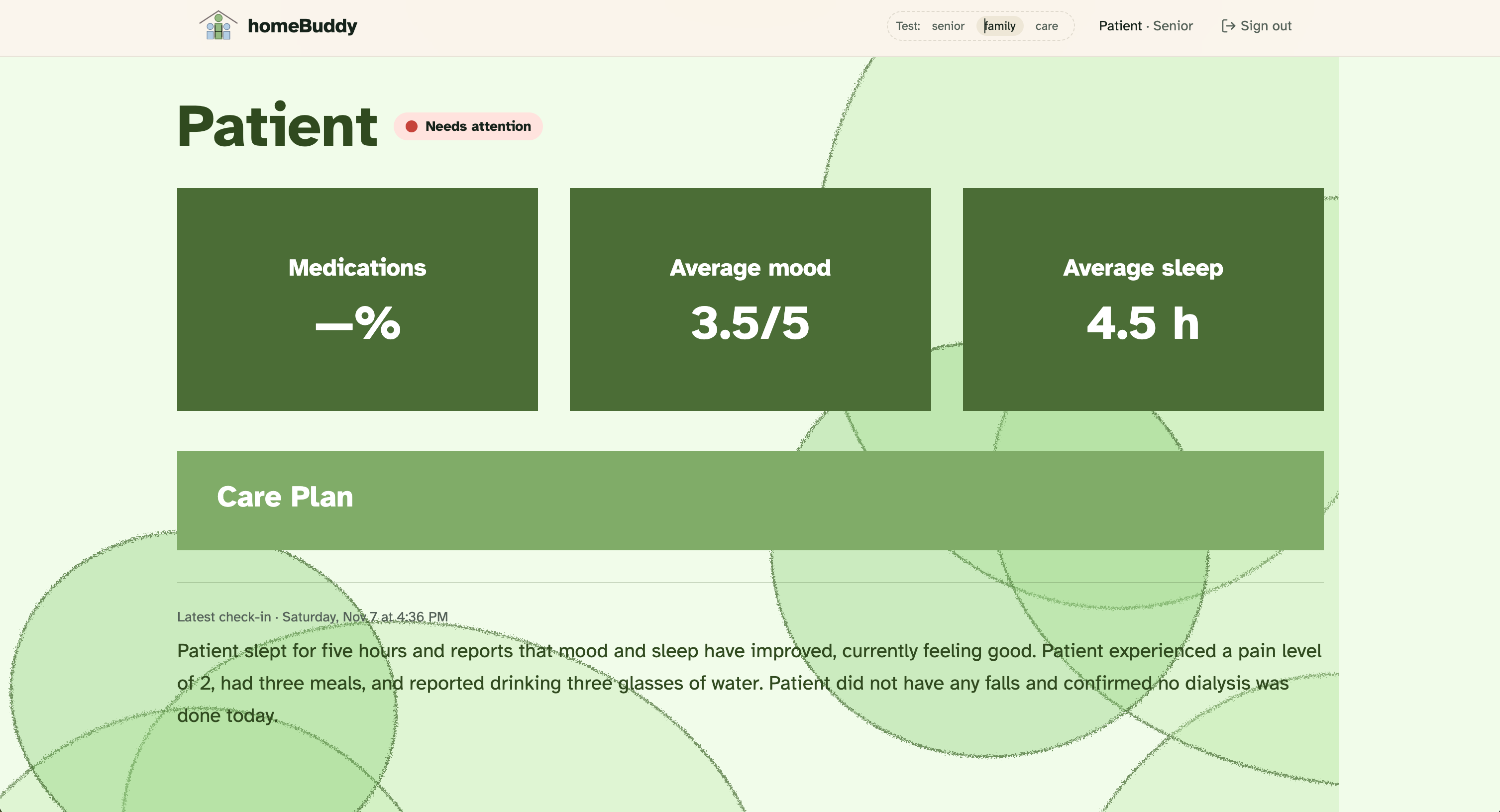
Family member view
-
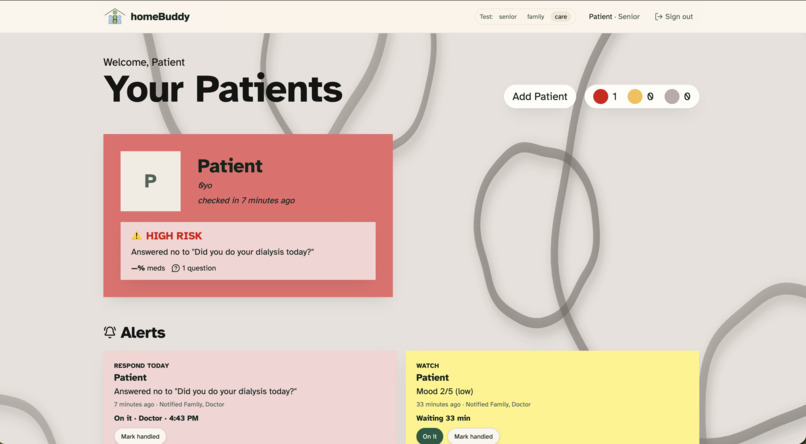
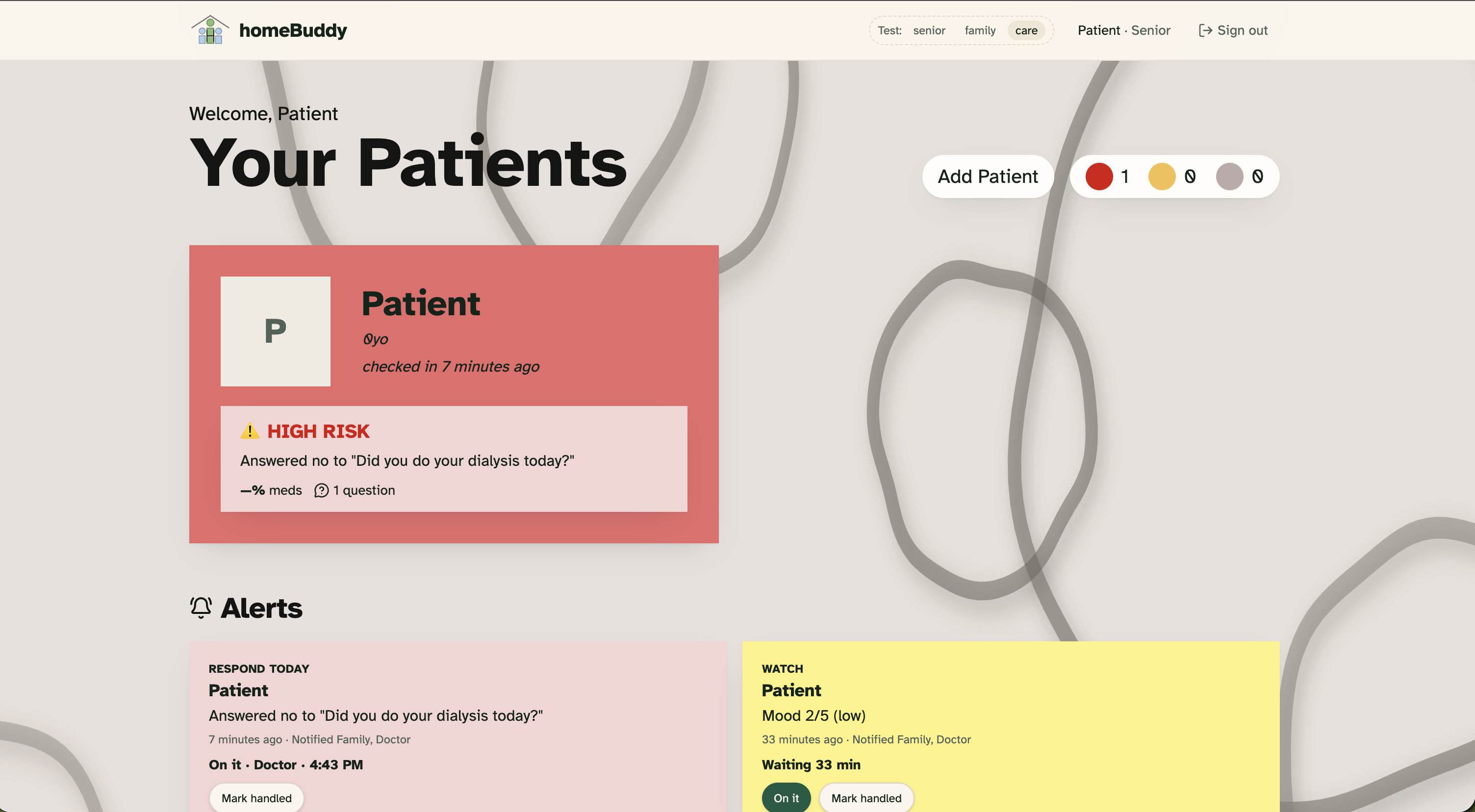
Care providers view pt1
-
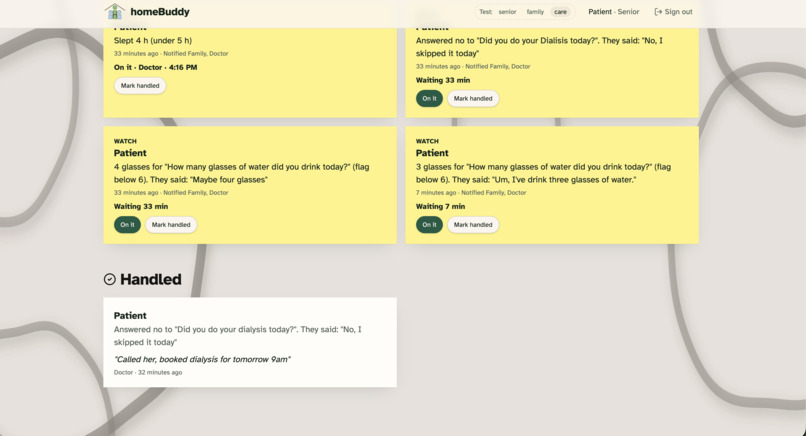
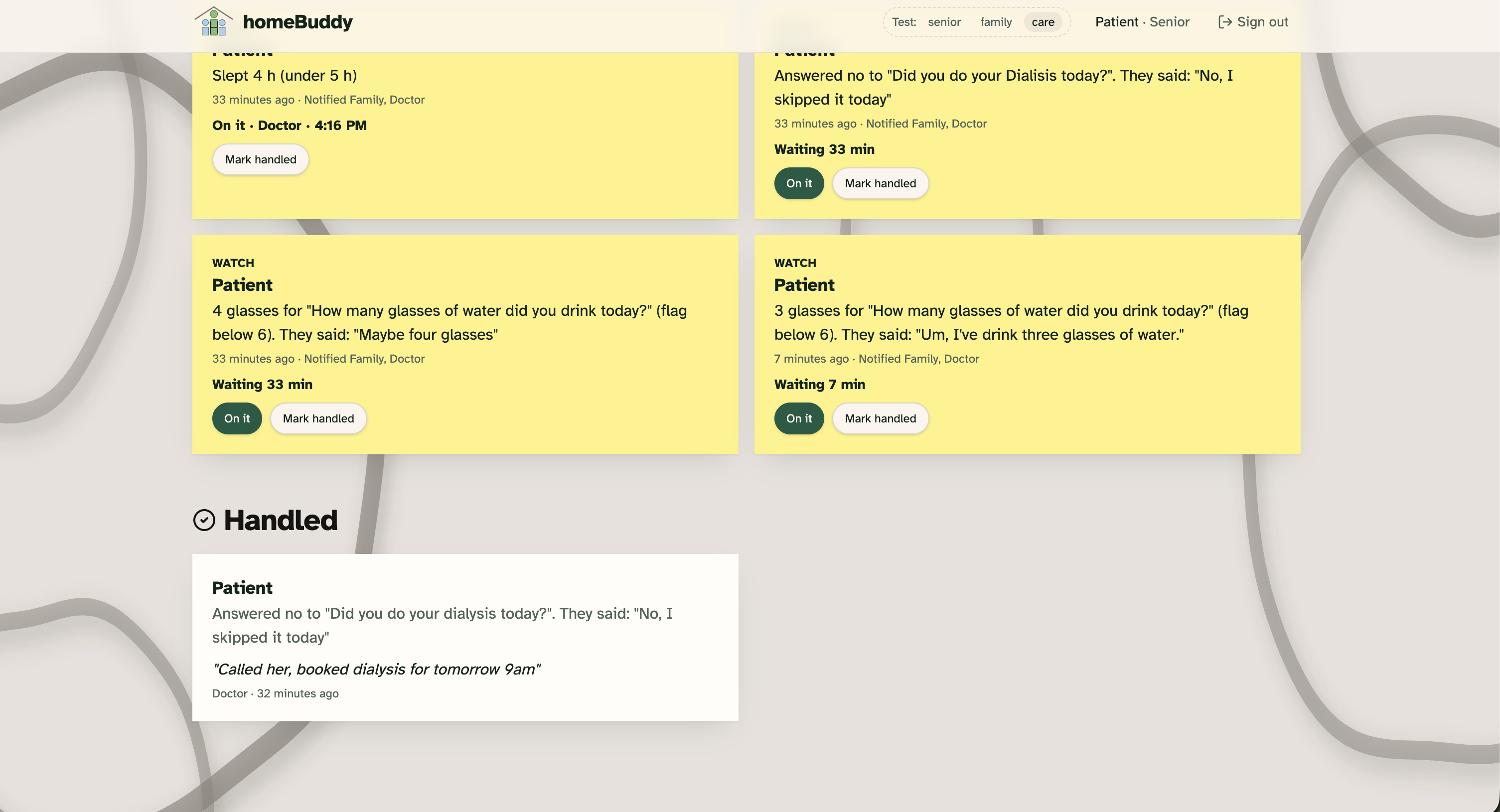
Care providers view pt2
-
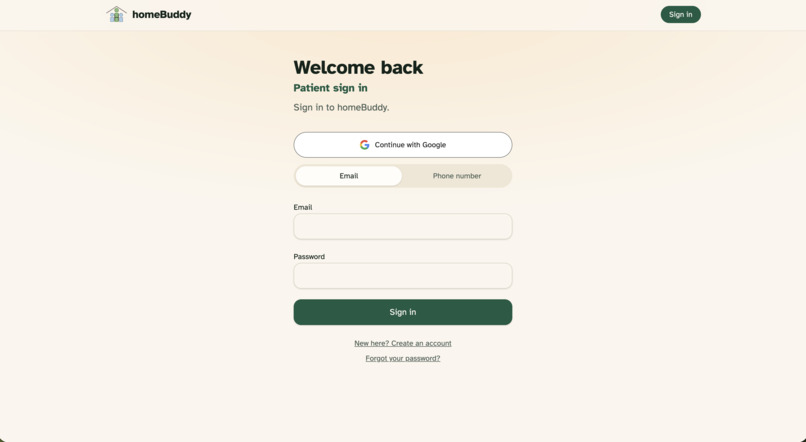
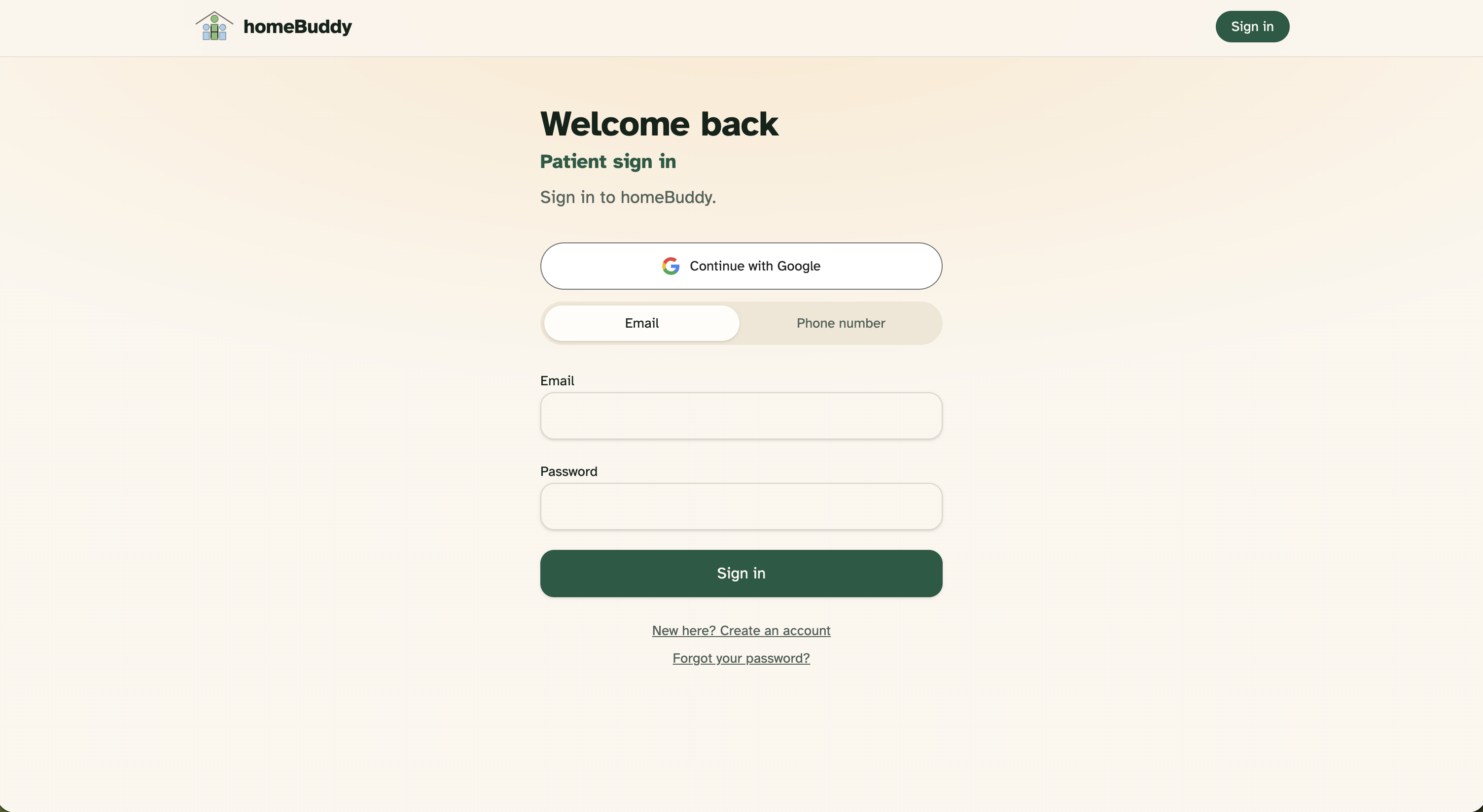
Sign in page
Inspiration
Over 80% of seniors prefer to age in the comfort of their own homes. However, independent living often comes with a steep trade-off: subtle, slow-building health problems—like missed medications, decreased appetite, poor sleep, or worsening balance—often slip by unnoticed until they trigger a crisis and an emergency room visit.
Care teams and home-health nurses want to stay ahead of these issues, but they don't have the time to phone dozens of patients every single morning. At the same time, traditional patient portals fail older adults because complex dropdowns, tiny fonts, and text inputs create friction. We built homeBuddy for the PointClickCare Challenge to close this loop: offering seniors the familiarity of a friendly morning phone call while giving clinicians actionable, prioritized triage data.
What it does
homeBuddy coordinates care across three tailored, role-specific portals:
For Seniors (Friendly, Zero-Typing Voice Check-In):
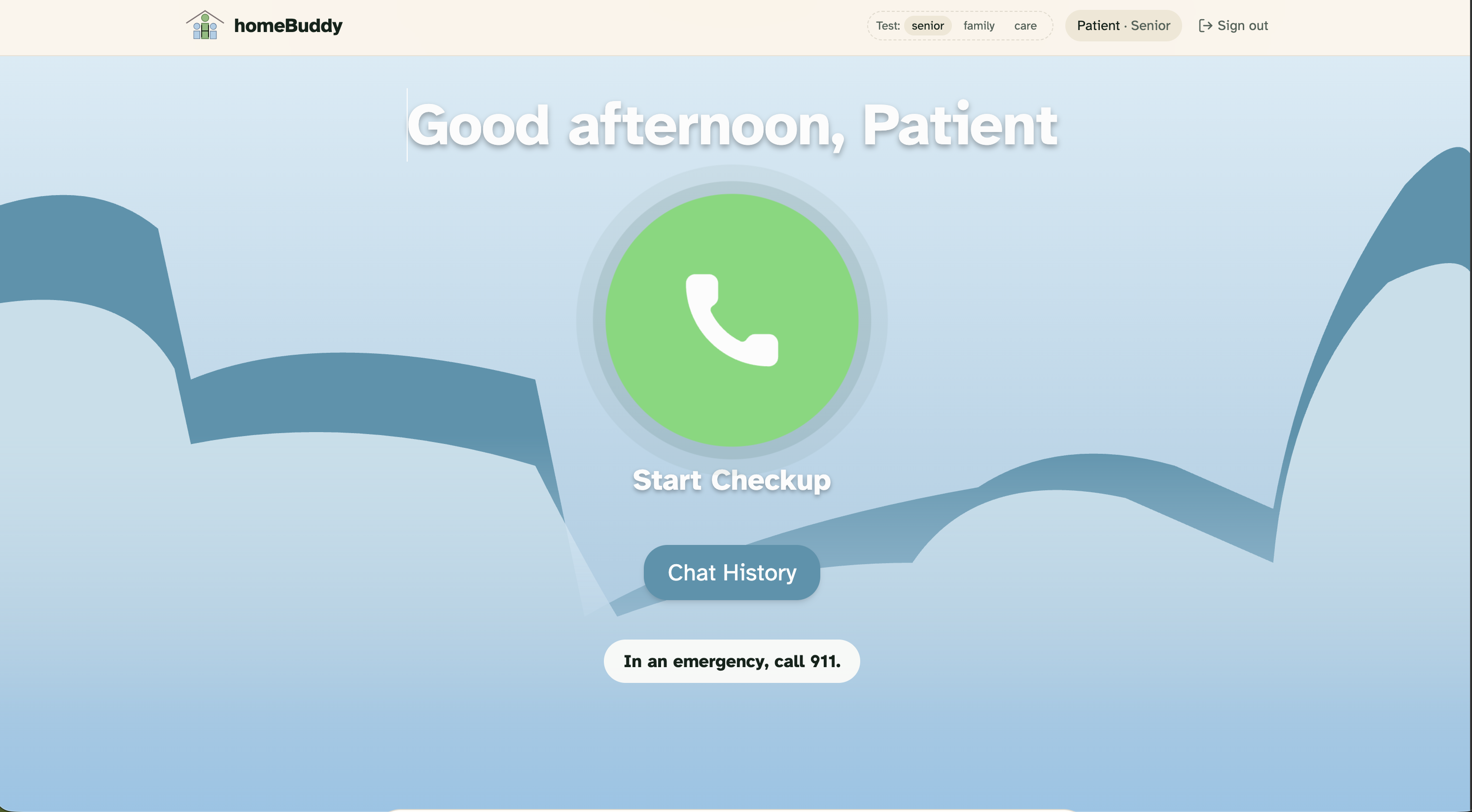
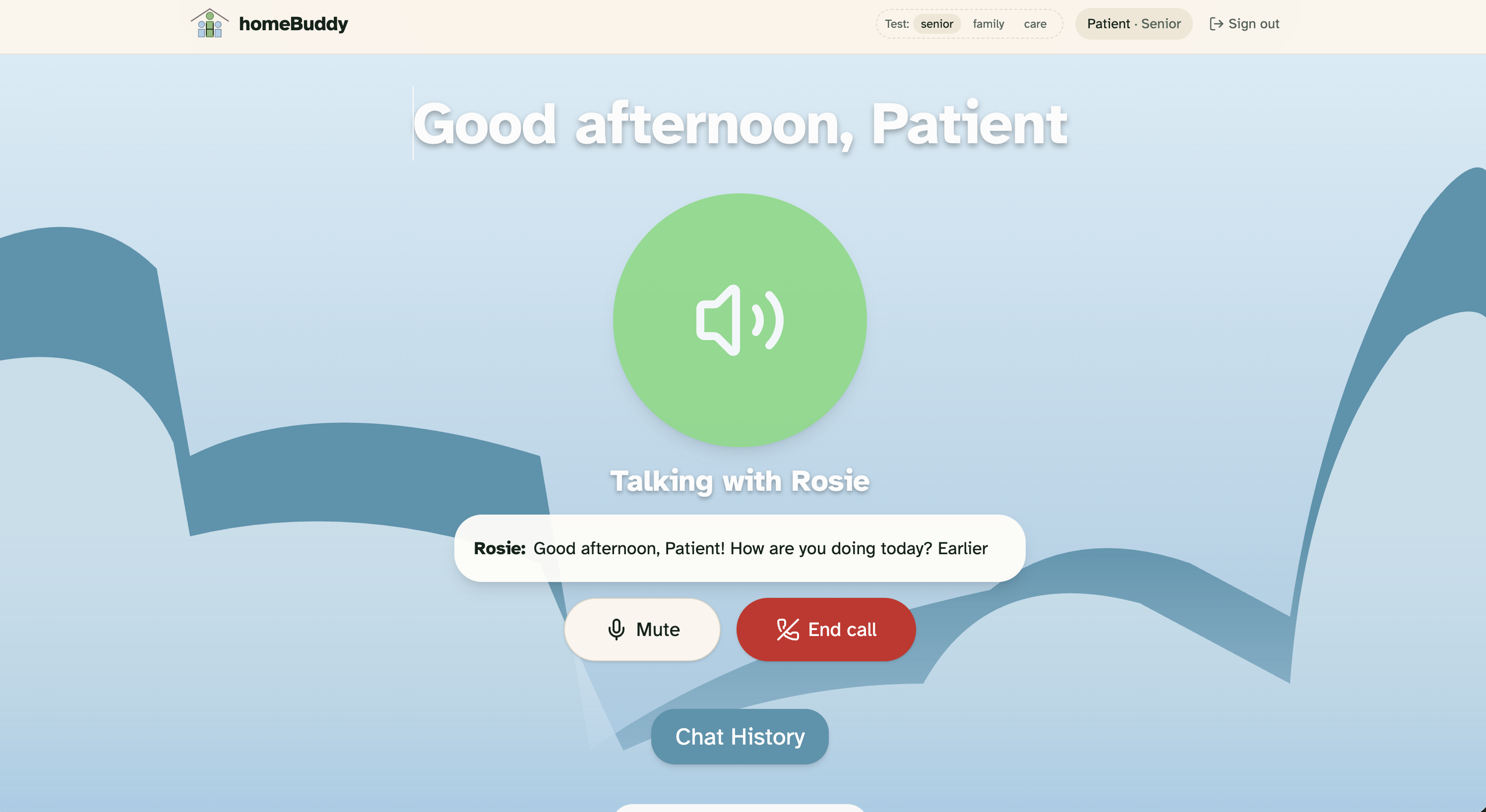
Seniors don't fill out forms or navigate complex menus. They simply tap one high-contrast button to speak with Rosie, an empathetic voice assistant powered by Google Gemini Live. Rosie knows the time of day, greets them warmly, and asks personalized daily health questions prescribed by their doctor (e.g., medication adherence, symptoms, pain levels). If an answer is unclear, Rosie gently clarifies without interrogating. The app prominently reminds seniors that emergencies always warrant a call to 911; the AI never diagnoses or prescribes treatment. For Clinicians & Care Teams (Actionable Triage Dashboard):
Clinicians customize specific check-in questions and flag conditions for each senior. Every completed call is automatically transcribed and structured. Transparent, deterministic clinical rules categorize each patient’s day into Green, Yellow, or Red flags—highlighting the senior's exact quotes so clinicians know precisely whom to contact first. Clinicians can log resolution notes and mark issues as "Handled" directly within the patient profile. For Family Members (Reassurance & Visibility):
Family members receive a calm, easy-to-read daily status view showing recent check-in history, vital trends, and notification when the care team is actively following up on a concern.
How we built it
Frontend & Full-Stack Routing: Built on TanStack Start v1 (React 19) and Vite, styled with custom Tailwind CSS and typography centered on Atkinson Hyperlegible for visual accessibility. Voice AI & Summarization: Powered by the Google Gemini Multimodal Live API over a secure server-side WebSocket proxy (/api/live) for low-latency, bidirectional audio streaming, paired with Gemini Flash models for structured post-call clinical extraction. Deterministic Safety Engine: To ensure clinical reliability and prevent hallucinations, health classifications and risk routing live in a dedicated, test-driven rule engine (care.ts) rather than delegating safety decisions to unconstrained LLM outputs. Authentication & Database: Supabase handles secure role-based access control (RLS) across senior, clinician, and family profiles, encrypting and isolating patient states. Collaborative Engineering: Coordinated between Lovable (rapid visual prototyping, design alignment, and publishing) and Claude Code on GitHub from a shared living specification (docs/BRIEF.md).
Challenges we ran into
Real-Time Voice Latency: Tuning real-time audio chunk sizes, sample rates (16 kHz PCM input / 24 kHz output), and speech activity detection over WebSockets to ensure Rosie feels natural and responsive rather than robotic or laggy. Clinical Safety vs. AI Conversational Freedom: Striking the right balance so Rosie sounds warm, patient, and conversational while strictly gathering exact answers to clinician-prescribed questions without inferring diagnoses or offering medical advice. Role Isolation: Designing clean boundaries in Supabase Row Level Security so that family members can only view records explicitly shared with them, while seniors and clinicians have dedicated workflows.
Accomplishments that we're proud of
A truly zero-typing experience for seniors: tapping one button launches a natural voice conversation that extracts structured clinical data. Explainable flags: Every alert quotes the patient's own words and cites the exact clinical rule that triggered it. Building a high-contrast, cohesive visual identity inspired by real senior accessibility guidelines, with dedicated, distinct portals for the patient, clinician, and family.
What we learned
Older adults respond far better to direct, conversational clarity than open-ended smart assistant banter; predictable, supportive phrasing reduces anxiety during health check-ins. Keeping AI strictly in the role of an extractor and conversationalist—and leaving safety scoring to deterministic, tested rules—is the most trustworthy architecture for clinical prototypes.
What's next for homeBuddy
Multi-Day Trend Analytics: Automatically detecting slow-moving trends (e.g., "appetite decreased 3 days in a row" or subtle cognitive changes over weeks). Photo Logging: Enabling seniors or caregivers to upload images (e.g., post-op incisions or swelling) for clinician review during check-ins. Direct EHR Integration: Connecting structured daily summaries directly into PointClickCare and senior care health records to streamline nursing handoffs.
Built With
- bun
- claude-code
- conversational-ai
- figma
- gemini-live-api
- github
- github-actions
- google-gemini
- healthcare-ai
- lovable
- playwright
- pointclickcare
- postgresql
- react
- speech-to-text
- supabase
- tailwind-css
- tanstack-router
- tanstack-start
- typescript
- vite
- vitest
- web-audio-api
- websockets

