-
-
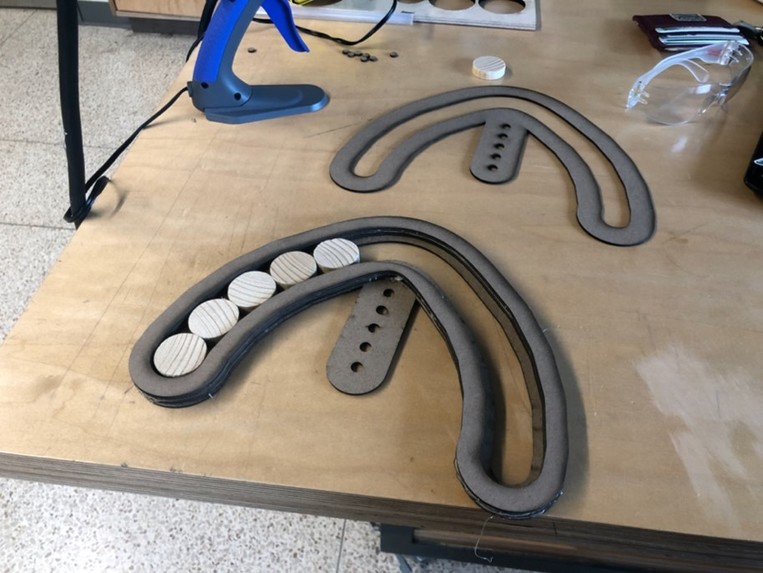
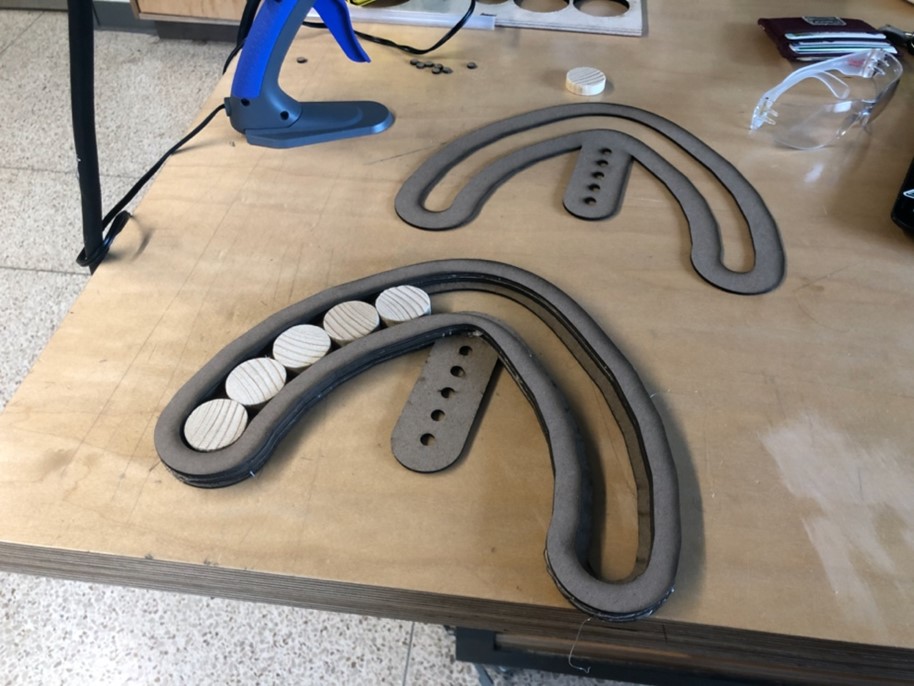
Initial Ideation and Prototyping
-
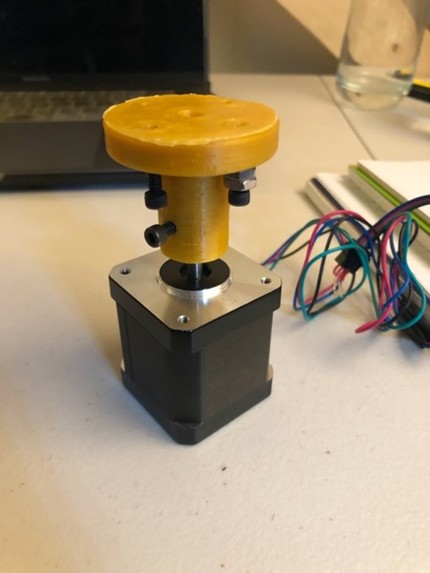
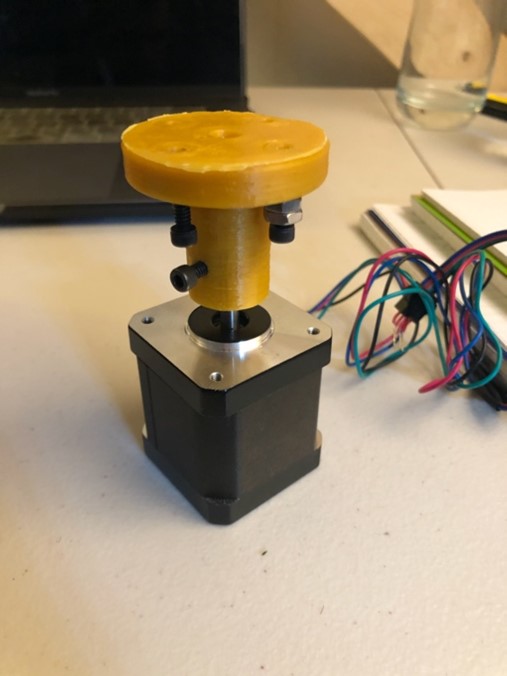
3D printed stepper motor coupler
-
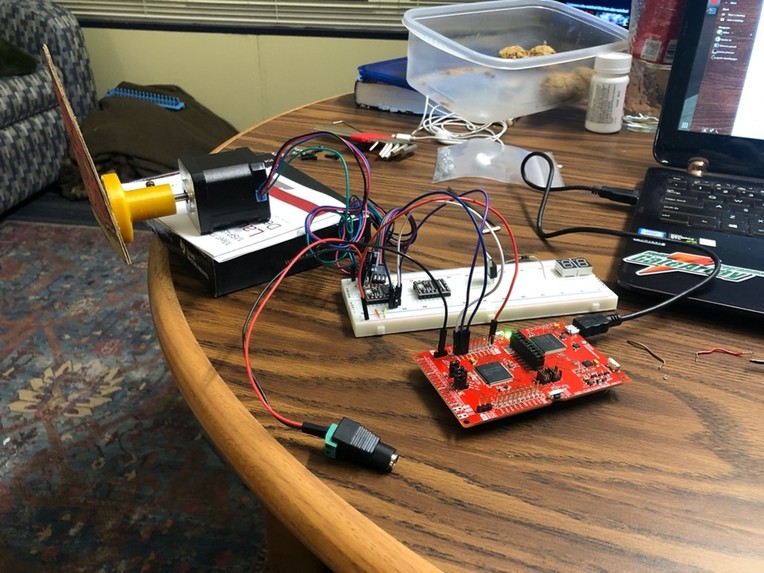
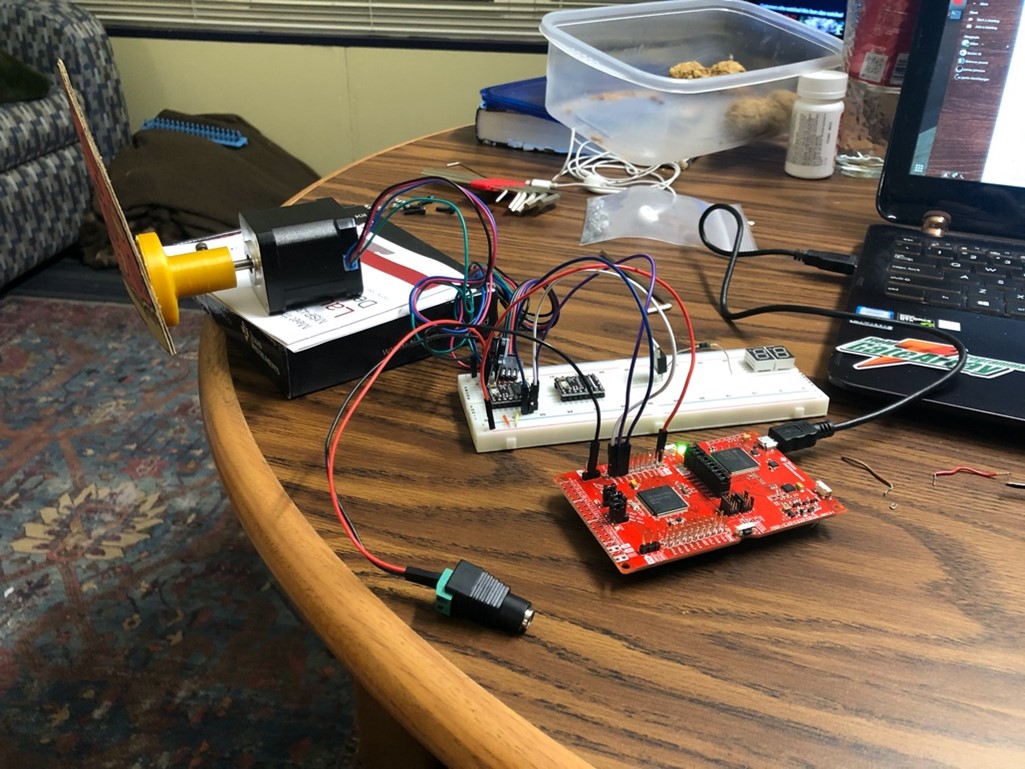
Writing software to control the stepper motor
-
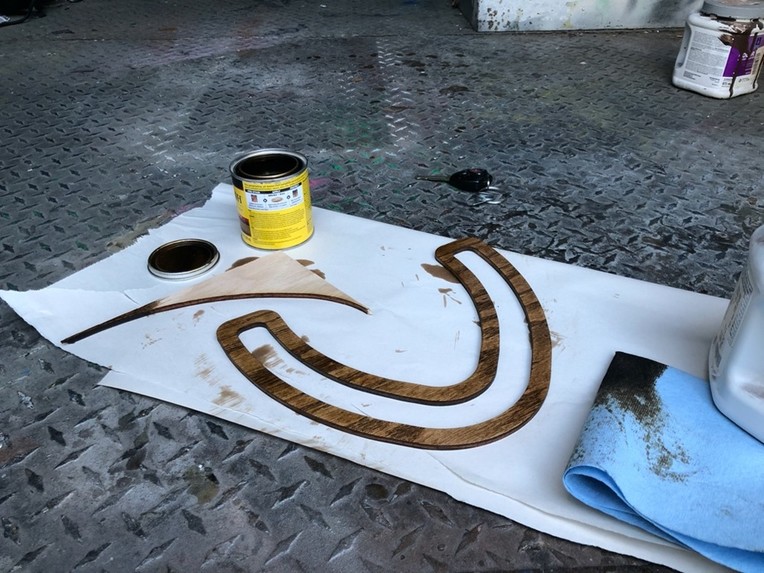
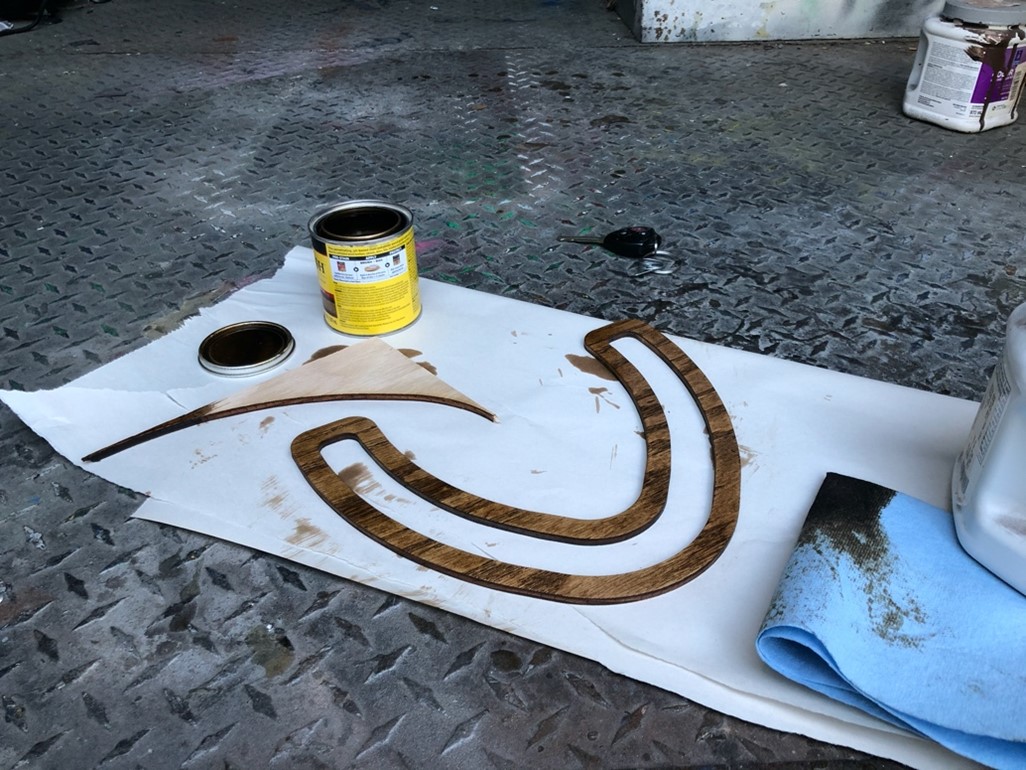
Stain application to add finishing touches on mechanical design
-
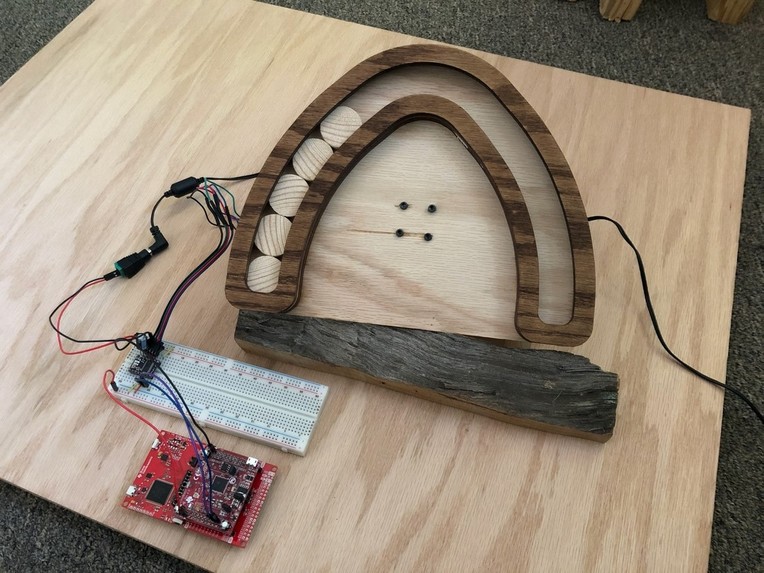
The Final Product
Description of Project
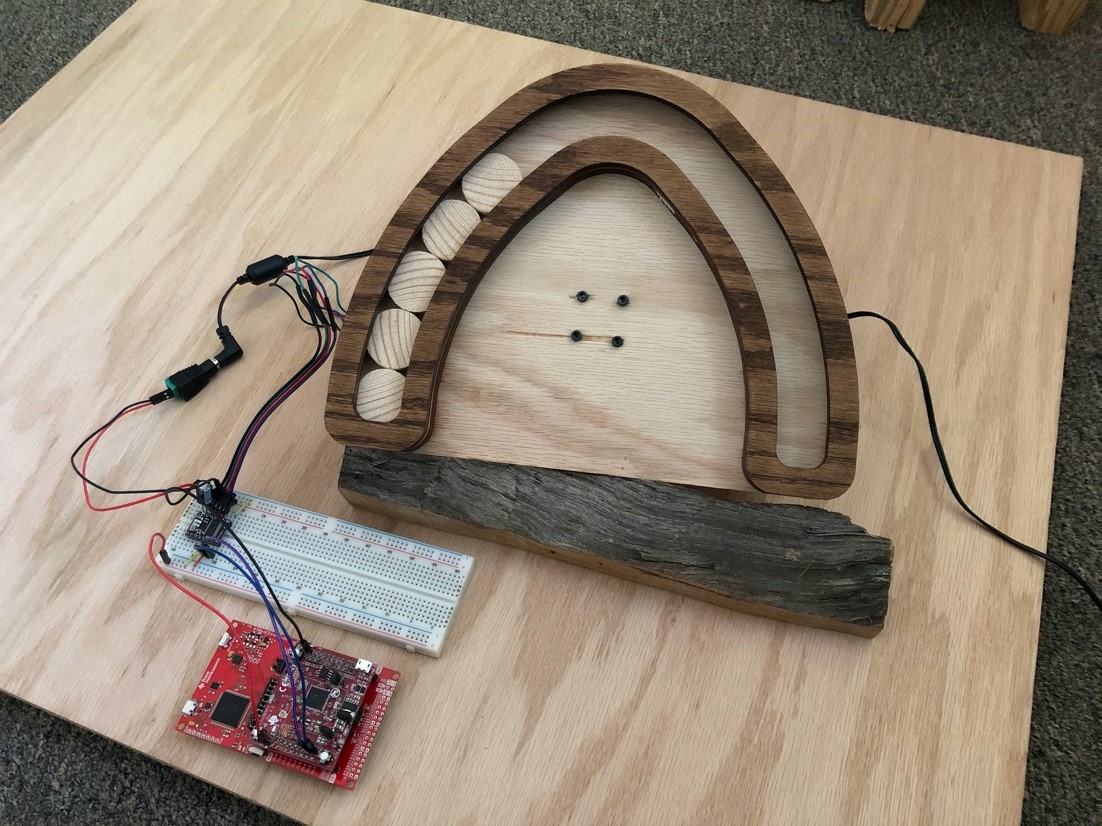
The Home Office Meeting Schedule Visualizer is an aesthetically pleasing “countdown clock” integrated with Google Calendar that shows other members of a household when the user was either in a meeting or about to be in a meeting. Since the pandemic started, thousands of people have had to work from home. Working from home presents challenges, not least of which is being able to easily and non-verbally communicate to the rest of the household that someone is in a meeting (or about to be in a meeting). This countdown clock clearly communicates this information through a kinetic sculpture that is simple, useful, and easily installed.
Each disk in the sculpture represents five minutes. Every five minutes, one disk is transferred from the left to the right. Once all five disks have been transferred, the meeting has started. All disks are transferred back to the left when the meeting is over.
List of Hardware and Software Used
- Software
- Energia
- TI Cloud CCS (used for initial testing)
- Trotec Job Control
- Autodesk Fusion 360
- Inkscape
- Google Calendar API
- Hardware
- 3D printed stepper motor coupler
- NEMA 17 stepper motor
- TI MSP432 Launchpad
- TI CC3100 BoosterPack
- TI DRV8825 Stepper Motor Driver
- 12V DC “wall wart” power supply
- 100 uF electrolytic capacitor
- .25” oak plywood
- MiniWax “Classical American” stain
- 5x10mm 8-32 socket-head cap screws
- 4x10mm M3 socket-head cap screws
Process of Creating Project
The project started with mechanical design. Early ideation and iteration with laser cutters and hot glue led to a clock design that both looked nice, and also made sure to only allow one disk to transfer sides at a time. Once the main features were decided, a motor coupler was designed and 3D printed to connect the motor to the device. With a mechanical design in place, software was written to control the stepper motor using the step-direction interface the stepper driver provided. The most challenging aspect of the project was software to interface the WiFi BoosterPack with Google Calendar. In this endeavor, the project fell just shy of completion. The board successfully talked to Google, however, no useful information was able to be retrieved due to hiccups in the access token retrieval process. To spare the technical details, this phase can be summarized by saying that the team spent hours approaching this problem from multiple angles but could not get the correct response. For proof of concept, the design triggers an “event” to start once the CC1300 board correctly connects to the internet, gets a device ID from Google, and attempts to retrieve an access token.
Built With
- autodesk-fusion-360
- energia
- google-calendar
- inkscape
- ti-cloud-ccs
- trotec-job-control

Log in or sign up for Devpost to join the conversation.