-
-
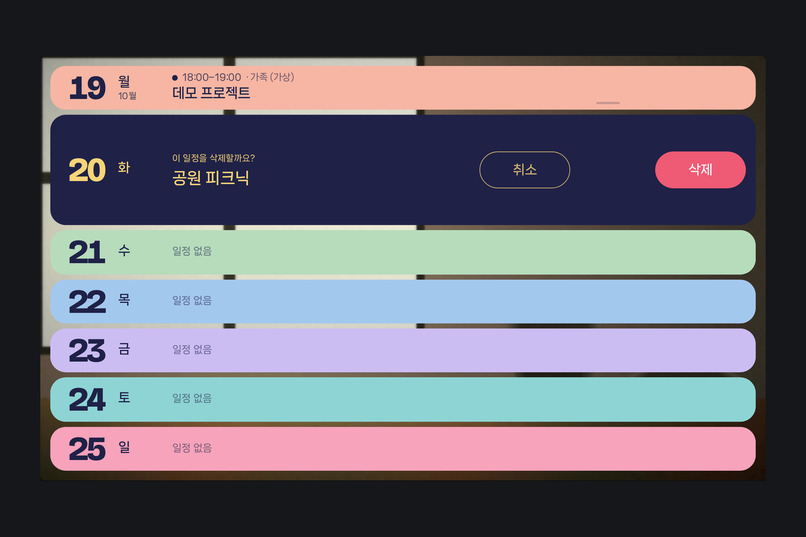
02_calendar_confirmation
-
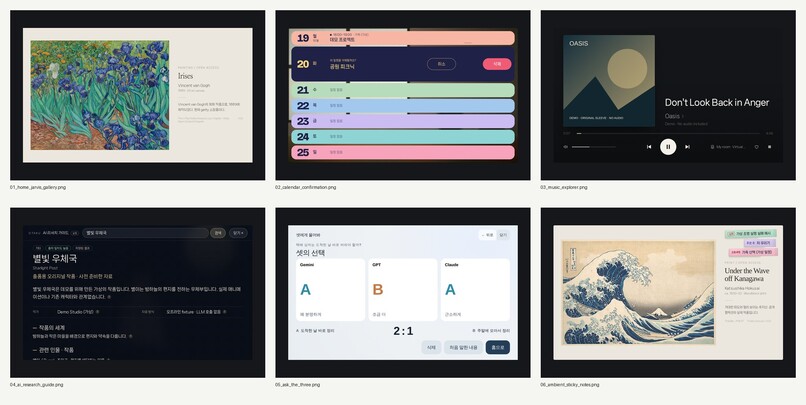
contact-sheet
-
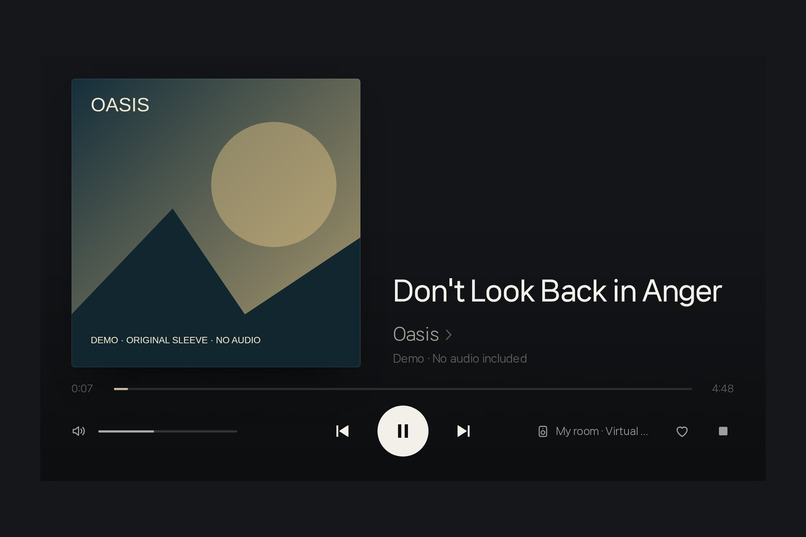
03_music_explorer
-
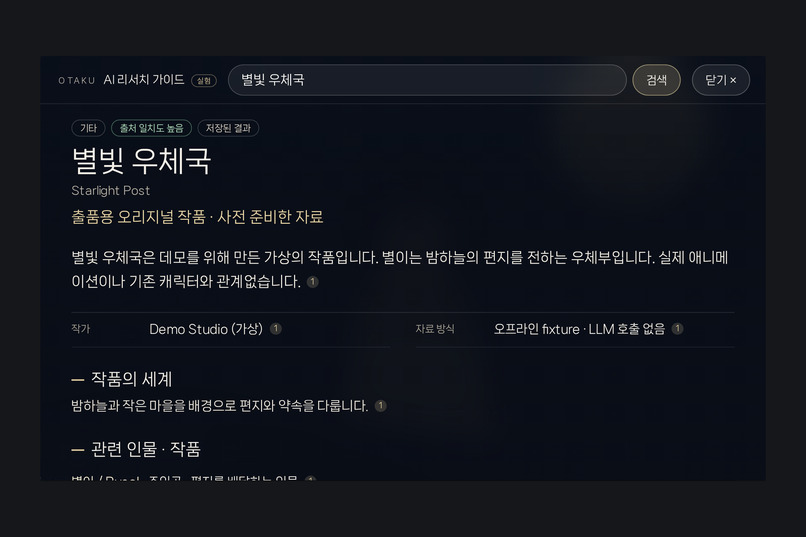
04_ai_research_guide
-
05_ask_the_three
-
06_ambient_sticky_notes
-
01_home_jarvis_gallery
Home Jarvis — Bringing AI Into Everyday Life
Inspiration
What if an AI assistant didn't have to live inside a chat window?
What if it could become a natural part of your home — something you could talk to, touch, glance at, and interact with throughout the day?
That idea inspired Home Jarvis.
I wanted to build more than a chatbot with a microphone. I imagined a physical AI assistant with a beautiful visual interface, capable of understanding everyday requests, coordinating different AI capabilities, and helping with real tasks around the home.
I also wanted the experience to feel welcoming rather than technical. Instead of a complicated dashboard, Home Jarvis should present the right information at the right moment, respond naturally to voice and touch, and quietly return to its ambient display when the interaction is over.
Home Jarvis is not a prototype created solely for this hackathon. It is an ongoing personal project, running on real hardware in my home, that I continue to use, develop, and improve.
This hackathon became an opportunity to extend that system with NVIDIA Nemotron through Nebius Token Factory and explore how specialized AI capabilities can become part of one coherent user experience.
What It Does
Home Jarvis is a voice-and-touch AI home assistant running on a Raspberry Pi 5, connected to a ReSpeaker microphone array and a 1024×600 touchscreen.
Its capabilities include:
- Natural voice interaction: Real-time conversations through Gemini Live, integrated with a custom wake-word and visual response system.
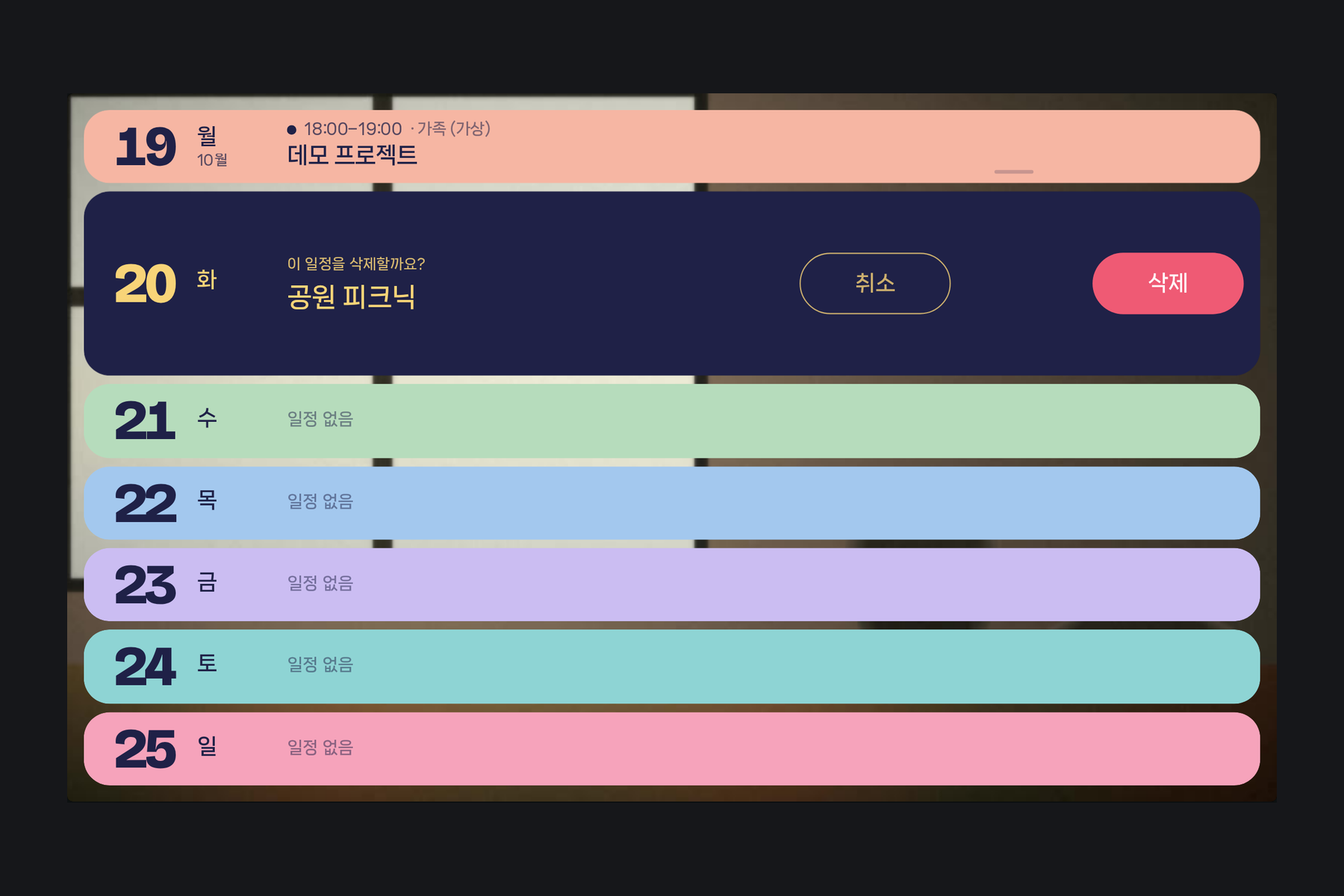
- Interactive weekly calendar: Ask about upcoming events, navigate between weeks, select an event by touch, and move it to another day using natural language. The calendar responds with visual confirmation.
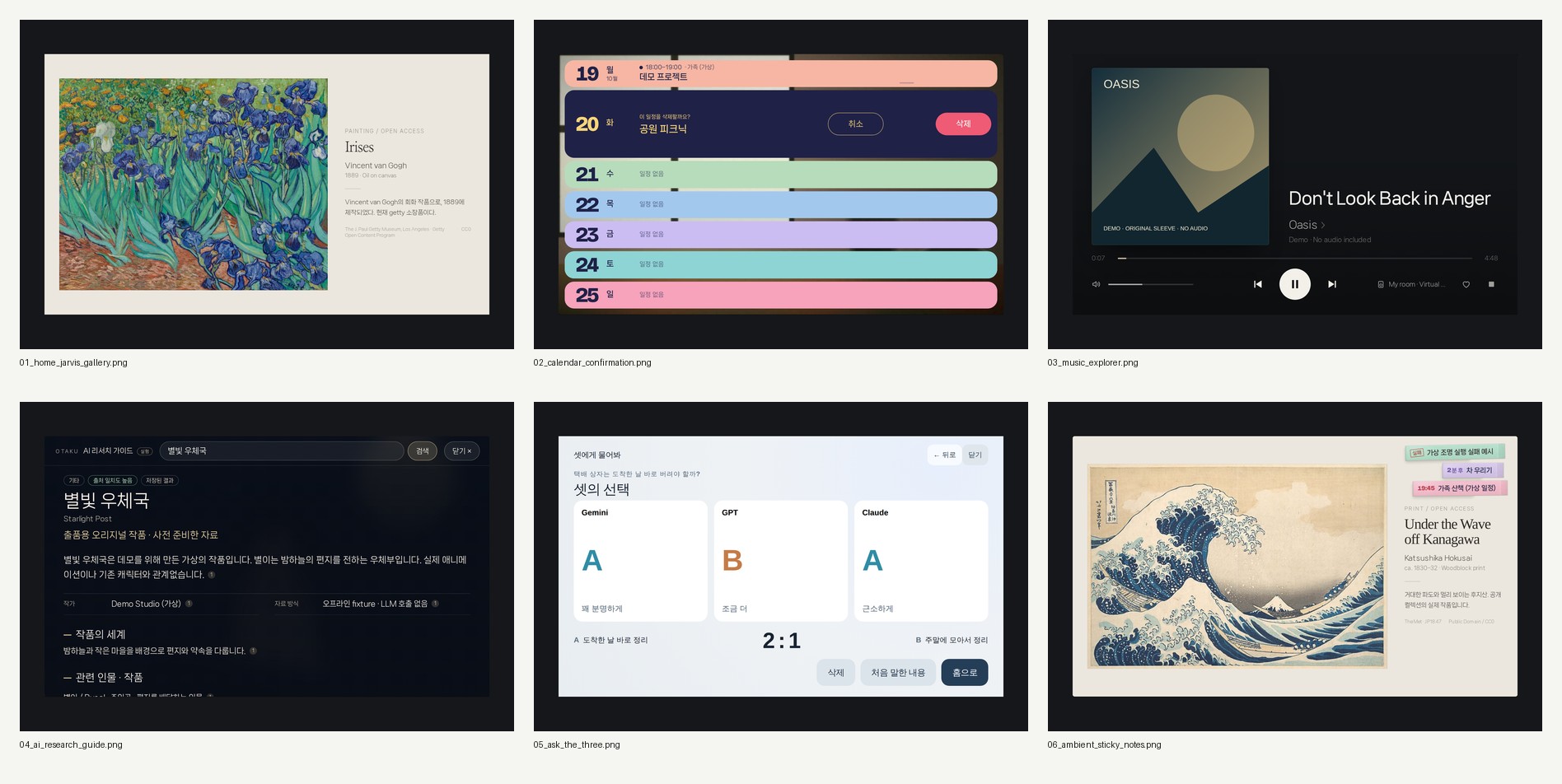
- Intelligent music discovery: Identify music from imperfectly remembered lyrics and play it through the home audio system.
- Smart home automation: Schedule actions such as turning off the lights, accompanied by contextual countdown interfaces.
- News and phone integration: Browse articles on the touchscreen and send them to a smartphone through a voice command.
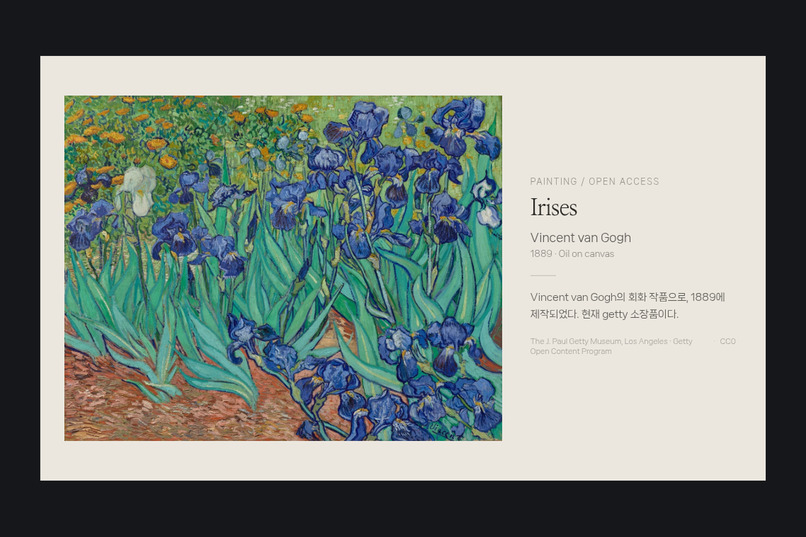
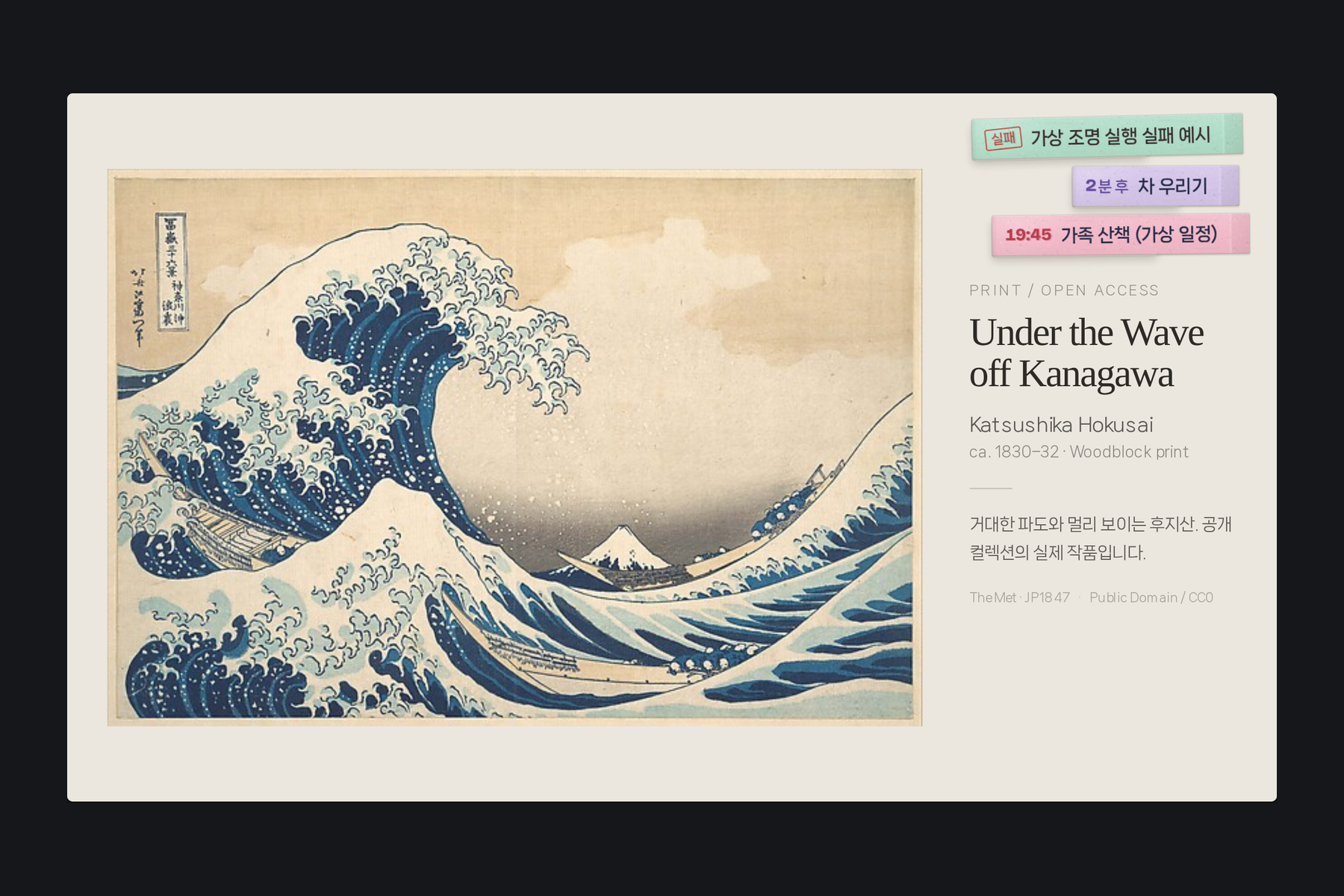
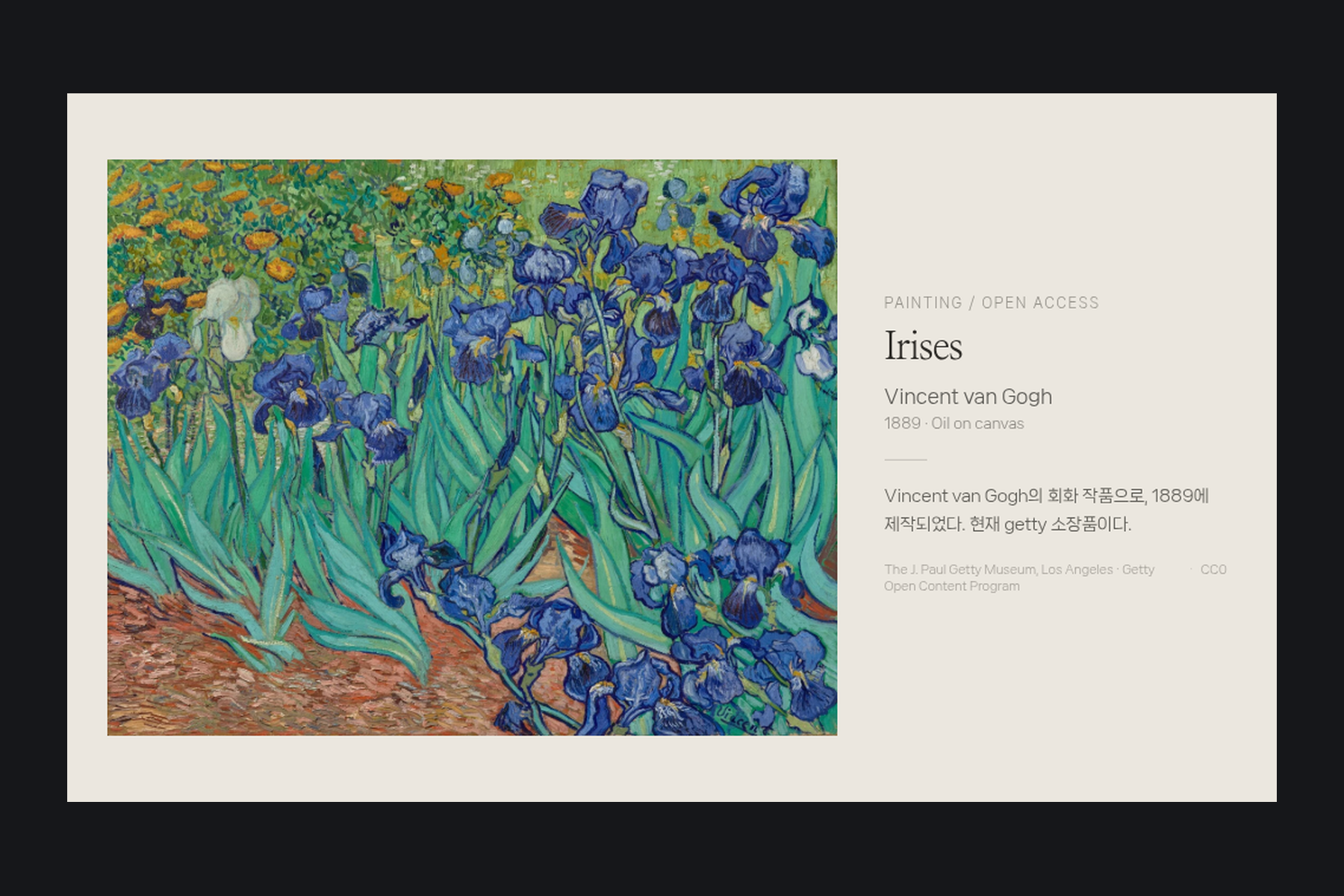
- Contextual visual experiences: Display financial information, ambient galleries, and other useful content through purpose-built interfaces.
For the NVIDIA × Nebius hackathon, I integrated two Nemotron-powered experiences.
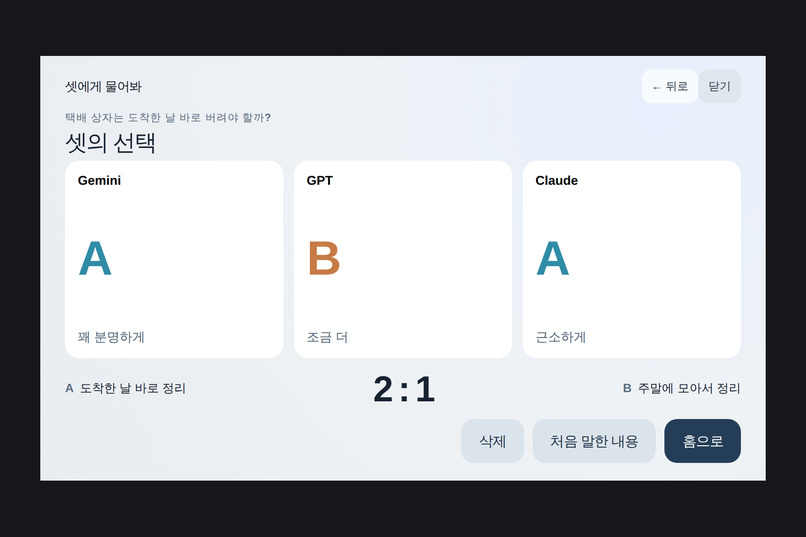
Ask the Three — AI Judges for Everyday Dilemmas
What happens when you ask several AI models to judge the same human dilemma?
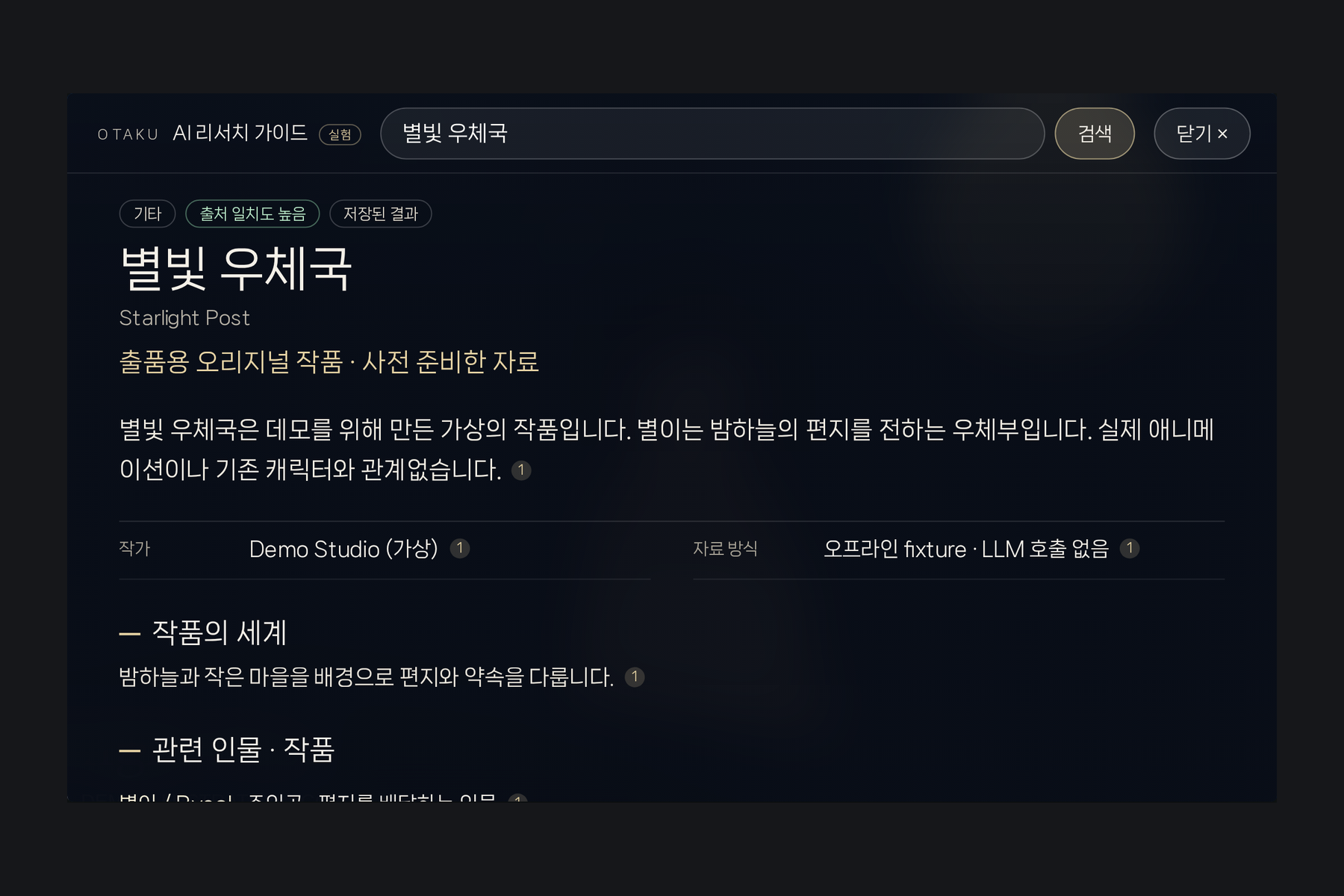
Ask the Three turns that question into an interactive experience.
The user describes a situation, and an AI-powered workflow organizes the case, gathers independent perspectives, and presents the verdicts through a custom-designed visual interface.
NVIDIA Nemotron 3 Ultra, accessed through Nebius Token Factory, performs case organization and participates as an AI judge.
The demonstration includes two live AI votes, from Nemotron and GPT, alongside one clearly labeled prepared Claude demo fixture. Live and simulated responses are explicitly distinguished.
The goal is not simply to collect AI answers. It is to make contrasting perspectives understandable, engaging, and visually coherent.
OTAKU Gallery — AI Research Guide
OTAKU Gallery began as an ambient display for enjoying illustrations and discovering artists.
With Nemotron integration, it becomes something more: a visual gateway to knowledge.
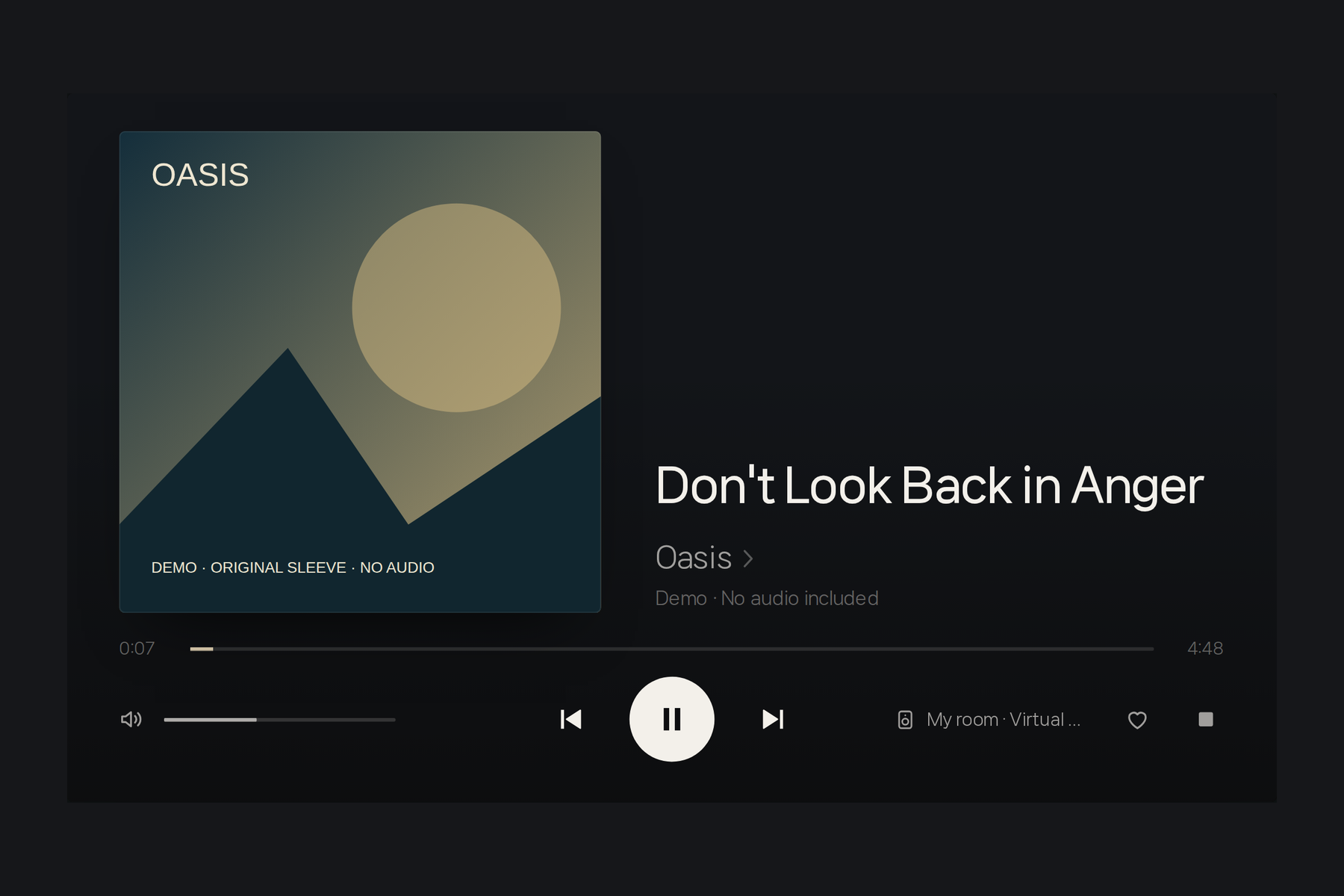
While browsing the gallery, users can open the AI Research Guide and select a suggested topic. Nemotron researches the subject and generates an English explanation with cited sources.
The results appear in a carefully designed reading interface that fits the same touchscreen experience.
In the hackathon video, a single tap on the Steins;Gate topic launches a real Nemotron research workflow, displaying the generated explanation and its sources.
The underlying model is nvidia/Nemotron-3-Ultra-550b-a55b, served through Nebius Token Factory.
The important idea is that the user doesn't need to leave the experience, open another app, or start a conventional chatbot conversation. Discovery and AI-assisted research happen naturally within the gallery.
How I Built It
Home Jarvis combines a physical device, a home server, multiple AI services, and a custom interaction layer.
Hardware and interface
The system uses a Raspberry Pi 5 with a 1024×600 touchscreen and a ReSpeaker microphone array.
The frontend uses web technologies to create custom interfaces designed specifically for the physical display.
Rather than relying on generic dashboards, I built an interface system around ambient galleries, typography, visual cards, contextual overlays, subtle animations, and touch interaction.
AI and backend
Gemini Live handles real-time conversational interaction. Python backend services connect the assistant to calendars, music, smart-home devices, and other capabilities.
WebSocket and server-sent event mechanisms support communication between services and the visual interface.
Different AI models are used for different tasks instead of forcing one model to do everything.
NVIDIA Nemotron and Nebius Token Factory
For the hackathon, I integrated NVIDIA Nemotron 3 Ultra into two specialized workflows.
In Ask the Three, Nemotron organizes user-submitted dilemmas and provides a judge's perspective.
In OTAKU Gallery, Nemotron generates research content, which is then processed and checked for source attribution before being presented.
Both integrations make real API calls through Nebius Token Factory. They use structured output handling and validate the model identity in API responses.
Nemotron powers these specialized features, while the broader Home Jarvis system continues to use other models and services where appropriate.
Development with AI coding agents
I developed Home Jarvis as an individual creator working extensively with AI coding agents.
I define the product direction, interaction design, architectural goals, and acceptance criteria, while AI coding agents help implement, test, and refine the system.
The development process is iterative: build a feature, deploy it, examine it on the actual device, identify what feels wrong, and improve it.
This workflow has made it possible to develop a surprisingly broad system without a conventional software team.
Reproducible hackathon showcase
The actual Home Jarvis installation contains private calendar data, personal integrations, local hardware configurations, and services that cannot safely be published.
For this submission, I prepared a separate, public-safe showcase using the real kiosk frontend and the source code of both Nemotron-powered applications.
It supports two experiences:
- Demo mode: Explore the interface and representative interactions without API credentials, using clearly labeled simulated inputs and results.
- Live mode: Supply a Nebius API key to execute the real Nemotron workflows. Additional model providers require their respective credentials.
The showcase preserves the visual design and core interactions while replacing private home data with fictional sample content.
The Raspberry Pi video demonstrates the real physical installation; the software showcase provides a reproducible subset of the system.
Challenges I Faced
Making independent systems feel like one product
Home Jarvis combines real-time voice interaction, AI models, external services, local hardware, and multiple visual applications.
The challenge is not merely connecting these components. It is making the transitions feel effortless to the person using them.
A calendar interaction illustrates this well: the user asks about next week's schedule, touches an event, requests a date change, and sees the result reflected on the display.
Several technologies cooperate behind the scenes, but the user should experience one continuous interaction.
Designing for a real touchscreen
A 1024×600 display requires careful decisions about spacing, typography, animation, and touch targets.
An interface that looks attractive on a desktop monitor may be uncomfortable or unreadable on a small display in a living room.
I spent considerable effort refining the interfaces on the actual device, not just in browser previews.
Reliability outside a controlled demo
Real environments introduce microphone noise, unexpected conversation patterns, network delays, service failures, and changing external APIs.
A feature that works once during development is not necessarily reliable enough for everyday use.
This has made testing, recovery behavior, service isolation, and repeated on-device verification essential parts of the project.
Preparing a personal system for public reproduction
Turning a private, operational home assistant into a shareable hackathon project was a challenge of its own.
I needed to preserve genuine working code and meaningful interactions while removing credentials, personal data, private infrastructure details, and assets that could not be redistributed.
I also needed to separate real AI calls from simulated behavior without making the demo misleading.
The result is an intentionally scoped showcase rather than a claim that every private home integration can be reproduced on another computer.
Accomplishments I'm Proud Of
My biggest accomplishment is that Home Jarvis works in a real home.
It is not simply a set of mockups or isolated AI experiments. It has a physical presence, a consistent visual identity, and practical capabilities that continue to improve.
I'm especially proud of the interactive calendar, where voice, touch, natural-language understanding, and real data modification form a continuous experience.
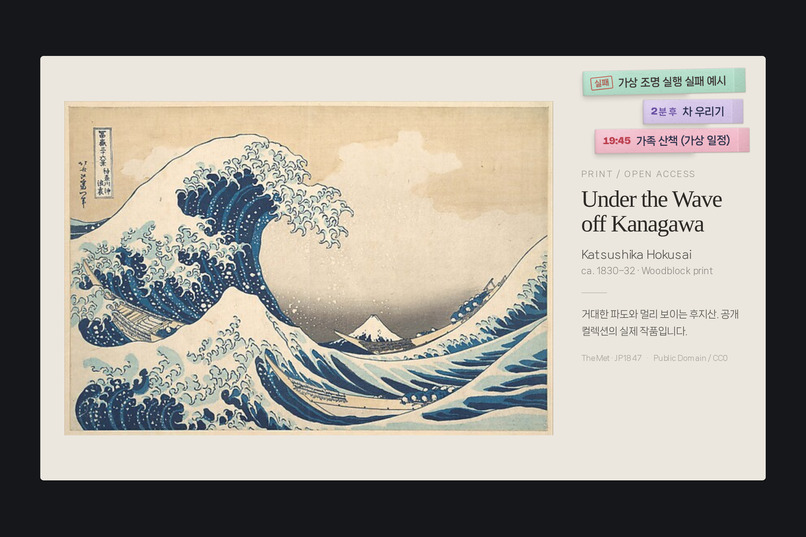
I'm also proud of the small visual details: a sticky-note countdown for scheduled actions, carefully designed weekly calendars, contextual overlays, and the way the display returns naturally to its ambient state.
For this hackathon, I'm proud that Nemotron's capabilities have been integrated into experiences with distinct purposes rather than presented as generic model demonstrations.
And I'm proud that the public showcase includes the real application source, working Nemotron integration paths, tests, and a clear distinction between live and simulated functionality.
What I Learned
Building Home Jarvis has reinforced one important lesson:
The usefulness of AI depends not only on the intelligence of the model, but also on the experience designed around it.
A powerful AI response is valuable. But the way a user reaches that response, understands it, acts on it, and returns to everyday life matters just as much.
I also learned that different AI models can contribute meaningfully to different parts of a system. The challenge is choosing their roles and integrating the results rather than treating model selection as an end in itself.
Working with AI coding agents taught me another lesson: software development is increasingly about directing, evaluating, and refining outcomes, not only writing code.
The ability to implement something quickly makes judgment even more important. I still need to decide which features are worthwhile, which interfaces feel right, and whether the result actually works in the real world.
Finally, I learned how much work lies between a functioning personal project and something another person can understand, reproduce, and evaluate.
Documentation, testing, privacy reviews, packaging, and presentation are all part of delivering a real product.
What's Next
Home Jarvis is still actively evolving.
I plan to continue improving speaker identification, personalization, reliability, and the relationship between voice and visual interaction.
I'm also exploring richer music discovery, AI-assisted exploration of art and culture, and new ways for specialized AI agents to collaborate within the home experience.
The NVIDIA × Nebius hackathon submission represents one milestone, not the end of development.
My long-term goal is not simply to add more AI features.
It is to discover what happens when different forms of AI intelligence become part of a beautifully designed, genuinely useful, and natural everyday experience.
Home Jarvis is already part of my home — and I'm still discovering what it can become.
Built With
- calendar
- css3
- events
- gemini
- html5
- javascript
- linux
- nebius
- nemotron
- nvidia
- openai
- python
- raspberry-pi
- respeaker
- server-sent
- telegram
- websockets

Log in or sign up for Devpost to join the conversation.