Inspiration
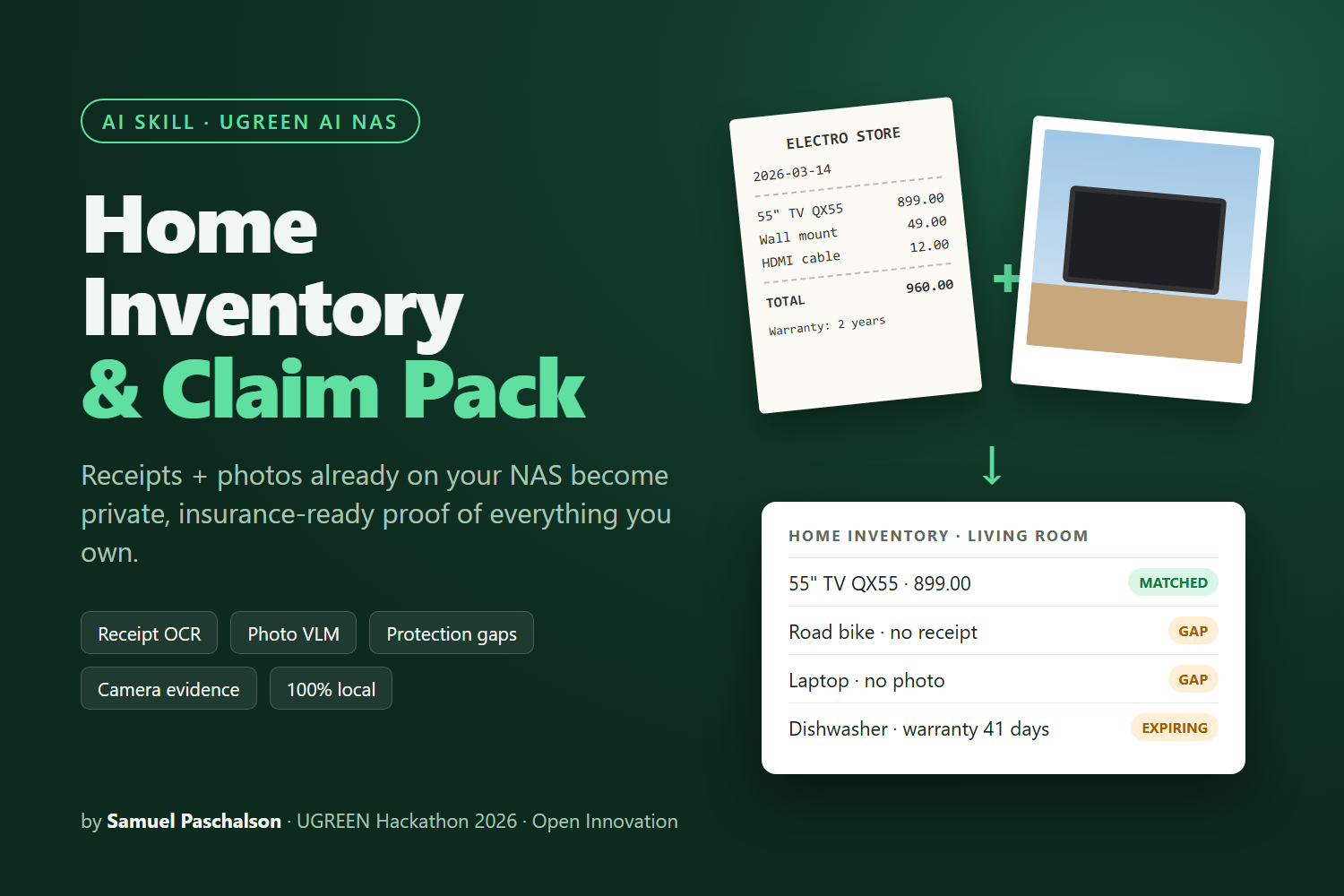
Every insurer gives the same advice: keep a home inventory. Almost nobody does. Then a burglary, fire or flood happens, and you're digging through email for a TV receipt from four years ago while the insurer asks for "proof of ownership and value" for every item. The odd thing is that the proof usually already exists. The receipts are scanned into one folder and the photos of your things are in another. Nothing connects them.
What it does
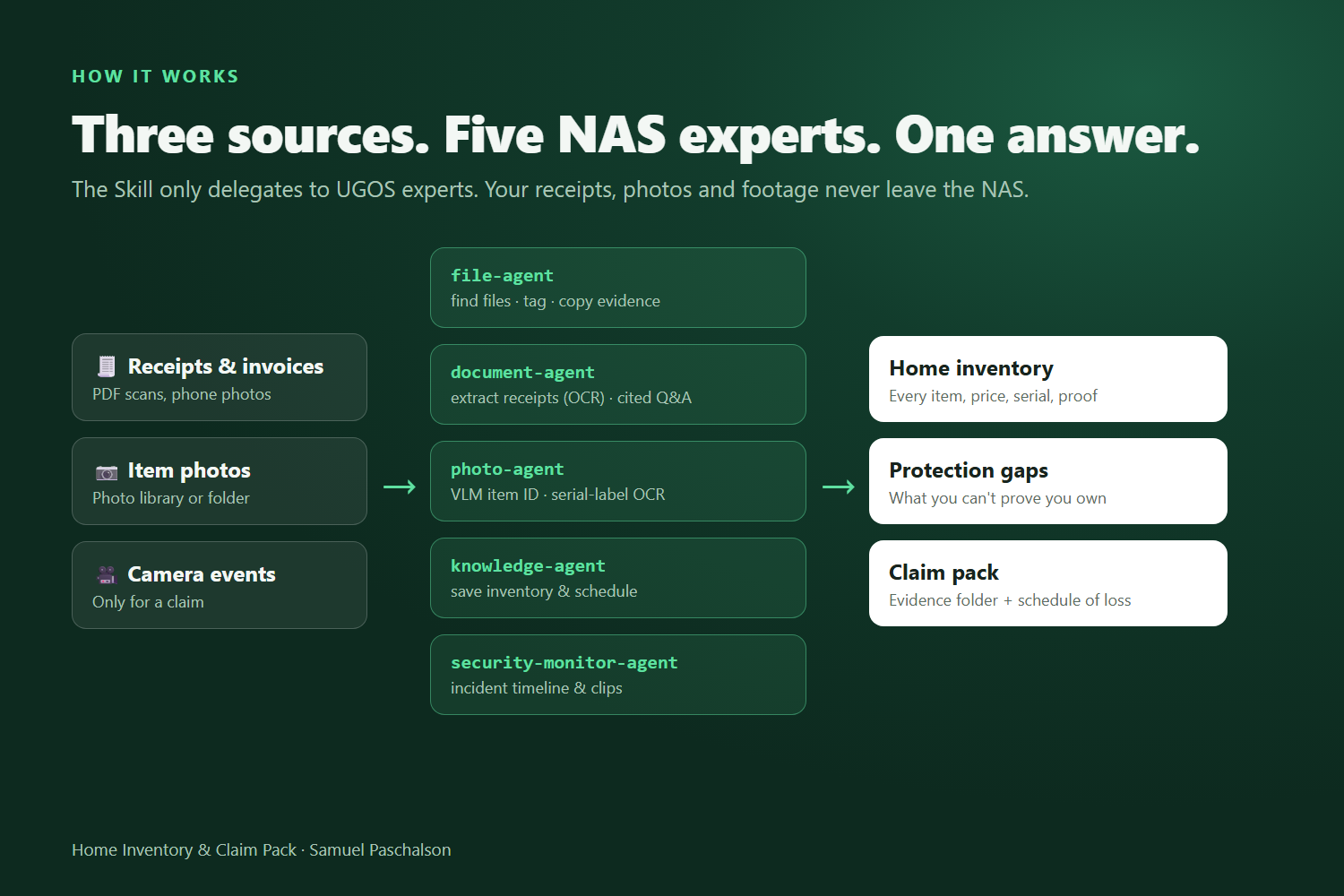
Home Inventory & Claim Pack is a Skill for UGREEN AI NAS with three modes:
- Build or refresh the inventory. It reads receipts and invoices (
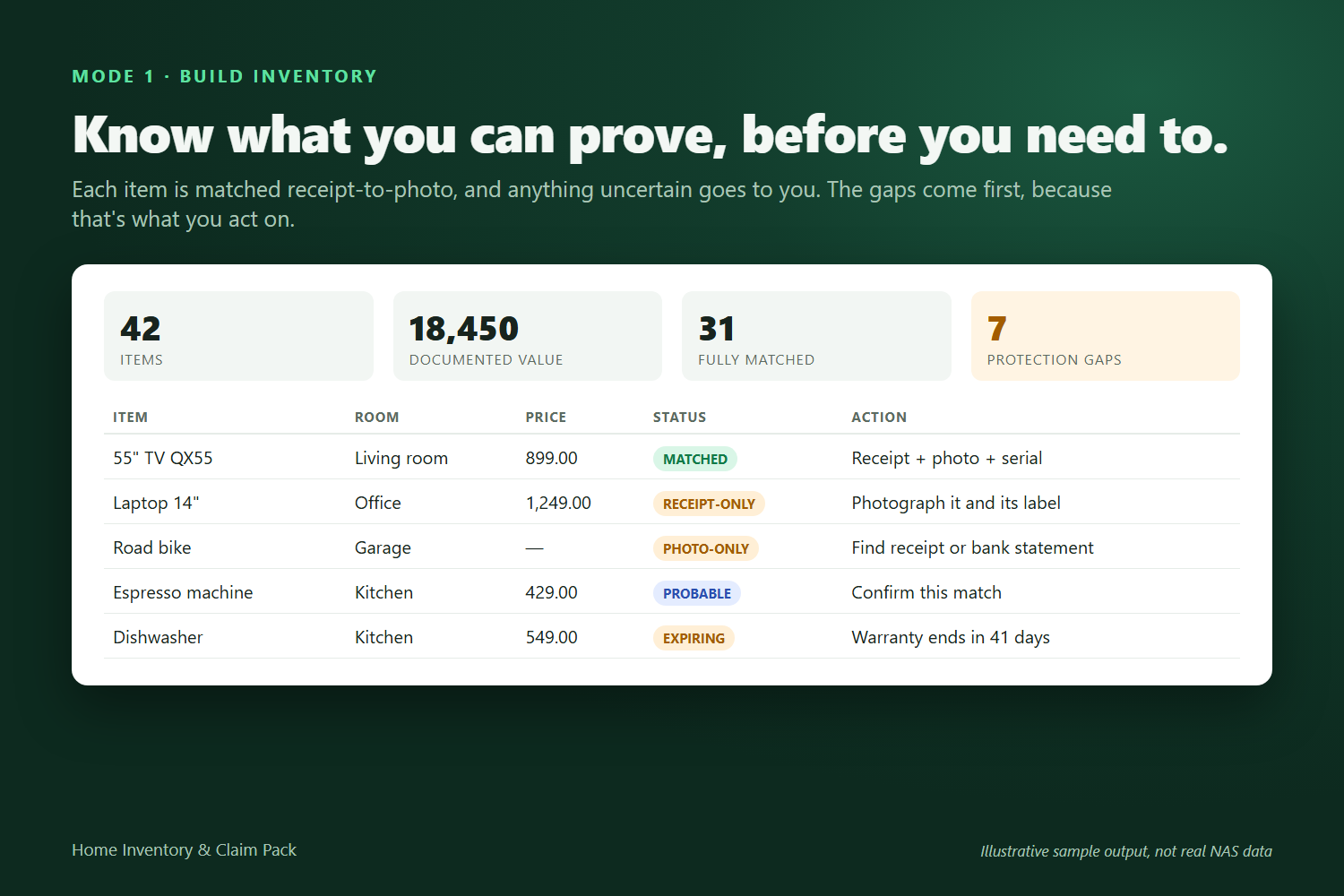
ug-document extractwith OCR), identifies items in your photos (ug-photo vision-vlmandvision-ocrfor serial labels), and pairs each proof of purchase with a photo of the item. Every item is marked matched, probable (you confirm), receipt-only or photo-only. - Protection gaps. It lists the valuables you couldn't prove you own: expensive items with no receipt, receipts with no photo, and warranties that end within 90 days. It also gives totals by room and category.
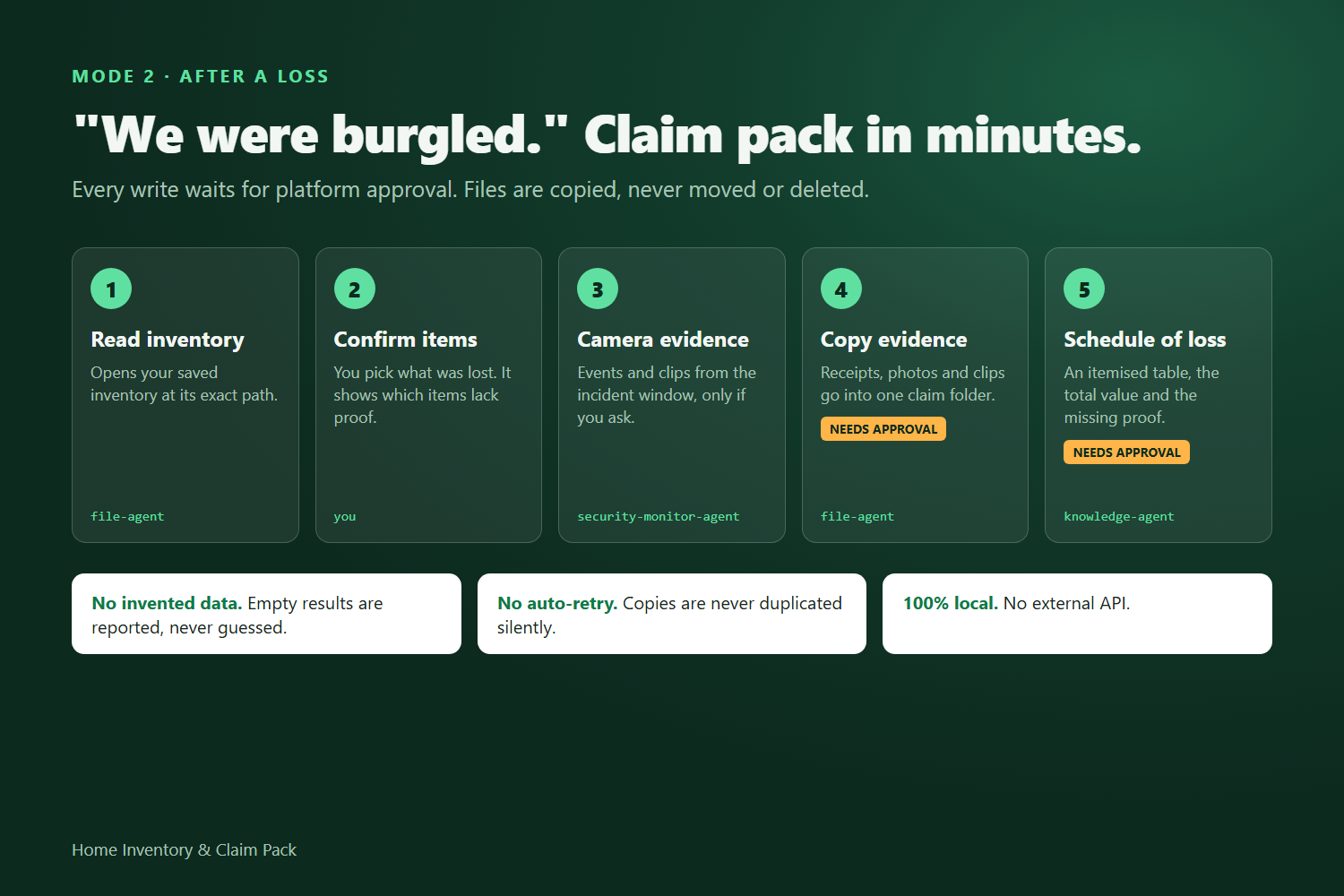
- Claim pack. After a loss ("we were burgled Friday night"), it copies the affected items' receipts and photos, plus camera events from the incident window (
ug-surveillance), into one claim folder. It also writes a schedule of loss with the total claimed value.
You can also ask the inventory questions such as "What's my laptop's serial number?" and get cited answers (ug-document qa).
How we built it
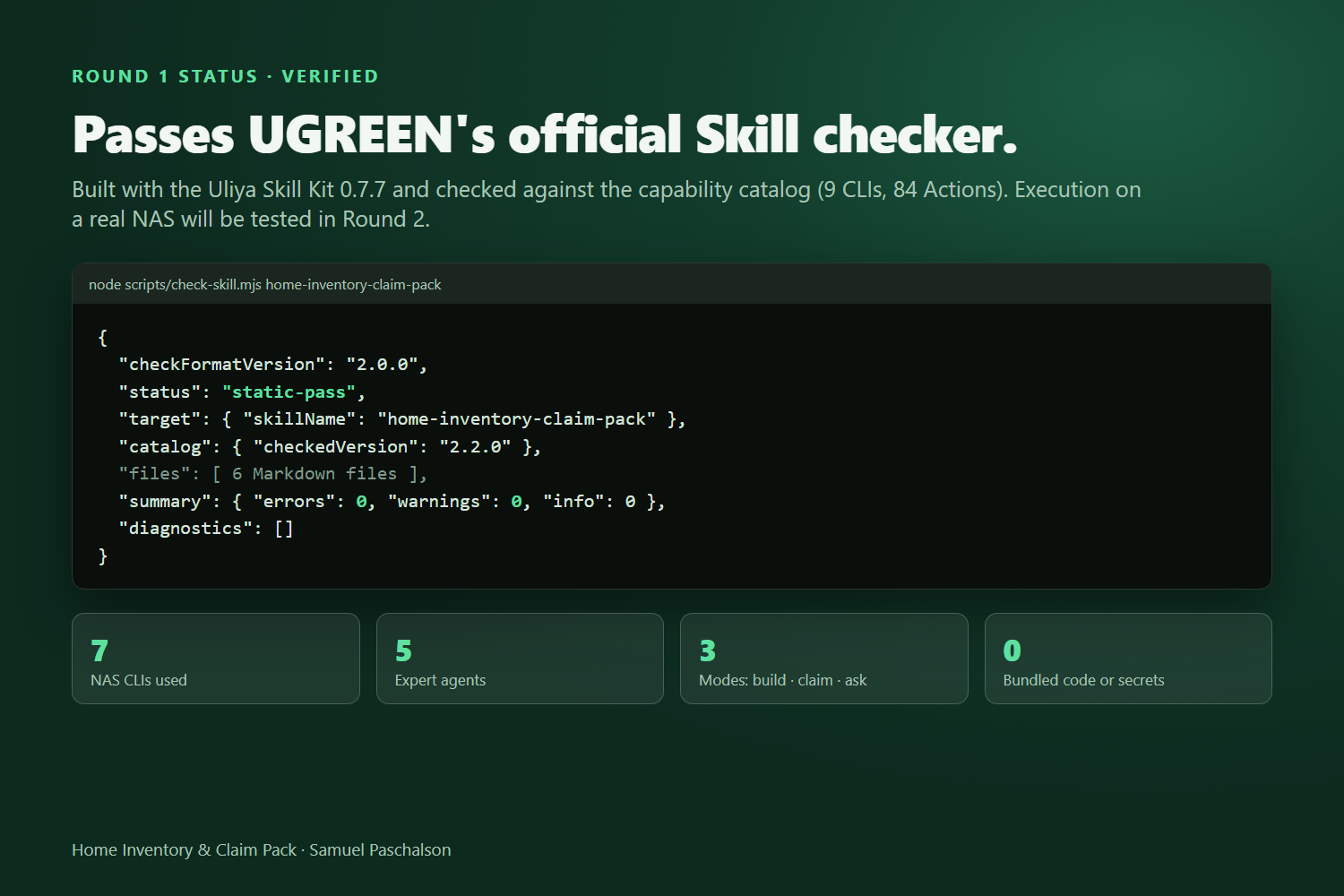
- I built it with the official Uliya Skill Kit 0.7.7 to the Uliya Skill Development Standard. It is an orchestration Skill that only delegates, to
file-agent,document-agent,photo-agent,knowledge-agentandsecurity-monitor-agent, and never calls a CLI directly. - I checked every capability against the kit's catalog (9 CLIs, 84 Actions). The Skill uses 7 CLIs across the file, document, photo, knowledge, tag and surveillance domains.
- Receipt-to-photo matching is rule-based so its results can be explained: model number, brand, category, the photo being taken on or after the purchase date, and serial agreement. Uncertain pairs always go to the user.
- Safety comes first. Reads need no approval, while every write (save, tag, copy) waits for platform approval. Nothing is moved or deleted, writes are never retried automatically, and empty or partial results are reported honestly.
- It passes the kit's static checker with 0 errors and 0 warnings.
Challenges we ran into
- I had to design around what the NAS really exposes rather than what would be convenient. Each step had to map to a real catalog Action.
- Matching two noisy sources (OCR'd receipts and visual answers from photos) without creating false confidence. I used a four-status model and required the user to confirm "probable" pairs.
- Handling partial runs: for example, extraction succeeds but the save is rejected. The Skill never claims success it can't verify.
Accomplishments that we're proud of
- It connects documents, photos and surveillance, three NAS domains no single tool joins, into one result a person actually needs on a bad day.
- It is private by design. Financial records, family photos and camera footage never leave the home.
- It produces a complete, checker-clean Skill package with a concrete test plan for real hardware.
What we learned
The value of a NAS Skill comes from joining data the user already has. Being strict about what has been verified, both in empty results and in approvals, matters more than clever prompts.
What's next for Home Inventory & Claim Pack
- Test on a real iDX6011 Pro with synthetic receipts and photos, then tune the VLM prompt and match thresholds.
- A yearly "inventory health" reminder with new purchases and expiring warranties.
- Optional insurer-specific claim templates, plus multi-currency handling.
Built With
- markdown
- ocr
- ug-document
- ug-filesystem
- ug-knowledge
- ug-photo
- ug-surveillance
- ugos
- ugreen-ai-nas
- uliya-skill-kit
- vision-language-model


