Inspiration
- Many people learn best from physical books, but taking notes can be inconvenient—especially when using borrowed or library books, where marking pages isn't an option.
- Traditional note-taking methods are slow, disruptive, and often lead to scattered or incomplete information.
- This project was inspired by the need for a seamless way to capture and organize insights from physical books without damaging them.
- By leveraging VR, AI, and smart pen technology, we aim to:
- Bridge the gap between tangible reading experiences and digital efficiency.
- Allow users to highlight, store, and structure notes effortlessly.
- Maintain the natural flow of reading while improving note-taking efficiency.
- Bridge the gap between tangible reading experiences and digital efficiency.
What It Does
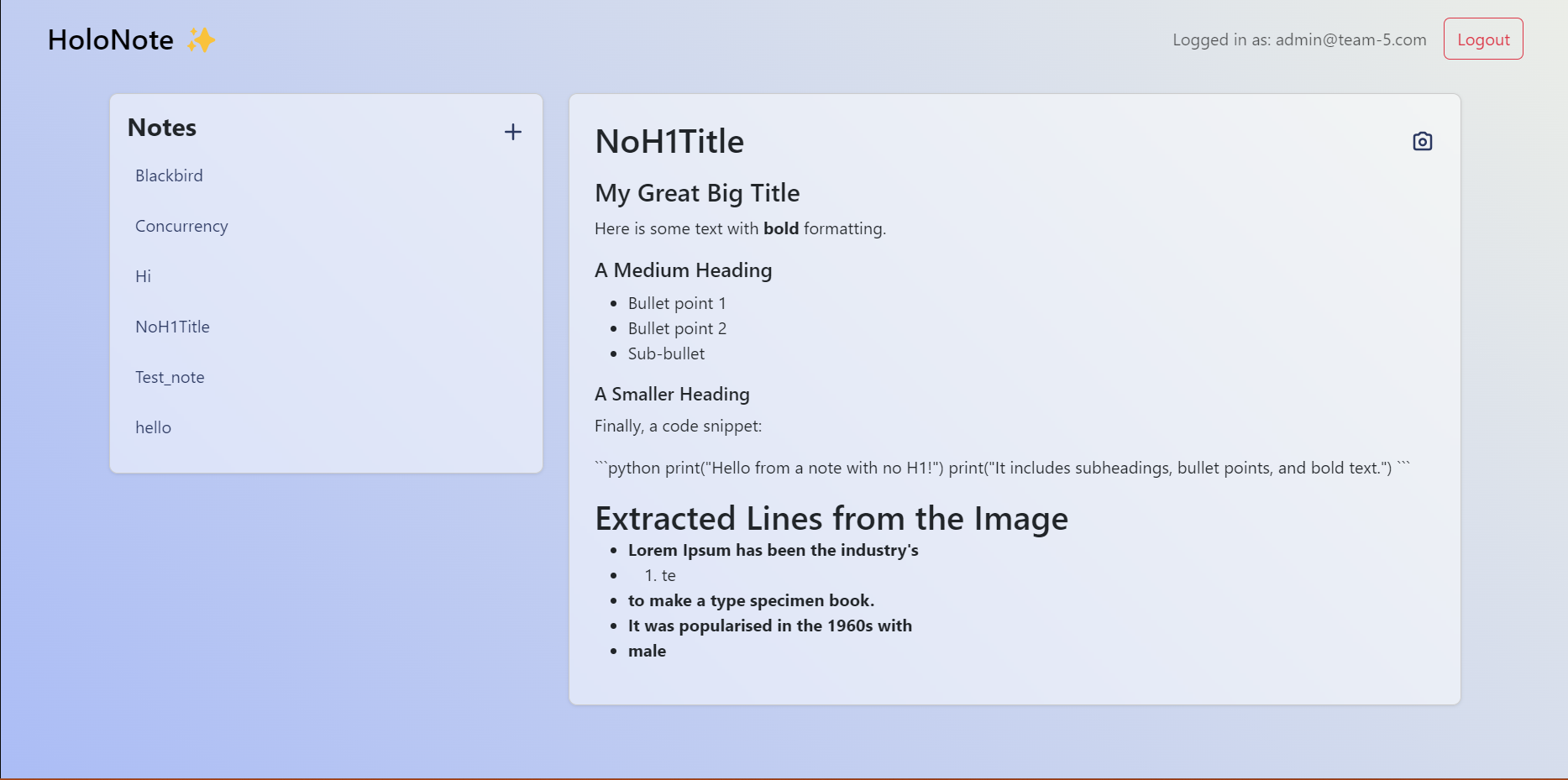
- The concept is a digital note-taking system that helps users capture highlights from physical books without marking them.
- Currently, it functions as a Flask web app where users can:
- Upload images of book pages.
- Highlight text digitally instead of physically marking books.
- Have AI process these highlights, organizing and formatting them into structured notes.
- Upload images of book pages.
- While real-time capture and smart pen integration haven't been implemented yet, the project already features:
- A working VR view, allowing users to select text directly from an image within a VR headset.
- A bridge between physical and digital learning, making it easier to take notes from borrowed or library books while leveraging AI for organization.
- A working VR view, allowing users to select text directly from an image within a VR headset.
How We Built It
1. Flask-Powered Web Development
- We started with the website being written in Flask, allowing us to leverage the team's knowledge of Python.
- This enabled us to efficiently build both the frontend and backend within the same framework.
2. AI-Assisted Markdown Rendering
- We integrated OpenAI's API to help render our final output in Markdown.
- Using AI allowed us to accurately and quickly typeset our Markdown, improving the overall experience.
3. Cloud Hosting with AWS & Render
- We used Render.com to host our website on the cloud.
- For image and Markdown storage, we utilized AWS S3 Buckets as our database.
Challenges We Ran Into
1. Struggles with Meta Link and Unity
- We initially struggled a lot with Meta Link and Unity.
- The XR/VR packages on Unity were not compatible with our VR headset (Meta Quest Pro).
2. Migration to Godot Engine
- We later migrated to Godot Engine.
- While you could pair the VR with the game engine, the web-view was terrible as it was severely deprecated.
3. WebGL as Our Final Option
- WebGL was our final option.
- Surprisingly, it was easy to set up, but we struggled with setting up a web instance, as it runs on the web (you cannot have a web instance on a web browser).
4. Storing Photos in a Database
- We found saving photos in a database hard, so we had to decompose the entire image into a very long string (Base64 encoded format).
- This made it easier to store and retrieve from the database.
5. Issues with Image Quality and Size
- Adjusting the image quality and size was a huge problem.
- We had to decode the Base64 string into an image, which often caused blurring and warped dimensions.
Accomplishments That We're Proud Of
1. Turning an Idea into Reality
- We were delighted that we could bring this idea from conception to a real product.
- It is not the final product, but we are very proud to have reached this prototype in less than 30 hours.
2. Successfully Implementing WebGL
- Overcoming technical hurdles to set up WebGL was a major win.
- Despite the challenges of running it in a browser, we made it work efficiently.
3. Overcoming VR Compatibility Issues
- Migrating between Unity, Godot, and WebGL required quick adaptation and problem-solving.
- We didn’t give up, and we found the best possible solution for our prototype.
4. Efficient Image Storage System
- We successfully developed a method to store and retrieve images using Base64 encoding.
- This allowed us to bypass storage limitations and make the system more accessible.
What We Learned
1. Challenges in VR Development
- We learned that VR development is very constrained, especially when it comes to hardware compatibility.
- Many older software tools are not well-maintained, making development more challenging.
2. Lessons in Data Storage
- Another key learning was that MongoDB is not a great choice for storing images.
- Excel is useful initially, but it does not scale as quickly or efficiently as an S3 bucket.
What's Next for HoloNote
1. Custom Web-View Plugin for Godot Engine
- A custom-made web-view plugin for Godot Engine.
- This would make deployment easier and allow others to use it seamlessly.
2. Bringing Markdown to VR
- We are inspired by Obsidian and their amazing markdown support.
- We see this as a gap in the VR world and are confident that our product can capitalize on it.
3. Real-Time Custom Pen Integration
- We also plan to integrate a custom pen in the future.
- This pen will scan text in real-time, render it in markdown, and store it in a database.
Built With
- amazon-dynamodb
- amazon-web-services
- android-studio
- css
- flask
- godot
- html5
- javascript
- meta-quest-pro
- opencv
- ruby-on-rails
- s3
- vr

Log in or sign up for Devpost to join the conversation.