
🥽 HoloChef XR
Your Mixed Reality AI Cooking Companion for Meta Quest
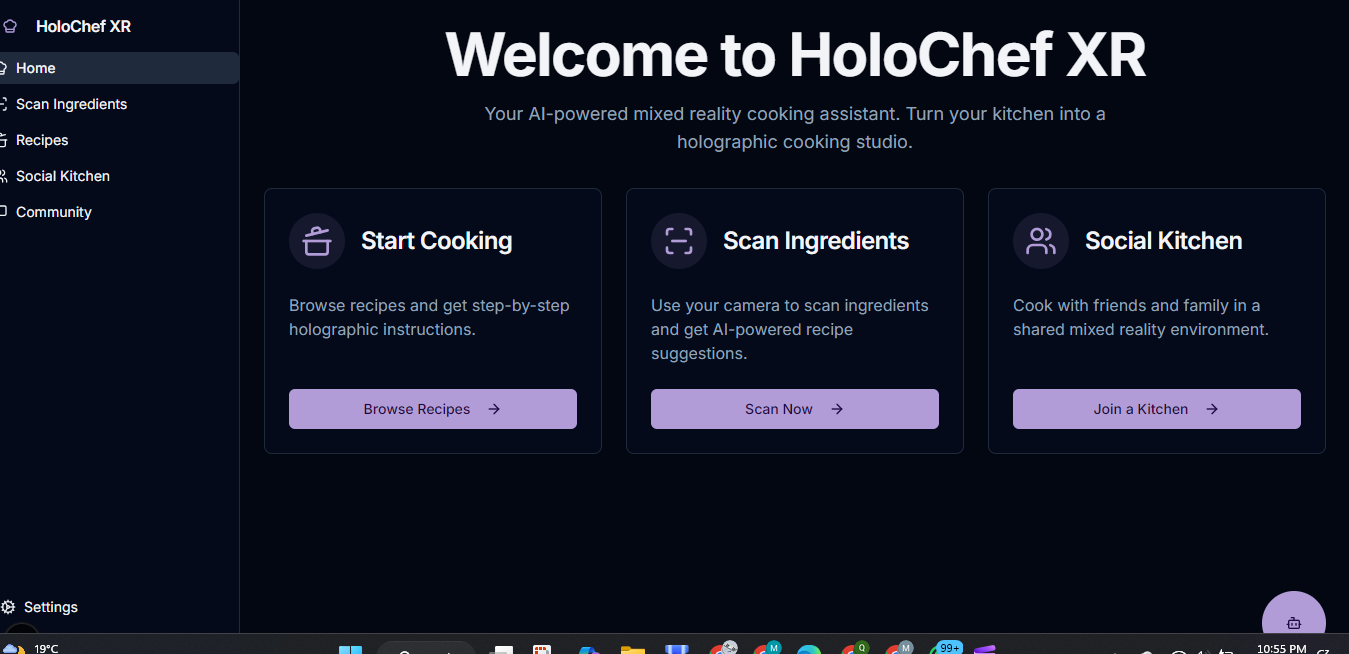
HoloChef XR is a mixed reality cooking assistant built for Meta Quest using Passthrough, Hand Tracking, Spatial Anchors, and AI-powered ingredient recognition. It transforms your real kitchen into an interactive cooking studio with step-by-step holographic guides, natural hand interactions, and an optional multiplayer “Social Kitchen” mode.
This project was created for the Meta Horizon Start Developer Competition.
Inspiration
Cooking should be a joy, not a chore. But for many, especially beginners, juggling a cookbook or a phone with messy hands is frustrating. We were inspired by the potential of mixed reality to solve this problem. We envisioned a world where you could learn to cook without ever looking away from your cutting board—where holographic instructions appear right where you need them, and an AI assistant can answer your questions in real-time. HoloChef XR was born from the idea of turning a mundane, everyday task into a magical, interactive, and empowering hands-free experience.
What it does
HoloChef XR is a prototype that demonstrates the core AI-powered features of a full mixed reality cooking application for Meta Quest. This web-based version showcases:
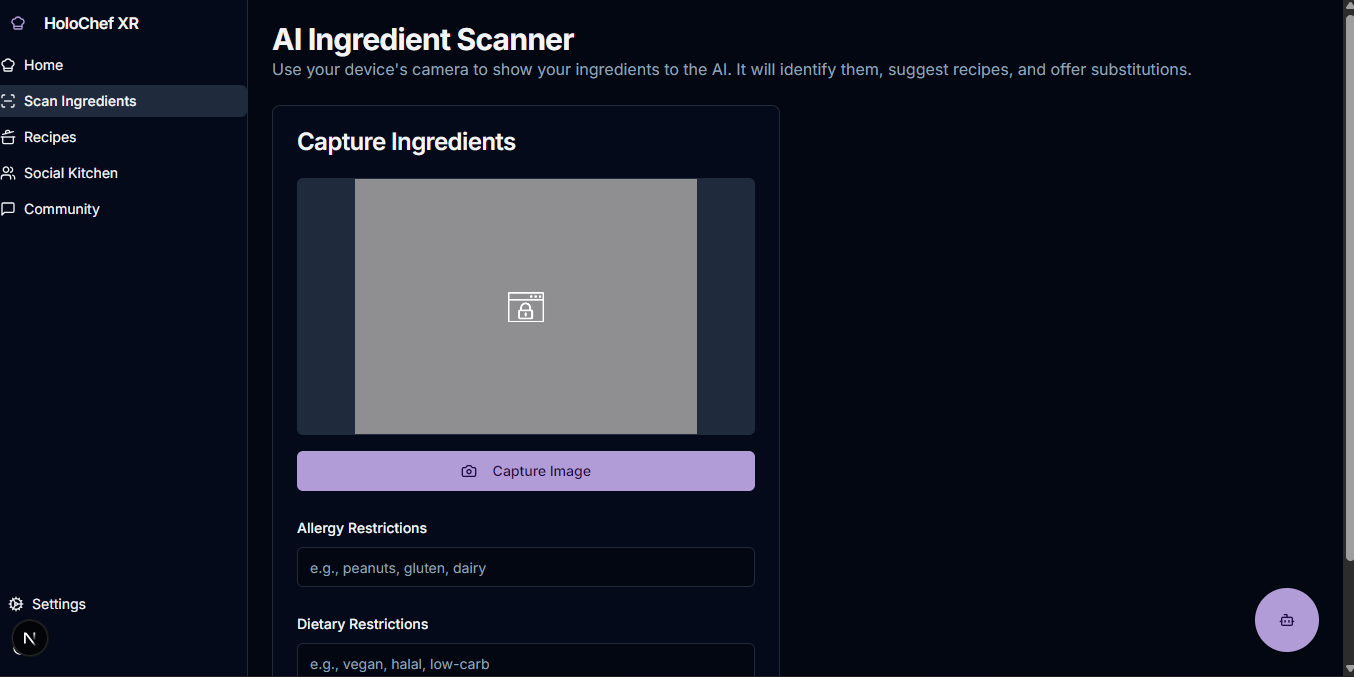
- AI Ingredient Scanner: Users can use their device's camera to scan available ingredients. The AI identifies them and suggests intelligent recipe options.
- AI ChefBot: A friendly AI chatbot, "ChefBot," is always ready to answer cooking questions, find recipes, or explain complex culinary techniques.
- AI Video Generation: For any recipe step, the AI can generate a dynamic video demonstration, providing a clear visual guide to the user.
- Text-to-Speech (TTS): To enable a truly hands-free experience, users can have recipe steps and ingredient lists read aloud.
- Personalized Experience: The app allows users to save dietary preferences and allergies, ensuring the AI provides safe and suitable recipe and substitution suggestions.
- Community Hub: Users can browse feedback from other home cooks to see what the community is making and enjoying.
The ultimate vision is a full Meta Quest application that integrates these AI features with Passthrough, Hand Tracking, and Spatial Anchors for a truly immersive cooking experience.
How we built it
This web prototype was built using a modern tech stack designed for rapid development and a rich user experience, with a focus on powerful generative AI capabilities:
- Framework: Next.js with the App Router provides a robust foundation with server components and server actions for performance.
- Language & Styling: TypeScript ensures code quality, while Tailwind CSS and shadcn/ui allow for the quick creation of a beautiful, responsive, and accessible user interface.
- Generative AI: The heart of the application is Google's Gemini models, accessed via Genkit. This toolkit powers all AI features, including:
- Gemini 2.5 Flash for ingredient recognition from images and contextual chat.
- Veo for dynamic text-to-video generation for recipe steps.
- Gemini TTS for clear, natural-sounding audio instructions.
- Deployment: The application is deployed on Firebase App Hosting, providing a scalable and secure environment.
Challenges we ran into
One of the biggest challenges was integrating real-time video generation. The AI models are incredibly powerful but can take time to process, so we had to design the user experience to handle this latency gracefully. We implemented a non-blocking UI with loading indicators and state management to ensure the app remains responsive while the video is created in the background. Another challenge was ensuring the camera access for the ingredient scanner was seamless and handled permission states correctly across different browsers and devices, which is critical for a good user experience.
Accomplishments that we're proud of
We're incredibly proud of creating a functional prototype that successfully integrates multiple cutting-edge generative AI models into a single, cohesive user experience. Building the AI Ingredient Scanner, which takes a live photo and returns structured recipe data, was a major accomplishment. Furthermore, successfully implementing the text-to-video generation for recipe steps brings the "holographic guide" vision one step closer to reality, even in this web-based format. We believe this prototype strongly validates the core concept of an AI-powered cooking assistant.
What we learned
This project was a deep dive into the practical application of large-scale generative AI. We learned how to structure prompts for complex, multi-modal inputs (like images and text) to get reliable, structured JSON outputs from the Gemini models. We also gained valuable experience in managing asynchronous operations on both the client and server, especially for long-running tasks like video generation. Finally, we learned the importance of designing for a specific platform (Meta Quest) from the start, even when building a web prototype, as it guided our feature set and interaction design.
What's next for HoloChef XR – Your Mixed Reality AI Cooking Companion
The future is in mixed reality! The next step is to take the proven AI features from this web prototype and build the full-fledged application in Unity for the Meta Quest platform. Our roadmap includes:
- Developing for Meta Quest: Rebuilding the front-end in Unity using the Meta XR SDK to implement Passthrough, Spatial Anchors, and Hand Tracking.
- Immersive UI: Creating true 3D holographic instructions that anchor to real-world objects in the user's kitchen.
- Hand-Tracking Interactions: Implementing the intuitive, hands-only gestures for navigation and interaction outlined in our vision.
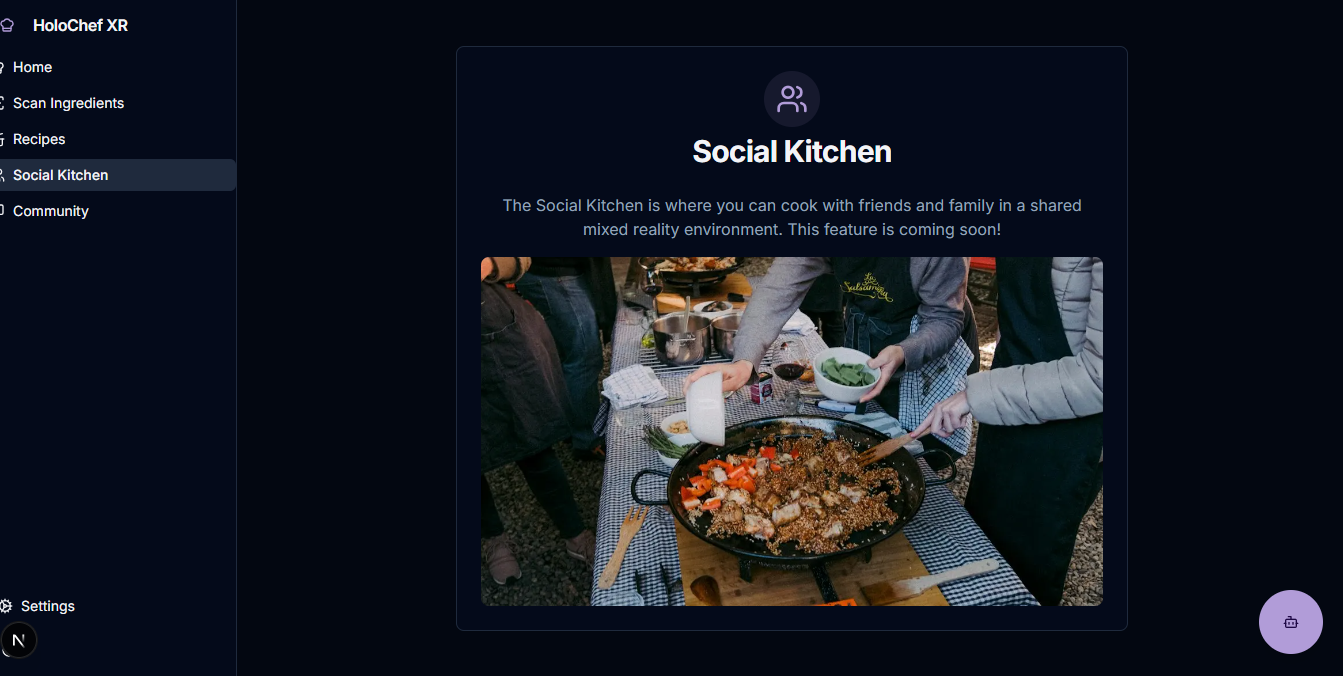
- Social Kitchen: Building the multiplayer "Social Kitchen" feature, allowing users to cook together in a shared MR space with synchronized avatars and recipe states.
- On-Device AI: Exploring the possibility of running lighter-weight computer vision models directly on the Quest for even faster ingredient detection.
This web prototype is just the first course. We are excited to build the main course and serve up the future of cooking with HoloChef XR on Meta Quest.
✨ Features
This project is a web-based prototype demonstrating the core AI-powered features of the full HoloChef XR vision. The full mixed-reality experience on Meta Quest will include the following:
- AI Ingredient Scanner: Scan your available ingredients with your device's camera and receive intelligent recipe suggestions from our AI.
- AI ChefBot: A helpful chatbot, "ChefBot," is available to answer your cooking questions, find recipes, and explain cooking techniques.
- AI Video Generation: Generate dynamic video demonstrations for each cooking step to visually guide you through the process.
- Text-to-Speech (TTS): Enable audio instructions to have recipe steps and ingredients read aloud, allowing for a hands-free experience.
- Community Feedback: Browse feedback from other users and see what the community is creating.
- Dietary Personalization: Save your allergies and dietary preferences in a personal profile to receive tailored AI-powered recipe and substitution suggestions.
Future Vision (Meta Quest App)
- Passthrough Ingredient Detection (AI + Computer Vision): HoloChef XR will identify real ingredients directly from the user’s kitchen and suggest recipes based on what it sees.
- Spatial Anchored UI (Meta Spatial SDK): Step-by-step guides anchored on real-world surfaces, timers that stick to your counter, and chopping guides projected onto real chopping boards.
- Hands-Only Interaction (No Controllers Required): Built using Meta Hand Tracking for intuitive gestures like pinching to advance, grabbing to interact, and more.
- Social Kitchen (Multiplayer Mode): Real-time cooking with friends in a shared mixed-reality environment with synchronized avatar hands and shared recipe progress.
🚀 Tech Stack
This web prototype is built with modern web technologies to showcase the AI and user experience concepts.
- Framework: Next.js (App Router)
- Language: TypeScript
- Styling: Tailwind CSS & shadcn/ui
- Generative AI: Google's Gemini models via Genkit
- Deployment: Firebase App Hosting
Future Vision (Meta Quest App)
- Core Engine: Unity 2022+ & Meta XR SDK v81+
- Meta Technologies: Passthrough API, Hand Tracking, Spatial Anchors, Meta Avatars SDK
- AI Tools: On-device computer vision models and LLM-based assistants
- Networking: Photon Fusion / Unity Networking for multiplayer
📹 Demo Video
🎥 Watch the 3-minute demo: Link will go here once uploaded to YouTube.
🚀 Getting Started (Web Prototype)
Prerequisites
- Node.js (v18 or later)
- npm or a compatible package manager
- A Google Cloud project with the Gemini API enabled.
Installation & Setup
Clone the repository:
git clone <repository-url>
cd <repository-directory>
Install dependencies:
npm installSet up environment variables: Create a
.envfile in the root of the project and add your Gemini API key:GEMINI_API_KEY=your_google_ai_api_keyRun the development server:
npm run devThe application will be available at
http://localhost:9002.
📂 Project Structure
The project follows a standard Next.js App Router structure:
.
├── src
│   ├── app/                # Main application routes and pages
│   │   ├── (app)/          # Main authenticated layout and pages
│   │   ├── api/            # Genkit API routes
│   │   ├── globals.css     # Global styles
│   │   └── layout.tsx      # Root layout
│   ├── ai/                 # Genkit flows and AI logic
│   │   ├── flows/          # Individual AI feature flows
│   │   └── genkit.ts       # Genkit configuration
│   ├── components/         # Reusable React components
│   │   ├── ui/             # ShadCN UI components
│   │   └── app-shell.tsx   # Main application shell with sidebar
│   ├── hooks/              # Custom React hooks
│   └── lib/                # Shared utilities, data, and libraries
├── public/                 # Static assets
└── tailwind.config.ts      # Tailwind CSS configuration

Log in or sign up for Devpost to join the conversation.