Inspiration
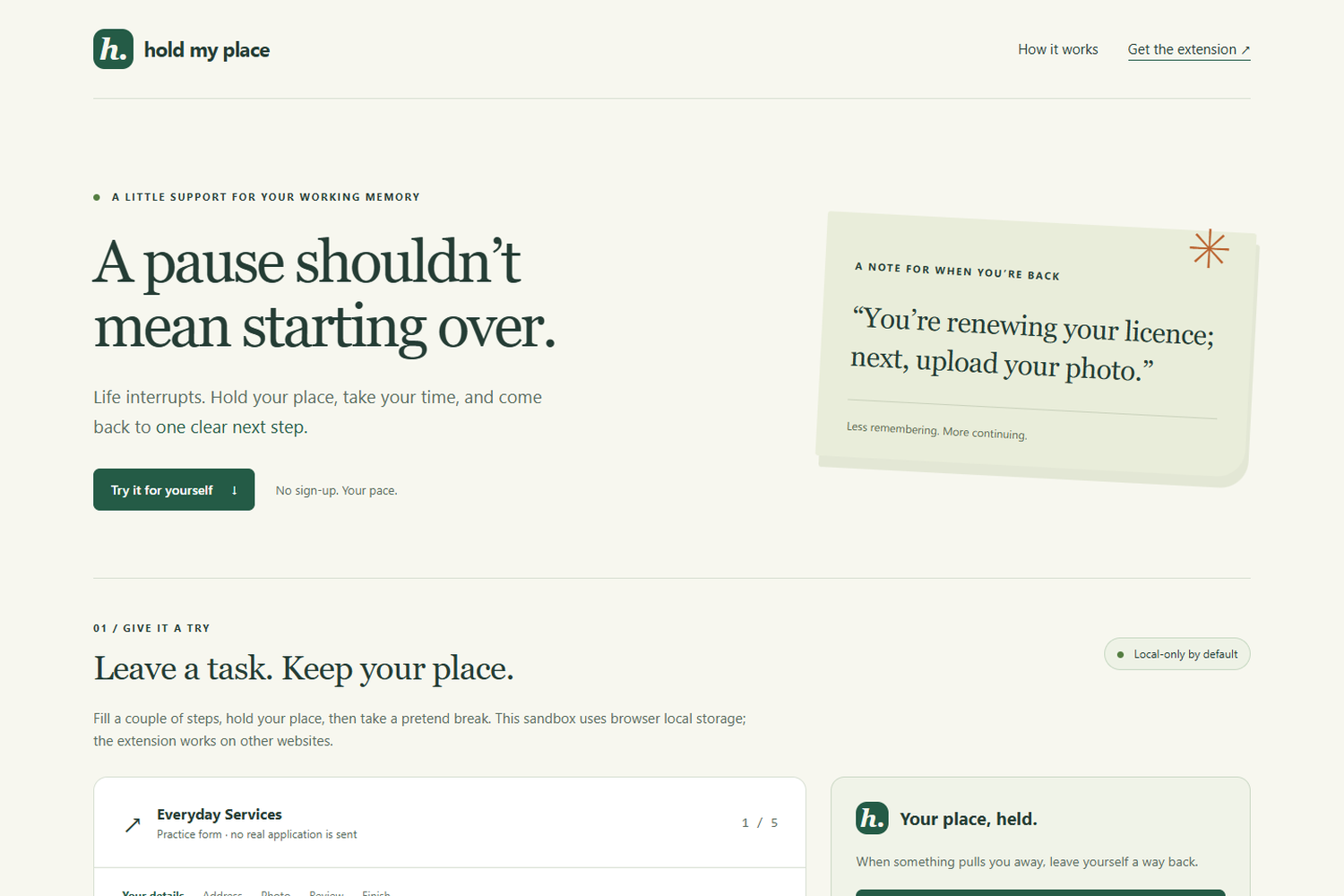
Browsers remember tabs, but not the intention behind them. Someone renewing a licence can return from a phone call to the same page and still not know what to do next. People with attention, working-memory or executive-function difficulties can face this many times a day. A bookmark keeps a destination. Hold My Place keeps the context needed to continue.
The design follows W3C cognitive-accessibility guidance on helping users focus, and published research on how interruption length and demand affect resuming a task. We have not interviewed participants or measured outcomes, and we do not claim any.
What it does
Hold My Place is a Chrome and Edge extension (Manifest V3).
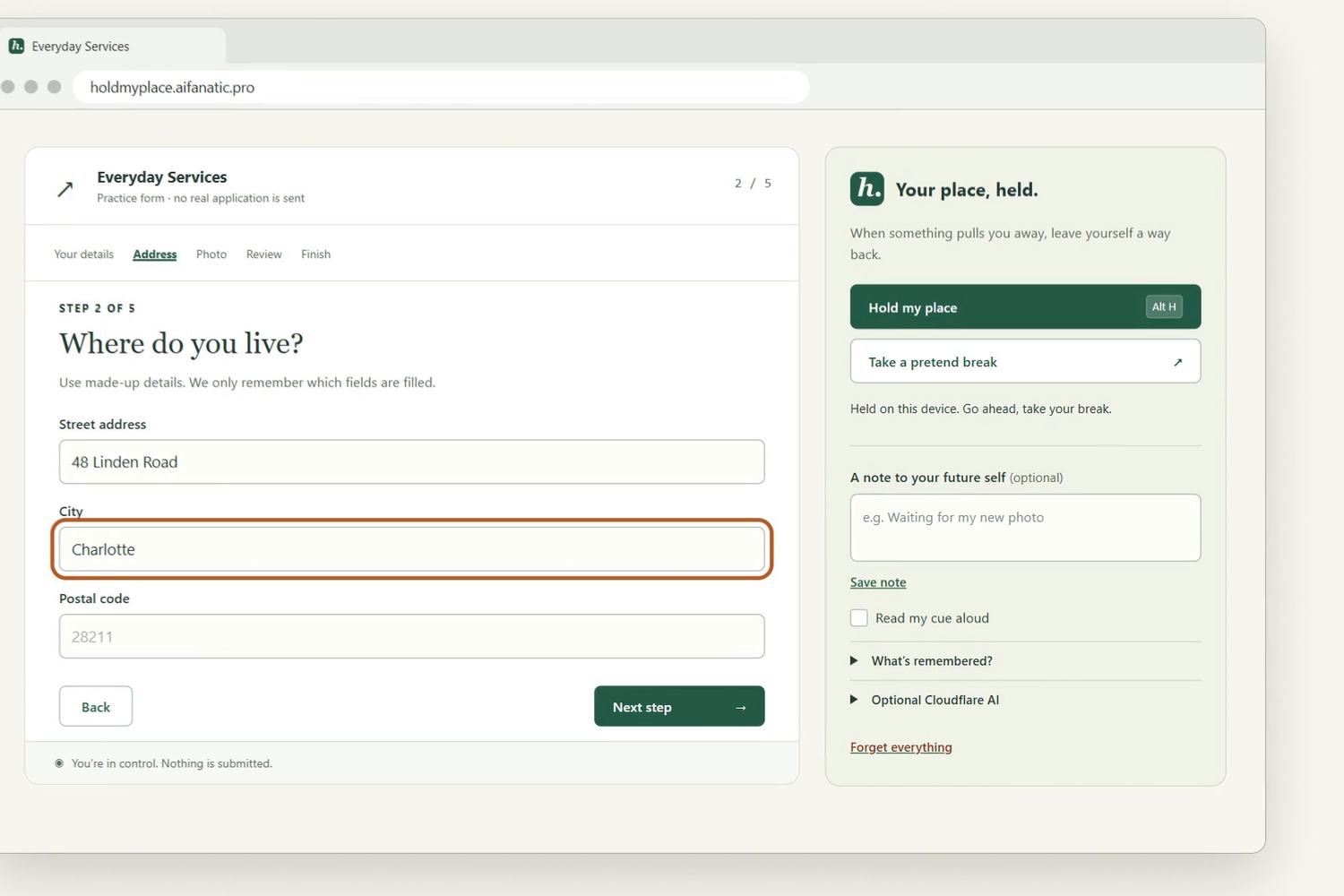
- Press Alt+H (or the toolbar button) to hold your place. It saves the page's structure: URL, title, headings, field labels, which fields are filled (yes or no), focus and scroll position.
- Step away.
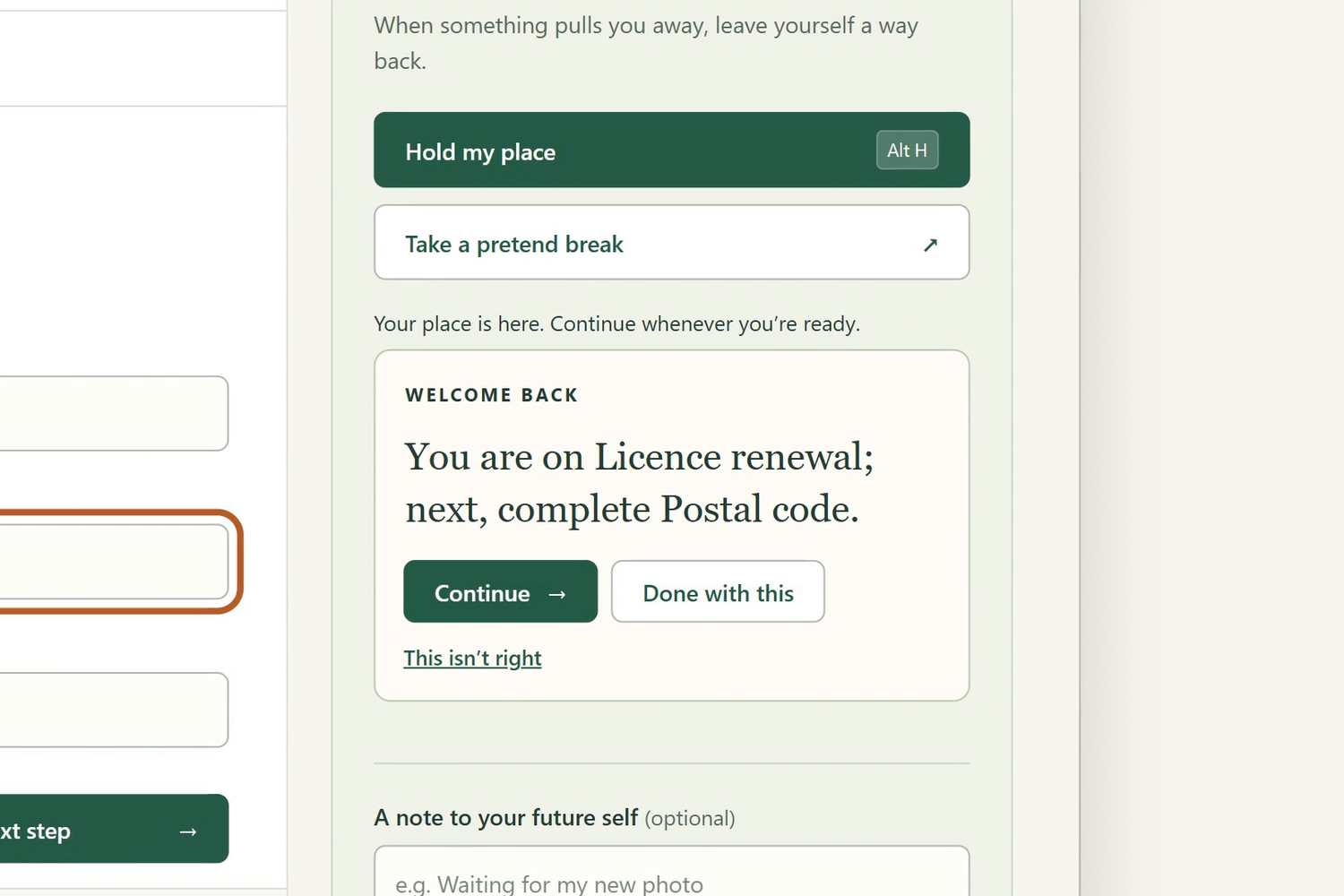
- On return, a short cue appears: "You are on Licence renewal; next, complete Postal code."
- Continue scrolls to and focuses the next incomplete field and highlights it.
You stay in control. You can inspect exactly what was saved, edit your own note, hear the cue read aloud, delete one place, set expiry (1 hour, 24 hours or 7 days), or forget everything. Focusing a Submit or Pay button triggers a check-first warning. Nothing is autofilled, restored or submitted.
A hosted five-step practice form lets anyone try the flow without installing anything.
How we built it
Plain JavaScript, Manifest V3, chrome.storage.local and browser speech synthesis keep the core small. There is no frontend framework, runtime package, account, database or telemetry. The default path makes no network request.
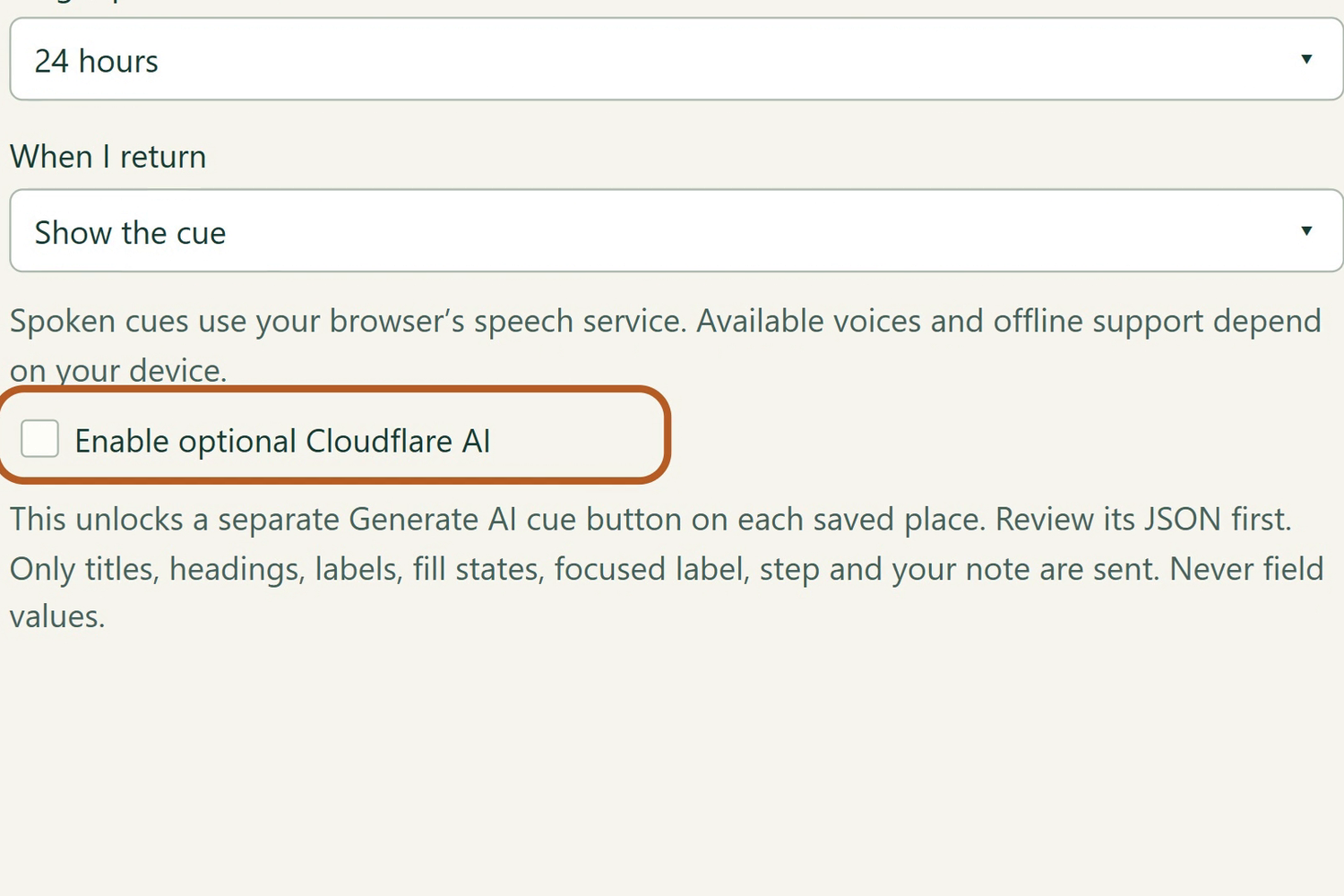
An optional AI cue runs on Cloudflare Workers with Workers AI (Meta Llama 3.3) and returns a short structured cue from a bounded, user-reviewed allowlist: titles, headings, field labels, fill-state flags, the focused label, step and your note. It never sends typed field values. A preview shows the exact JSON before each request, a rate limit protects the endpoint, and a rule-based cue takes over if AI fails. Cloudflare Workers Static Assets serve the demo, pitch, evaluation and media pages.
For verification, a Playwright script launches the real unpacked extension in Chromium and checks capture, the absence of known typed values from storage, banner navigation, note editing, deletion and expiry.
Challenges
The hard line is helping people resume without collecting their answers or acting for them. Capture and next-field choice have to work on ordinary forms, yet an uncertain state must never turn into a confident instruction, so the cue is short, correctable ("This isn't right") and defaults to local rules.
Page markup and AI output can both be wrong. Dynamic forms, embedded frames, unlabelled controls, restricted browser pages, language differences and speech-engine behaviour limit coverage.
Accomplishments we're proud of
- A working extension and a hosted demo that use the same small cue policy.
- Privacy as architecture: the default path is local and offline, and the AI path is opt-in per request with an inspectable payload.
- Browser checks against a live deployment, not only unit tests.
- A narrated demo and a 44-second promo film, both using the owner's existing cloned voice (disclosed below).
What we learned
- For this problem, restraint is the feature. A cue that names one next step beats a feature that tries to do the task.
- "Local first, AI optional" forced clearer boundaries than adding privacy language afterwards would have.
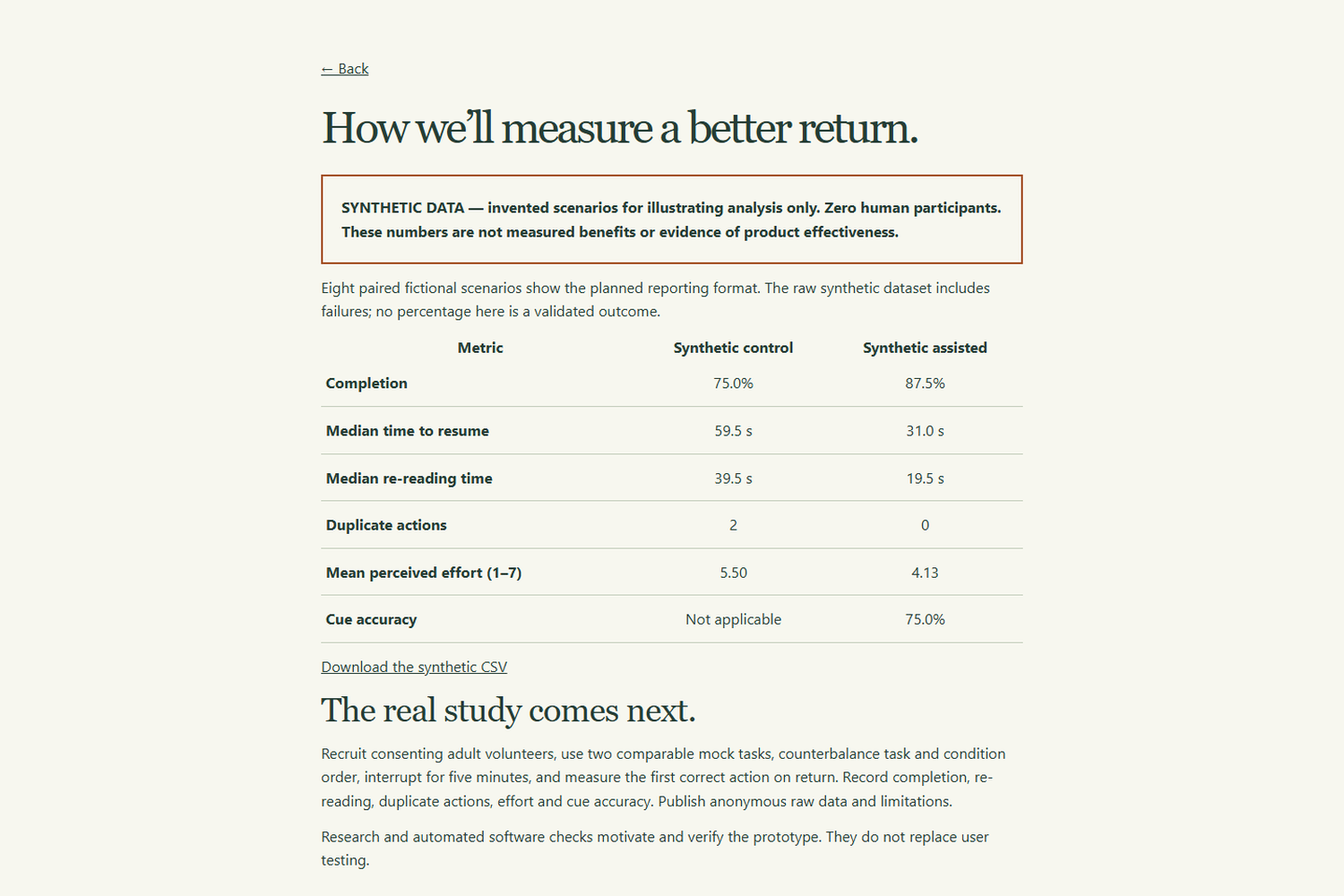
- Claims need the same discipline as code: the evaluation page is labelled synthetic, because we have no participant data yet.
What's next
A small counterbalanced within-subject study (two comparable mock tasks, a five-minute interruption; primary measures completion and time to first correct action). A manual accessibility audit with assistive-technology users. Browser-store review and clearer permission onboarding. Testing across more real websites and languages.
The synthetic dataset on the evaluation page illustrates the method only. It contains invented scenarios, not observations or measured benefits.
Built With
- chrome-extension-(manifest-v3)
- chrome.storage
- cloudflare-static-assets
- cloudflare-workers
- cloudflare-workers-ai
- css3
- ffmpeg
- html5
- javascript
- meta-llama-3.3
- minimax-tts
- node.js
- openai
- playwright
- react
- remotion
- typescript
- web-speech-api

Log in or sign up for Devpost to join the conversation.