-
-
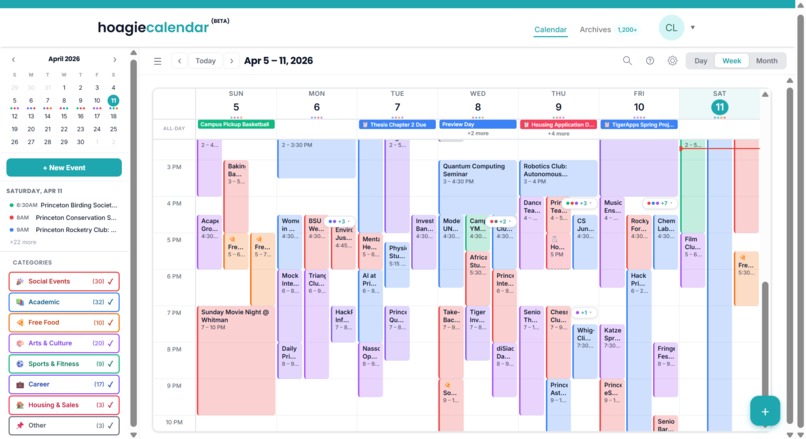
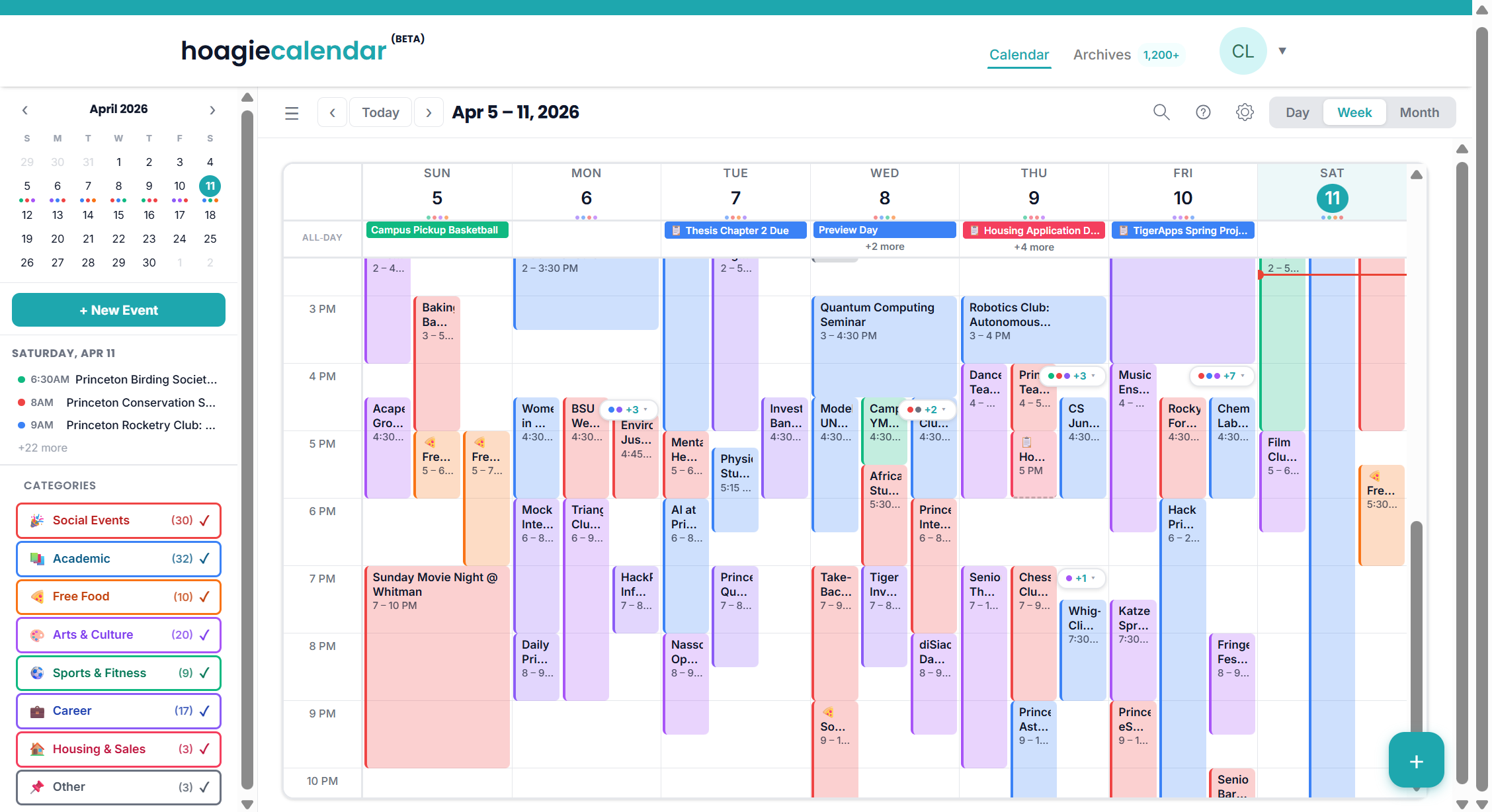
Homepage for all types of school-wide events. Side bar allows for category filtering.
Inspiration
Every Princeton student knows the pain of missing out on free food, club events, or important deadlines buried in email blasts. We wanted a single place where students could see everything happening on campus at a glance, like Google Calendar, but purpose-built for the Princeton ecosystem. The existing flow of discovering events through HoagieMail emails felt scattered, so we asked: what if those emails automatically became calendar events you could filter, save, and search?
What it does
HoagieCalendar is a campus event discovery platform that aggregates HoagieMail email blasts into a clean, filterable calendar interface. Students can browse events across month, week, and day views, filter by 8 categories (social, academic, free food, arts, sports, career, housing, and more), search by keyword, save events for later, create their own events, and export to ICS. It supports full dark mode, keyboard shortcuts for power users, and plugs into the shared HoagieClub navigation and auth system.
How we built it
Built solo with Claude Code as my engineering partner. The stack is Next.js 14 (App Router), TypeScript in strict mode, Zustand for state management, CSS Modules with CSS custom properties for theming, and evergreen-ui for UI primitives. We went through an intensive iterative design process — each UI polish pass was a conversation where I'd give feedback on spacing, colors, layout, and dark mode readability, and Claude would implement changes across dozens of files in minutes. The design draws heavy inspiration from Google Calendar and Fantastical, with a mini calendar sidebar, time-slot event creation, and smart time range formatting.
Challenges we ran into
Getting dark mode right was harder than expected. Event blocks use category-colored backgrounds with hex alpha transparency, which look great in light mode but made text unreadable in dark mode — we had to add comprehensive dark mode overrides for every text-containing element. We also discovered two competing teal palettes scattered across 10+ CSS files and had to do a deep audit to standardize them all. Keeping the design pixel-consistent across three calendar views, modals, and responsive breakpoints was a constant balancing act.
Accomplishments that we're proud of
The level of UI polish we achieved as a solo builder + AI pair. The calendar feels native — smooth view transitions, hover states, proper z-index stacking, keyboard navigation, and a cohesive design system. The smart time formatting (7 – 10 PM instead of 7p–10p), the Fantastical-inspired mini calendar with event dots, and the anchored event detail popover that opens right where you click all feel like details from a production app, not a hackathon project.
What we learned
AI-assisted development completely changes what a solo builder can ship. Instead of choosing between design quality and feature breadth, we could do both — I'd focus on product decisions and visual feedback while Claude handled the implementation across dozens of files simultaneously. We also learned that design consistency is a never-ending job: every new component introduces opportunities for color drift, spacing inconsistency, and dark mode regressions.
What's next for HoagieCalendar
The backend. Right now everything runs on mock data and localStorage — next up is Prisma + a real database, Princeton CAS authentication through Auth0, and live ingestion of HoagieMail email blasts so events populate automatically. We're also planning a mobile-optimized view, an archives feature for past events, and deeper integration with HoagiePlan for academic calendar syncing.
Built With
- 14
- 18
- auth0
- claude
- css
- date-fns
- evergreen-ui
- lucide-react
- modules
- next.js
- react
- typescript
- zustand
