-
-
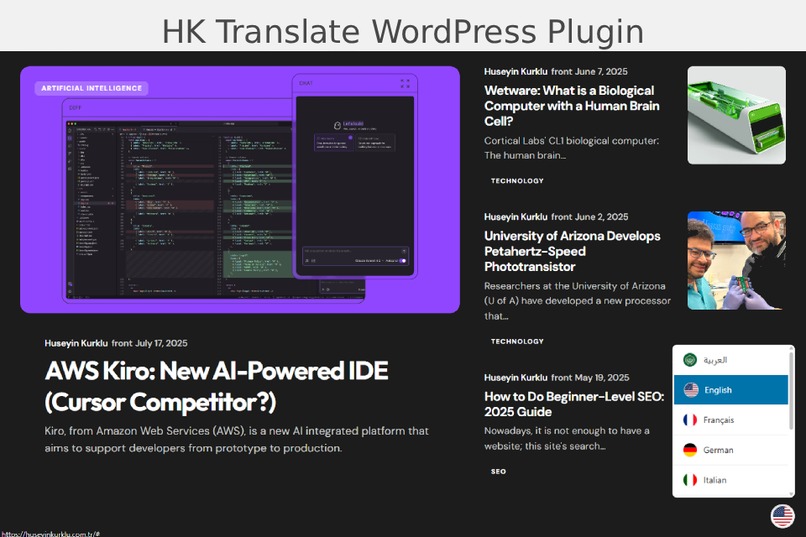
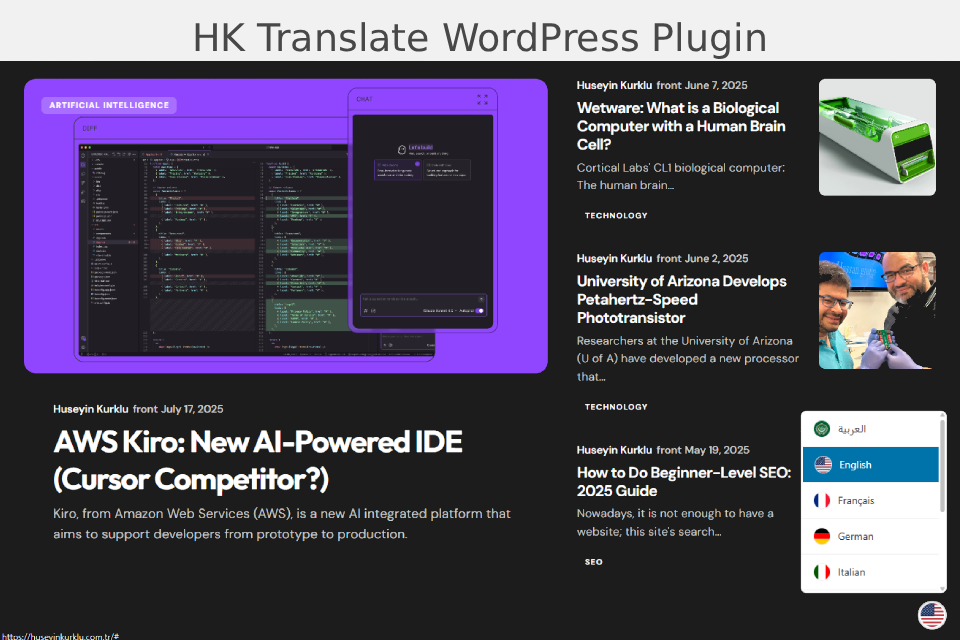
Front-end Main Widget
-
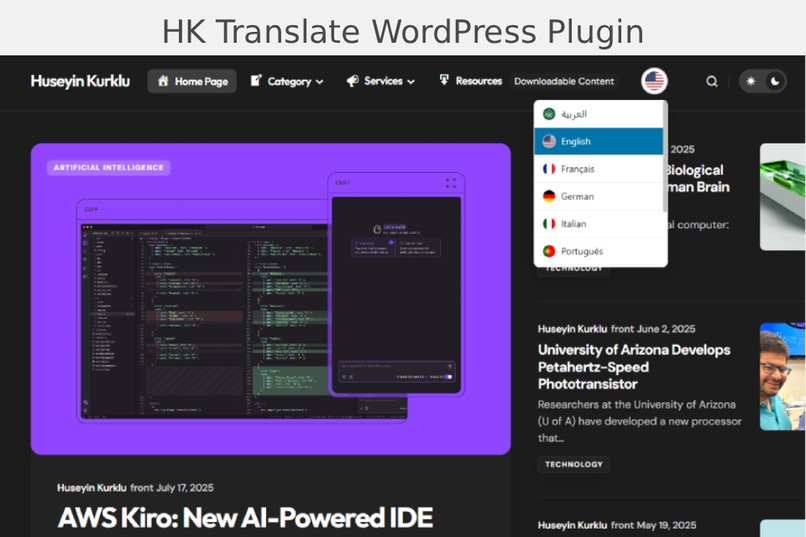
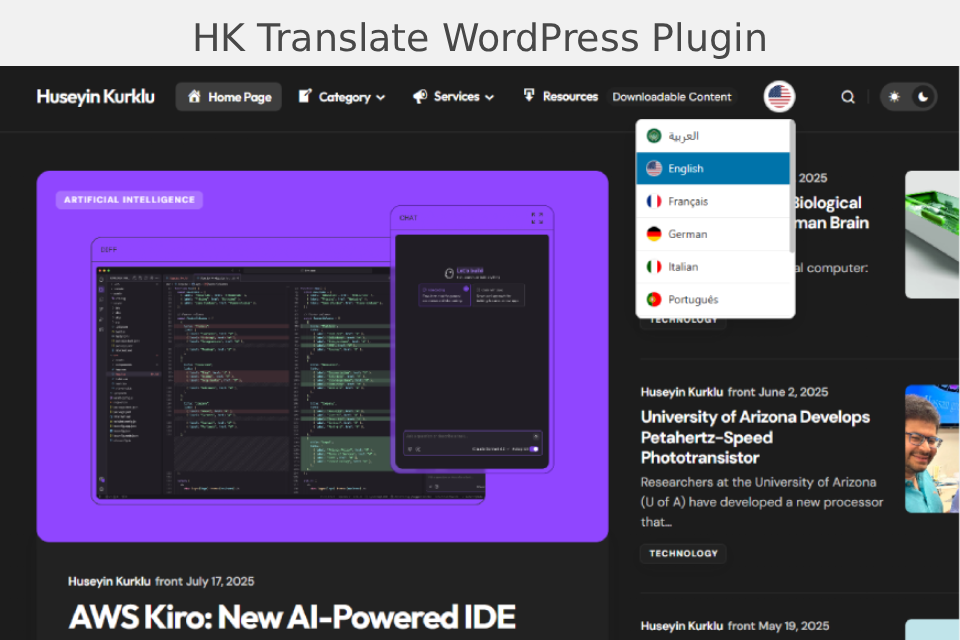
Front-end Menu Widget
-
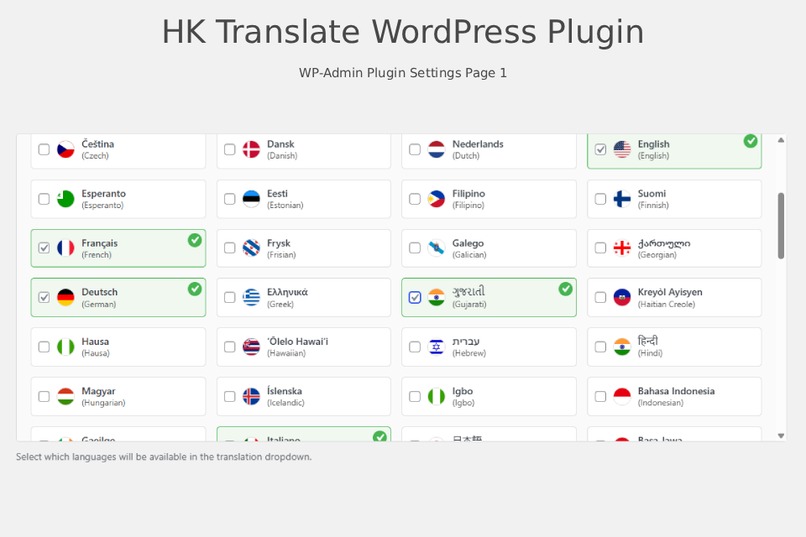
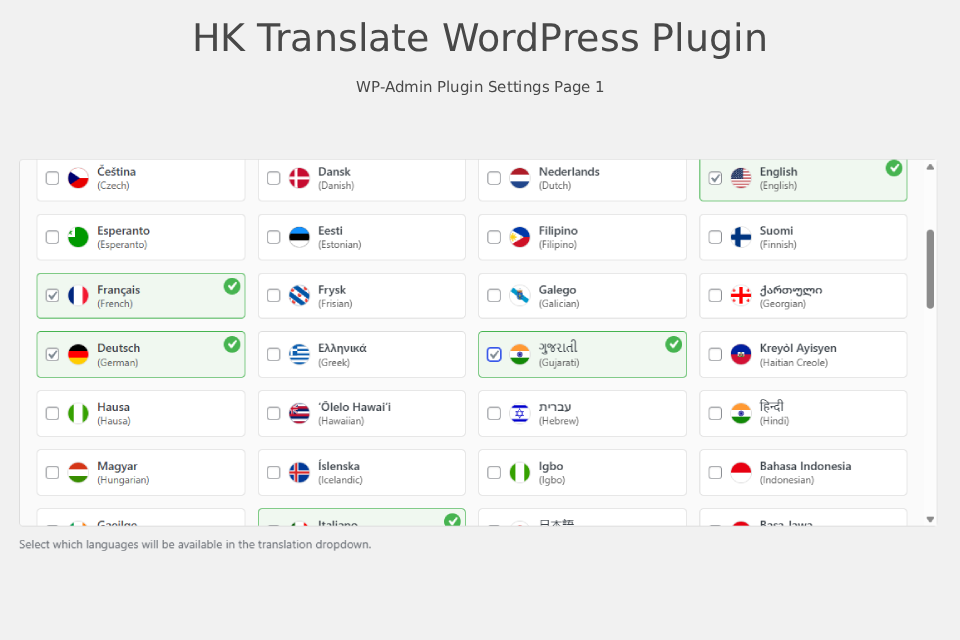
Plugin Settings
-
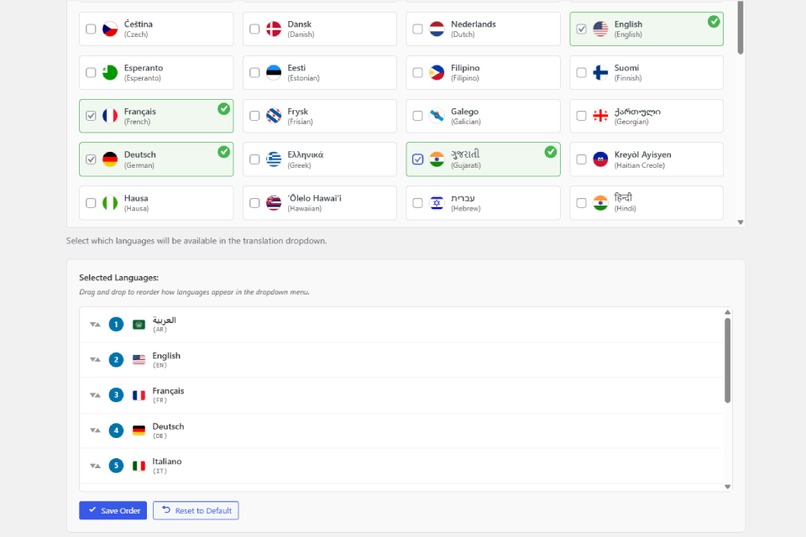
Plugin Settings
-
Plugin Settings
-
Plugin Settings
-
Live Preview
-
Auto Menu Settings
HK Translate: Smart Multilingual WordPress Plugin
Inspiration
Language barriers in the digital world limit access to information and user experience. For small businesses and individual bloggers, professional translation services can be expensive and complex. With HK Translate, I aimed to enable anyone to easily have a multilingual website. My inspiration came from the challenges faced by site owners who want to offer content in multiple languages but lack technical expertise.
What it does
HK Translate is a modern, customizable translation plugin for WordPress sites, powered by the Google Translate API. It allows site owners to easily add a language switcher, manage available languages, and provide automatic or manual translations. The plugin features:
- Google Translate API integration
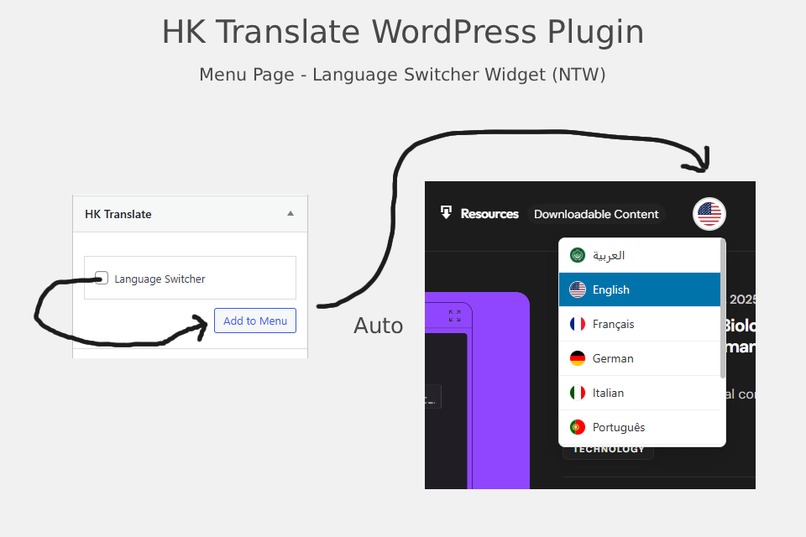
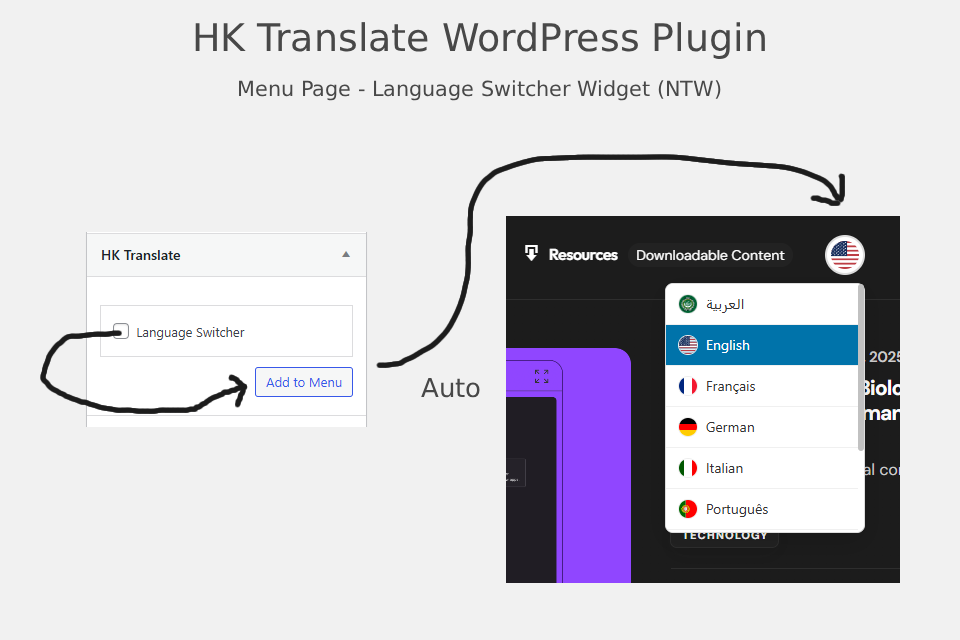
- Customizable language switcher widget and navigation menu integration
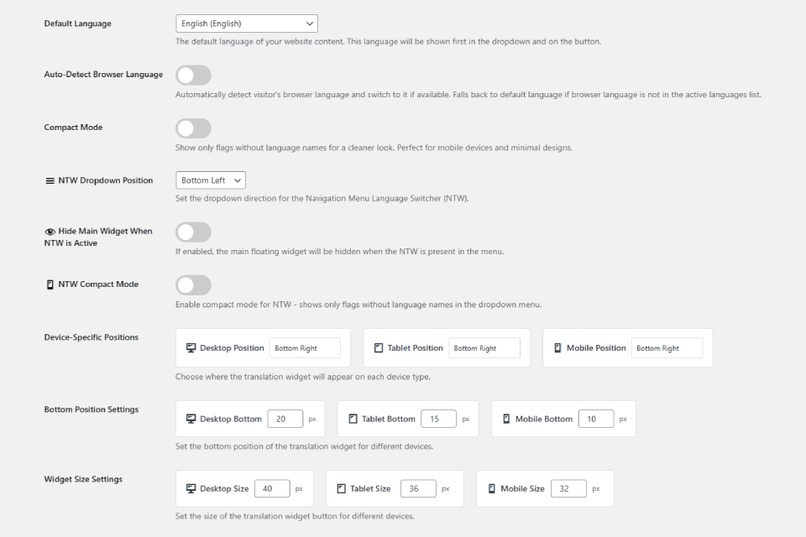
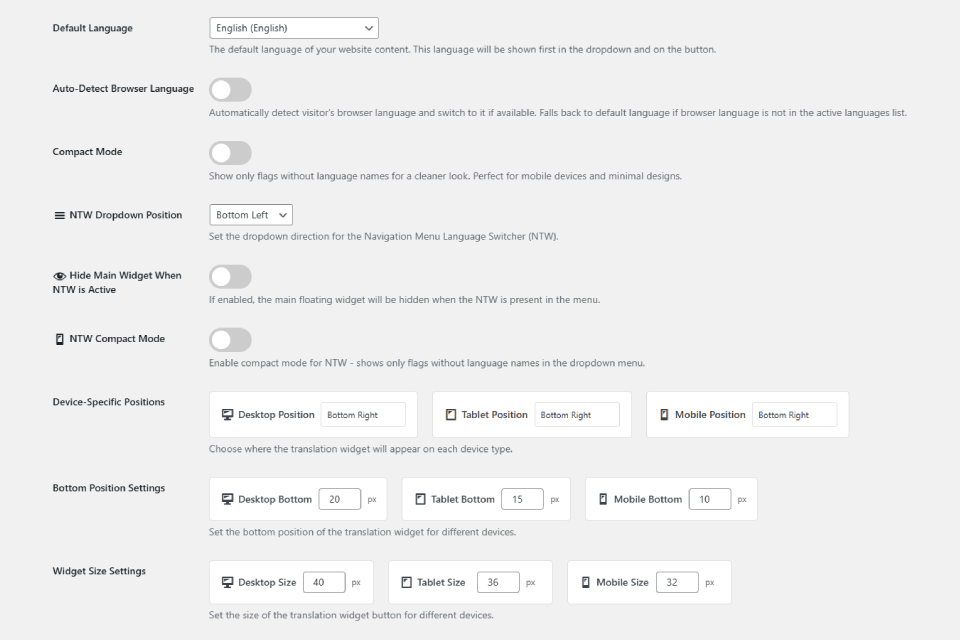
- Advanced admin settings and plugin configuration panel
- Enable/disable plugin (main switch)
- Select available languages for the dropdown
- Set default language
- Automatic browser language detection and switching
- User language preference (cookie-based)
- Compact mode (show only flags, no language names)
- NTW (Navigation menu language switcher) dropdown position
- Hide main widget when NTW is active
- NTW compact mode (flags only in menu)
- Device-specific widget positions (desktop, tablet, mobile)
- Widget size settings for each device
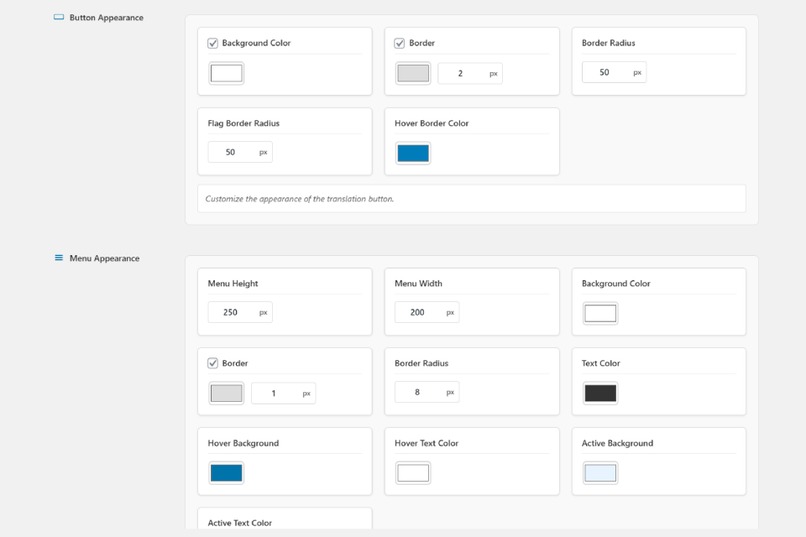
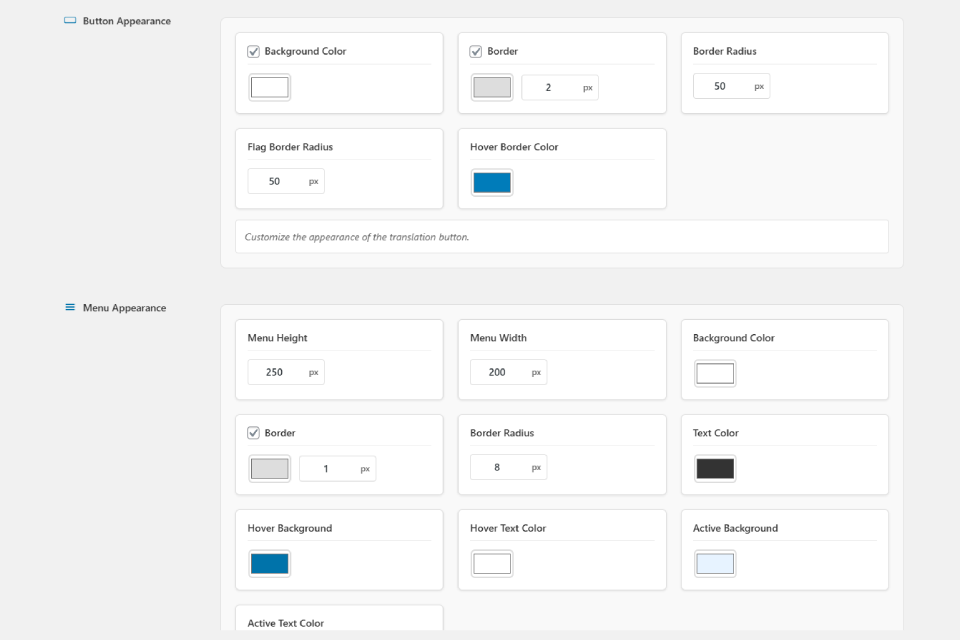
- Visual customization: button background, border, radius, flag radius, hover color
- Menu visual settings: background, border, width, text color, hover/active colors
- Reset to defaults option
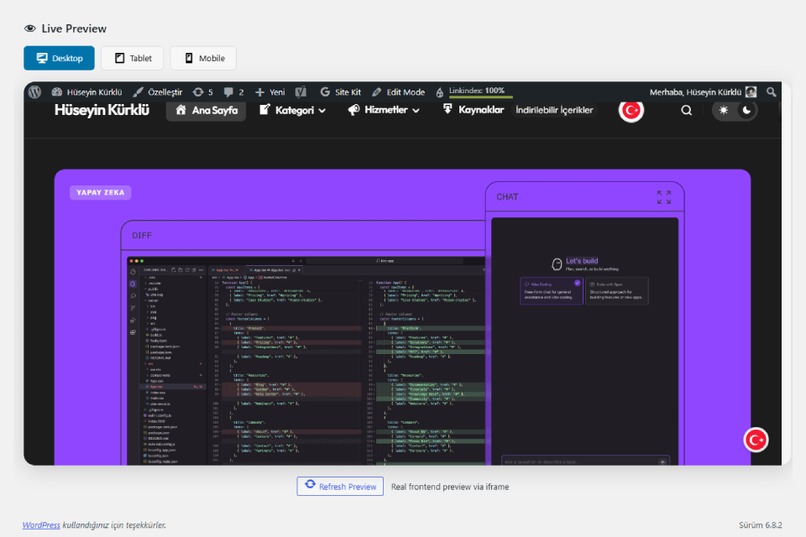
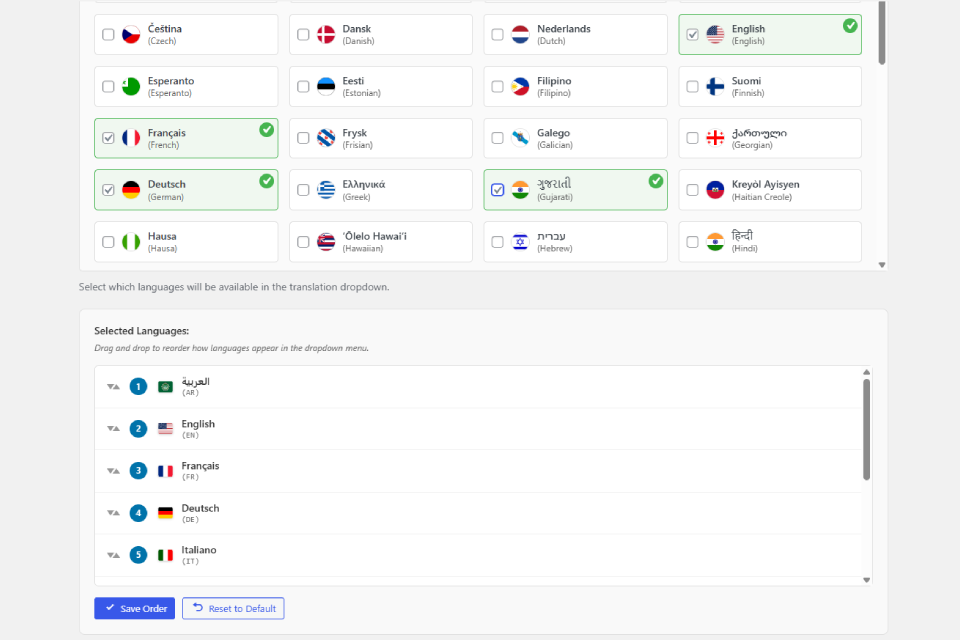
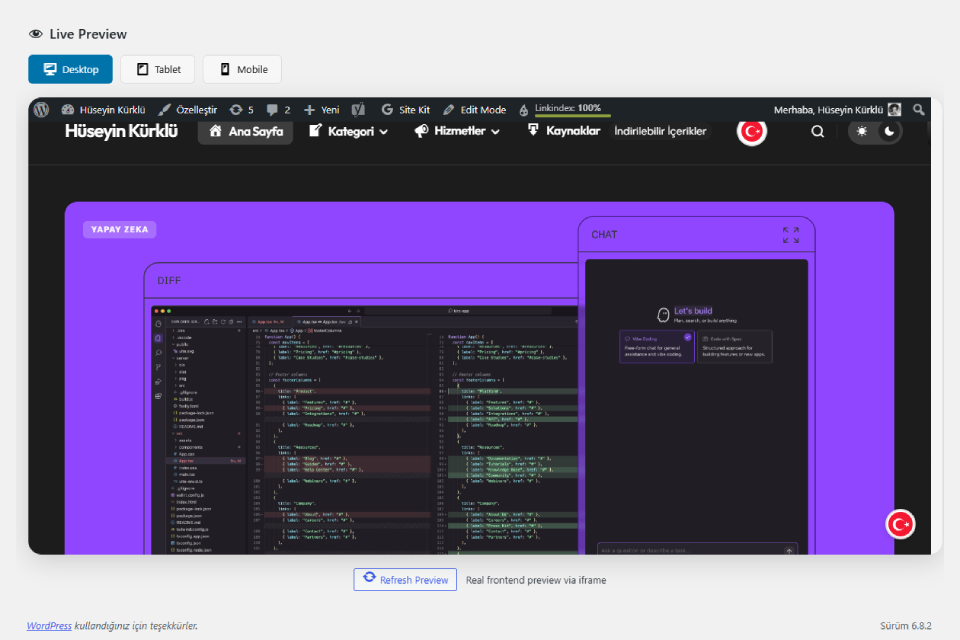
- Live preview and drag & drop language ordering in the admin panel
- Live mode edit: Instantly edit translations directly on the page
- Accessibility (a11y) and SEO-friendly design
- Manual translation support for fine-tuned control
- Debug mode for live settings and troubleshooting
- Language order reset to default
- Real-time preview section for all settings
- Manual translation hash/check for content matching
- RTL (right-to-left) language support
- Cookie/user meta fallback for language preference
- Google Translate event tracking for analytics
How we built it
- Planning: I analyzed user needs and the shortcomings of existing translation plugins.
- Infrastructure: I created a modular and maintainable file structure for WordPress.
- Integration: Combined Google Translate API with manual translation support.
- UI: Added live preview in the admin panel, drag & drop language ordering, and advanced visual settings.
- Frontend: Developed user-specific language preference, automatic browser language detection, and an accessible widget design.
- SEO: Prepared the infrastructure for multilingual SEO support, including hreflang and canonical tags.
- AI Support: Throughout the project, I used the Kiro AI assistant for code generation, architectural suggestions, and documentation. This accelerated development, helped me avoid common pitfalls, and improved code quality.
Challenges we ran into
- Achieving full compatibility with different themes and page builders
- Handling Google Translate API limits and error management
- Presenting many settings in a simple, user-friendly interface
- Ensuring both SEO and accessibility standards
- Performance and speed optimization (asynchronous script loading, lazy load)
- Integrating AI-generated code with custom logic and maintaining readability
Accomplishments that we're proud of
- Built a fully functional, production-ready multilingual plugin for WordPress
- Seamless integration with both frontend and admin panel
- User-friendly drag & drop language management
- Live mode edit for instant translation updates on the site
- Accessibility and SEO best practices implemented
- Successfully leveraged Kiro AI for rapid development and documentation
What we learned
- WordPress plugin architecture and security standards
- Integration with the Google Translate API
- Dynamic UI and live preview with JavaScript
- Fast and user-friendly settings management with AJAX
- Best practices for accessibility (a11y) and SEO
- Managing multilingual content and storing user preferences
- How to leverage AI tools for rapid prototyping and code generation
What's next for HK Translate - WordPress Plugin
- Shortcode support for language switcher
- Full multisite (network) support
- Advanced error logging and debug tools
- More visual customization options (dark mode, animations)
- REST API integration for external systems
- Enhanced SEO features (unique URLs per language, sitemap integration)
- Even deeper AI integration for smart translation suggestions
Math & Algorithm (LaTeX Example)
In the language suggestion algorithm, I used a simple weighted selection function to prioritize the languages most preferred by users:
$$ Score_{lang} = Usage_{lang} \times \alpha + GeoMatch_{lang} \times \beta + BrowserPref_{lang} \times \gamma $$
Here, $\alpha, \beta, \gamma$ are weighting coefficients, adjusted so that their sum is 1.
This project has taught me a lot, both technically and in terms of user experience. I will continue to improve and add new features!

Log in or sign up for Devpost to join the conversation.