-
-
HiveMind Logo- Scroll to see In-App Demo Images!
-
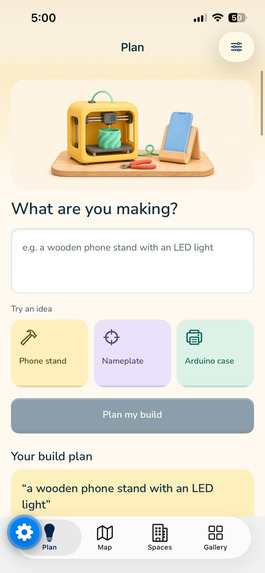
HiveMind In-App Demo Image
-
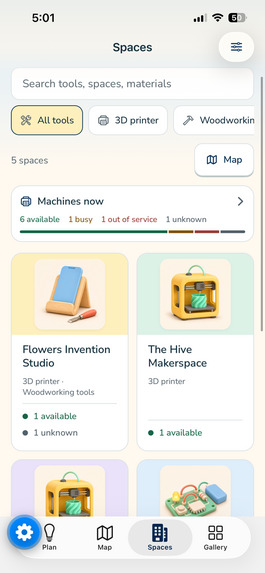
HiveMind In-App Demo Image
-
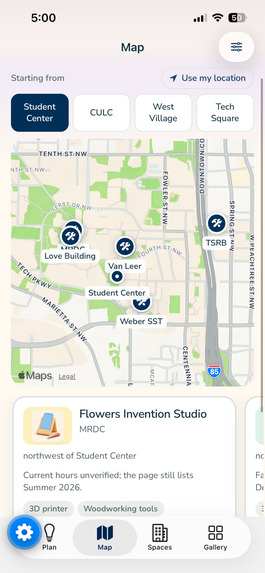
HiveMind In-App Demo Image
-
HiveMind In-App Demo Image
Inspiration
Georgia Tech has a lot of makerspaces: the Flowers Invention Studio, The Hive, The MILL, the Aero Maker Space, the GVU Prototyping Lab, and more. Each has different machines, rules, training, hours, and costs. Plenty of students have an idea, like a phone stand, a sensor enclosure, or a laser-cut sign, and then get stuck before making anything. Which space has the right tool? Which 3D printer handles the material I need? What training do I need first? Is the machine actually working right now, or am I walking across campus to an out-of-order laser cutter?
The information exists, but it's spread across a dozen websites, sign-up pages, and word of mouth. Students who already know the system move fast, and everyone else gives up. We wanted a campus map that starts from what you want to build instead of where buildings are.
What it does
HiveMind turns a project idea into a path to a real machine on campus.
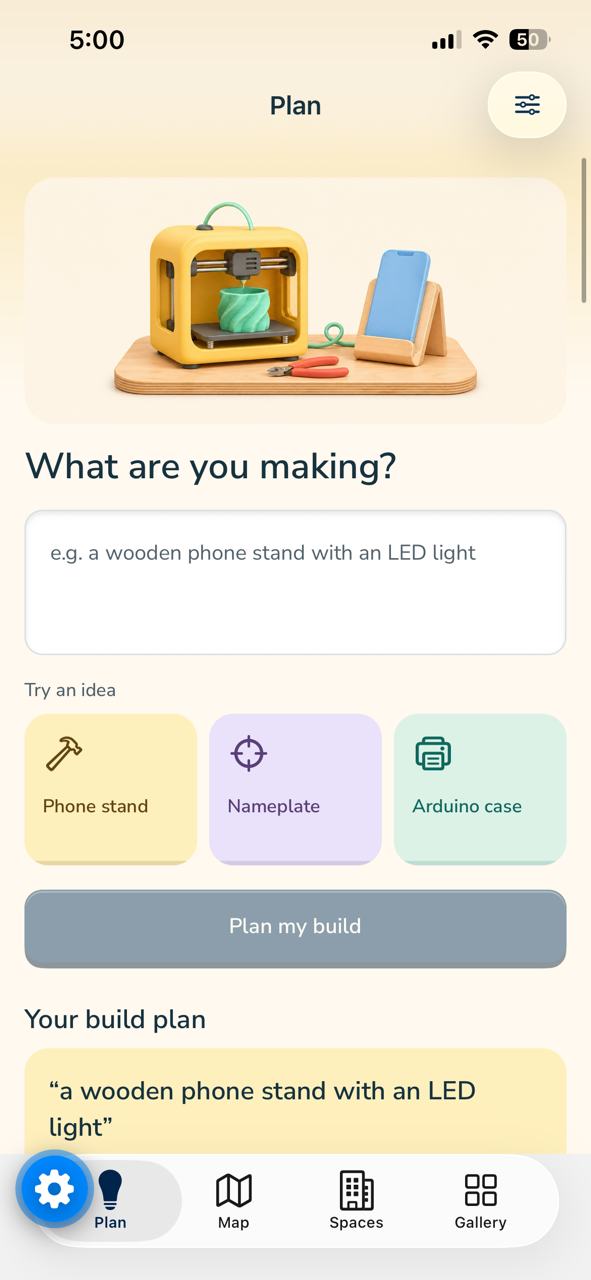
1. Describe your idea → Get a build plan.
Type something like "a wooden phone stand with an engraved logo." HiveMind recommends specific campus tools at specific makerspaces and explains why each fits your material and the job, including the differences between printers.
Each step shows the real onboarding requirements for that tool: training courses, how long they take, sign-up forms, contacts, costs, and arrival instructions, all pulled from official GT sources. If something isn't published, the app says it's unknown and links to the official page instead of guessing.
2. Check individual machines and report problems.
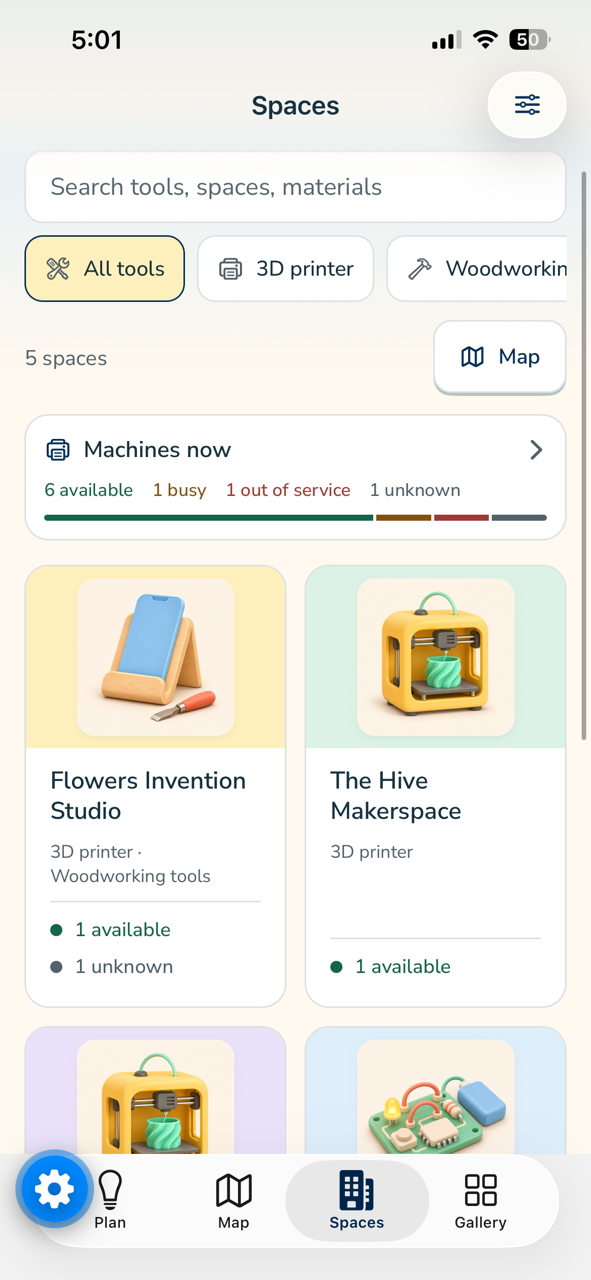
Look up a particular physical machine and see whether it's available, in use, out of service, or unknown, plus who reported its status and when.
If it's busy or broken, HiveMind suggests compatible alternatives in other buildings, with notes on access, hours, and capabilities. You can also report a problem with a specific machine. Existing open reports appear first, so you can add to one instead of filing a duplicate.
3. Build gallery.
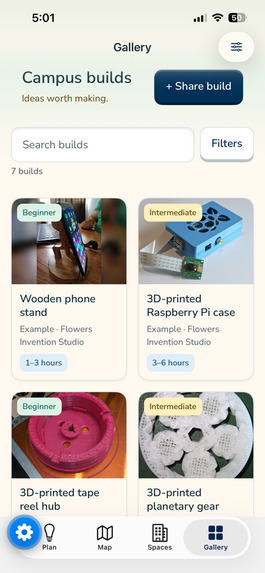
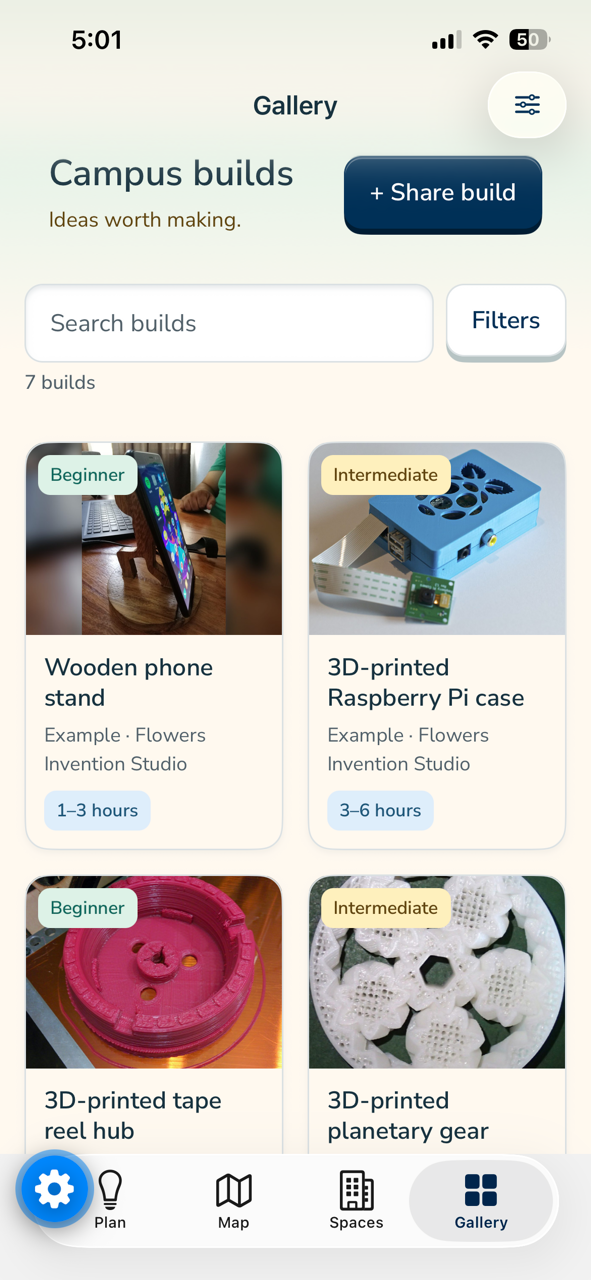
Browse photos of builds tagged by tool and makerspace, filter by difficulty and build time, and see "what people made with this laser cutter" next to each plan step and on each tool's page.
Students can share their own builds with credit, a required permission checkbox, optional build advice, and an optional contact. They can also edit or delete their own posts later.
How we built it
- App: Expo (React Native) with Expo Router and TypeScript in strict mode, styled with NativeWind. App state uses Zustand. It runs in Expo Go on iPhones with no custom native code.
- Sourced catalog: We researched 5 makerspaces and 10 tools and services by hand. Every fact (location, hours, eligibility, cost, capabilities, and prerequisites) has an official GT source URL and the date we checked it. We separated a tool type (e.g., "FDM printing at The Hive") from an individual physical machine, so a published printer count never turns into invented machines.
- AI planner: The AI call runs in a Supabase Edge Function, so the OpenAI key never ships in the app. The function sends the idea and the catalog, including tool capabilities, to an OpenAI model, which may only return tool and space IDs that exist in the catalog. We check every ID, drop invalid steps, and retry once. If nothing fits, it says "No campus tool found for X" instead of inventing an option. Training, safety, and cost always come from the catalog, never from the AI.
- Reliability: If the plan takes more than 8 seconds or fails, the app shows a clearly labeled cached example, but only for the matching demo idea. It never shows an unrelated plan as if it answered yours.
- Machine status: Usage reports (available, in use) are kept separate from a machine's operating condition. Student observations expire to "unknown" after 15 minutes, because a stale "available" is worse than no answer.
- Gallery backend: Supabase Postgres and Storage. Database checks enforce credit, permission, and at least one tool tag. Edits and deletes go through owner-only database functions, and a Storage rule stops anyone deleting a photo that a post still uses.
- Quality: We wrote about 450 Jest tests covering catalog validation, planner ID checks and retries, status expiry, and gallery rules. Every change went through a pull request, automated checks, and an independent review before merging.
Challenges we ran into
- Telling the truth about missing information. The hardest rule we held ourselves to was never treating missing information as permission. When training requirements aren't published, the app has to say "unknown, check here" rather than "none." We had to build that into the data model, the AI prompts, and the UI.
- Keeping the AI on campus. Language models happily invent machines and makerspaces. We restricted it to catalog IDs, validated every response, and moved anything safety-related out of the model entirely.
- Availability without real telemetry. There's no public live feed of GT machine status. We designed per-machine status around student reports, with source labels, freshness, and expiry, and kept it clearly separate from "this space feels busy."
- Cutting scope mid-hackathon. We started out wanting remixing, downloadable design files, and maintenance forwarding. On day two, we cut to three core features and recorded each cut in our spec, so all three would be finished.
- Photo rights. We had no team build photos yet, and we refused to scrape makerspace or social-media images. The gallery's example photos are openly licensed from Wikimedia Commons, each labeled "example photo" and fully credited.
Accomplishments that we're proud of
- A planner that suggests real, sourced campus tools and refuses to make things up.
- Onboarding steps that link to the actual GT training pages, forms, and contacts instead of a vague "get trained first."
- A sourced catalog where every fact has a source URL and a verification date.
- Machine-level status with alternatives across buildings, so "the laser cutter is down" becomes "there's a compatible one in another building."
- A gallery that respects photo ownership and credit by design, enforced in the database as well as the app.
- Three developers working in parallel lanes with reviewed PRs and a large test suite, while keeping the demo functional offline for the parts that matter.
What we learned
- Most of the value is in the boring data. A carefully sourced catalog did more for students than any prompt tuning.
- The AI is most useful when it's tightly constrained: it explains and sequences, and the catalog stays the source of truth.
- "Unknown" is a valid, honest state and needs a proper design, not an empty field.
- Cutting scope early and writing the decisions down kept three people aligned under time pressure.
What's next for HiveMind
- Real GT login (SSO): So ownership of posts and reports is real rather than a demo login.
- Shared, live machine status: Synchronize status across phones, and eventually integrate official feeds from makerspace systems such as 3DPrinterOS, where staff allow it.
- Staff tools: Allow staff to mark machines out of service, resolve issue reports, and forward them to maintenance.
- Remixing: Let students clone someone's build, download their design files, and turn it into their own plan.
- More coverage: Add more makerspaces and tools, plus student organizations, all with sources.
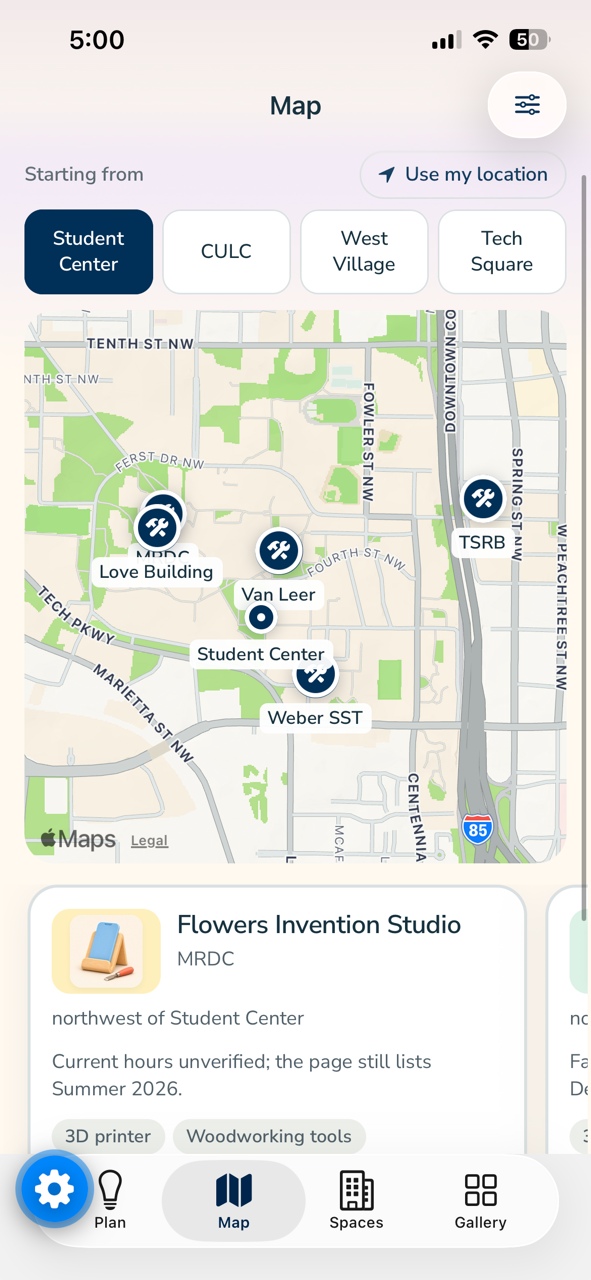
- Campus map: Add a real campus map view showing where each recommended tool is and the best route there.
Built With
- expo.io
- git
- node.js
- npm
- openai
- postgresql
- react-native
- sql
- supabase
- tailwindcss
- typescript


