-
-
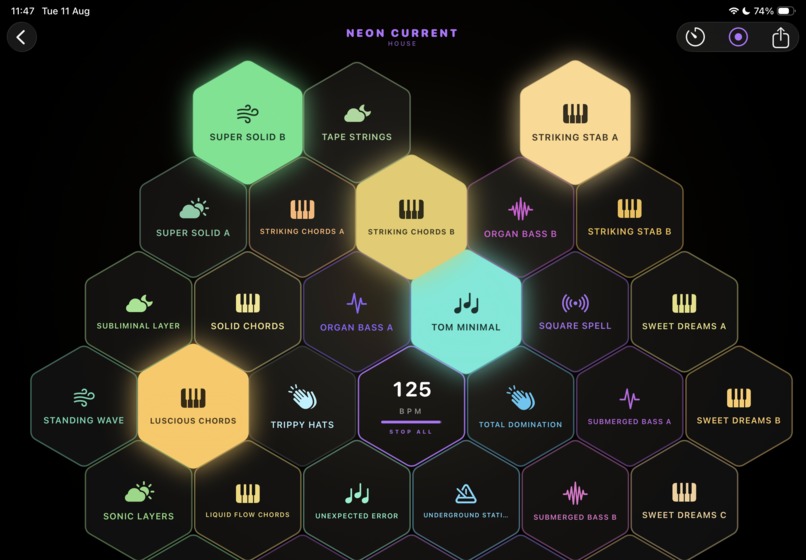
Looping Action
-
Logo
-
Inspiration
I'm a musician and a programmer, and a looping app has been on my list for years. I'd taken runs at it before, but each attempt collapsed under the same weight: producing the loop library and building the app were two full-time jobs, and neither one finished. What changed is the tooling — modern iOS frameworks made the app side tractable in a way it hadn't been before, and it stopped feeling like a two-year project. HIVE is that attempt.
What I learned
The biggest lesson was that in a live-performance app, latency is the product. Everything else — the visuals, the sound pack curation, the pricing — sits downstream of whether a tap feels instant. I also learned how much of the work is content rather than application code: producing, slicing, key-matching and tempo-locking loops so that any combination of pads plays together musically is its own problem, separate from the app itself.
How I built it
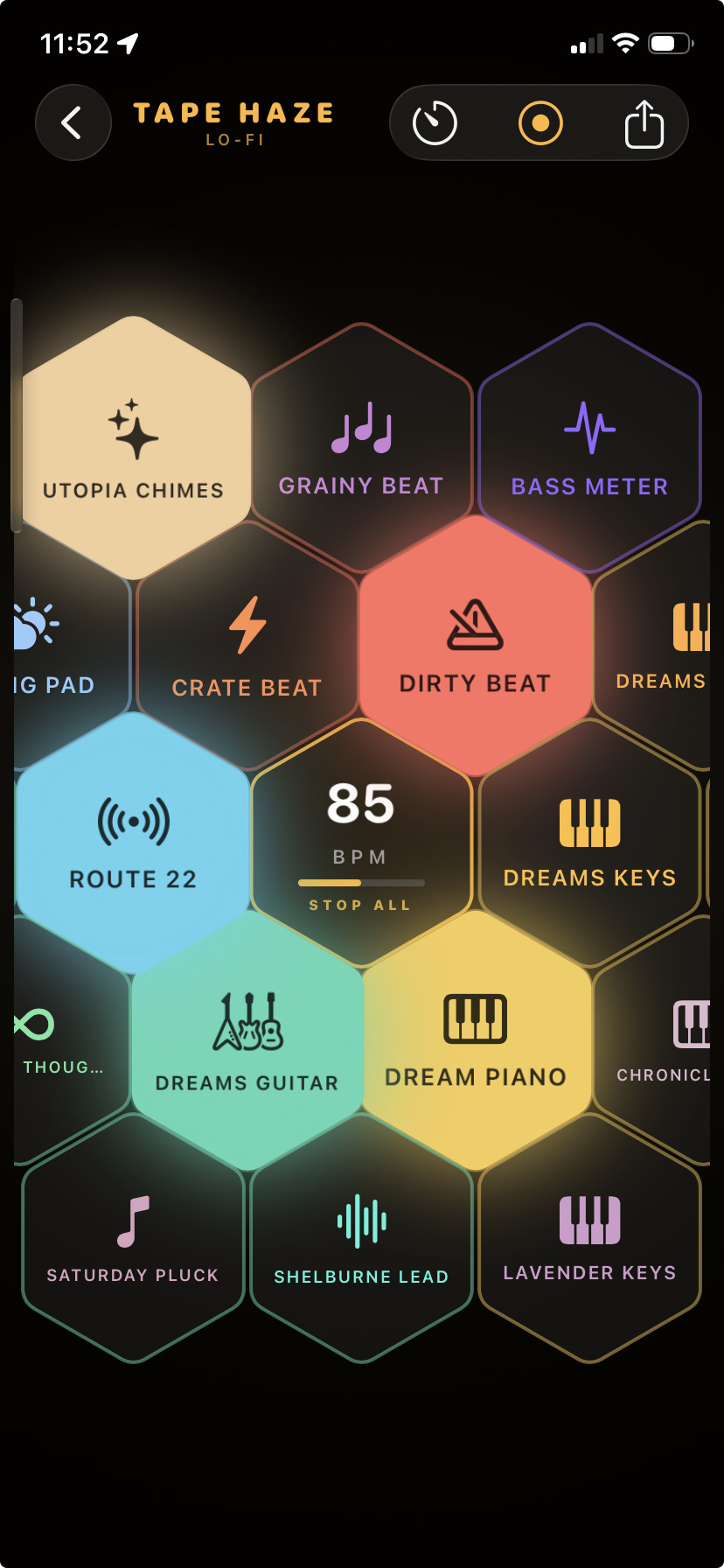
HIVE is a native iOS app built in SwiftUI, with the audio engine sitting on AVAudioEngine for scheduling and playback. The initial loop library was produced in Logic Pro and organised into genre sound packs, with every loop written to a common tempo and key structure so pads can be combined freely. Subscriptions run through RevenueCat, and release management — screenshots, metadata, submission — is automated through fastlane against the App Store Connect API, because doing that by hand for every build was eating time I'd rather spend on the audio.
Challenges
The hard problem was quantization. When a user taps a pad, two things need to be true at once: the loop has to land on the beat so it stays in time with everything already playing, and the user has to get immediate feedback that their tap registered. Those pull in opposite directions — strict quantization means waiting until the next bar, which reads as unresponsiveness or a dropped input. Solving it meant separating acknowledgement from playback: the interface responds the instant you touch it, while the audio engine schedules the loop to the grid underneath. Getting that split right, so the app feels immediate without ever drifting out of time, took more iteration than any other part of the build.
Built With
- avaudioengine
- cloudflare
- ios
- postgresql
- supabase
- swift
- swiftui

Log in or sign up for Devpost to join the conversation.