-
-
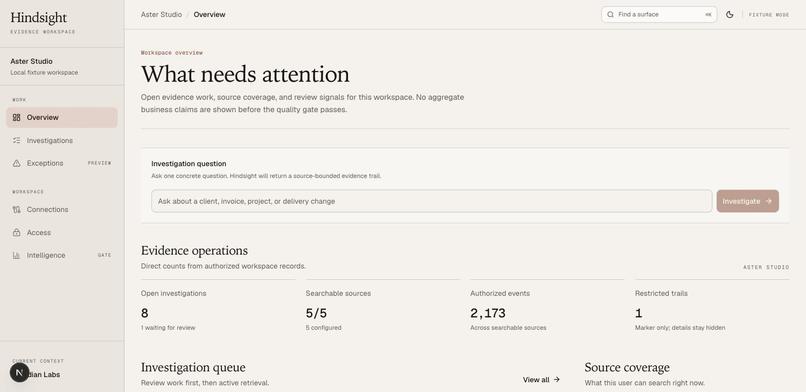
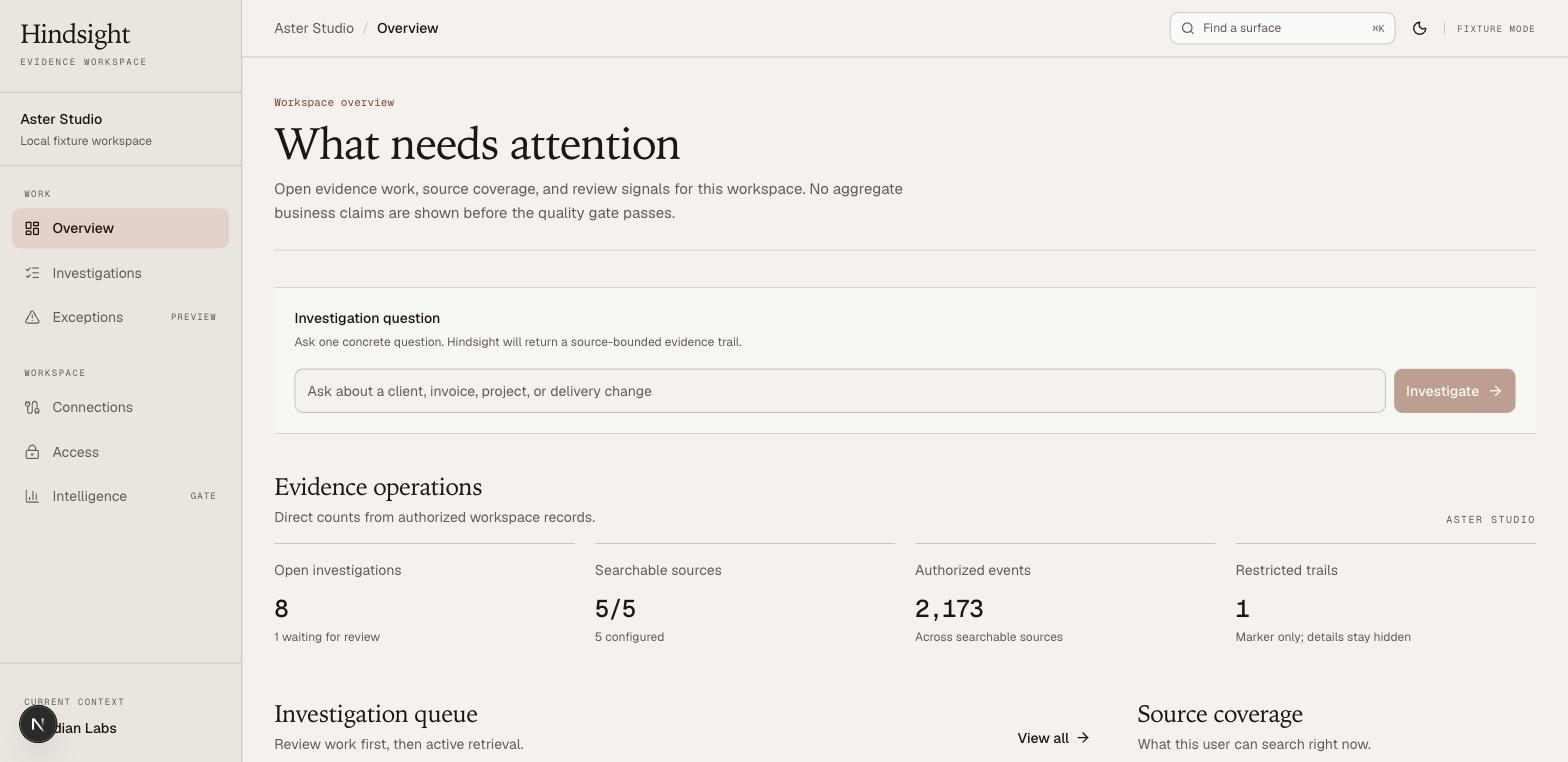
Start an investigation from the Aster Studio fixture workspace and see source coverage.
-
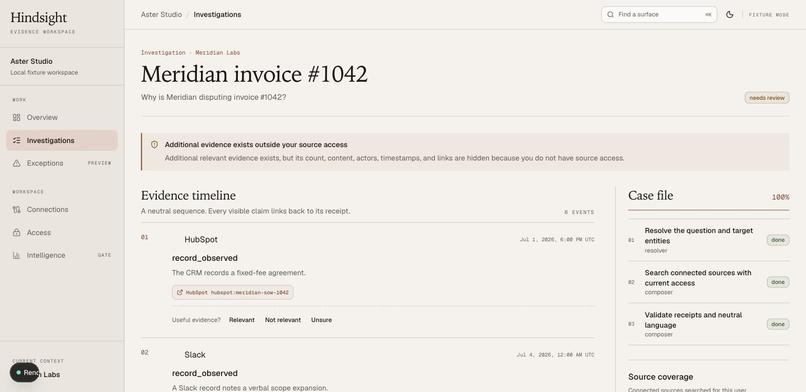
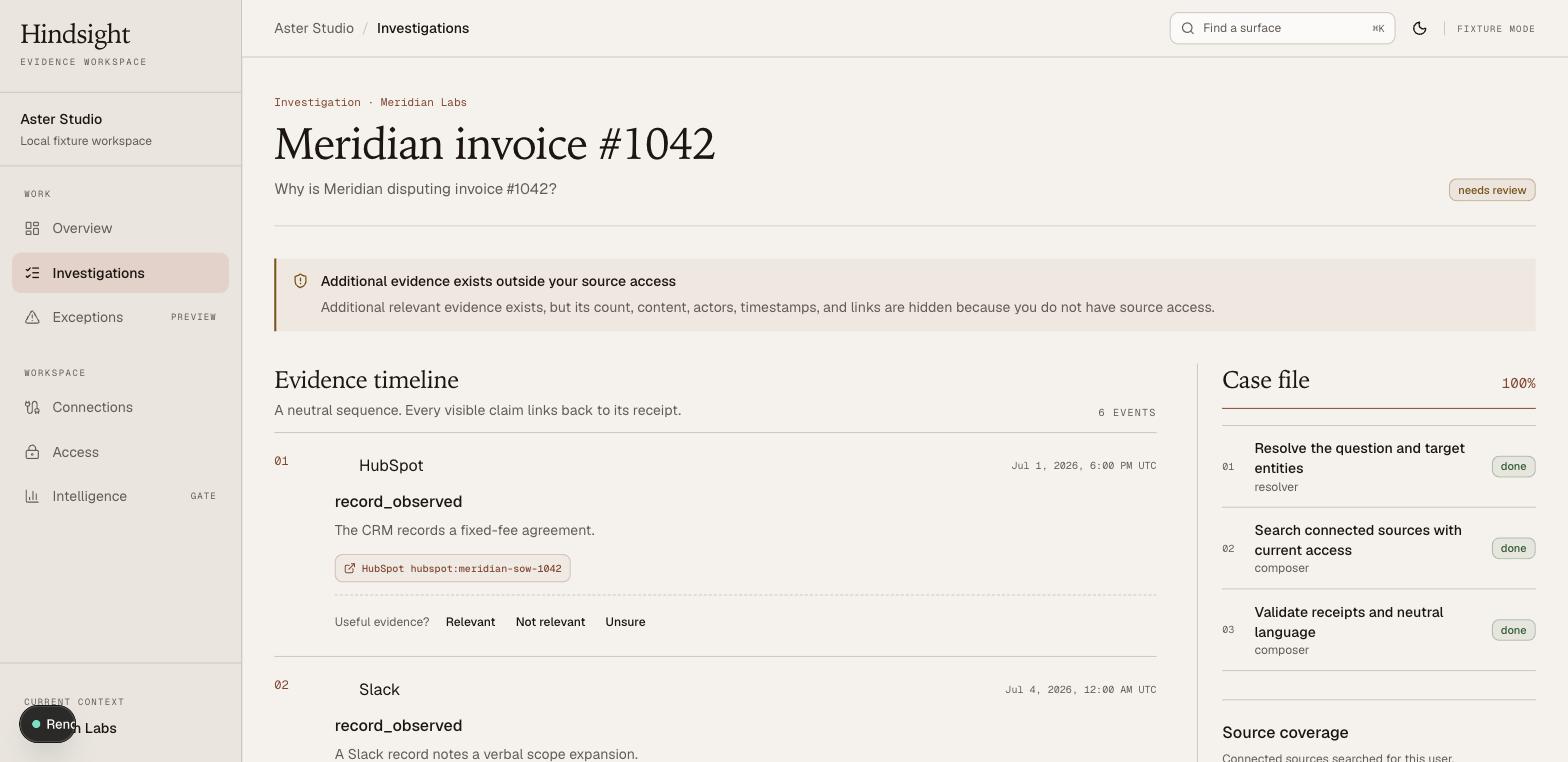
Meridian invoice #1042 reconstructed as a source-linked evidence timeline.
-
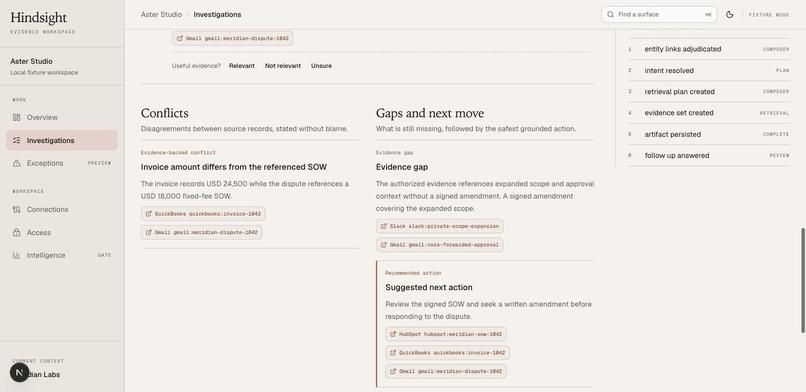
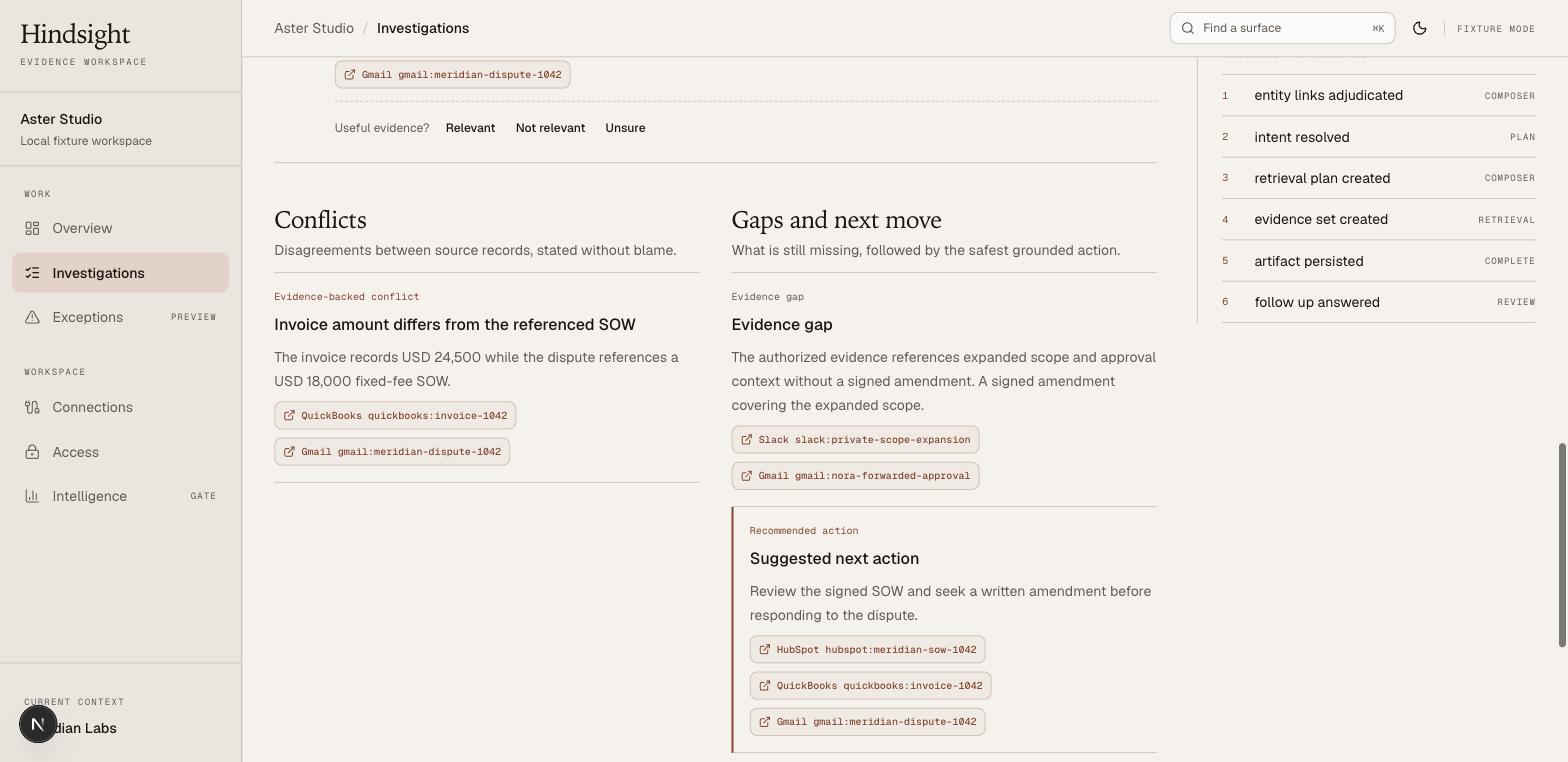
The $24,500 invoice, $18,000 SOW, missing amendment, and suggested next action.
Inspiration
Client disputes often force operations teams to reconstruct months of work across invoices, contracts, email, chat, CRM updates, and project tools. The records usually exist, but no single system can explain the sequence or show which evidence supports each conclusion.
We built Hindsight because we personally have faced the same problem before. This project allows an agency owner to enter a difficult client conversation with an ordered, verifiable account of what happened, what conflicts, and what evidence is still missing.
What it does
Hindsight opens that question as an investigation across the records the current user is allowed to search.
For the Meridian case, it builds this evidence trail:
- HubSpot records the $18,000 fixed-fee agreement.
- Slack records a verbal scope expansion.
- A forwarded Gmail message refers to approval, but it is not a signed amendment.
- Asana records delivery of the extra analytics dashboard.
- QuickBooks records invoice #1042 at $24,500.
- Gmail records Meridian disputing the invoice and referring back to the $18,000 SOW.
Hindsight then separates the result into the decisions an operations lead needs before replying:
- Timeline: the authorized records in order, with a receipt on every visible claim
- Conflict: the $24,500 invoice does not match the $18,000 agreement referenced in the dispute
- Gap: the authorized evidence set does not contain a signed amendment covering the expanded scope
- Next action: review the signed SOW and seek the written amendment before responding
A follow-up such as “What should I send back to Meridian?” stays inside that investigation’s evidence set. If another relevant record exists outside the user’s source access, Hindsight shows a restricted-evidence notice without exposing its contents, actors, timestamps, links, or count.
Hindsight does not declare that the scope change caused the dispute, decide who is at fault, or assign ownership. A person makes those judgments.
How we built it
The hackathon demo uses a deterministic 90-day Aster Studio corpus with more than 2,000 events shaped like QuickBooks, HubSpot, Gmail, Slack, and Asana records. Those fixtures use the same connector contract, normalization path, entity resolution, retrieval rules, and investigation workflow as the managed provider path.
Hindsight is a TypeScript modular monolith built with Next.js, React, PostgreSQL, and Inngest. Every normalized event carries its tenant and source access data. PostgreSQL applies those filters before retrieval, so unauthorized evidence never becomes model context.
When an OpenAI key is configured, the product uses the OpenAI Responses API with structured Zod outputs. GPT-5.6-sol parses the investigation question, composes the timeline, conflicts, gaps, and next action, and answers evidence-bounded follow-ups. A smaller adjudication model handles ambiguous entity links and neutral-language classification. Models return evidence IDs only. The server rechecks access and resolves those IDs to receipt URLs.
Codex was our engineering workspace throughout Build Week. We used it to turn the requirements into the modular-monolith architecture, implement the investigation path, redesign the evidence workspace around the operator’s workflow, write and run tests, exercise the deployed app in a browser, and fix the failures that only appeared on the hosted journey.
Challenges we ran into
The hardest product decision was refusing to answer more than the records could support. “Why did this happen?” invites a causal story. The evidence only proves a sequence, a dollar conflict, and a missing amendment. We added typed claim categories, citation validation, and a neutral-language gate so the product can remain useful without quietly turning chronology into blame.
The access boundary also had to survive every path. A page-level tenant check was insufficient if retrieval, follow-up chat, receipt resolution, or logs could bypass it. We put authorization in the shared retrieval and receipt paths, before any OpenAI call.
Deployment exposed a different class of bugs: duplicate investigations, stalled workflows, slow authenticated pages, Clerk domain configuration, and empty source coverage. Browser testing against the live app found issues that the deterministic test suite could not.
Accomplishments that we’re proud of
The Meridian case is a working vertical slice rather than a scripted dashboard. The seeded records pass through normalization, entity resolution, ACL-aware retrieval, a persisted workflow, structured model output, receipt validation, neutral-language checks, human corrections, and follow-up chat.
We are especially proud that Hindsight can show “we do not have the signed amendment” or “relevant evidence exists outside your access” instead of manufacturing a clean answer.
What we learned
An invoice dispute is not primarily a search problem. It is a sequence-and-boundary problem: which agreement existed, what changed, what shipped, what was billed, what the client challenged, and which of those records the current user may see.
Receipts also need to be a server-side invariant. Asking a model to cite a URL is weaker than requiring an evidence ID, validating it against an immutable evidence set, and resolving the URL only after a fresh access check.
What’s next
The next step is to deploy and verify the five Nango provider connections, including OAuth scopes, signed webhooks, a 12-month backfill, and a second incremental sync. We will test the investigation against sandbox provider accounts, label real entity-resolution cohorts, and keep aggregate intelligence locked until the quality gate passes. Production authentication, accessibility testing, and managed-environment release checks remain explicit gates.
Try it
Open hindsight.questili.com to see the public product and the Meridian example. Choose Open Hindsight to enter the workspace. The hosted workspace currently requires Clerk sign-in; if access is unavailable, the demo video shows the complete seeded invoice-dispute path. The repository contains local setup and fixture instructions.
Built With
- clerk
- cloudflare
- cloudflare-r2
- codex
- drizzle
- gpt-5.6
- inngest
- nango
- neon
- next.js
- openai
- pgvector
- playwright
- postgresql
- react
- tailwind
- turborepo
- typescript
- vercel
- vitest
- zod


Log in or sign up for Devpost to join the conversation.