-
-
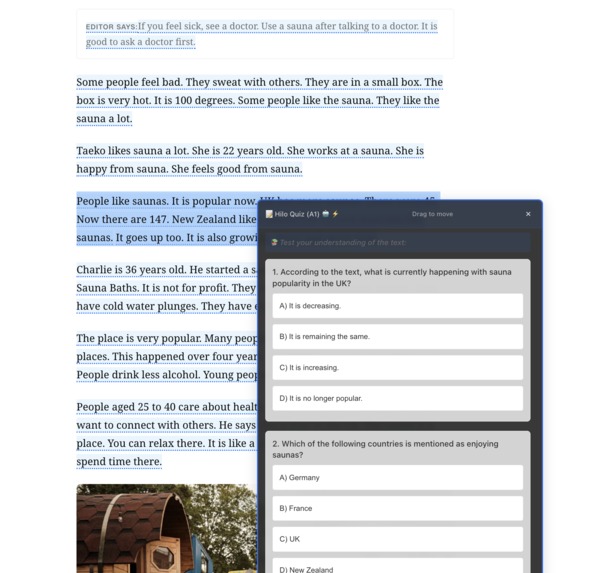
QUIZ
-
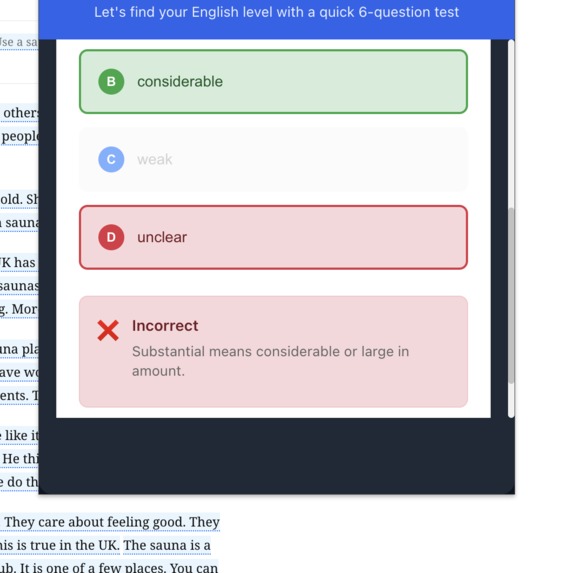
CEFR level check
-
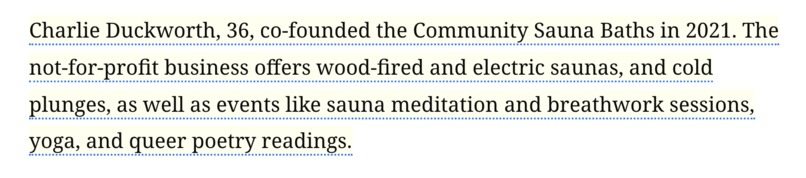
before
-

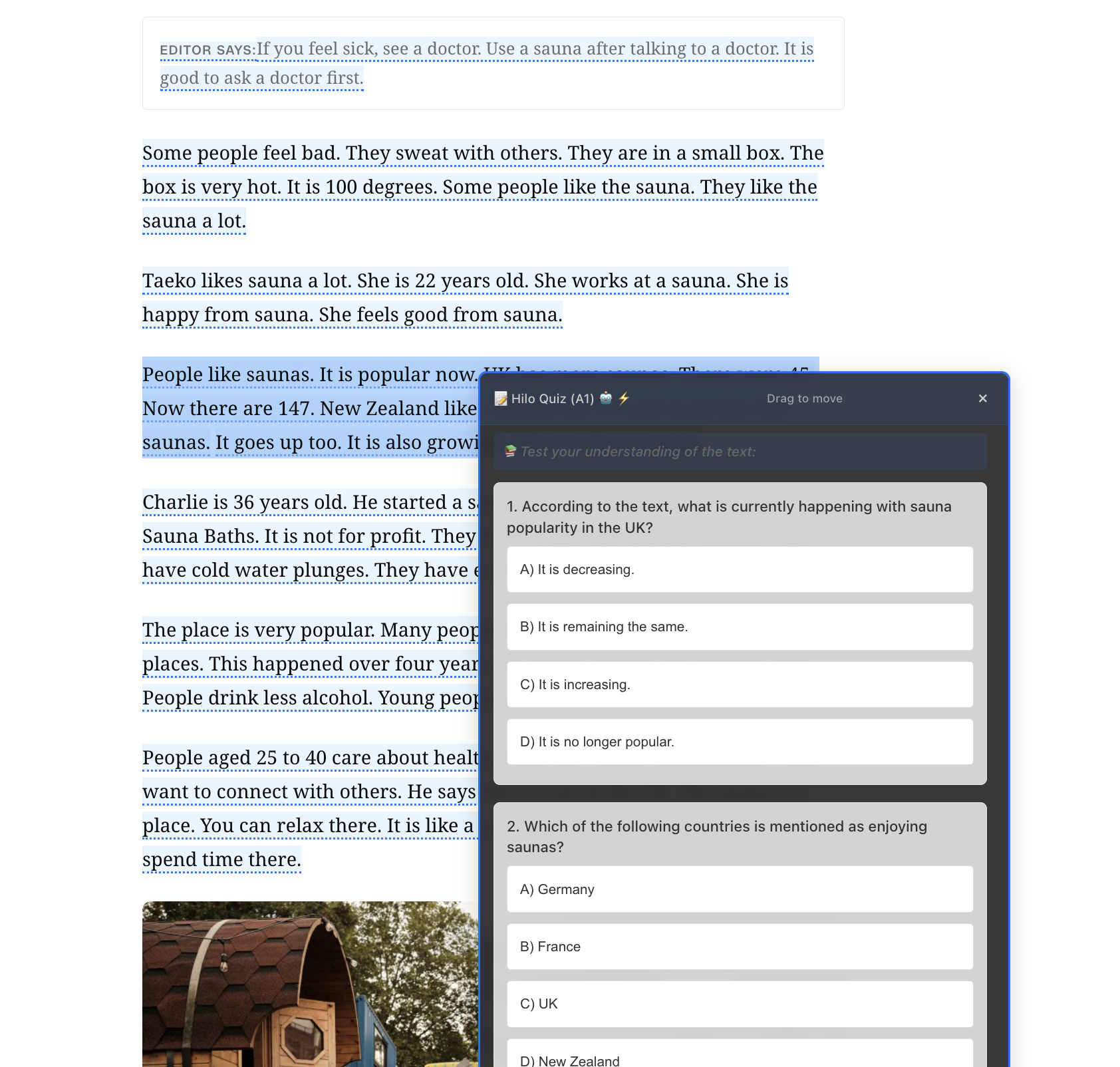
after

Inspiration
As English learners, we often struggled to understand complex articles and web content, especially during school assignments or research. We kept switching between tabs to look up words and got lost in difficult sentence structures. We realized that although the internet is full of great English content, most of it isn’t accessible to learners at different levels. With Chrome’s new on-device AI features, we saw a chance to change that by turning the entire web into a personalized English learning environment.
What it does
Hilo is a Chrome extension that automatically adjusts the English difficulty of any web page to match your CEFR level (A1-C1), making real content instantly accessible to learners at any proficiency. Users can:
- Adjust entire pages to their CEFR level with one click, with intelligent caching for instant subsequent loads
- Highlight specific text for targeted difficulty adjustment when encountering challenging passages
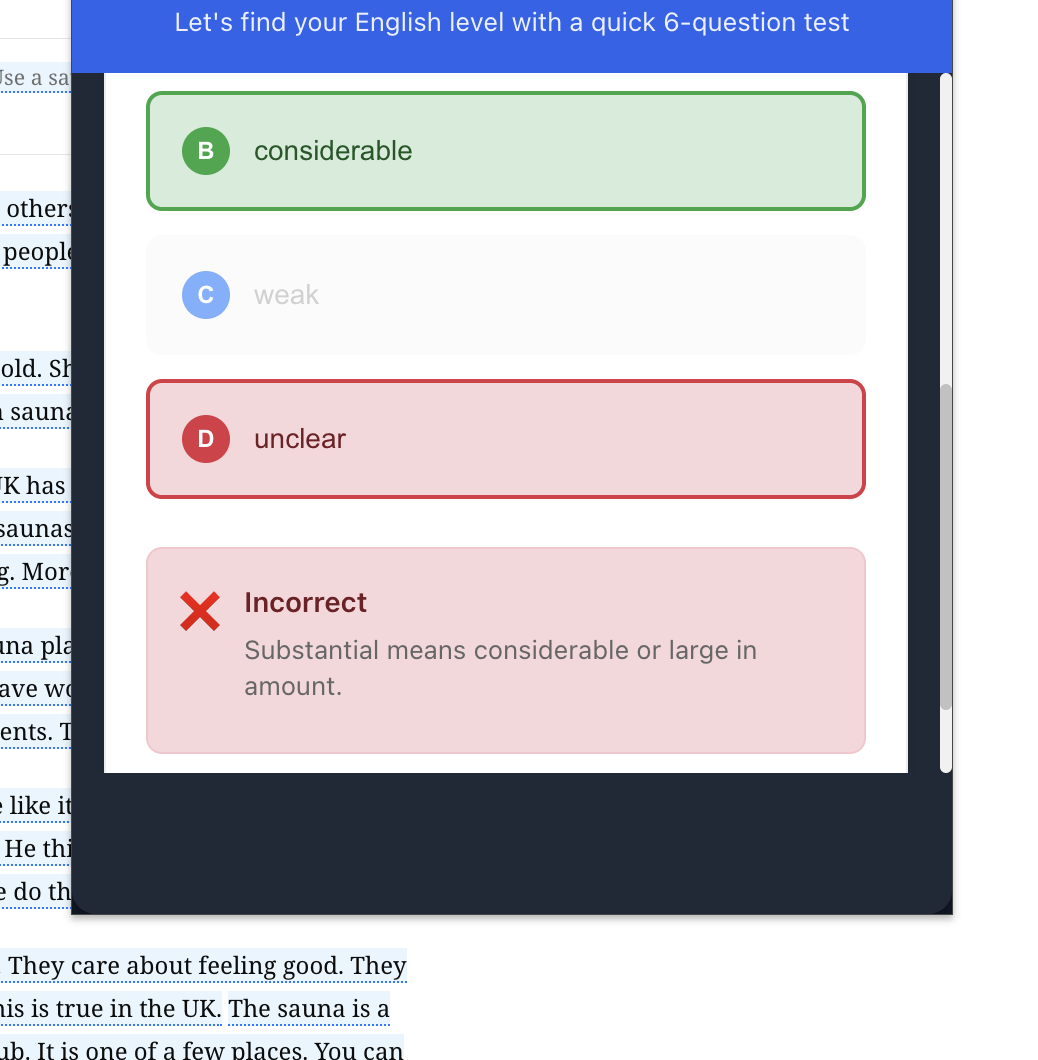
- Generate AI-powered comprehension quizzes from simplified content to test understanding and reinforce learning
- Take a quick CEFR assessment (maximum 6 questions) to determine their exact proficiency level
- Track learning progress with statistics on texts simplified and quizzes completed
- Toggle between original and simplified text by clicking highlighted content ## How we built it We built Hilo as a Chrome Manifest V3 extension using:
- Frontend: React 18 + TypeScript for the popup and content scripts
- AI Integration: Chrome's experimental Built-in AI APIs (Language Model, Summarizer, Writer)
- Architecture: Content scripts with Shadow DOM integration + background service worker
- Build System: Vite with @crxjs/vite-plugin for hot reload development
- Storage: Chrome storage APIs with intelligent caching system for page adjustments
- Styling: Pure CSS with custom properties for dark mode support
We built smart text extraction that adjusts each page precisely. We added batch processing to make AI API calls faster. We use a 24-hour cache that refreshes automatically when the level changes. Our adaptive CEFR test finishes in as few as three questions. Progress and sessions update in real time.
Challenges we ran into
Chrome AI limits: The APIs are experimental and only work in Chrome Canary or Dev. Setup requires detailed documentation and capability checks. Content script complexity: Injecting React components into any webpage without breaking styles required Shadow DOM. Text extraction accuracy: We built advanced DOM traversal to filter real content from ads, navigation, and hidden elements. Caching strategy: We balanced speed and accuracy to keep cached data aligned with changing page structures. CEFR assessment: We designed an adaptive test that identifies language levels with very few questions. Performance: We optimized full-page AI processing with batching and progress tracking to stay responsive.
Accomplishments that we're proud of
Privacy-first approach: All AI processing happens locally on the user's device—no data ever leaves their browser
- Instant cache loading: Second-time page adjustments load instantly, making the experience seamless
- Comprehensive CEFR support: Supporting all major proficiency levels (A1-C1) with contextually appropriate simplifications
- Real learning integration: Not just translation, but actual vocabulary and grammar-level adjustments that help users learn
- Adaptive assessment: CEFR testing that completes in 3-6 questions while maintaining accuracy
- Universal compatibility: Works on any website, turning the entire internet into a personalized learning environment
- Developer experience: Hot reload development with TypeScript for maintainable, scalable code ## What we learned
- On-device AI capabilities: Chrome's Built-in AI APIs are powerful but require careful session management and capability detection
- Content script architecture: Shadow DOM is essential for style isolation when injecting complex UI into arbitrary web pages
- User experience design: Learning tools need to be non-intrusive, users should feel like they're browsing normally, not using educational software
- Caching strategies: Smart caching dramatically improves perceived performance, especially for AI-heavy operations
- Language learning principles: Effective language tools should preserve original meaning while gradually building user confidence
- Chrome extension limitations: Manifest V3's service worker model requires different approaches to state management and
background processing
## What's next for Hilo
- Contextual vocabulary mastery: Build a complete profile of your vocabulary strengths and weaknesses, ensuring every web browsing session becomes a targeted learning opportunity
- Cross-website learning continuity: Your vocabulary challenges from news articles will be reinforced when reading blogs, social media, or academic papers
- Predictive content adaptation: AI anticipates which words you might struggle with based on your learning patterns and proactively adjusts content
- Community features: Shared vocabulary lists, teacher-created content, and collaborative learning
Built With
- active-tab
- ai.language-model
- ai.summarizer
- ai.writer
- css
- html
- javascript
- react
- scripting
- storage
- typescript
- vite


Log in or sign up for Devpost to join the conversation.