-
-
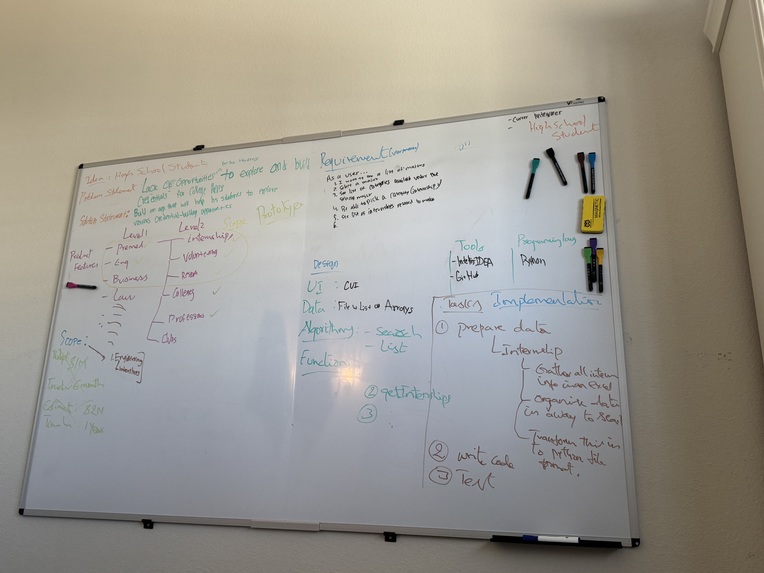
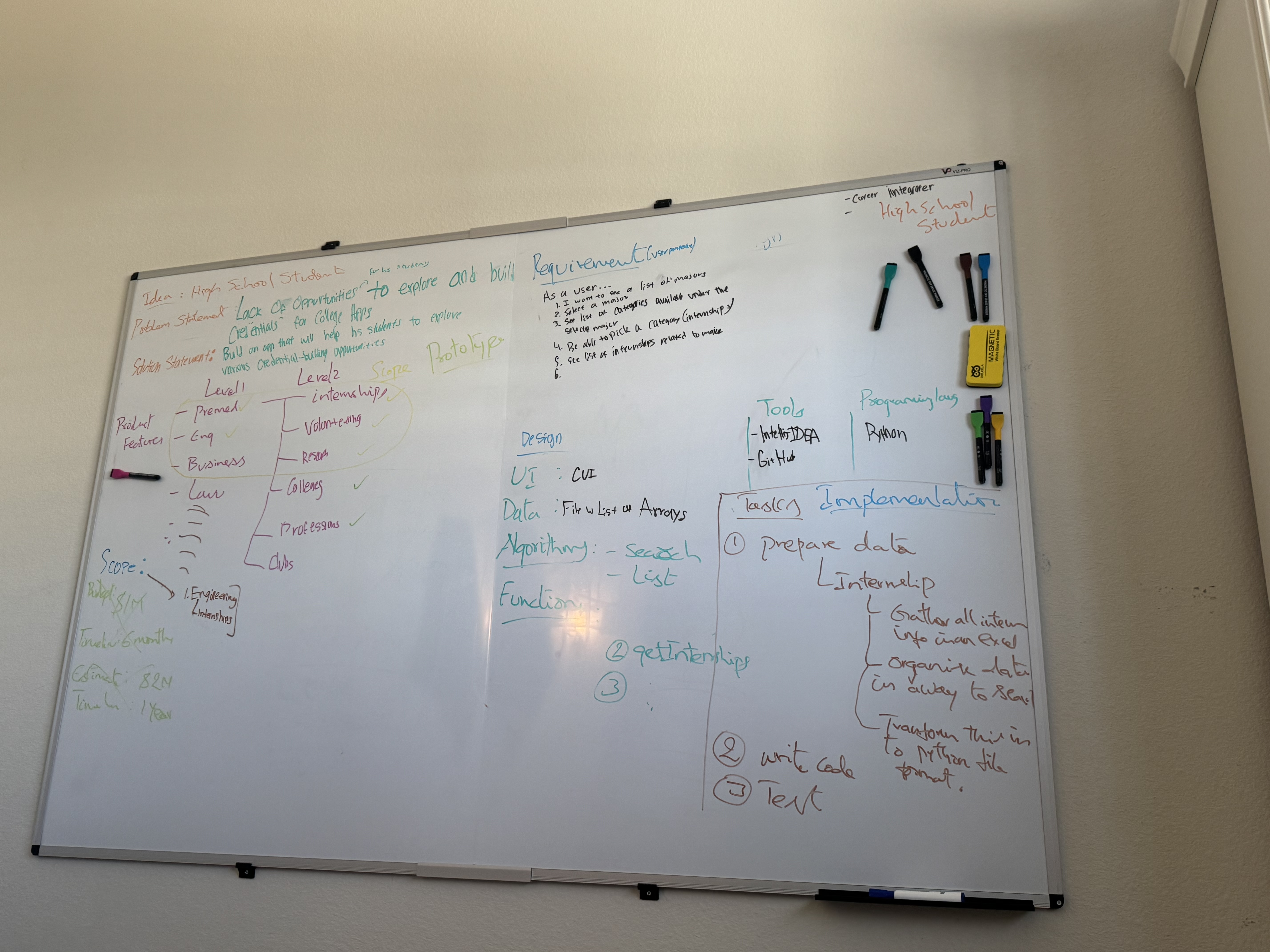
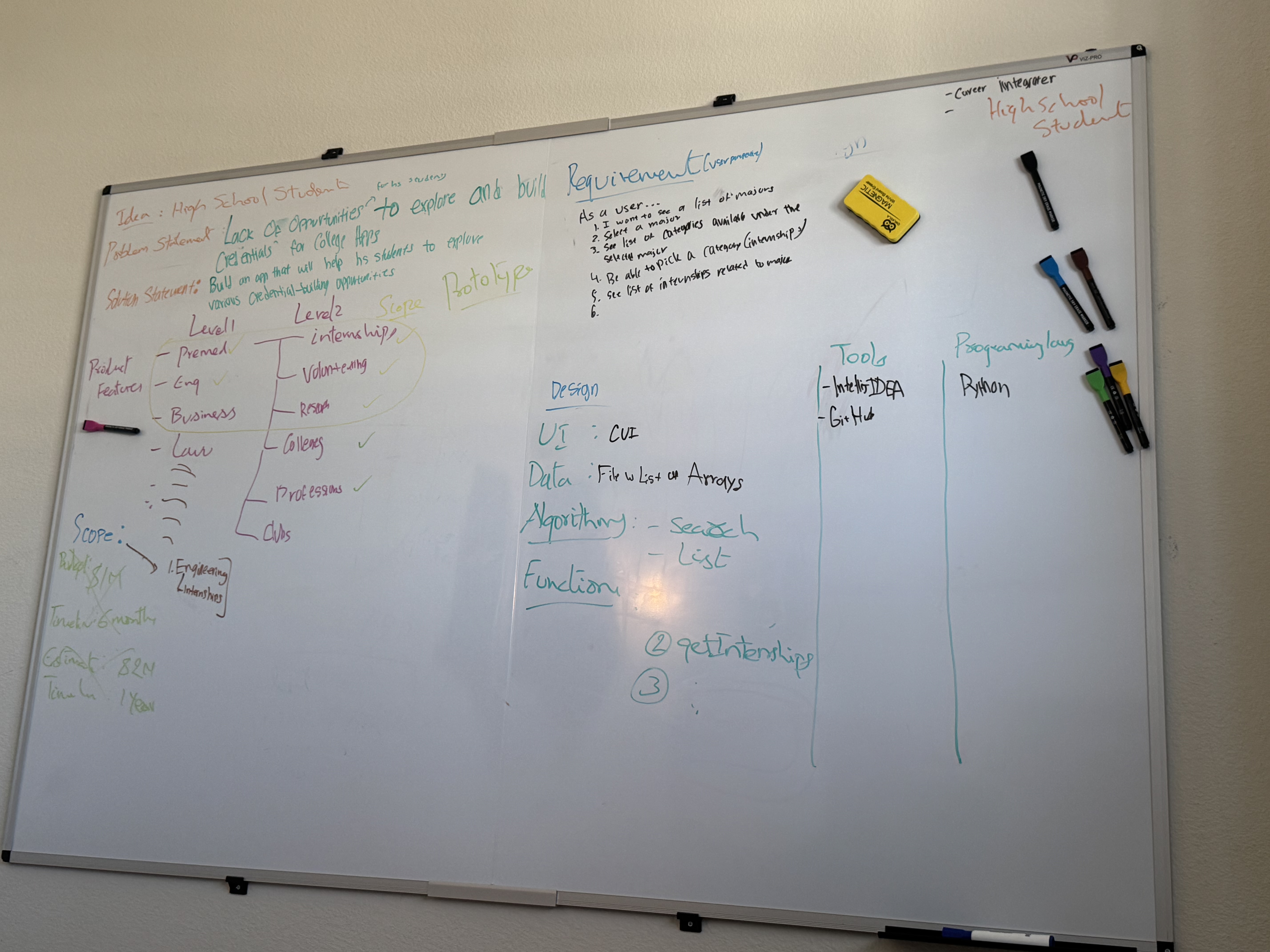
My entire planning process for the hackathon
-
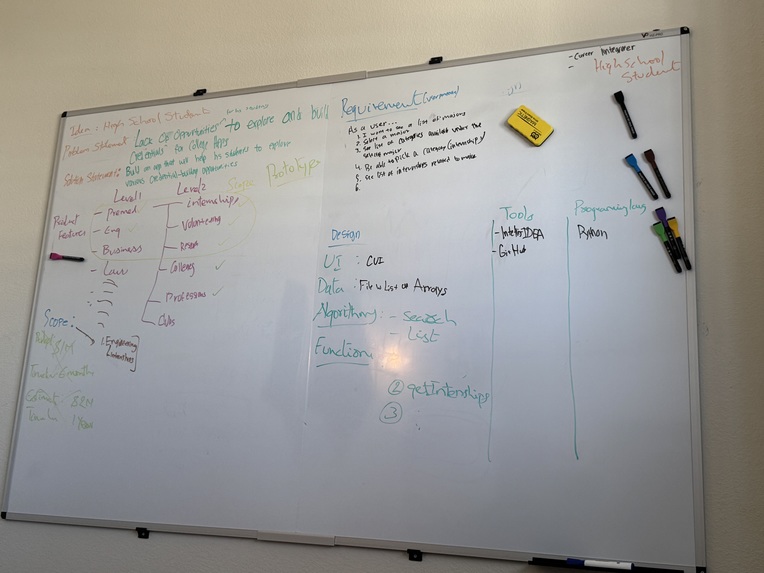
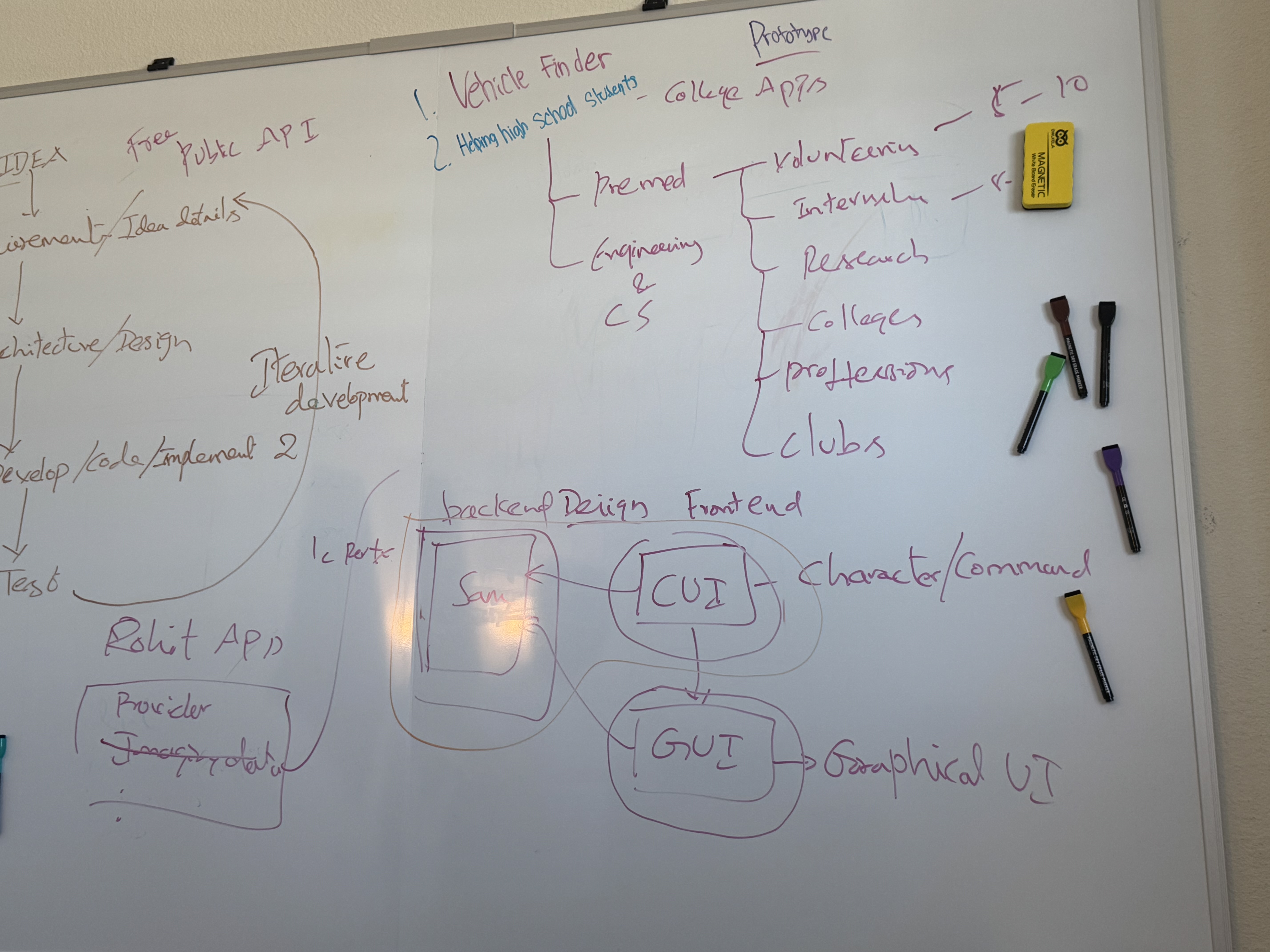
Some ideas and scopes I had for this project
-
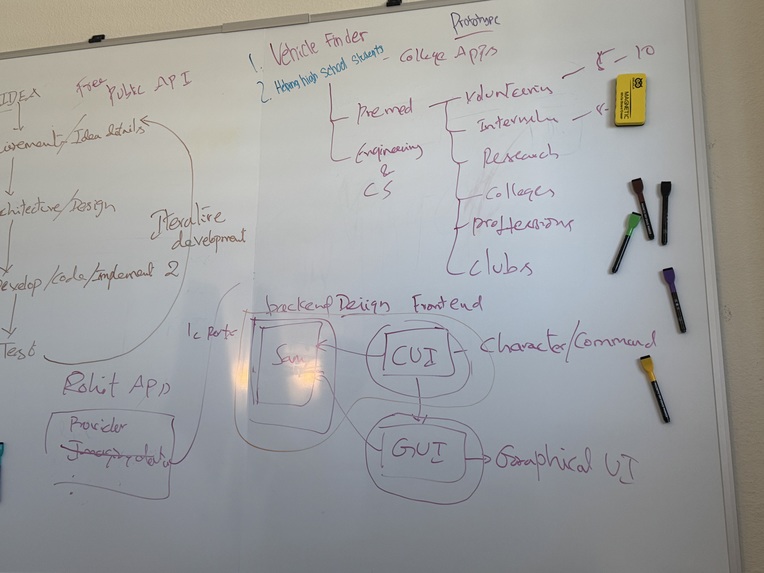
The iterative development process
Inspiration
- As a high school student, I had a lot of trouble finding enough opportunities for me to do to build foundational skills for my college resume. Therefore, I sought to build an application that would help other high school students just like me find opportunities.
What it does
- This application first provides users with a list of majors they would potentially like to pursue in college. The users are instructed to pick one major.
- Then, based on that major, the application provides them with a list of opportunities they can select (internships, volunteering, research, clubs, professions, and colleges).
- The user has to select one and then can look at many opportunities relating to what they selected. For example, if the user chose Pre-med as their major and then selected research, he can see many research opportunities in the pre-med field for high school students
- This application is also very user-friendly. The users can easily navigate back and forth through the application to select different types of opportunities (internships, volunteering, research, clubs, professions, and colleges), and different majors.
How we built it
- I built this application by first brainstorming about the different ideas and problems that modern high school students face
- Then, I narrowed it down to the problem statement and scope, which was that high schoolers cannot find sufficient opportunities related to their majors
- Based on the timeline, I further reduced the scope to fit the time constraints In the requirements process, I documented the high-level requirements from the user perspective (high school student)
- During the design process, I evaluated different UI options, and, based on my limited knowledge and time constraints, I decided to use a Character User Interface (CUI) for this initial version
- I contained the data in a file and searched through Google for the data.
- For the data, I decided to keep the data in a Python file for now
- I decided to keep the Python programming modular and functions instead of repeating the code to maximize efficiency
- I used IntelliJ to code the application in Python programming
- I used GitHub for code versioning
Challenges we ran into
- One challenge that I encountered was building this application using my limited knowledge of Python. - However, I spent time learning additional Python concepts that are required to build this application during this hackathon.
- Another challenge that I encountered was building the entire application within the time constraint. - - Therefore, I decided to just build and demonstrate the working prototype with minimal features for now and then continue later to incrementally build on to the prototype.
- Another challenge that I encountered was integrating the code from IntelliJ to GitHub. I had to learn the necessary push and pull commands to put in the terminal of IntelliJ to efficiently transport the code to my GitHub repository.
Accomplishments that we're proud of
- Completing my first hackathon
- An accomplishment that I am proud of is being able to build this application in a limited amount of time. Even though I did not fully know Python, I learned it during this period to build an application
- Being able to help potentially many high schoolers who are struggling to find enough opportunities related to their major
- Learning new tools such as IntelliJ and GitHub.
- Learning the entire software application development process that I can use in future projects
- Working for a long time to finish this project
What we learned
- I learned the process of a hackathon and how it works (rules, submission process, etc)
- I learned more Python concepts
- To work hard during hackathons to finish the project in time
- The software development process and how to effectively brainstorm ideas
- How to do a deep dive into the processing and thinking fields during the planning stage before the programming
What's next for HighSchool Career Integrator System
- Add more features to the application
- Transform the current Command User Interface (CUI) into a Graphic User Interface (GUI)
- Make it a user-friendly web-based application
- Add more majors and more opportunities
- Keep a live record of the best opportunities that are being searched on Google

Log in or sign up for Devpost to join the conversation.