Highlight to Enlight
Tagline: "Work smart, not harder. Just highlight and let AI do the rest."
Inspiration
"Work smart and not harder" - this was the philosophy for me. I like making easy things easier. I have lost count of the number of times I've prompted ChatGPT or any AI, and it gets annoying at some point - switching tabs, giving context, and what not. Being a student applying to jobs, writing cover letters and emails is my daily thing. I wanted a mechanism to just highlight stuff and send to LLM, and ask it anything.
What It Does
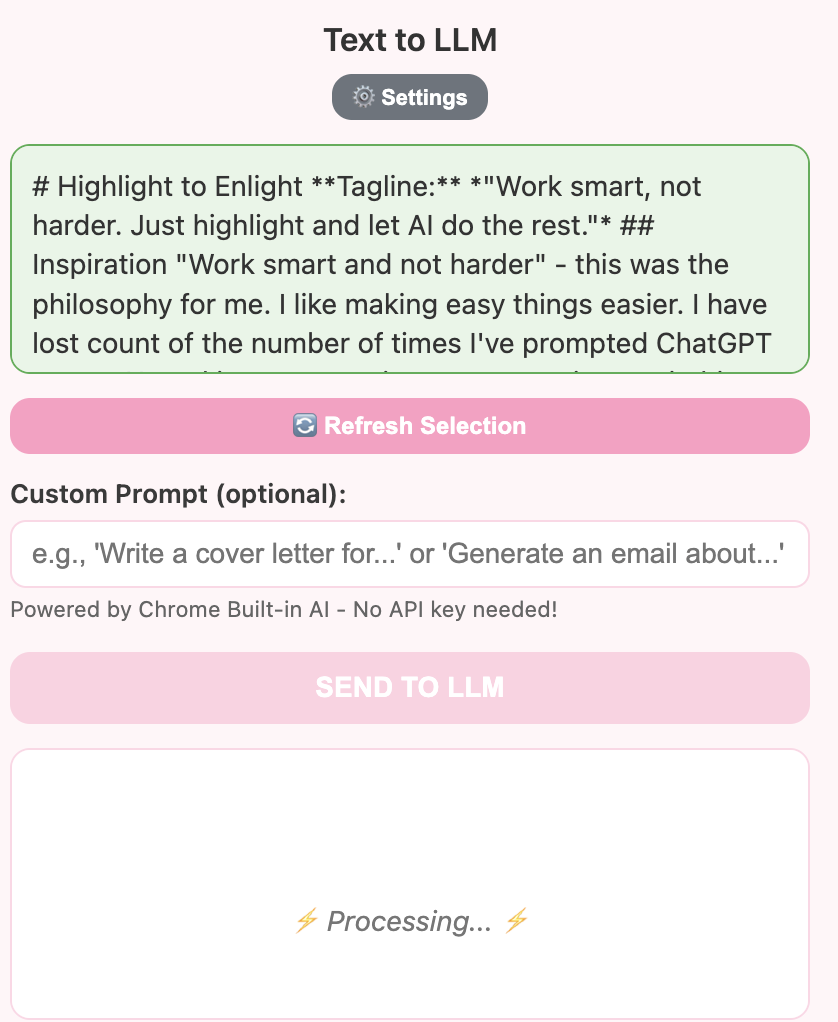
You can highlight anything on any webpage and get instant AI-powered responses:
- Cover Letters Made Easy: Highlight a job description and get a tailored cover letter
- Email Fixer: Highlight the most badly written emails and fix them
- Smart Research: Highlight any text, give a prompt to get more information
- Easy Copy: One-click copy functionality for all responses
- Personalized AI: Configure your own system prompt with your profile and writing style
- Zero Setup: Uses Chrome's built-in AI API - no API keys needed
Key features include real-time text selection from any webpage, custom prompts, personalized system prompts saved per user, one-click copy to clipboard, and it works offline with Chrome's native AI.
How We Built It
- HTML, CSS, JavaScript
- Chrome Extension Manifest V3
- Chrome Built-in AI Writer API
- Chrome Storage API for persistence
- Content Scripts for text selection
Challenges I Ran Into
The challenge was to highlight text consistently. We had to make sure to test that every kind of text is highlighted properly. This took time as it needed consistent behavior across different webpage types - regular paragraphs, input fields, shadow DOM elements, iframes, and complex web applications. We implemented multiple fallback methods to ensure reliable text selection everywhere.
Accomplishments That We're Proud Of
- Proud that I have been using it and it saved me time
- Built a zero-dependency solution using Chrome's native AI
- Achieved reliable text selection across all website types
- Made it user-customizable so each user can set their own system prompt
What We Learned
- Chrome Extension architecture and best practices
- Working with Chrome's experimental AI APIs
- Handling cross-origin iframe limitations
- Shadow DOM manipulation techniques
- Asynchronous storage API patterns
- User experience design for browser extensions
What's Next for Highlight to Enlight
I want to make it better, faster. Potential improvements include:
- Performance optimizations for faster response times
- Better error handling
- UI/UX improvements for better visual feedback
- Multiple AI model support
Why This Matters
As AI becomes more integrated into our daily workflows, the friction of context switching and setup should disappear. Highlight to Enlight brings AI assistance exactly where you need it - right on the page you're reading - making AI tools more accessible and less intrusive. Perfect for students, professionals, and anyone who writes regularly and wants to work smarter, not harder.
Try It Out
- Load the extension in Chrome
- Enable Chrome flags: writer-api-for-gemini-nano
- Highlight any text on any webpage
- Click the extension icon
- Enter your prompt (optional)
- Get instant AI-powered results!
Work smart, not harder. Just highlight and enlight!


Log in or sign up for Devpost to join the conversation.