Inspiration
Most beauty and fashion apps give the same advice in Mumbai, Lagos and London. But what people wear to a wedding, a sangeet or an aso-ebi party changes from city to city and from month to month. Research backs this up: styles differ by city and spread between cities with a time lag (GeoStyle, ICCV 2019; "From Paris to Berlin", CVPR 2020, 7.7M photos from 44 cities).
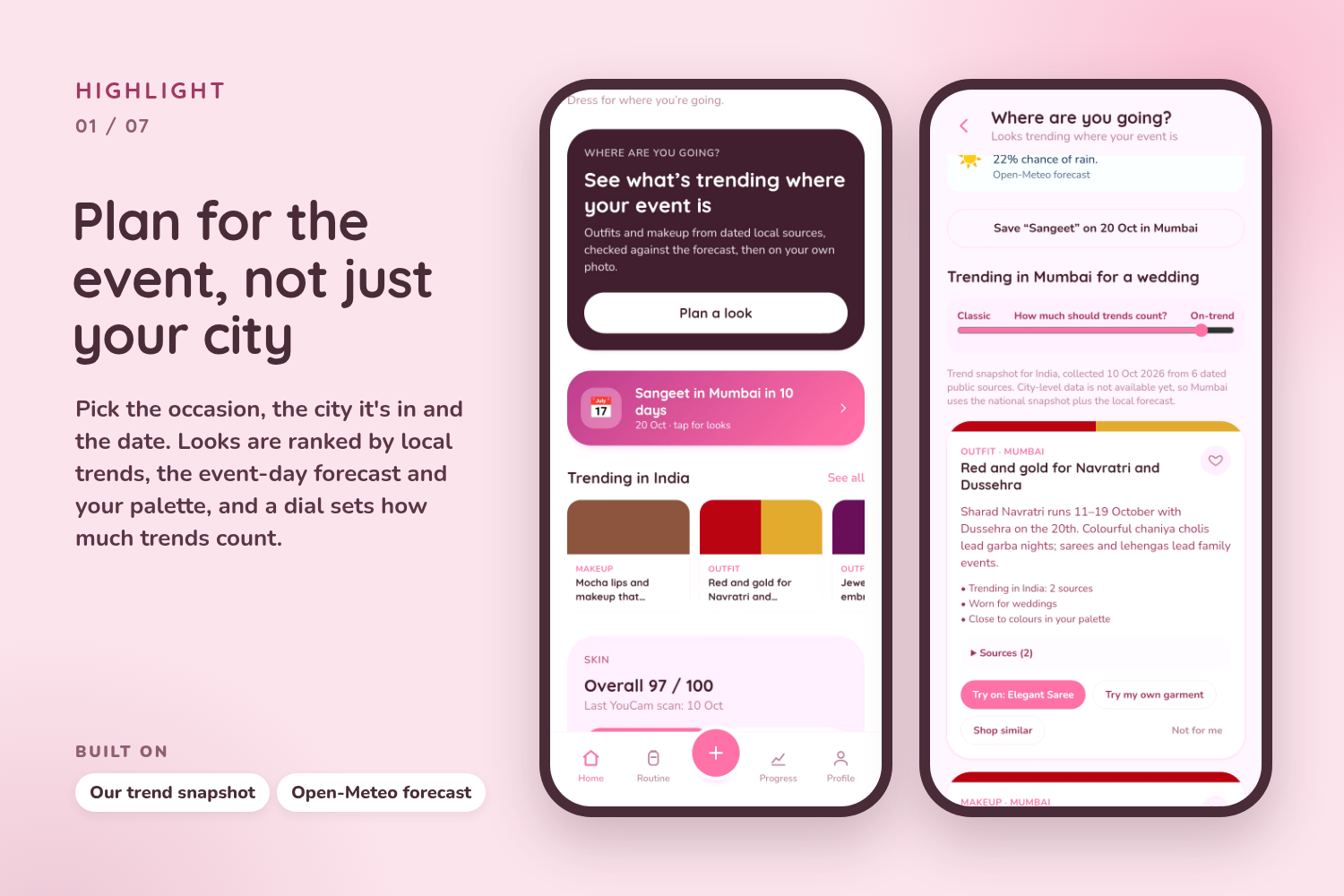
People also don't think about their look in the abstract. They think about it a week before a specific event, in a specific place. So HIGHLIGHT starts with three questions: what's the event, which city is it in, and when?
What it does
Dress for an Occasion. Pick the occasion, the event city, the date and your role. HIGHLIGHT ranks looks in two steps:
- Hard filters first: your minimum coverage, words you never want suggested (like "sequin"), and womenswear or menswear.
- Then a score: local trend strength (0–50% of the score, set by a Classic ↔ On-trend dial), occasion fit (25%), palette match (20%, colour distance ΔE in Lab space), the event-day forecast from Open-Meteo (15%) and your likes (10%). Missing factors are dropped and the rest are renormalised.
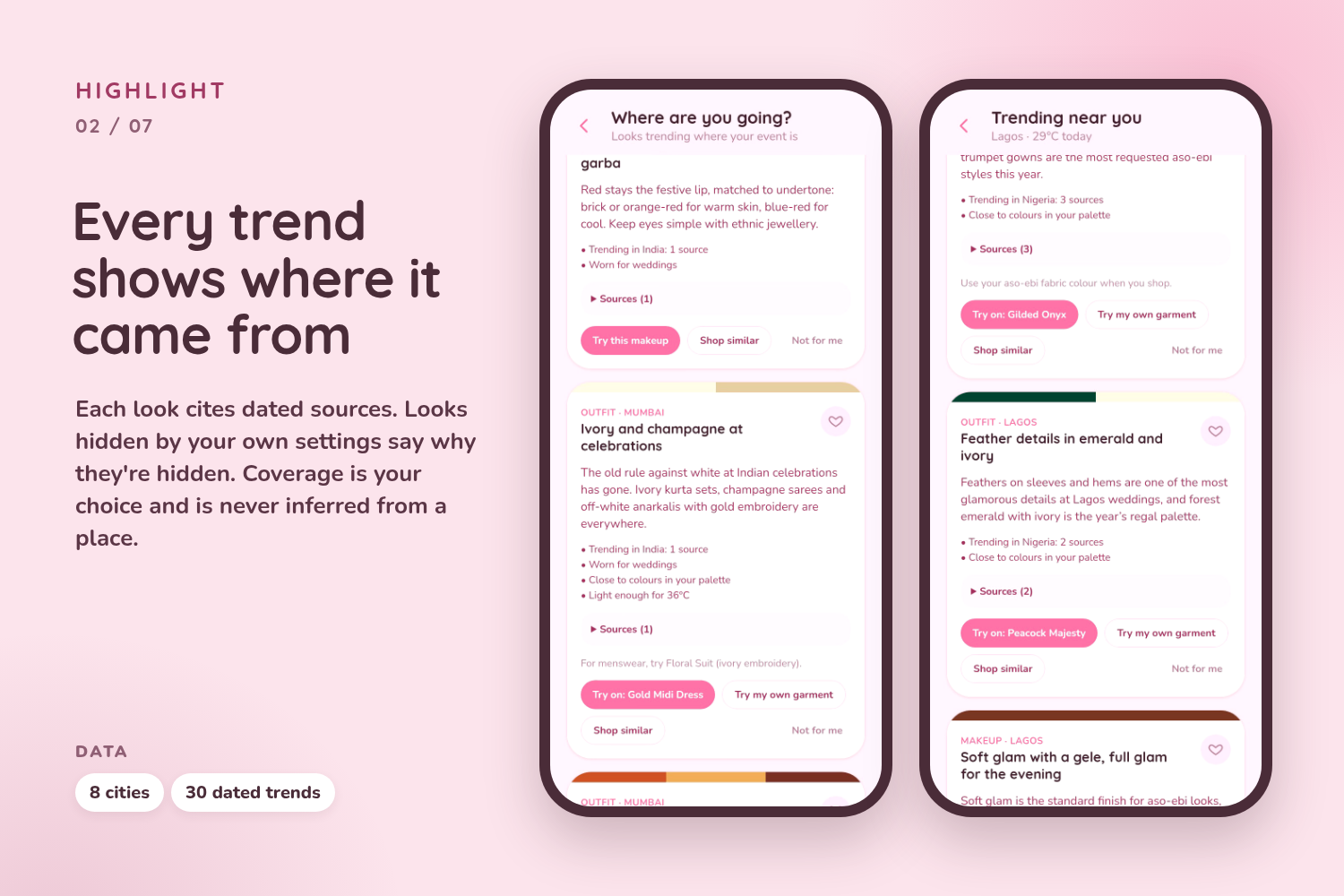
Every card says why it ranked: "Trending in India: 1 source · Worn for weddings · Close to colours in your palette · Light enough for 36°C".
Trending near you. Browse 8 cities: Mumbai, Delhi, Bengaluru, Lagos, Dubai, London, New York and Seoul. Every trend lists its sources with dates. Looks hidden by your settings stay visible in a "hidden" list with the reason ("You excluded sequin").
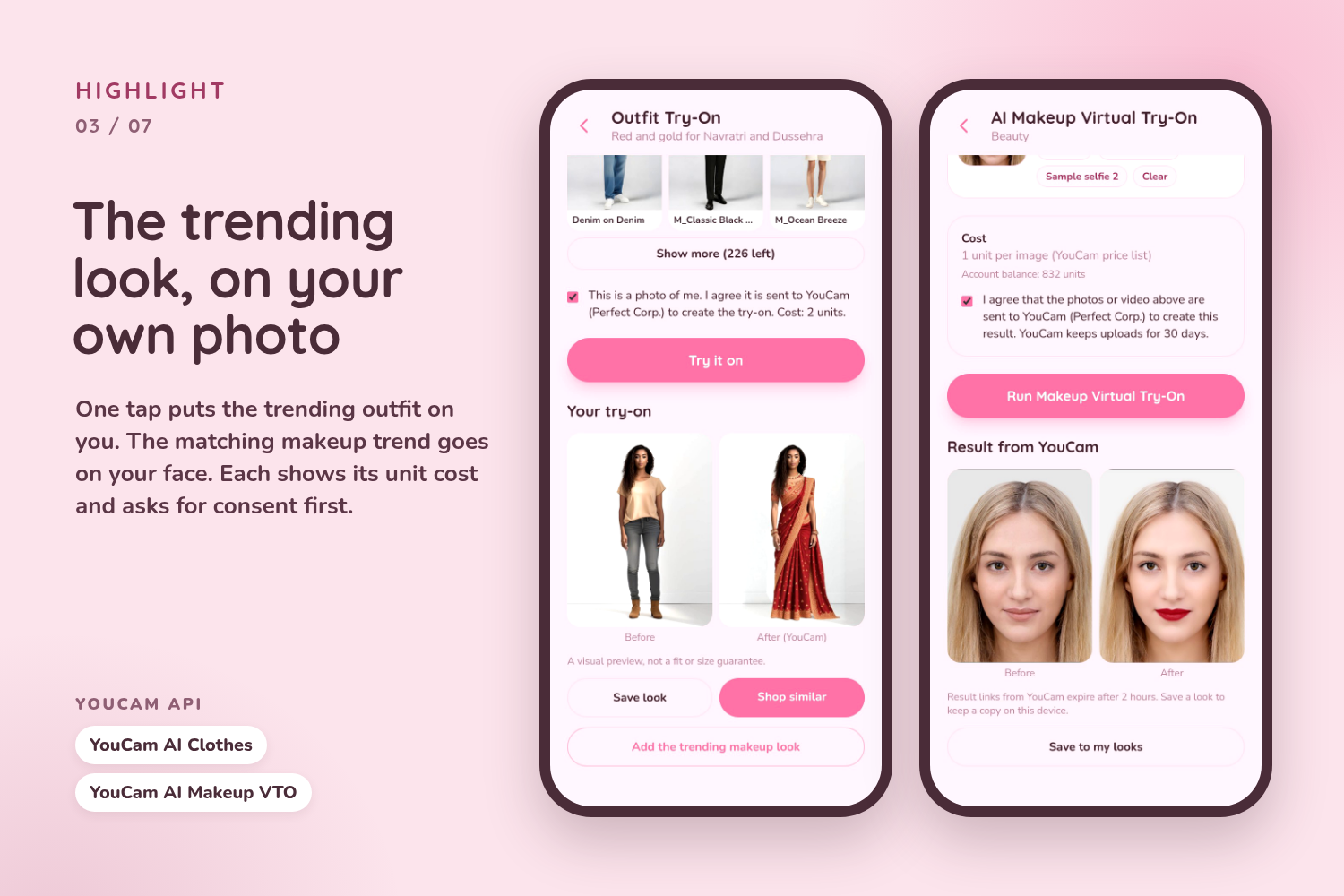
Try it on, with YouCam.
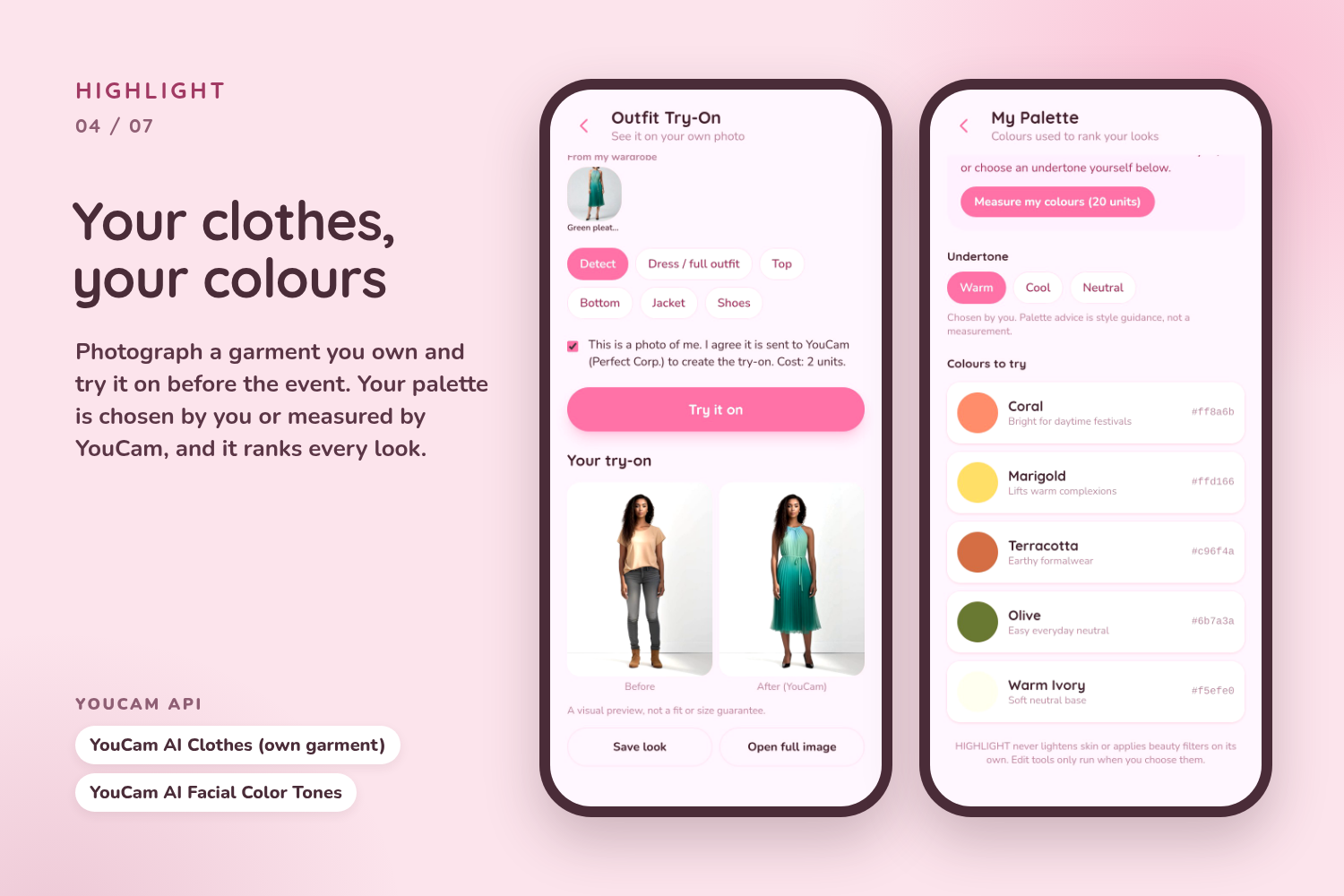
- Outfit: one tap puts the trending outfit on your own photo with YouCam AI Clothes (licensed cloth templates,
/task/cloth). - Makeup: the matching makeup trend goes on your face with YouCam AI Makeup VTO (
/task/makeup-vto), using effects matched to that trend. - Your own clothes: photograph a garment you own and try it on before the event (AI Clothes,
/task/cloth-v4).
My Palette. Choose your undertone, or measure it with YouCam AI Facial Color Tones (/task/skin-tone-analysis). The palette feeds the ranking.
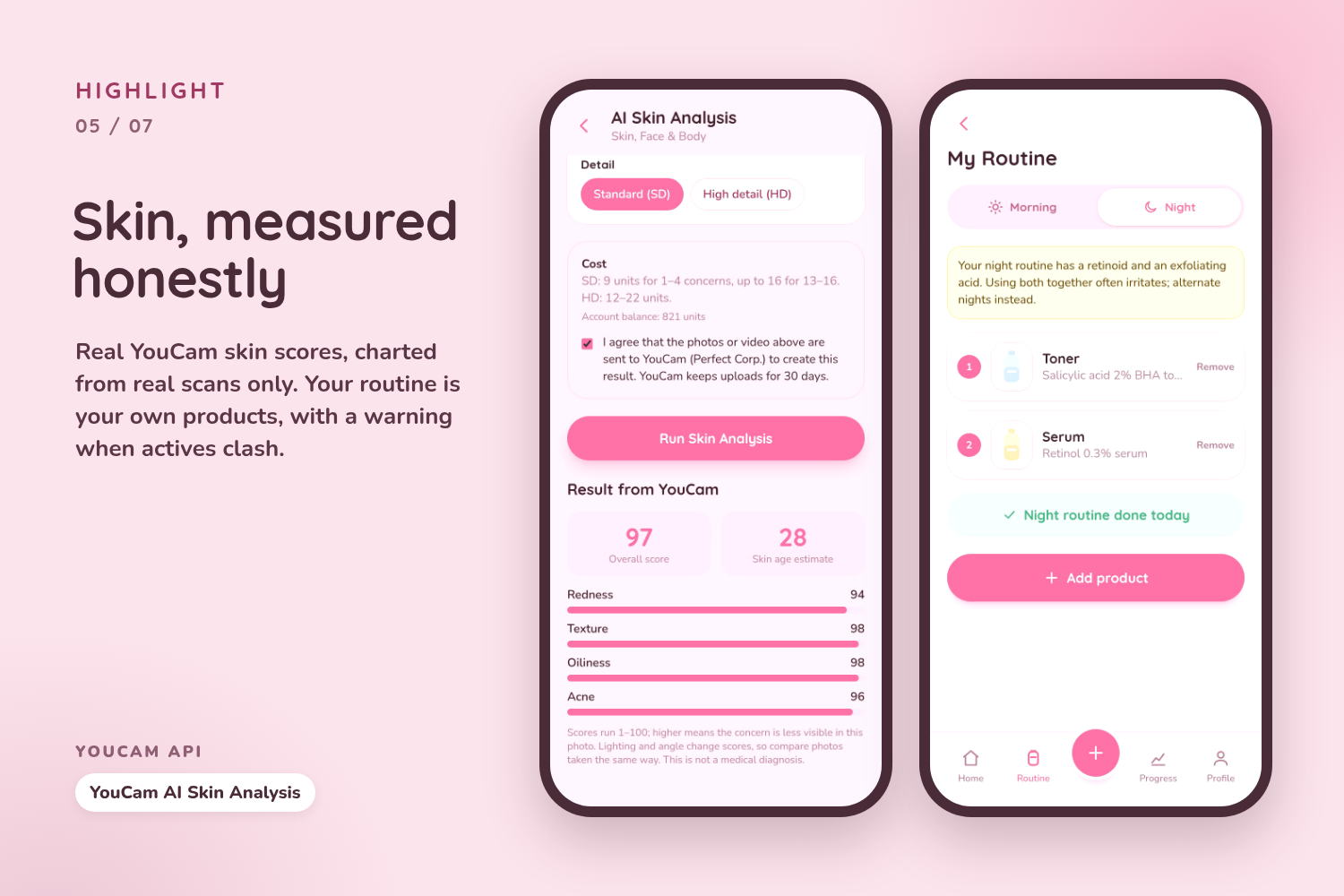
Skin. YouCam AI Skin Analysis scores your skin. Progress charts real scans only. My Routine uses your own products and warns when actives clash (for example, a retinoid with an exfoliating acid). Skin Prep builds a gentle plan counted back from the event date.
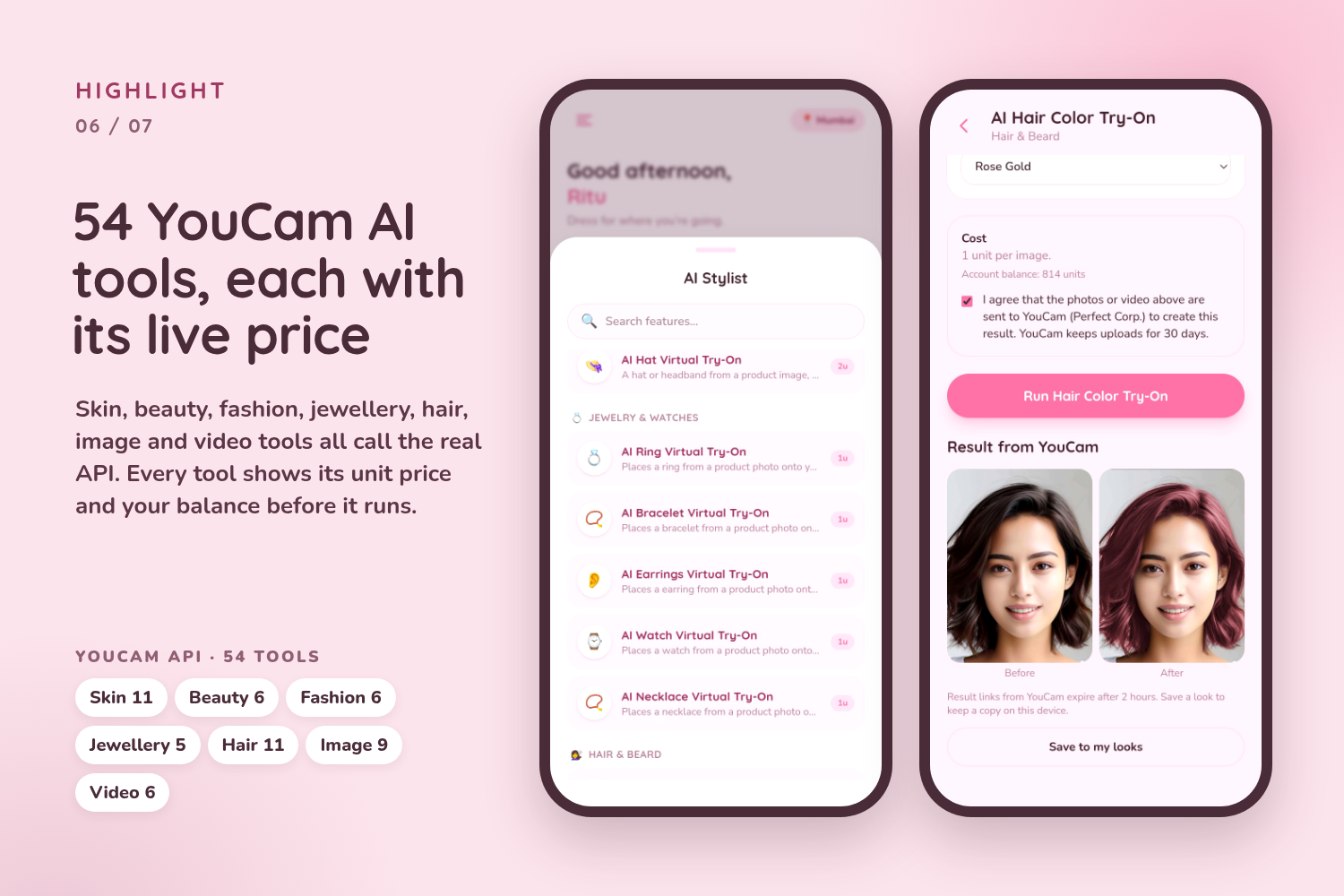
AI Stylist: all 54 YouCam AI tools. Each one calls the real API and shows YouCam's live unit price and your balance before it runs:
- 11 skin, face and body tools
- 6 beauty tools
- 6 fashion tools
- 5 jewellery and watch tools
- 11 hair tools
- 9 image tools
- 6 video tools
Saved looks. YouCam result links expire after 2 hours, so saved looks are copied to your phone.
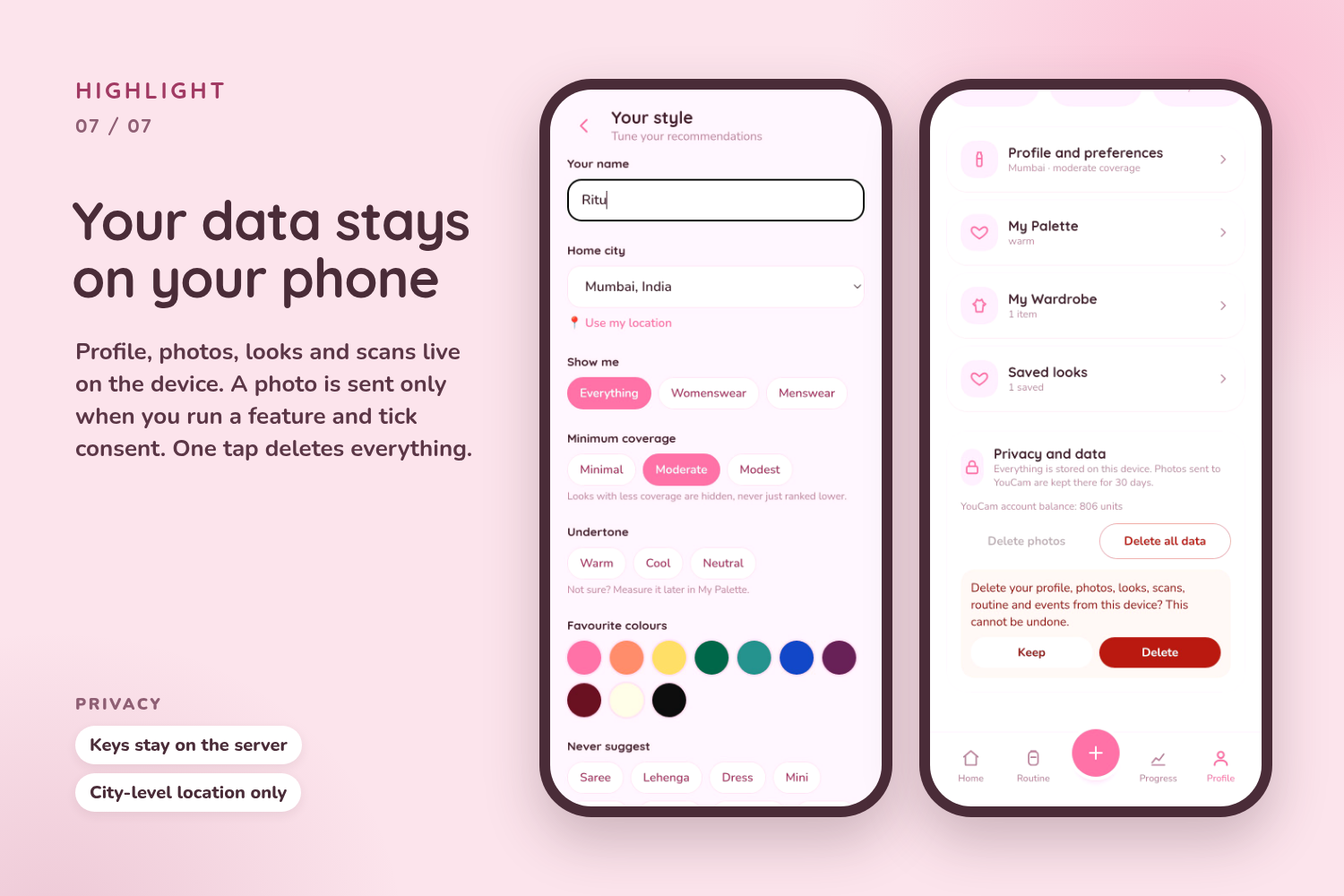
Privacy. Profile, photos, looks and scans live in IndexedDB on your device. A photo leaves the phone only when you run a feature and tick a consent box. Location is turned into the nearest supported city on the device, and coordinates are never stored or sent. One tap deletes everything.
Who it's for
- Shoppers going to an event: a wedding guest in Mumbai, an aso-ebi guest in Lagos, a reception in London. They see what people there are wearing for that occasion, check it against the weather and their colours, and try it on before buying. "Shop similar" opens a search in a local store instead of a product page that will go dead.
- Brands and retailers: the same data is a city-by-occasion demand signal. It shows which looks are rising for which events and where, which helps with city-level stock and campaigns.
How we built it
- App: React 19, TypeScript, Vite and Tailwind CSS 4, built mobile-first. State lives in IndexedDB, and photos are resized before they're stored.
- Server: one Cloudflare Worker (
worker/index.ts) runs the same/apihandler as the dev server (server/api.ts). It is the only code that touches the YouCam key:- An allowlisted YouCam proxy. Unlisted paths return
403. - Same-origin only.
- Limits per device: 200 requests per 5 minutes and 60 AI tasks per hour.
- Spending caps: video ≤ 10 s, at most 4 outputs per run, and JSON bodies ≤ 64 KB.
- An upload relay that only PUTs JPEG, PNG, MP4 or MOV (≤ 60 MB) to YouCam's S3 hosts.
- An allowlisted YouCam proxy. Unlisted paths return
- YouCam flow: upload the file, create the task, poll until it finishes, then show the result. Prices and balance are fetched live, so every button shows what it costs.
- Trend layer: YouCam has no location or culture API, so we built this part. It is a hand-collected snapshot (10 Oct 2026) of 30 trends, each with dated public sources. Each trend is mapped to a YouCam cloth template or to makeup effects that we tested against the live API. The ranking engine is
src/trends/engine.ts. - Weather: Open-Meteo's forecast for the event date and city. It's free and needs no key.
Built during the hackathon
The repo starts from a Figma Make UI mock-up with placeholder data, committed on 29 Sep 2026. Everything that works was built during the submission period:
- the trend layer and ranking engine;
- every YouCam integration;
- the Worker proxy;
- on-device storage;
- skin tracking;
- the privacy controls.
Challenges we ran into
- Trends you can trust. Every trend needed a dated source, and every outfit needed a real YouCam template or effect behind it. Where we don't have city-level data, the app says so and uses the country's snapshot plus the city's own forecast.
- Location must never imply identity. HIGHLIGHT never infers religion, ethnicity or modesty from a place. Coverage and exclusions are the user's own choices, and they filter results before any trend is ranked.
- 54 tools on one key, safely. Each run needed consent, its price shown up front, server-side caps and an allowlist, to limit what a public demo can spend.
- Photo requirements. Some tools need a particular photo, such as visible earlobes for earrings or head turns for hair type. When YouCam rejects a photo, the app shows YouCam's explanation instead of failing silently.
- A browser caching bug. A thumbnail from YouCam's sample host was cached without CORS headers, which broke a later CORS image request for the same URL. We fixed it by loading "Before" images without CORS mode.
Accomplishments that we're proud of
- No fake numbers. The first mock-up showed an invented skin score, a streak and "Acne ↓40%". We removed all of them. Every number in the app is measured or counted.
- All 54 YouCam tools call the live API from one generic runner, each with its live price. We ran every one against YouCam on 10 Oct: 49 returned results with YouCam's sample photos, and 5 need a kind of photo no sample covers (like visible earlobes).
- Every result in the demo video is a live YouCam call made from the app.
What we learned
- Trends are local and seasonal. Navratri, wedding season and aso-ebi colours change what "trending" means week by week.
- Showing the source and its date builds more trust than a confident recommendation without one.
- YouCam's async task model, unit pricing and template catalogue make it easy to put many tools behind one runner.
What's next for HIGHLIGHT: Dress for where you're going
- A scheduled collector (YouTube, Reddit and Pinterest Trends) that writes city-level trends to Cloudflare KV, replacing the hand-collected snapshot.
- A side-by-side "Compare cities" view.
- Testing with real people in at least two cities.
- A global daily unit cap, and rate limits in a Durable Object.
Built With
- cloudflare-workers
- indexeddb
- open-meteo
- react
- tailwindcss
- typescript
- vite
- youcam-api

