-
-
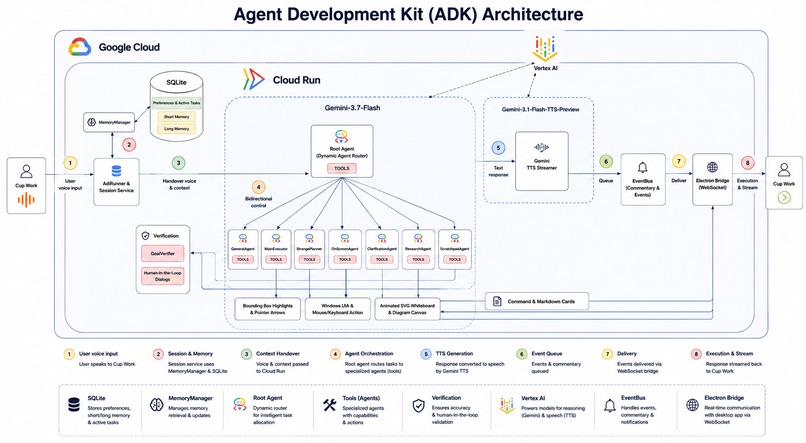
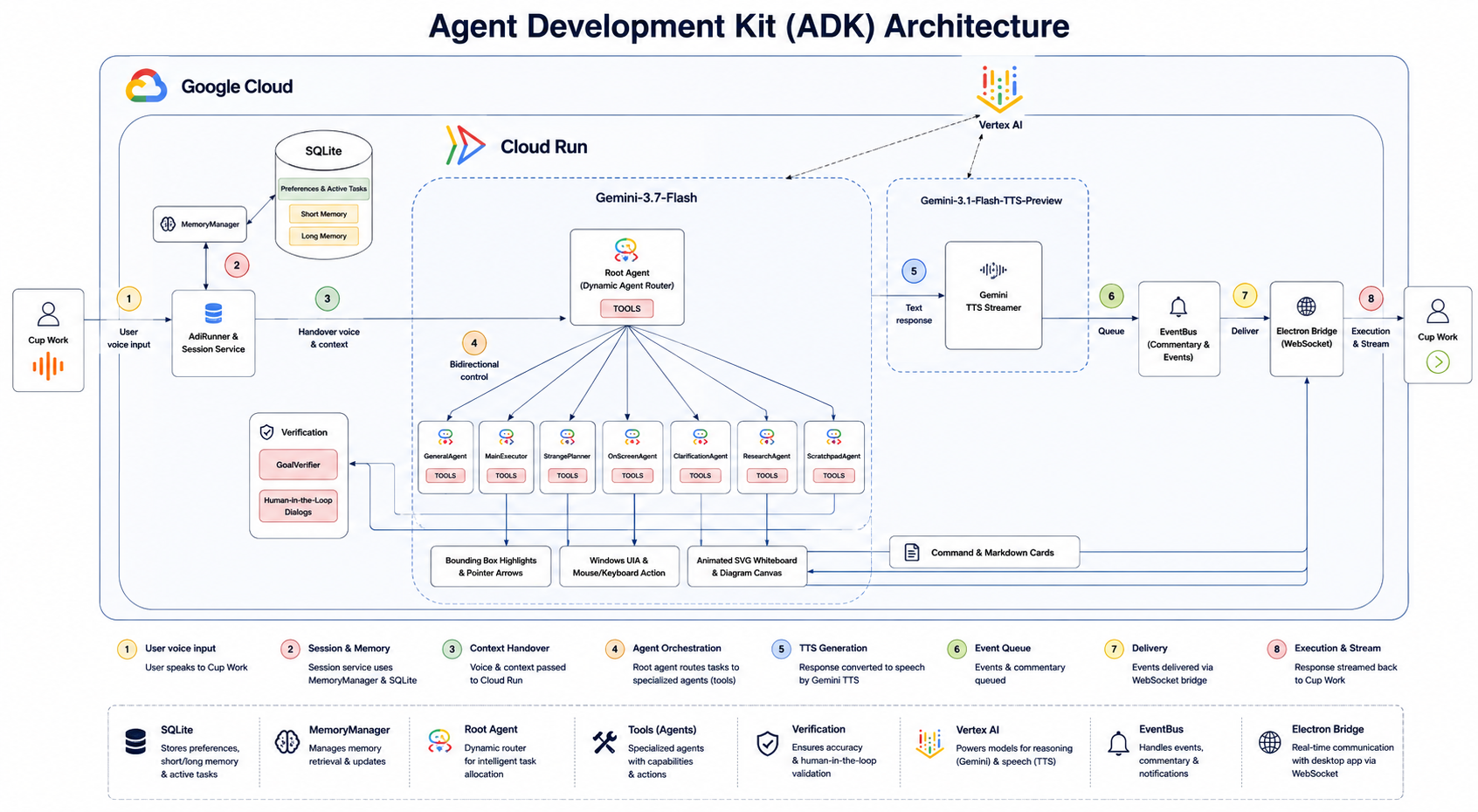
Cup Work ADK Architecture
-
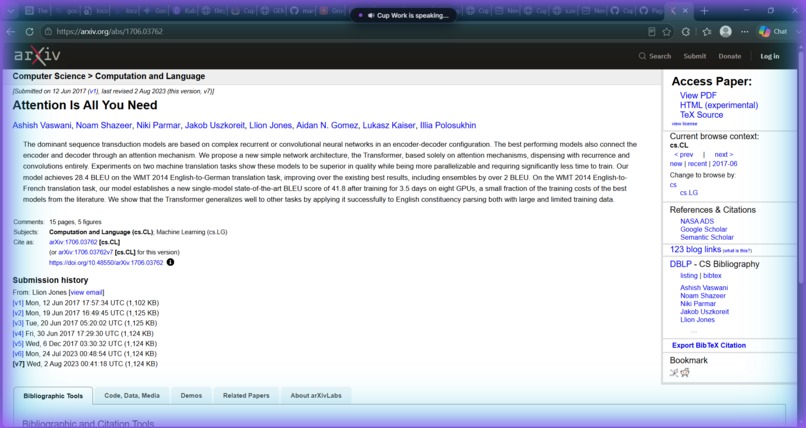
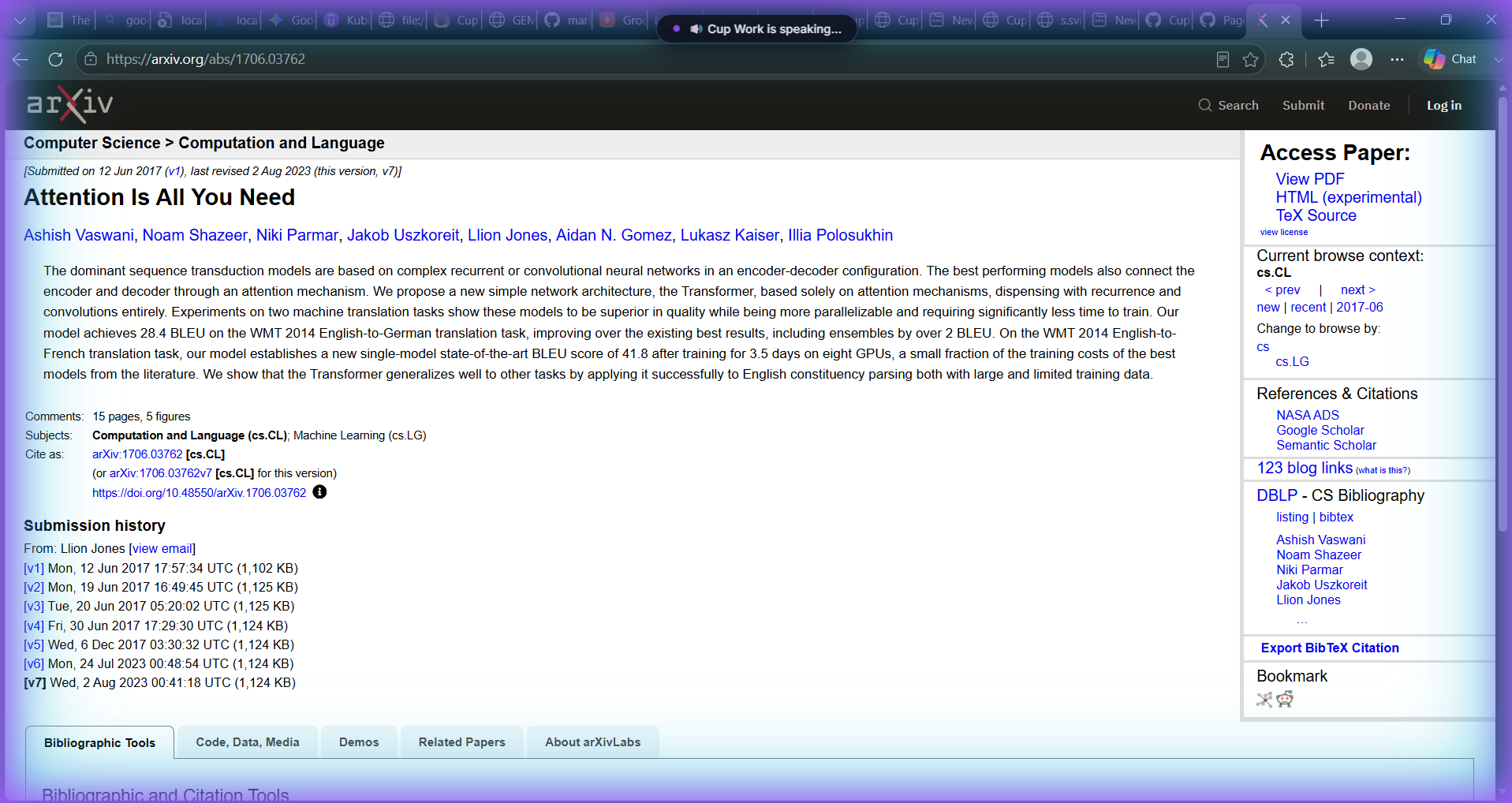
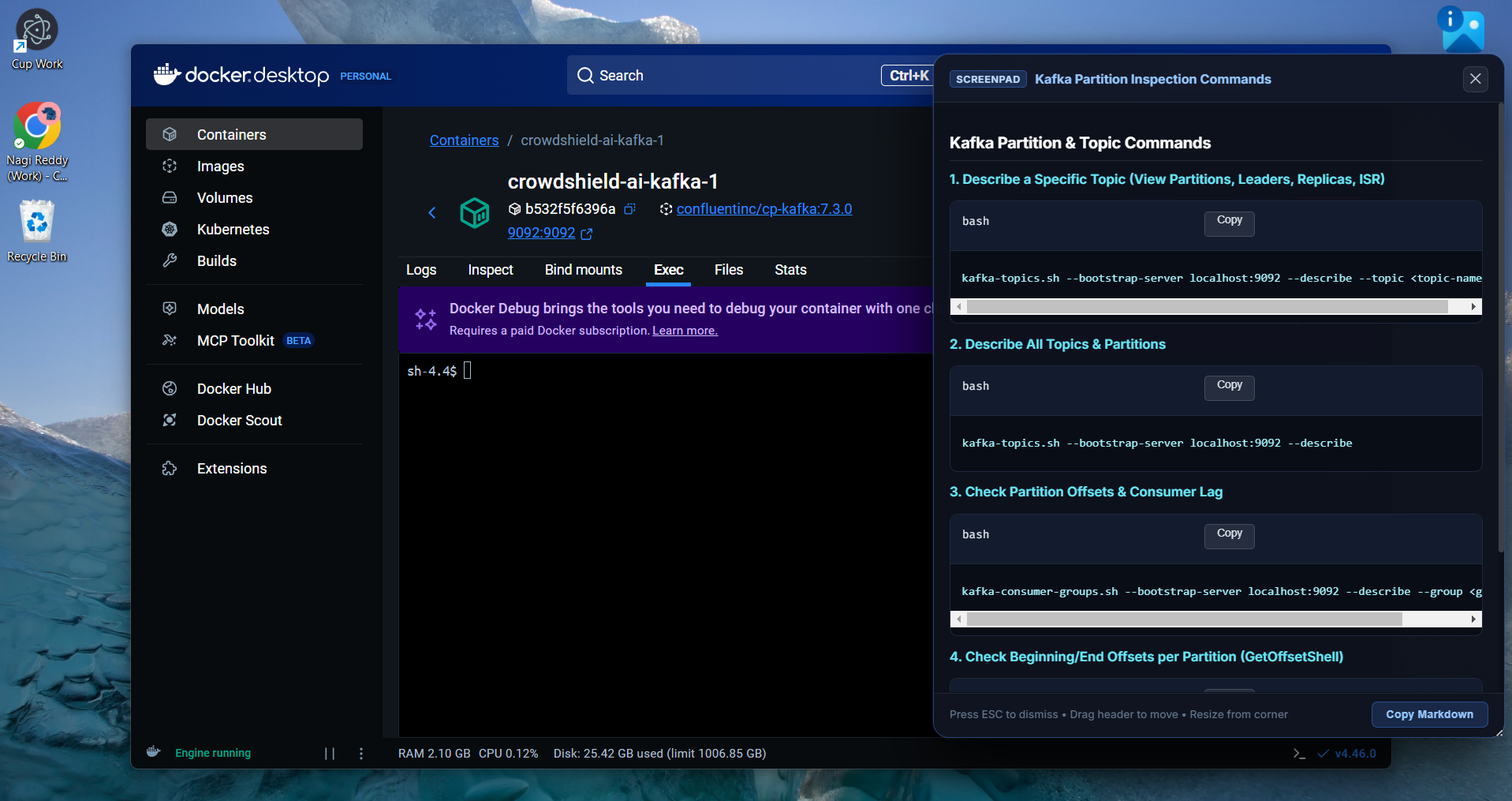
Cup Work retrieving and understanding information and explaining to user
-
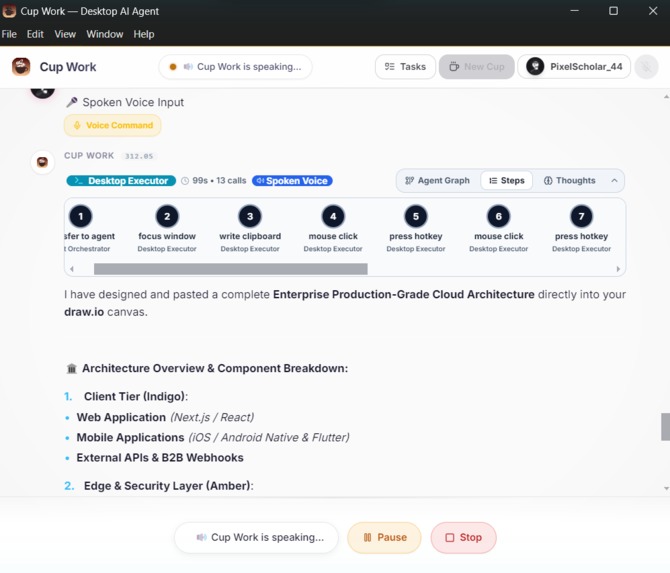
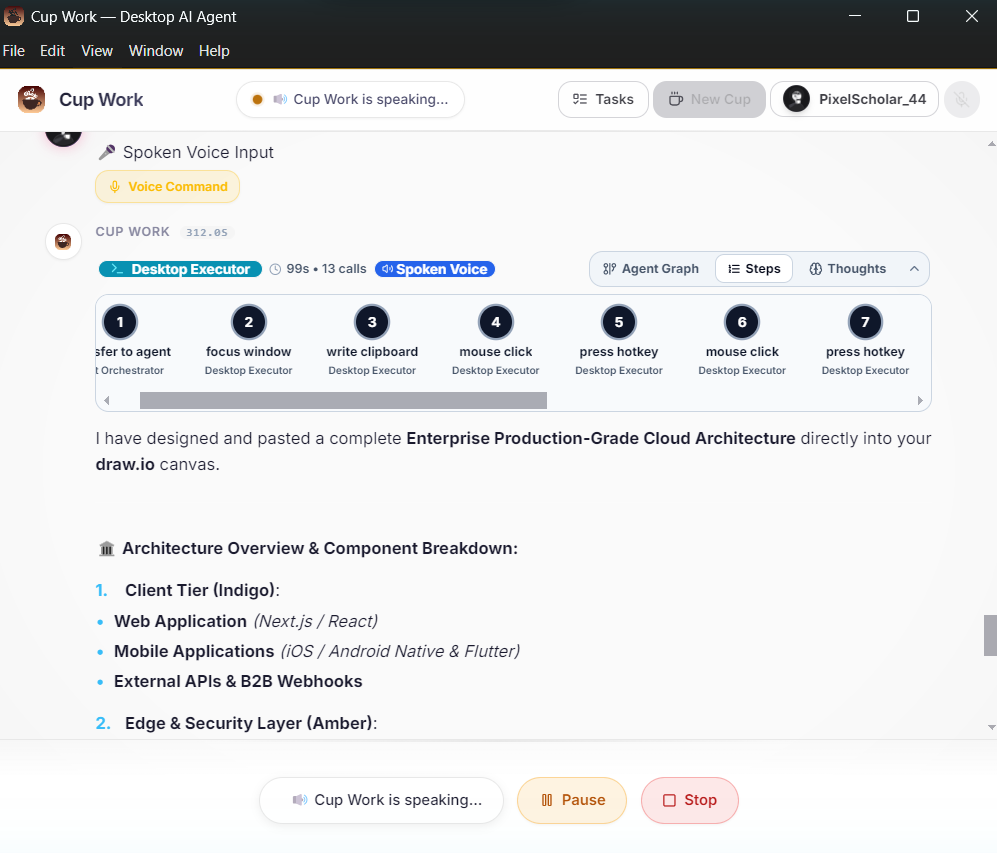
Cup Work executing tasks through multi-agent workflows
-
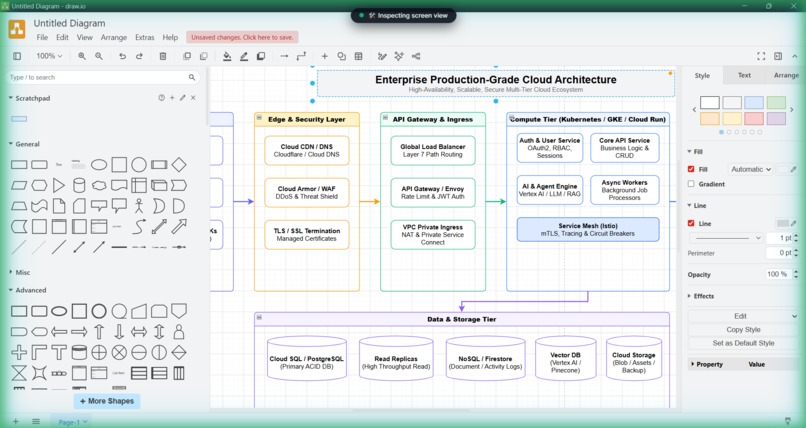
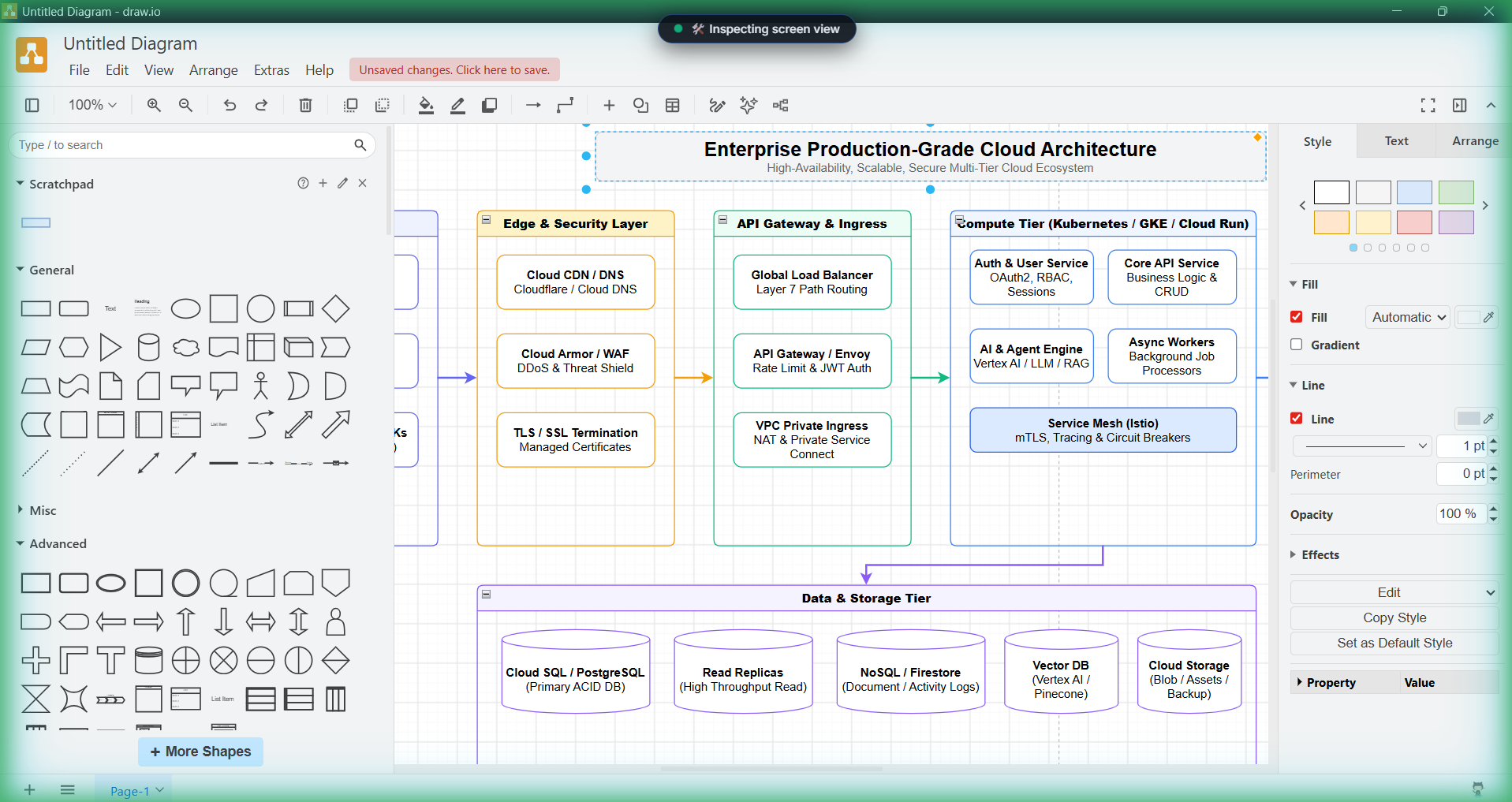
Cup Work designing enterprise architecture in draw.i
-
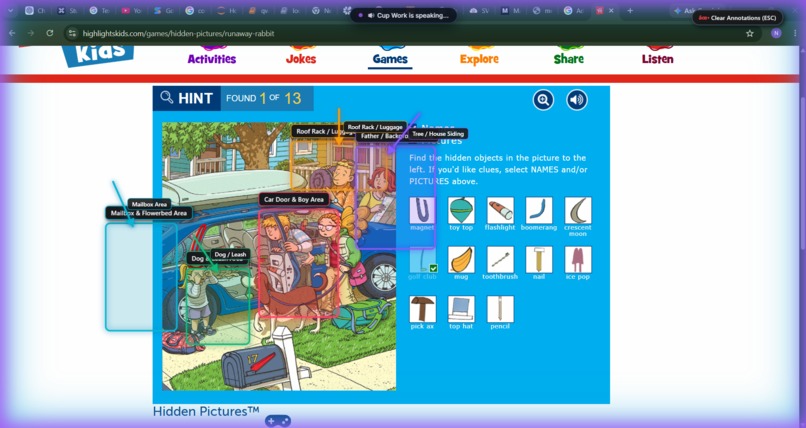
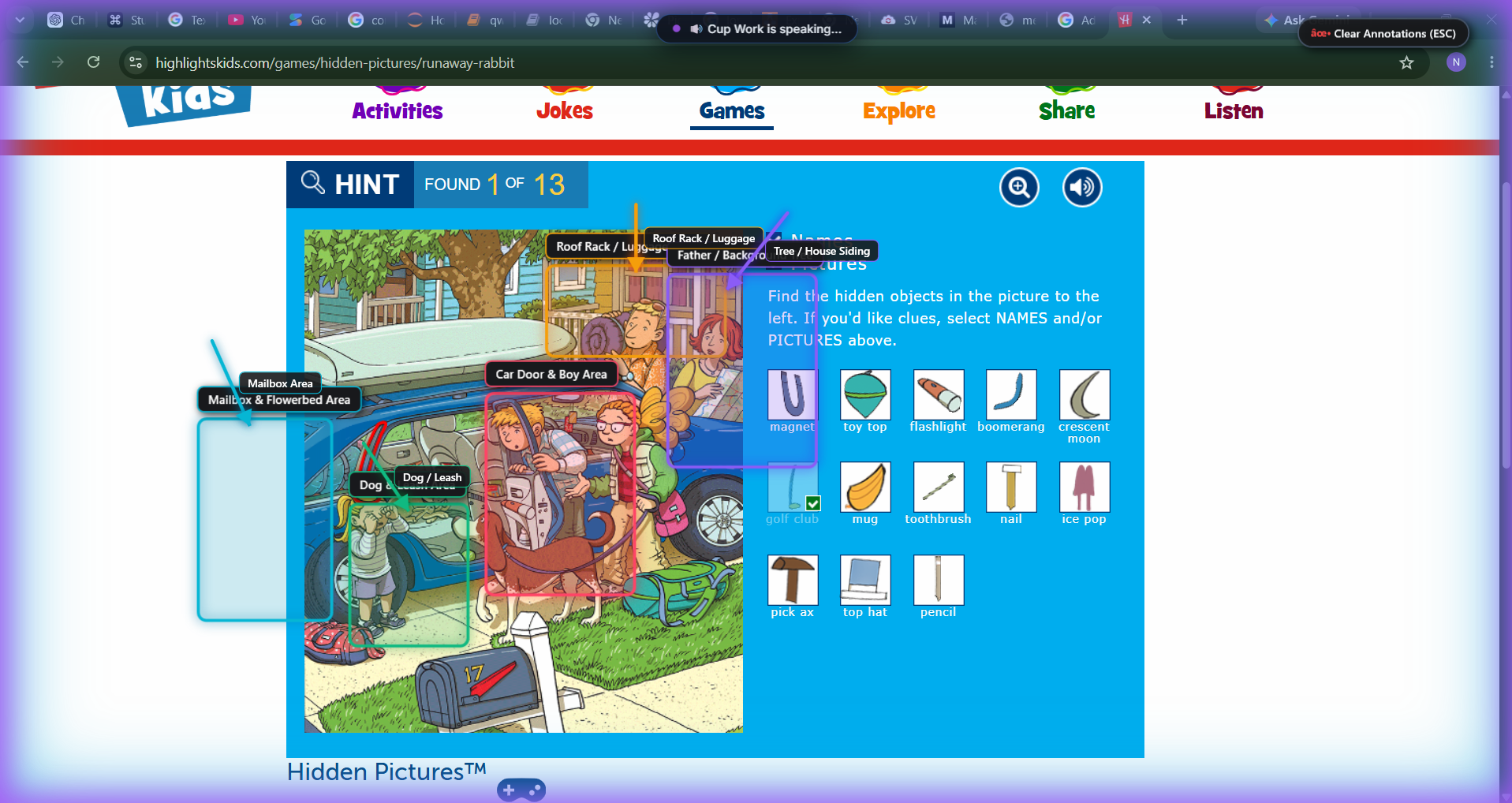
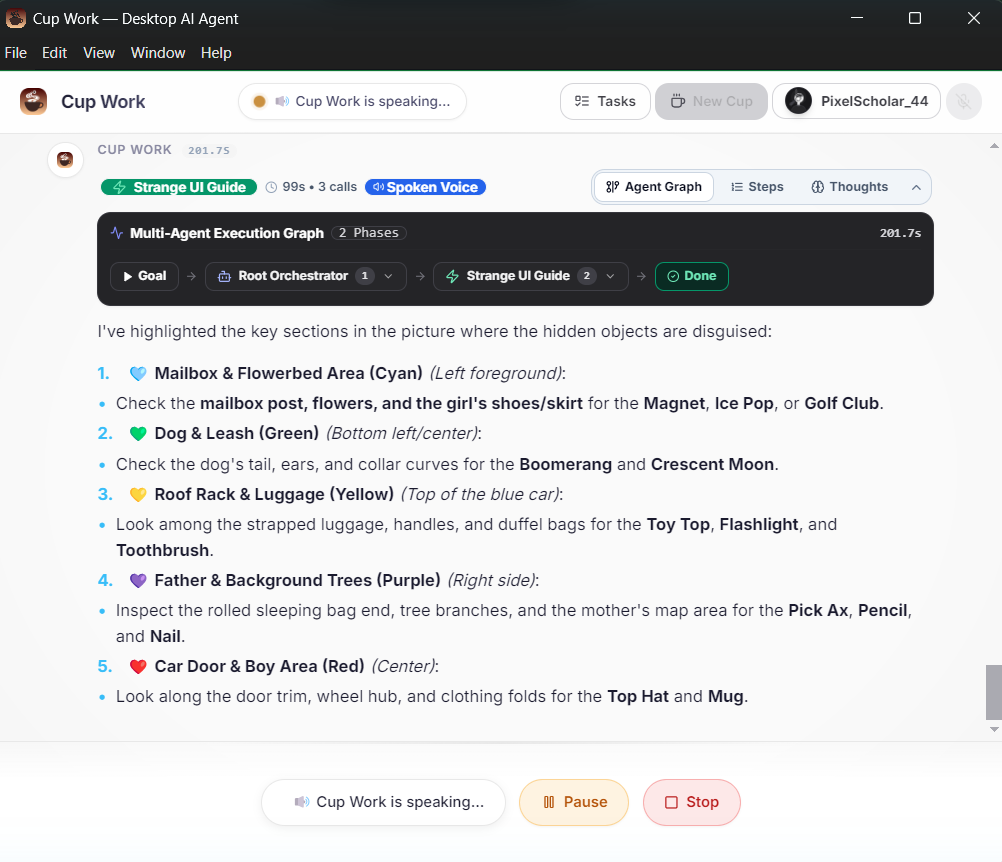
Cup Work assisting with visual games and image understanding
-
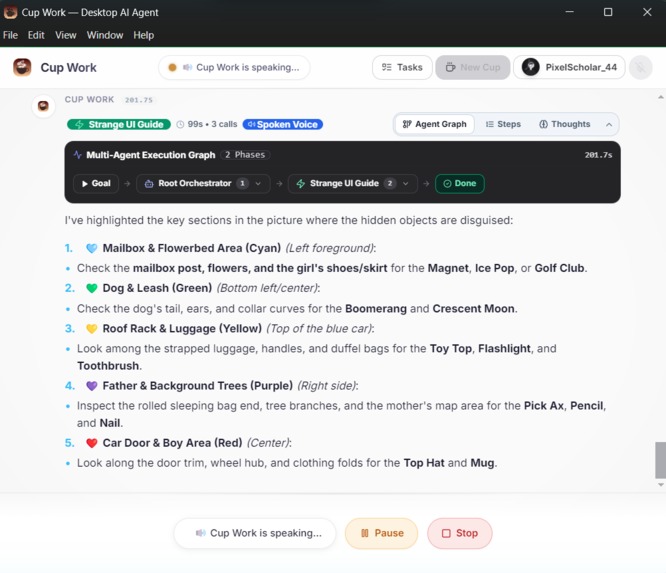
You can see the image explanation
-
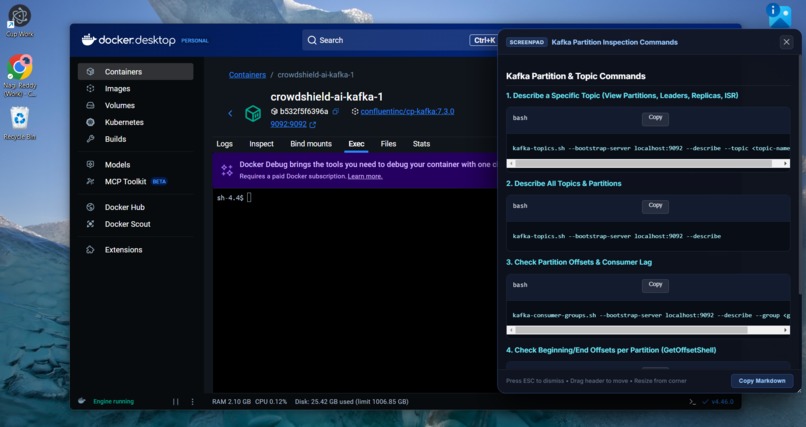
Cup Work interacting with desktop applications and tools You can use this Cup Work any where with out complex work flows
-
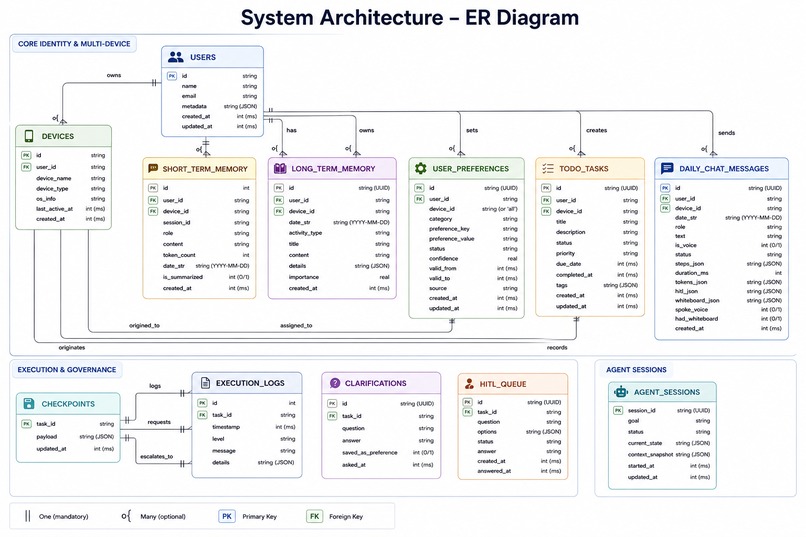
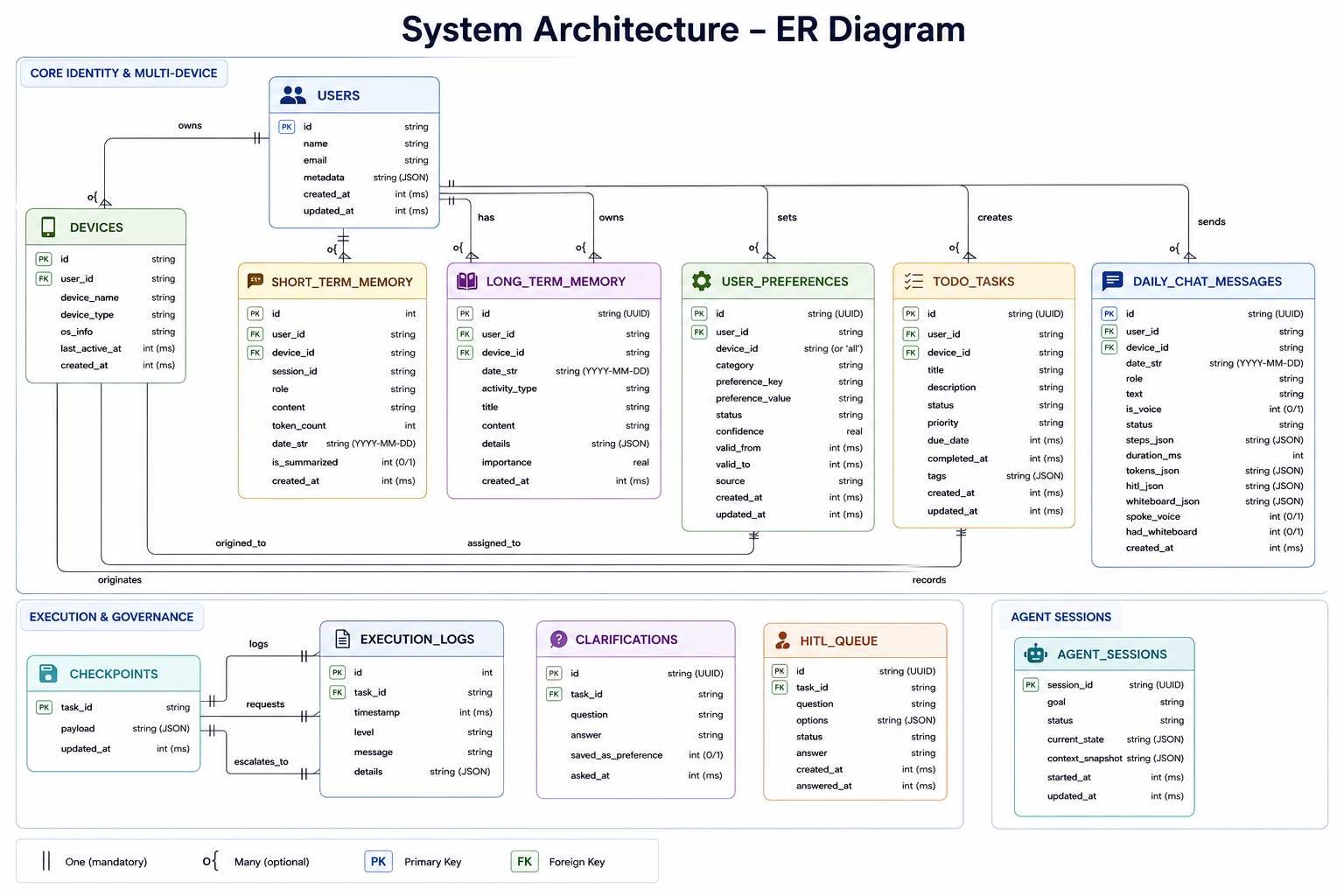
SQL ER Diagram
Inspiration
Most AI assistants are chat-first. You ask a question, get an answer, and still have to do the work yourself.
We wanted to change that.
What if you could simply tell an AI what you want, give it control of your desktop, and let it figure out how to complete the task?
Whether you're fixing a broken build, creating content, navigating applications, or completing a multi-step task, Cup Work can use the screen, keyboard, and mouse to work on your behalf.
Instead of: Open website → find the tool → copy information → switch applications → execute → verify
you can simply: Speak → Act → Verify
We wanted to move beyond the chatbot model and build an AI coworker that can understand your goal, operate your computer, adapt across applications, and work alongside you using general-purpose AI models.
That idea became Cup Work: an agentic AI desktop coworker built with Google ADK and Gemini.
What It Does
Cup Work follows a simple loop:
See → Explain → Act → Verify
It listens to your voice, understands your screen, explains what is happening, takes action on your Windows desktop, and verifies the result.
For example:
Broken container → identify the problem → explain it visually → request approval → execute the fix → verify the container is running.
Cup Work can:
- 🎙️ Understand — Listen to voice directly through Gemini.
- 👁️ See — Inspect applications using Windows UI Automation (UIA) and Gemini Vision.
- 🖍️ Explain — Highlight problems and draw visual diagrams.
- 🙋 Ask — Request Human-in-the-Loop (HITL) approval before critical actions.
- ⚙️ Act — Interact with Windows applications using UI automation, mouse, and keyboard control.
- ✅ Verify — Inspect the screen again instead of assuming the task succeeded.
It doesn't just tell you what to do. It shows you, asks you, does it, and checks the result.
How We Built It
Cup Work connects an Electron + React desktop client to a Python + Google ADK AI backend through local WebSockets.
Desktop Client
- Voice Activity Detection (VAD) for natural voice interaction.
- Streaming 24kHz PCM audio with real-time, expressive voice responses.
- Transparent overlays for SVG whiteboards, screen highlights, and pointers.
- Interactive task and command cards for communicating agent actions and results.
- Cross-application screen highlighting and visual guidance.
AI Brain
- A Root Agent routes tasks to the right specialist.
- 7 specialized agents handle desktop automation, visual interaction, diagrams, research, clarification, command cards, and conversation.
- Gemini 3.7 Flash via Vertex AI provides reasoning, vision, and tool execution.
- Gemini 3.1 Flash TTS Preview provides real-time voice output.
- SQLite stores preferences, active tasks, and time-aware memory.
Time-Aware Memory
- Stores user preferences with timestamps.
- Marks old preferences as expired instead of deleting them.
- Helps the agent understand current and past preferences.
- Provides better context during long-term interactions.
Controlled Agent Architecture
Each specialist agent receives only the tools required for its task. This reduces tool confusion, limits unnecessary actions, and makes the overall system easier to control and reason about.
Challenges & Engineering Solutions
- UI Inconsistency: Not every application exposes reliable accessibility data. We use UIA when available and Gemini Vision as a fallback, using normalized coordinates.
- Desktop Latency: A keyboard-first execution strategy and native shortcuts make actions faster and more reliable.
- Voice Streaming: We built a chunk-coalescing buffer to prevent playback issues from small audio chunks.
- Too Many Tools: Instead of giving one agent dozens of tools, Google ADK specialist agents isolate capabilities so each agent focuses on a specific task.
What Makes Cup Work Different
Cup Work combines:
Voice + Vision + Agents + Desktop Control + Human Approval + Time-Aware Memory + Verification
What we're most proud of is that these capabilities are not locked to a single application or website.
The same visual highlighter can work across a game, website, Google Cloud, or another desktop application. The same agent can explain something on screen, research information, and bring the result into Word, Notepad, or another application—including formatting, highlighting, and organizing the content.
Instead of building separate AI tools for every application, we built a centralized desktop AI layer that reuses the same capabilities across different environments.
One capability. Many applications. One AI coworker.
What's Next
- macOS & Linux: Expand Cup Work beyond Windows.
- AI Model Orchestration: Integrate specialized Google AI capabilities such as Gemini, Veo, and Lyria, so users can create, code, research, and generate media from one desktop workspace without switching between platforms.
- Proactive Assistance: Detect build and terminal failures and suggest fixes automatically.
- Community ADK Plugins: Let developers add specialist agents for tools like VS Code, Figma, and Blender.
- Public Beta: Release simple installers and bring Cup Work to real users.
Our long-term vision is simple: tell Cup Work what you want to accomplish, and let it coordinate the right AI capabilities and desktop tools to get it done.

Log in or sign up for Devpost to join the conversation.