-
-
Home
-
details
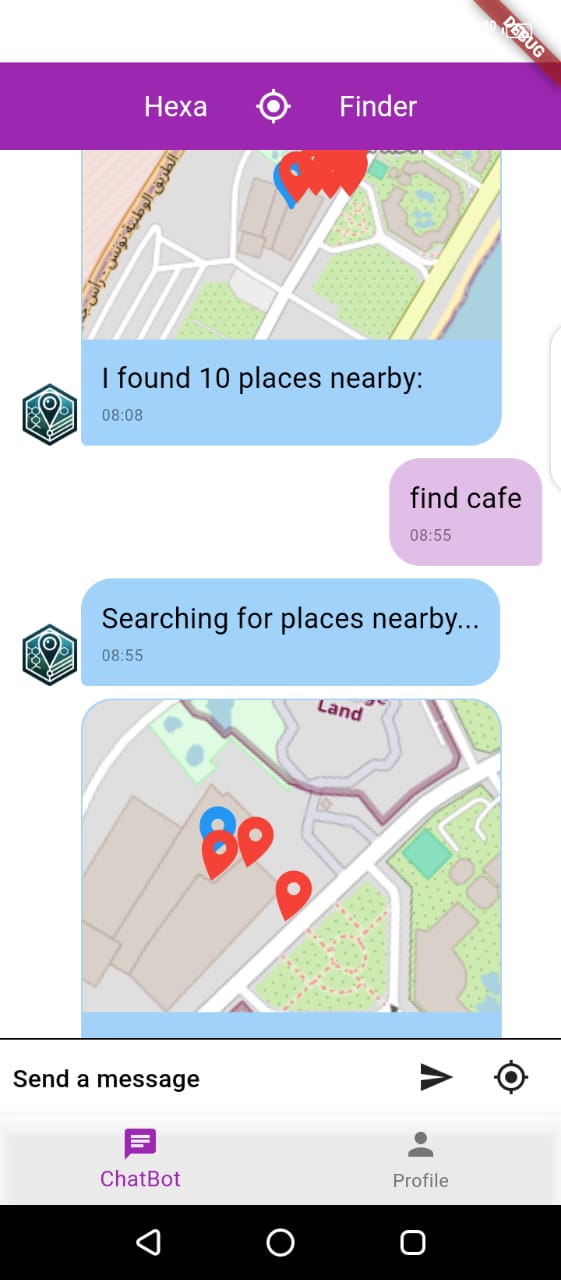
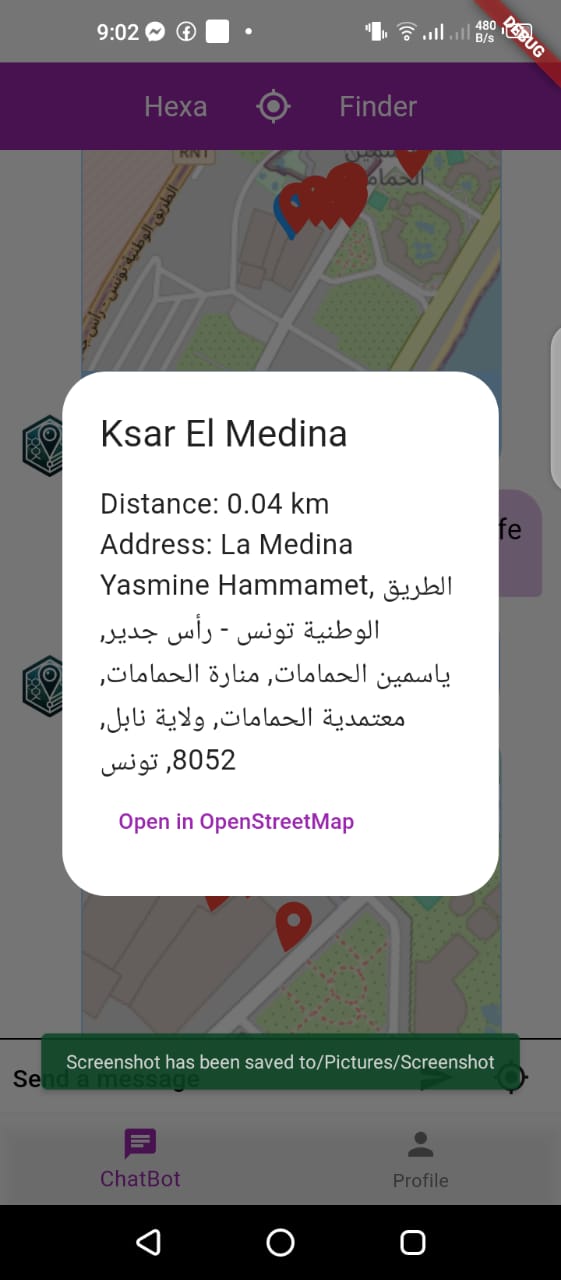
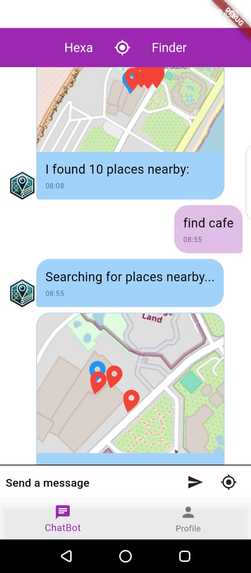
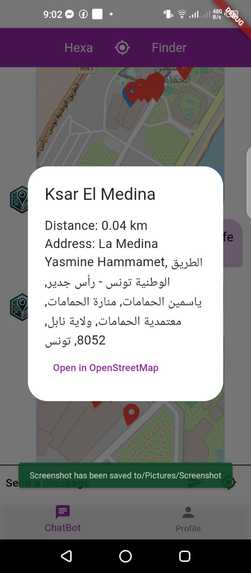
HexaBot: Your Local Place Finding Companion
💡 Inspiration
The inspiration for HexaBot came from a personal experience that many can relate to - spending an entire day searching for a bank. This frustrating experience highlighted the need for a more streamlined, chat-based approach to finding nearby locations. I wanted to create something that would make this process as simple as asking a friend, "Where's the nearest bank?"
🚀 What I Learned
Throughout this project, I gained valuable experience in several areas:
- Understanding and implementing conversation flows in chatbots
- Basic Docker containerization for development environments
- Flutter app development with a focus on chat interfaces
- Integration with location-based APIs
- Working with open-source mapping solutions
🛠️ How I Built It
The development journey started with exploring the Hello plugin as a foundation. From there, I:
Experimented with Chat Mechanics: I spent time understanding the underlying mechanisms of chatbot interactions, gradually building up from basic responses to more complex conversations.
Data Source Research: After getting the chat interface working, I needed reliable location data. This led me to OpenStreetMap, an incredible open-source mapping project that aligned perfectly with my love for open-source solutions.
API Integration: The real breakthrough came when I discovered Overpass API, a powerful tool built on top of OpenStreetMap. This API provided exactly what I needed - the ability to search for nearby amenities and locations with precise geographical data.
Implementation: I combined these elements into a cohesive system:
- Flutter-based chat interface
- Location services integration
- OpenStreetMap for base mapping
- Overpass API for nearby place discovery
- Firebase for data persistence
🤔 Challenges Faced
Building HexaBot came with its share of challenges:
Understanding Chat Flows: Initially, creating natural conversation flows was tricky. I had to carefully design the interaction patterns to feel intuitive and helpful.
API Integration: Working with multiple APIs (location services, Overpass, etc.) required careful handling of asynchronous operations and error cases.
Data Processing: Converting raw location data into user-friendly information needed several iterations to get right.
UI/UX Design: Balancing the chat interface with map displays while keeping the experience smooth and intuitive took considerable experimentation.
Link Between the app and the plugin: This was the hardest part of the journey, i had to learn how to make channels from the existing slack channel, and tried my best to imitate it, but with no results, so i had to implement a little part of the workflow directly inside the app for demonstrations.
💝 Open Source Love
One of the most rewarding aspects of this project was working with open-source technologies. OpenStreetMap and Overpass API not only provided the functionality I needed but also aligned with my values of using and supporting open-source projects. This experience reinforced my belief in the power of open-source collaboration and community-driven development.

Log in or sign up for Devpost to join the conversation.