-
-
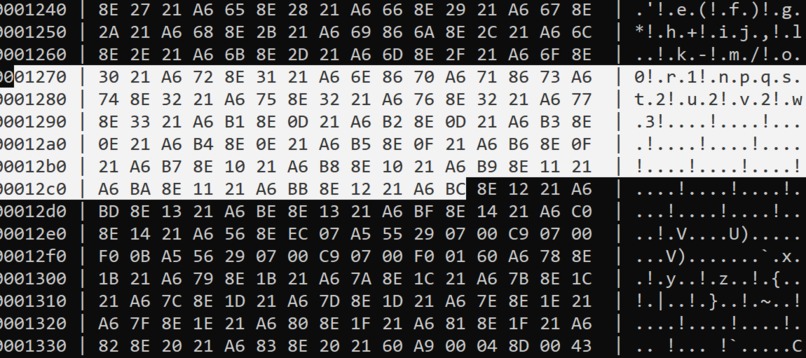
Hexadecimal Output
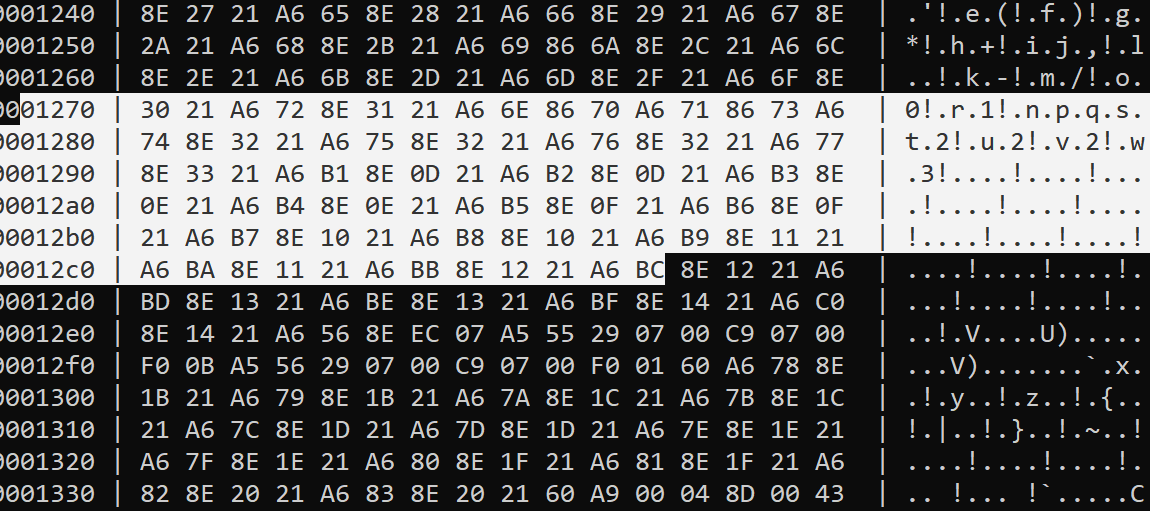
I have a strong passion for retro emulation. My first exposure was PCSX2 v1.4, but my first real experience was PCSX2 v1.6. As a result, I wanted to create a Hex Viewer so I could slowly start learning the fundamentals of retro emulation. I built my project in Python because Python is a simple language and is beginner-friendly. I started by using existing hex viewers online to get a feel for what they were like. After gaining a basic understanding, I downloaded PyCharm, a simple Python IDE that fit my needs, and began coding it. I started small with a small text file containing the string "Hello World". After familiarizing myself with converting bytes to hexadecimal, I got the basic implementation working.
From there, I added more things on top of it. For example, I implemented an ASCII and offset column, allowing us to analyze the code for specific patterns and debugging. Additionally, I implemented a header that would get larger or smaller based on the size of the hex code. Additionally, I added support for larger files by printing 32 lines at a time, followed by prompting to continue. That way, we ensure the computer doesn't overload itself. If they wanted to stop, the output gets written to a file for future analysis and debugging.
Some challenges I faced include: not being able to format the output, which made it messy. Also, it took time to implement writing the hex code to a file. My greatest difficulty was properly implementing the chunk splitting to prevent overloading the computer. It took a while because it didn't split into chunks of 32 lines, and my IDE often got overloaded. I fixed it by studying the errors, then conducting research on the concepts and trying different code pieces. After a while, I was able to fix all the issues and build a properly functioning hex viewer.
By writing this program, I learned file writing, data types, error handling, debugging, string formatting, user interaction, planning, and more. This is innovative because hex viewers are crucial for several reasons aside from retro emulation: reverse engineering, debugging, digital forensics, modifying game files, data analysis, and much more. Additionally, hex viewers can be used to find specific bytes in a file that might be corrupted. From there, we can fix the corrupted bytes. This can help recover data that would've been lost from a power surge or a security attack, for instance.
Built With
- pycharm
- python

Log in or sign up for Devpost to join the conversation.