Inspiration
Let’s be real — walking alone at night shouldn’t feel like a survival mission. The constant worry, the phone gripped tight, pretending to call someone just in case? I’ve seen it happen way too often to friends, family, and women everywhere. That’s what sparked HerSafety — a safety-first platform not just to react to emergencies, but to help prevent them. I wanted to build something that actually does something when it matters most.
What it does
HerSafety is like a guardian angel in your pocket (minus the wings and drama). With just one tap or voice command, you can:
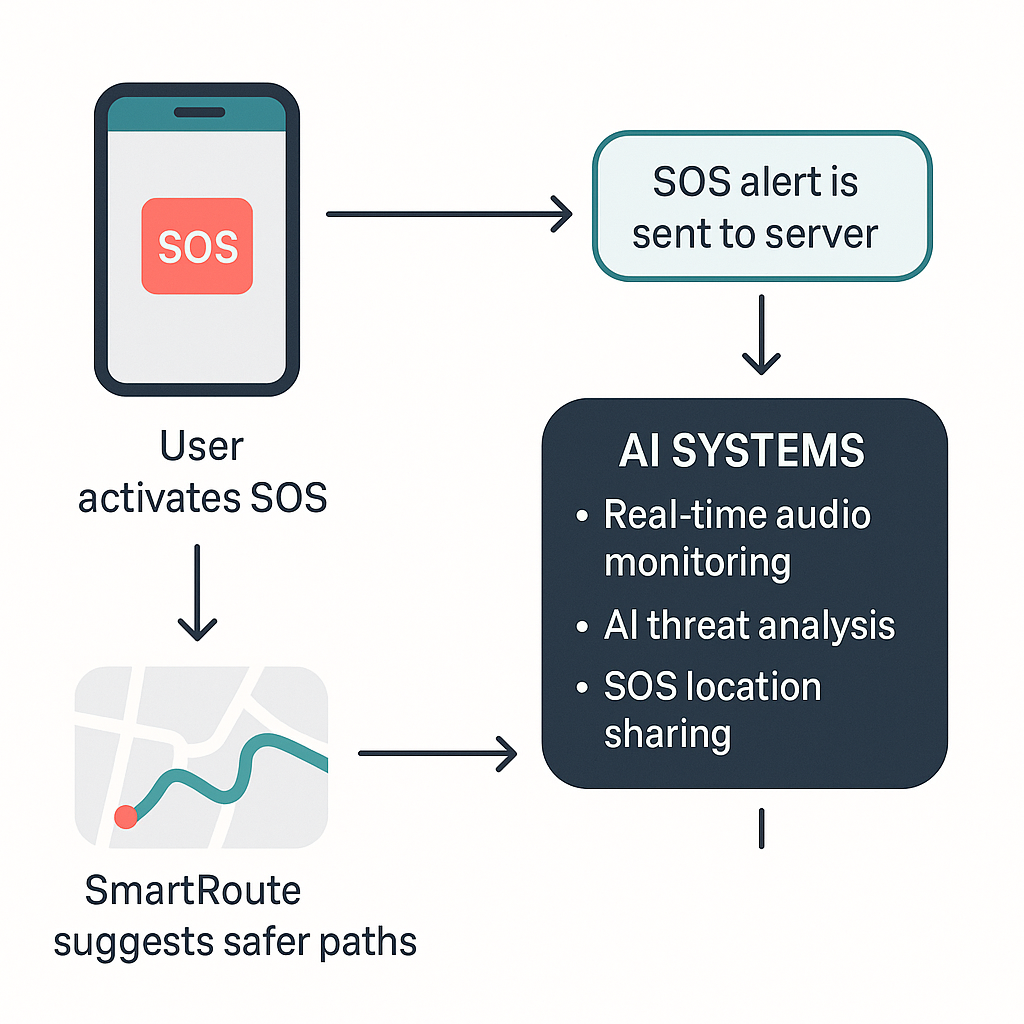
🚨 Send a live SOS alert to emergency contacts
🗺 Get safe route recommendations through the city
📤 Report crimes or incidents anonymously
🧠 Learn your legal rights and emergency steps
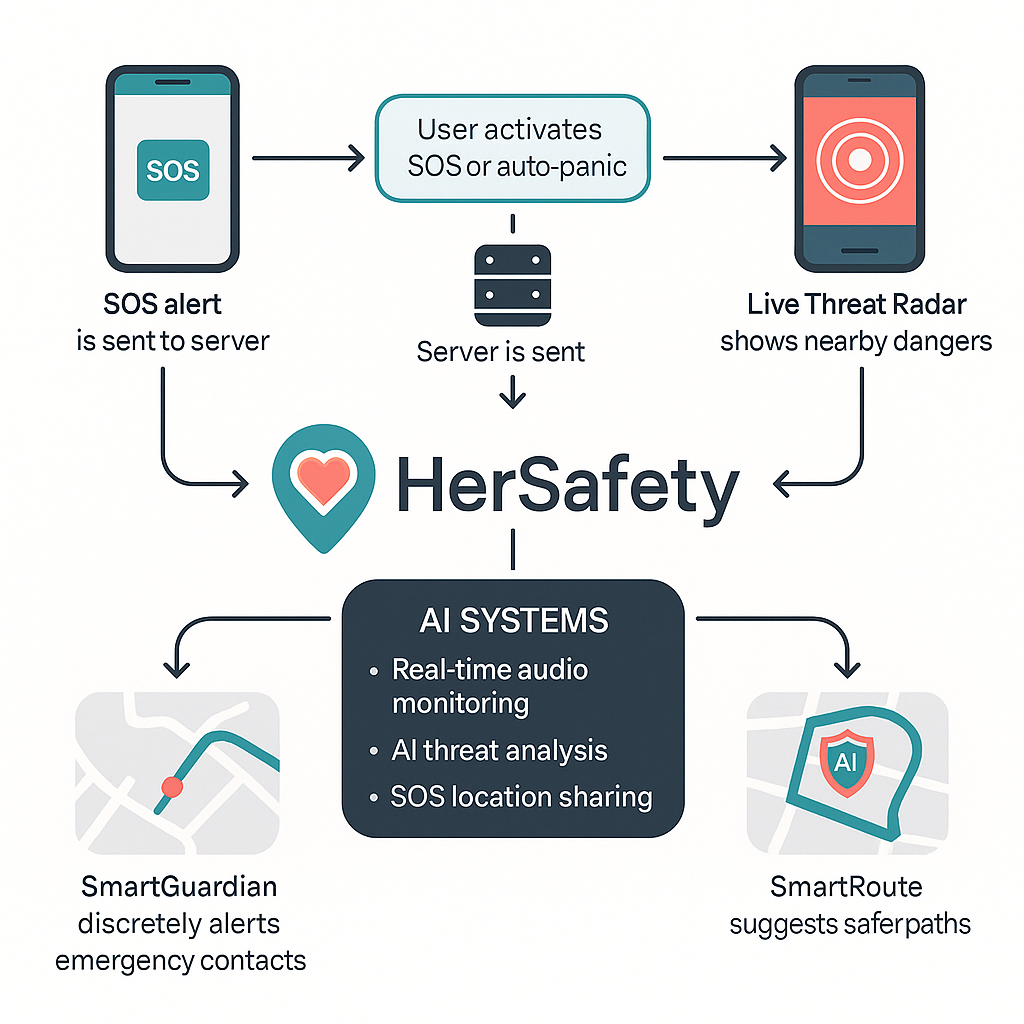
🔐 Activate "Guardian Grid" — an AI-powered system that detects abnormal behavior and warns you before something bad happens
It’s mobile-first, lightning fast, and feels more like a real companion than just an app.
How we built it
I built HerSafety using the best modern tech I could get my hands on (and wrestle into submission 😅):
Frontend: React + Tailwind CSS (beautiful, responsive, lightweight)
Backend: Node.js + Express
Database: Supabase (because I love sanity)
Auth: Email, password, and even anonymous mode
APIs: Google Maps for routes, Twilio for alerts, some clever AI magic for behavior detection
Hosting: Vercel + Render for that sweet deploy life
And yes, I manually tested the whole thing walking around my neighborhood — dedication
Challenges we ran into
Oh boy, where do I start?
Getting real-time location to behave across devices? Nightmare.
Voice commands? Half the time my mic thought “Help me” was “Hold me” (awkward).
Designing something serious without it looking scary — took a lot of UI/UX love.
Twilio throttled me during testing. They really thought I was in danger.
But hey, every glitch taught me something new.
Accomplishments that we're proud of
SOS system works flawlessly — and fast
Built and tested the Guardian Grid AI with real scenario simulations
Created a full mobile-first UI with zero fluff — just what you need, when you need it
Made an app that actually feels safe to use
Got real emotional feedback from testers who said: “This is something I’d give my daughter.”
That one hit hard. That’s why I built this.
What we learned
UX for safety apps is a whole different beast — it’s not just about pretty buttons
Real-time anything is messy, but worth it
How to balance serious messaging with calming, friendly visuals
Learned way too much about emergency contact routing systems
Most importantly: that tech alone can’t solve everything, but it can empower people like never before
What's next for HerSafety
Honestly, this is just the beginning. I’ve got some exciting features in the pipeline that’ll make HerSafety even stronger and smarter.
First up, I’m working on a SafeWalk mode. Basically, you’ll be able to share your live route with someone you trust while you're walking, so they can make sure you reach safely.
Then there’s something I’m super excited about — a Live Threat Radar. It’ll use real-time data to warn you about unsafe areas nearby, so you can avoid them before it’s even a problem.
I’m also building a verified Guardian community. Think of it as a safety network of real people nearby who can help out or get alerted if something goes wrong.
A native app version is coming too, which will make the SOS features work even when you don’t have good internet. Because safety shouldn’t depend on your signal strength.
And finally, I’m diving deeper into AI-powered safety. Stuff like detecting signs of panic through facial expressions, triggering alerts silently if you're in trouble, and even smart flashlight features that work like a warning signal.
Big plans ahead. Because women deserve tools that are just as smart and strong as they are.


Log in or sign up for Devpost to join the conversation.