-
-
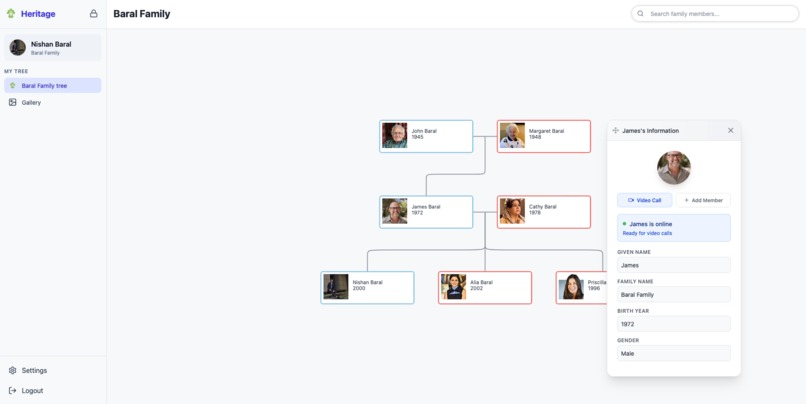
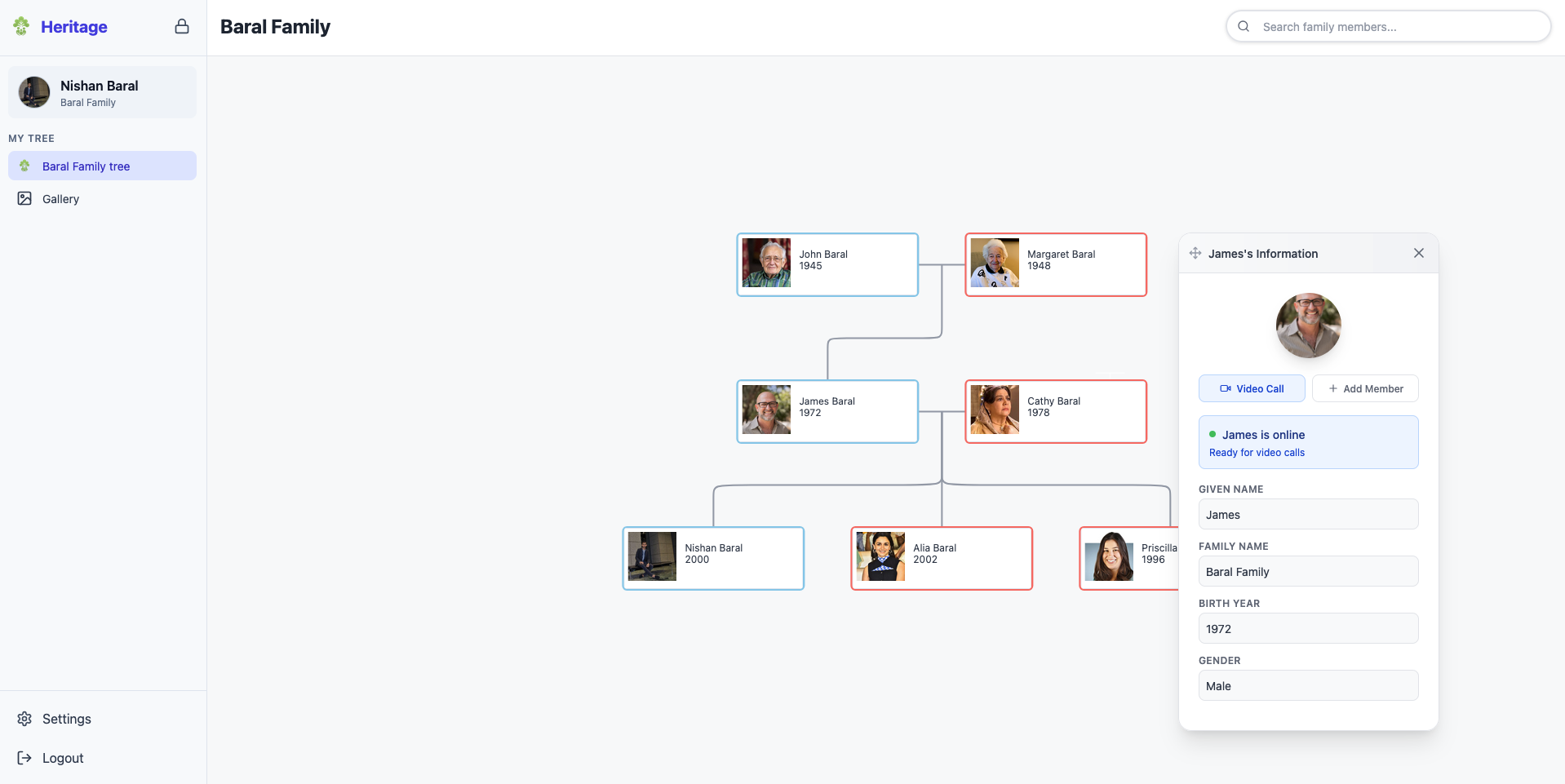
Family Tree of Baral Family
-
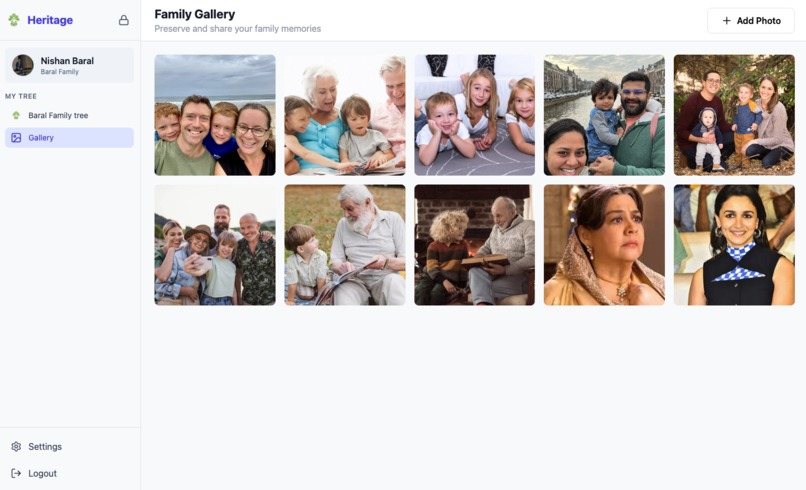
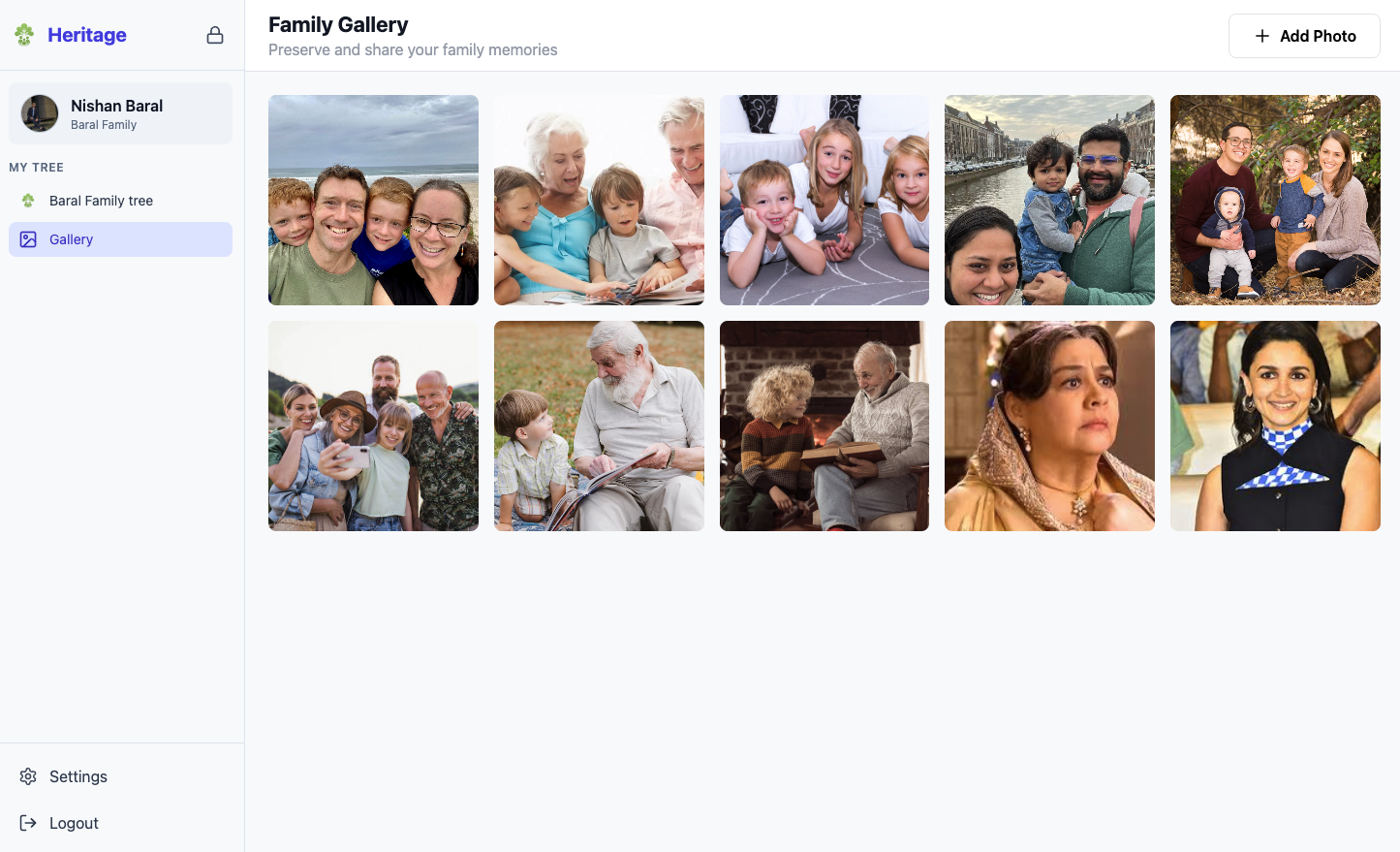
Shared gallery of Baral Family
-
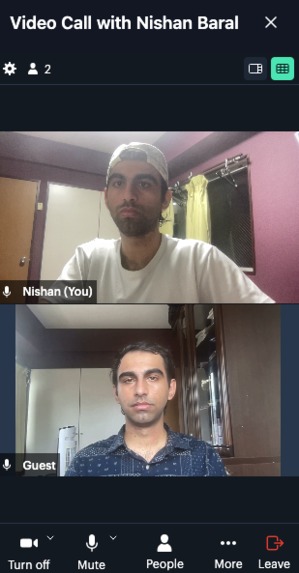
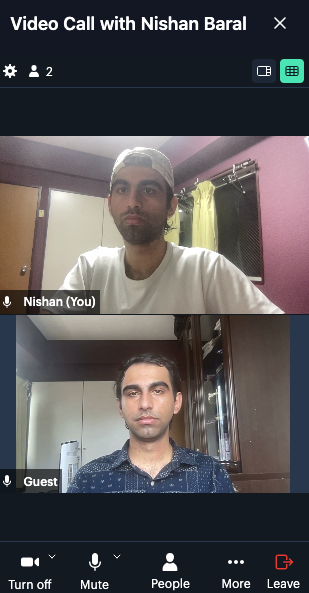
Listening and sharing stories with Family member's AI Avatar
-
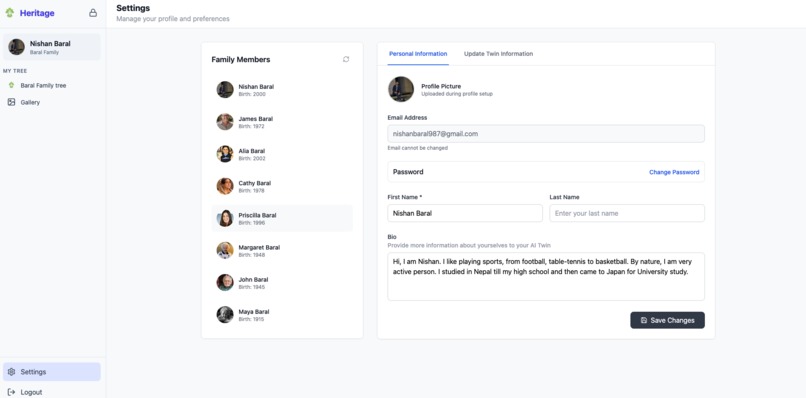
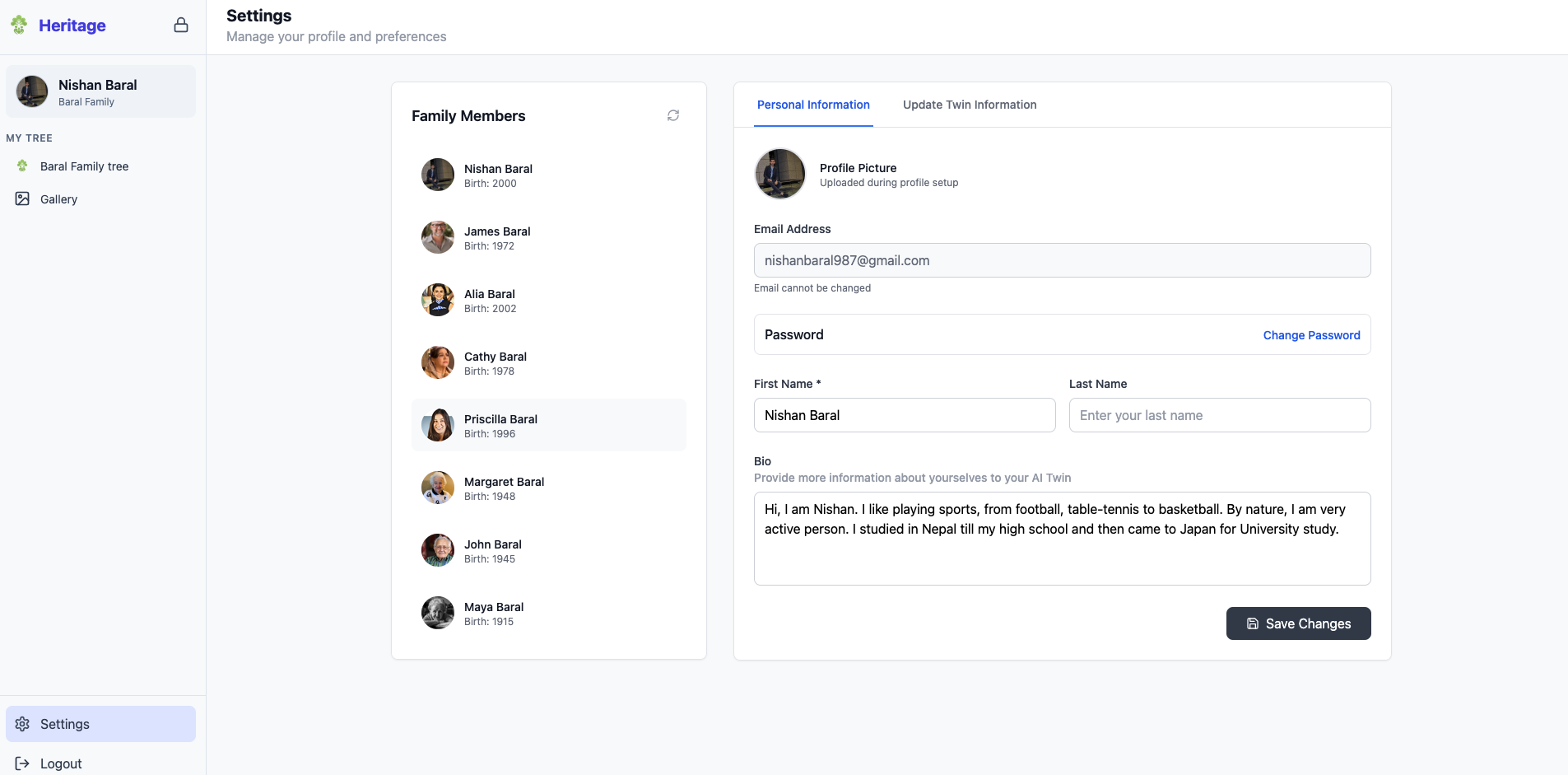
Settings page of Heritage
Inspiration
Like many families, we had a family tree with names, dates, a few photos. But it didn’t feel alive. There was no way to hear our grandparents laugh, see their expressions, or ask them questions. Their stories were fading, not because no one cared, but because nothing had truly captured them.
That’s when it hit me: what if our family tree could actually talk?
What if we could preserve not just faces and voices, but entire personalities in a way future generations could interact with?
That single thought was the seed for Heritage.
What it does
Heritage lets users build an interactive digital family tree enriched with lifelike AI avatars. By uploading short videos, photos, or voice clips, users can generate avatars that look and speak like their loved ones.
It also includes a shared gallery, where relatives can collaborate to organize photos, videos, and audio clips, turning memory into something collective, living, and meaningful.
How I built it
I used Supabase for user auth, real-time syncing, and media storage. Setting up the relational database to represent family structures such as parent/child, siblings, multiple spouses, was tricky at first. But once I got the table relationships and foreign keys mapped, things started clicking.
To generate AI avatars, I integrated Tavus AI, which let me create expressive, talking avatars from minimal input.
The frontend was built in React, styled with Tailwind CSS. I focused on a clean, intuitive UI for all age groups.
The interactive family tree design was inspired by this CodePen, which helped me understand layout and relationship rendering before customizing it further.
Challenges I ran into
One major challenge was building the interactive tree structure. I initially tried writing it from scratch, but the relationship complexity quickly became unmanageable. That’s when I found the family-chart package, which gave me the structure I needed and served as a starting point.
Another big one was designing Supabase’s schema. Representing dynamic family relationships in a relational database took time and iteration. Once I understood how to link and query related tables, it got easier.
Lastly, integrating AI avatars came with UX challenges: guiding users through uploading media, handling permissions, and making the experience feel personal, not robotic.
Accomplishments that I'm proud of
Turning this idea into a working app as a solo builder is something I’m proud of.
Seeing my own avatar come to life from a short recorded video, watching it speak and trying to mimic expression was surreal. It felt like magic. Knowing others could relive memories of loved ones the same way makes this project feel meaningful beyond the tech.
Bringing together AI, data modeling, and a full-stack app into one cohesive product was a huge personal milestone.
What I learned
This project taught me the value of consistency. I kept showing up, working bit by bit each week—especially during the hackathon and that momentum paid off.
On the tech side, I learned a ton about:
- Relational modeling with Supabase
- Real-time media syncing
- Integrating third-party AI tools like Tavus AI
What's next for Heritage
Next, I want to turn Heritage into a personal time machine.
I'm building a web app where users can map their life story, creating AI avatars at different ages using photos, voice clips, and memories from each phase. Future generations won't just see names; they'll experience how a person looked, sounded, and evolved.
I'm also working on:
- Making the gallery more collaborative with comments, tagging, and shared storytelling
- Enhancing the voice cloning pipeline for professional-grade realism
- Adding full mobile support so families of all ages can contribute and connect from anywhere
Heritage is still growing with the clear vision: a platform where your family’s history doesn’t just lives, it lives on.
Built With
- bolt.new
- entri
- supabase
- tavusai
- vite


Log in or sign up for Devpost to join the conversation.