-
-
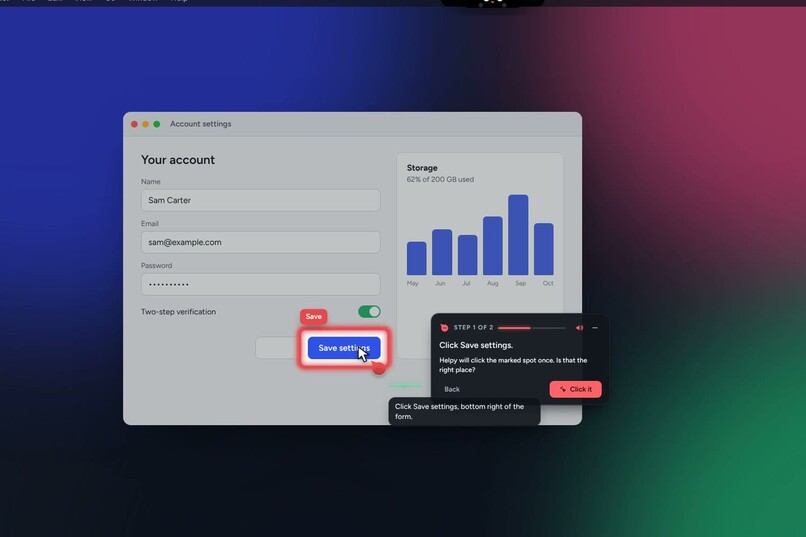
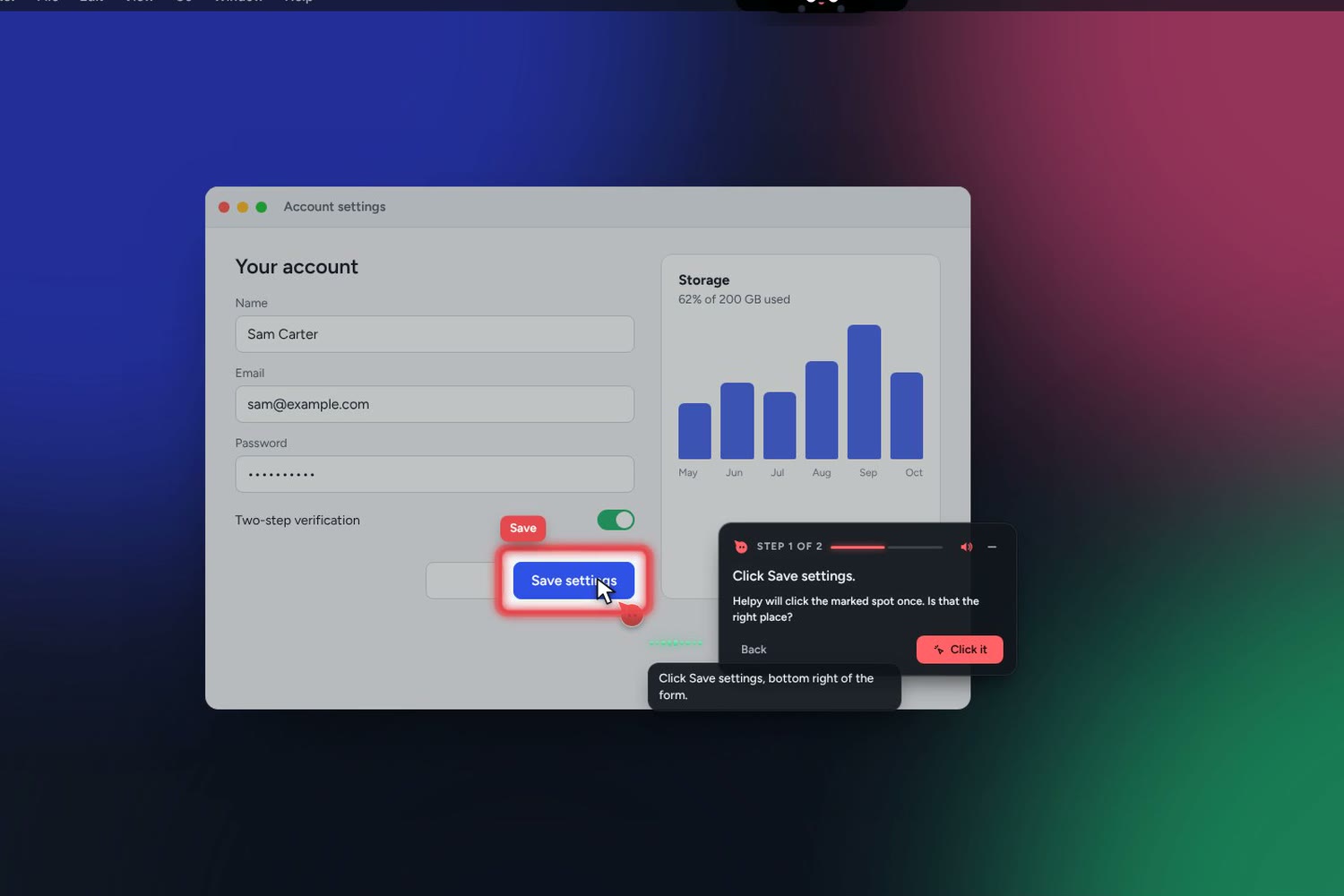
Ask out loud: Helpy highlights the real Save button and offers to click it for you
-
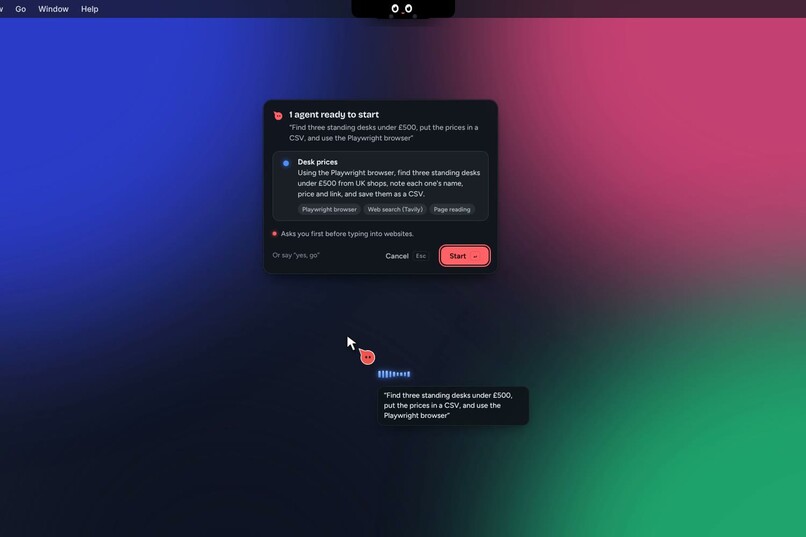
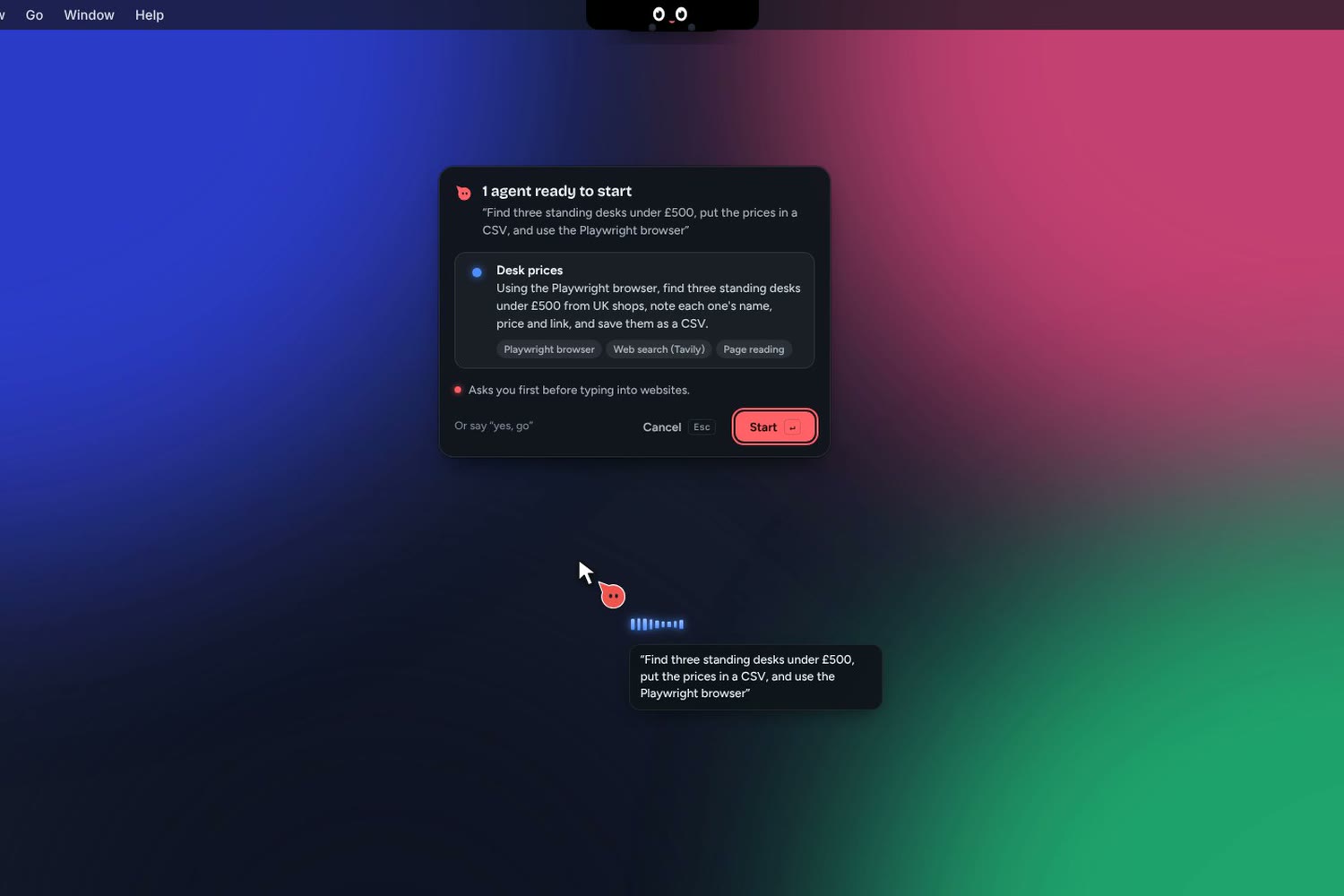
Background agents: Nemotron 3 Ultra plans the job and shows a card before anything starts
-
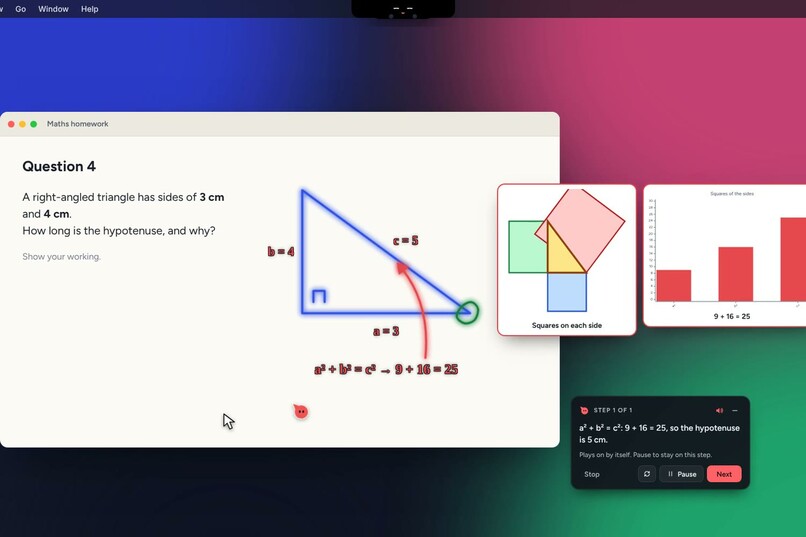
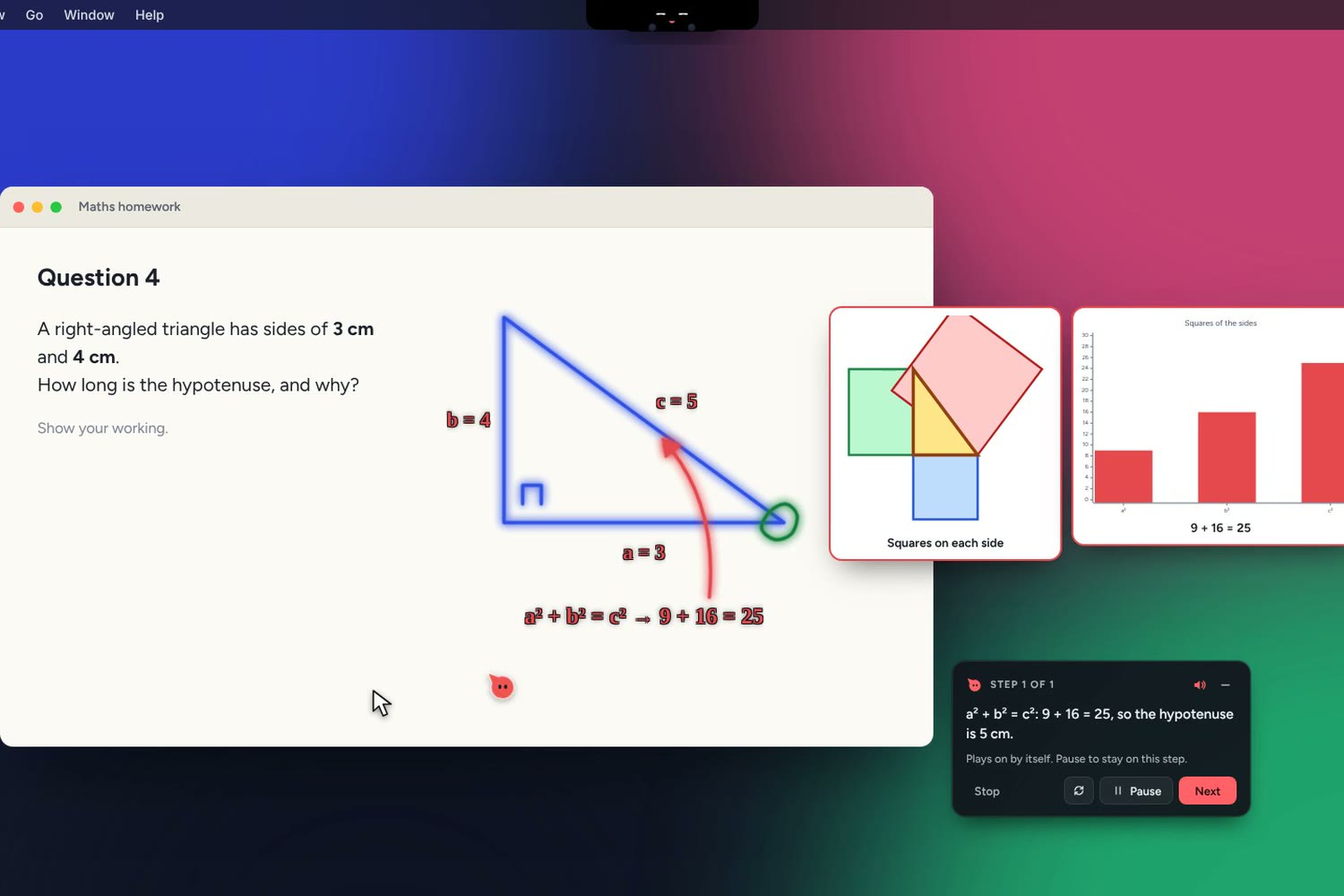
Explains on your screen: shapes, labels, a reference picture and a chart over the real app
-
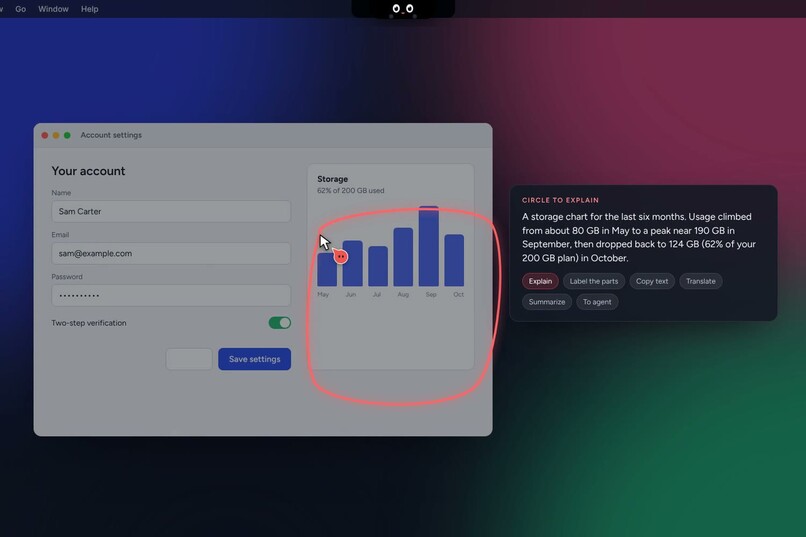
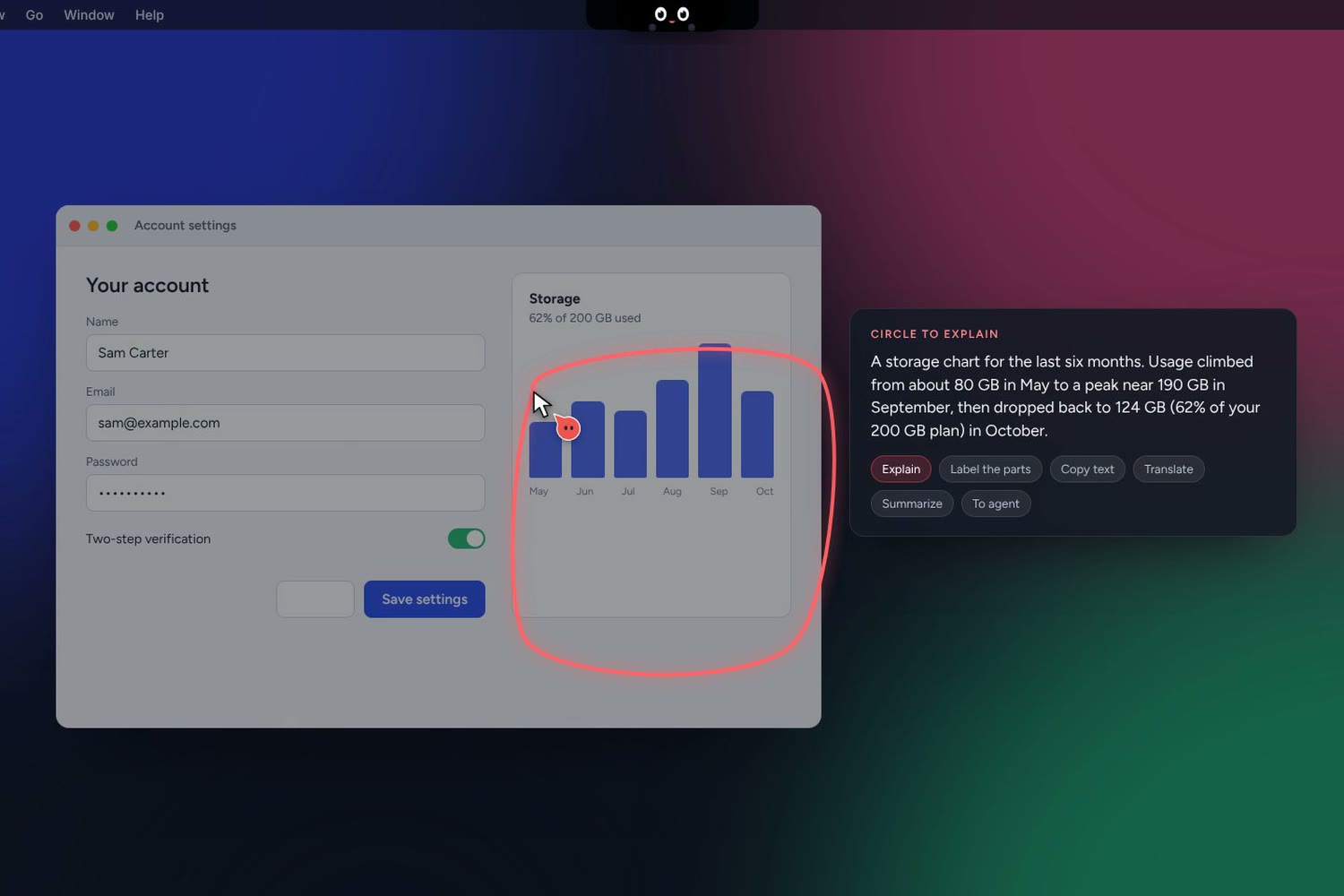
Circle to explain: draw around a chart and Helpy explains it
-
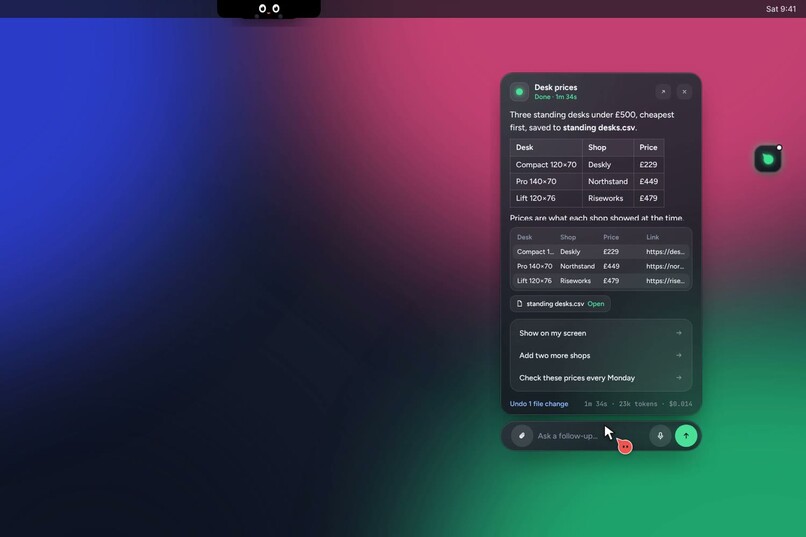
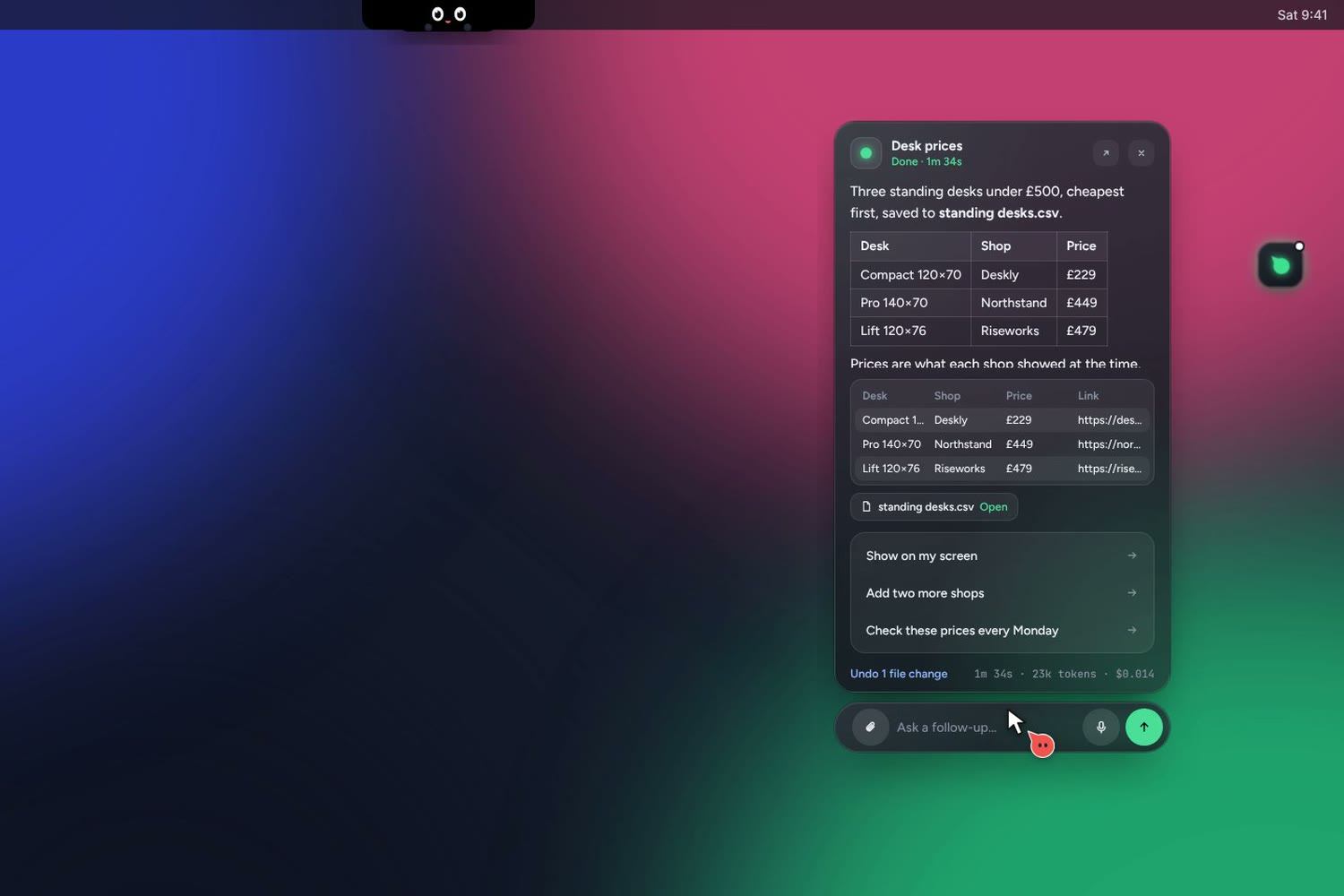
The result: a table, the CSV it saved, next steps and one-click undo
-
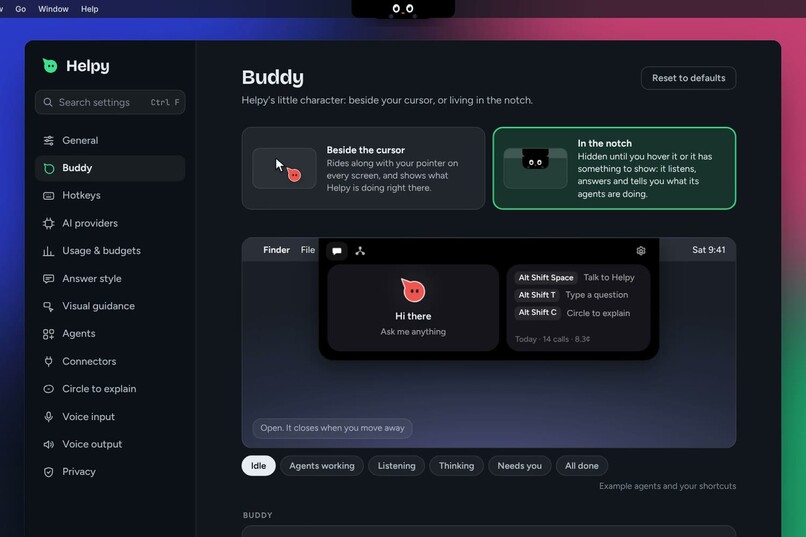
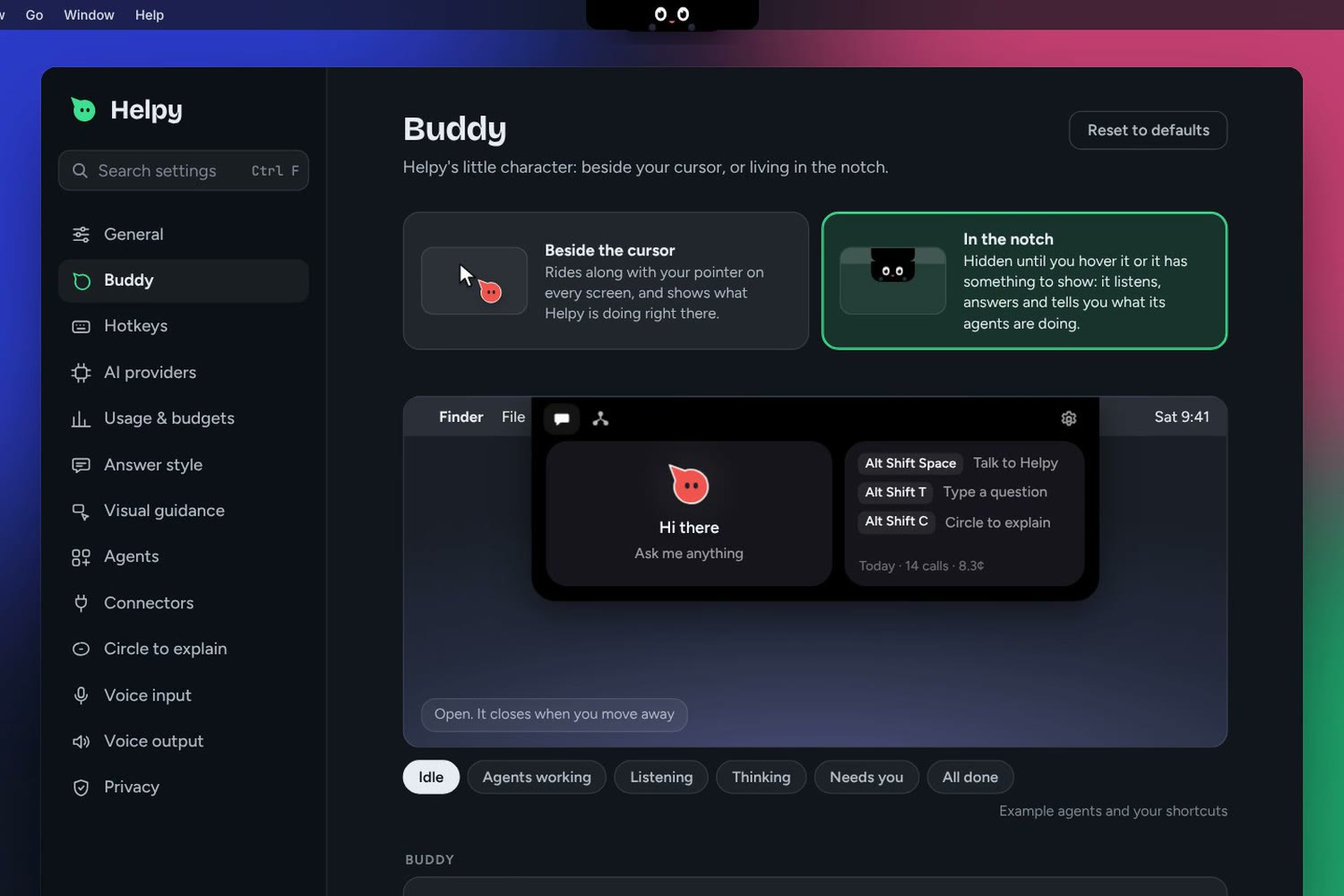
Settings: choose where Helpy lives, beside your cursor or in the notch, with a live preview
-
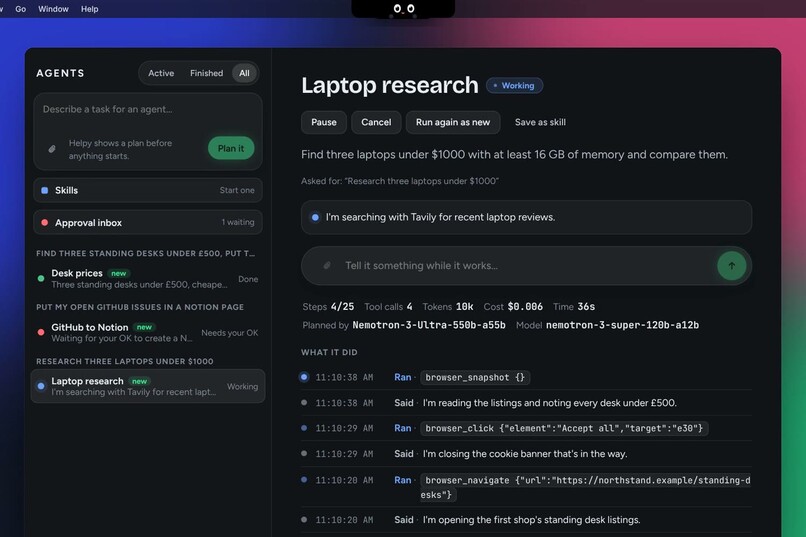
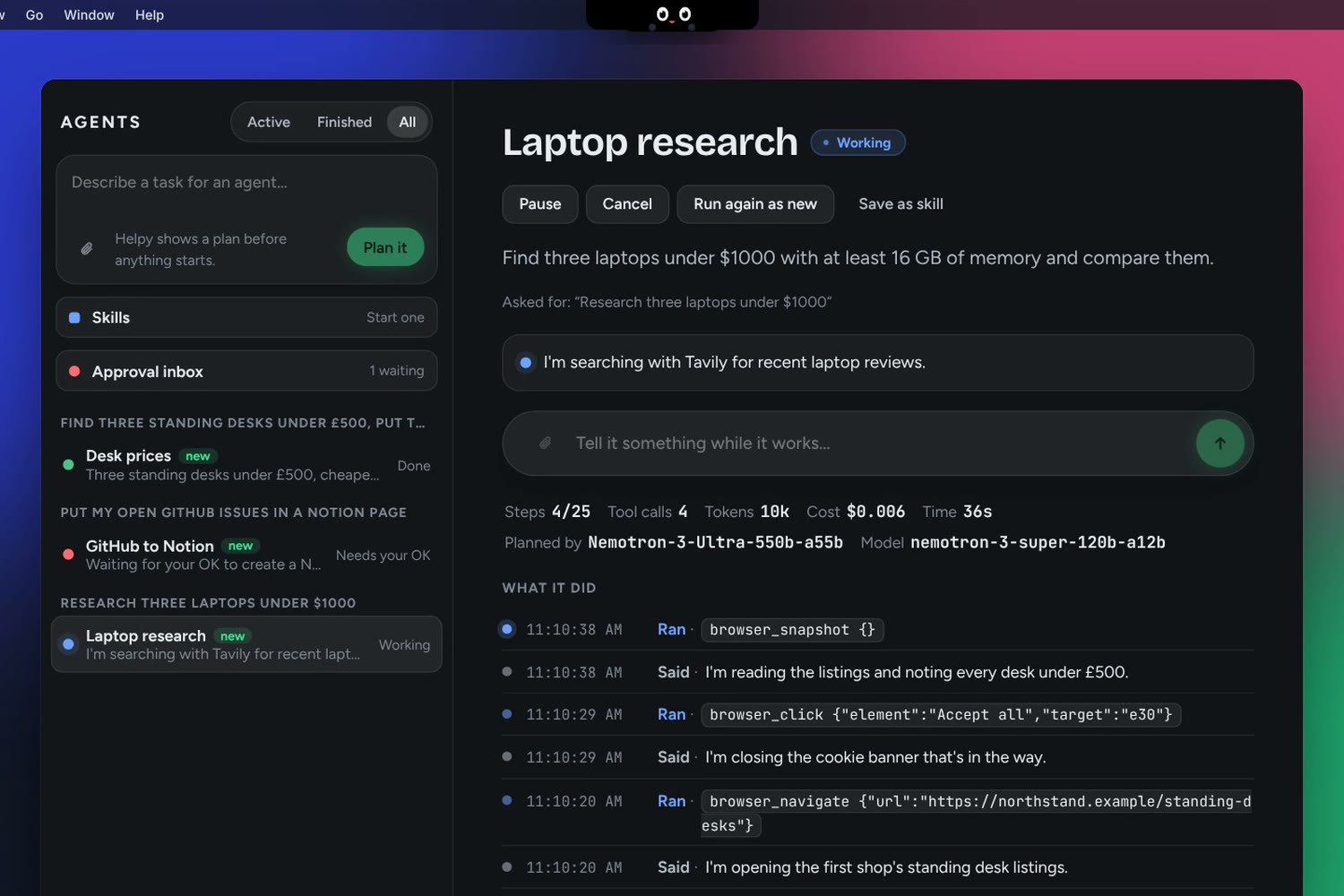
The agent panel: every step, tool call, token and cost on record
-
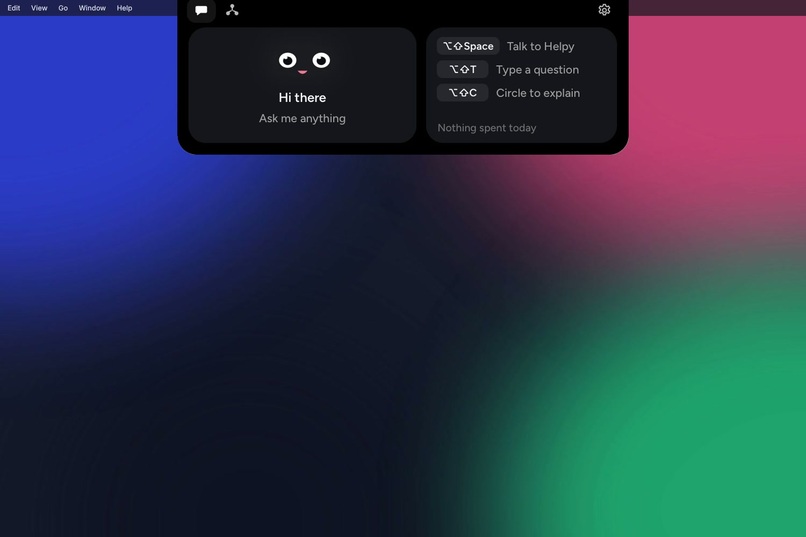
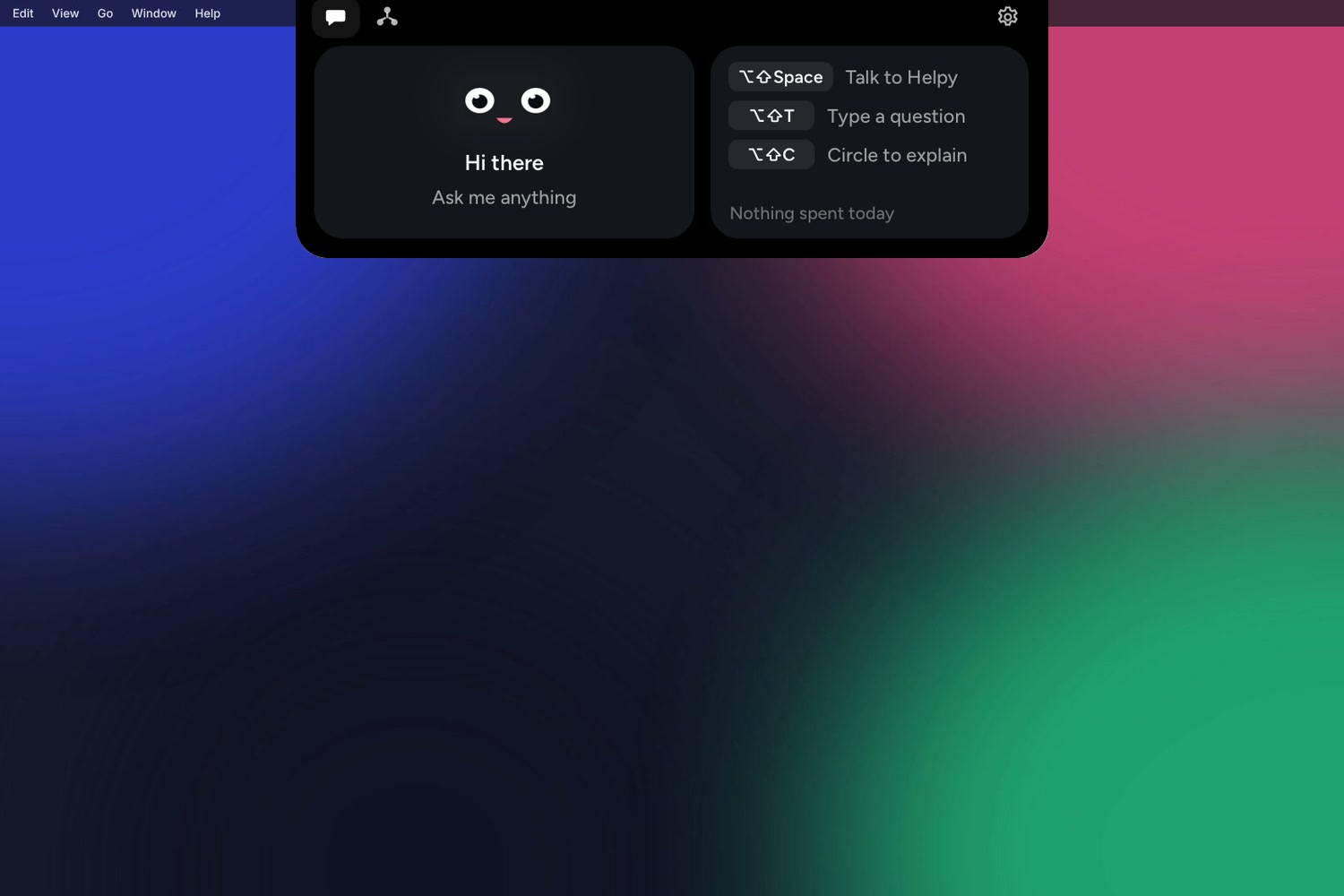
In the notch: hover and the island opens with your shortcuts, ready to listen
Inspiration
Most AI help still arrives as a paragraph of instructions you then have to follow somewhere else. We wanted help that behaves like a friend sitting next to you: you ask out loud, and it points at the button on your actual screen. Helpy started as a small character that rides along with the mouse pointer, and grew into a desktop companion that can also do the work for you in the background.
What it does
Helpy is an AI companion for macOS, Windows and Linux that lives beside your cursor or in the notch.
- Ask out loud and be shown. Hold a hotkey and ask "how do I turn on two-step verification?". Helpy takes one screenshot of the monitor you're on, highlights the real control, and walks you through it a step at a time, checking the screen after each click. Say "do it" and it clicks for you after you confirm.
- Explains on your screen. It draws shapes, labels, formulas, a reference picture and a chart over the app you're using, on a click-through overlay.
- Circle to explain. The screen freezes; draw around anything and Helpy explains it, labels the parts, copies the text or translates it.
- Background agents. Say a task ("find three standing desks under £500, put the prices in a CSV"). Nemotron 3 Ultra plans it and shows a card first, with each agent, its tools and what it will ask before acting. Agents search the web with Tavily, drive a real browser through the Playwright MCP server, fill in forms, save files, build small apps (handing the coding to Claude Code or Codex when installed), and run on a schedule or once at a set time.
- Two homes. Beside the cursor, Pip follows your pointer on every monitor. In the notch, Helpy hides until you hover; the island opens to listen, answer, and show each agent's progress.
- Remembers you. Short notes about you (your name, the apps you use, how you like answers), merged so nothing repeats, listed in Settings where you can edit or forget any.
- Connectors. Gmail, Google Calendar and Drive, Notion, Outlook, Slack, GitHub and any MCP server, each with its own allow, ask or never rules.
It's private by design: keys stay in the OS keychain, Helpy's own windows never appear in screenshots, password managers and password fields are blanked out, every file change can be undone, and limits on steps, time, tokens and money are enforced in Rust, where a prompt can't talk its way past them.
How we built it
- Tauri 2 (Rust) with React and TypeScript, one codebase for macOS, Windows and Linux. Voice in is local Whisper; voice out is Piper or the system voice.
- NVIDIA Nemotron on Nebius Token Factory does the reasoning. Nemotron 3 Super answers questions and runs the agents' steps; Nemotron 3 Ultra plans agent teams and splits the work among helpers. Each job is routed to its own model, so the expensive model is used only where it pays off.
- NVIDIA's vision model reads the screen. Nemotron Super and Ultra don't take images, so Helpy hands screen questions to Nemotron-3.5-Super-VL on the same Token Factory, with Kimi-K3 as the alternative, and only when the screen is needed. To choose, we measured instead of guessing: a pointing benchmark renders 12 real web pages in headless Chrome, where every target's exact box is known, and asks each model where to click. Kimi-K3 hit 12 of 12 (median 1 px from the centre), and Nemotron-3.5-Super-VL keeps the whole pipeline on NVIDIA models.
- One-click setup. Helpy reads Token Factory's detailed model list to learn which models see images and what they cost, and a "Use for everything" button routes every job.
- Tavily is the agents' view of the web: search with the relevant part of each page, page reading through Extract, and a deep-research tool that returns a cited report (agents ask first, since research can use many credits).
- Accessibility APIs (UI Automation, AX, AT-SPI) snap highlights onto the real button, so a few pixels of model error don't matter.
- Bring any model. The whole demo runs on open models, but Anthropic, OpenAI, Gemini, Ollama, LM Studio, llama.cpp and any OpenAI-compatible endpoint work the same way.
Challenges we ran into
- Pointing precision. A highlight 40 px off is worse than none, so we built a repeatable benchmark before choosing a vision model.
- A model that can't see and a model that can. Helpy hands a request to the vision model only when it needs the screen, keeping Nemotron for everything else.
- Agents that act on your computer. Approvals, one-click undo and limits enforced outside the model, so a confused agent can't spend money or delete files.
- Memory without bloat. Notes are capped and reviewed in the background once a conversation ends, merged with what Helpy already knows so the prompt never grows unbounded.
Accomplishments that we're proud of
- It points at the right pixel. 12 of 12 targets in our grounding benchmark with an open model, and highlights snap onto the real control.
- It runs entirely on open models. Nemotron 3 Super, Nemotron 3 Ultra and Nemotron-3.5-Super-VL (or Kimi-K3) on Nebius Token Factory, set up with one click.
- Agents you can trust. Plans you approve first, approvals before anything is sent, typed or deleted, one-click undo, and limits a prompt can't override.
- One app for three platforms. macOS, Windows and Linux from one Tauri codebase, with a notch home on Macs and a cursor buddy everywhere.
What we learned
Measuring beats guessing: the benchmark changed which model we used. Routing each job to the right open model gave us speed where it matters (voice) and reasoning where it pays (planning), at a fraction of the cost of one big model for everything.
What's next for Helpy
- Screen reading on Nemotron-3.5-Super-VL by default once its image latency is steady, so Helpy runs fully on Nemotron.
- Running scheduled agents on Nebius Serverless Jobs while the laptop sleeps.
Feedback on Nebius Token Factory, NVIDIA models and Tavily
- Vision latency became uneven. Nemotron-3.5-Super-VL was quick on image requests when we started; from around 19 October the same request might take under a second or 3 to 6 seconds, and Kimi-K3 was slower still. Steadier image latency, or image input on Nemotron Super itself, would make screen-aware voice apps feel instant.
/v1/modelshides the useful details. The plain list has only ids;?verbose=trueadds modality and pricing, which is great but hard to discover. A capability flag for tool calling would help too.- Nemotron 3.5 Lightning is very fast, about 0.3 s for a simple tool call, which suits voice.
- Tavily Research worked well (a cited report in about 40 s). The
/usageendpoint still showed 0 right after extract and research calls, so it was hard to see what a call cost.
Helpy is open source under the MIT license: https://github.com/AbyAbyss/helpy
Built With
- kimi-k3
- mcp
- nebius-token-factory
- nvidia-nemotron
- playwright
- react
- rust
- sqlite
- tauri
- tavily
- typescript
- whisper
