-
-
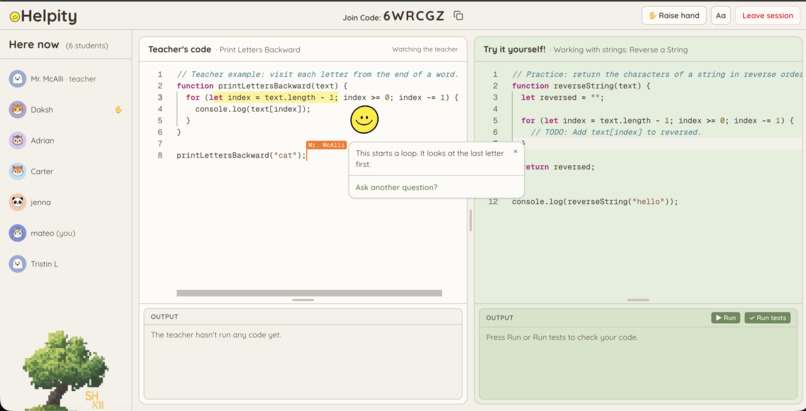
Helpity giving feedback on the shared editor!
-
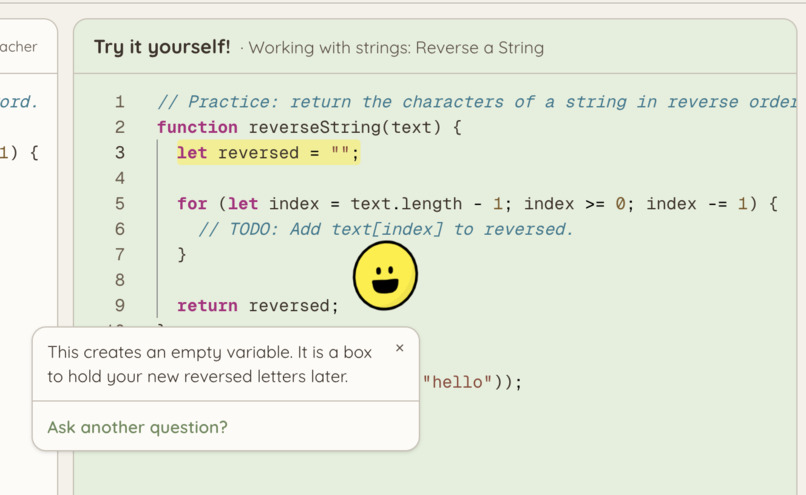
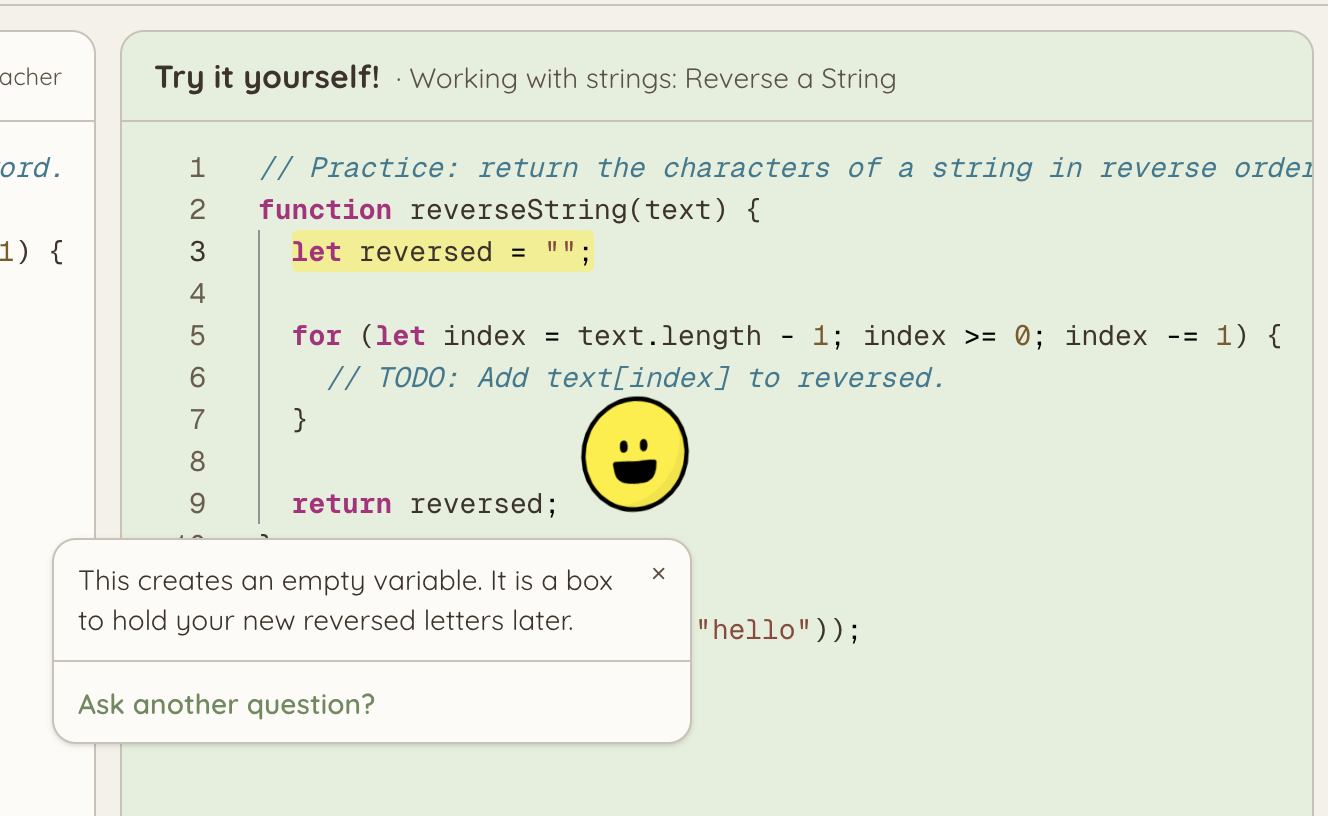
Student view: Helpity clarifying a highlighted section of code
-
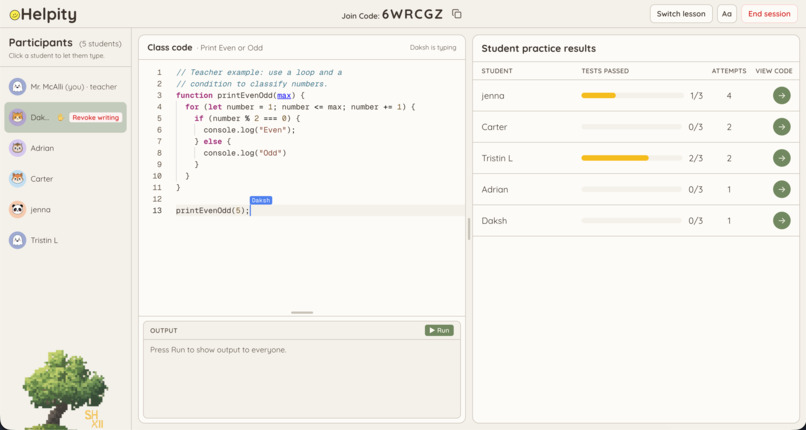
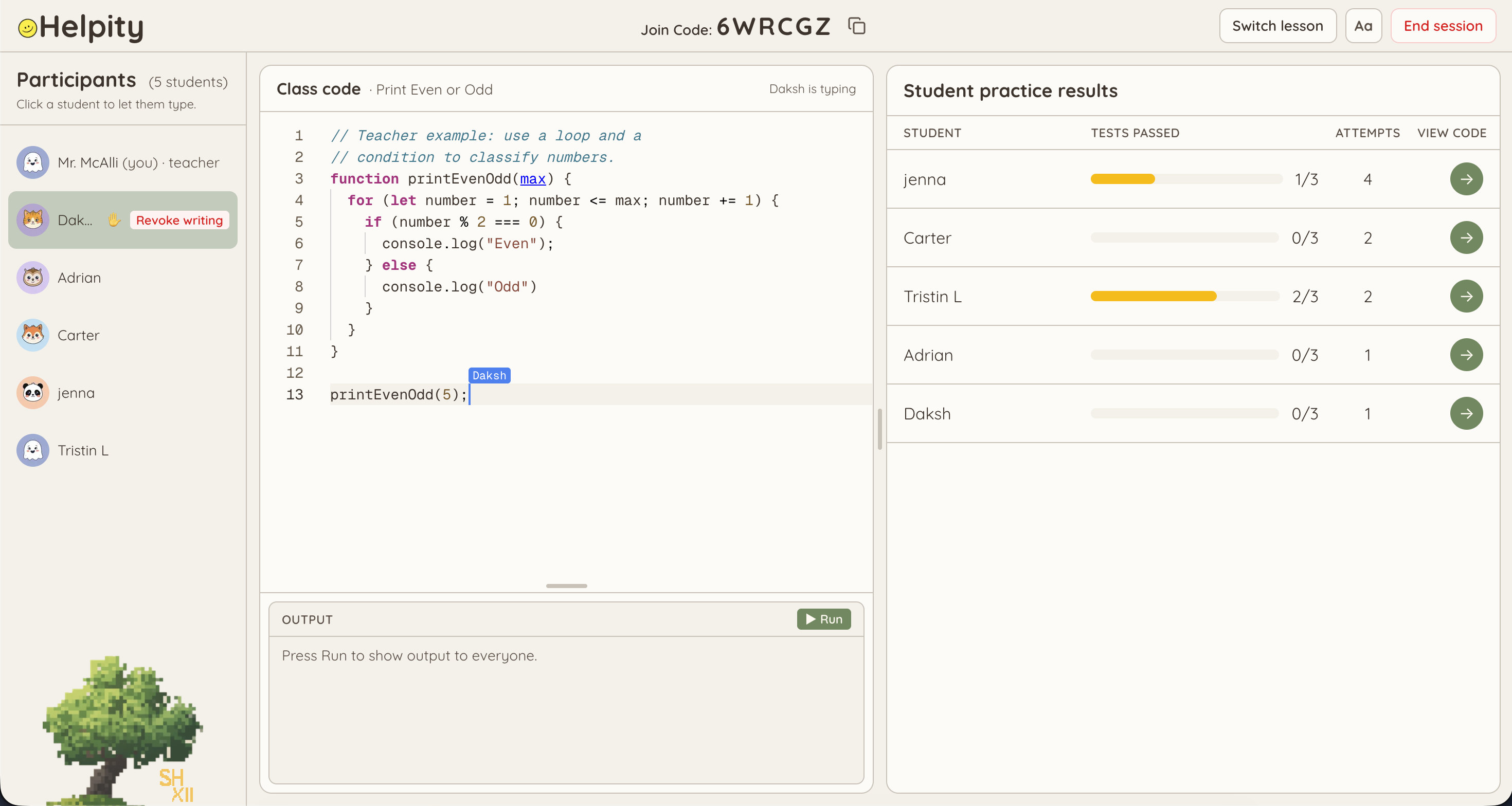
Teacher view: Collaborating with a student and monitoring the class' progress
-
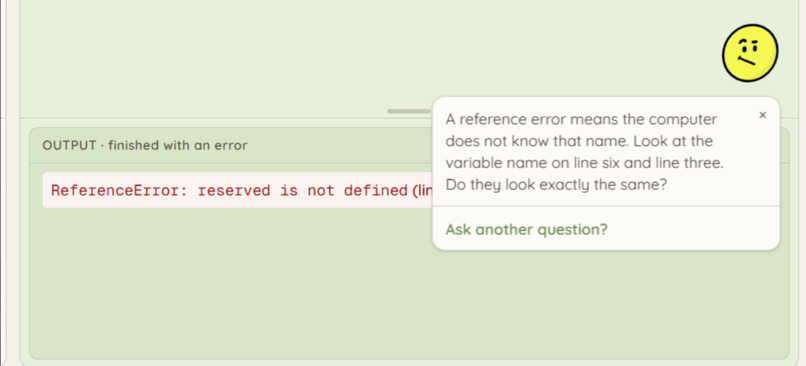
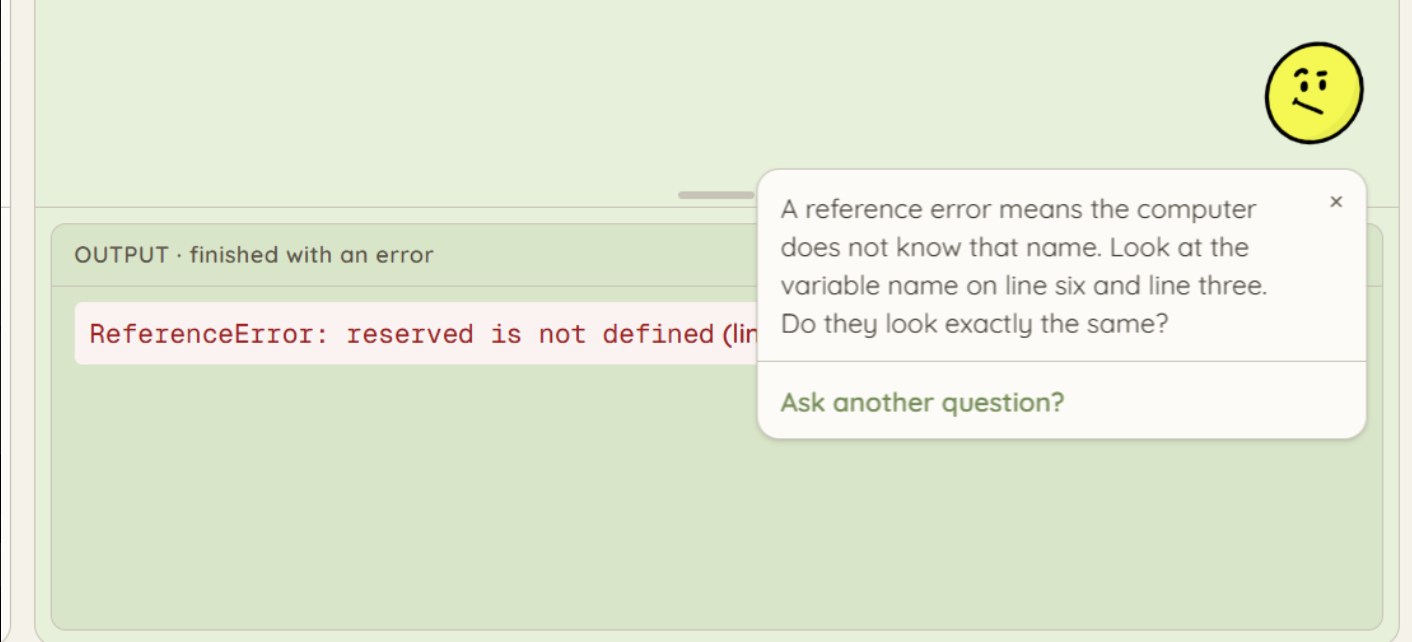
Student view: Helpity responding to an error
-
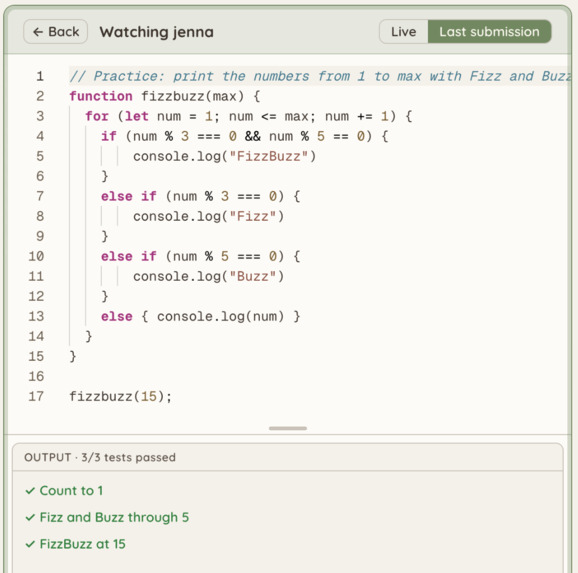
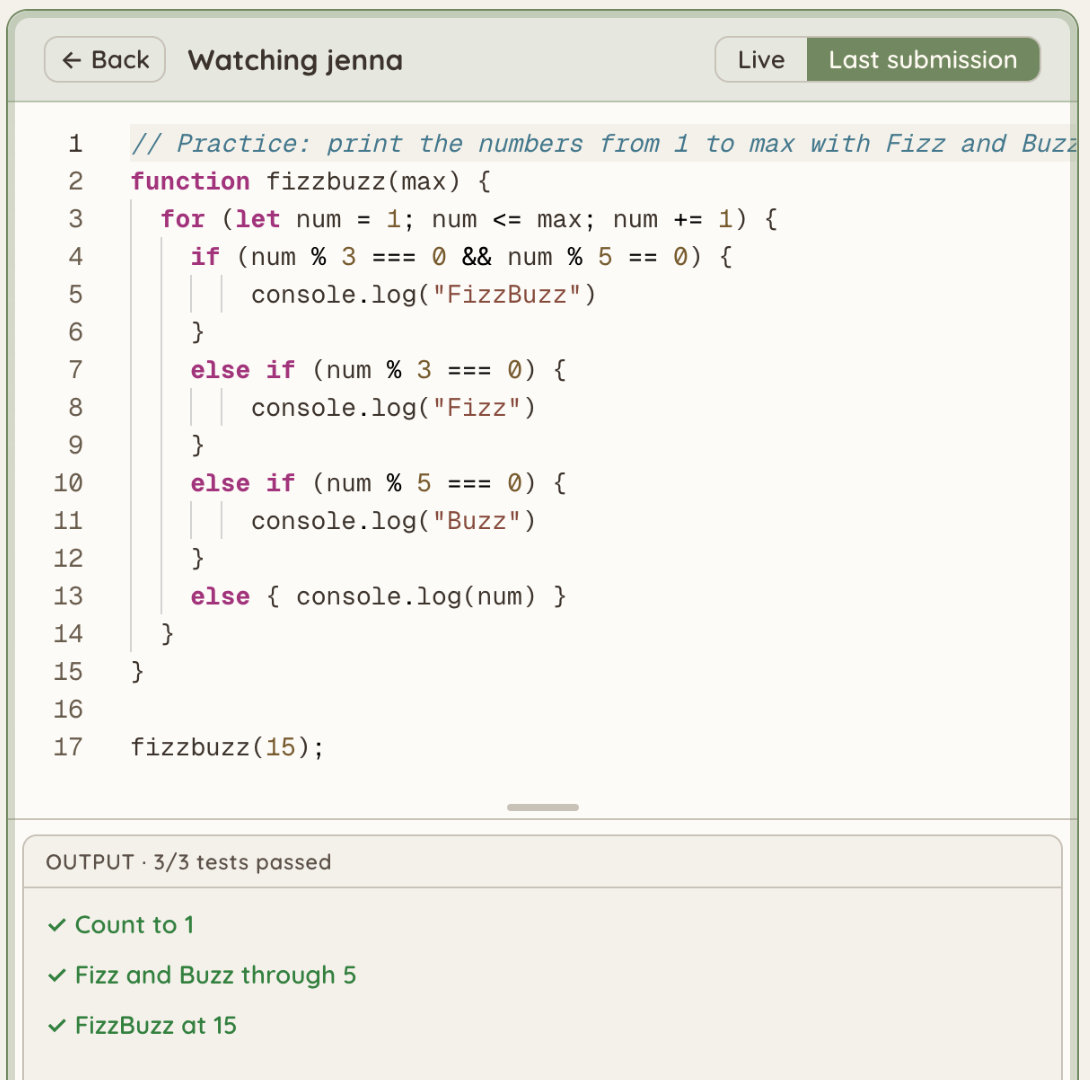
Teacher view: Watching a student's editor in real-time
-
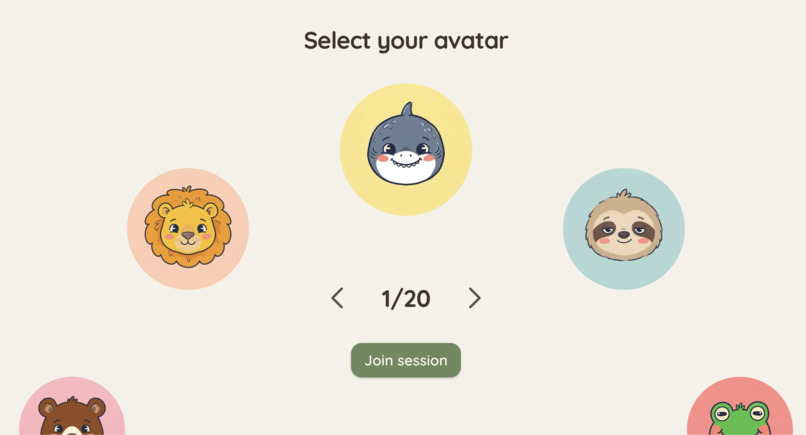
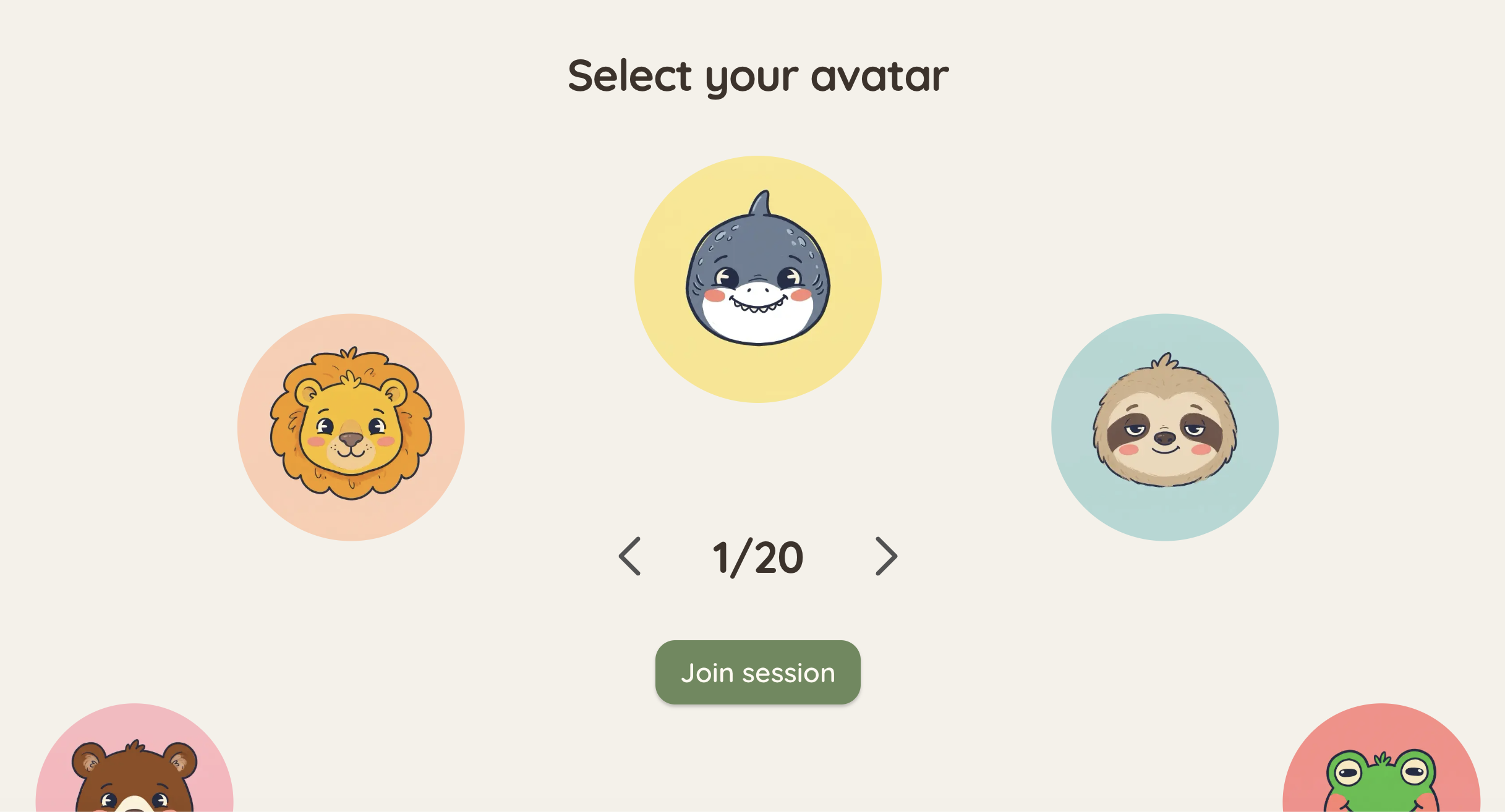
Student view: Selecting an avatar
-
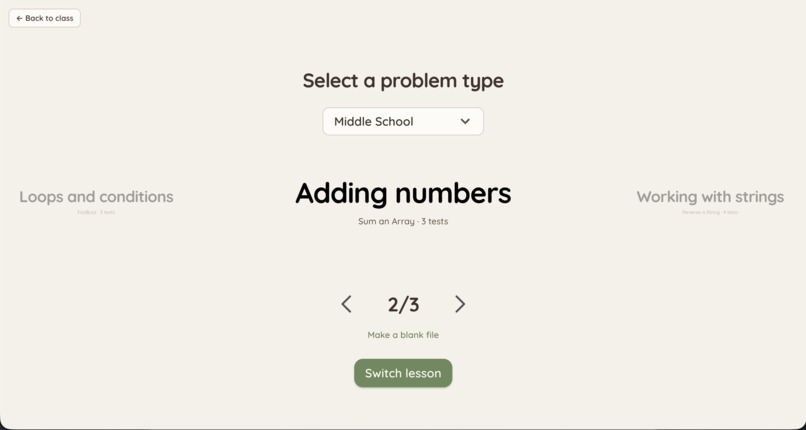
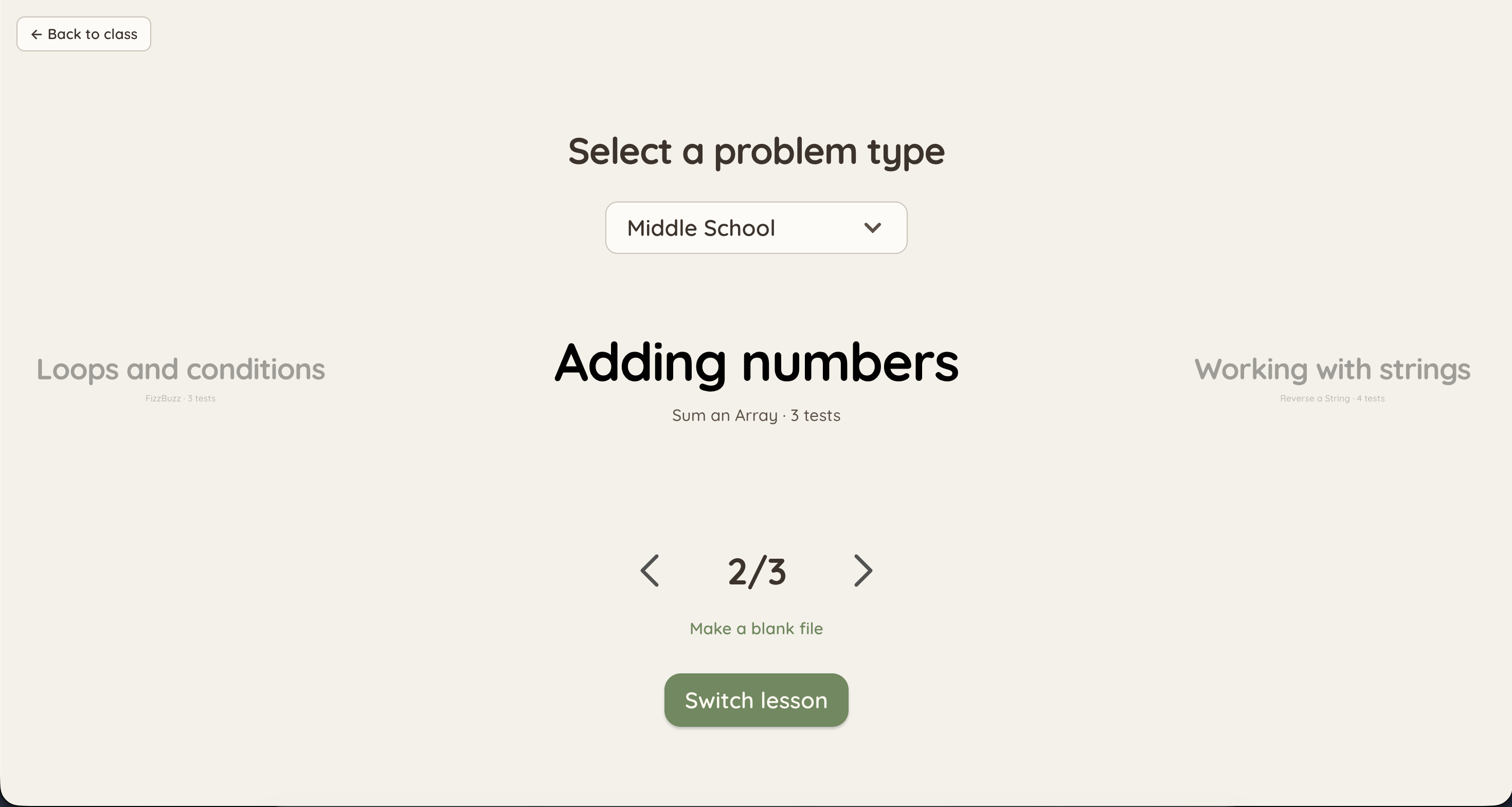
Teacher view: Choosing a challenge preset
What is Helpity?
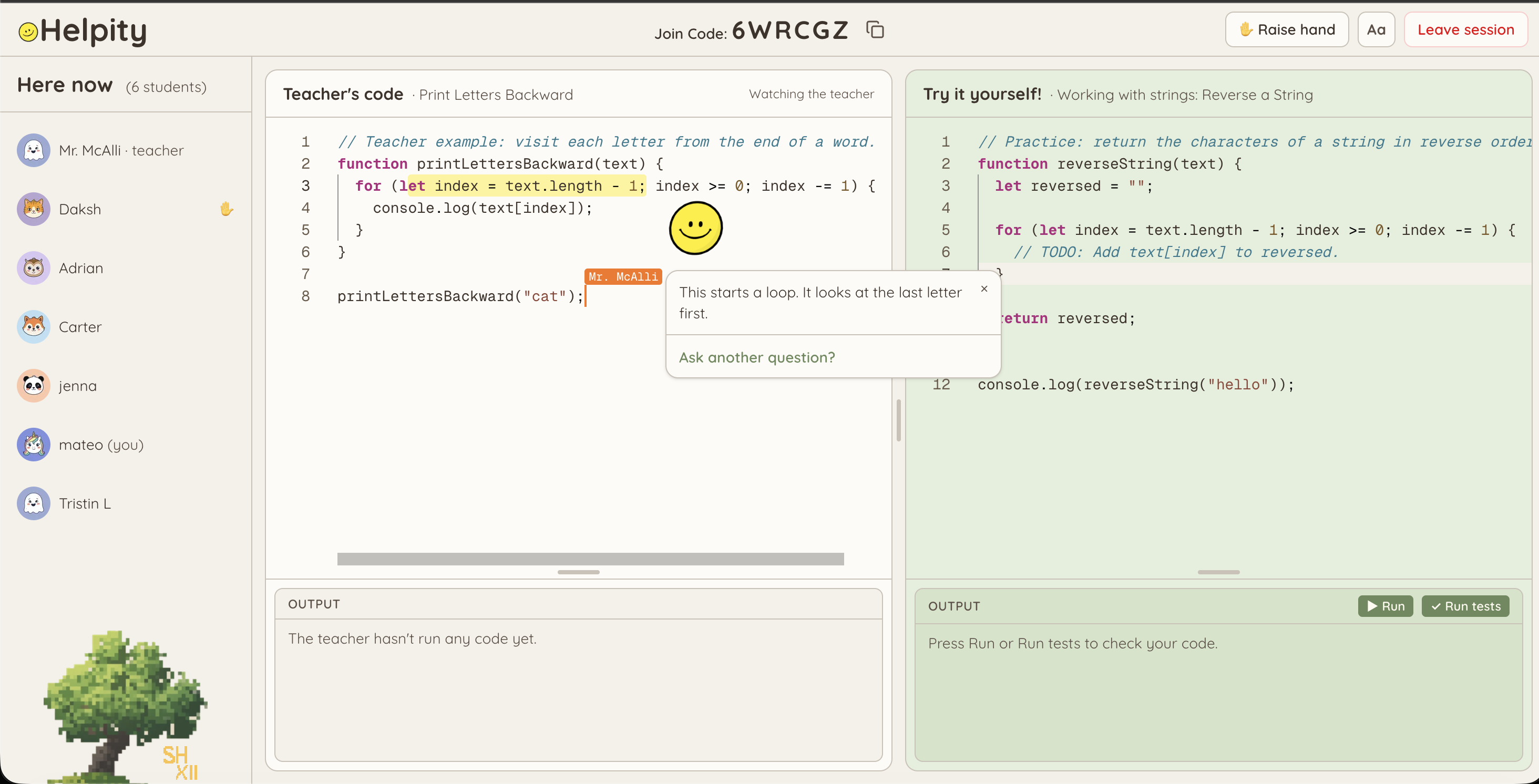
Helpity is a living, collaborative, and playful coding classroom for kids. It facilitates the lives of teachers by allowing them to monitor their students’ growth in real time, and it brings a fun twist to a traditional classroom lecture. A teacher starts a session, students join from their own browsers, and everyone can learn and code together in real time. Our mascot, a yellow smiley named Helpity, floats next to the students’ code and explains concepts in simplified language so anyone can understand what's going on.
Inspiration
Learning to code is an experience that can be incredibly monotonous and, to the dwindling attention spans of our youth, quite unengaging; asking a middle or elementary schooler to read a book is a tall ask, and even more so to read code documentation.
We wanted to make learning to code a more collaborative and interactive experience for classrooms of aspiring coders around the world. Inspired by games like Kahoot and Blooket, we built Helpity to do just that.
What it does
For teachers
- Pick a problem - Choose a lesson by difficulty level (elementary - high school) or start from a blank file. Each problem comes with a class example and a matching practice exercise with preconfigured test cases.
- Class code window - Control a shared coding window that everyone can always see. By default, only the teacher can type in this window, and the teacher can delegate temporary control to any one student at a time for hands-on problem solving.
- Track students’ results - A table of every present student with a progress bar of tests passed, how many attempts they’ve made, and a button to view their coding window.
- Watch any student live - Watch a student's editor update as they type, or view their latest submission.
- Raised hands - Students can raise a hand to request control of the shared coding window.
For students
- Join with a nickname and an avatar - Joining is a simple two-step process.
- A private editor - A private editor next to the collaborative view, set up with boilerplate for a similar question as the lesson topic.
- Run tests - Run the code as much as you like, and submit to check the practice exercise against its test cases. Each run counts as a submission the teacher can see.
Helpity, the assistant
- Highlight to ask - Highlight any code in either editor, and Helpity will provide a simple explanation of what that code does.
- Explains errors automatically - When a run crashes, Helpity reads the output and says what it means and where to look, without providing code or directly fixing the issue.
- Hints over answers - We made sure that Helpity prioritizes teaching rather than providing a direct solution to problems.
- Alive on screen - It trails highlighted text, bobs and sways, and changes mood (idle, thinking, talking, happy) to match what it’s saying.
How we built it
Live collaboration
Every session is a Yjs document served by Hocuspocus over WebSockets:
Student types in the Monaco editor -> Yjs -> Hocuspocus -> other participants see
| Room | Who is in it | What it holds |
|---|---|---|
session:CODE |
Everyone | The class code, who’s allowed to type, currently raised hands, shared output, and each student's last submission |
session:CODE:student:ID |
One student, plus a teacher watching | That student's private code and cursor |
Giving each student their own room keeps things separate, and when the teacher joins a student's room their presence won’t be sent to the student.
Running and evaluating code
Code runs in a thread Worker with a timeout, so an infinite loop doesn’t freeze the page. The teacher's run is written into the shared document so the whole class sees the same output. Test cases call the student's function with fixed inputs and compare the result or the printed lines to the expected ones.
The assistant
Helpity calls Gemini from a Next.js server route so the API key never reaches the browser. The prompt carries the question, the full code with line numbers, highlighted text, and the console output. The model replies in JSON, with an answer and a mood.
Tech stack
Client
- Next.js 16, React 19, TypeScript
- Tailwind CSS 4
- Monaco Editor with y-monaco
Real time
- Yjs and Hocuspocus
- A single Node server that serves the pages, API/WebSocket rooms on a single port
AI
- Gemini-3.1-flash-lite, queried with the Gemini API.
Challenges we ran into
- Trying to strike the balance between fun and function, we wanted Helpity the assistant to be as lively as possible without being too intrusive or distracting to the educational value that the editors provide.
- Instability and high demand with the Gemini API was making testing difficult, so we added debugging statements to the client console that explain any errors that may occur from Google server activity.
Accomplishments that we're proud of
- Achieving rapidly updating realtime features with Hocuspocus and getting code to execute/evaluate with worker threads, these are concepts that we hadn’t worked with extensively before and they ran us a bigger challenge than expected.
- Helpity feels like a character instead of a static chatbox, this is something we really wanted to get right as part of our vision for this project.
- The project’s level of polish, we are excited about its modularity and potential for expansion!
What we learned
- You don’t always need an external database, for an app like this one we didn’t want to incorporate one so we could get the fastest experience possible.
- How to properly prepare for a workflow with fast iteration and AI coding tools. In previous hackathons, working on branches was simple, but when you mix in AI tools, scoping becomes much more important to preserve not only your codebase but the actual quality of your work.
What's next for Helpity
- Teacher Insights - Add a persistent database to store more data and allow teachers to view class session history to see what students participated and how they performed, providing AI-powered insights to help identify how students are struggling the most.
- Conversation history - Follow-up questions that remember the last answer.
- More problems and languages - Implement support for languages beyond JavaScript and refactor existing test cases while developing new ones to improve compatibility.
- Assessment Support - Take advantage of the ability to view students’ editors; enable anti-cheating features such as tab-switching or copy-and-paste tracking to monitor student activity while putting their programming skills to the test.
- Self Study Modules - Provide self-study learning tracks that students can use to further their learning on their own time.
Run it yourself
cd client
npm install
echo "GEMINI_API_KEY=your-key" > .env.local
npm run dev
Challenges
| Challenge | Integration |
|---|---|
| Best use of Gemini API | Helpity answers questions about the student's code and explains errors, using Gemini through a server-side route |
| Best use of Vultr | Helpity is completely hosted on Vultr. We took advantage of their powerful cloud computing instances to host our Next.js server and Websocket logic to enable real-time connections, allowing countless classes to be held simultaneously. |
| Best Domain Name from GoDaddy Registry | Our domain name, helpity.app was acquired with GoDaddy. |
Built With
- claude
- gemini-api
- github
- hocuspocus
- next.js
- typescript
- vultr
- yjs


Log in or sign up for Devpost to join the conversation.