🌳 Inspiration
We’re a team of animators, music lovers, and beginner game developers who wanted to create something unique, meaningful, and peaceful. We’ve always loved games that pair calming music with immersive environments, and we wanted to build an experience that reflects that—something that doesn’t already exist. Mental wellness is personal to us, and instead of making the user feel like they are the problem, we designed a game where the player helps others. Through helping these characters, the user slowly and indirectly works through their own emotions. It’s not about pressure—it’s about reflection, empathy, and healing. Creating this project felt like the perfect way to blend storytelling, animation, and music into a journey of peace and growth.
🌳 What it does
Helping Hand is a calming 3D mobile game where you explore a desert, talk to AI characters, and help them work through emotional struggles—reflecting your own. Through interactive conversations and guided reflection, you support others and heal yourself.
🌳 How we built it
Planning & Setup
We created a new 3D Unity project targeting mobile (portrait mode) and outlined key features like movement, chat UI, and AI integration. We used Windsurf IDE for faster AI-assisted coding and scoped features based on the 12-hour limit.
Environment & Characters
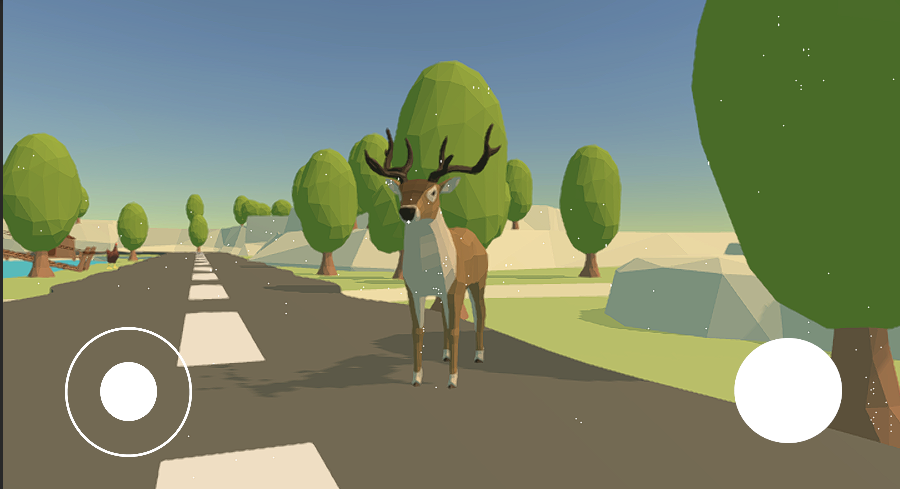
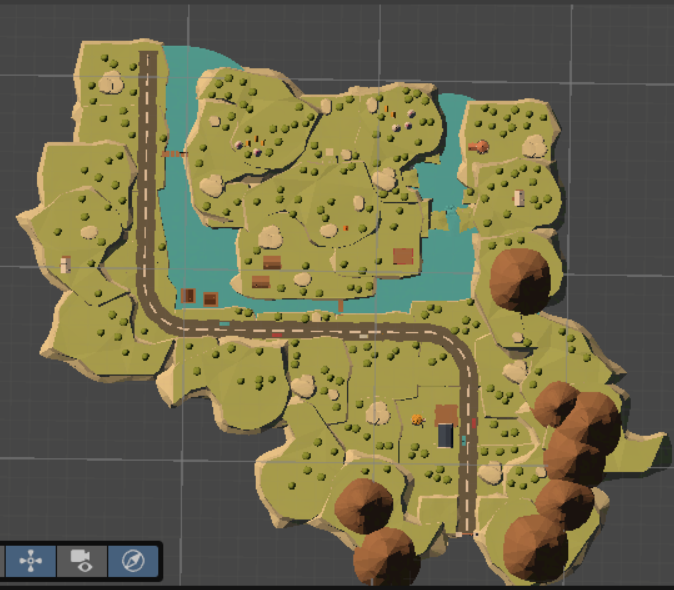
We used low-poly assets from Unity’s Asset Store to quickly build a calming environment. A simple third-person character was added with Unity’s CharacterController, and Cinemachine handled camera follow.
Movement & Controls
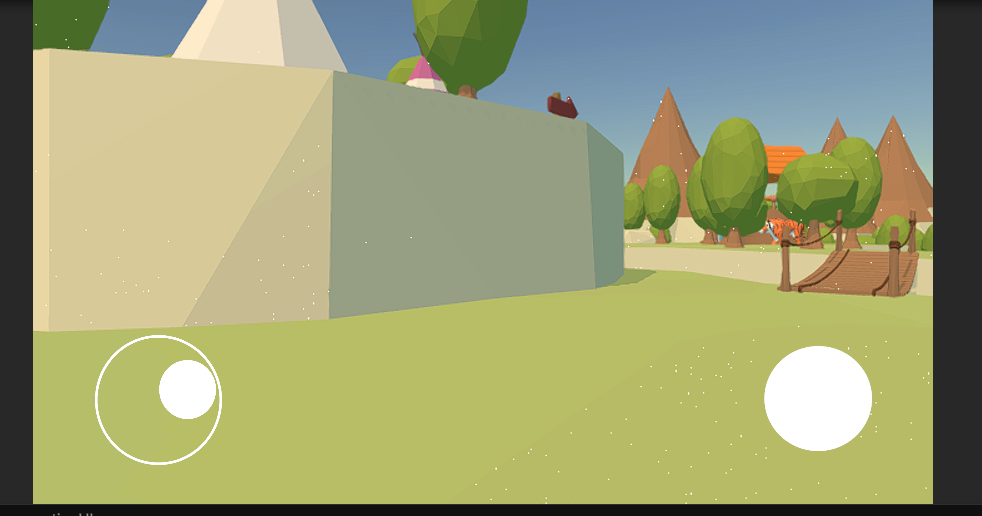
We implemented on-screen joysticks using the free Joystick Pack. A fixed joystick controls movement, while swiping adjusts the camera using Cinemachine. Testing was done using Unity’s Device Simulator to simulate touch behavior.
Conversation Mode
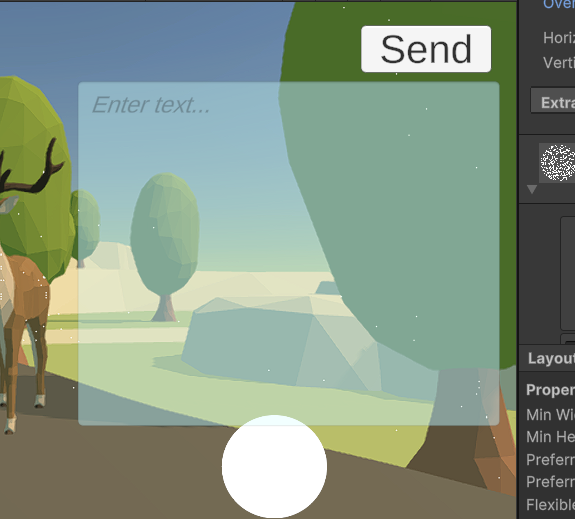
Approaching the “Cloud” NPC triggers Conversation Mode. Player movement is disabled, and a full-screen chat UI appears. TextMeshPro handles message display, and the chat history is scrollable and persistent.
AI Chatbot Integration
Messages are sent to an AI model (e.g., DeepSeek-R1 via OpenRouter API) using UnityWebRequest. The AI plays a compassionate guide, aiming to identify the player’s root issue (e.g., anxiety) using prompt engineering and keyword detection.
NPC Interactions
After the root issue is found, three metaphorical NPCs (e.g., Fear, Doubt) appear. Players solve simple riddles or multiple-choice prompts to “help” them, representing progress in overcoming the core issue.
Rewards & Ending
Helping each NPC gives a token. Once all are helped, the player returns to Cloud for a final conversation summarizing their journey. A simple ending screen shows the root issue and offers a chat history review.
Audio Integration
We added calming background music and small sound effects (chat message whoosh, token chime). Music volume is adjusted dynamically during gameplay for mood shifts.
Data Saving
Chat history is saved locally as a JSON file in Unity’s persistent data path. This allows the user to view past conversations, ensuring privacy by avoiding cloud storage.
Testing & Build
We continuously tested on-device to refine controls, chat flow, and performance. The final mobile build was optimized for smooth visuals, async AI calls, and intuitive touch input.
🌳 Challenges we ran into
Model Import Issues
Some of the free low-poly assets we found didn’t include textures or proper materials. When we imported them into Unity, the environment looked colorless or even translucent. We fixed this by manually assigning materials and tweaking the shader settings in the Mesh Renderer to use standard opaque materials.
AI Integration Struggles
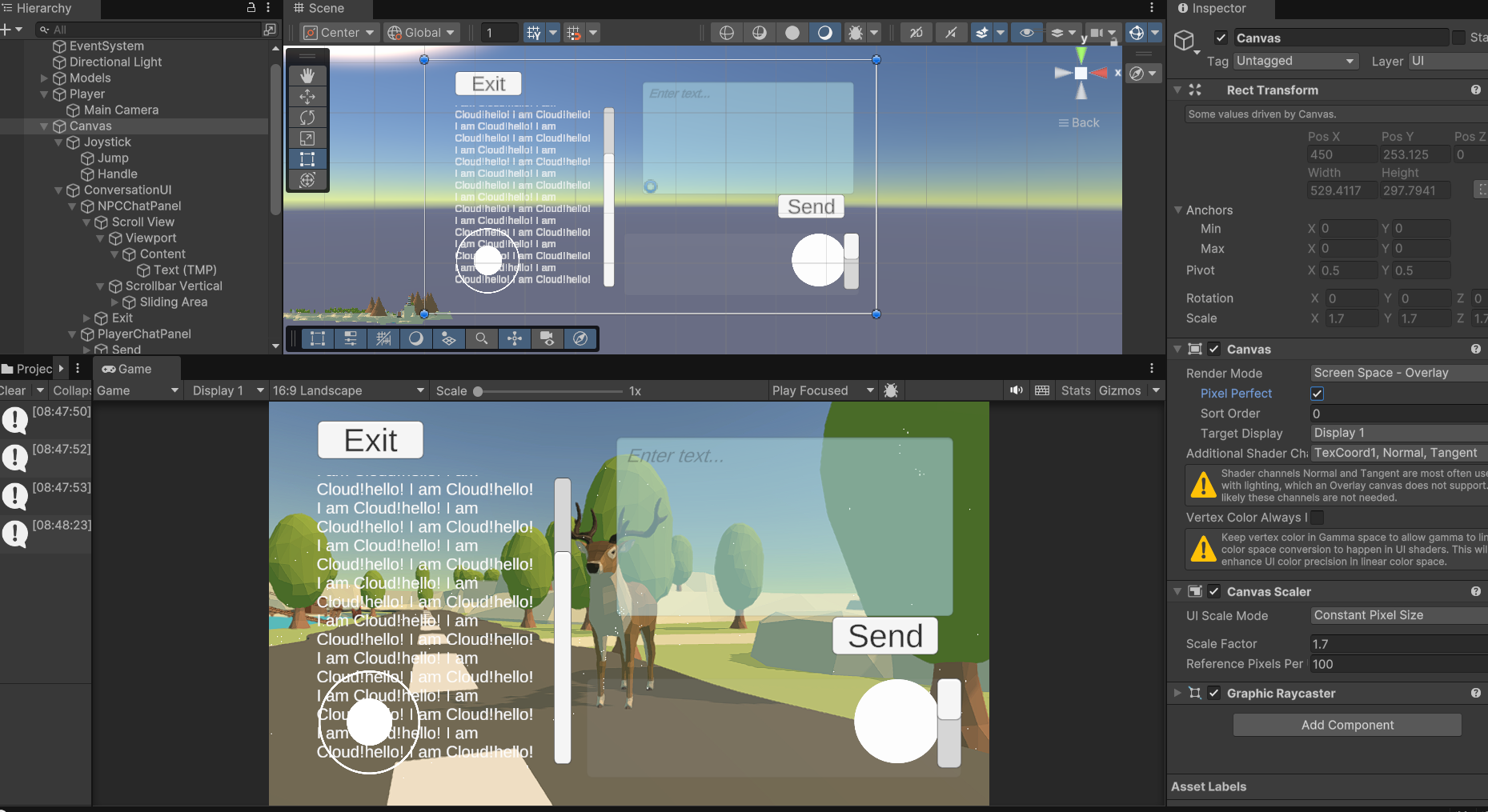
The AI integration gave us the most trouble. We worked on it until the very last minute. Initially, the AI only printed responses in the console and didn’t display in the UI. When we finally got it connected to the chat panel, it started altering the UI layout and aspect ratio. We had to lock Canvas settings and adjust anchors to stop the layout from breaking.
UI Glitches
Integrating the AI with the chat UI messed with other UI elements—panels would shift, fonts would scale oddly, and the layout kept resetting. Fixing this involved a lot of trial and error, and we had to watch a few tutorials to find workarounds for the canvas scaling issues.
Welcome Page & Button Integration
Surprisingly, the welcome screen and custom button setup took nearly 3 hours. Buttons didn’t trigger scene changes, UI elements overlapped, and we struggled to align and anchor elements correctly across devices.
🌳 Accomplishments that we're proud of
Keeping Our Sanity: First and foremost—we stayed sane (mostly) and kept a positive vibe throughout the chaos.
Polished UI Design: Our UI turned out clean, intuitive, and visually appealing. The layout holds up across devices, and we’re proud of how it frames the emotional tone of the game.
Thoughtful Character Choices: We took time to choose characters and themes that reflect emotional depth, making the narrative feel intentional and immersive.
Breathing Animal Assets: We found subtle, animated animal models that look alive—even when idle—which brought extra life and calm to the world.
Smooth Movement & Camera: We got our character to walk, jump, and look around freely without glitching or distorting the environment (which was definitely a struggle early on).
Joystick Success: Implementing a functional on-screen joystick was a huge win, and it worked as expected right on the first mobile test.
Mobile Deployment on First Try: One of our biggest flexes: the game successfully built and displayed on our phones the first time—a rare hackathon miracle.
Custom Figma UI: Our custom UI flow, designed in Figma, laid the foundation for the game’s aesthetic and experience—it kept us on track and visually aligned.
🌳 What we learned
Throughout building Helping Hand, we learned how much planning, patience, and creative problem-solving goes into making even a small game. We gained hands-on experience working with Unity—from setting up mobile controls and importing assets, to building a functional UI and integrating AI. We learned how to troubleshoot unexpected issues, like broken models, weird lighting, or UI elements shifting randomly. We now understand how to manage screen scaling, canvas locking, and async API calls, all while keeping the player experience in mind. We also learned the value of iteration—whether it was refining the joystick controls, fixing camera movement, or adjusting dialogue flow. Most importantly, we saw how meaningful design choices—like calming visuals, responsive NPCs, and a thoughtful narrative—can help create a space that feels safe and emotionally engaging. And yeah, we also learned that even getting a working mobile build on the first try is worth celebrating.
What's next for Helping Hand
We see Helping Hand as more than just a prototype—it’s the beginning of a powerful, gamified mental health support experience. Here are the next steps we plan to explore:
Expanded Gameplay & Content
More Levels & Worlds: Introduce new themed environments that represent different emotional landscapes—like a stormy forest for anger or a foggy maze for confusion. Each world could represent a unique mental health journey.
Subtopics & Branching Paths: Add levels within each core issue (e.g., anxiety → social anxiety, performance anxiety, etc.), allowing players to dig deeper into their personal experiences.
Character Customization
Customizable Avatars: Let players personalize their character’s appearance, clothing, and emotional expressions. This increases immersion and helps players form a connection with their in-game self.
Smarter AI & Adaptive Tasks Dynamic Task Generation: Based on what the user shares in conversation, the AI can suggest relevant in-game tasks or NPCs that reflect their specific challenges.
Emotion-Aware Conversations: Improve the AI to detect tone or sentiment and adapt its responses accordingly.
Voice Interaction
Voice Recognition AI: Enable voice-based conversations with Cloud for a more natural and accessible experience. This could help players who prefer speaking over typing and make the game more inclusive.
More Mental Health Topics
Expand the range of supported issues—e.g., grief, burnout, self-esteem, loneliness—and tailor game mechanics to each.
Partner with mental health professionals to ensure sensitivity and accuracy in representing these topics.
AR & Immersive Tech
Augmented Reality Support: Let users project NPCs or environments into their real world using AR—bridging physical and digital spaces for grounding exercises or emotional check-ins.
Haptics & Feedback: Incorporate subtle vibration or sound cues for emotional feedback (e.g., calm hums during safe dialogue moments).
Personal Growth Tracking
Reflection Journal: Add an in-game journal that summarizes progress, notes milestones, and stores key reflections from each conversation.
Optional Mood Tracker: Let users log their feelings before and after each session and visualize their emotional journey over time.
Guided Mode: Offer a path where real therapists or mental health coaches can provide pre-approved prompts or dialogue flows for safer use in educational settings.


Log in or sign up for Devpost to join the conversation.