Inspiration
The inspiration for this project came from the desire to transform the classic "Hello World" program into a visually captivating experience. I wanted to take the traditional first step of programming and elevate it with modern web technologies, creating a dynamic and interactive canvas animation.
What it does
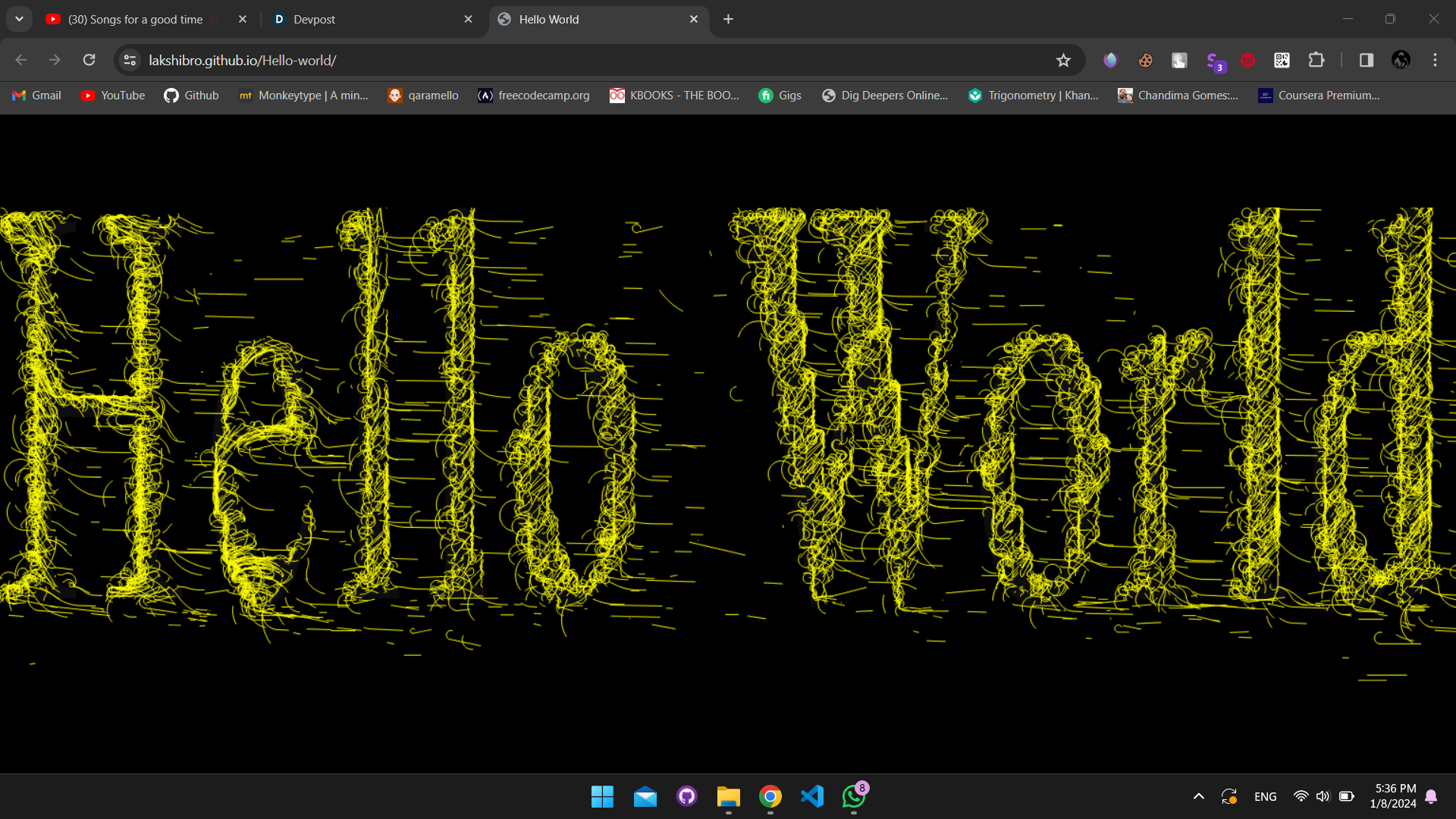
The project uses HTML5 Canvas and JavaScript to animate thousands of particles that move across the screen, forming and dissolving the phrase "Hello World". Each particle follows a flow field, creating a mesmerizing visual effect that brings the static text to life.
How I built it
I built the project using JavaScript to manipulate the HTML5 Canvas. I created a Particle class to define the behaviour of individual particles and an Effect class to manage the overall animation. The particles' movement is influenced by a flow field, which is generated based on pixel data from the text drawn on the canvas.
Challenges I ran into
One of the main challenges was optimizing the performance to handle a large number of particles without causing lag. I also faced difficulties in creating a flow field that would convincingly guide the particles to form the desired text.
Accomplishments that I'm proud of
I am proud of creating a complex and beautiful animation from a simple concept. The project not only displays "Hello World" but does so in a way that is both technically impressive and visually stunning.
What I learned
I learned advanced techniques for canvas manipulation, particle system optimization, and the intricacies of creating a flow field based on text. I also gained a deeper understanding of JavaScript's capabilities in creating interactive web-based animations.
What's next for Creative coding: Hello World
The next step for the "Hello World" project is to add interactivity, allowing users to interact with the particles in real-time. I also plan to explore different visual effects and perhaps integrate the animation with other web technologies or APIs to create an even more engaging user experience.

Log in or sign up for Devpost to join the conversation.