-
Hello World Jira App
Inspiration
I was inspired to get hands-on with Atlassian Forge because it offers a new, secure way to build apps directly inside Jira. As a beginner, I wanted to explore the basics of app development on this platform.
What it does
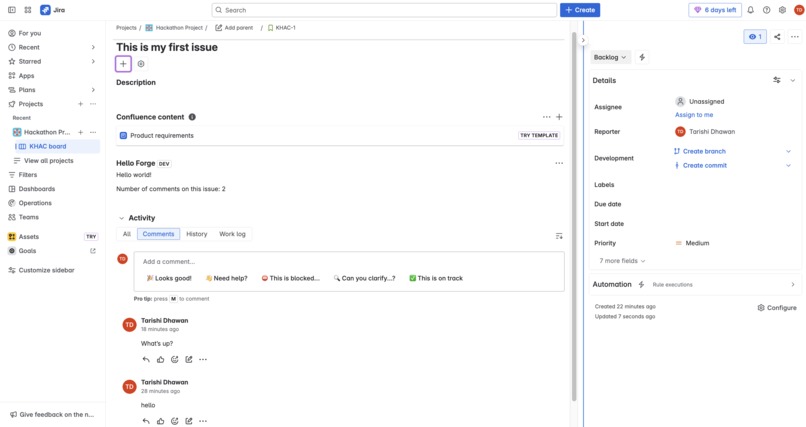
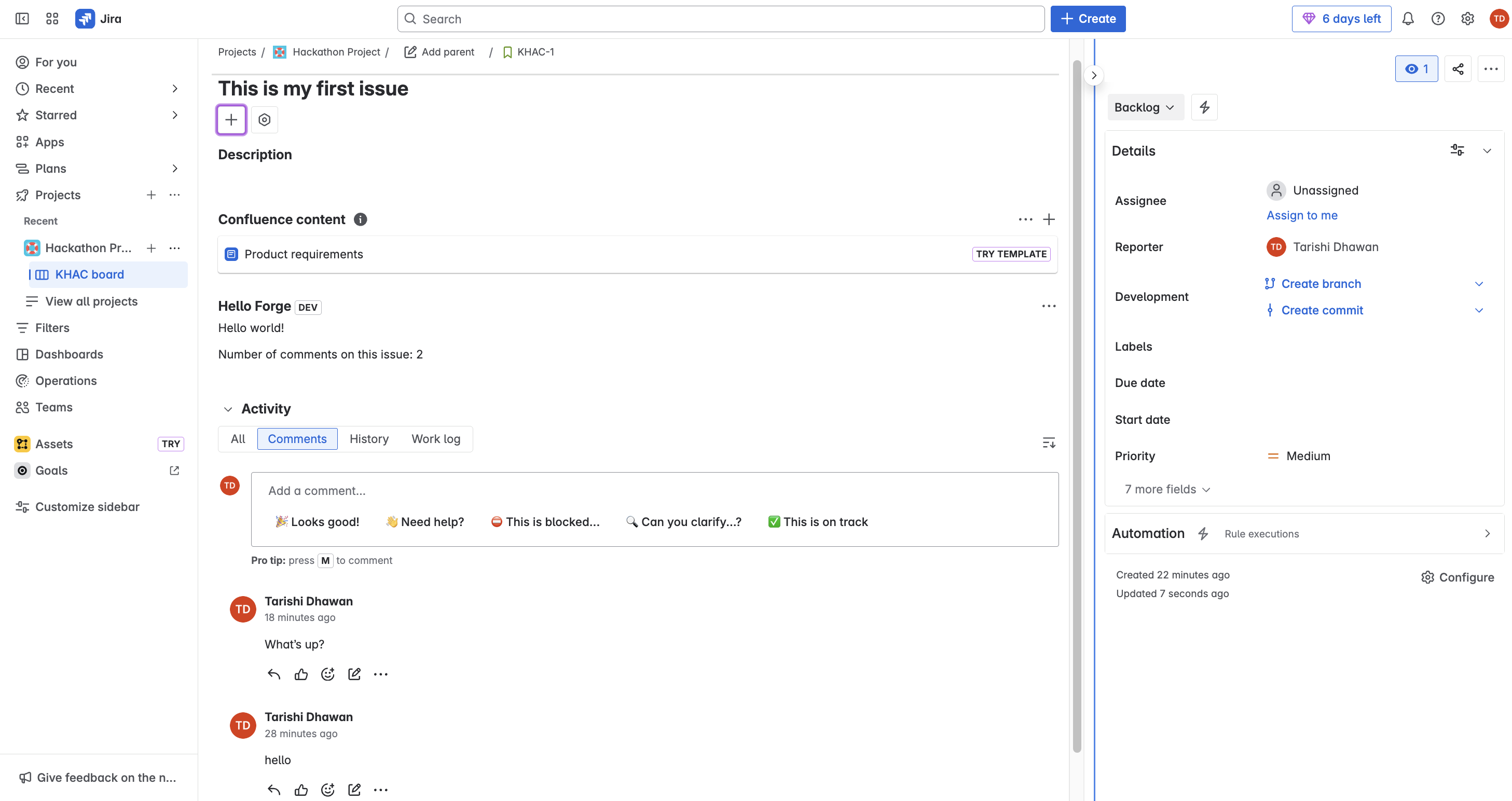
This hello-world Jira app adds a simple issue panel inside Jira issues. It displays a message within the issue view, showing how Forge apps can extend Jira’s functionality directly in the user interface.
How we built it
I used the Atlassian Forge CLI along with Node.js and VS Code. I started with the standard hello-world template provided by Atlassian, customized the panel’s title, deployed and installed the app on my Jira Software dev site, and tested it on an issue.
Challenges we ran into
Understanding the difference between Product Discovery vs. Jira Software projects Figuring out where the app would render inside the issue Learning how to deploy and install properly with the Forge CLI
Accomplishments that we're proud of
Successfully created, deployed, and installed a Forge app for the first time Understood how to modify the manifest to change app titles Gained confidence using Atlassian’s Forge tools
What we learned
I learned how Forge enables secure cloud app development inside Jira without worrying about external servers. I also learned to read and edit manifest.yml files, deploy updates, and test features in a dev environment.
What's next for Hello-World Jira App
I plan to expand the app to display richer data, such as live weather updates or integrations with issue data, to create a more useful custom panel for teams working inside Jira.


Log in or sign up for Devpost to join the conversation.