Inspiration
The inspiration for this project stemmed from a desire to explore the capabilities of the Pieces Copilot SDK and to understand how it can be leveraged to interact with language models. The idea was to create a simple yet functional "Hello World" application that not only prints a greeting but also demonstrates the power of asking questions to a language model and receiving intelligent responses.
What it does
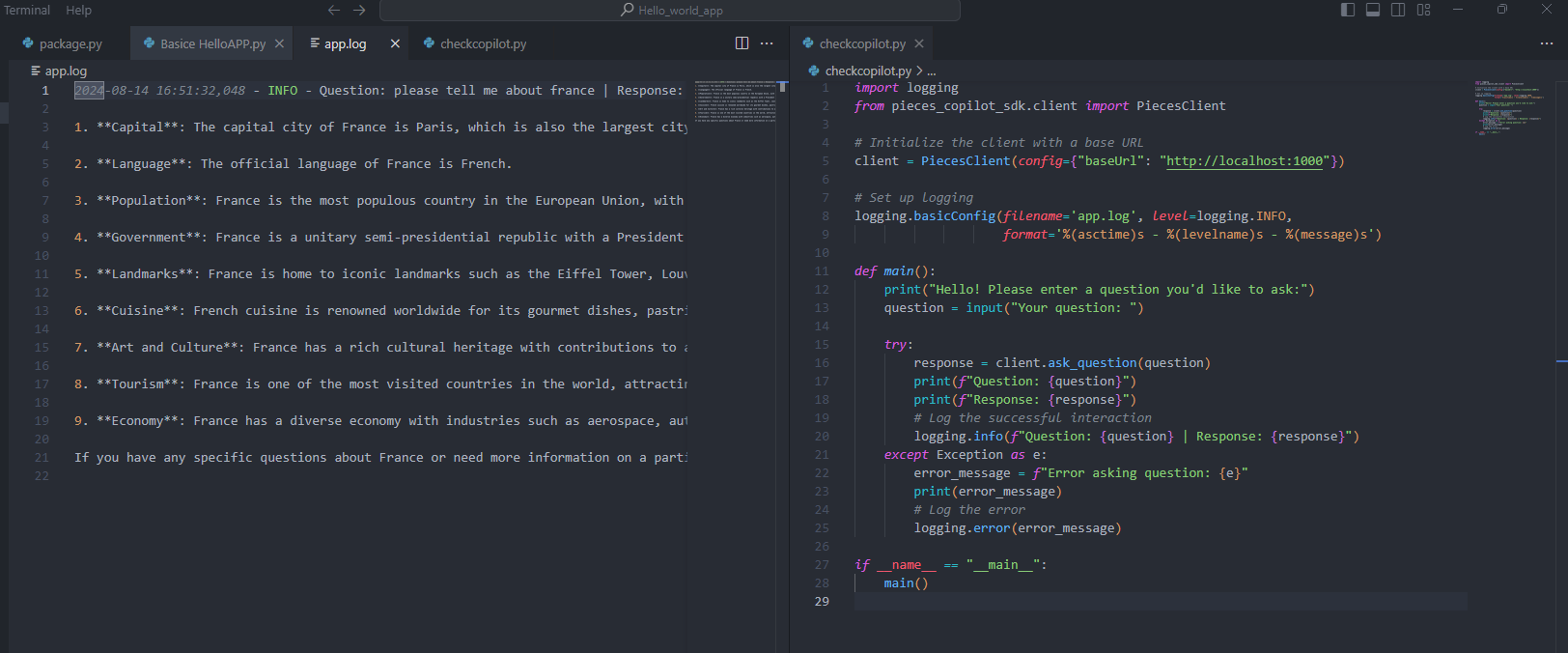
This project is a simple Python application that demonstrates how to use the PiecesClient from the pieces_copilot_sdk to interact with a service by asking a predefined questions. The primary purpose of this project is to serve as a basic example of using the SDK for querying a language model or similar service.
How we built it
- Setting Up the Environment:
- Installed Python and necessary dependencies. *Set up a virtual environment to manage project-specific packages. * Installed the Pieces Copilot SDK.
- Creating the Application:
- Initialized a new Python project.
- Imported the Pieces Copilot SDK and configured it to using the PiecesClient and settings. *Developed a simple script to print "Hello World" to the console.
- Integrating the Language Model:
- Utilized the askQuestion method from the Pieces Copilot SDK.
- Defined a predefined question to ask the language model.
- Printed the generated response from the language model to the console.
- Testing and Debugging:
- Ran the application to ensure it worked as expected.
- Debugged any issues that arose during execution with the help of Pieces Desktop for Developers.
- Refined the code for better readability and performance.
Challenges we ran into
- SDK Installation: Initially faced issues with installing the Pieces Copilot SDK due to version conflicts. Resolved by carefully managing dependencies and ensuring compatibility.
- API Configuration: Encountered difficulties in configuring the API keys correctly. Overcame this by thoroughly reading the documentation and seeking help from community forums on discord.
- Response Handling: Handling the responses from the language model required careful parsing and error handling to ensure the application remained robust.
Accomplishments that we're proud of
Built a simple hello World script Optimising Pieces SDK for the first time reducing load times by 50%
What we learned
Throughout the development of this project, I gained valuable insights into:
- SDK Integration: How to effectively integrate the Pieces Copilot SDK into a Python application.
- Language Models: The basics of interacting with language models and utilizing their responses in a meaningful way.
- Python Programming: Reinforced my understanding of Python programming, especially in the context of SDK usage and API calls.
- Problem-Solving: Tackling various challenges that arose during the development process, from installation issues to debugging code.
Conclusion
Building this "Hello World" application using the Pieces Copilot SDK was a rewarding experience. It provided a hands-on opportunity to explore the integration of language models into a Python application and to understand the potential of such technology. The challenges faced along the way were valuable learning experiences that contributed to the overall success of the project.
what is next for this project
The next step is to allow asking multiple questions at once, make the app faster with better processing, and improve user experience by adding a simple interface. Also, testing and getting the project ready for deployment, like using streamlit, will make it more easier to use
Built With
- logging
- pieces-copilot
- pieces-copilot-sdk
- pieces-for-developers
- piecesclient-api
- piecesos
- python

Log in or sign up for Devpost to join the conversation.