-
-
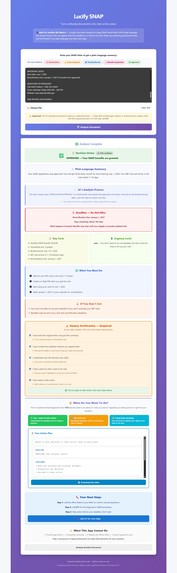
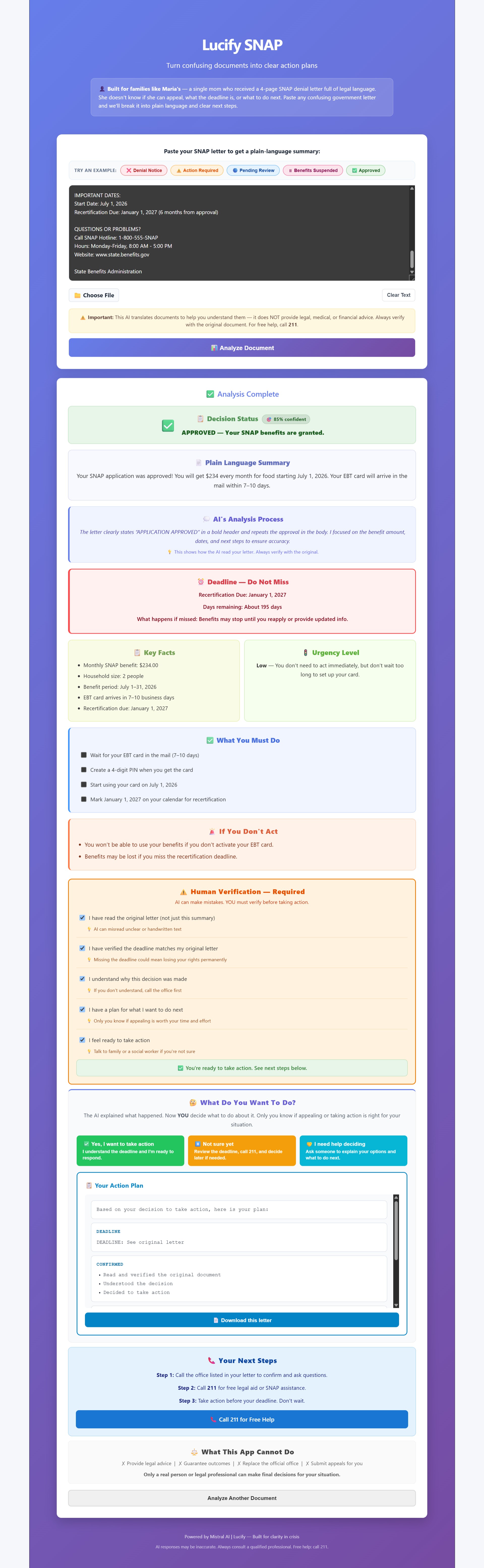
Approved Case Image
-
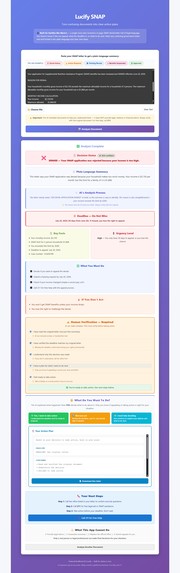
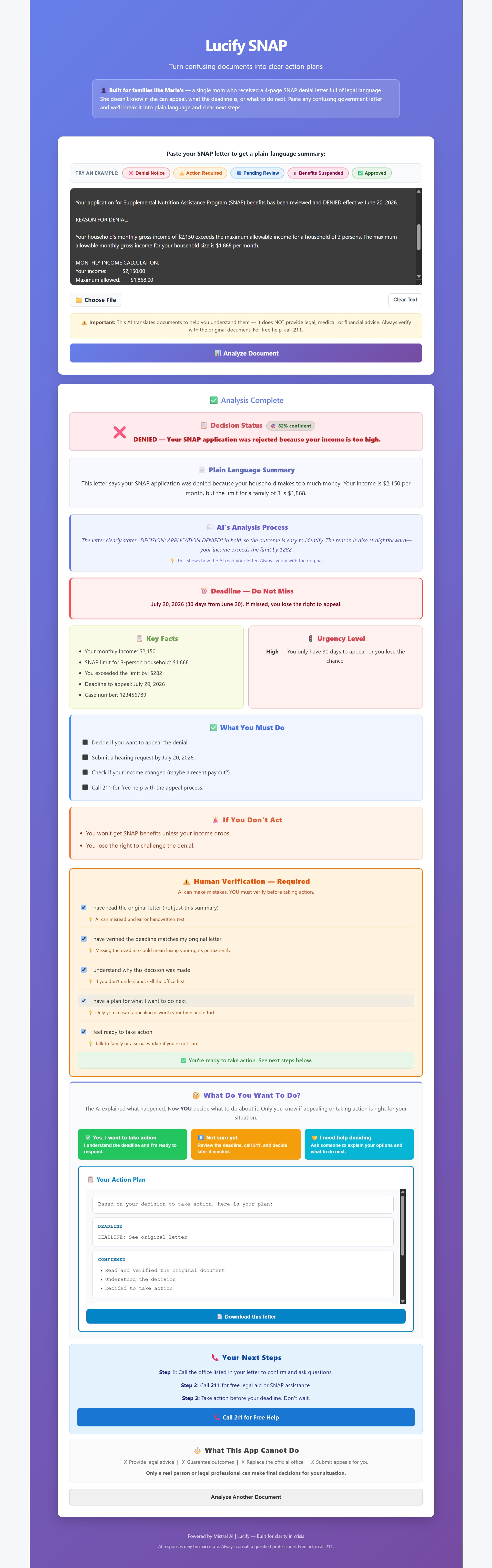
Denied Case Image
-
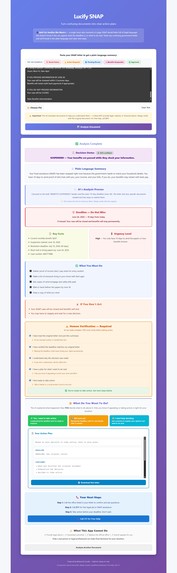
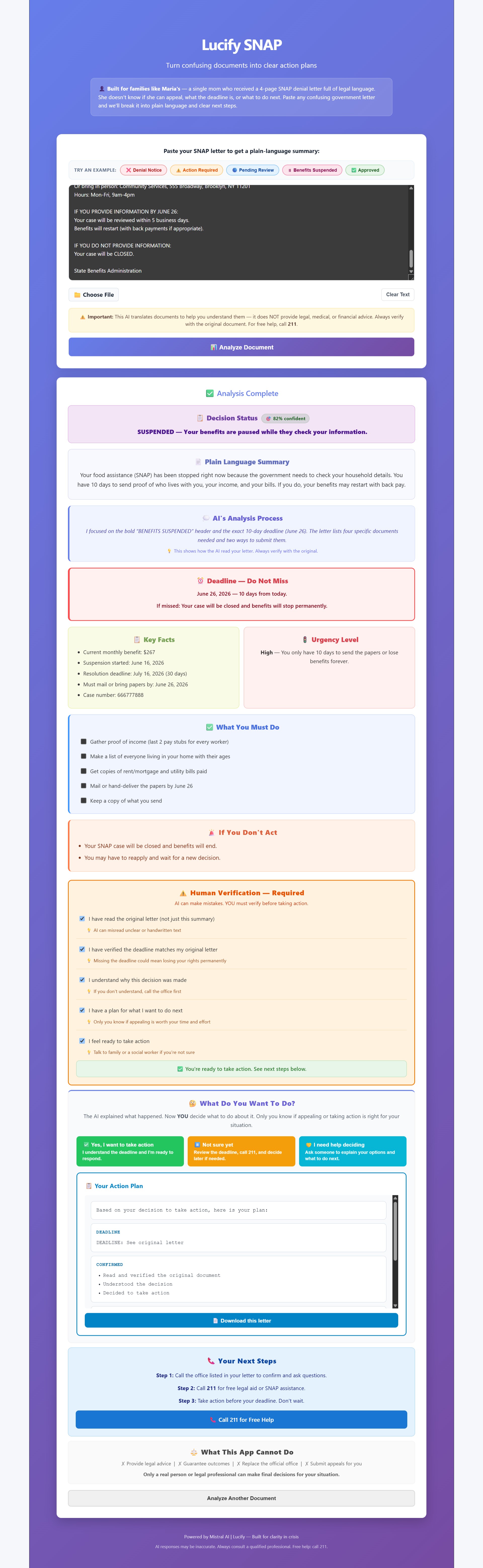
Suspended Case Image
-
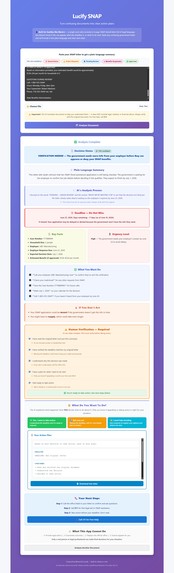
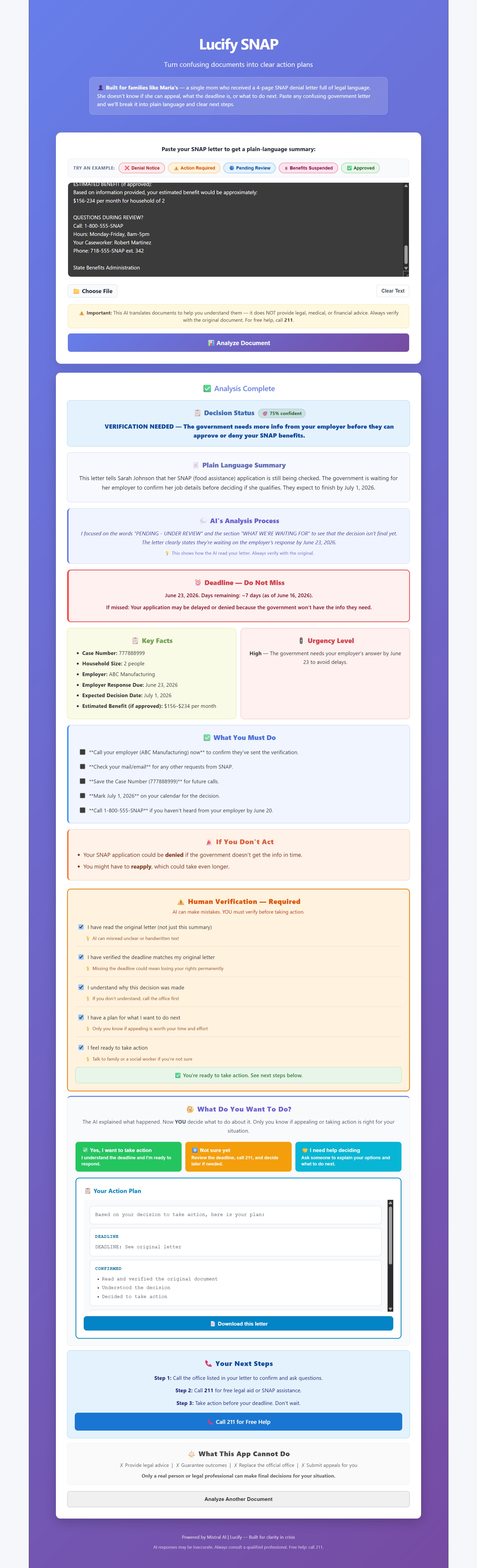
Verification Needed Case Image
Inspiration
The inspiration for this project came directly from our own homes. Some of our family members have a hard time understanding difficult government documents, particularly SNAP (Supplemental Nutrition Assistance Program) benefit letters. The bureaucratic jargon can be incredibly confusing, and we believed that we could do something about that to help them and others in similar situations navigate their food assistance without stress.
What it does
Lucify SNAP is an AI-powered web tool designed specifically for individuals who have difficulty understanding complex SNAP letters. By simply pasting the text of their government letter into our website, the AI instantly translates the jargon to provide:
A plain-English brief summary
The five main points of the letter
A contextual analysis
Clear, actionable steps they should take next
We essentially take the complexity of government text, which often has a terrible readability score, and mathematically reduce it. For context, the Flesch Reading Ease score is calculated as:
$$ \text{Readability} = 206.835 - 1.015 \left( \frac{\text{Total Words}}{\text{Total Sentences}} \right) - 84.6 \left( \frac{\text{Total Syllables}}{\text{Total Words}} \right) $$
Our AI processes the text to maximize this score, making it as close to ( 100 ) (very easy to read) as possible.
How we built it
Our development journey took a few pivots. We first tried using Zapier to create an automated workflow which involved Google Forms for the user input and Gmail for the output. However, we realized that forcing users to check their email broke the user experience; we wanted the results to be right there on the same screen.
To solve this, we used Visual Studio Code to build a custom AI website from scratch, connecting it directly to Mistral AI's API to handle the text processing. Finally, we used GitHub for our version control and deployed our live work using Vercel.
Challenges we ran into
We faced several major hurdles during development:
API Integration: Initially, our Mistral API keys would not connect to Zapier, which forced us to rethink our architecture entirely.
Data Privacy Bug: When we built the custom site to get the output on the same page, we ran into a massive state-management issue where users could accidentally see the AI analysis generated for other users! We had to quickly debug our backend to isolate user sessions.
Timeout Errors: We originally tried to add a direct document upload feature. Unfortunately, the AI took way too long to decode the PDF content. The processing time exceeded the server timeout limits, meaning the output was never given back to the user.
Accomplishments that we're proud of
We are incredibly proud of pushing past our initial failed Zapier prototype to build a fully functioning, standalone web application. Overcoming the cross-user data leak was a massive win for us, ensuring that sensitive SNAP information remains private. Most importantly, we built a tool that actually solves a real-world problem for our families.
What we learned
This project was a massive learning curve. We successfully learned how to:
Publish and integrate AI projects using Mistral AI.
Navigate GitHub for repository management and version control.
Effectively write and debug web application code using Visual Studio Code.
What's next for "Lucify SNAP"
In the future, we want to fix the document upload feature by integrating a faster Optical Character Recognition (OCR) API before sending the text to Mistral. We also hope to add multi-language support (like Spanish and Mandarin) so that non-native English speakers can also decode their SNAP letters with ease.
Built With
- css
- github
- html
- javascript
- misteral
- react
- vercel


Log in or sign up for Devpost to join the conversation.