Inspiration
We're a team of computer science students. None of us are biologists. But when we first saw what genomic foundation models like Evo 2 could do, we couldn't look away. A neural network that reads raw DNA and predicts what it does, scores how plausible it is, and tells you what would happen if you changed a single base pair. We didn't fully understand the biology, and that was exactly the point. We wanted to build something that made this accessible to people like us.
The thing is, tools like this don't really have interfaces built for humans yet. They live in notebooks and CLI scripts. A researcher today has to string together five different tools across three terminals just to go from "I have a sequence" to "I understand what it does." We wanted to build the thing that closes that gap. Not another dashboard. Not another visualization wrapper. A real working environment where you paste a sequence and everything unfolds from there: annotation, scoring, mutation analysis, structure prediction, candidate ranking, all in one place.
On the frontend side, we were equally obsessed with making this feel like a product and not a hackathon project. We studied how companies like Linear, Vercel, and lovi.care build interfaces that feel authored and intentional. We wanted Helix to have that same quality. A cinematic landing page that tells a story through scroll. Product surfaces that feel calm and precise. A dark mode that actually looks good. We wanted someone watching our demo to forget this was built in a weekend.
What it does
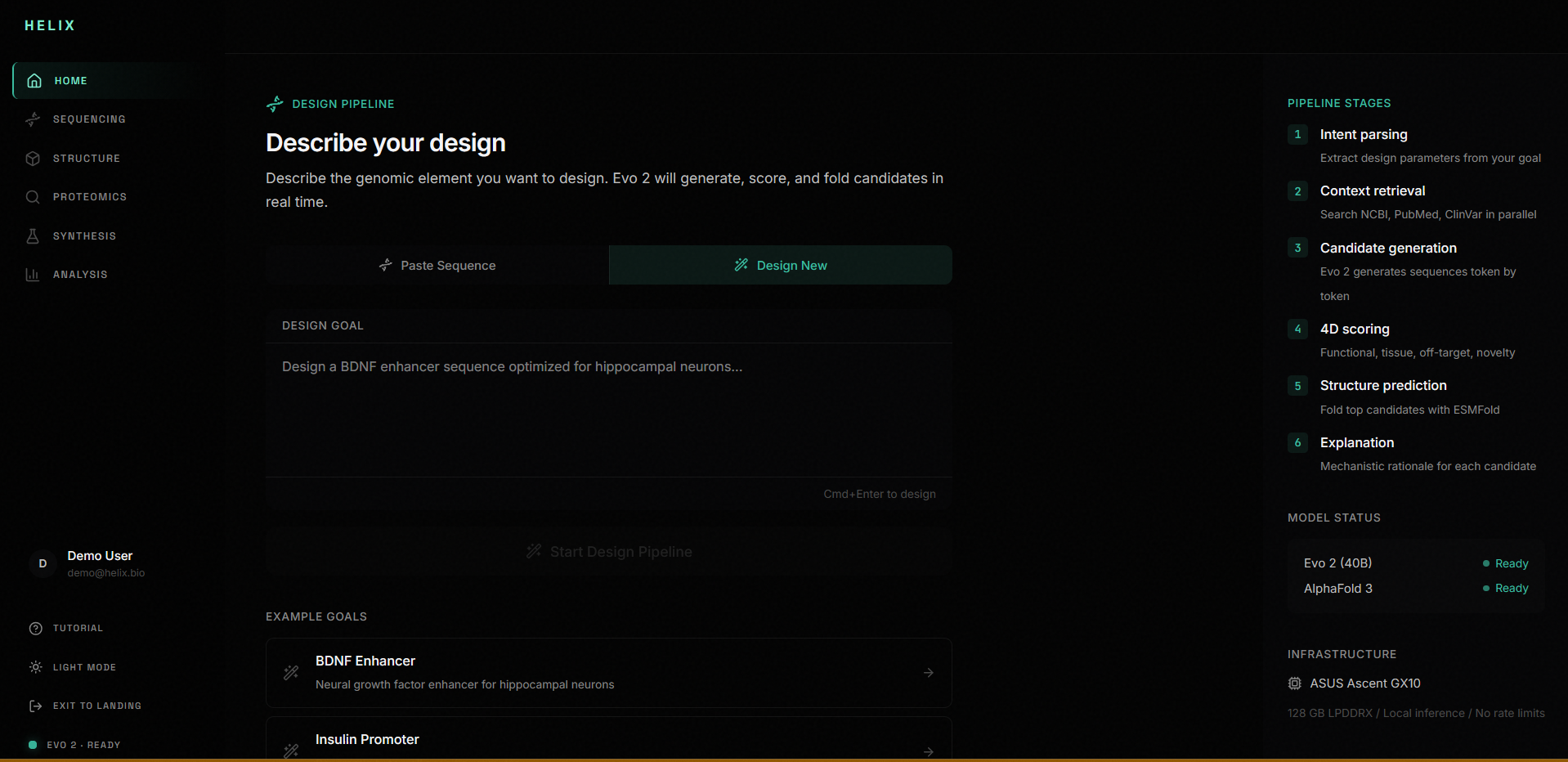
Helix is a full-stack genomic IDE. You paste a DNA sequence and Helix takes you through an entire analysis pipeline.
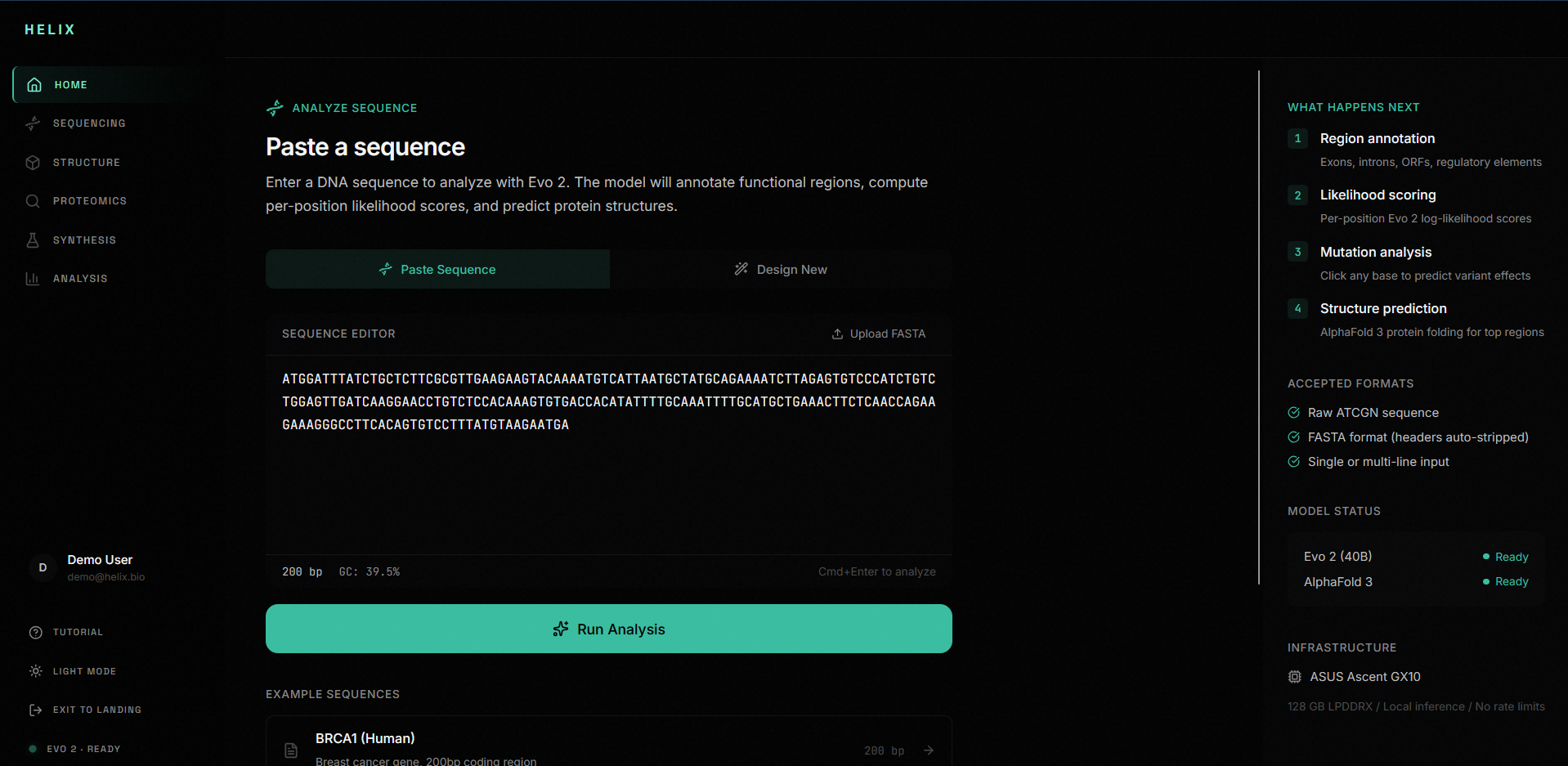
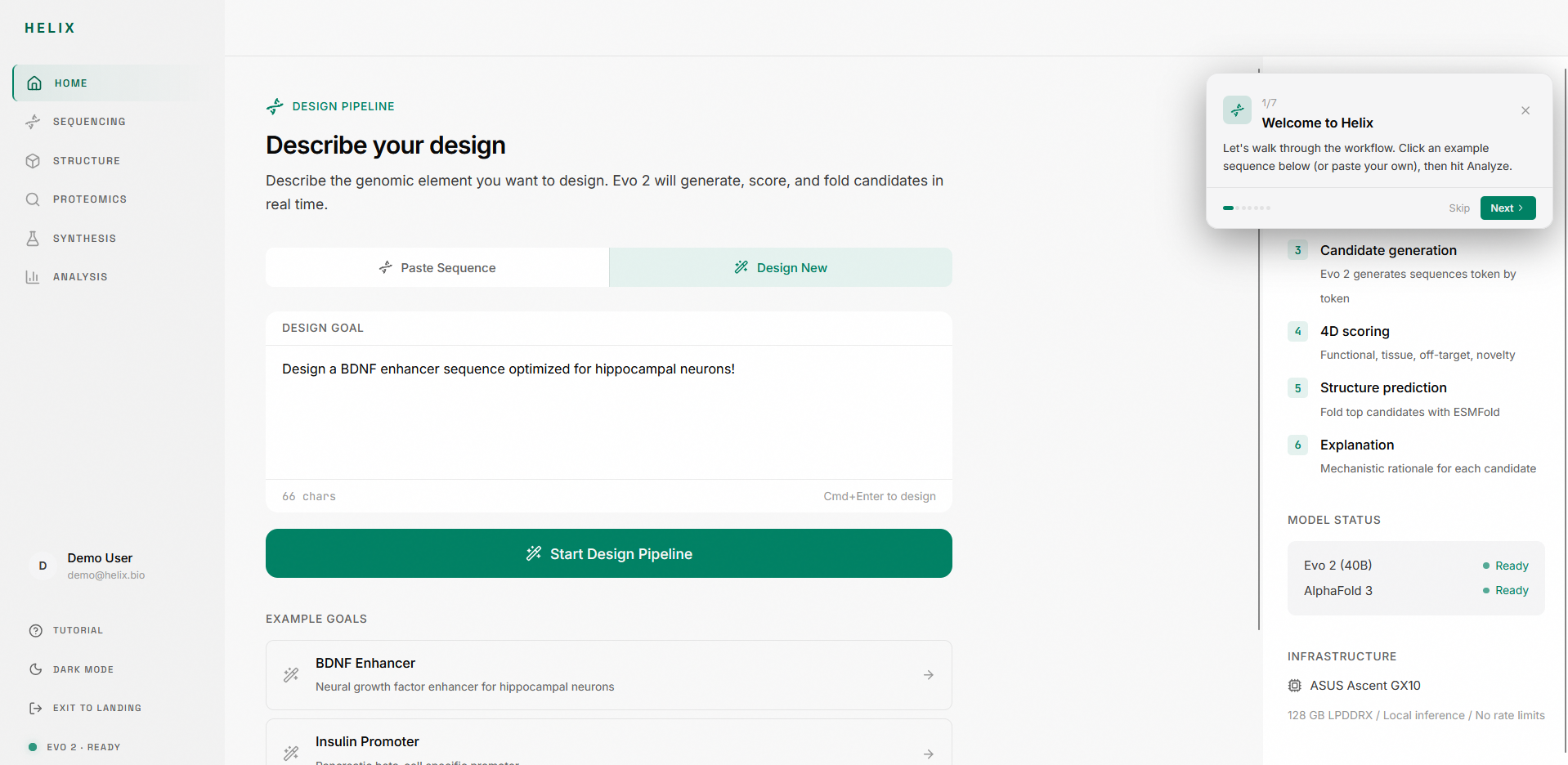
1. Sequence intake: Paste raw nucleotides, upload FASTA, or load example sequences (BRCA1, E. coli lacZ, T4 Phage). The editor validates in real time and shows base count and GC content.
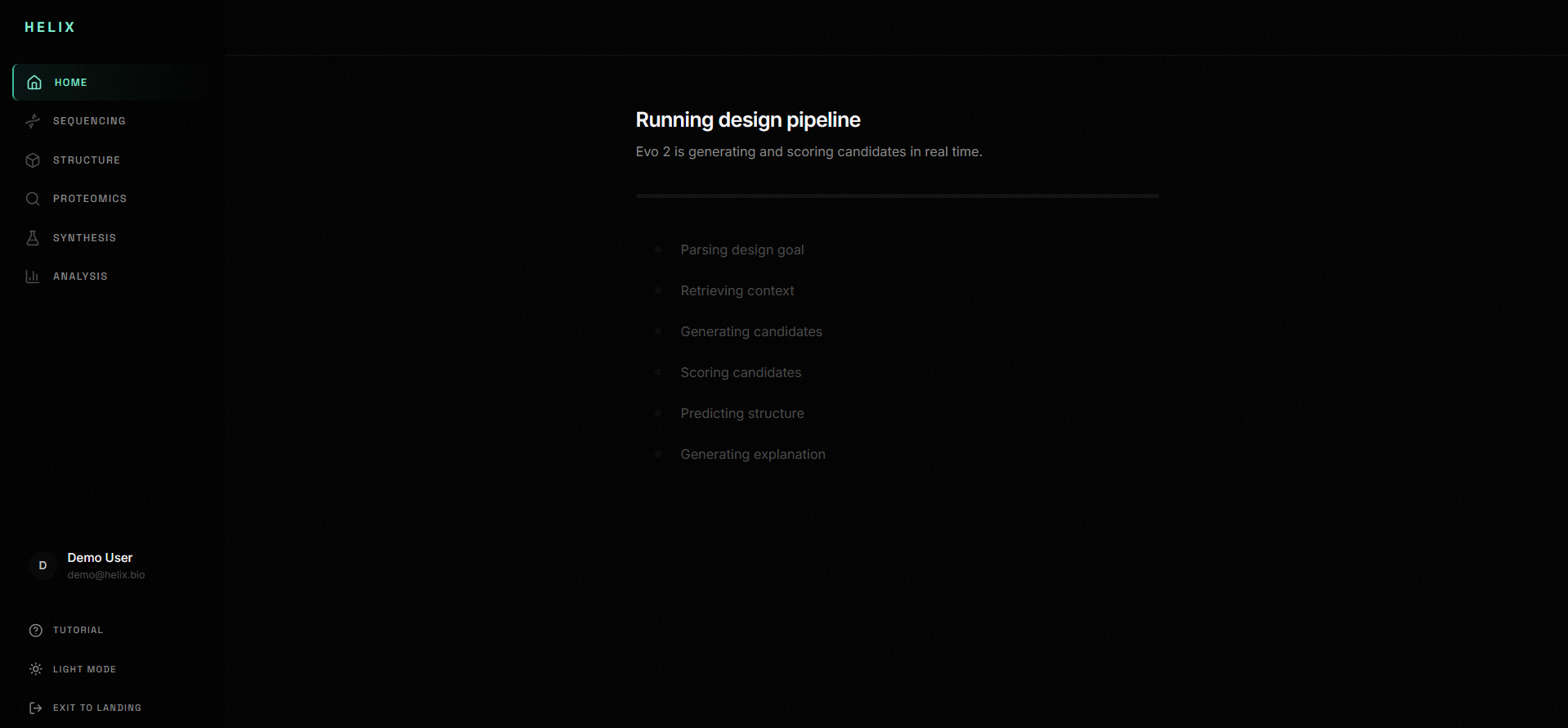
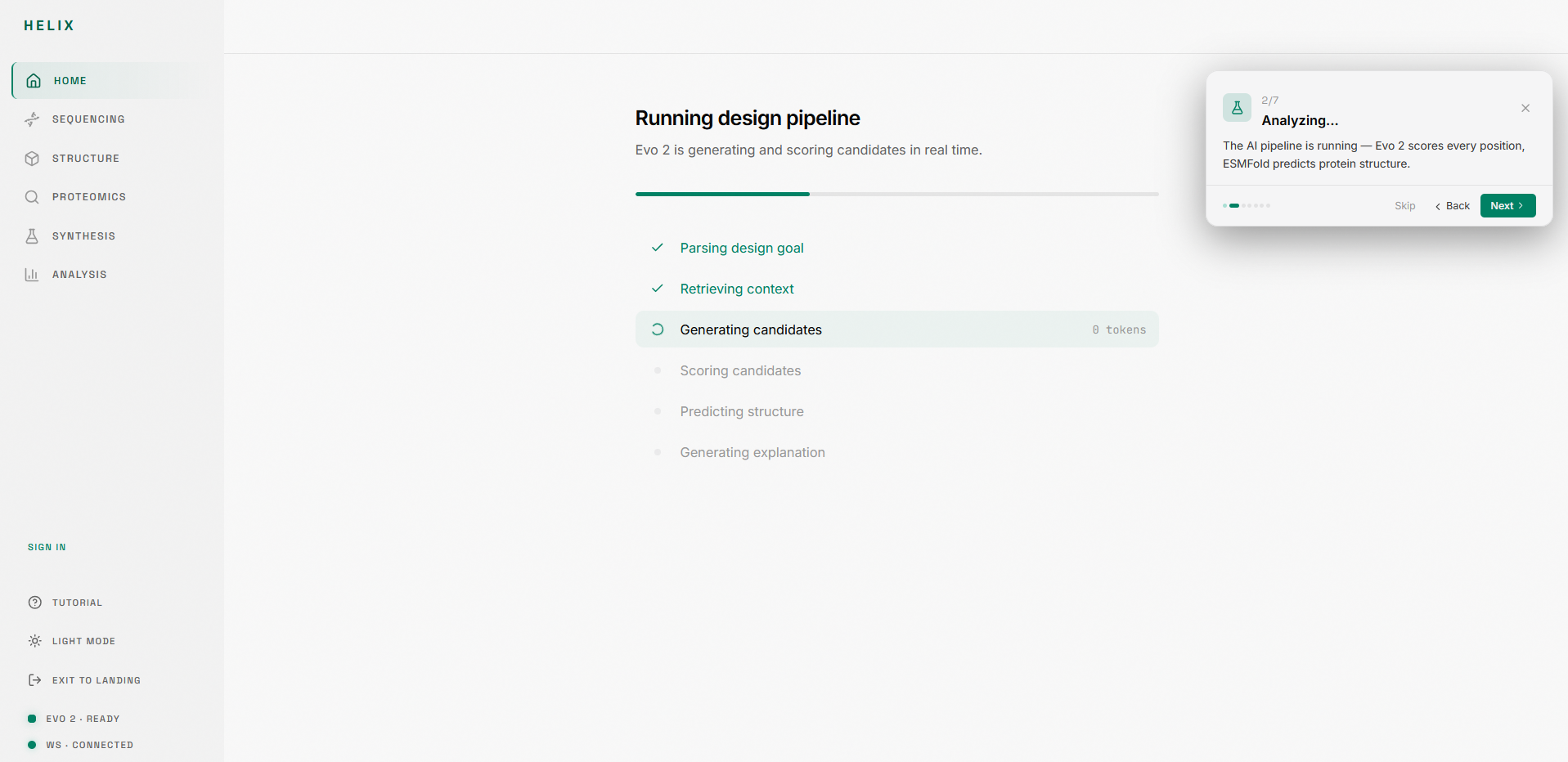
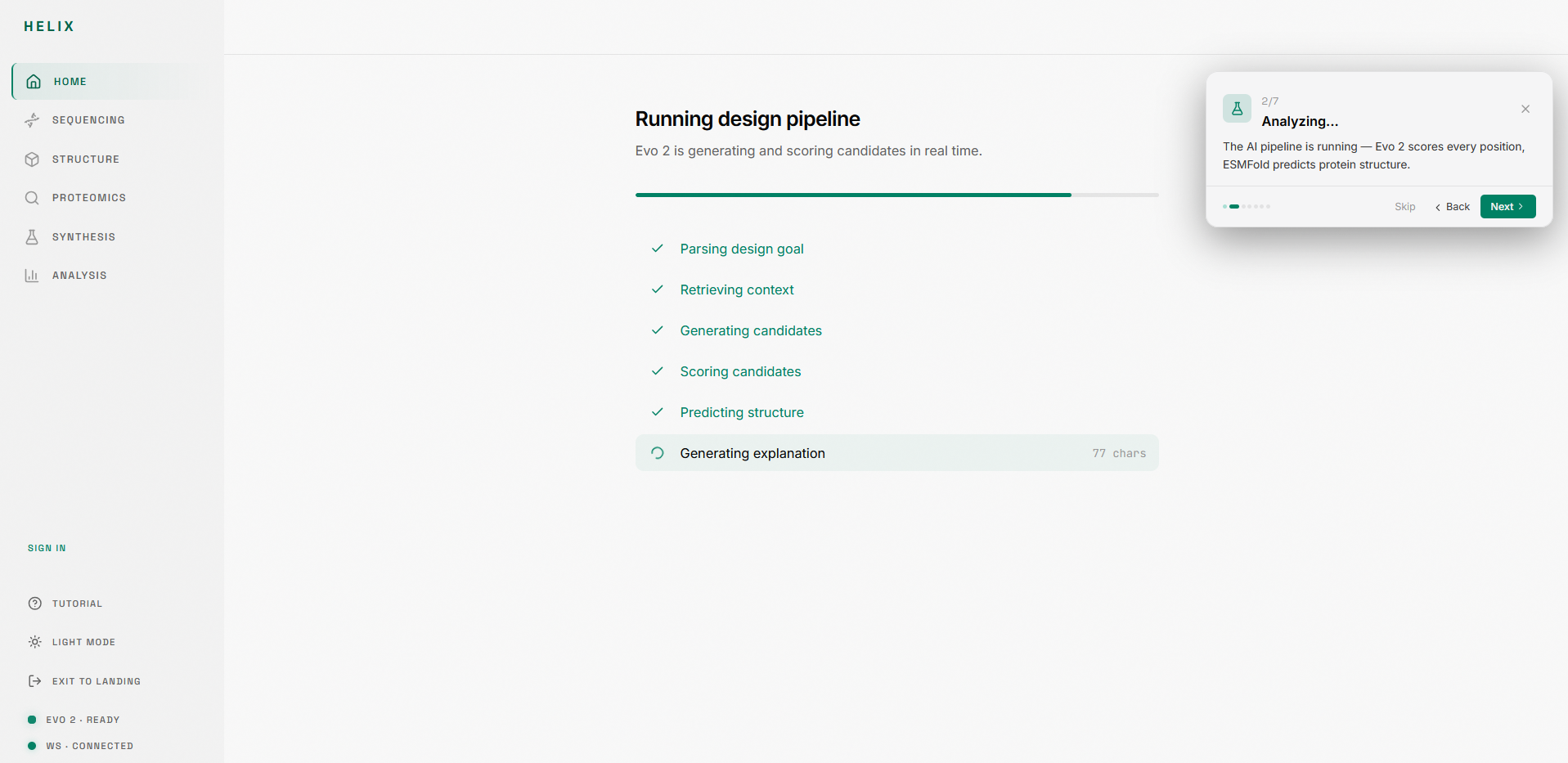
2. Analysis pipeline: An 8-stage pipeline runs your sequence through Evo 2 for functional annotation, likelihood scoring, region detection, and candidate generation. Each stage animates in real time.
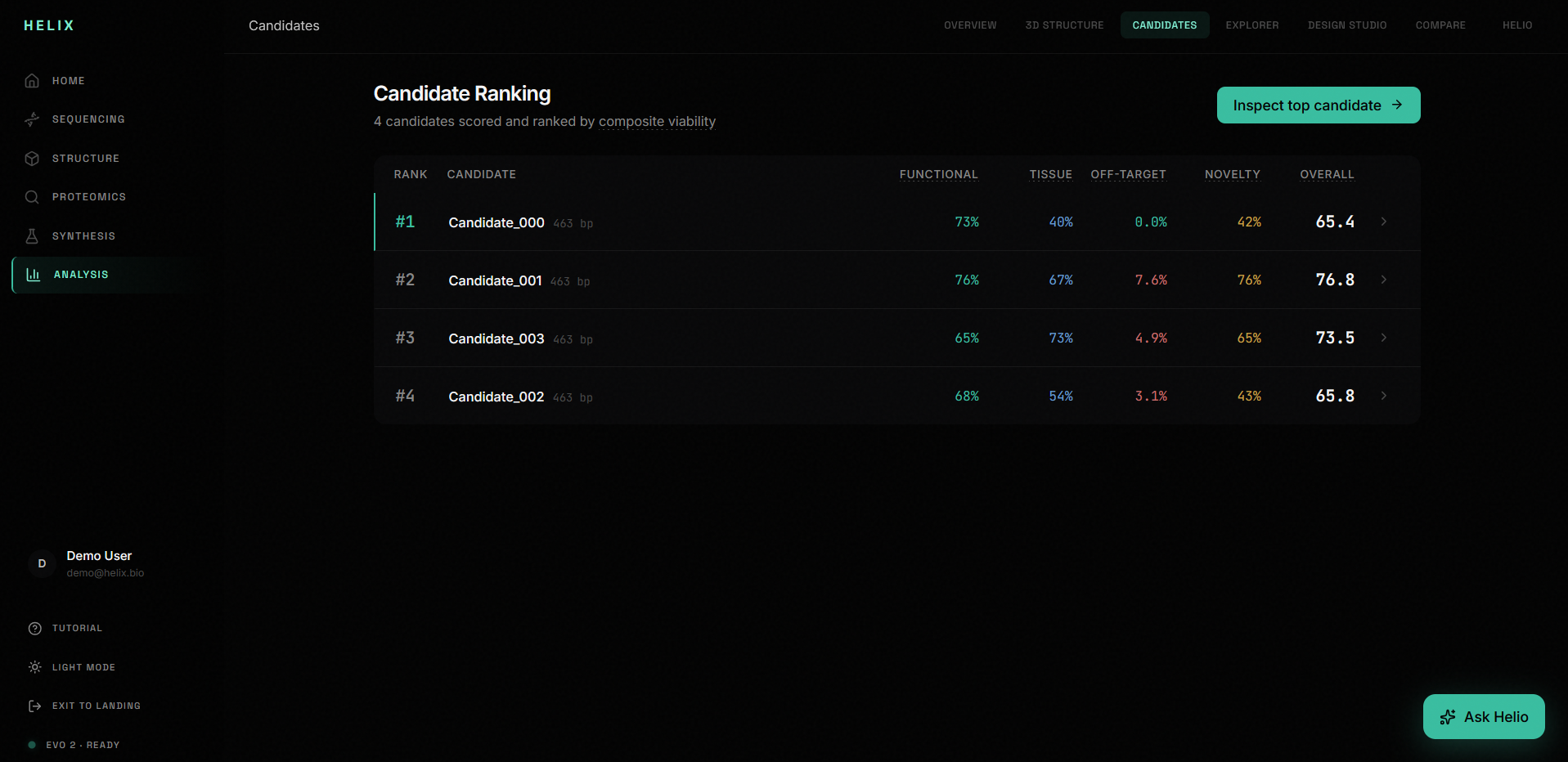
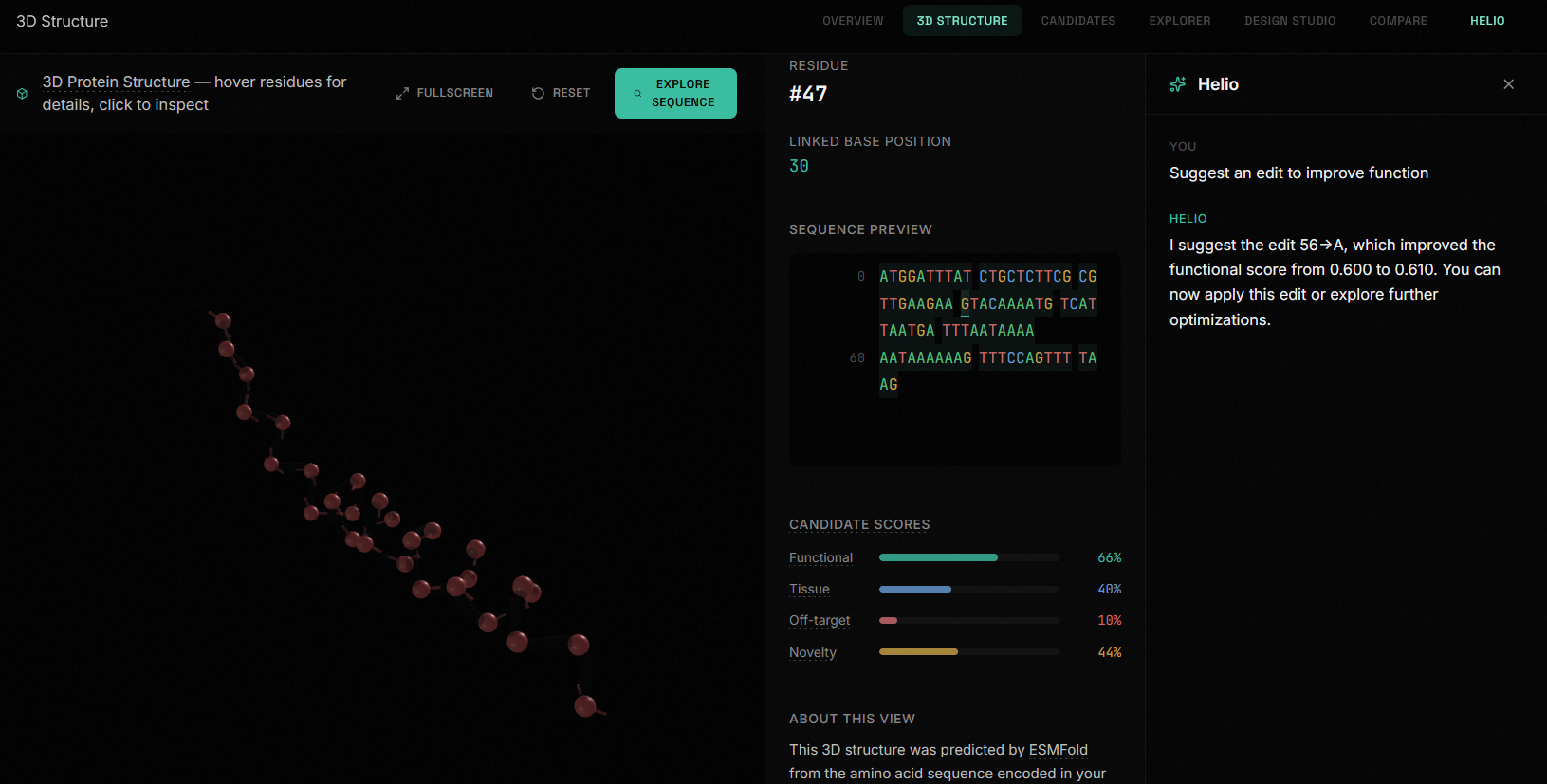
3. Candidate ranking: Multiple candidate variants are scored across four dimensions (functional plausibility, tissue specificity, off-target risk, novelty) and ranked on a leaderboard.
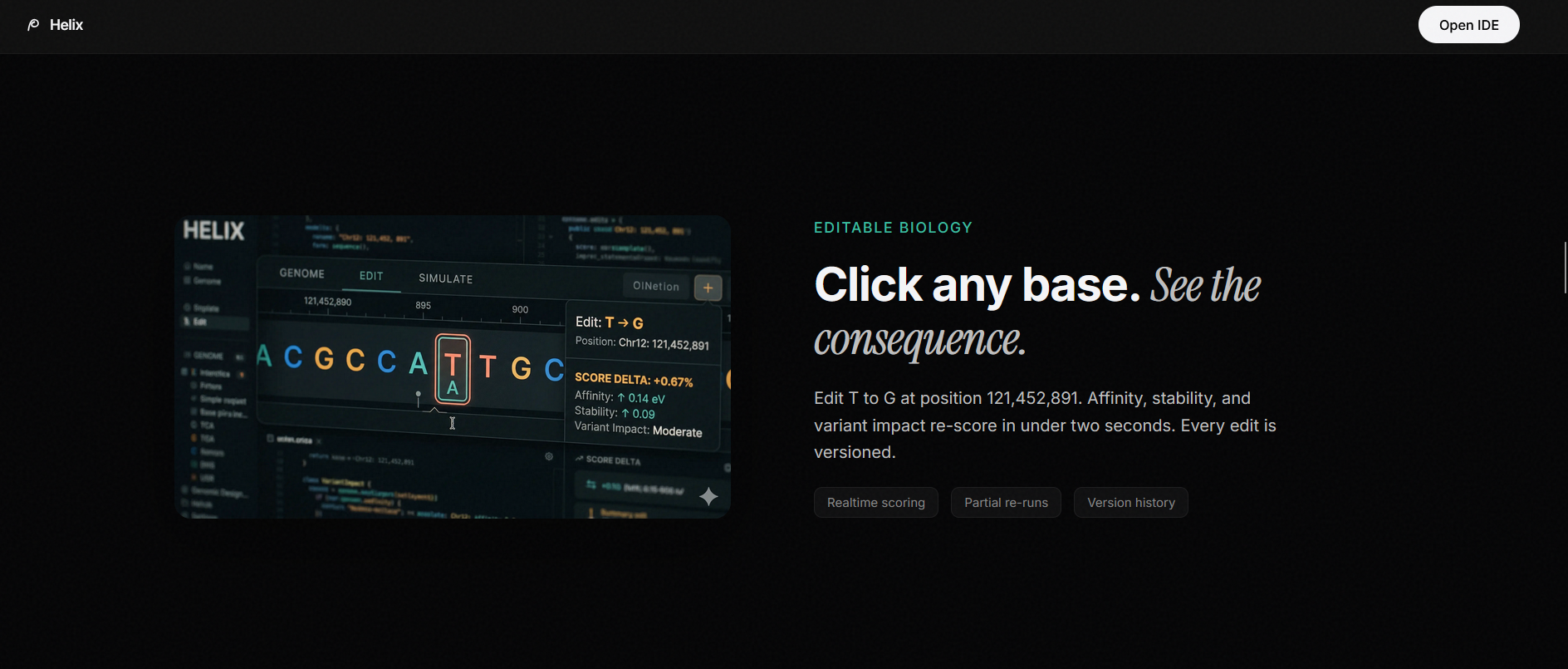
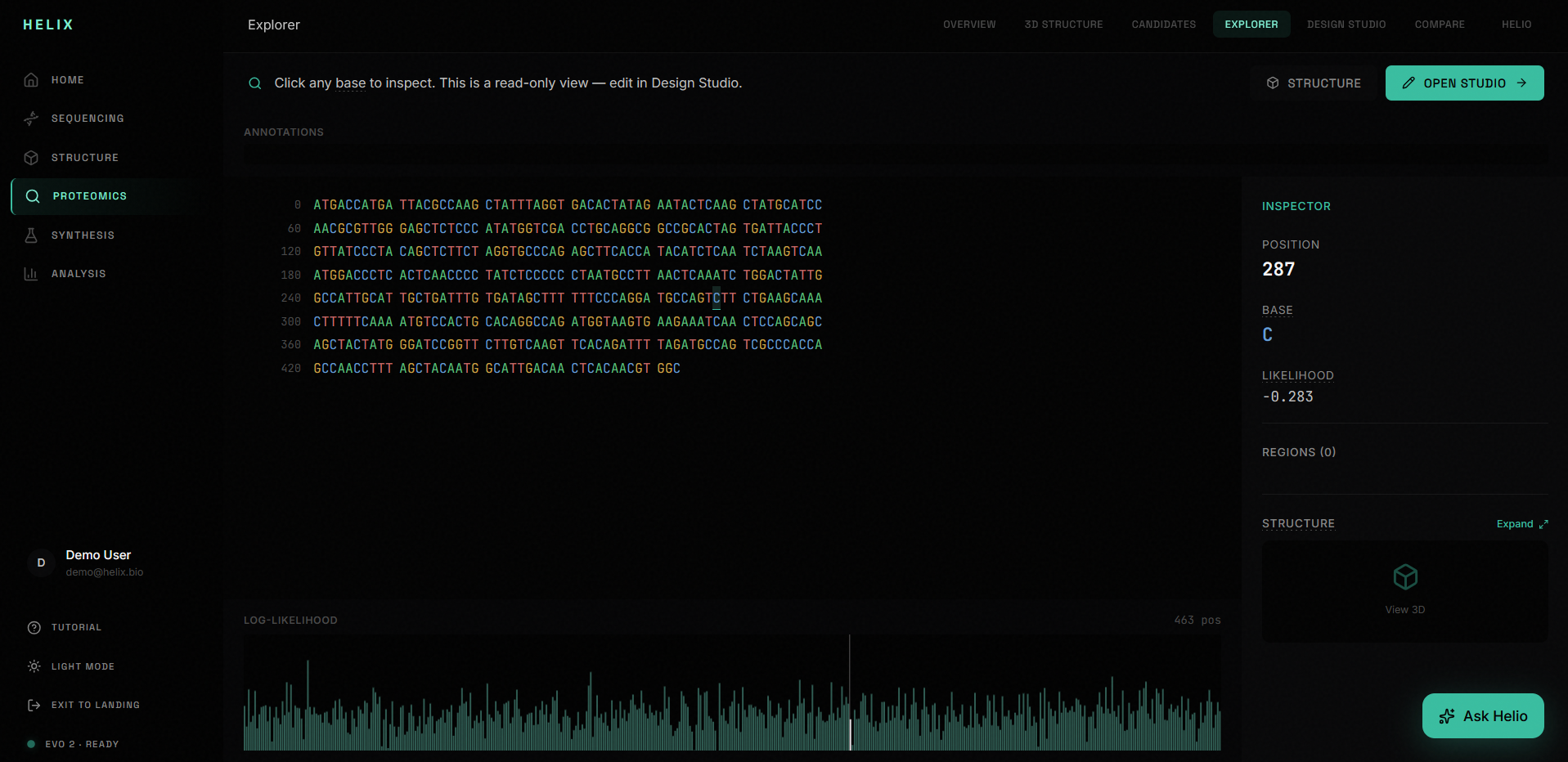
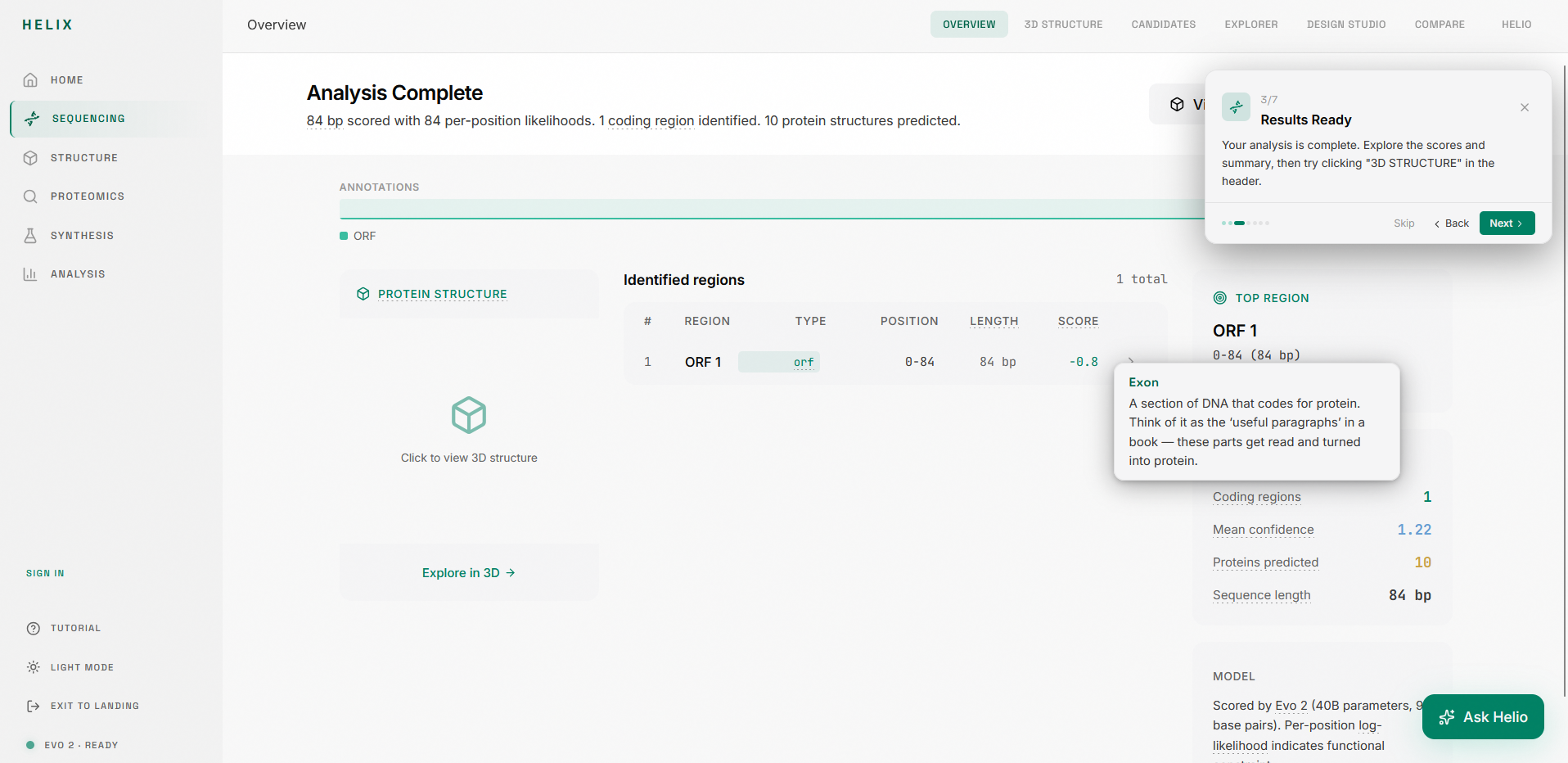
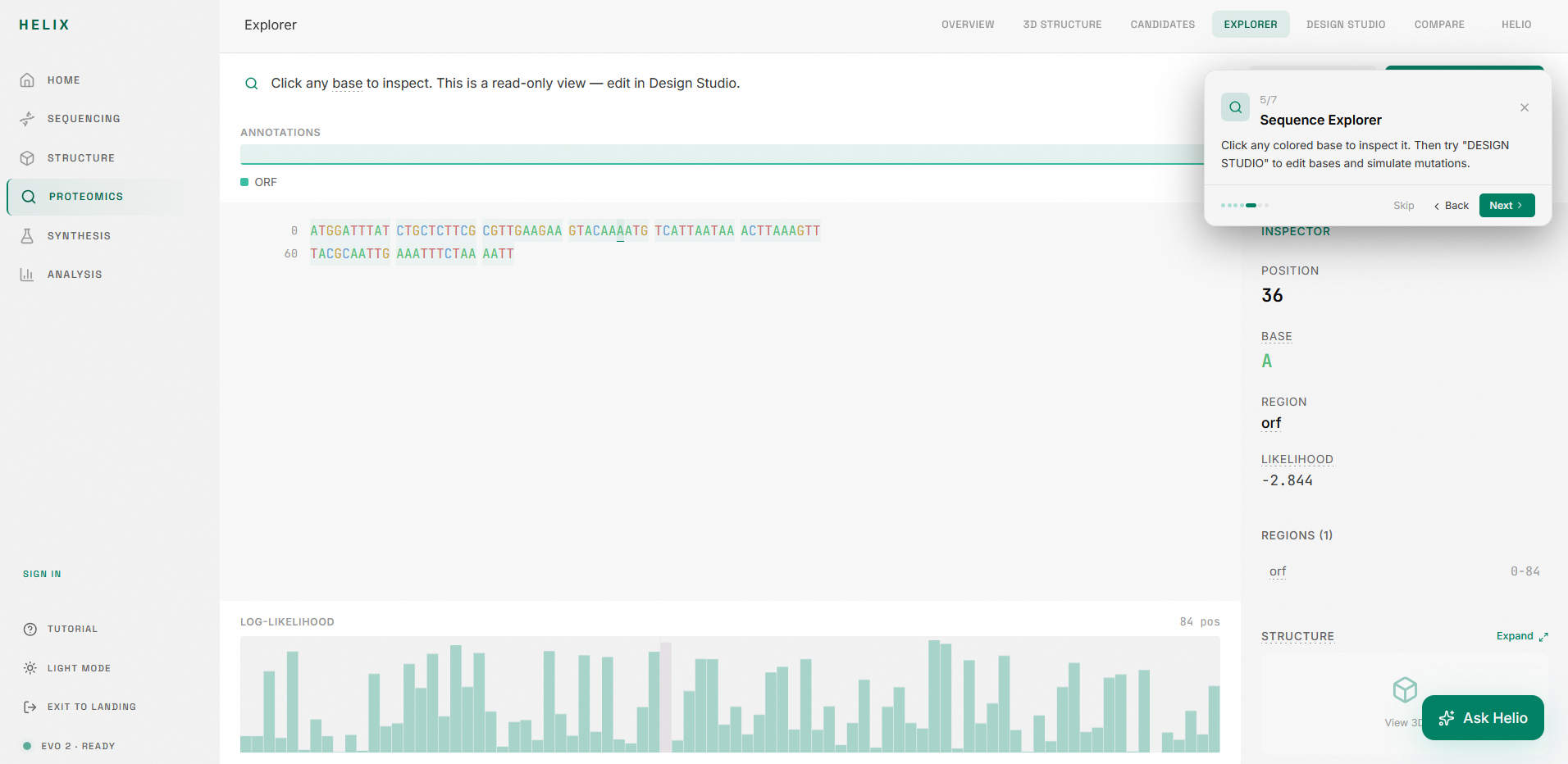
4. Sequence Explorer: A read-only inspection surface where you can click any base to see its annotation, likelihood score, and region context. Colored nucleotides (A/T/C/G), annotation tracks, and a canvas-rendered likelihood graph give you a spatial map of the entire sequence.
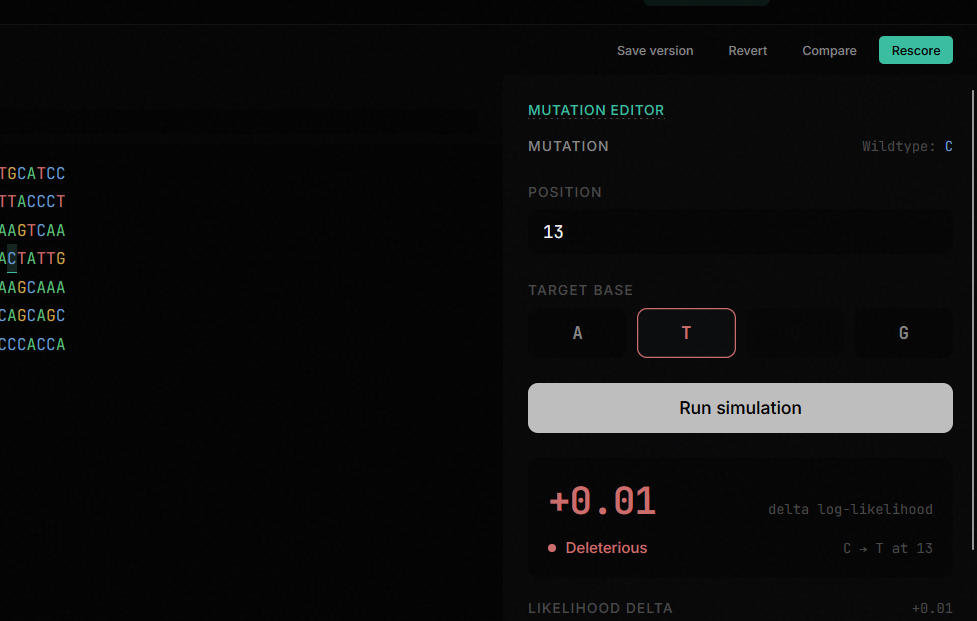
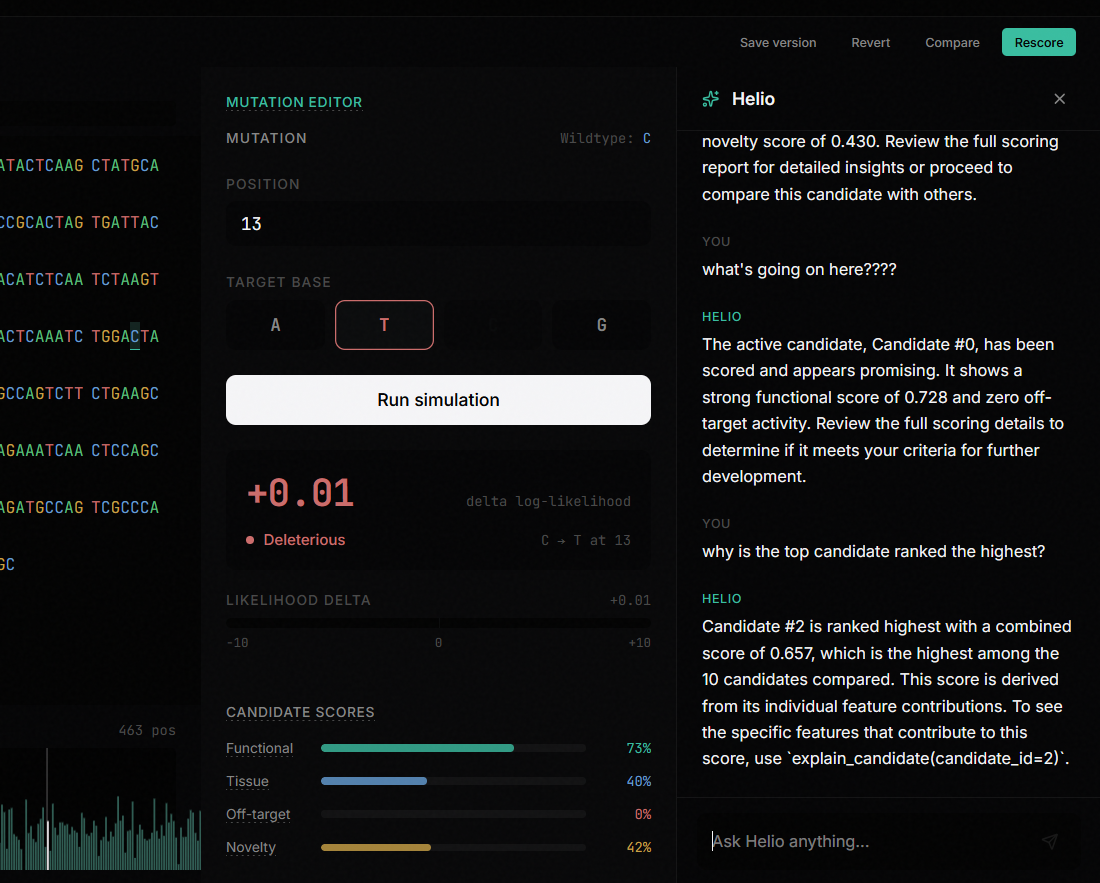
5. Design Studio: A dense editing environment where you select a base, choose a target mutation, and simulate the effect. The studio shows you diff markers against the original, candidate scores with progress bars, edit history, and toolbar controls for save/revert/compare/rescore.
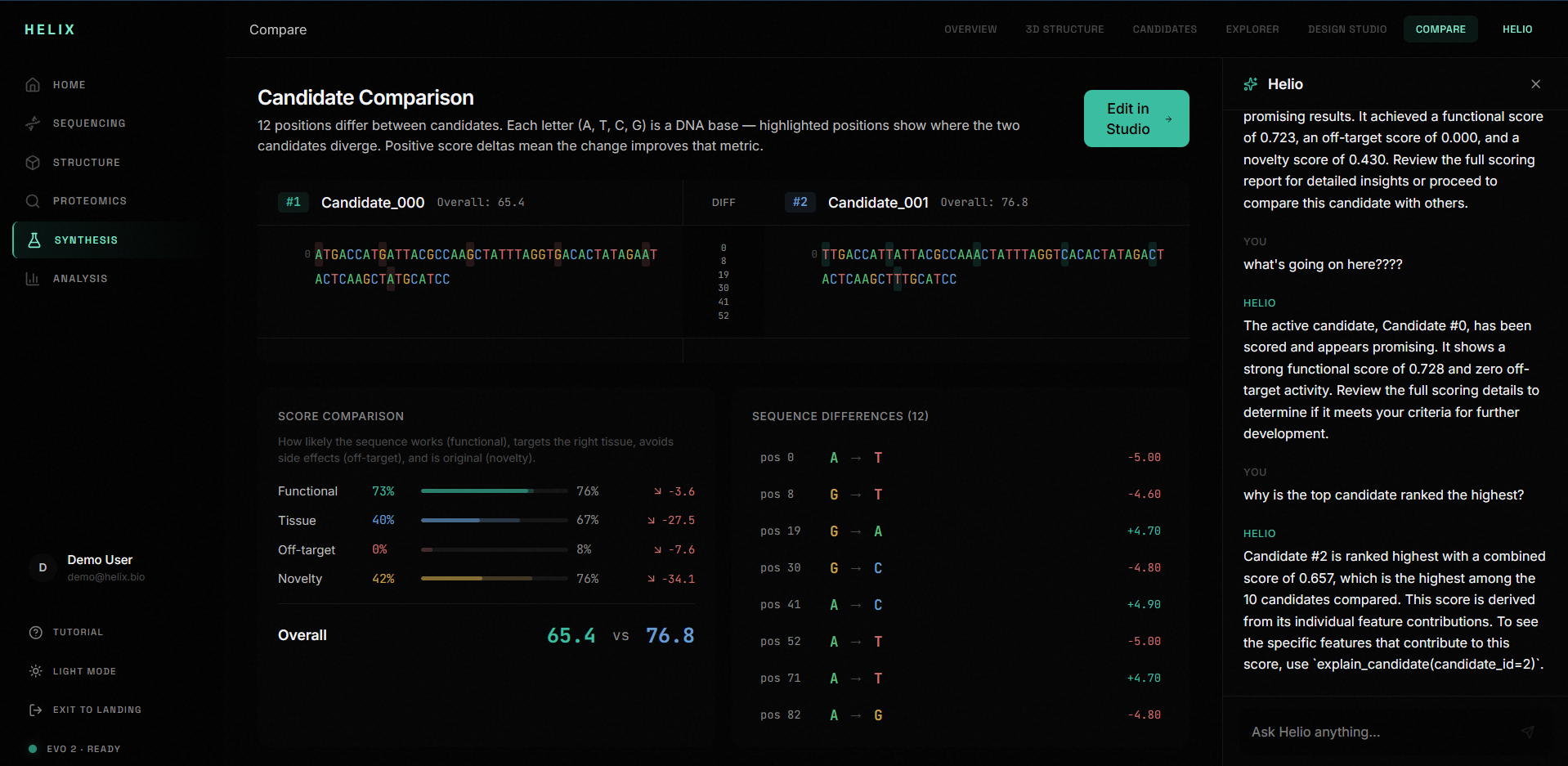
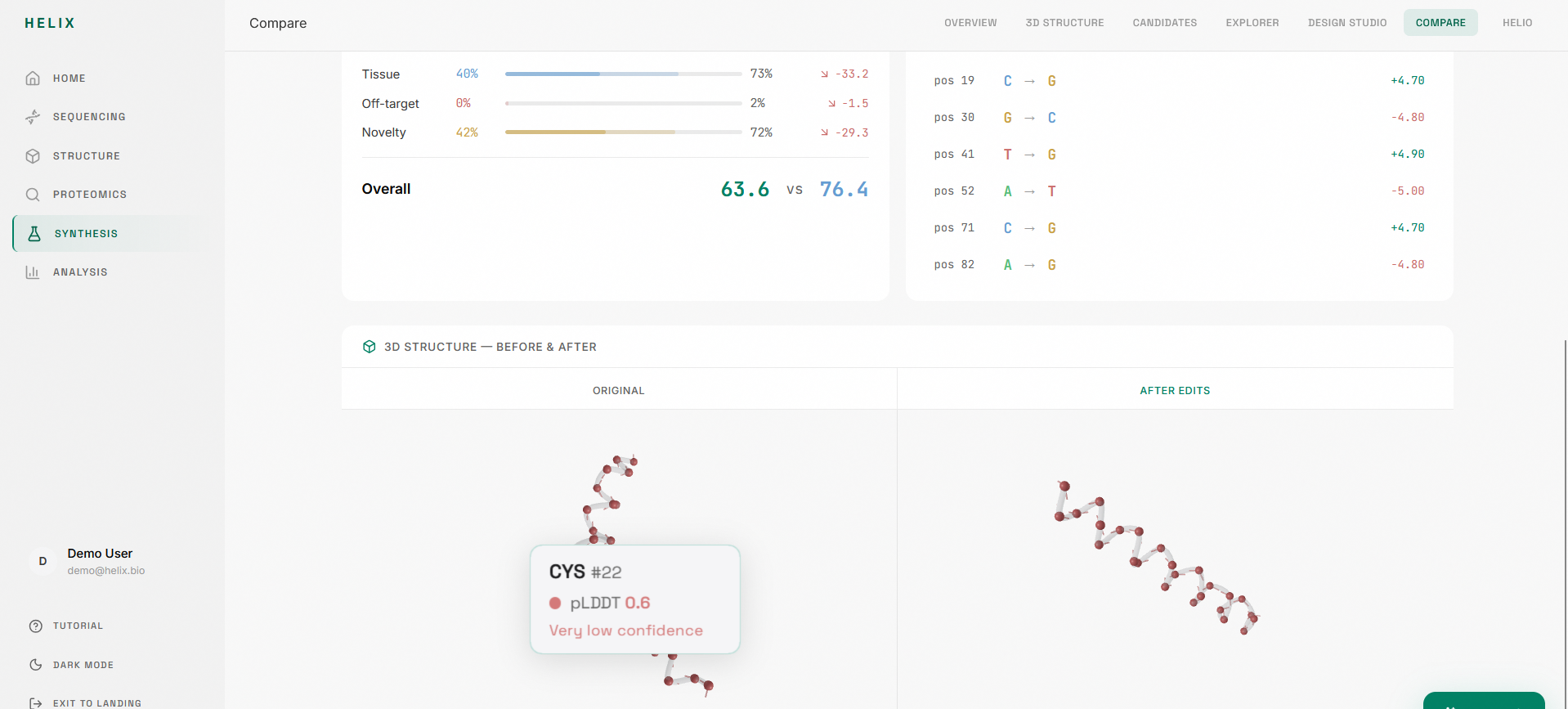
6. Genomic Compare: A split-pane sequence diff that shows two candidates side by side with colored bases, diff highlights, annotation tracks, and score deltas with semantic coloring (green for improvement, red for regression).
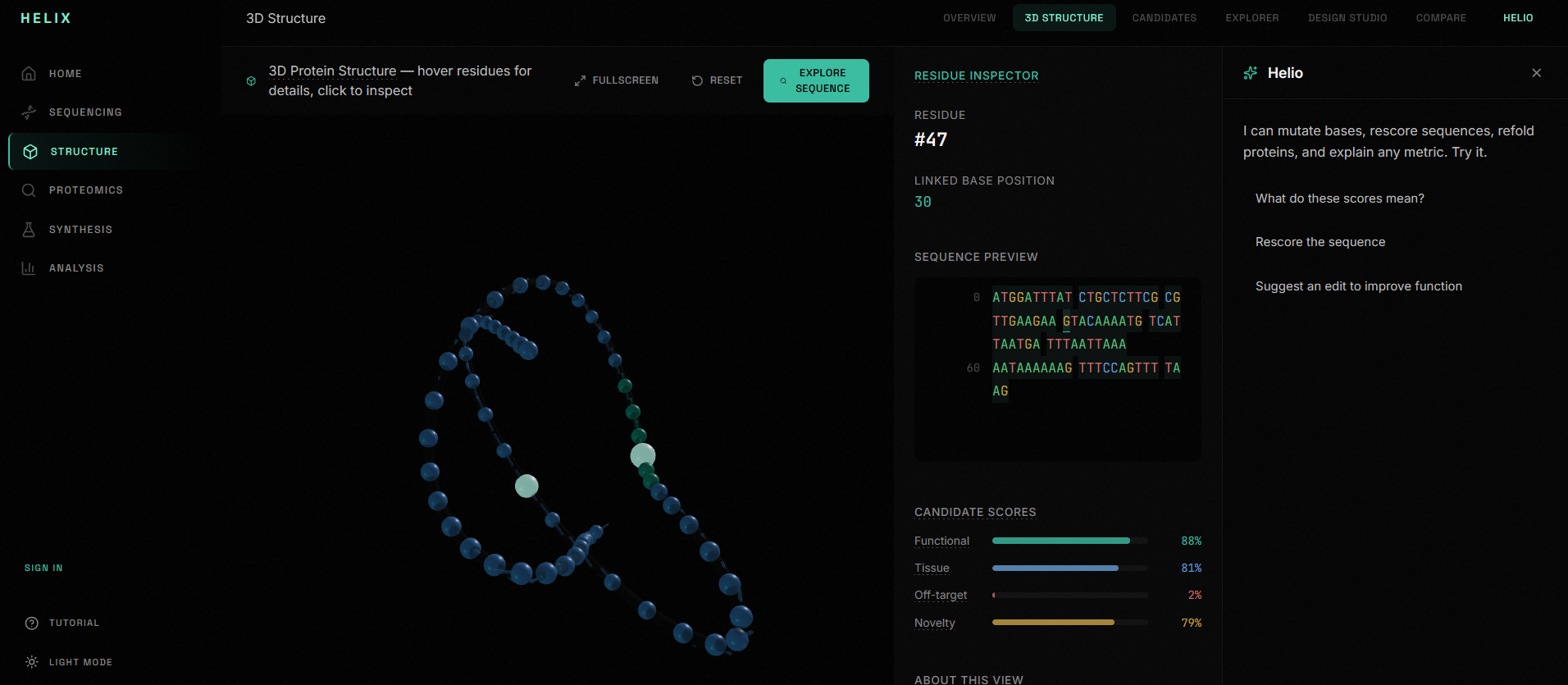
7. Copilot: A workspace-integrated AI assistant that changes its suggested prompts based on which screen you're on. In Explorer it suggests mutations. In Studio it evaluates your edits. In Compare it explains why one candidate outperforms another.
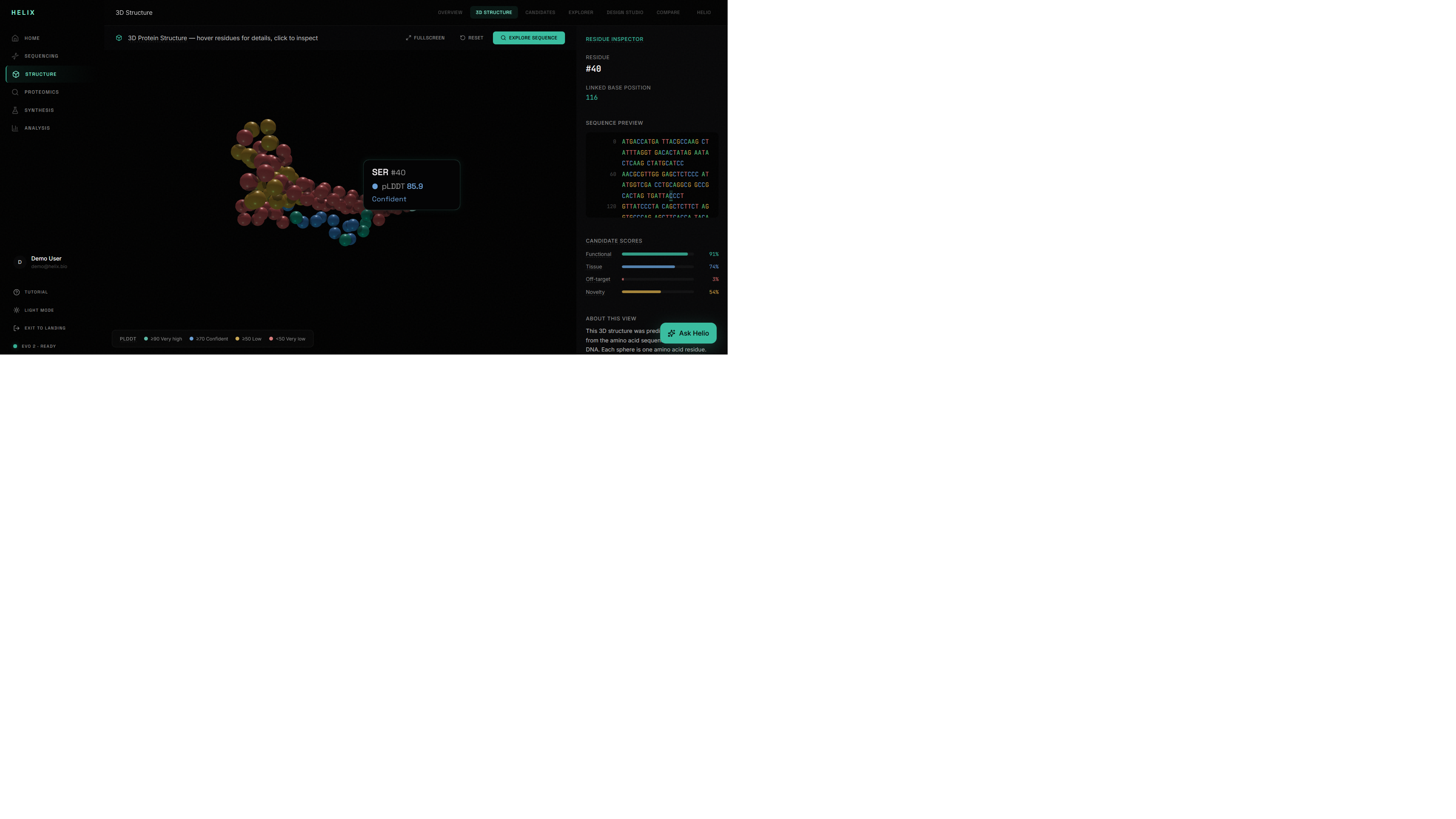
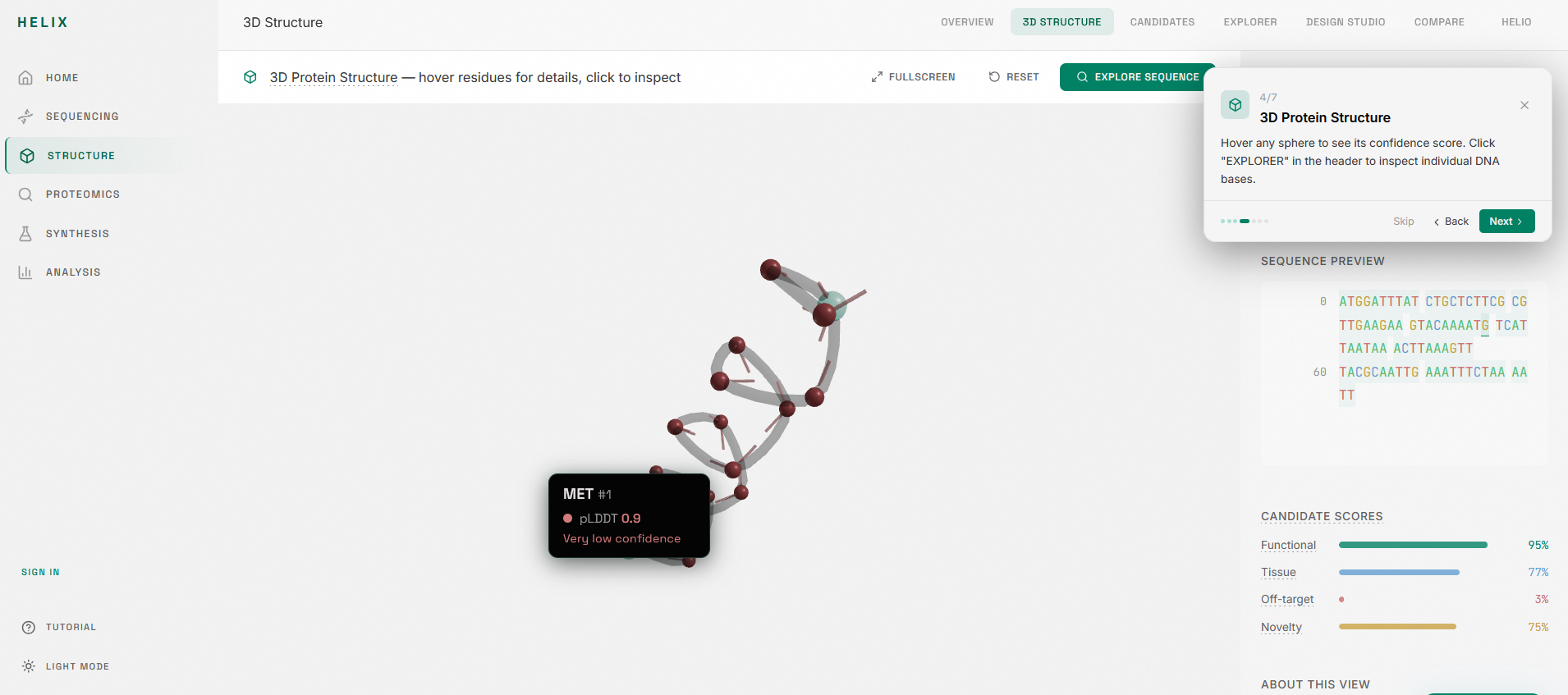
8. Structure prediction: AlphaFold 3 integration for 3D protein folding visualization with pLDDT confidence coloring, rendered in a Three.js viewer.
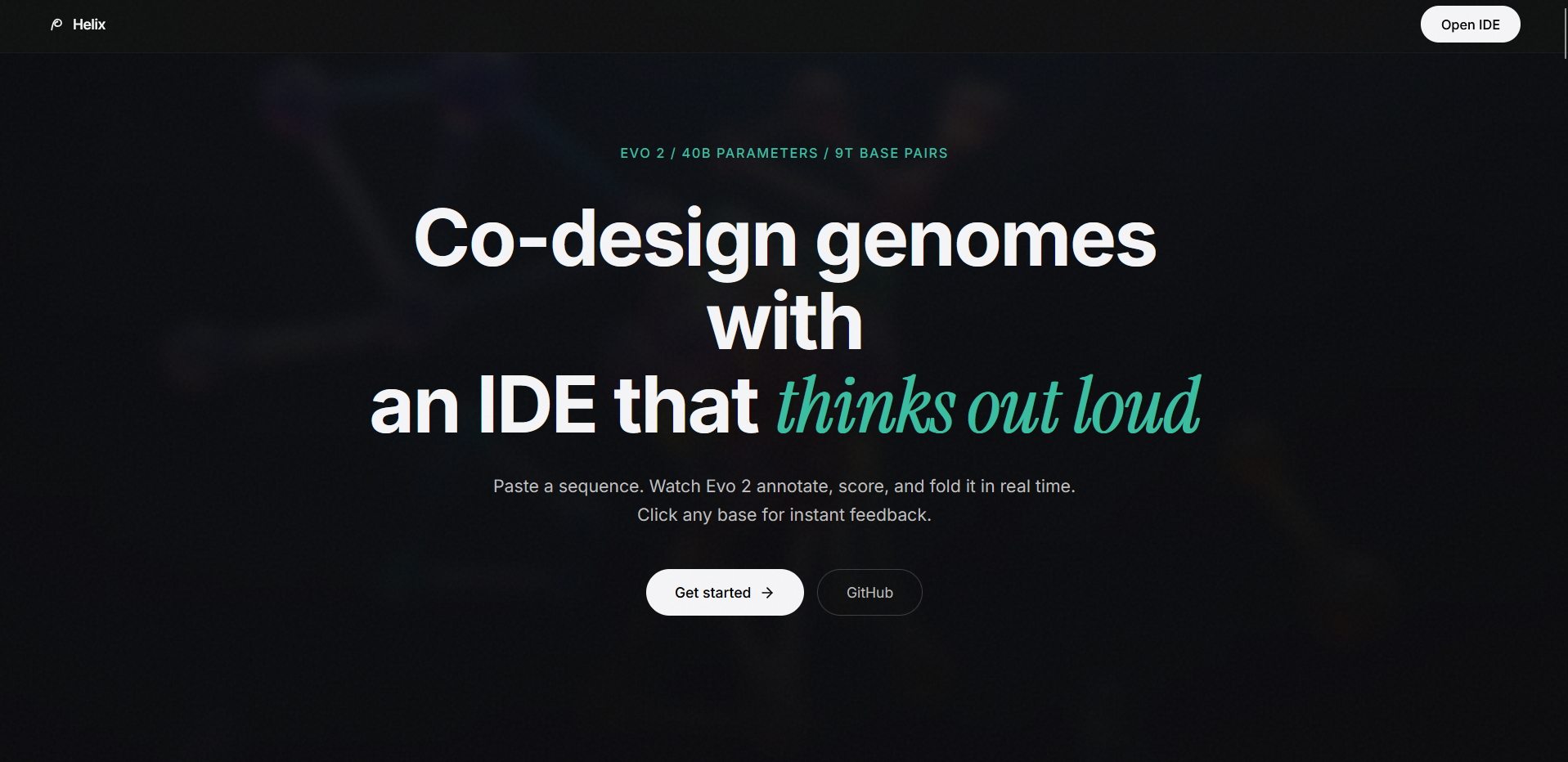
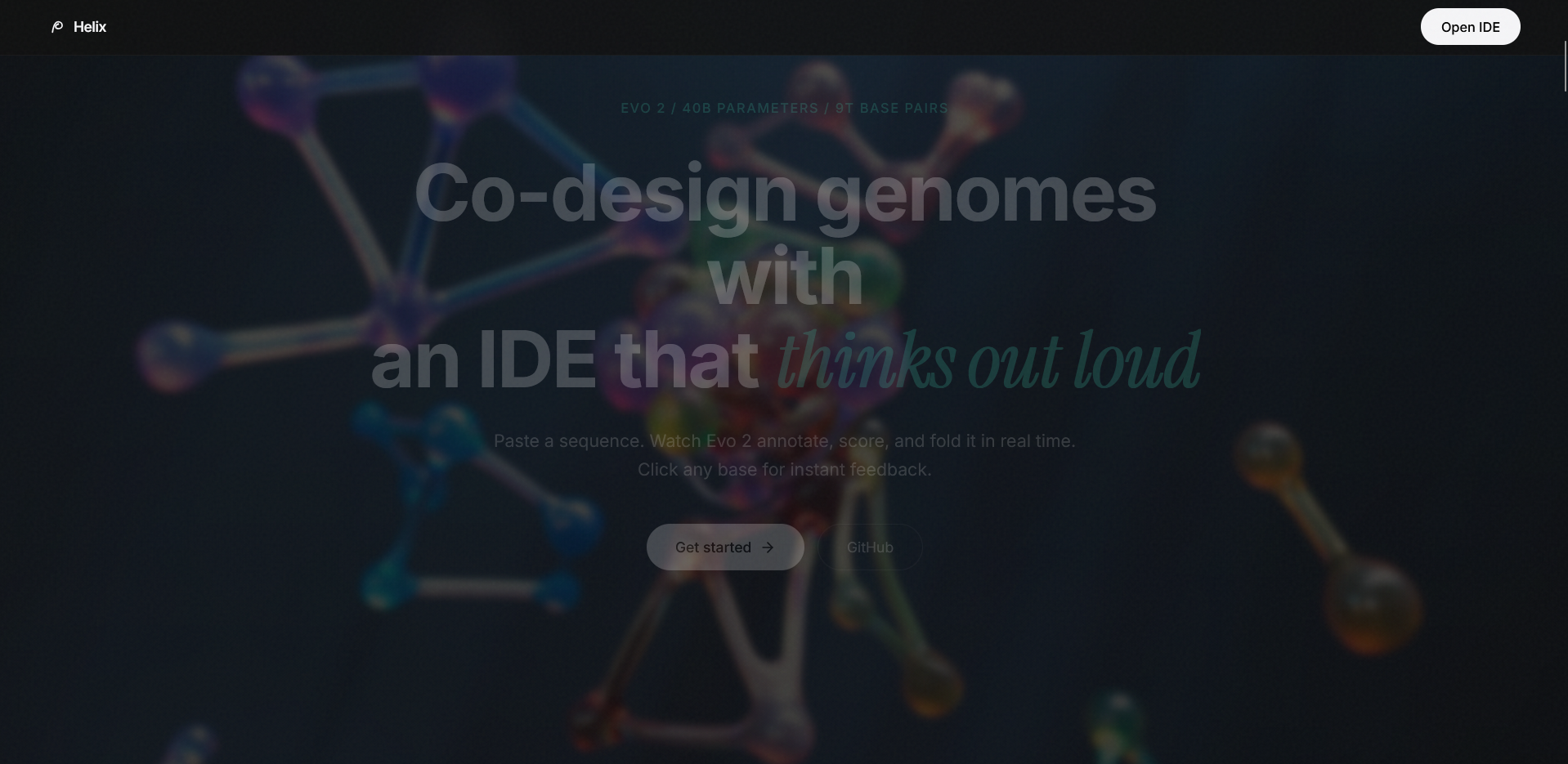
The landing page is a cinematic GSAP scroll story with six pinned scenes, floating DNA particles, and SVG grain overlays. It's designed to feel like opening an instrument, not loading a website.
How we built it
Frontend
Next.js 16 with React 19 and TypeScript. The entire product lives in a single unified corridor at /analyze with seven view modes managed through a Zustand store. We used GSAP with ScrollTrigger for the landing page scroll story, Motion (formerly Framer Motion) for page transitions and micro-interactions, and React Three Fiber with Drei for the 3D protein structure viewer. All styling is Tailwind CSS with a custom dark color system. We studied Callio Labs (a YHack winning project) and lovi.care to understand what makes a hackathon product feel authored rather than assembled.
Backend
FastAPI with Python. We initially planned to run Evo 2 locally on the ASUS Ascent GX10 GPU nodes. We spent a significant chunk of time setting up the infrastructure, configuring CUDA, and getting the model loaded. Then we discovered that Evo 2 actually provides an API key for hosted inference. So we pivoted. The API integration went smoother but came with its own set of surprises. We got inference running and returning real scores for test sequences, though stability has been a moving target. As of submission, the pipeline connects and returns results, but we're being honest: sometimes it works perfectly, sometimes it needs a retry. The backend also handles AlphaFold structure prediction requests and exposes WebSocket endpoints for streaming pipeline progress to the frontend.
Design system
We built a custom component library with domain-specific components (SequenceViewer, BaseToken, AnnotationTrack, LikelihoodGraph, MutationPanel, MutationDiff) alongside standard UI primitives. The color system uses a carefully tuned dark palette with OKLCH tokens and a single teal accent. Typography is Inter for UI, JetBrains Mono for sequences and data, and Instrument Serif for landing page editorial accents.
Challenges we ran into
The GPU setup was our biggest time sink. We configured the ASUS Ascent GX10 nodes, got CUDA working, started loading Evo 2's 40B parameter model, and then realized we could just use the API. That pivot saved us but cost us hours we couldn't get back.
On the frontend, GSAP and React don't naturally get along. We hit infinite animation loops that pinned the CPU at 100% because ScrollTrigger cleanup wasn't happening on component unmount. We had to learn the useGSAP hook and proper context-based cleanup to fix it.
Three.js in Next.js was another battle. Environment presets tried to load HDR files that didn't exist, crashing the renderer. PDB parsing for protein structures had to be done manually since we couldn't use a full bioinformatics library in the browser.
The hardest design challenge was making Explorer and Design Studio feel like genuinely different screens. Our first three attempts produced pages that were essentially identical with different titles. It took a fundamental rethink of the information architecture: Explorer is a read-only map for inspection, Studio is a dense operational workspace for editing. Once we understood the task model difference, the design followed.
We also burned time on dependency conflicts. Turbopack scanning the entire home directory. Motion's ease type signature not matching GSAP's. A Lucide icon that simply didn't exist in the version we had installed. Each one was small but they add up at 2am.
Accomplishments that we're proud of
We built a complete genomic IDE with seven interconnected product surfaces in one weekend. Not seven pages. Seven modes of a single unified workflow where context carries through: the sequence you paste becomes the candidates you rank becomes the region you inspect becomes the base you edit becomes the diff you compare.
The landing page genuinely looks like a shipped product. The GSAP scroll story with six pinned scenes, the floating ATCG particles, the Instrument Serif typography, the SVG grain texture. People don't expect this from a hackathon project.
The Explorer vs. Studio distinction actually works. You can feel the difference. Explorer is calm and navigational. Studio is dense and operational. That's a product design decision, not a code decision, and getting it right was one of our proudest moments.
The genomic-aware Compare view with colored bases, split-pane diff, annotation tracks, and semantic score deltas is something we haven't seen in any existing bioinformatics tool. It's a new interface pattern for sequence comparison.
We connected a 40-billion parameter genomic foundation model to a real-time frontend pipeline. Even with the stability challenges, the fact that you can paste a DNA sequence and get back real Evo 2 scores is remarkable.
What we learned
Working with domain-specific AI models is fundamentally different from working with general-purpose LLMs. Evo 2 doesn't return plain text. It returns per-position log-likelihoods across a vocabulary of nucleotide tokens. Building a UI for that required us to actually understand what the numbers mean and how to make them useful to a human.
Frontend architecture matters more than frontend aesthetics. We spent our first pass making things look good and discovered that two of our core screens were functionally identical. The visual layer was hiding a product design failure. Learning to think in task models (inspect vs. manipulate) before thinking in components was the biggest growth moment for our frontend team.
GPU infrastructure is not plug-and-play. Even with modern tooling, getting a 40B model running locally involves CUDA version alignment, memory management, model sharding, and a dozen other things that aren't in the README. Sometimes the hosted API is the right call and that's not a compromise, it's engineering judgment.
GSAP and React require mutual respect. You can't just drop imperative animation code into a declarative rendering framework. Proper cleanup, proper refs, proper lifecycle management. We learned this the hard way through CPU spins and memory leaks.
And honestly: scoping is a skill. We wanted to build everything. We had to learn which surfaces mattered for the demo and which could wait. The difference between a hackathon project that impresses and one that overwhelms is knowing when to stop adding and start polishing.
What's next for Helix
Stabilize the backend pipeline so Evo 2 inference is reliable on every run, not just most runs. Connect the WebSocket streaming so the frontend pipeline stages animate from real backend events instead of simulated timers. Add real AlphaFold 3 structure prediction so the protein viewer shows actual folded structures, not sample PDB data.
On the product side: finish wiring the sidebar navigation to full route transitions, migrate the remaining color system to OKLCH for perceptual uniformity, and add version management to Design Studio so researchers can save, branch, and compare sequence edits over time.
Long term, Helix could become a real tool for computational biologists. The interface patterns we built (sequence inspection, mutation simulation, candidate ranking, genomic diff) are things that don't exist in current bioinformatics tooling. There's a real product here if we keep building.
Built With
- alphafold
- asus-ascent-gx10
- drei
- evo-2
- fastapi
- framer-motion
- gsap
- lucide
- next.js
- python
- radix-ui
- react
- react-three-fiber
- tailwind-css
- three.js
- typescript
- vercel
- websocket
- zustand


Log in or sign up for Devpost to join the conversation.