
Inspiration
Healthcare information can be confusing, medical reports can be difficult to understand, and finding the right help during an emergency can be stressful. I wanted to create Heliogram — “A Lifeline in Your Pocket” — a single, accessible platform that brings useful healthcare tools together in one place. The goal is to help people understand medicines, make sense of medical reports, find nearby hospitals, and access essential emergency information through a simple interface.
What It Does
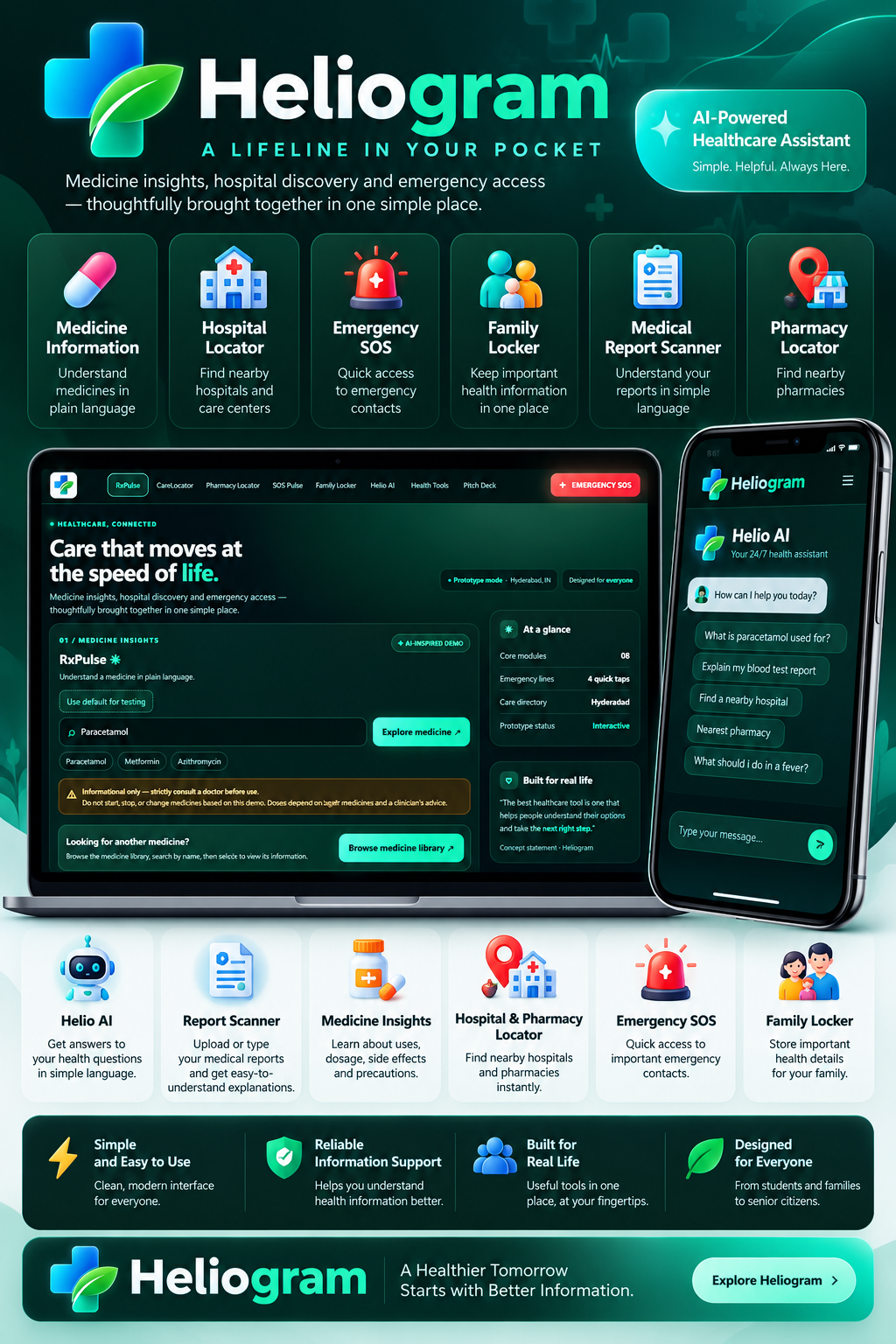
Heliogram is a healthcare assistance prototype featuring Helio AI, an AI-powered medical information assistant that answers general health questions in plain, conversational English. Its medicine information section helps users explore medicine details, while the Medical Report Scanner explains report text in simpler language.
The platform also brings together hospital discovery, emergency assistance tools, medicine price comparison, medicine reminders, and a personal health information locker concept. Its dark, mobile-responsive interface is designed to make the tools easy to navigate across devices.
Heliogram is intended to support health awareness and access to information, not replace a qualified doctor, pharmacist, or emergency medical service.
How We Built It
I built Heliogram using HTML, CSS, and JavaScript for the website interface, with Python and Flask powering the backend. The backend provides API endpoints for the Helio AI chat and medical report analysis features.
I initially experimented with Google's Gemini API, but encountered reliability issues during testing. I then switched to the Groq API and integrated the openai/gpt-oss-120b model for AI-generated responses. The backend loads the API key from an environment configuration file rather than requiring it in the website's JavaScript.
Challenges We Ran Into
One of the main challenges was getting consistent AI responses while working with API availability and response-time issues. Gemini requests were not always completing successfully, so I explored an alternative provider and adapted the backend to use Groq.
Another challenge was bringing multiple healthcare tools into one cohesive experience without making the interface confusing. I focused on a consistent visual design, responsive layouts, clear navigation, and plain-English AI responses. Protecting the API key by keeping it on the server side was also an important consideration.
Accomplishments That We're Proud Of
I brought together an AI healthcare assistant, medical report explanation, medicine information, and emergency-oriented tools in a single, responsive healthcare prototype. I am particularly proud of integrating the Groq-powered AI backend with the existing website and creating an interface that aims to make healthcare information less intimidating.
What We Learned
This project taught me that building an AI-powered application involves more than designing a website and connecting an API. Model availability, backend configuration, error handling, response times, and API-key security all matter. I also learned the importance of adapting when a technology does not perform reliably and continuing to improve the project through testing and iteration.
What's Next for Heliogram
The next steps are to improve AI reliability, strengthen backend security, test every feature end to end, and improve the accuracy and usefulness of healthcare information. I also want to develop more robust health-record management, reminders, hospital discovery, and emergency workflows, with appropriate privacy safeguards and reliable data sources. Ultimately, I want Heliogram to become a practical digital health companion that helps people find information and take informed next steps.

Log in or sign up for Devpost to join the conversation.