Inspiration
This project was actually born of me just stepping outside one day and realizing how hot it was miserably hot, even and I hadn't even checked the weather. And I thought, if I didn't discover how bad it was until I was already out, then maybe other folks weren't any different. So the idea for a light Chrome extension that gives you heat advisories (and a little laugh) was born.
What it does
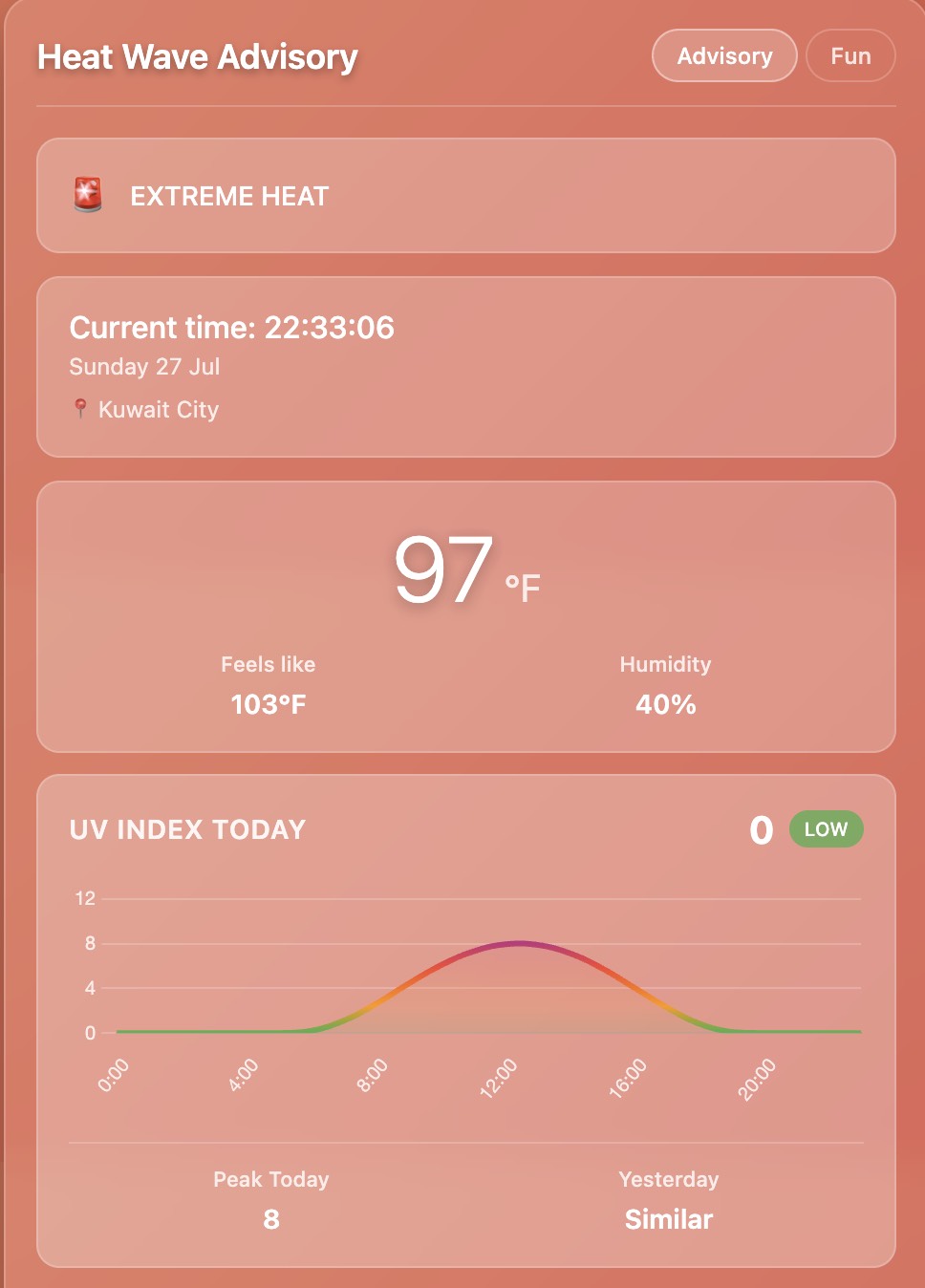
Heat Wave Weather Detector is a Chrome extension that gets you the latest weather data according to your current location and instantly shows you a visual notification if it's warm enough to be harmful. It shows you real-time temperature, humidity, UV index, and even gives you an hourly UV chart and 7-day forecast. It also should show you a random joke, on our fun page, just to make checking the weather a little more pleasant.
How we built it
We built this in plain HTML, CSS, and JavaScript, and we called the Open-Meteo API for all the weather and UV data. We used js to graph hourly UV trends for the UV graph. Jokes are pulled from a public joke API. The Chrome extension part was handled by way of a manifest file, background scripts, and a index.html interface.
Challenges we ran into
Getting the UV data to display correctly took us a while, formatting and graphing it wasn't as easy as we thought. Chrome extensions have very stringent rules for things like fetch requests and permissions, so we had to debug extensively just so that the data would display correctly. Making everything look like it was working in a very small popup window was also difficult, everything kept breaking when we resized.
Accomplishments that we're proud of
We were able to successfully merge several APIs (jokes + weather) and have it all up and running in real-time. The graph does function. The background and heat alert banners change depending on real temperature thresholds, and this makes the extension feel very responsive.
What we learned
How to build and debug a Chrome extension from scratch. How to make multiple API calls and dynamically update the UI. How to make data visualizations in javascript. How small things (like a background color or a silly joke) can make a big difference in how useful or enjoyable a tool will feel.
What's next for Heat Wave Weather Detector
Enable users to define temperature levels for customized alerts. Enable switching between Celsius and Fahrenheit. Include icons or themes for various weather conditions (rain, clouds, etc.).

Log in or sign up for Devpost to join the conversation.