-
-
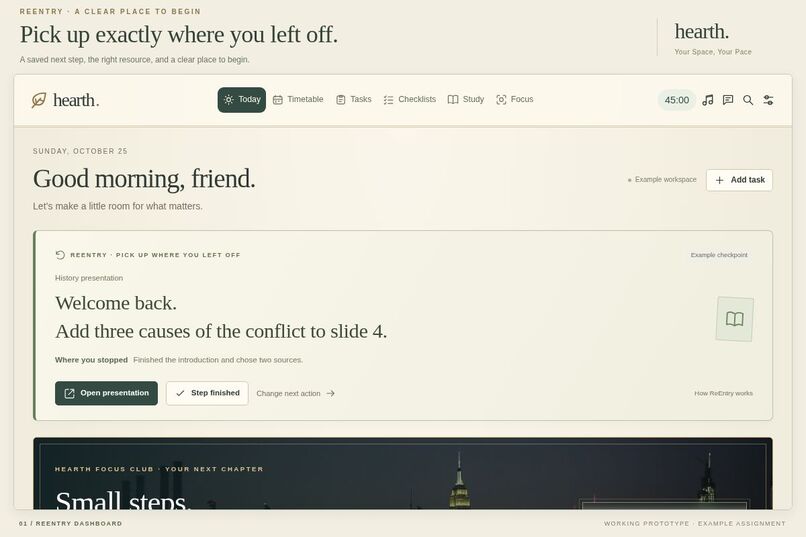
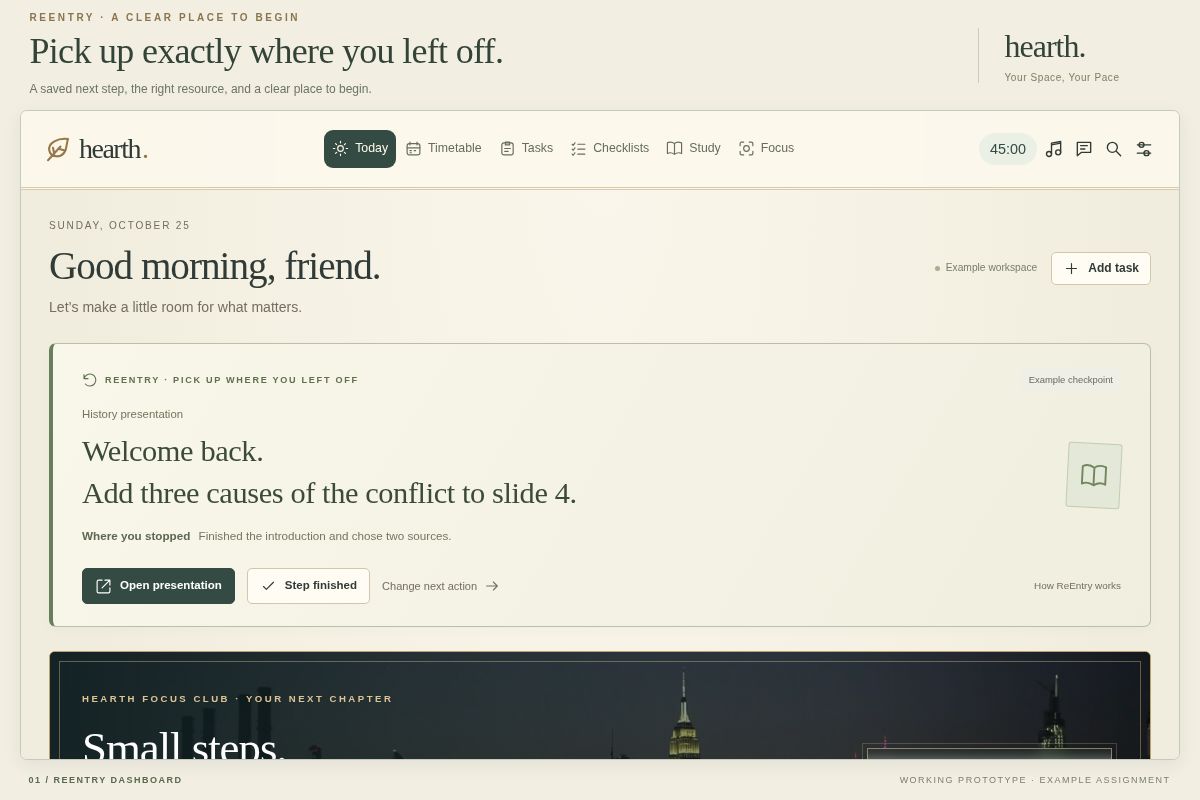
ReEntry dashboard
-
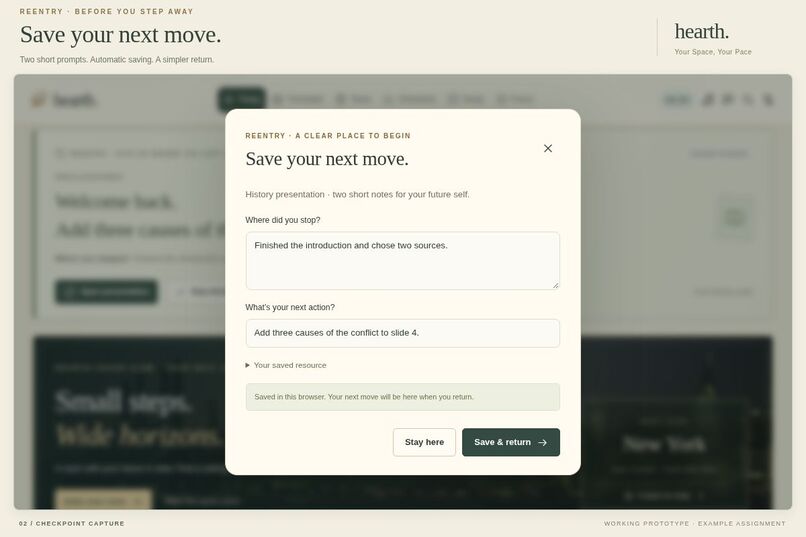
Save a checkpoint
-
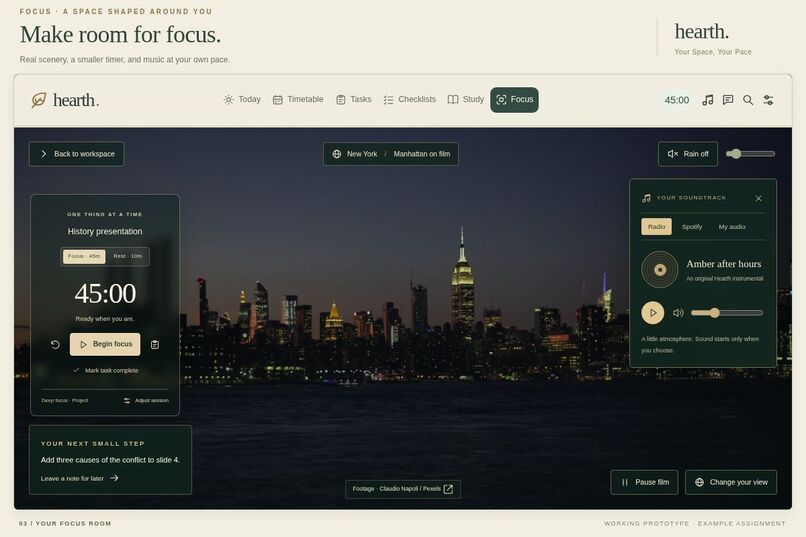
Focus room
-
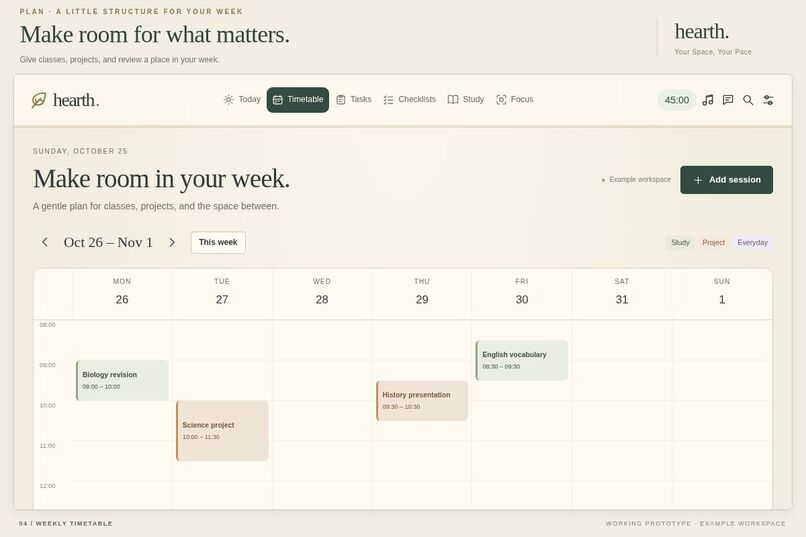
Weekly Timetable
-
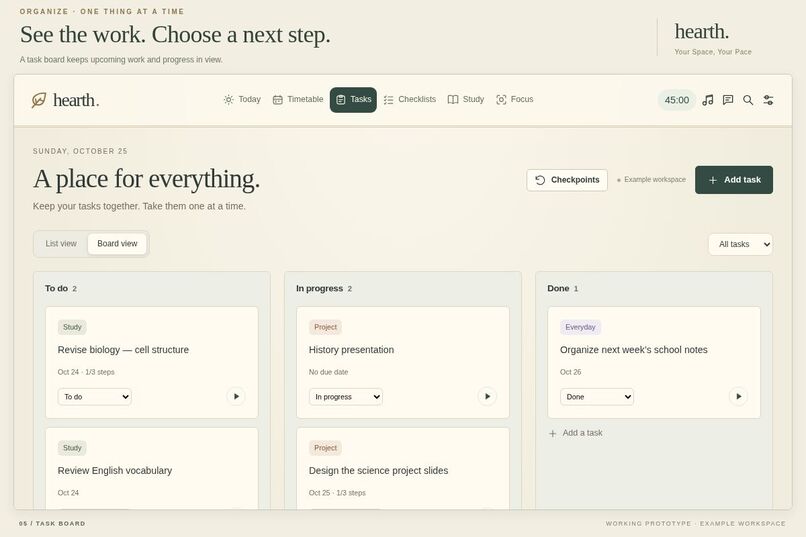
Task Board
-
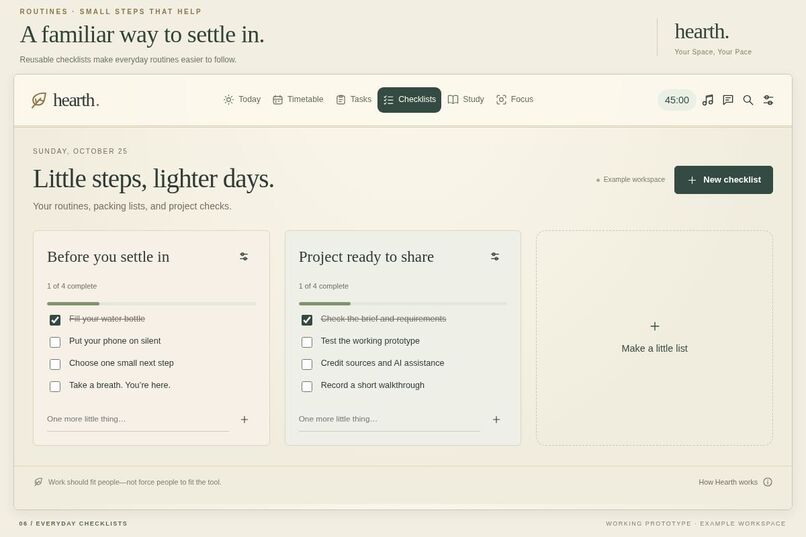
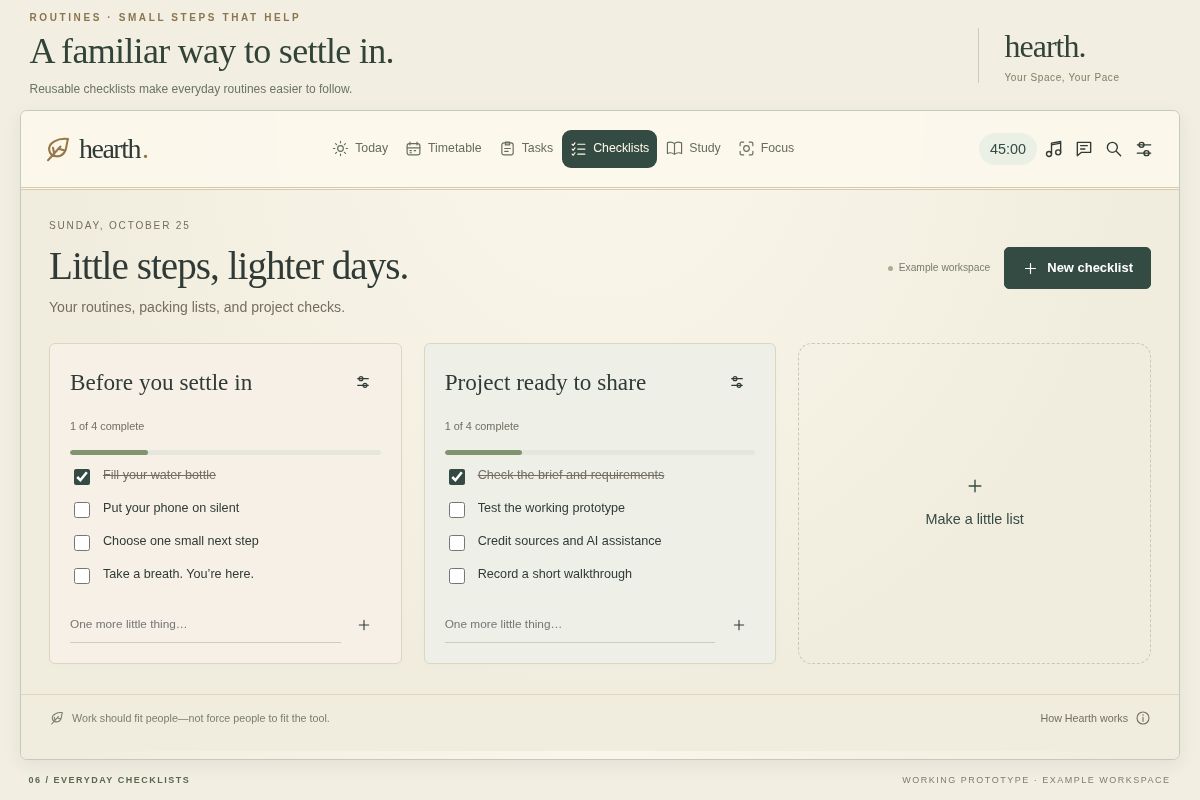
Checklists
-
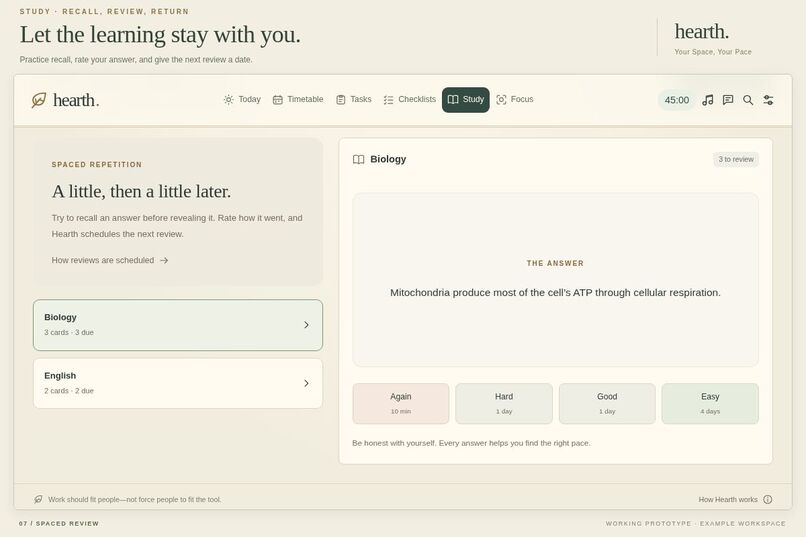
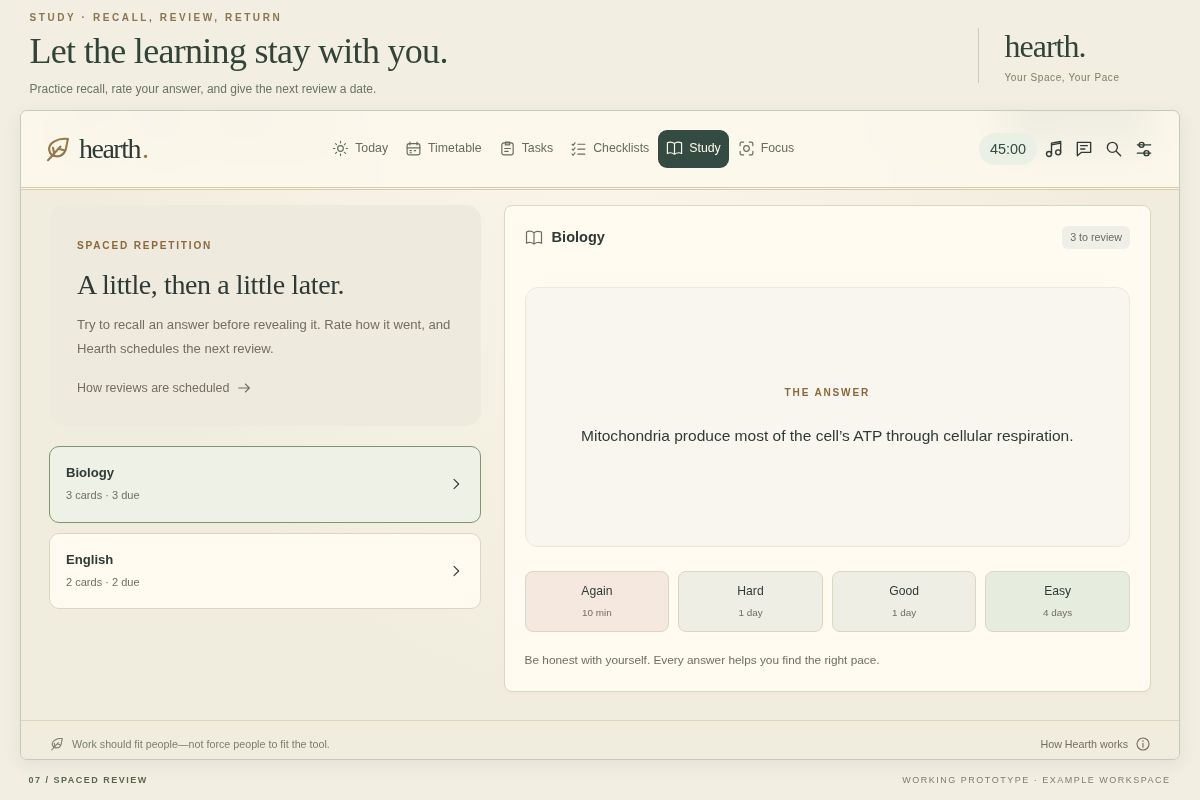
Spaced Review
Inspiration
A student working in a shared room may stop for dinner, a family request, or another class. When they return, the assignment is still there, but their train of thought may be gone. Reopening documents and rereading unfinished work becomes another task before they can continue.
Hearth began with that moment. Its intended user is a student who faces frequent interruptions, and its central purpose is to make restarting easier.
The idea behind ReEntry, Hearth’s main feature, is simple: before you stop working, save your next move. When you return, it is waiting for you.
The wider workspace follows the same principle: work should fit people—not force people to fit the tool.
What it does
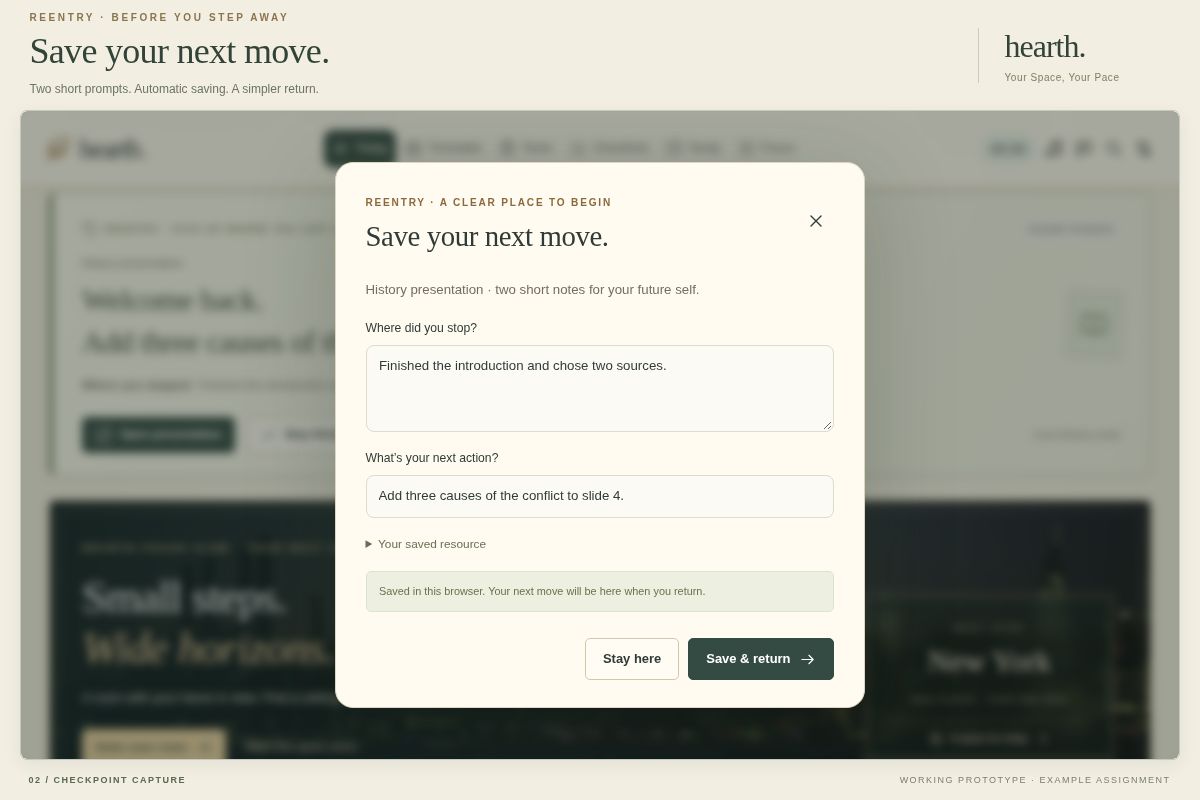
ReEntry connects an assignment to three things: where the student stopped, one clear next action, and the resource needed to continue.
- Add an assignment and its document or resource link.
- Before stopping, answer “Where did you stop?” and “What’s your next action?” Notes save automatically while typing.
- Return to a checkpoint on the Today screen and reopen the resource.
- Mark that step finished, then leave the next action. Completing one step does not automatically complete the whole assignment.
For example, the sample history presentation welcomes the student back with:
“Add three causes of the conflict to slide 4.”
They can open the presentation, finish the step, or change the next action.
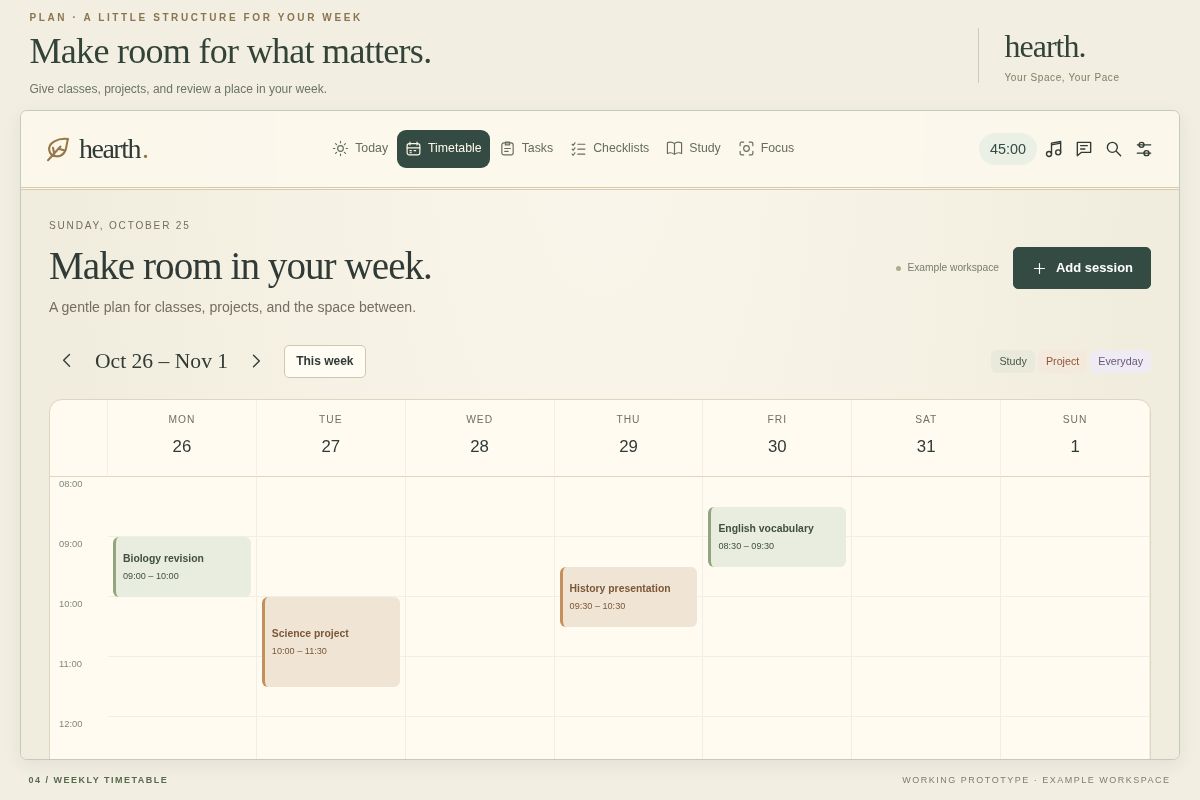
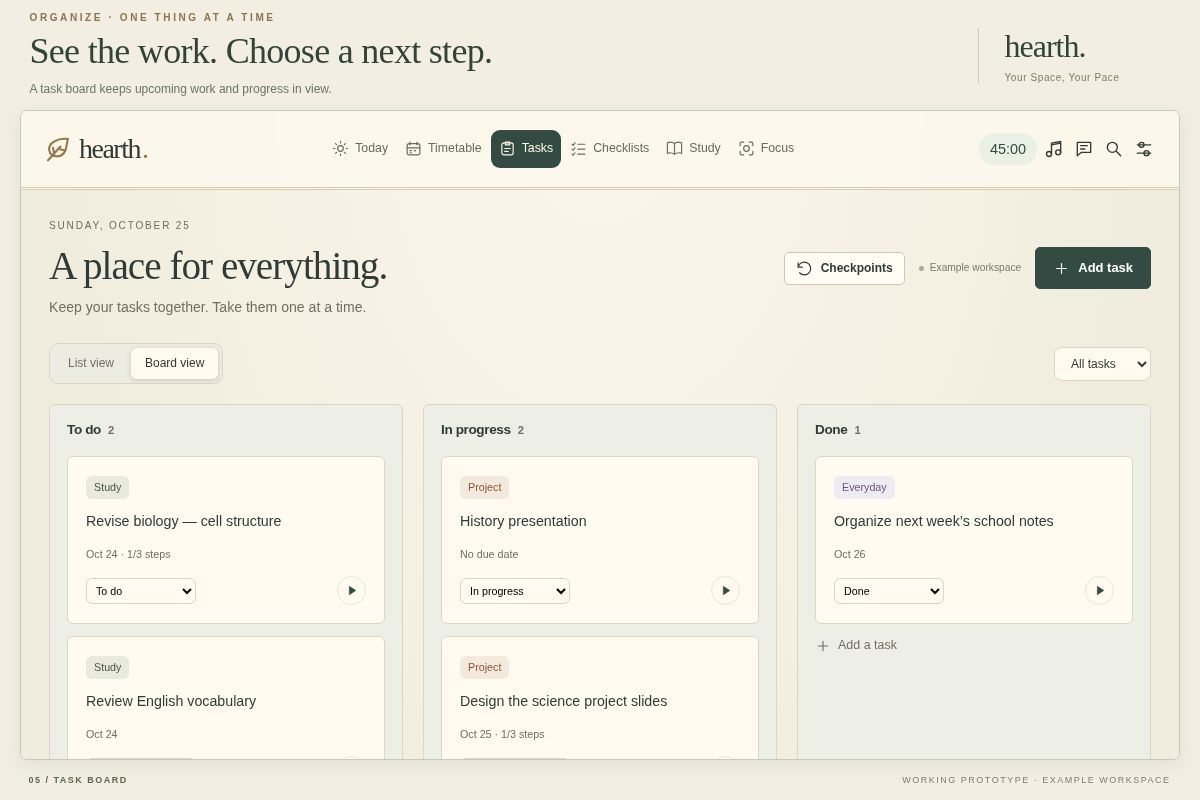
Around this flow, Hearth provides a weekly timetable, task lists and boards, reusable checklists, flashcards with spaced review, and adjustable focus/rest sessions.
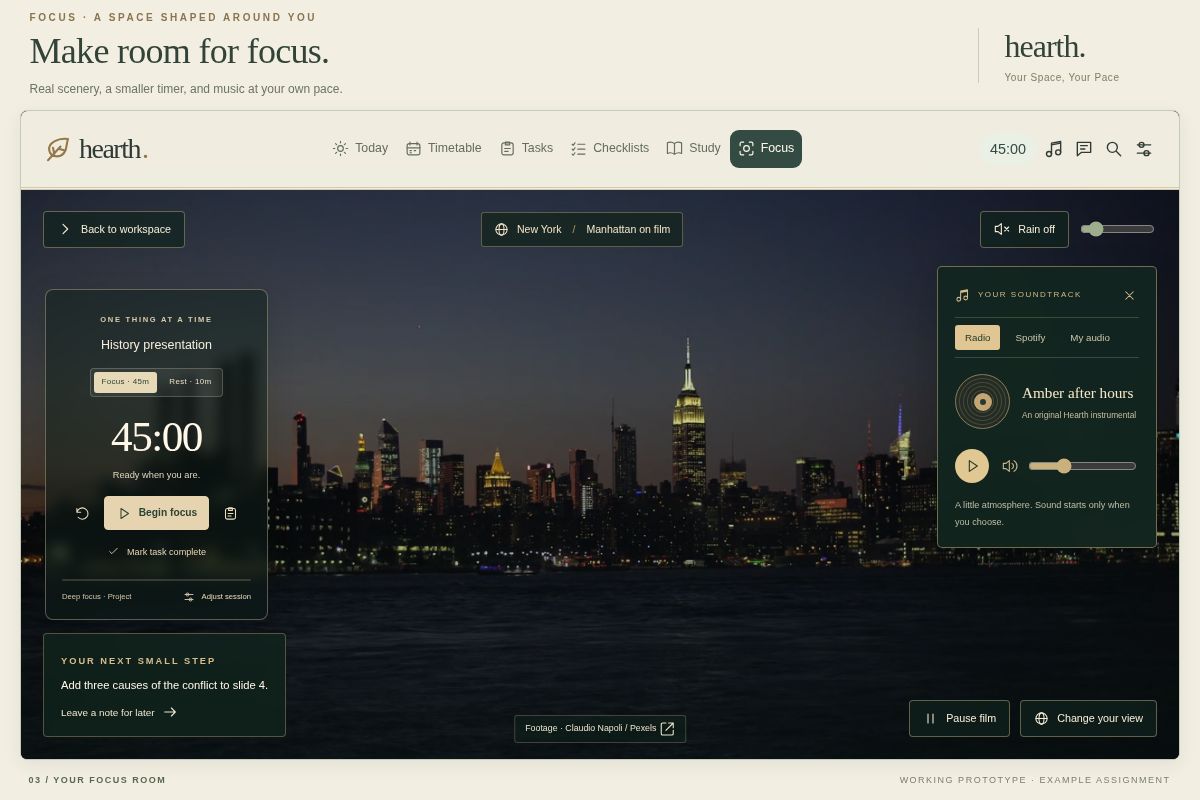
The focus room combines a retro-inspired interface with real city footage, photographs, optional illustrated scenes, rain audio, and a music box. Optional goal and mood questions help suggest a setting and session length. Students can change the suggestion, upload their own background, adjust the timer, or skip setup.
Keyboard navigation, labeled inputs, visible focus indicators, text-size controls, reduced-motion settings, and a quiet background support different ways of using the workspace.
How it was built
Hearth uses HTML, CSS, and vanilla JavaScript. Browser storage saves assignments, checkpoints, schedules, and review progress. IndexedDB stores uploaded backgrounds. The core checkpoint flow requires no account or AI service.
Two small on-device Naive Bayes classifiers help categorize tasks and goals. Follow-up questions use prepared templates, while session lengths and background choices use editable rules and presets. Students remain in control of every recommendation.
Background films use HTML video. Python and FFmpeg were used to prepare media. The music box supports an original instrumental, local audio, and an optional Spotify embed. WhatsApp, Messenger, and Facebook shortcuts open those services separately.
Challenges
The main design challenge was keeping the next action easy to find while offering several productivity modes. ReEntry became the first card on the dashboard so returning students have a clear place to begin.
The focus interface also needed restraint. An early timer was too large and covered the scenery. It was reduced to a smaller translucent side panel, leaving the center open.
Persistence mattered just as much as appearance. Checkpoints needed to survive a refresh, and timers needed to remain accurate when a tab was in the background. Autosave and elapsed-time calculations address those cases.
What works today
The prototype demonstrates the complete interruption-and-return flow, including an editable sample presentation.
Twelve automated tests pass, covering checkpoint persistence, resume selection, safe resource links, timer behavior, and other core logic. Browser checks covered refresh-to-resume, the linked presentation, keyboard checkpoint entry, video playback, and mobile layouts.
These checks are not a complete accessibility audit or a user study.
What was learned
A useful checkpoint needs a concrete action. “Finish history” leaves the student with another decision; “Add three causes to slide 4” gives them somewhere to start.
The interface revisions also reinforced the importance of choice. Background motion, music, mood questions, and suggested session lengths should remain optional and adjustable.
Limitations and what comes next
Students still need to remember to leave a checkpoint, so keeping capture short is essential.
Data currently stays in the same browser and device. Clearing browser data can remove it. Resource links reopen documents but do not restore another service’s cursor position or editor state.
The classifiers have limited training examples. Live scene generation, cloud sync, and synchronized messaging are not implemented.
The next step is to test with consenting classmates: compare time to identify the correct next action using their usual notes versus ReEntry, and ask whether leaving a checkpoint felt worthwhile. No measured productivity improvement is claimed yet.
Credits and AI assistance
Hearth was developed with OpenAI AI coding assistance. AI assistance also contributed to classifier training examples and the optional illustrated scenes.
Real footage and photography are pre-existing Pexels media, with creators and sources credited within the project. LifeAt and cozy Notion workspaces informed the visual direction.


Log in or sign up for Devpost to join the conversation.