-
-
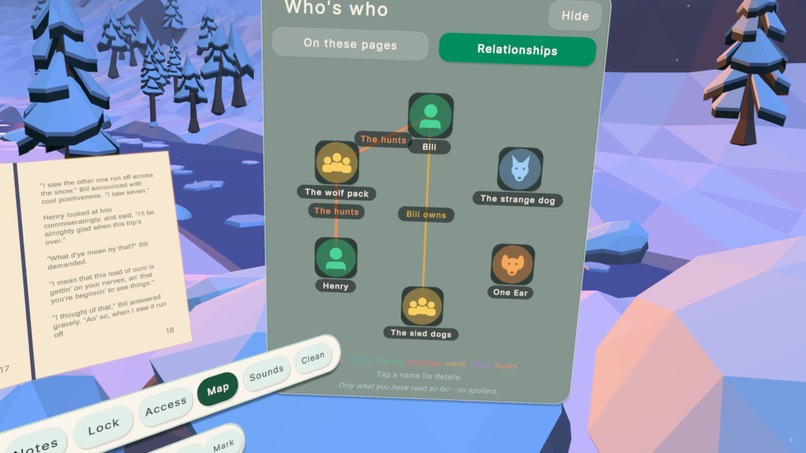
Information Map
-
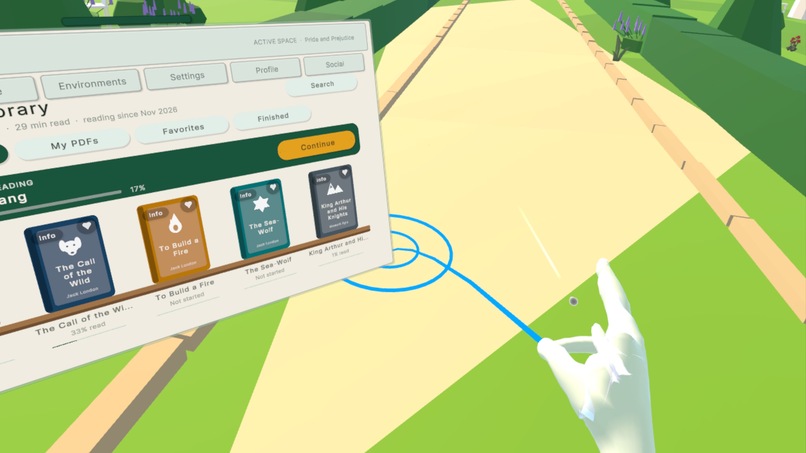
Teleporting
-
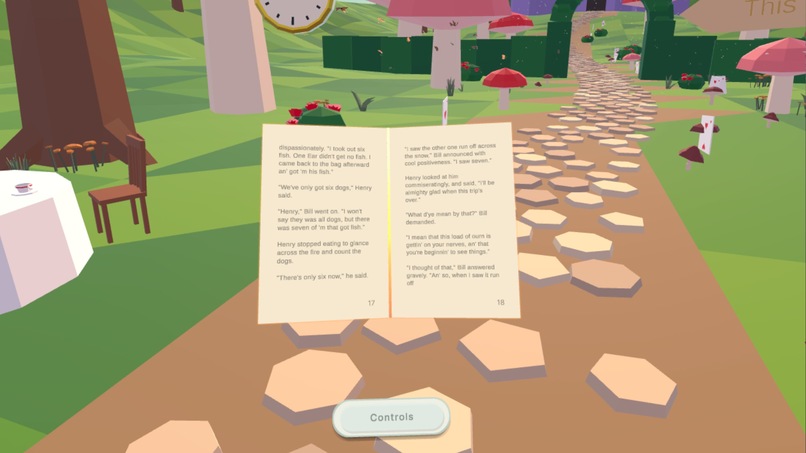
Clean reading
-
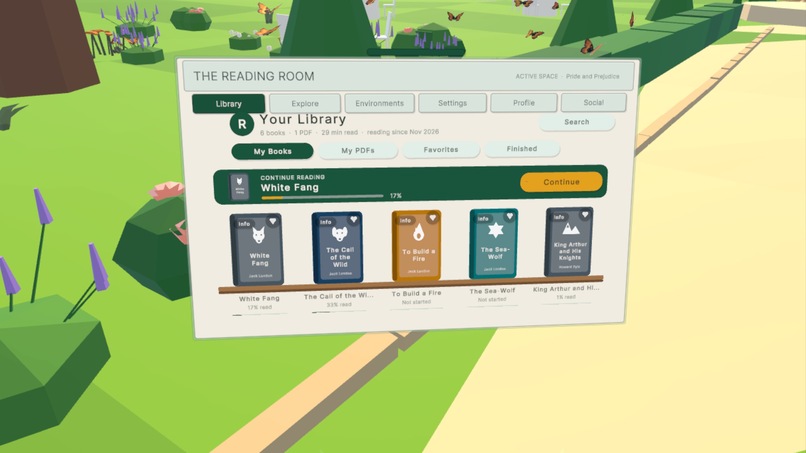
Library
-
Notes
Inspiration
We love reading. Not "we read sometimes": we are the kind of people who carry a book everywhere, who read on the metro, on the bus, in waiting rooms, in the five minutes before a meeting. And every one of those moments has the same problem: the world around you is loud, cramped and distracting, and the story never quite gets your full attention.
When we first put on a headset, one question wouldn't leave us alone: what if a book could bring its own world with it? What if opening White Fang put you beside a cabin in the frozen North, opening Frankenstein put you in a candlelit laboratory, and opening Pride and Prejudice put you in the gardens of Pemberley? Not as a game. Just as the quietest, most beautiful place you have ever read in.
Meta's announcement of its lightweight Meta VR Glasses made this feel urgent rather than futuristic. We designed Hearth with exactly that moment in mind: you sit down on the metro or the bus, put the glasses on, and you are somewhere else, with your book, your place in the story and your favourite sounds exactly where you left them.
What it does
Hearth is a cozy reading world for Meta Quest, built hand-tracking first.
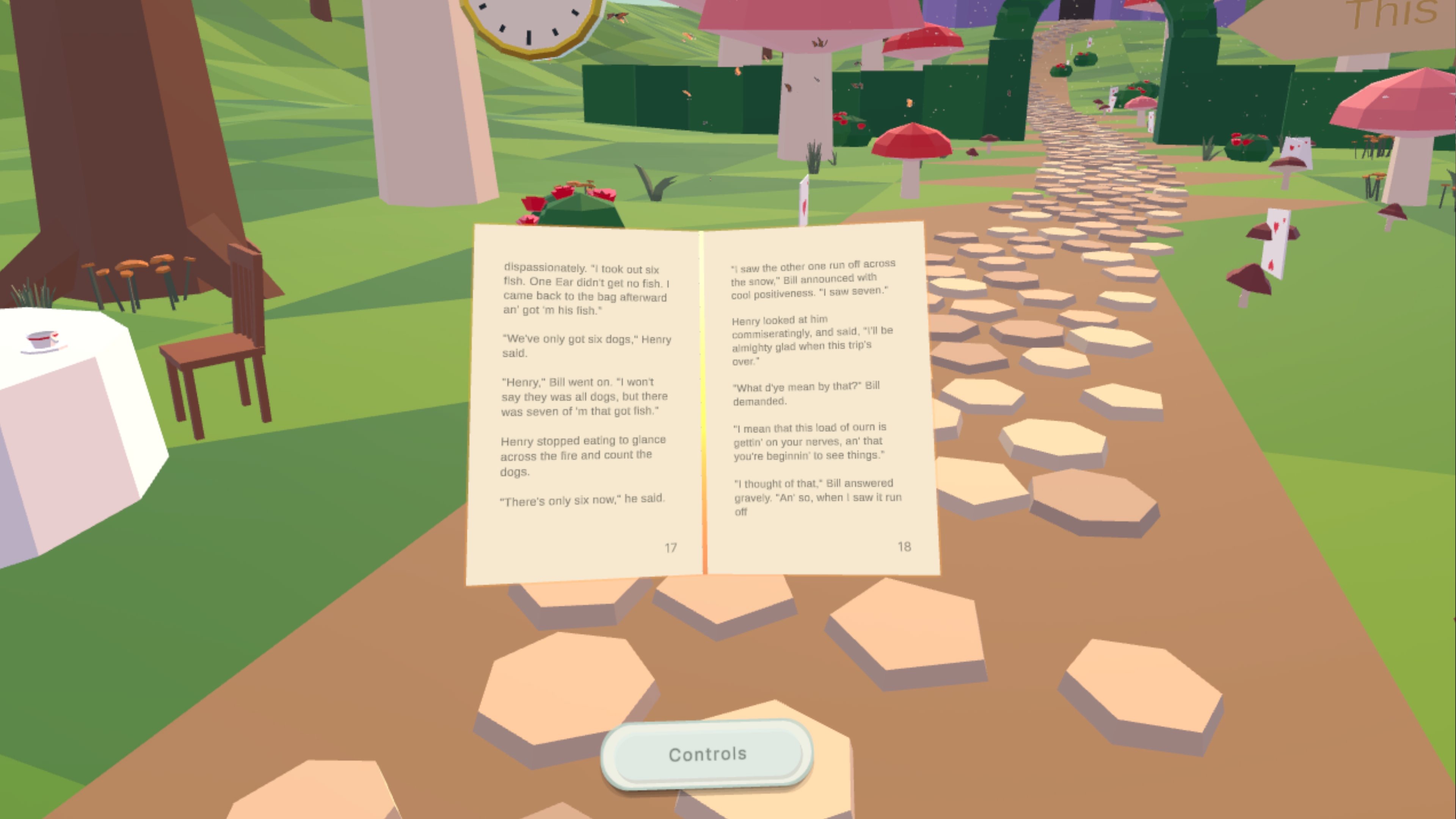
- Step inside the story. We have started with six hand-built reading worlds, each designed around its book: White Fang (a frozen valley under the northern lights), Frankenstein, Alice's Adventures in Wonderland, The Wonderful Wizard of Oz, Anne of Green Gables and Pride and Prejudice. These books open in their own world, and you can switch worlds instantly from the book itself. Every other title can be read in any of these worlds, in your own room, or in a space you design.
- Your room, a ready-made world, or one you build. Read in mixed reality in your own room, pick a world, or design your own space: sky, time of day, weather, floor, furniture, plants, and a dog to keep you company.
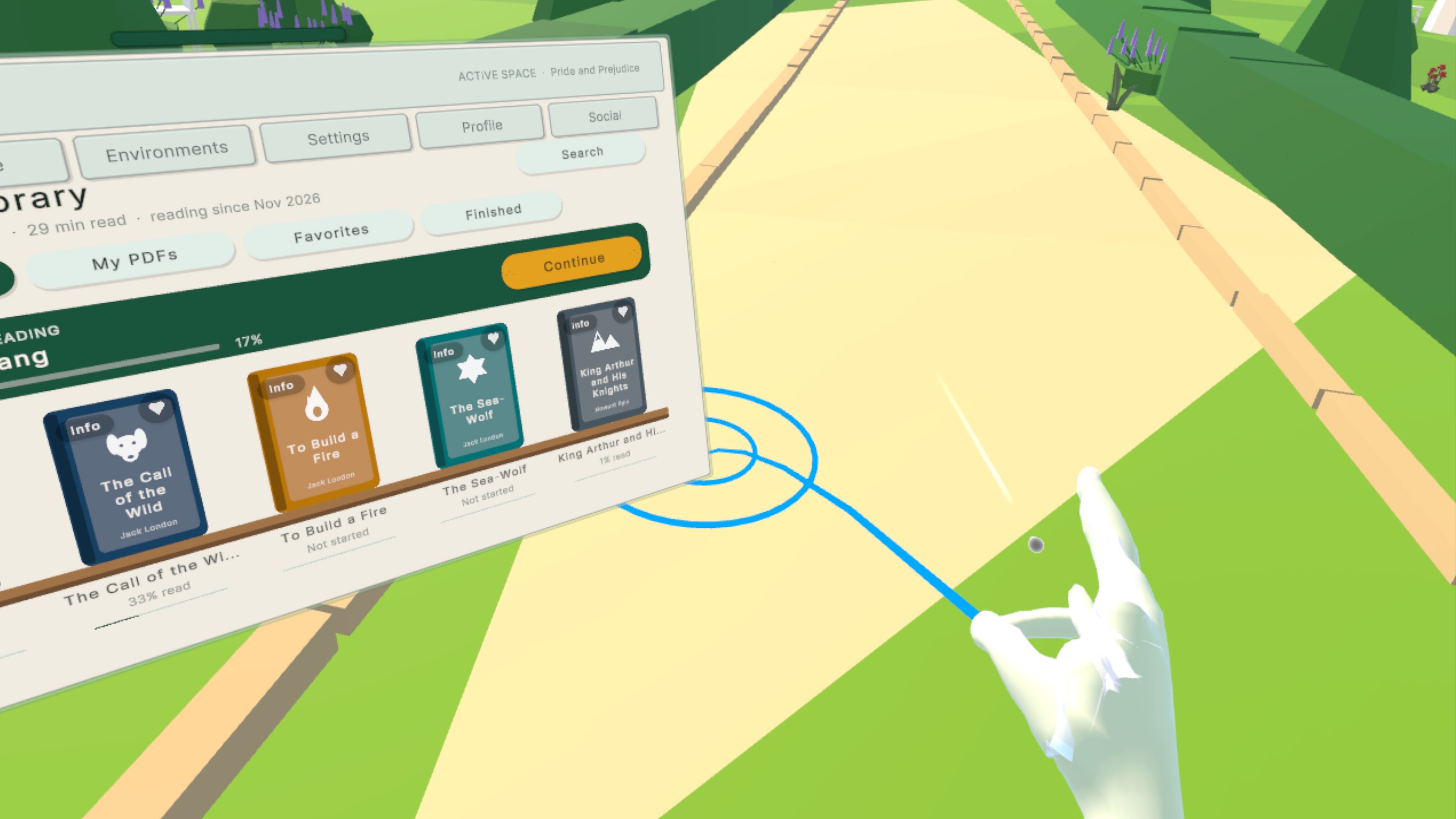
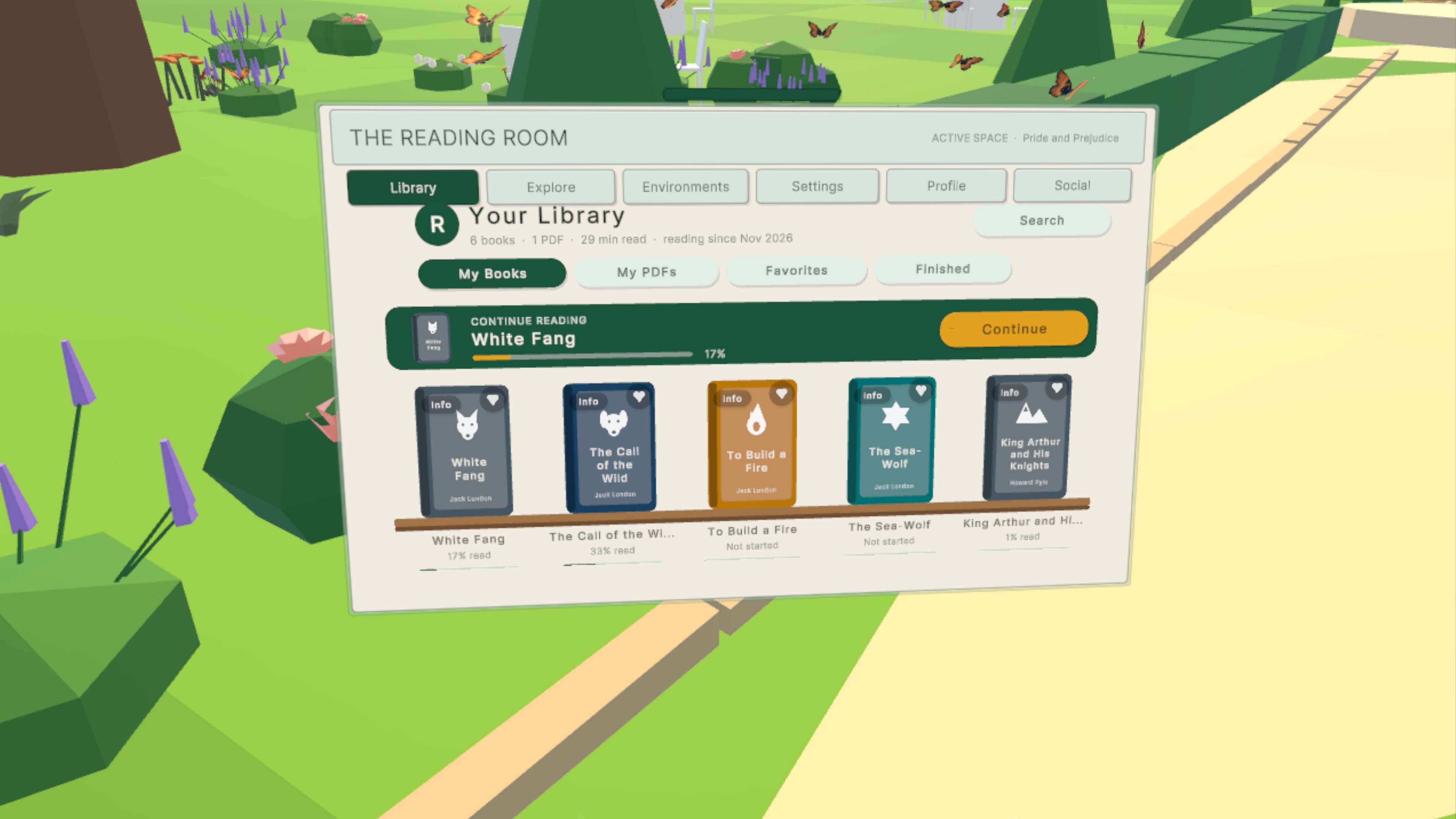
- A library that grows. Built-in classics, 99 free public-domain classics downloaded only when you want them (so the app stays small), and import any PDF or TXT you own.
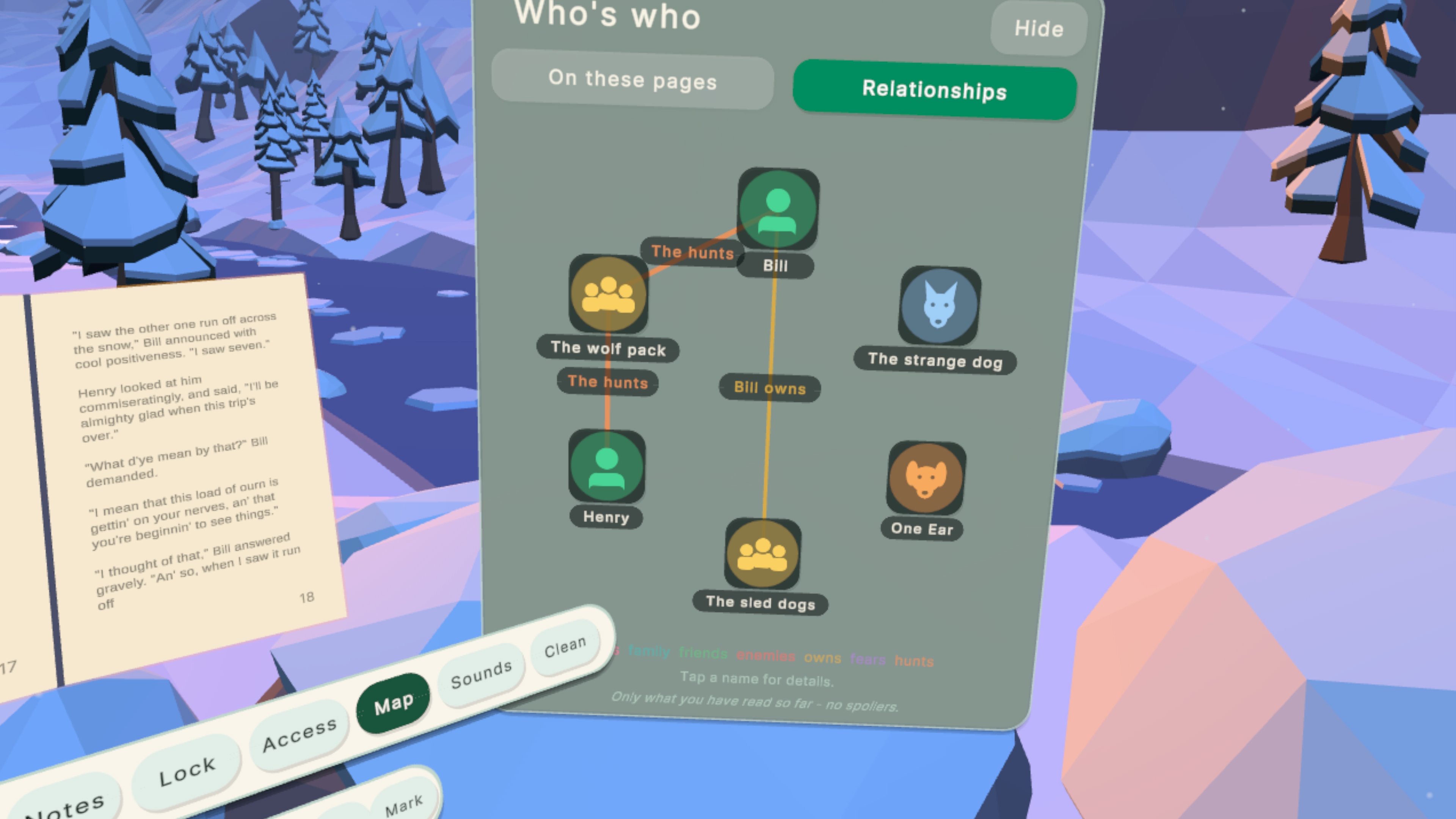
- Read your way. Fonts, sizes, page and text colours, a resizable book you can grab and place anywhere, chapters and bookmarks, and a spoiler-free character map that only shows people and relationships you have already read about.
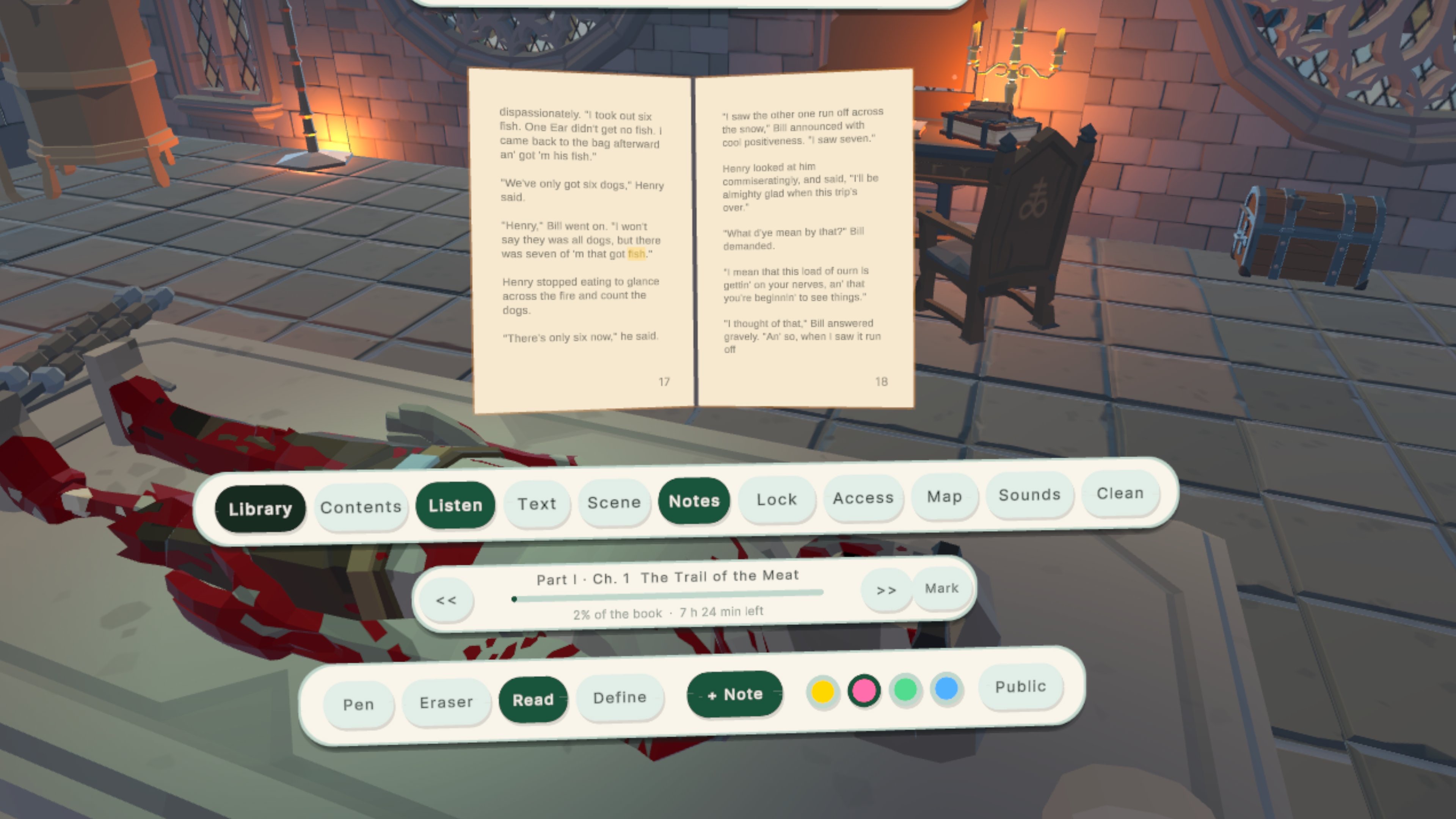
- Make it yours. Highlight lines and add sticky notes. The public pen lets you see which sentences past readers underlined (and how many of them), and you can turn it on or off at any time.
- Listen. Turn any page into an audiobook, with the current word highlighted. Tap any word to start reading aloud from there.
- Sound that surrounds you. Mix your own reading soundscape (rain, fireplace, stream, ocean, wind, night forest), either all around you or as spatial audio from a small speaker you can grab and place anywhere in the room. Your own Spotify keeps playing in the background on Quest.
- Read together. Weekly reading ranks, friends, reading goals, all tied to a Meta-verified identity.
- Comfort and accessibility built in. Seven tabs of reading-comfort options: text, focus, colour, sound, input and comfort presets.
- It remembers everything. Close the app and reopen it: the same book, the same page, the same world, the same spot you teleported to, the book exactly where you left it in the air.
How it works: reading with your hands
Hearth is built for hand tracking first. No controllers are needed: every action is a small, natural hand gesture, designed so that gestures never get in each other's way while you read.
Pressing buttons. Every button is a physical "spring" button. Push it with your index fingertip and it presses in, just like a real one. From a distance, point at it and pinch your thumb and index finger.
Turning pages. Pinch your thumb and middle finger together while your index finger stays open. With your right hand the page turns forward; with your left hand it turns back. In one-handed mode, a single pinch turns forward and a quick double pinch turns back. Because the index finger stays free, page turns never fire by accident while you point or press buttons.
Moving and resizing the book. Pinch the bar above or below the book and move it anywhere in the air. Pull a corner to make the book bigger or smaller. Press Lock when it's exactly where you want it. Hearth remembers its position, even after you close the app.
Teleporting. Pinch your thumb and ring finger and hold for about half a second. A curved beam appears with a ring where you will land: blue means you can go there, orange means you can't. Open your fingers to teleport. Every world remembers its own spot, so when you come back you are standing exactly where you left off. Teleport is switched off in mixed reality, where your real room and furniture are around you.
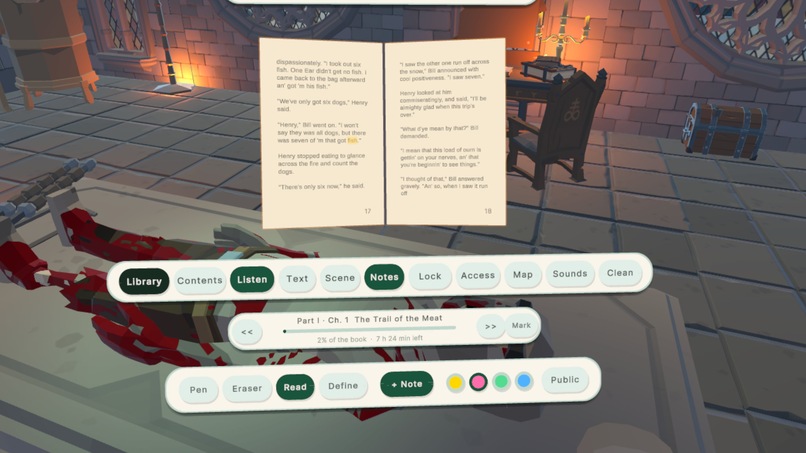
Highlighting and drawing. Open Notes and choose the Pen. Touch the words with your index fingertip to highlight them, and pick a colour from the tray. Switch to the Eraser to remove a highlight. Tap + Note to stick a note onto the page, then write or draw on it with your fingertip.
Looking up a word. In Define mode, touch any word to see what it means.
The public pen. Choose Public in the Notes tray and touch a sentence to underline it for other readers. Turn on public marks to see the sentences past readers underlined, with a count next to each one.
Listening. Press Listen to hear the page read aloud, with each word highlighted as it is spoken. Tap any word to start reading from there.
Making things disappear. If you don't want something in your world, such as the campfire or the dog, point at it and pinch to select it. Then close that same hand into a fist for a moment, and it goes away. You can bring it back at any time from Hidden objects in the Scenes panel. The dog is also happy to be petted: just reach out and touch it.
Placing your sound. In Sounds, choose From a speaker. Grab the little speaker with a pinch and set it down anywhere. The rain, fire or night forest now comes from that spot, and you can hear it move as you carry it.
What's next for Hearth
Six worlds and a hundred free classics are only the beginning. Our goal is to turn Hearth into a full reading platform for spatial computing:
- A world for every classic: we are building new environments step by step until every classic in the library has a world of its own to be read in.
- Publishers and new books: we want to partner with publishers to bring paid, contemporary titles to Hearth. For each of these books we will design a dedicated environment, so readers meet new stories in a world made just for them. The store, library and download flow are already built for it.
- Built for reading on the move: we designed Hearth around the commuter, the person who reads on the metro or the bus. Lightweight glasses like the Meta VR Glasses make that realistic, and we want Hearth to be ready for them from day one: fast resume, low power, and reading modes made for short sessions.
- Reading together, live: shared reading rooms, book clubs inside a world, and author events.
- More languages and more voices: multilingual libraries and narration for more books.
This is just the beginning for us. We believe the best reading app is not the one with the most features. It is the one that makes you forget you are holding a device and remember why you fell in love with books. That is what Hearth is for.
How we built it
- Engine and XR: Unity 6 with URP, OpenXR (Meta), the XR Interaction Toolkit and XR Hands. Everything is designed for hands first: buttons are physical "spring" buttons you press with a fingertip, pages turn with a gesture, and teleport is a dedicated thumb-to-ring-finger pinch so it never collides with reading gestures.
- Worlds: low-poly environments optimized for standalone Quest rendering, with per-world lighting, fog and sky settings, and a camera guard that keeps each world's look consistent.
- Reading engine: our own pagination for built-in books, imported PDFs/TXT and downloaded classics. Heavy work (text extraction and pagination) runs off the main thread so the headset never drops frames while a book is being prepared.
- Backend: Supabase for the free-classics catalog and storage (books are fetched on demand), plus the social layer (ranks, friends, public-pen marks) behind a Meta-verified sign-in.
- Character map: for imported books, the text is analysed once on the server to extract characters and relationships. On device, everything is revealed only up to the page you have reached, so the map can never spoil the story.
- Spatial ambience: a small mixer of seamless ambient loops. In "speaker" mode each source becomes a 3D audio source attached to a grabbable speaker.
- Persistence: reading position, book transform (stored relative to the XR origin), per-book world, per-world teleport position, ambience mix and accessibility settings are all saved locally, so the app always resumes exactly where you were.
Challenges we ran into
- Hands are busy. In a reading app your hands turn pages, press buttons, grab the book, highlight text and pet a dog. Designing gestures that never trigger each other by accident (especially teleport versus page turning) took many iterations.
- Teleporting moves the whole world's reference point. Hand poses, the book, the tablet, panels and the speaker all had to follow the XR origin correctly. Teleport positions also had to belong to each world separately, so switching worlds would not leave you floating in the wrong place.
- Big books on a mobile chip. Importing a 2 MB classic used to freeze the headset. We moved preparation off the main thread and stopped the library from rebuilding on every progress tick.
- Copyright. Every bundled book is public domain. We removed a modern title we had used early on, and every sound in the app and in the trailer was made by us.
- Music services. We wanted in-app Spotify login, but Spotify's 2026 developer rules make that impossible for an indie app. We chose the honest route instead: the official Spotify app for Quest keeps playing in the background while you read in Hearth.
Built With
- postgresql
- spatial
- supabase
- unity
