-
-
 GIF
GIF
Agent placing furniture, arranging, comparing layouts
-
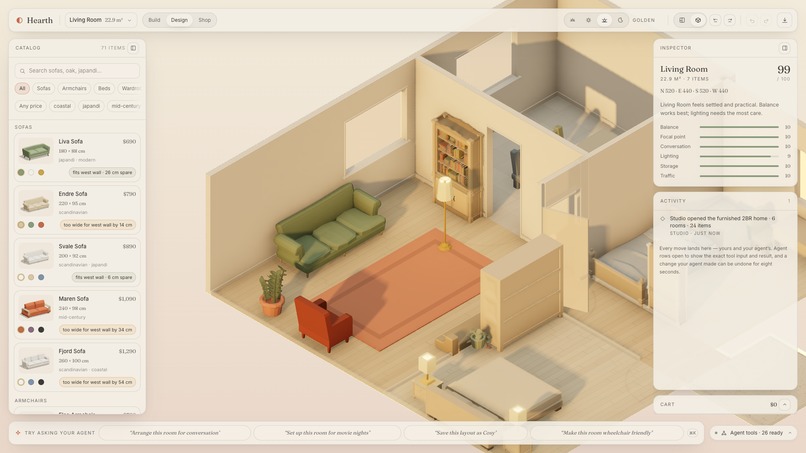
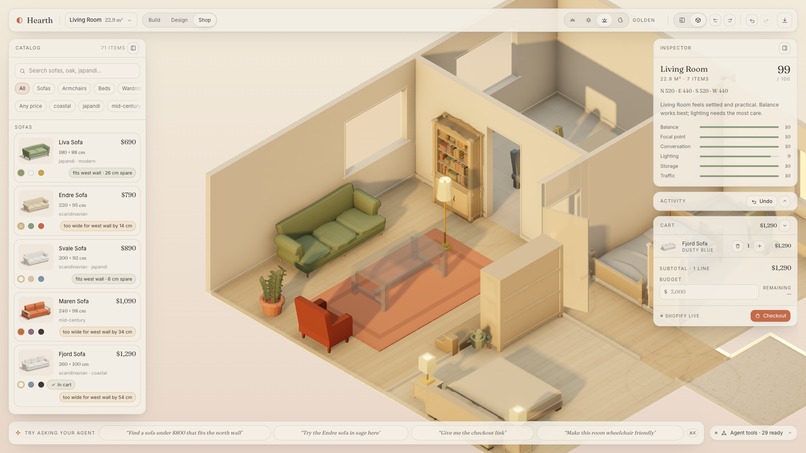
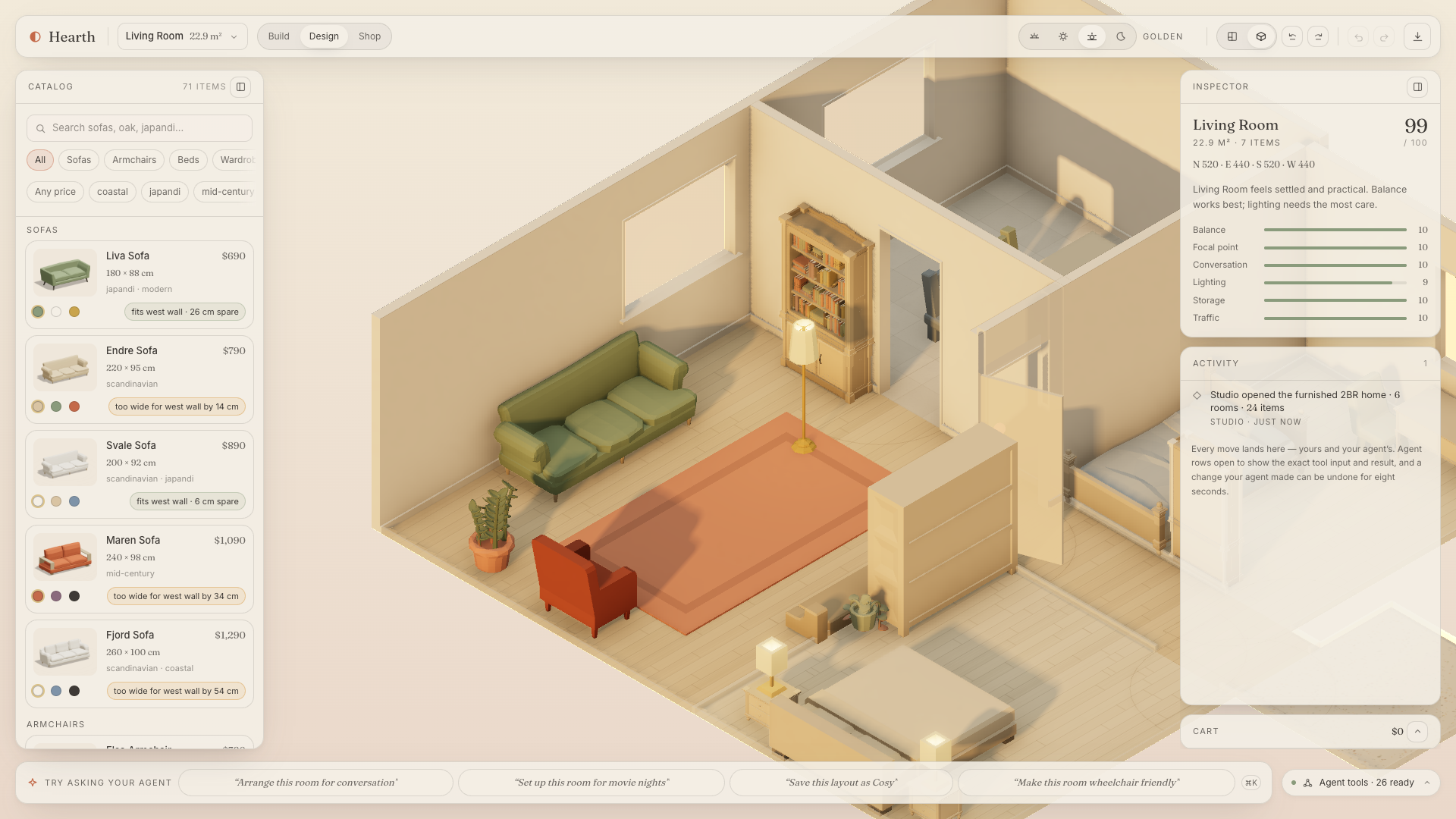
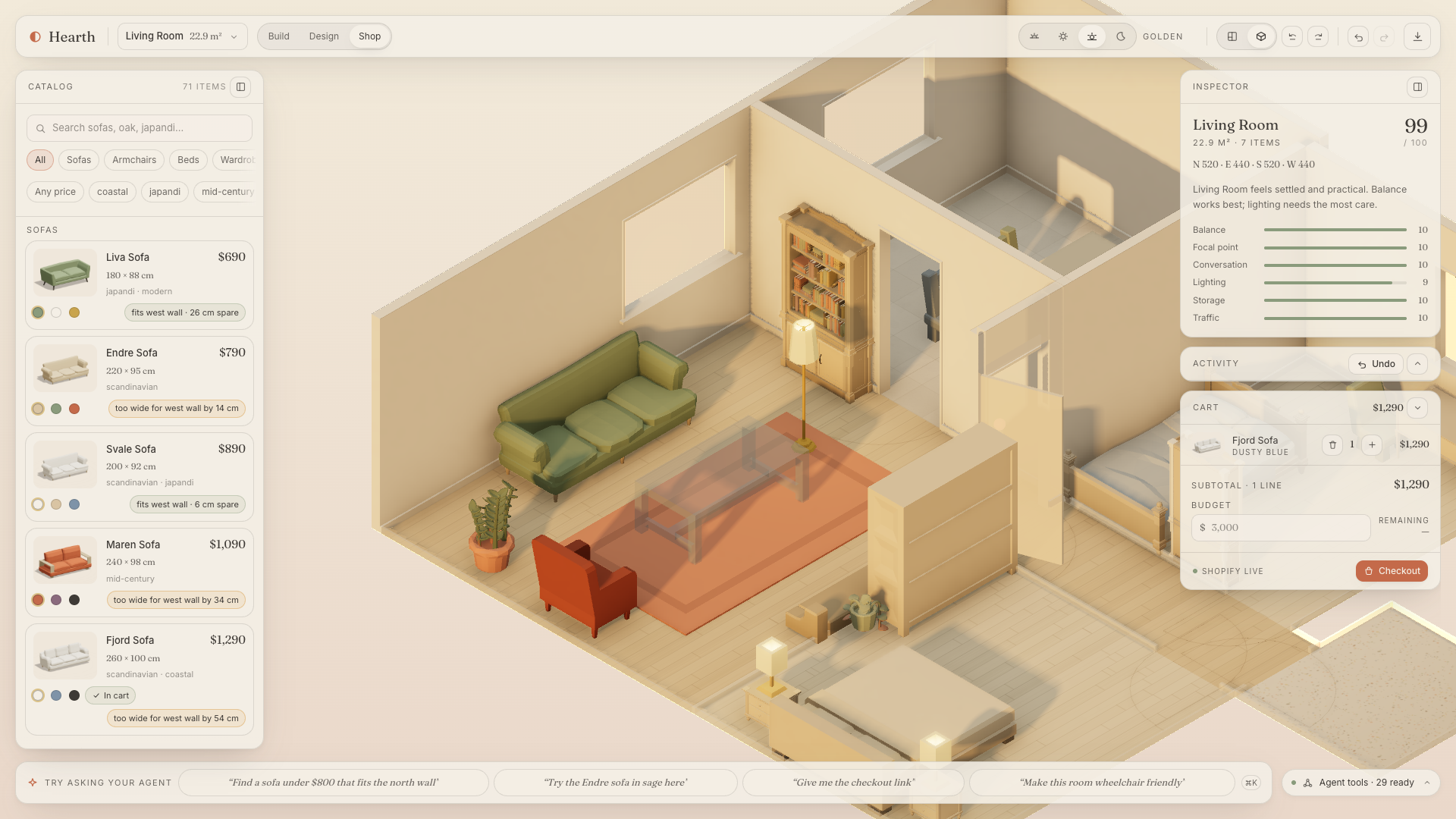
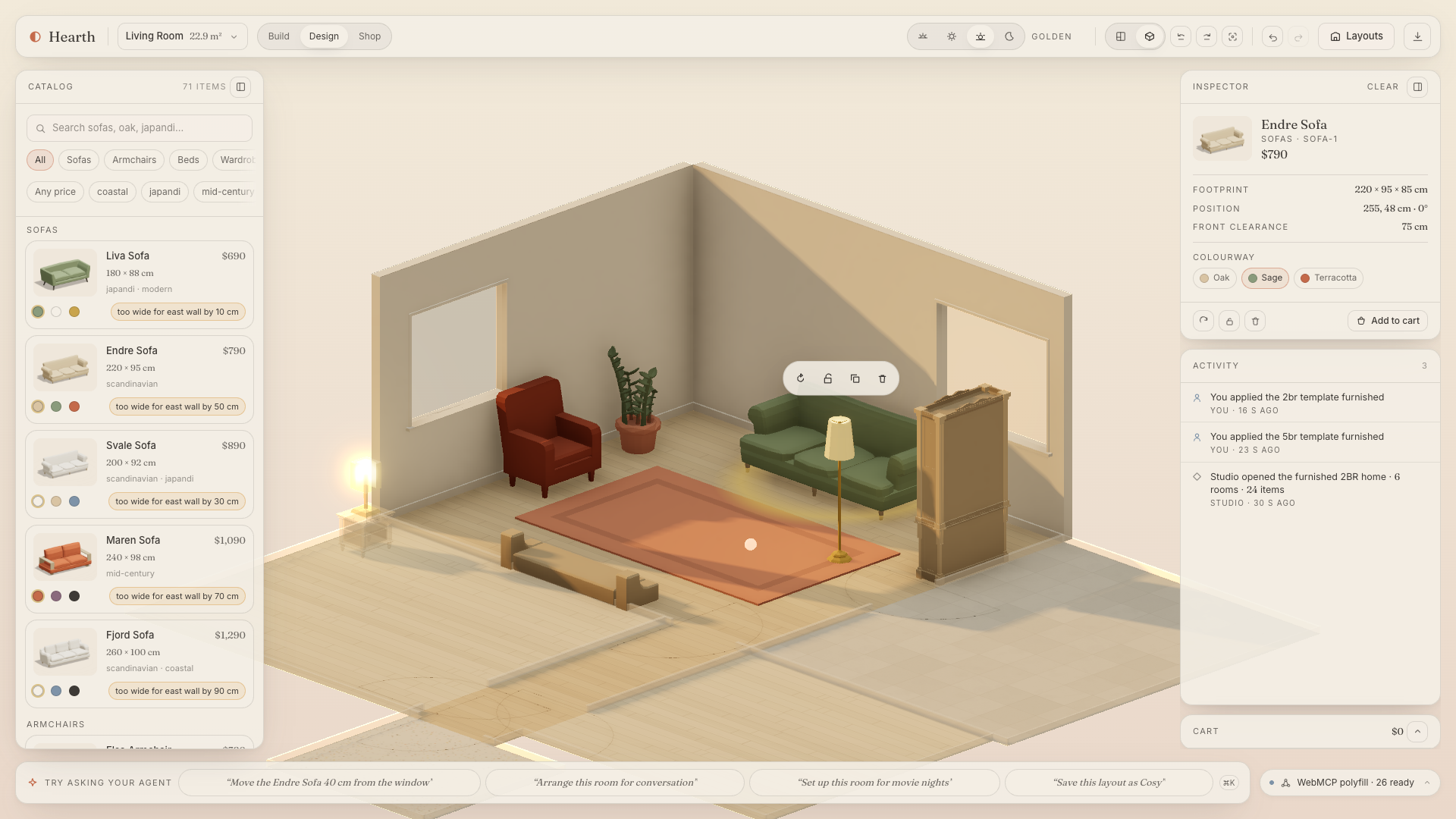
Living room at golden hour with catalog, inspector and activity log
-
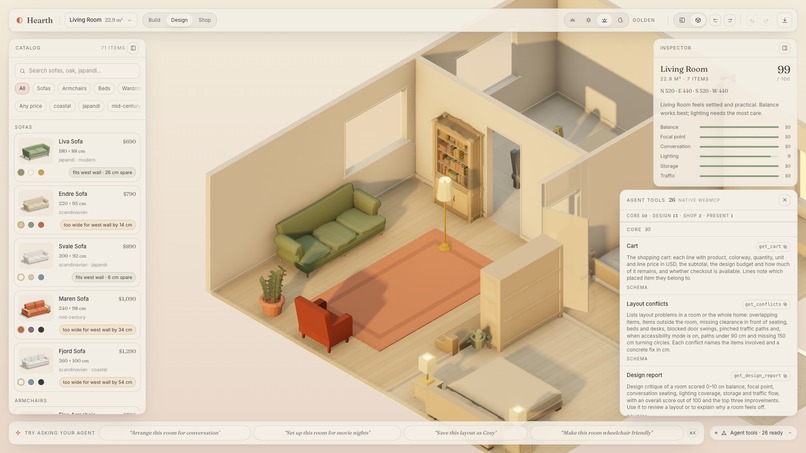
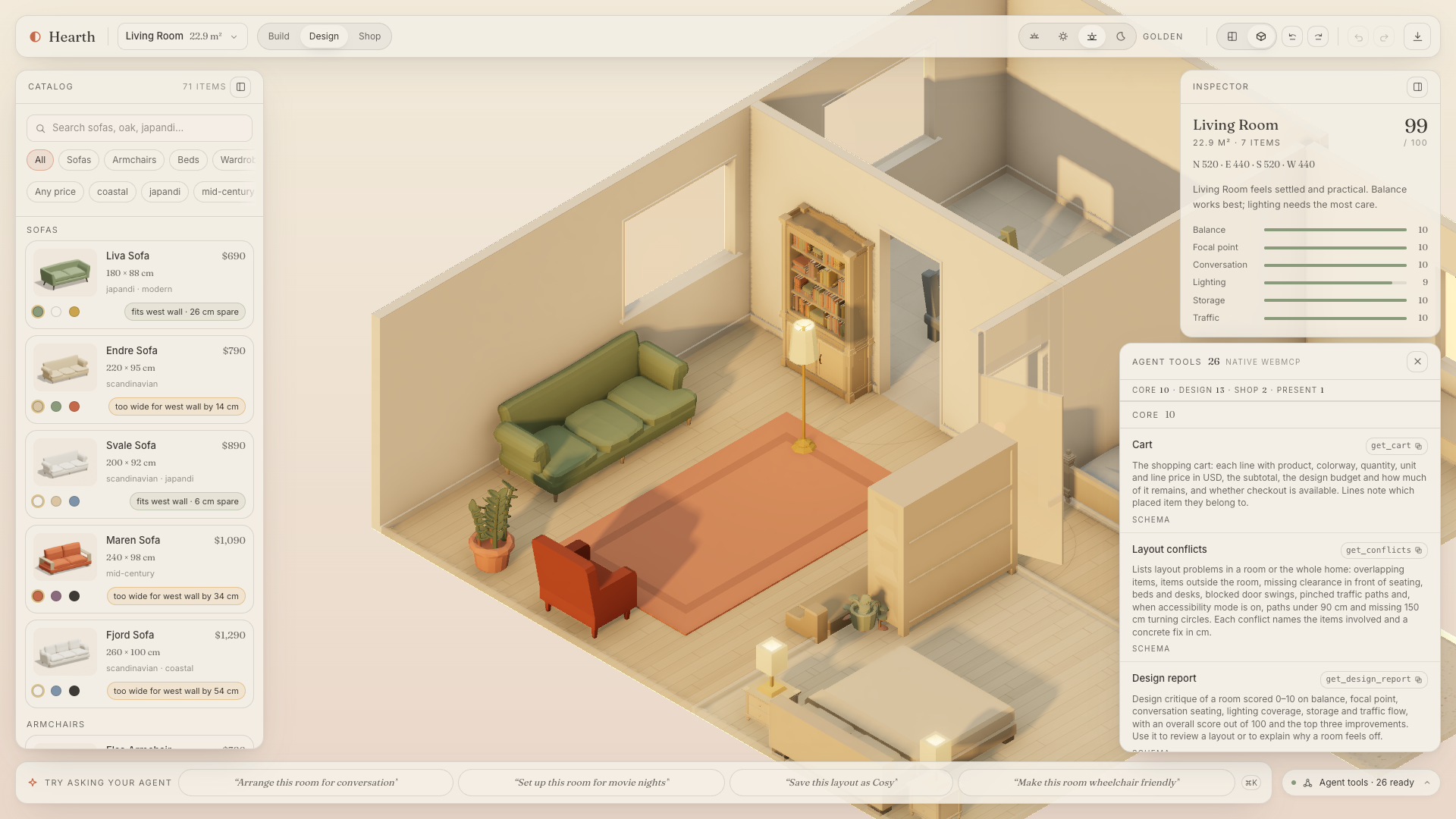
The Tools panel listing the WebMCP tools and schemas
-
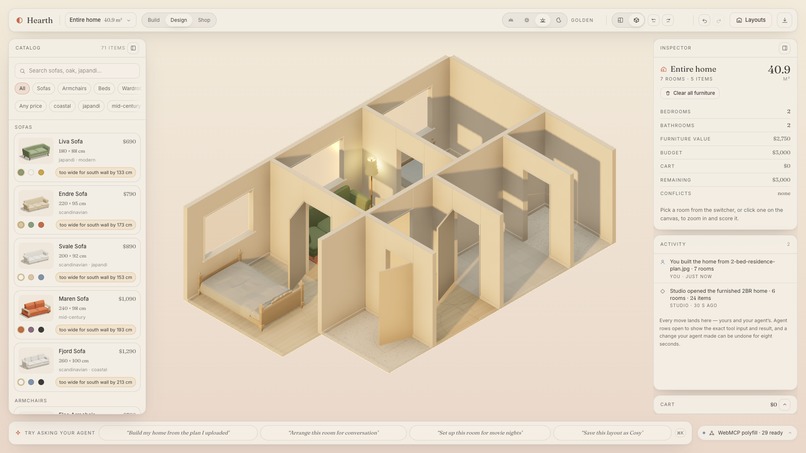
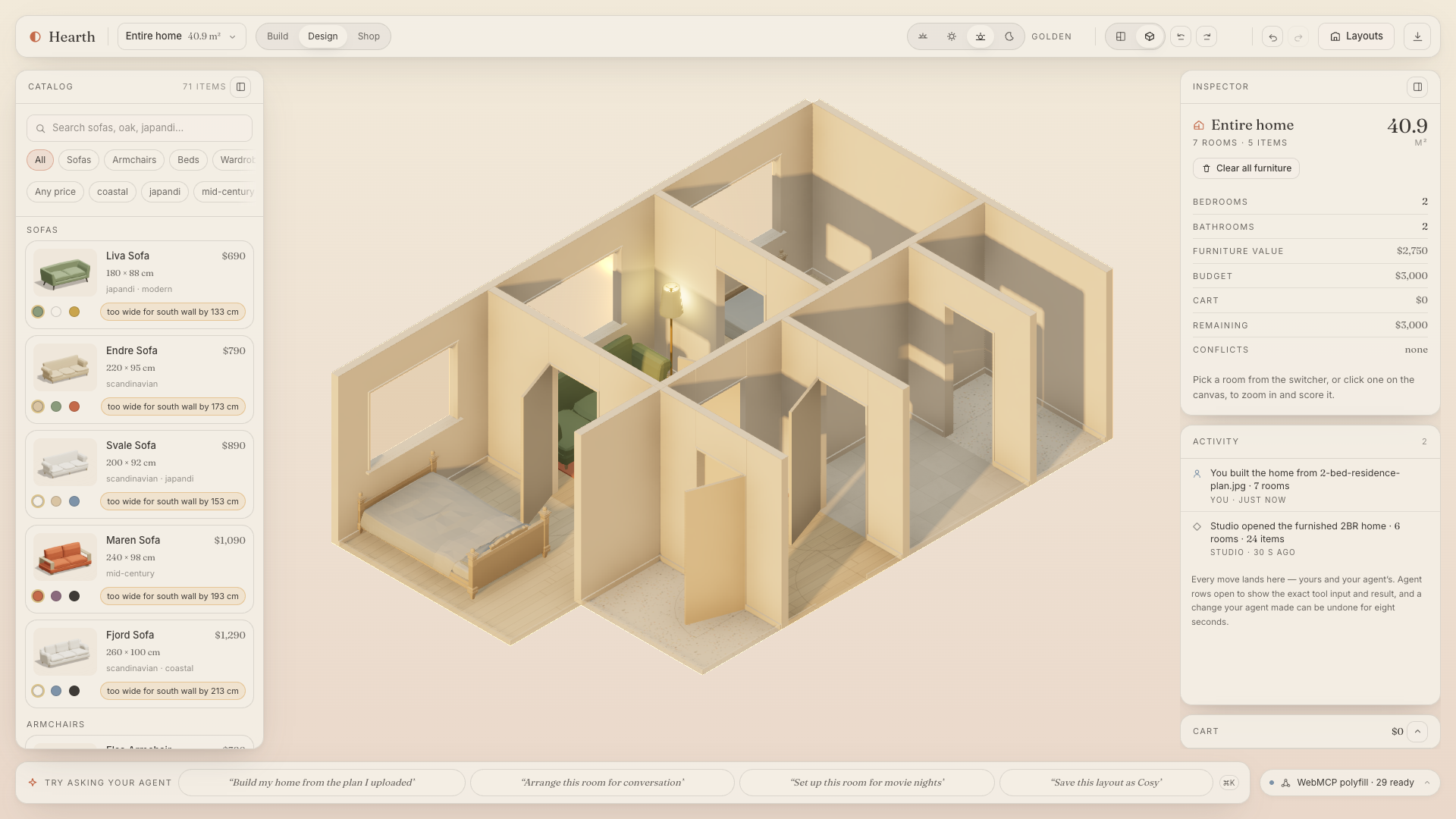
A home built from an uploaded floor plan, furnished
-
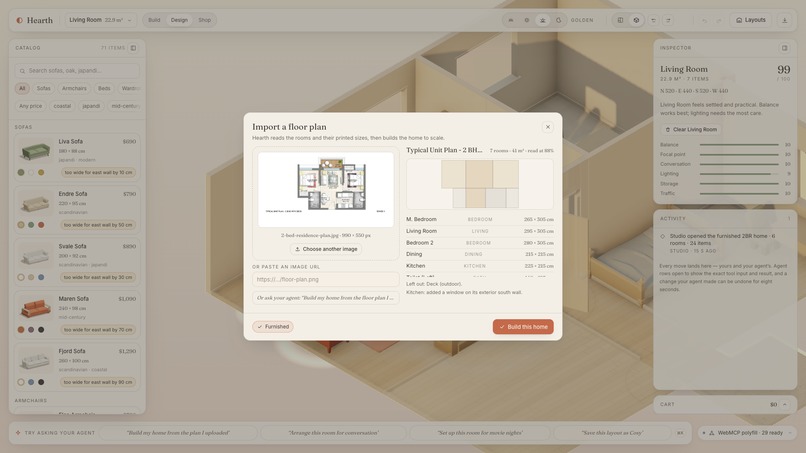
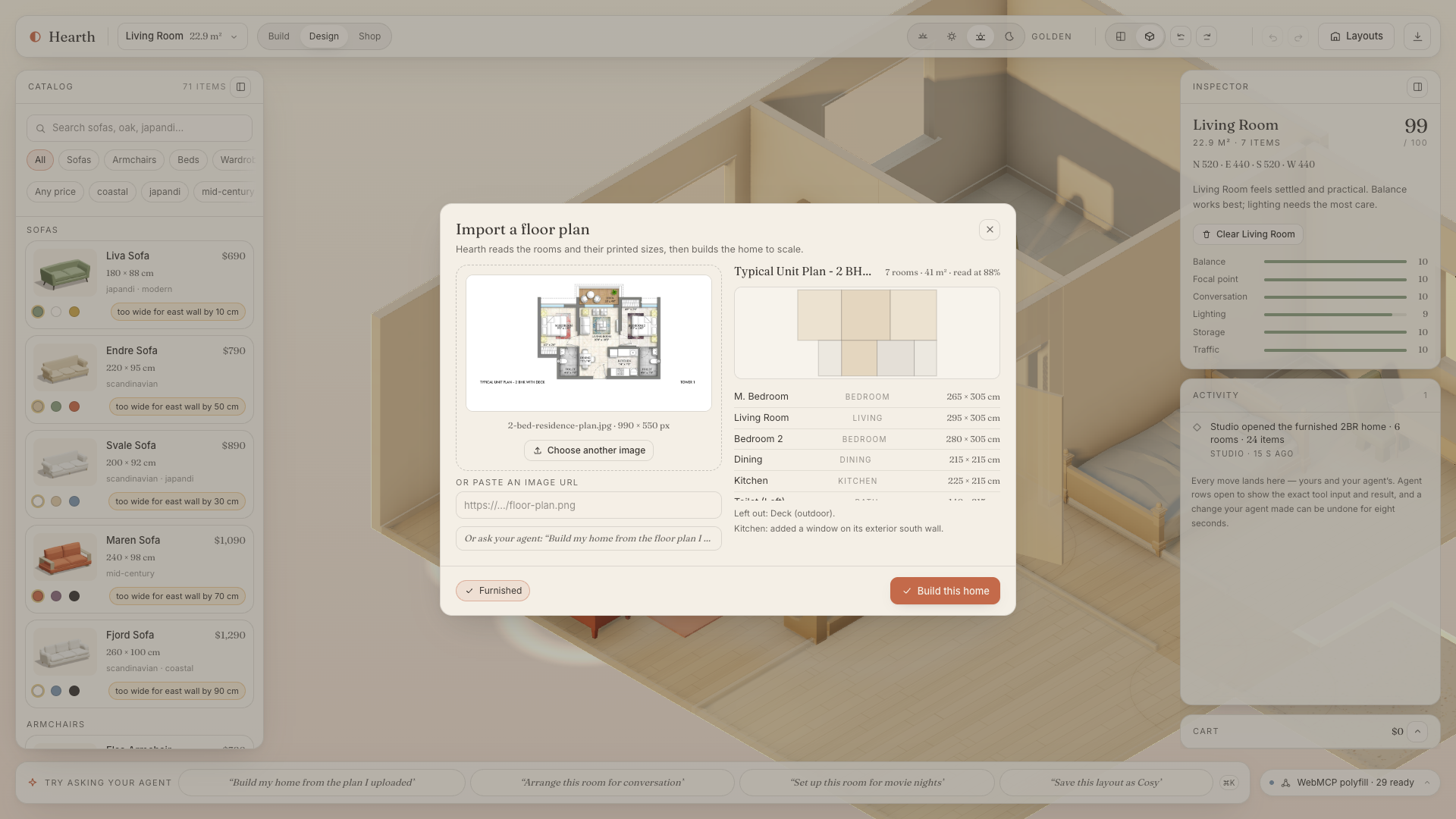
The import sheet reading a floor-plan image
-
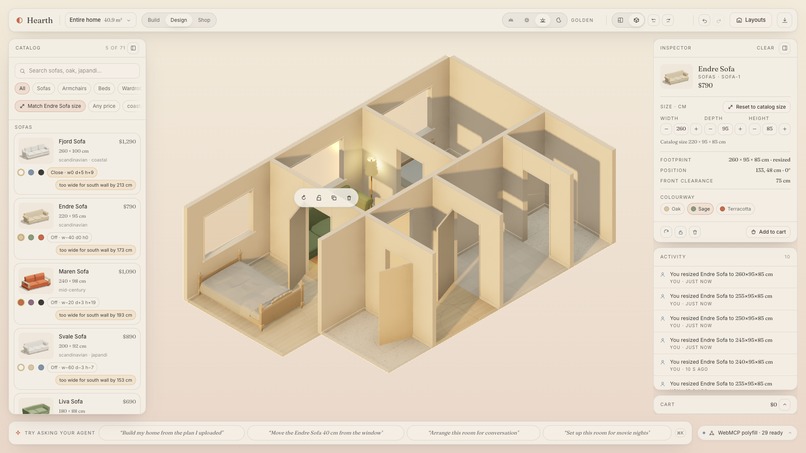
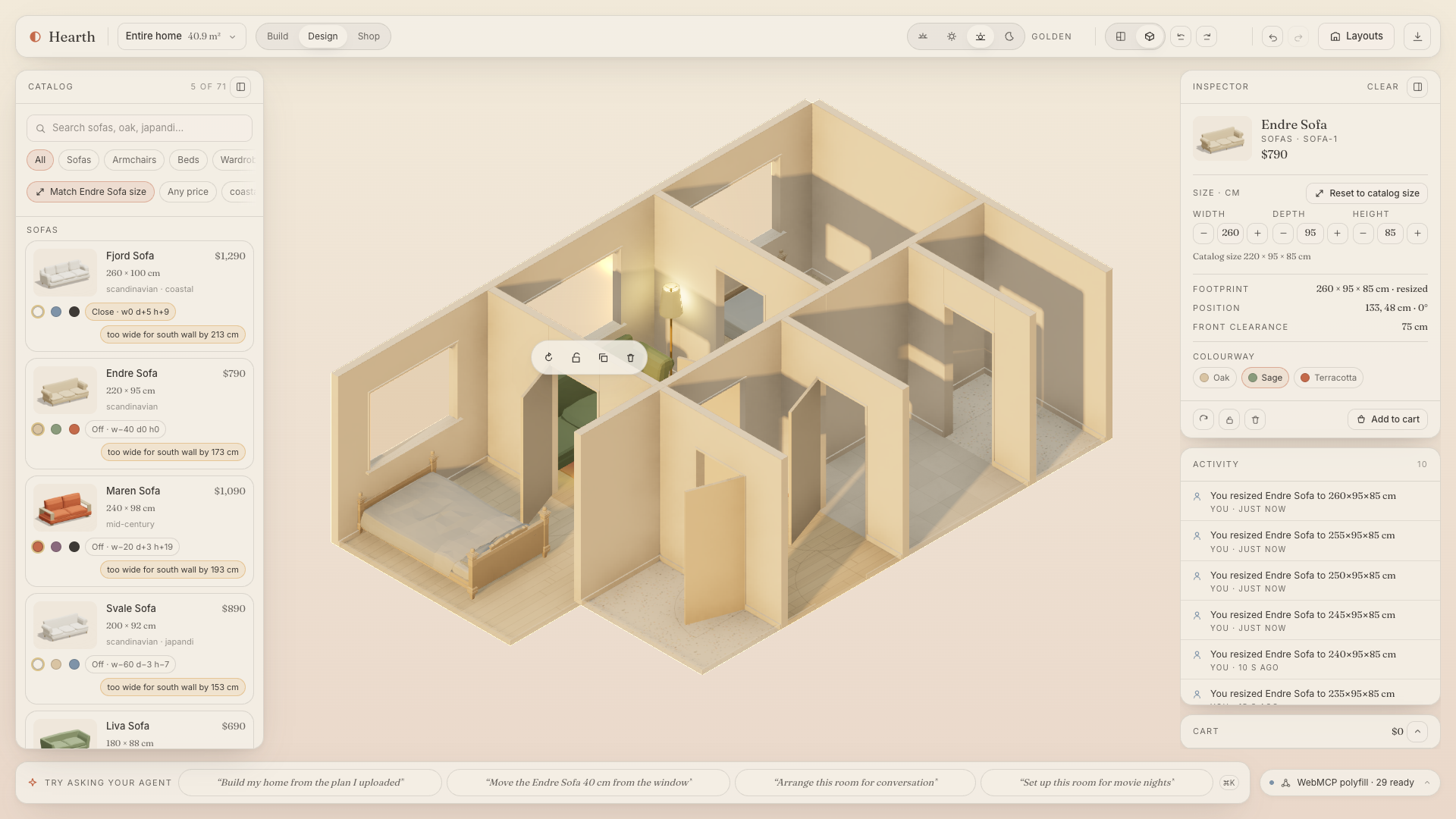
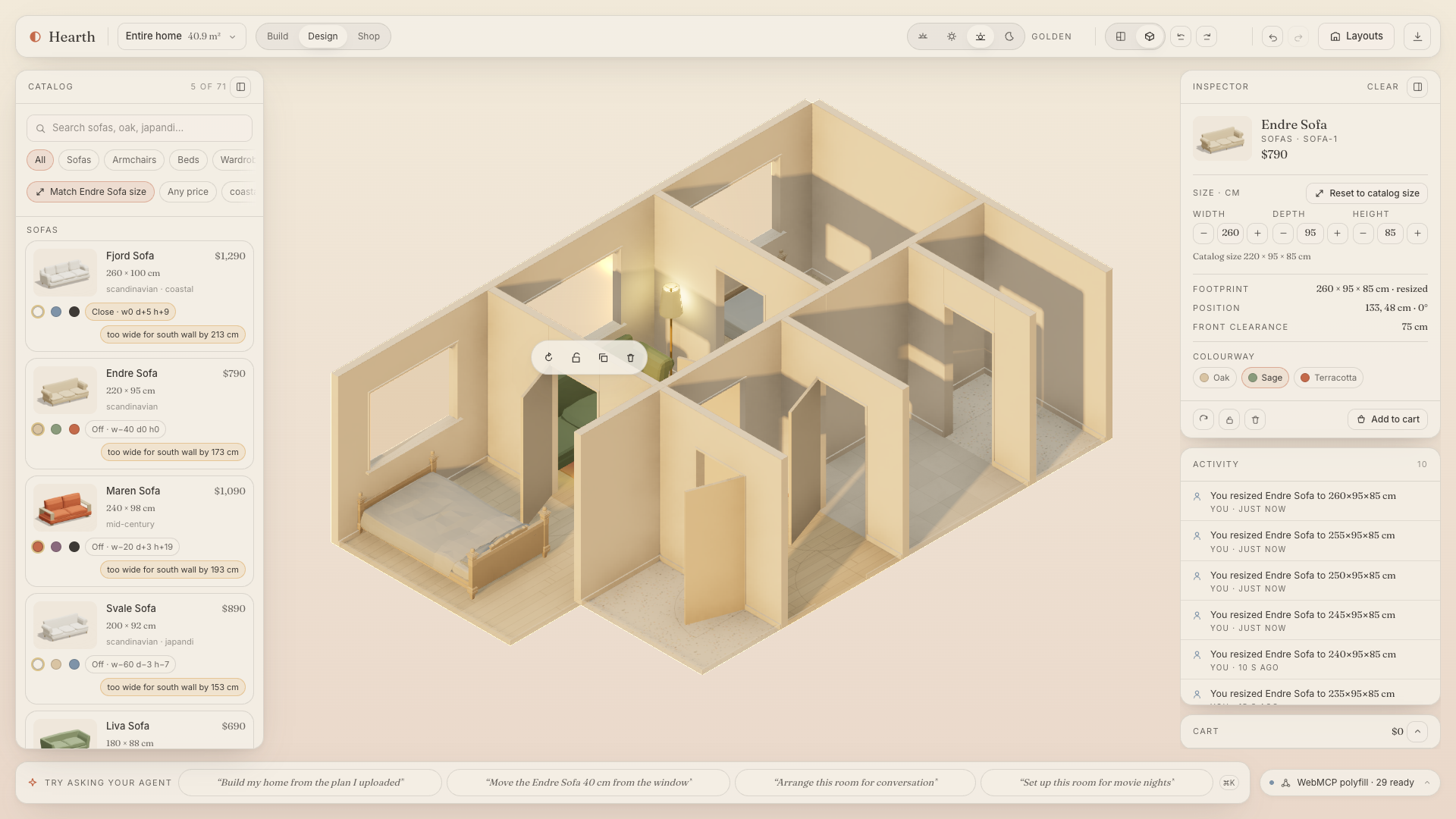
Resized sofa and size-matched catalog results
-
The import sheet reading a floor-plan image
-
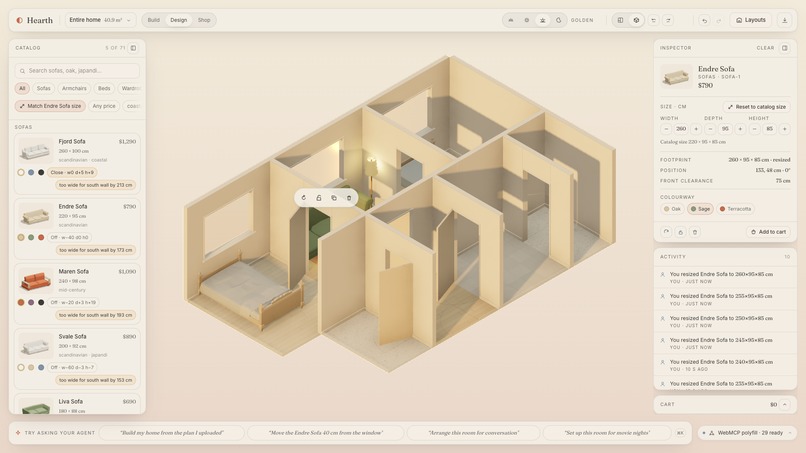
Resized sofa and size-matched catalog results
-
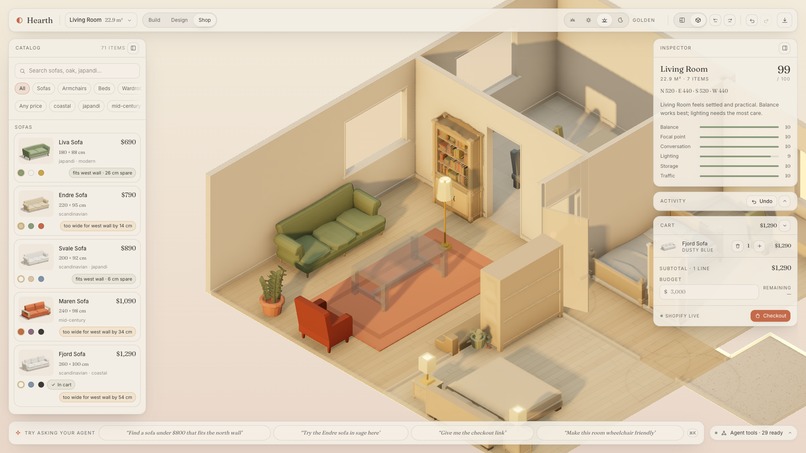
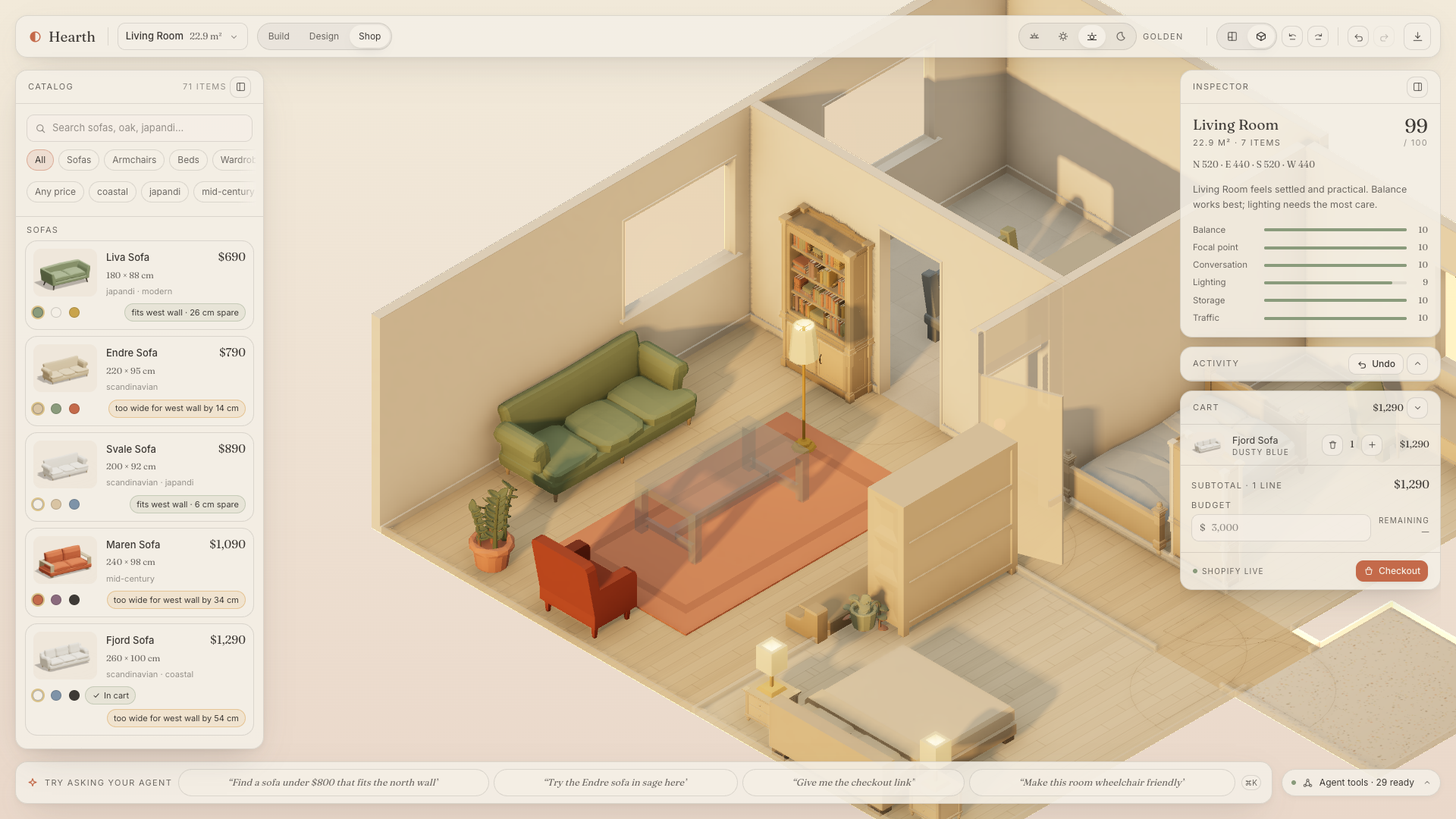
Ghost preview of a Shopify product plus the cart
-
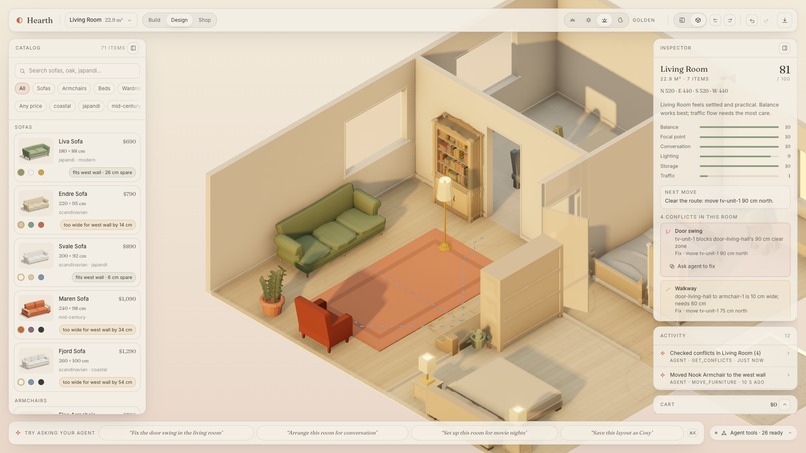
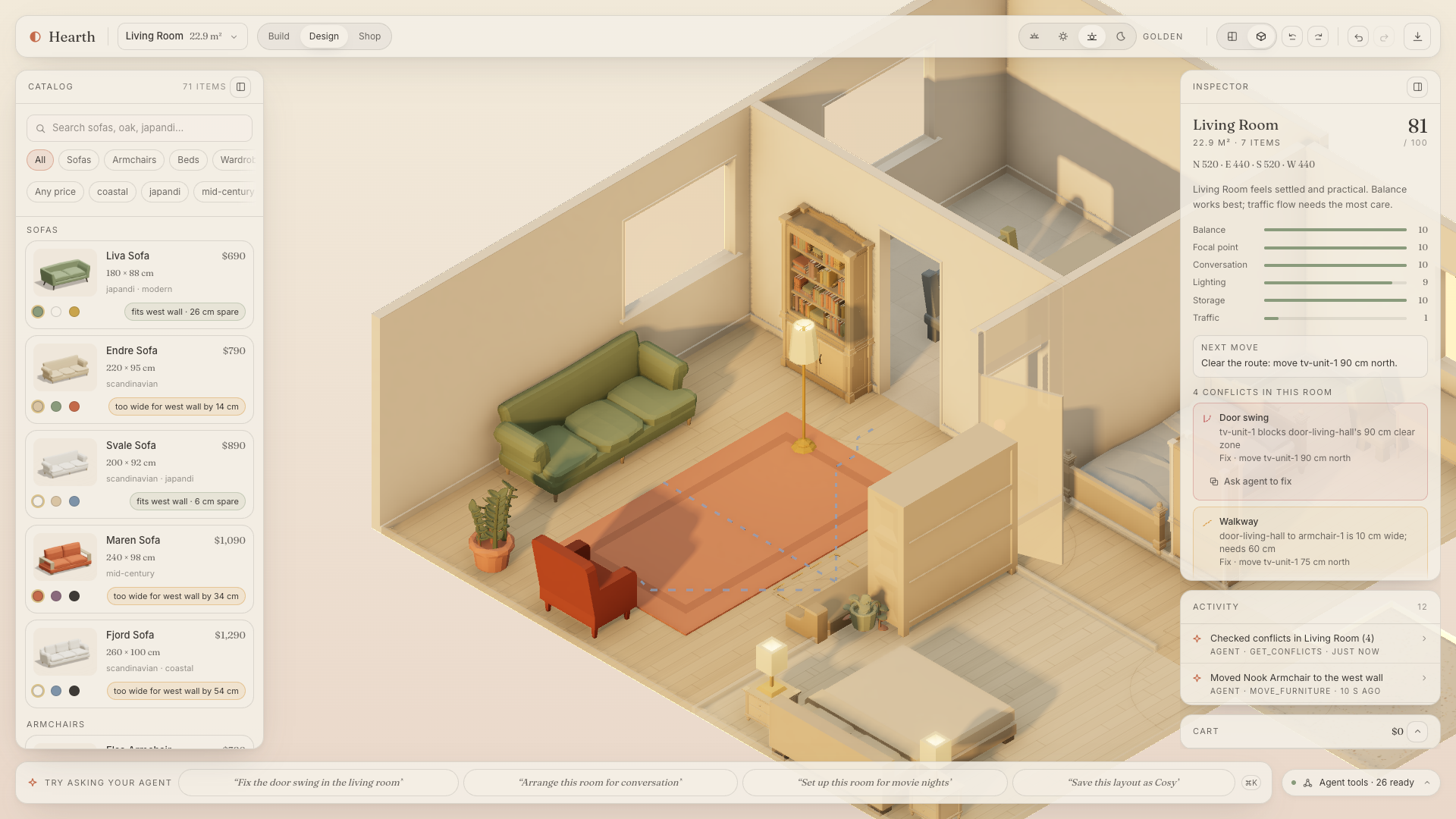
Door-swing and clearance conflict diagrams with a fix
-
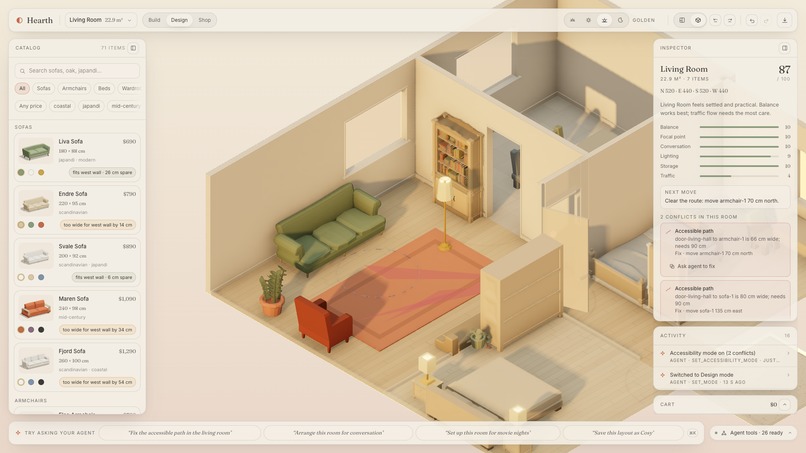
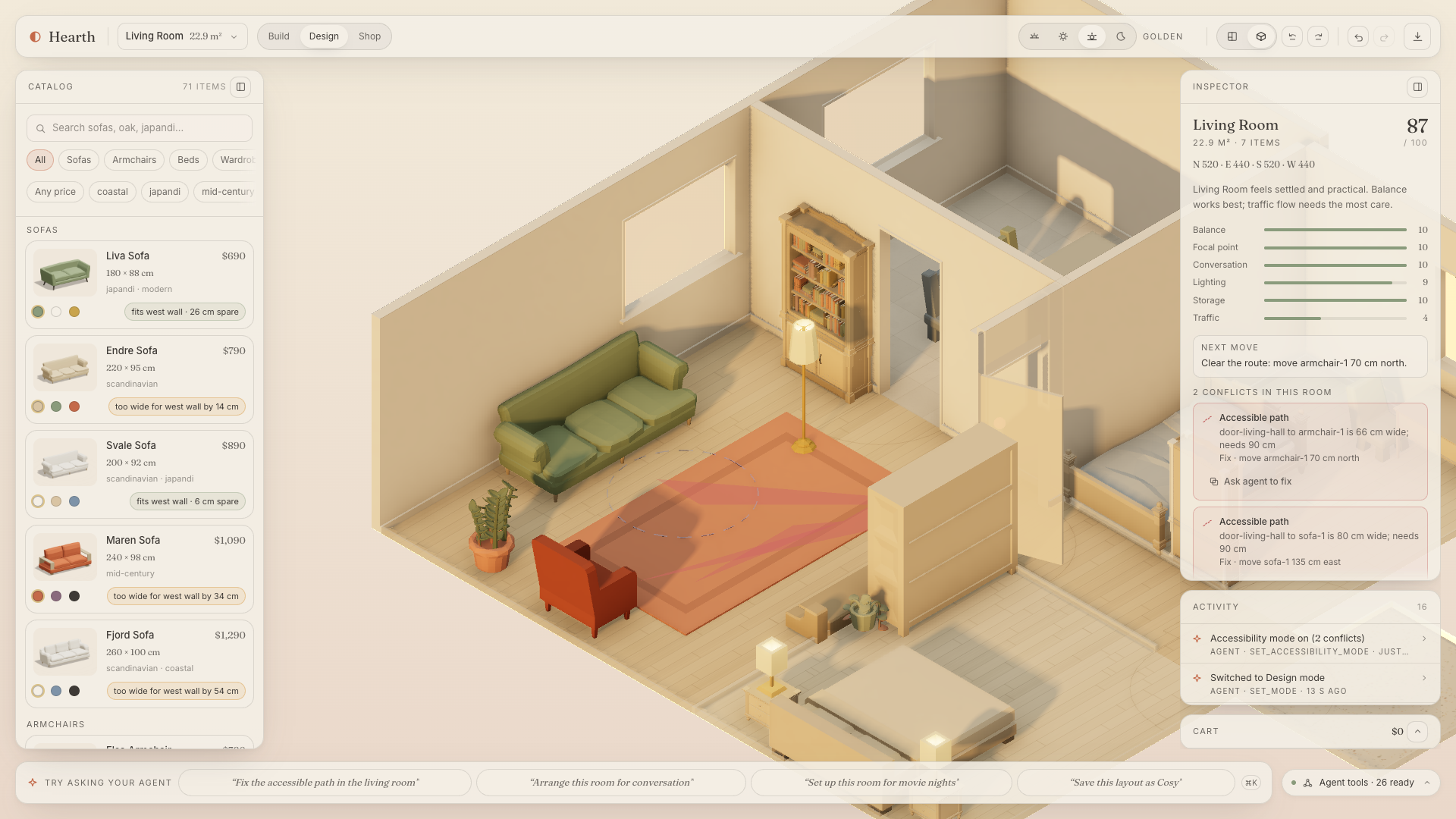
Accessibility mode with turning circles and paths
-
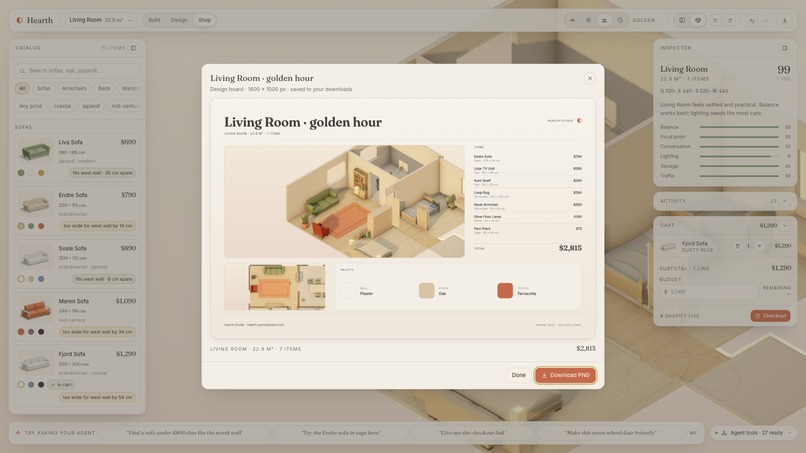
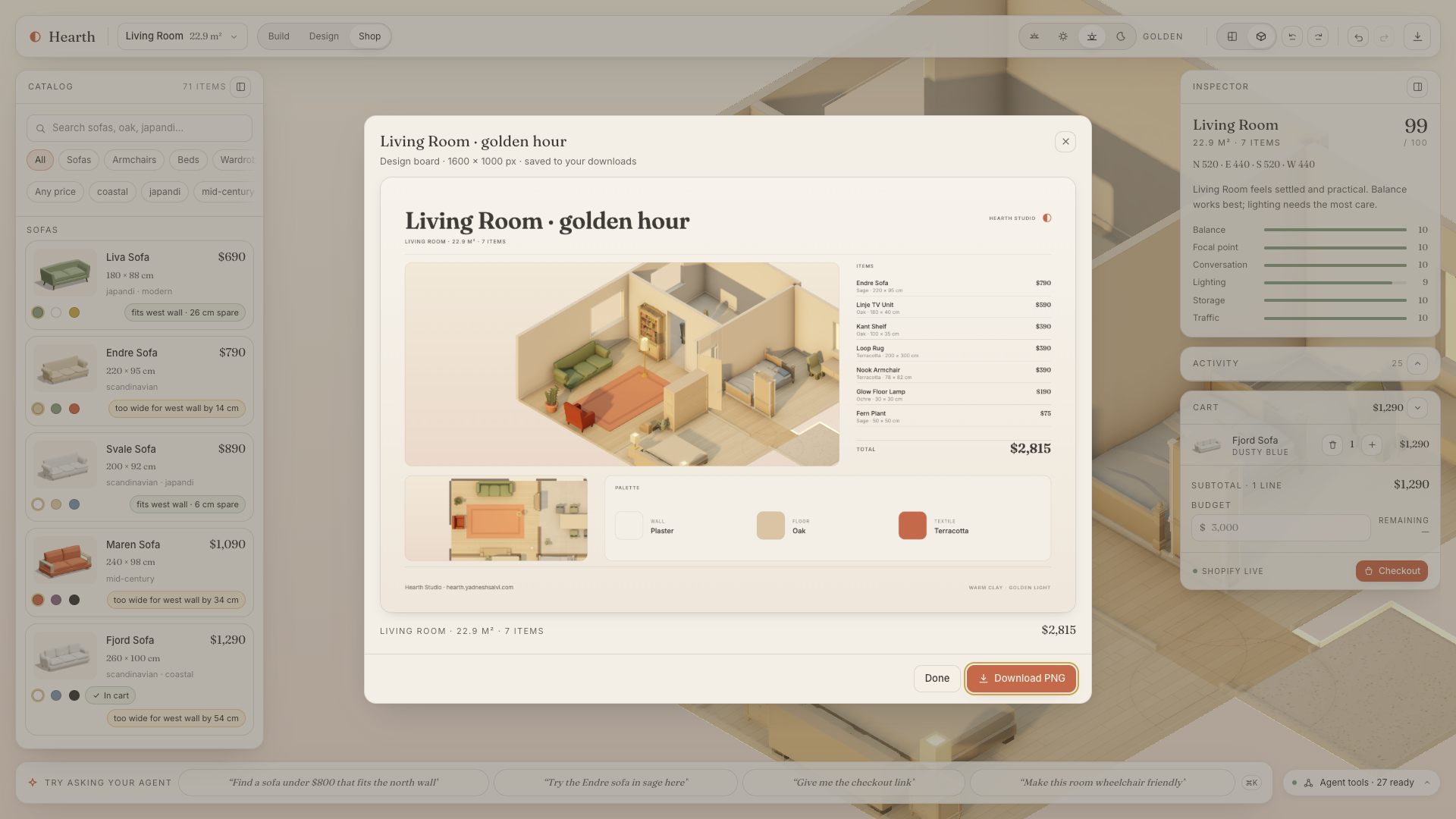
Exported design board
-
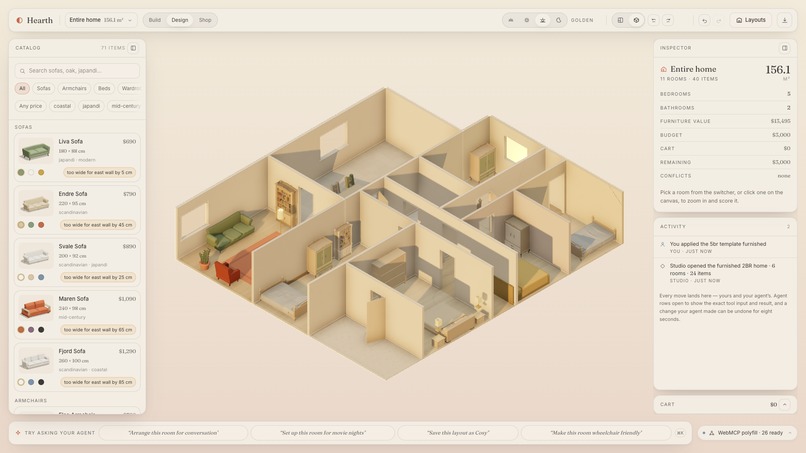
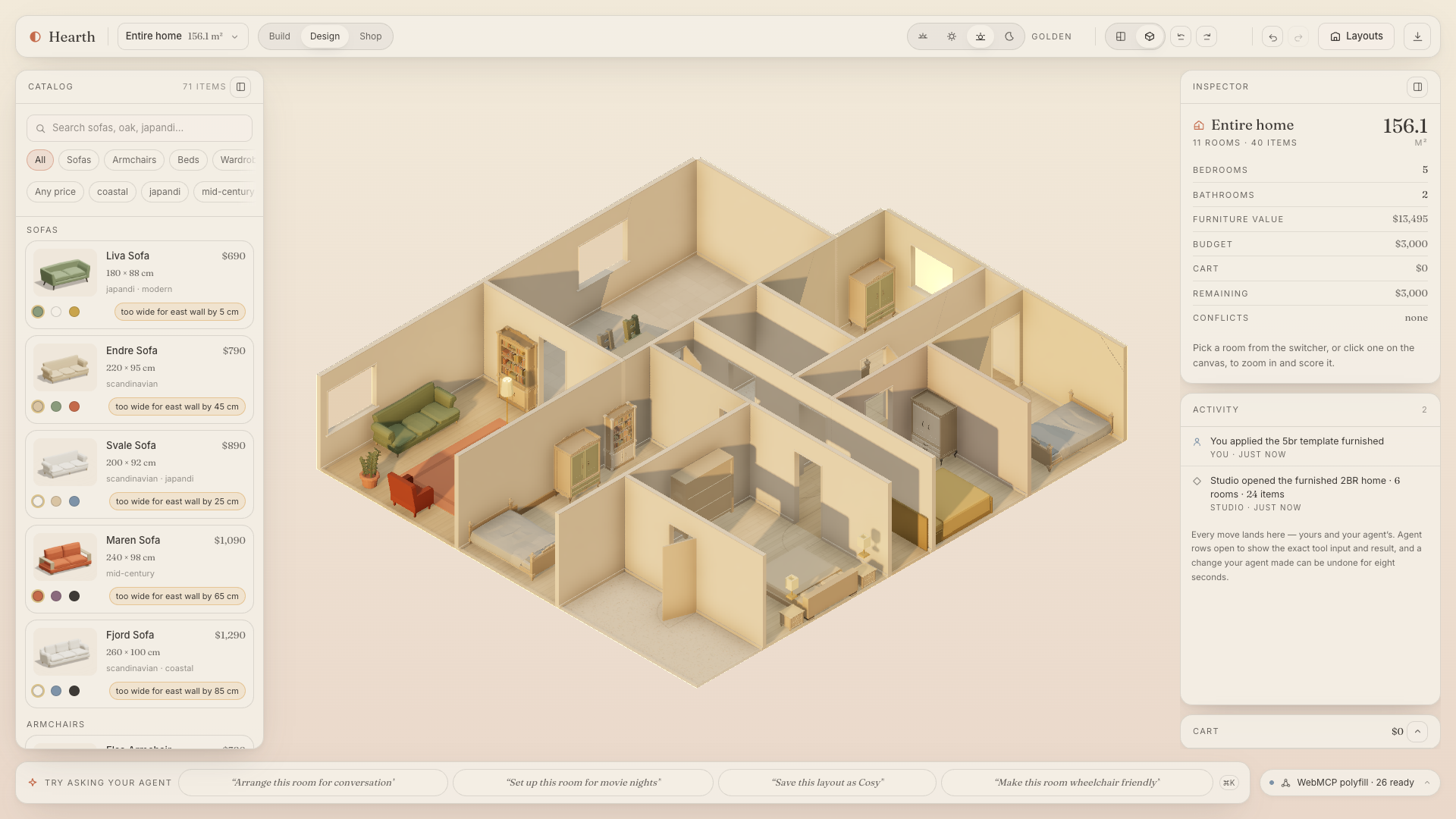
Whole-home framing
-
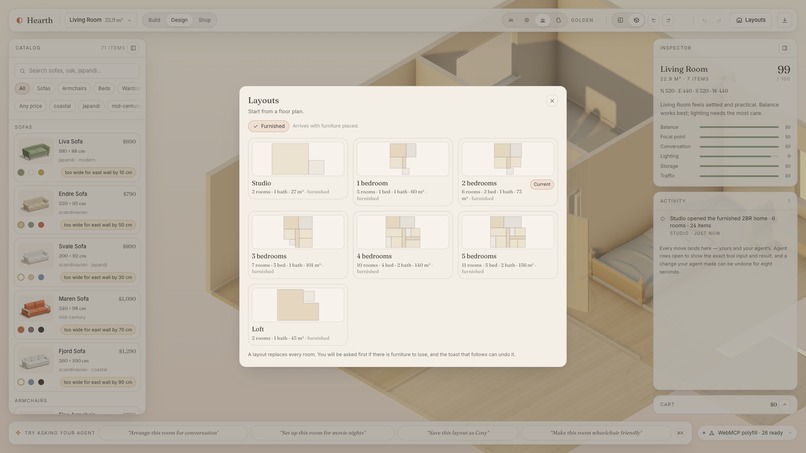
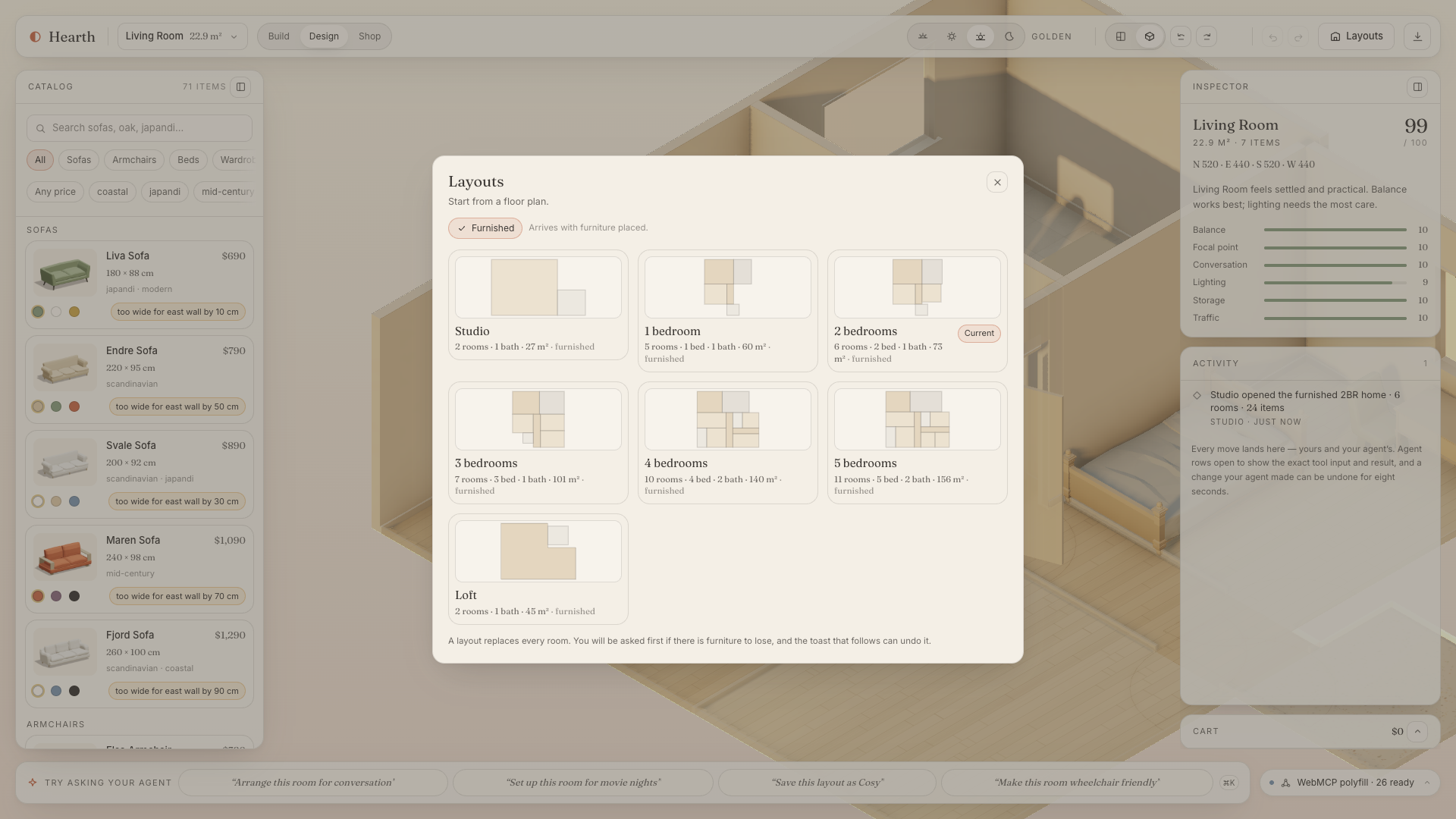
The seven floor-plan templates plus "Import your own plan"
-
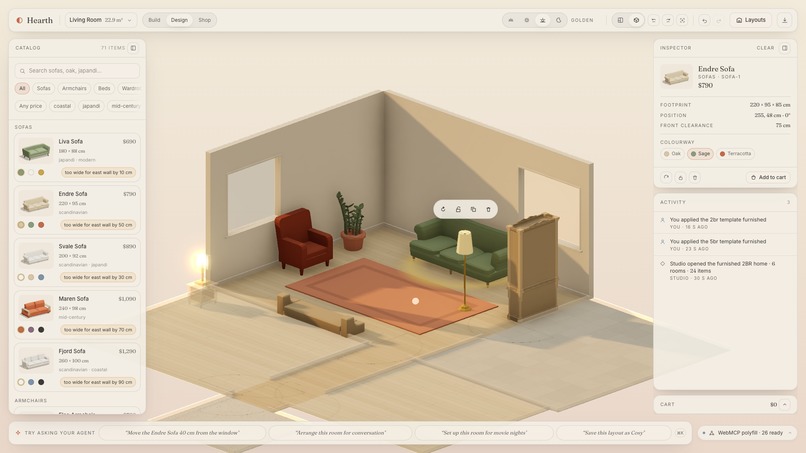
Orbit camera view

Inspiration
I was thinking of buying a home, and one question that kept coming was how will I furnish it. The hard question was not the price. It was: will the furniture fit, and will the door still open? Where should I place the furniture, will it look good as per my home layout, and what will be the total cost I might need.
An AI agent should be able to help with this, but it can't. A chat model can't see the room. A screen-scraping agent can guess at pixels, but it can't measure a wall, and it certainly can't be trusted to drag a sofa. Room planners exist (IKEA Kreativ, Planner 5D); none of them let an agent in. Browser agents exist; none of them can measure a wall.
When I read the WebMCP proposal the idea clicked: instead of making the agent reverse-engineer my page, I could hand it the same verbs I use. Interior design felt like the perfect test. It's spatial, iterative, visual, and it ends with a real purchase.
So I built Hearth: a 3D home studio where a person and an agent work on the same rooms, and the agent gets forty real tools instead of a screenshot.
What it does
Hearth is a shared interior-design studio. You get a dollhouse-style 3D home you can drag furniture around in, with magnetic snapping and live dimension lines. Your agent gets the same home through tools registered on the page with document.modelContext.registerTool.
It reads the space as data: rooms, walls and their free spans, door swings, every item in centimetres, and a conflict report (clearances, traffic paths, blocked doors) with a one-line fix for each. It designs with semantic anchors, so "put the sofa against the north wall facing the window" becomes move_furniture {anchor:{wall:"north", facing:"window:…"}} and no coordinates cross the conversation. It can arrange a room for a purpose, change the time of day, and turn on accessibility mode (90 cm paths, 150 cm turning circles) and then fix what that flags.
It can also build the home. Pick one of seven floor plans, or drop a photo of your own and call import_floor_plan: a vision model reads room names, printed dimensions, doors and windows, and Hearth's layout engine turns that into a to-scale scene with shared walls snapped, doors paired across them, and starter furniture that arrives conflict-free. Every placed item has an exact size, resize_furniture changes it, and search_catalog ranks real Shopify products by closeness to that size and says whether each match is exact, close or off, with the centimetre delta.
The shop is a live Shopify store with 71 products. The agent can filter by what fits a wall, ghost-preview a product in the room in a colourway, add it to the cart and hand you the checkout link. The purchase click stays yours, which is the only version of agent shopping I would actually use.
A typical session: drop a photo of the flat and get a furnished home to scale; ask for a sofa that fits the north wall under $800 and watch it ghost into the room; confirm it, add it to the cart, take the checkout link. Nothing in that chain needs a coordinate or a product id from me.
Everything is visible and reversible. Save layouts and compare two with a slider, undo anything, clear the home and restore it, export a design board. When the agent acts, an orb flies to the spot, a receipt lands in the activity log with the exact tool input and result, and an Undo chip appears. Destructive tools open a confirmation dialog in the page, and if I decline, the agent gets {error:"cancelled", detail:"The human declined…"} back, so it knows why, not just that it failed.
How I built it
I wrote the contracts before the code. TOOLS.md specifies every tool's name, description, parameters, result shape, group and gate; SCENE_SCHEMA.md pins the scene graph, units and coordinate frame. Everything else was judged against those two files.
The stack is Next.js 16 and React 19 with React-Three-Fiber for the scene. A zustand store tags every mutation human or agent, and a pure TypeScript geometry engine (walls, clearances, traffic paths, floor-plan layout) has no React or three.js in it and is covered by a few hundred unit tests. The shop is the Shopify Storefront API; the floor-plan reader and the fallback assistant use the OpenAI Responses API through server-only route handlers. It runs in ChatGPT desktop's built-in browser, in Chrome with WebMCP enabled (the production origin ships an origin-trial token), and where a browser has no WebMCP yet, an in-page assistant drives the same tools through Chrome's polyfill.
The WebMCP layer is one registry, src/tools/registry.ts. The surface I use: registerTool with an AbortSignal per group, readOnlyHint and untrustedContentHint annotations, the toolchange event and getTools() mirrored into a Tools panel so a judge can inspect the surface without an agent, executeTool through the polyfill for the fallback assistant, and Chrome's published budgets as CI assertions.
Each tool is defined once with a zod schema and converted to JSON Schema. The registry asserts the budgets at definition time (names ≤ 30 chars, descriptions ≤ 500, parameter descriptions ≤ 150) and the test suite asserts every result stays under 1,500 characters across three scene fixtures. 29 tools register synchronously on load so DevTools and Lighthouse see them cold. 11 more live in four state-gated groups (build, preview, variants, checkout), each behind its own AbortController. When the scene changes the registry diffs the desired groups and registers or aborts, and any tool whose result changes the gate set (set_mode, but also update_cart opening checkout or preview_in_room opening preview) waits for the registry to settle and returns tools_ready.
Results are plain JSON envelopes. Success carries the room, the conflicts and a hint. Failure carries an error code, a detail and a suggestion; a blocked placement adds the free wall spans, an unknown id adds the three closest candidates, so the model can self-correct instead of retrying blindly. Every room, item or product parameter accepts an id or a name, item accepts selected, and room_id-style keys are rewritten to the documented ones before validation, because models send them anyway and a good call shouldn't die as invalid. A webmcp-evals suite of 32 prompts checks that the right tool is called with the right arguments in the right order.
Challenges I ran into
Chrome (before 153) cancels in-flight executions on abort. My first gating implementation aborted a group the moment the scene said it should go away, which killed the very tool call that had changed the scene. The fix was a deferral rule: never abort while a tool is executing, queue the sync, flush it on a macrotask afterwards, and have the tool that caused the change release its own executing count before waiting for the registry to settle. That one rule took longer to get right than most features.
Describing a room to something with no eyes. Early tool descriptions were long and situational, and models made worse calls with them. What worked was static, short descriptions, all live context in get_scene_summary, semantic anchors instead of coordinates, and putting the "what to do next" hint inside the result rather than the description.
Floor plans are messy. Vision models return bounding boxes drawn backwards, width and depth swapped depending on the image's aspect ratio, and room names in ALL CAPS. Getting from that to a scene where shared walls line up, doors are paired on both sides of a wall, every room is reachable and the starter furniture has zero conflicts took a per-axis scale from the printed dimensions, edge clustering, overlap resolution and a connectivity pass. I tested it on the three sample plans and a dozen more I pulled off the web; five recorded reader outputs now run as fixtures.
Making agent actions legible without being noisy. Silent state changes feel like a haunted house. The orb, receipts, pulses and the eight-second Undo chip were as much design work as engineering, and stepper-driven resizes had to be coalesced so a human dragging a value didn't generate forty receipts.
Accomplishments that I'm proud of
- 773 unit tests and 67 Playwright specs, with the WebMCP budgets enforced in CI rather than by hope.
- 64/64 key calls correct in the eval suite on both gpt-5.6-sol and claude-sonnet-5.
- Lighthouse 100 accessibility and 100 best practices on the production build, with 29 tools listed on first paint.
What I learned
Three things I'd carry into any WebMCP project. Undo has to be shared: one history for human and agent actions, or nobody trusts the other's changes. Semantic anchors beat coordinates: when no numbers cross the conversation, models make far fewer bad calls. And gating is a UX tool, not just a safety one: hiding the checkout tools until there's a cart made models stop wandering. The things that mattered most were boring, and the human has to stay visibly in the loop for anything destructive or paid, or it stops feeling like collaboration.
What's next for Hearth
Multiple agents on one scene, with receipts saying who did what. More stores: the catalog layer is one adapter, so any retailer that already runs a Storefront API can expose the same verbs on its own product pages instead of hoping a browser agent guesses right. Beyond furniture: kitchens and renovation quotes, where the same conflict engine already knows where the walls are. And I'd like to use that engine as a training signal, so agents can learn what a good layout actually is rather than guessing.
Live: https://hearth.yadneshsalvi.com · Code: https://github.com/yadneshSalvi/hearth-webmcp · Video: https://youtu.be/PHXlCjKWalQ
Built With
- css3
- html5
- javascript
- json-schema
- next.js
- node.js
- openai
- playwright
- react
- react-three-fiber
- shopify
- shopify-storefront-api
- tailwindcss
- three.js
- typescript
- vercel
- vitest
- webgl
- webmcp
- zod
- zustand


Log in or sign up for Devpost to join the conversation.