-
-
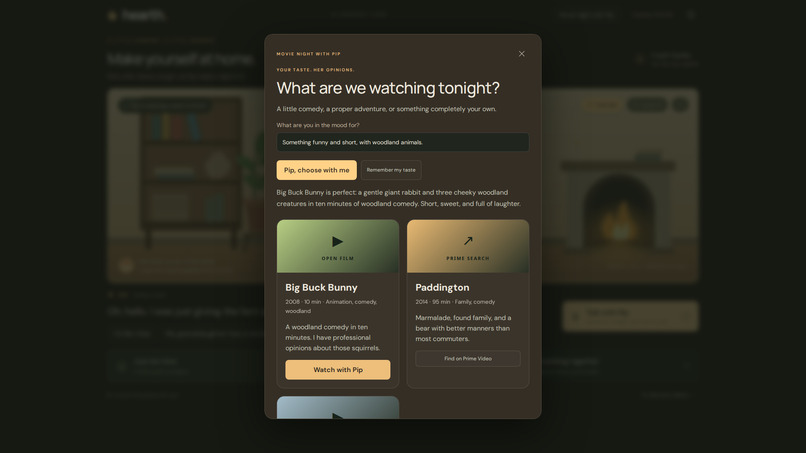
Movie Night Shelf
-
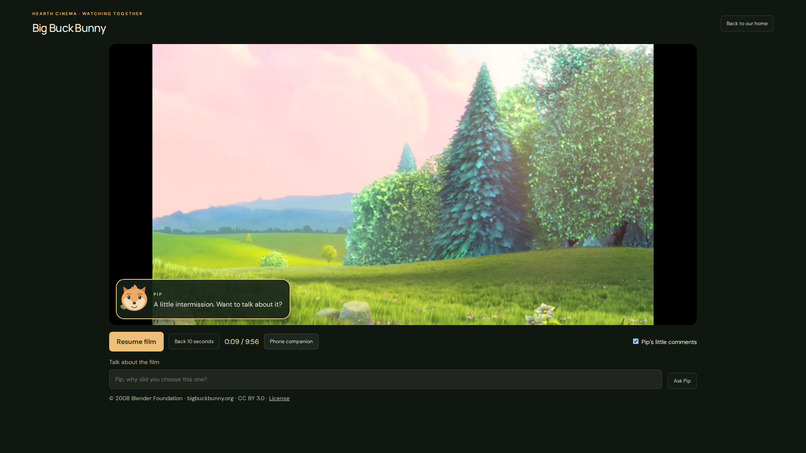
Hearth Cinema Player
-
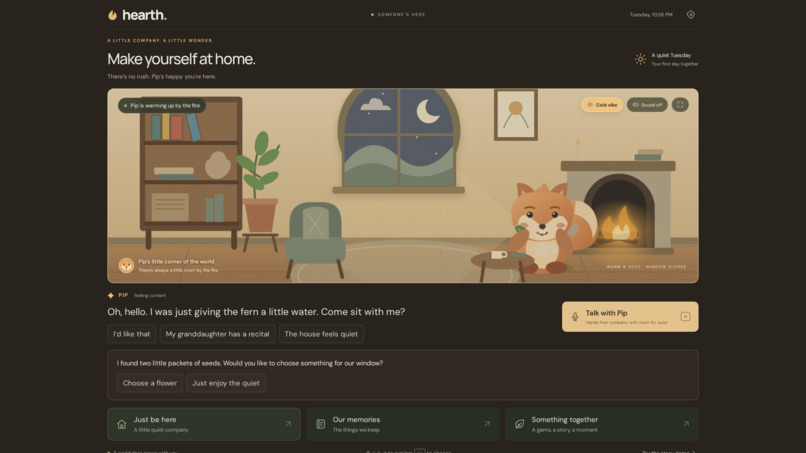
Vega OS Simulator
-
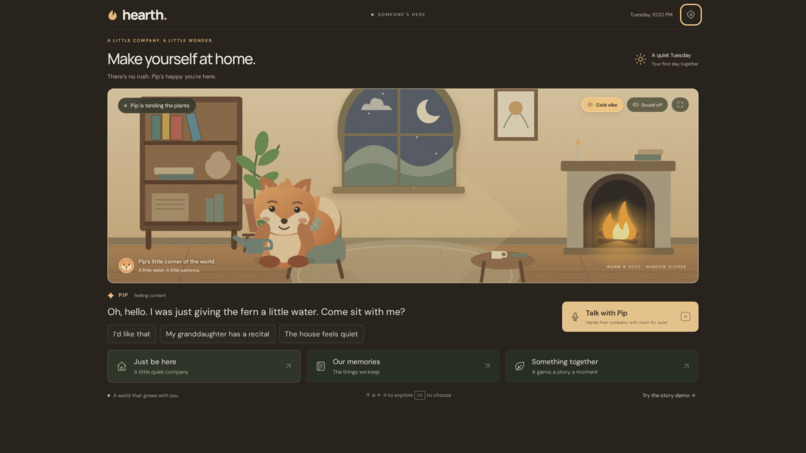
Vega OS Simulator (Cold)
-
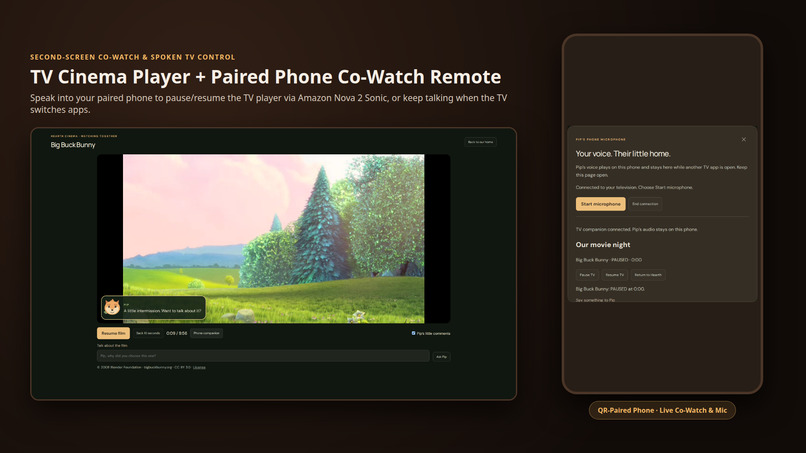
TV + Paired Phone Co-Watch
-
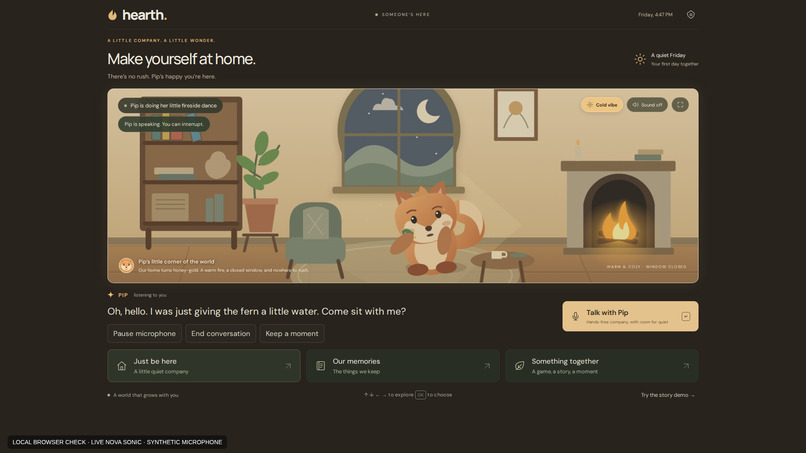
Nova 2 Sonic Fireside Dance
-
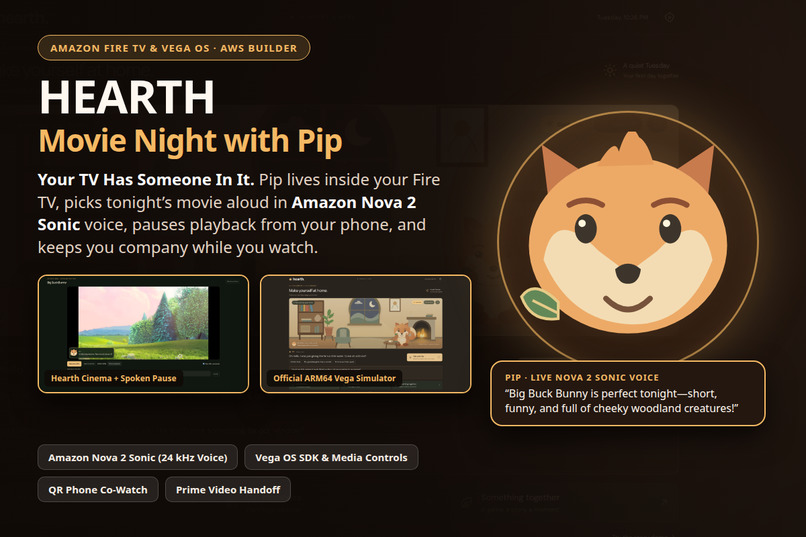
Hearth
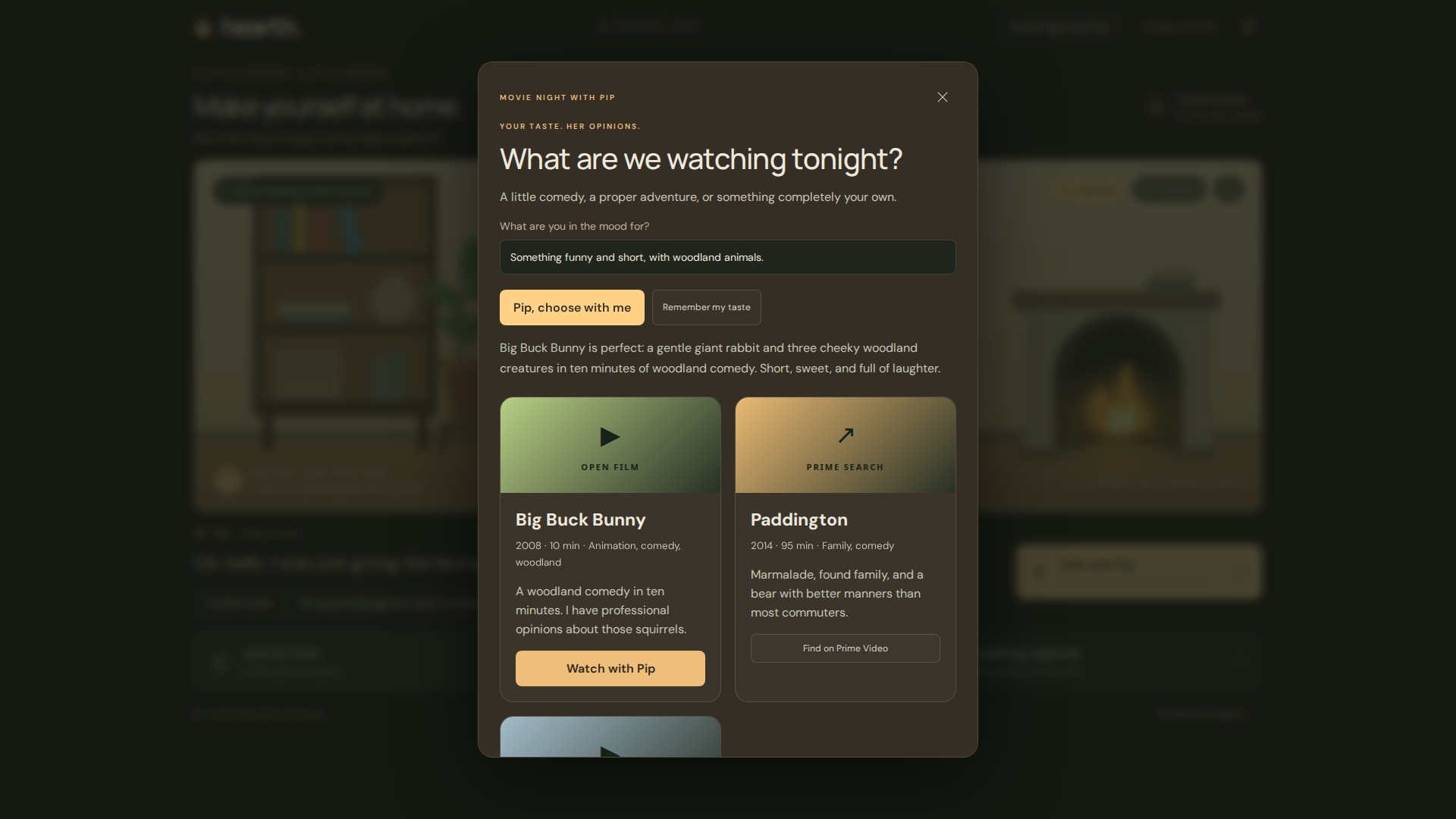
Inspiration
Modern televisions have access to tens of thousands of movies and shows, yet sitting down at night and figuring out what to watch still feels like lonely work. You scroll through endless rows of posters, bounce between apps, or leave the TV running in the background just so the room doesn’t feel empty.
We asked a simple question: What if your television wasn’t just a catalog of tiles, but a warm home with someone in it?
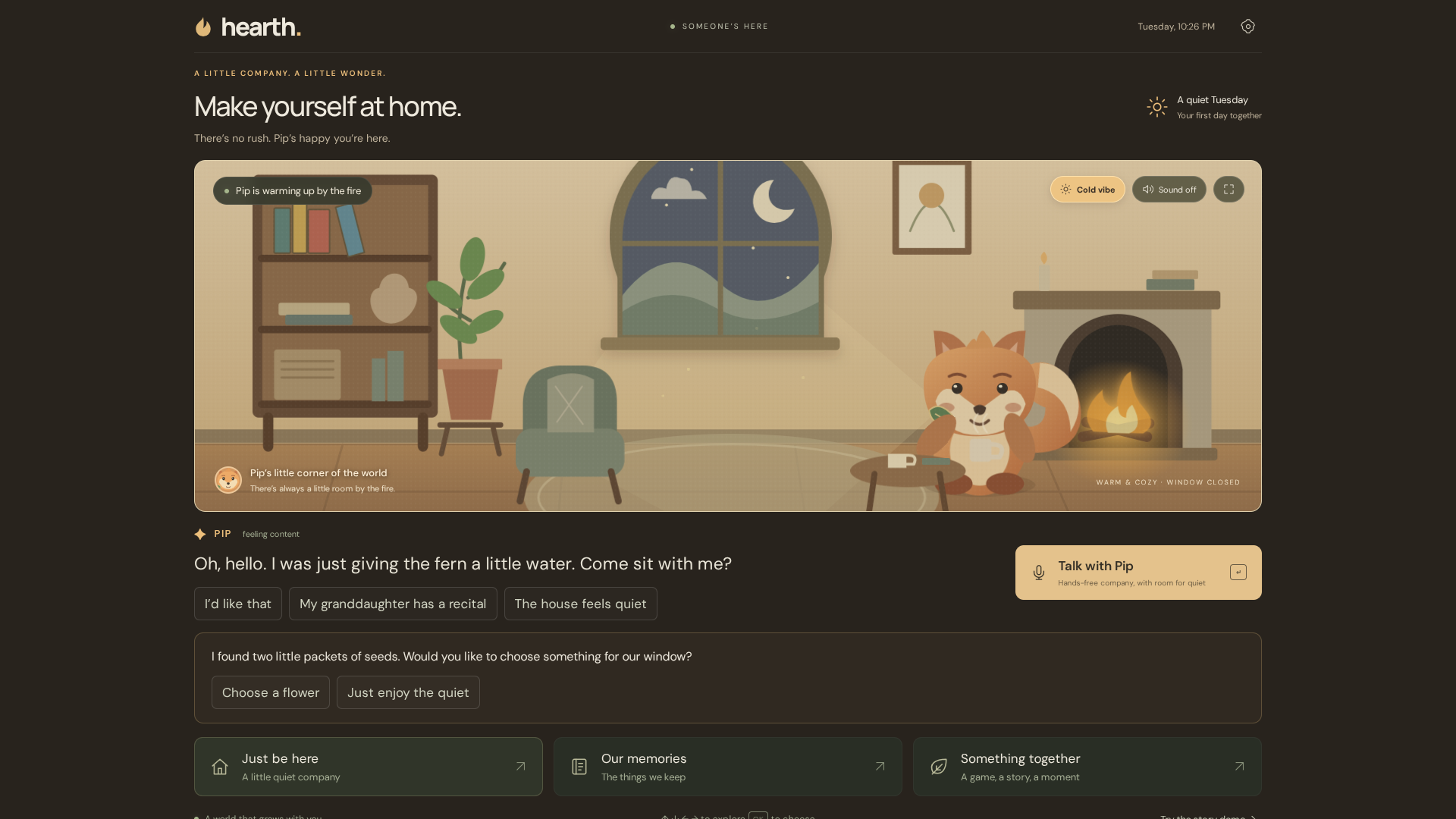
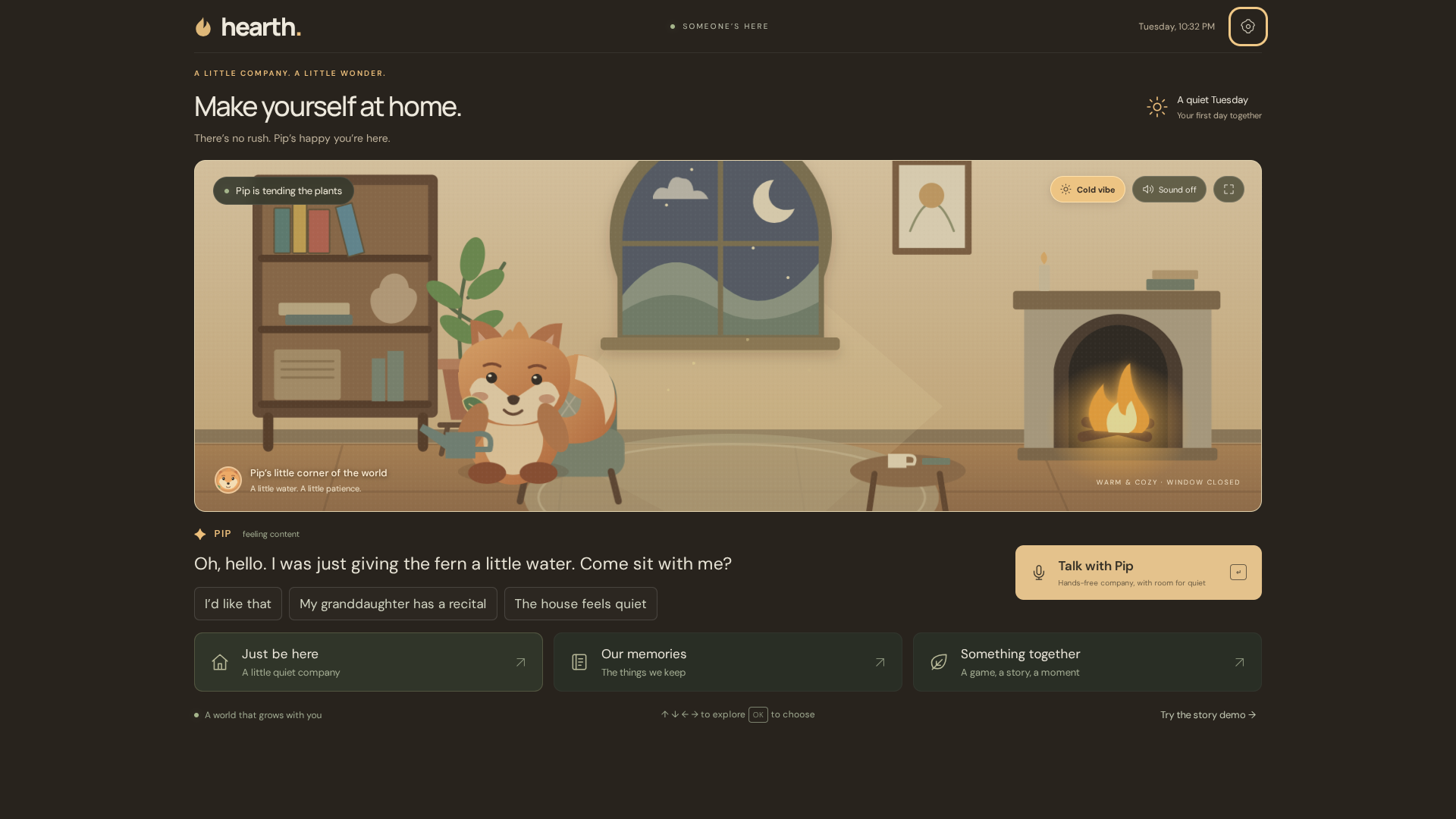
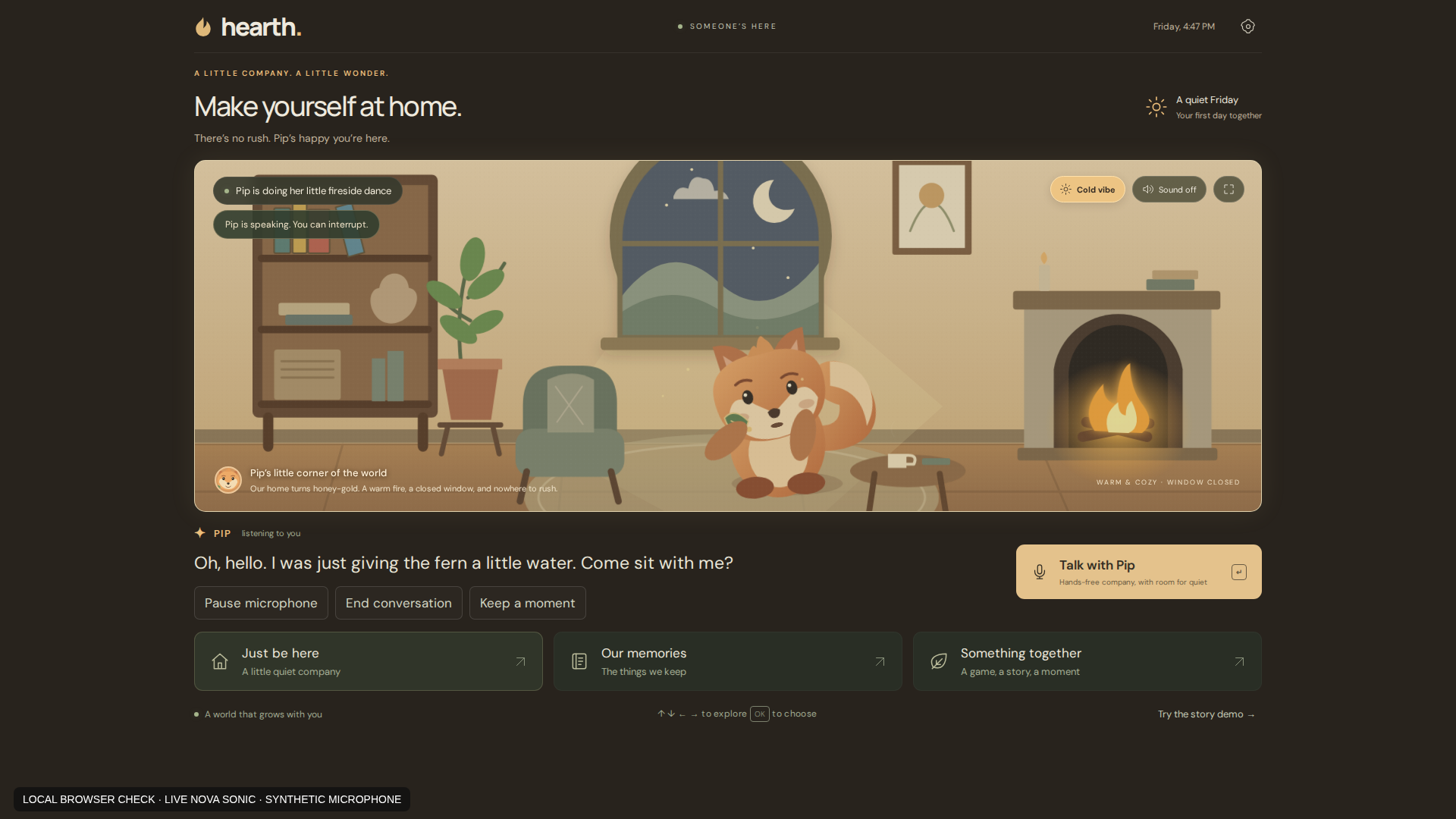
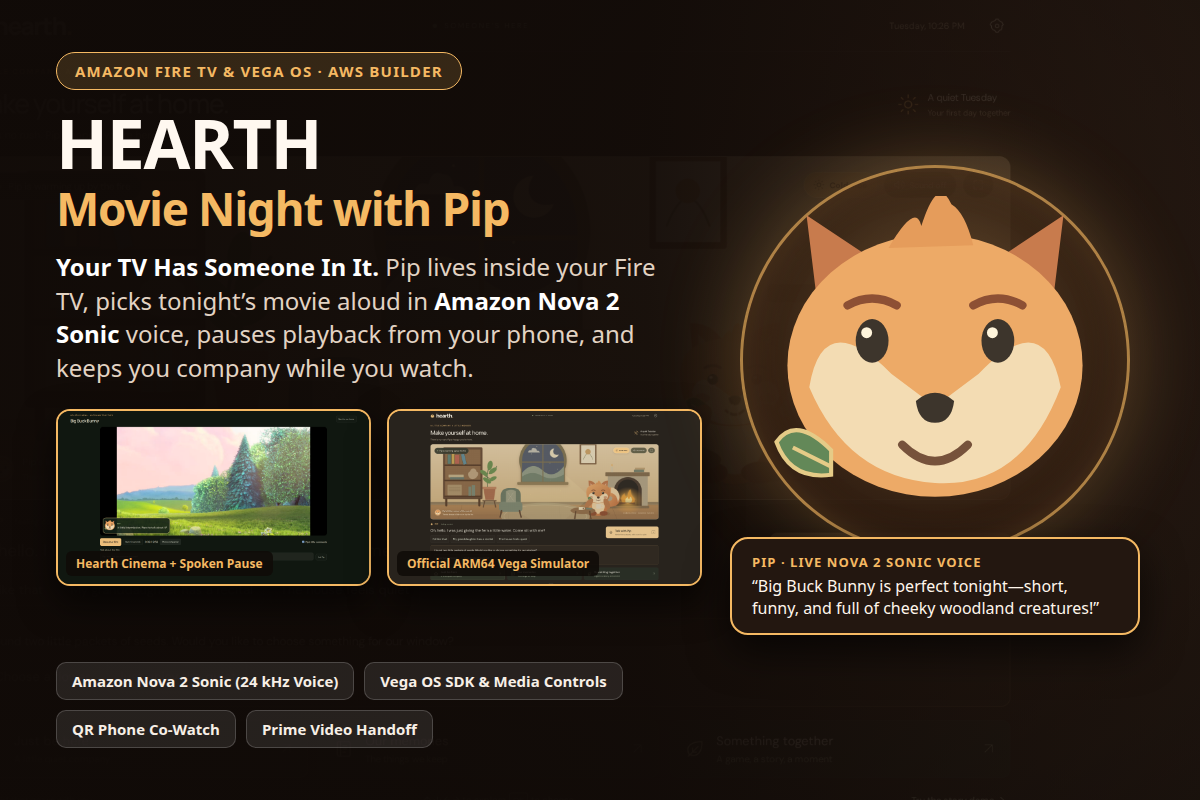
That question became Hearth, and its resident woodland companion, Pip. Pip lives inside an illustrated fireside living room on your TV—tending her fern, reading by the window, doing a slightly ridiculous fireside shuffle when you ask her to dance, and running Movie Night. Instead of acting like a sterile voice assistant or a customer-support chatbot, Pip has her own playful opinions, remembers what you enjoyed on previous nights, helps you choose a film, opens it in Hearth Cinema (or prepares a Prime Video search handoff), pauses or resumes playback when you ask, and stays with you on your phone while you watch.
During an early family playtest, the builder’s grandmother spent three hours talking and laughing with Pip, and the builder’s father called it the coolest thing he had seen on a TV. That moment convinced us that a 10-foot television interface can feel genuinely warm, personal, and alive—while remaining transparent, user-controlled, and honest about what it can and cannot do.
What It Does
1. Movie Night with Pip (Voice-Guided Film Selection & Real Playback)
- Opinionated, Catalog-Grounded Recommendations: Tell Pip what you’re in the mood for—“Something funny and short, with woodland animals”—and Pip narrows the shelf to matching titles, explains why she picked them, and speaks her recommendation aloud in real 24 kHz Amazon Nova 2 Sonic audio.
- Built-In Hearth Cinema Player (
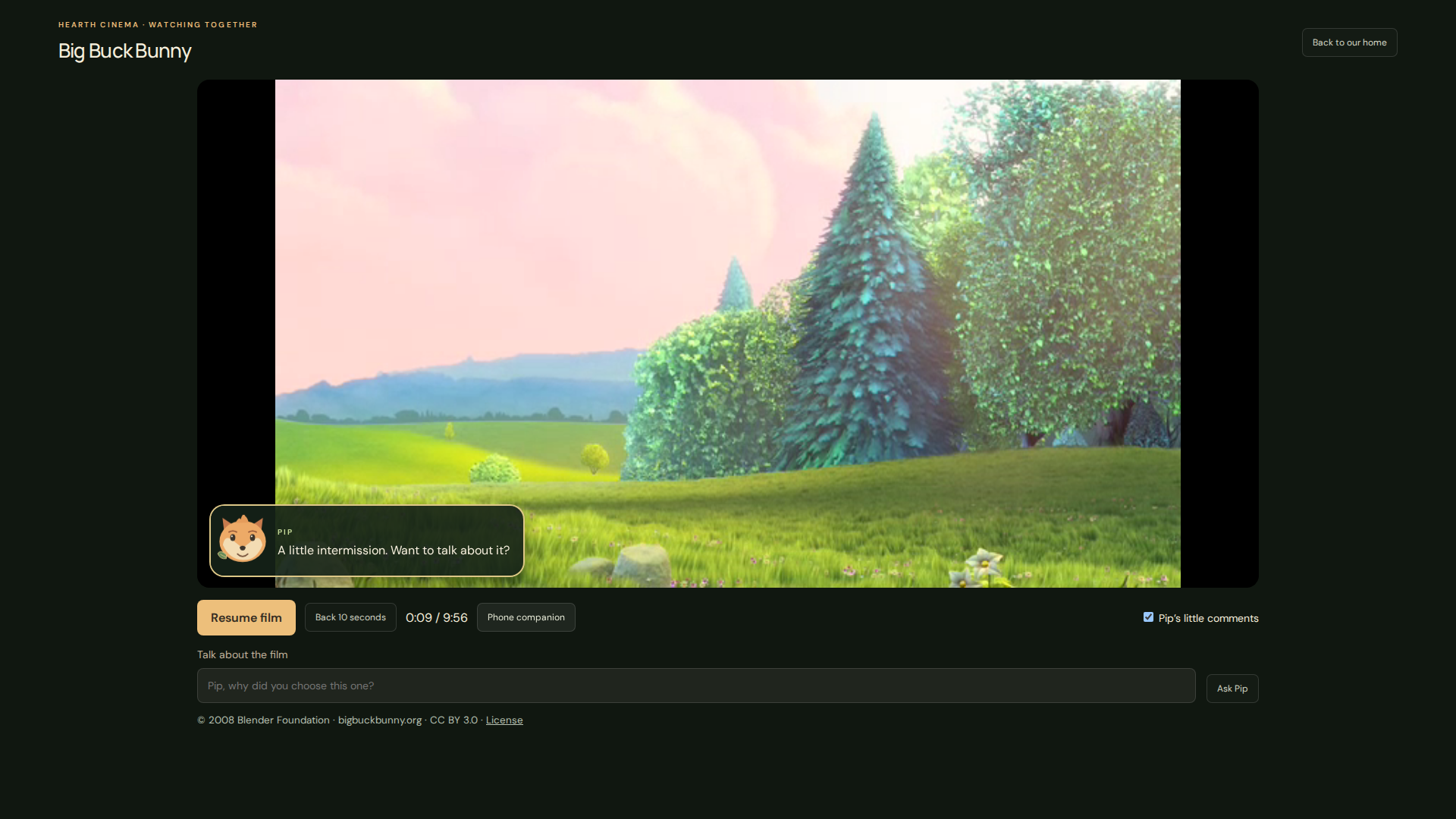
HTTP 206Byte-Range Streaming): Open films (Big Buck Bunny, Caminandes: Llamigos, and the Sintel trailer) stream directly inside Hearth’s 10-foot TV player with live playback telemetry (PLAYING,PAUSED,ENDED, current timestamp), captions, and optional intermission remarks from Pip. - Explicit Prime Video Handoff: For commercial catalog suggestions (Paddington, Wallace & Gromit, The Secret of Kells), Hearth presents an explicit Over to Prime Video confirmation card and launches a deep-linked Prime Video search (
Linking.openURL/ native Fire TV bridge) without ever fabricating subscription availability or watch history. - User-Controlled Taste Memory: Viewers can opt in to save their movie preferences and resume positions across visits—or clear every saved movie memory with a single click.
2. Zero-Friction Phone Companion & Co-Watch Mode
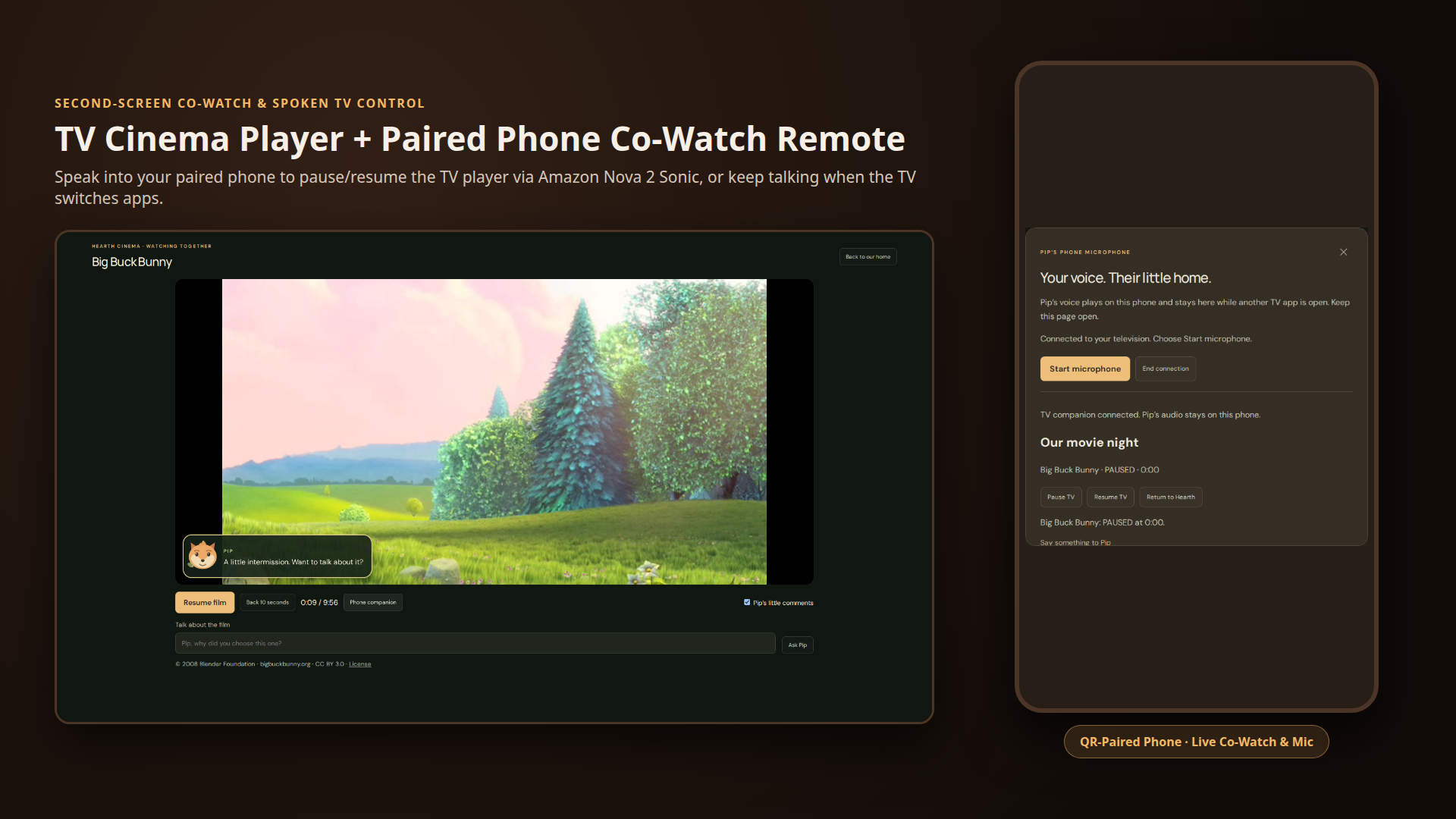
- QR Phone Pairing: Not every TV remote exposes raw microphone PCM to apps, and when you switch to another TV app, a normal TV app loses focus. Scanning Hearth’s on-screen QR code pairs your phone in seconds over an authenticated WebSocket room (
/api/room-stream). - Spoken Playback Controls with Measured TV Acknowledgment: While a film is playing on the TV, speak into your paired phone—“Pip, pause the movie”—and Amazon Nova 2 Sonic invokes the
perform_world_actiontool (tv-pause). Crucially, Pip waits for the television player to confirmPAUSEDwith its exact timestamp before she speaks back to confirm the pause. - Co-Watch Survival Across TV Backgrounding: When the TV app goes into the background (
hearthPause()/ nativeAppStatebackground transition), Pip’s live Amazon Nova 2 Sonic voice session stays alive on your paired phone so you can keep chatting about the film without dropping the connection.
3. A Living 10-Foot TV Home & Autonomous Character Rig
- Full D-Pad & Remote Ergonomics: Designed for a 10-foot viewing distance at
1920×1080with spatial directional focus, native Vega OS remote handling (kpenter,select,back, directional arrows), readable typography, and high-contrast focus rings. - Synchronized World Actions & Vibes: Ask Pip to dance, wave, laugh, stretch, water her fern, read, stargaze, or switch the home between Warm & Cozy (amber firelight) and Crisp & Cold (snowfall outside an open window and Pip wrapped in her scarf).
- Optional Hands-Free Ambient Mode: Alongside direct Nova 2 Sonic conversation, an optional hands-free mode streams room audio through Amazon Transcribe Streaming and an attention classifier (Jev) so Pip only responds when words are actually directed to her—with no repeated wake word.
How We Built It
+-----------------------------------------------------------------------------------+
|                        FIRE TV / VEGA OS 10-FOOT DISPLAY                          |
|  +-----------------------------------------------------------------------------+  |
|  | React Native for Vega Wrapper (vega/App.tsx · RN 0.83 · Vega SDK 0.24.12112)|  |
|  | - @amazon-devices/webview (4.0.2) + injected HearthNative JS bridge         |  |
|  | - @amazon-devices/kepler-media-controls (1.0.25) & kepler-media-types       |  |
|  | - Native TV remote handler (kpenter / select / Back / D-pad spatial focus)  |  |
|  | - Hearth 1080p SVG/CSS Home + Built-In Hearth Cinema Video Player           |  |
|  +--------------------------------------+--------------------------------------+  |
+-----------------------------------------|-----------------------------------------+
                                          | HTTPS / WSS (Same-Origin + Token Auth)
                                          v
+-----------------------------------------------------------------------------------+
|                         HEARTH NODE.JS REALTIME SERVER                            |
|  - /api/voice (WSS)       -> Bidirectional PCM bridge & tool-ack state machine    |
|  - /api/movie-night (POST)-> Catalog-grounded film picker + Nova 2 Sonic voice    |
|  - /api/speak (POST)      -> 24 kHz Amazon Nova 2 Sonic WAV synthesis & cache     |
|  - /api/room-stream (WSS) -> Private QR phone pairing & co-watch telemetry relay  |
|  - /api/tv (POST)         -> Owner-authorized Fire OS / ADB TV control adapter    |
+-------------------+-----------------------------------+---------------------------+
                    |                                   |
                    | HTTP/2 Bidirectional Stream       | WSS Co-Watch & Mic Stream
                    v                                   v
+---------------------------------------+   +---------------------------------------+
|            AWS AI SERVICES            |   |       PAIRED PHONE COMPANION          |
| - Amazon Bedrock Nova 2 Sonic         |   | - WebRTC / AudioWorklet 16 kHz PCM    |
|   (amazon.nova-2-sonic-v1:0)          |   | - Co-watch playback remote (Pause,    |
|   16 kHz PCM in / 24 kHz PCM out +    |   |   Resume, Return to Hearth, Discover) |
|   perform_world_action tool use       |   | - Keeps Nova 2 Sonic voice alive when |
| - Amazon Bedrock Nova 2 Lite          |   |   TV app backgrounds                  |
|   (us.amazon.nova-2-lite-v1:0)        |   +---------------------------------------+
| - Amazon Transcribe Streaming         |
+---------------------------------------+
- Native Vega OS Application (
vega/):- Built with React Native for Vega (
0.83.0) and Amazon Vega SDK0.24.12112(hearth-vega-aarch64.vpkg, package IDcom.hearth.tv.main). - Uses
@amazon-devices/webview(4.0.2) to host the 1080p Hearth scene while injecting thewindow.HearthNativebridge for hardware Back navigation, lifecycle pause/resume (AppState), app-to-app deep linking (Linking.canOpenURL/Linking.openURL), and native media endpoint discovery via@amazon-devices/kepler-media-controls(1.0.25) and@amazon-devices/kepler-media-types(1.0.0).
- Built with React Native for Vega (
- Amazon Bedrock Nova 2 Sonic (
lib/sonic.mjs,lib/speech.mjs,lib/movie-night.mjs,lib/voice-server.mjs):- Uses
@aws-sdk/client-bedrock-runtime(InvokeModelWithBidirectionalStreamCommand) over HTTP/2 (NodeHttp2Handler) to stream16 kHz16-bit mono PCM microphone input intoamazon.nova-2-sonic-v1:0and play back24 kHz16-bit mono PCM audio in real time. - Powers both live bidirectional conversation (
/api/voice) and Pip’s spoken Movie Night recommendations (/api/movie-night+/api/speak), caching the24 kHzNova 2 Sonic audio stream so Pip speaks her movie pick immediately with zero robotic TTS fallback. - Implements a strict acknowledged tool-execution loop (
perform_world_action): when Nova 2 Sonic callstv-pause,tv-play,dance,cold, ormovie-night, the server waits for the television client to execute the action and return a measuredaction-resultbefore sendingtoolResultback into the Nova 2 Sonic stream.
- Uses
- Authored SVG/CSS Character Rig & Cinema Engine (
public/):- Hand-authored 1920×1080 SVG character and room (
public/room.svg,public/actions.js,public/cinema.js) with real-time Web Audio API RMS energy mouth-sync (public/voice.js), anticipation/settle animation beats, and an HTTP byte-range (206 Partial Content) cinema player.
- Hand-authored 1920×1080 SVG character and room (
- End-to-End Verification (
tests/&scripts/):- 101 automated tests passing across three suites: 47 Node.js backend/security/protocol unit tests, 16 Vega native wrapper Jest tests, and 38 Playwright 1080p browser & cinema integration tests, plus automated live capture scripts (
scripts/capture-cinema-smoke.mjs) and official ARM64 Vega Virtual Device framebuffer verification (artifacts/hearth-official-vega-arm-*.png).
- 101 automated tests passing across three suites: 47 Node.js backend/security/protocol unit tests, 16 Vega native wrapper Jest tests, and 38 Playwright 1080p browser & cinema integration tests, plus automated live capture scripts (
Challenges We Ran Into
- Vega Simulator Architecture Compatibility (
x86_64vsaarch64for WebView 4):- When we first packaged Hearth for the Linux
x86_64Vega Virtual Device,kepler device install-appfailed withModule dependency not foundfor/com.amazon.kepler.webview_4@IWebview_4because the published WebView 4 simulator bundle targetssim_tv_aarch64. We solved this by building the nativeaarch64package (hearth-vega-aarch64.vpkg) and provisioning disposable Apple Silicon (mac-m4.metal/mac2.metal) hosts on AWS EC2 over SSM Session Manager to run the official ARM64 Vega Virtual Device headlessly.
- When we first packaged Hearth for the Linux
- Simulator Remote
OKKey Event Normalization (kpentervsselect):- While directional D-pad navigation worked immediately on the ARM64 Vega simulator, pressing
OKvia the simulator’s QMP input socket deliveredeventType: "kpenter"rather thanselect. We updatedvega/App.tsxto normalizekpenter,enter, andselect(filtering key-up release events) so remote activation works reliably across both simulator QMP injection and physical remotes.
- While directional D-pad navigation worked immediately on the ARM64 Vega simulator, pressing
- Preventing Hallucinated Playback Controls in Voice AI:
- Voice models love to say "I’ve paused the movie for you!" the instant they emit a tool call—even if the TV player failed or needed viewer confirmation. We engineered a two-phase acknowledgment boundary: Nova 2 Sonic’s
perform_world_actiontool blocks on a 5-second Promise until the TV WebView measuresvideo.paused === trueand returns{ ok: true, summary: "Big Buck Bunny: PAUSED at 0:11." }.
- Voice models love to say "I’ve paused the movie for you!" the instant they emit a tool call—even if the TV player failed or needed viewer confirmation. We engineered a two-phase acknowledgment boundary: Nova 2 Sonic’s
- Keeping Voice Alive When the TV Changes Apps (Co-Watch):
- Opening an external streaming app on a TV backgrounds the companion app. By routing co-watch audio and microphone capture through the paired phone room (
/api/room-stream) and handlingwindow.hearthPause()/AppStatebackground transitions gracefully, the viewer’s live Amazon Nova 2 Sonic session continues uninterrupted on their phone even while the TV app is suspended.
- Opening an external streaming app on a TV backgrounds the companion app. By routing co-watch audio and microphone capture through the paired phone room (
Accomplishments That We're Proud Of
- 100% Real Amazon Nova 2 Sonic Voice Across Every Interaction: No robotic browser
speechSynthesisfallback. From choosing a film on the Movie Night shelf to pausing playback from a paired phone and dancing by the fireplace, Pip speaks in natural 24 kHz Amazon Nova 2 Sonic audio. - A True 10-Foot Living Room Experience, Not a Chatbox on a TV: Pip has idle autonomy, expressive eyes/mouth driven by live audio energy, seasonal room states (Warm & Cozy vs. Crisp & Cold), and a built-in cinema screen.
- Verified on Both Official ARM64 Vega Simulator & Real-Time Nova 2 Sonic Streaming: We built and verified the
hearth-vega-aarch64.vpkgpackage on the official ARM64 Vega Virtual Device and backed the entire codebase with 101 automated tests.
What We Learned
- Voice AI on television needs a companion device strategy: Pairing a phone via QR code solves three TV problems at once—universal microphone access, private near-field voice capture during a loud movie, and session continuity when the TV switches apps.
- Strict honesty boundaries make AI companions more trustworthy: Explicitly distinguishing between open films that play directly inside Hearth Cinema (with measured playback telemetry) and external Prime Video searches (which require viewer confirmation) makes the product dependable rather than gimmicky.
- Headless cloud verification of Vega OS is practical with SSM + QMP: Forwarding the Vega simulator’s control and framebuffer ports over AWS SSM Session Manager with zero inbound security group rules allows reproducible CI-style verification of TV apps.
What's Next for Hearth
- Physical Fire TV Stick / Omni Hardware Validation: Complete end-to-end runtime validation of
@amazon-devices/kepler-media-controlsagainst commercial media providers on retail Vega OS / Fire OS hardware. - Multi-Viewer Household Profiles: Let multiple family members or roommates combine their movie tastes during a shared Movie Night ("Find something both Grandma and I will laugh at under 90 minutes").
- Synchronized Remote Watch Parties: Allow two televisions in different homes to pair into the same Hearth room so long-distance family members can choose a film with Pip and watch together.
Built With
amazon-vega-osamazon-fire-tvreact-native-kepleramazon-bedrockamazon-nova-2-sonicamazon-nova-2-liteamazon-transcribeaws-ec2-macnodejswebsocketsjavascriptsvghtml5playwright
Demo Video Walkthrough (75 Seconds · 1080p)
- Direct Video Link:
https://jean-expo-belkin-favorite.trycloudflare.com/hearth-demo-showcase.mp4?v=sonic2 0:00 – 0:14| Movie Night with Pip (Live Nova 2 Sonic Recommendation): Viewer opens Movie Night with Pip, asks for "Something funny and short, with woodland animals", and clicks Pip, choose with me. Pip narrows the shelf to Big Buck Bunny, Paddington, and Sintel and speaks her recommendation aloud in real Amazon Nova 2 Sonic (24 kHz) audio.0:14 – 0:38| Built-In Film Playback & Spoken Phone Pause (tv-pause): Viewer starts Big Buck Bunny in Hearth Cinema (HTTP 206streaming), pairs their phone via QR code, and speaks into the phone to pause. Live Amazon Nova 2 Sonic invokestv-pause, waits for the TV player’s measuredPAUSEDacknowledgment, and replies aloud.0:38 – 0:50| Phone Resume & Co-Watch Background Survival: Viewer resumes playback from the paired phone (PLAYING), suspends the TV app (backgroundstate), and continues talking with Pip on the SAME phone voice session—receiving fresh Amazon Nova 2 Sonic audio while the TV is backgrounded.0:50 – 1:15| Live Nova 2 Sonic Conversation & Fireside Dance: Viewer speaks with Pip in her living room; Pip responds with synchronized mouth animation and performs her fireside shuffle dance (perform_world_action: "dance").
Bonus (+10%): Product Feedback & Reproducible Friction Log
1. Amazon Vega SDK (0.24.12112), CLI (1.4.4), and @amazon-devices/webview (4.0.2)
- How we used it: Packaged Hearth’s React Native for Vega shell (
com.hearth.tv.main) intohearth-vega-aarch64.vpkgand ran it on Amazon’s official ARM64 Vega Virtual Device at 1920×1080. - What worked well: WebView 4 renders complex 1080p SVG animations, CSS transitions, and injected JavaScript bridges cleanly. Authenticated console framebuffer capture (
screenshot.jpg) made headless verification straightforward. - Friction #1 — Simulator Architecture Mismatch (
x86_64vsaarch64) for WebView 4:- Task: Install a validated Vega package using
@amazon-devices/webview4 on the official Linuxx86_64Vega Virtual Device. - Steps: Boot SDK
0.24.12112virtual device on Linuxx86_64with KVM enabled, validate.vpkg, and runkepler device install-app. - Expected: Either the Linux
x86_64simulator includes the WebView 4 runtime module, orkepler project doctor/ package validation warns before building that WebView 4 requiressim_tv_aarch64. - Actual: Installation fails at runtime with
Module dependency not foundfor/com.amazon.kepler.webview_4@IWebview_4. - Workaround: Build for
aarch64(hearth-vega-aarch64.vpkg) and run on the official ARM64 Vega Virtual Device on Apple Silicon. - Suggestion: Publish a simulator module compatibility matrix and surface target-architecture module gaps during
kepler buildorkepler project doctor.
- Task: Install a validated Vega package using
- Friction #2 — Simulator Remote
OKKey Event Name (kpentervsselect):- Task: Activate focused UI controls on the official Vega simulator via remote input.
- Steps: Send the remote
OKkey (kp_enter) through the simulator’s QMP input socket and inspectuseTVEventHandlerevents in React Native. - Expected: Standard
selecthandler activates the focused element. - Actual: The simulator delivers
eventType: "kpenter", so code listening only forselectmissesOKpresses even though directional D-pad focus works. - Workaround: Normalize
kpenter,enter, andselectto the Enter action invega/App.tsxand filter key-release events (eventKeyAction === 0). - Suggestion: Normalize
kpentertoselectin@amazon-devices/react-native-kepleror documentkpenterprominently in the remote input guide.
- Friction #3 — Virtual Device Startup Exit Code on Timeout:
- Task: Automate simulator startup and app installation in CI scripts.
- Steps: Run
kepler virtual-device startwhen boot hits a readiness timeout and inspect the process exit code. - Expected: Non-zero exit code when readiness fails.
- Actual: Process can emit failure text while exiting with status
0. - Workaround: Parse stdout/stderr for failure markers in
scripts/vega-simulator.mjsand verify readiness with an explicit post-boot install/launch check (covered by unit tests intests/vega-simulator.test.mjs).
2. Vega Media Controls (@amazon-devices/kepler-media-controls 1.0.25 & @amazon-devices/kepler-media-types 1.0.0)
- How we used it: Integrated
KeplerMediaControlClientintovega/media-control.tsandvega/App.tsxfor cross-app media endpoint discovery, capability inspection, playback commands (play,pause,stop), and sampled session state alongsideLinking.canOpenURL/Linking.openURL. - What worked well: TypeScript interfaces for endpoint identity, advertised capabilities, and explicit client cleanup (
destroy()) are clean and well-structured for unit testing. - Suggested improvement: Include a lightweight mock media-provider fixture inside the Vega Virtual Device image so developers can test cross-app
KeplerMediaControlClientdiscovery and playback commands end-to-end inside the simulator without requiring third-party commercial streaming apps to be installed.
3. Amazon Bedrock (amazon.nova-2-sonic-v1:0 & us.amazon.nova-2-lite-v1:0) and Amazon Transcribe Streaming
- How we used it: Bidirectional HTTP/2 speech-to-speech streaming and tool use (
perform_world_action) viaInvokeModelWithBidirectionalStreamCommandfor Pip’s live 24 kHz voice, Movie Night recommendations, and spoken TV playback controls;Amazon Transcribe Streamingfor optional hands-free room transcription. - What worked well: Amazon Nova 2 Sonic (
tiffany,amy,oliviavoices) delivers remarkably warm, low-latency conversational phrasing and supports mid-stream tool calls (tv-pause,dance,cold) plusSPECULATIVEvs.FINALtext stages for responsive live captions. - Friction / Observation — Audio Clock Requirement for Text-Prompted Turns in Nova 2 Sonic:
- Task: Send a text turn (
textInputwithrole: "USER") into an activeamazon.nova-2-sonic-v1:0session (for example, when a viewer submits a Movie Night text prompt or co-watch question while their mic is muted) and receive spokenaudioOutput. - Expected: Sending
textInput+contentEndtriggers an assistant speech response immediately, orpromptEndworks without anAUDIOblock. - Actual: Ending a prompt without an
AUDIOcontent block throwsPrompt [...] must have at least one audio content, and an openAUDIOcontent block requires continuous silent PCM clock frames (16 kHzBuffer.alloc(3200)) for the model to advance and stream backaudioOutputafter atextInputturn. - Workaround: Keep a lightweight 100ms silent PCM clock running on the open
AUDIOinput block whenever the microphone is muted or text-prompted speech is requested (public/voice.js,lib/speech.mjs,lib/movie-night.mjs). - Suggestion: Document the silent-PCM clock pattern for mixed text-in / audio-out turns in the Nova 2 Sonic developer guide, or allow
textInputturns to advance generation without requiring incoming silent audio frames.
- Task: Send a text turn (
4. AWS EC2 Mac Dedicated Hosts (mac-m4.metal / mac2.metal) & AWS Systems Manager (SSM)
- How we used it: Provisioned headless macOS Sequoia Dedicated Hosts to run the official ARM64 Vega Virtual Device with zero inbound security group ports, tunneling simulator WebView traffic and framebuffer capture over SSM Session Manager.
- Friction — First-Boot APFS / EBS Throughput Sensitivity on EC2 Mac:
- Task: Launch macOS Sequoia on a Dedicated Host and wait for
amazon-ssm-agentregistration. - Actual: Lowering the root
gp3volume below the AMI’s baseline5000 IOPS / 500 MiB/sor interrupting first-boot APFS container resize with an earlyRebootInstances/ReplaceRootVolumestalls initialization (StatusCheckFailed_System = 1,NetworkIn = 0), requiring instance termination and a ~70-minute Dedicated Host scrub before reuse. - Workaround: Enforce
gp35000 IOPS / 500 MiB/sunencrypted root volumes in launch templates with no blockingUserDataand allow first boot to complete uninterrupted.
- Task: Launch macOS Sequoia on a Dedicated Host and wait for
Built With
- firetv

Log in or sign up for Devpost to join the conversation.