-
-
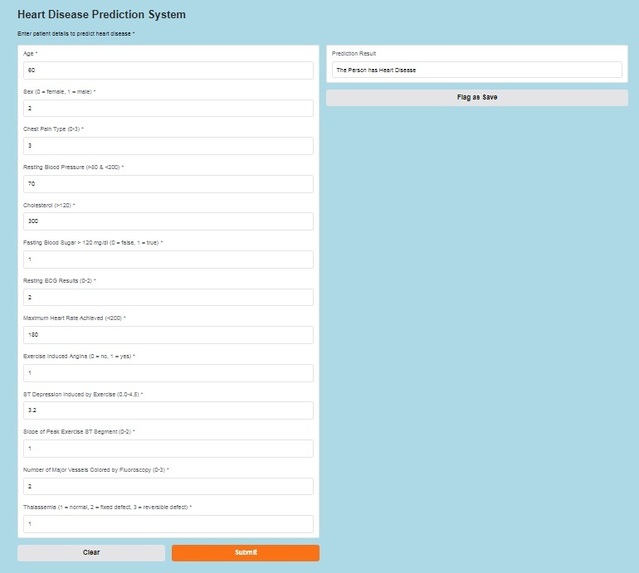
Interface of the Project
Inspiration
The inspiration was that there must be a system that detects heart disease before proceeding to more advanced procedures like bypass.
What it does
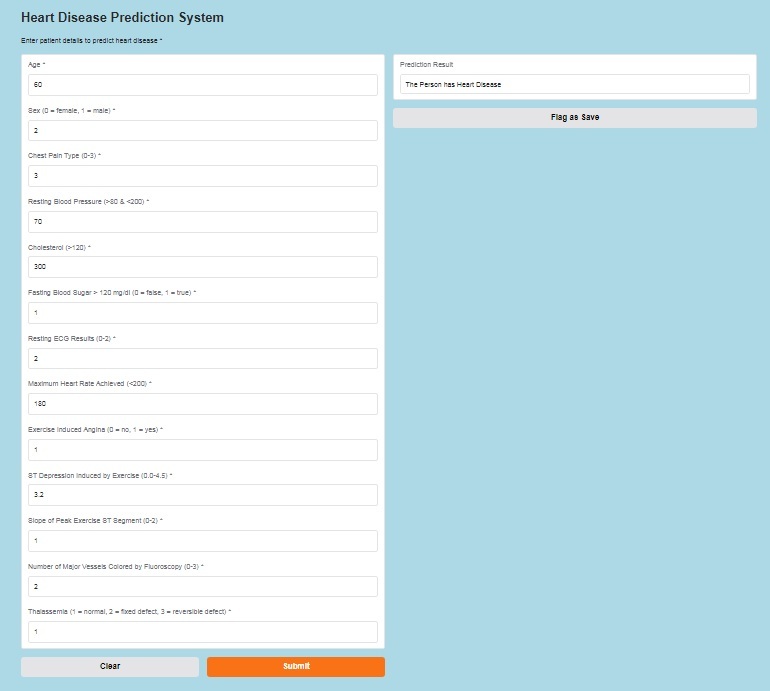
The model is trained to predict heart health based on a set of parameters. The project is requesting certain parameters about the patient, and based on the train-model, the outcome will indicate whether or not the patient has cardiac disease. This project can surely be implemented in real time scenario and preferable to utilized by health sector organizations such as hospitals and clinics as well for the individual use. This is just the initial version, in future multiple features can be used by using GPT 4.0 .
How we built it
Steps involved in development of the project:
The project development consists of six main steps.
Step 1: Installing Dependencies:
First of all, it is necessary to set up dependencies. There are required for the following purpose:
- Model training,
- Data manipulation
- Interface development
There are necessary libraries such as gradio, numpy, pandas, scikit-learn, and openai are installed for this project.
Step 2: Importing Dependencies: **
Following are the modules from installed libraries which are required and imported for certain purposes:
-For data manipulation (the project used numpy and pandas),
-In order to train machine learning model (the project import LogisticRegression from scikit-learn)
-In order to scaling the data (project import StandardScaler)
*Step 3: load Dataset and preparation: *
Dataset named ‘heart_disease.csv’ is used to train the model. After loading the dataset, features (X) and target labels (Y) are separated. To enhance model performance and convergence, the data is first divided into training and test sets before being standardized, or scaled.
Scaler = StandardScaler():
This creates a StandardScaler object that will standardize the dataset using the each feature's mean as well variance in training data.
X_train_scaled = scaler.fit_transform(X_train):
The fit_transform technique is used on the training data, computing theeach feature's mean as well S.D in X_train before transforming each feature to have a mean of 0 and a standard deviation of 1.
X_test_scaled = scaler.transform(X_test):
transform() use with the test data, with the same mean and standard deviation as the training set. This phase is important for consistency since the model must be tested on data scaled. **Step 4: Logistic Regression Model training: To manage overlapping, a maximum iteration limit is set at the beginning of a logistic regression model. After that, it is trained using the scaled training data to identify trends in the risk variables for heart_disease. Scaling the data involves converting the values in the dataset into aligned with a standard scale while maintaining the diversity of value ranges. This is important because machine learning models work better when all features are on the same scale like in case of project cholesterol and age. Step 5: Define Prediction Function: predict_heart_disease() is a function designed to take user inputs such as age, sex, type of chest pain ,exercise-induced angina, exercise-induced ST depression, the slope of the peak exercise ST segment, the number of major vessels colored by fluoroscopy, resting blood pressure, cholesterol, fasting blood sugar, resting ECG results, and maximum heart rate achieved. The function generates a message indicating the likelihood of heart illness after scaling the input data and using the trained model to make a forecast. *Step 6: Gradio User Interface: * Gradio is utilized to create the user interface, which is available online and uses user input to predict the risk of heart disease. To record user input, run it through the prediction function, and then return the outcome. CSS is used to change the interface's styling, including button styles, font settings, and background images. With flagging_mode="manual", the interface allows users to flag inputs and outputs manually rather than automatically. This means that a user would click the "Flag" button next to the prediction result if they believe it is wrong or needs to be reviewed. Manual flagging mode allows users to choose when to flag, making it ideal for obtaining feedback on specific, user-selected circumstances rather than automatically capturing every input/output interaction. Finally, the interface is launched, allowing users to engage with the prediction model using a browser-based app .I utilize hugging-face space to deploy it and make it publicly accessible. In order to make it more enhanced, I tried my best, unfortunately dealing with multiple errors with multiple times within limited time I skipped advance features, which can be implemented in future. ## Challenges we ran into • Time limitation: I was working alone; therefore I didn't develop the remaining things I had planned because of time constraints. • Feature Selection and Interpretation: due to short time period it was difficult for me to make a new dataset which will be based on valid values so I took pre-built dataset and train the model on it. Luckily, GPT-4.0 helped me a lot and provided code linked with my dataset parameters. • Handling Ethical and Privacy Concerns: I implemented API keys using separate .env file but failed to get approval. So finally I removed. • Deployment : I was working on colab, so whatever gradio features I included inside code, these were not visible after executing on colab, so after deployment on hugging face I was able to see, then I got some errors then again I made changes in code and deploy. ## Accomplishments that we're proud of This system with little advancement can be used for safe a life. ## What we learned GPT 4.0 really amazing, and it was impossible to accomplish it without the help of GPT 4.0. different programming concepts I learned and practical outcome how a locally developed program can be deployed on web for the public. ## What's next for Heart Disease Prediction System I know there are many shortcomings, I t can be better by implementing mandatory fields check, audio response and also some other models can embed to support image reading like ECG reports, X-rays and other tests.

Log in or sign up for Devpost to join the conversation.