-
-
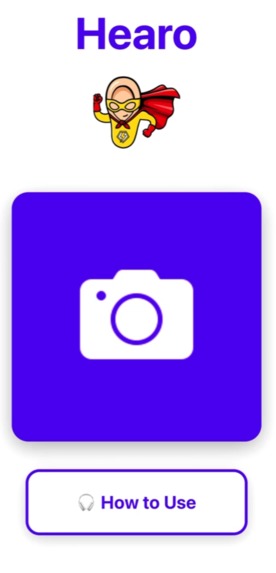
Landing Page
-
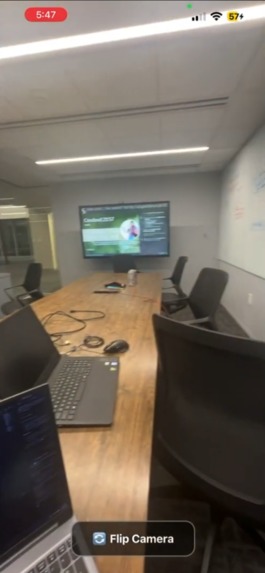
Image Capture
-
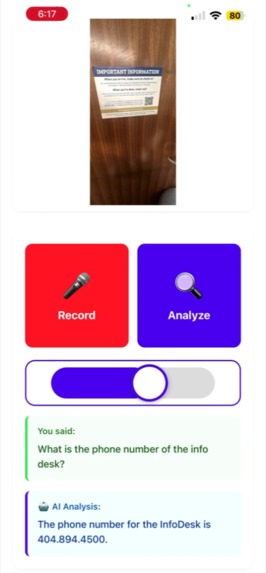
Analysis Page
Inspiration
Hearo was inspired by the need for accessible technology for the visually impaired and blind community. We wanted to create an app that allows users to learn more about their surroundings through voice, without having to rely on others for assistance.
What it does
Hearo is a voice-first accessibility app that empowers visually impaired and blind users to understand their surroundings through AI. Here's what users can do:
Core Features
- 📸 Capture photos using a simple, accessible camera interface with large touch targets
- 🤖 AI-powered image analysis that describes what's in the photo using Google Gemini Vision
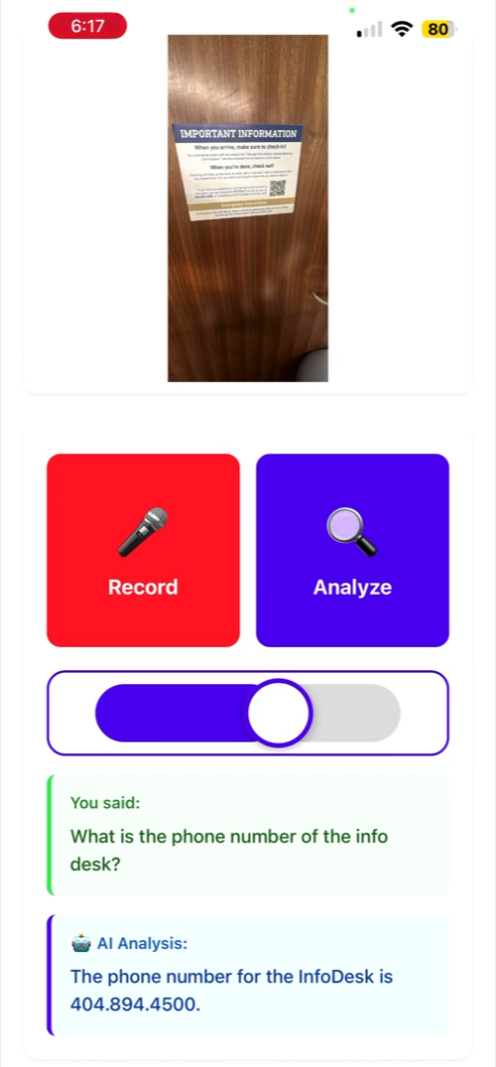
- 🎤 Voice commands to ask questions about captured images
- 🔊 Natural text-to-speech responses using ElevenLabs API with fallback to native TTS
- 🎧 Tutorial that explains how to use the app via voice guidance
User Flow
- Open the app → Tap the large camera button on the home screen
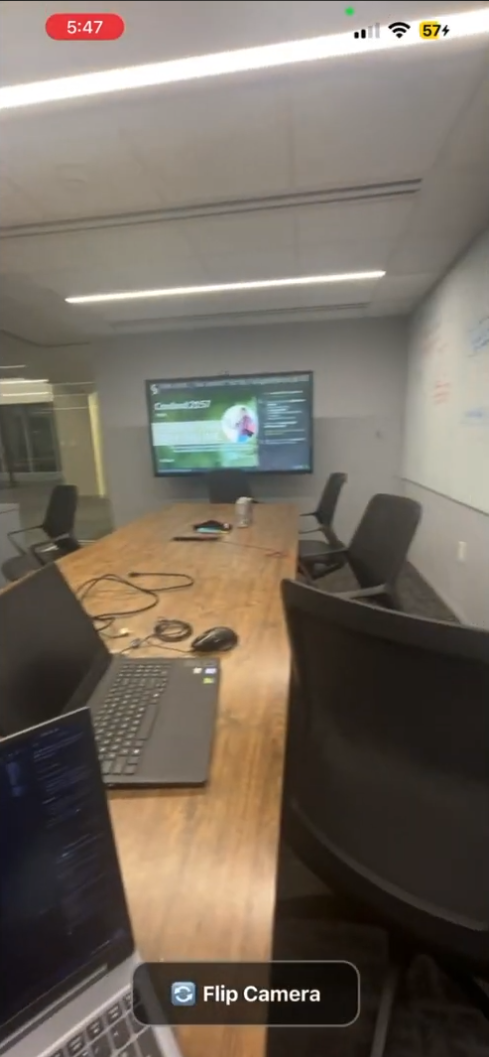
- Take a photo → Simple camera interface captures your surroundings
- Ask questions → Use voice commands to inquire about what's in the image
- Get AI responses → Hearo analyzes the photo and speaks back detailed descriptions
- Hands-free navigation → Entire experience designed for voice-first interaction
Accessibility Features
- Voice-first design → All interactions can be completed without seeing the screen
- Large touch targets → Easy-to-tap buttons (320x320px camera button)
- Audio feedback → Clear voice guidance for all actions
- Tutorial mode → Built-in "How to Use" feature explains the app via TTS
- Question-based interaction → Natural conversation with the AI about images
How we built it
Frontend
- React Native + Expo for cross-platform mobile development.
- Audio: expo-av for playback and recording, expo-speech for native TTS fallback.
Backend & Cloud Infrastructure
- Node.js + Express backend server deployed on Google Cloud Run
- Google Cloud Storage for image file storage and management
- RESTful API endpoints:
- Image upload and storage
- Generate signed URLs for secure uploads
- Health check endpoint
- Service Account authentication for secure Google Cloud access
- Environment variable management for API keys and configuration
AI & Voice Services
- ElevenLabs TTS API for natural voice synthesis with fallback to native TTS
- High-quality voice models for accessible audio
- ElevenLabs STT API for speech-to-text transcription (English-only)
- Real-time voice command processing
- Language-specific configuration to prevent misclassification
- Google Gemini Vision Model for AI-powered image understanding and description
- Multimodal AI combining vision + text for contextual responses
- Google Cloud Vision API integration for advanced image analysis
Data Flow & Processing Pipelines
Image Analysis Pipeline:
- User captures photo with expo-camera
- Image converted to Base64 encoding
- Uploaded to backend Express server
- Stored in Google Cloud Storage bucket
- GCS URI (gs://) passed to Gemini Vision API
- AI generates detailed description
- Response sent via TTS to user
Audio Pipeline:
- User records voice command
- Audio converted: Recording → ArrayBuffer → Uint8Array → Base64
- Sent to ElevenLabs STT API
- Transcribed text processed
- Response generated via Gemini (if image-related)
- TTS speaks response back to user
Voice-First Navigation:
- Hands-free app operation through voice commands
- Audio feedback for all actions
- Accessible UI design with large touch targets
Development & Deployment
- Expo Go for rapid development and testing
- TypeScript interfaces for type-safe API responses
- Error handling & fallbacks for offline/API failure scenarios
- Google Cloud Run for serverless backend deployment
- File system caching with Expo FileSystem for audio files
Challenges we ran into
Binary Audio Handling
- Problem: Blob objects are not supported in React Native
- Solution: Implemented conversion chain: ArrayBuffer → Uint8Array → Base64 for TTS playback
- Required React Native-specific audio handling different from web approaches
STT Language Misclassification
- Problem: Short phrases were misinterpreted as non-English languages
- Solution: Forced language parameter to "en" in ElevenLabs API requests
- Added input validation and controlled language constraints
Google Cloud Authentication
- Problem: Complex service account setup and credential management
- Solution: Implemented secure service account authentication with proper scoping
- Environment variable management for Google Cloud credentials
Expo Deprecation Warnings
- Problem: expo-av showing deprecation notices
- Solution: Careful consideration for future migration paths
- Implemented fallback strategies for deprecated features
Accomplishments that we're proud of
- Fully functional voice-first navigation, allowing hands-free operation
- Seamless integration of ElevenLabs TTS and STT APIs with React Native, including error handling and fallbacks
- AI-powered image understanding using Google Gemini Vision API for detailed scene descriptions
- End-to-end serverless architecture with Google Cloud Run backend
- Secure image storage with Google Cloud Storage and signed URLs
- Clean, TypeScript-safe codebase with React Native-compatible audio handling
- Cross-platform mobile app working in both Expo Go and production builds
- Robust error handling with graceful fallbacks for API failures
- Accessible UI design optimized for voice interaction
What we learned
Technical Learnings
- React Native requires different approaches to handle binary data compared to the web; Blob cannot be used
- Multimodal AI prompts require careful crafting to get accurate and useful responses
- Service account authentication is critical for secure cloud service integration
- Serverless deployment (Google Cloud Run) simplifies infrastructure management but requires proper environment configuration
Accessibility Insights
- Voice-first design is challenging but rewarding; proper audio feedback is critical for accessibility
- Real-time STT can be inaccurate for short phrases, highlighting the importance of controlled input and language constraints
- Large touch targets and clear audio cues are essential for visually impaired users
Development Best Practices
- Environment variables (
process.env) and proper handling of API keys are essential for secure API integration - TypeScript interfaces significantly improve code quality and developer experience
- Fallback strategies are crucial for production apps (native TTS when API fails, offline mode, etc.)
What's next for Hearo
Voice & Audio Enhancements
- Continuous voice listening mode for fully hands-free interaction
- Multi-language STT support, allowing users to dictate in multiple languages
- Voice activity detection for better speech recognition triggers
Vision & AI Features
- Real-time object detection using camera stream (not just static photos)
- Scene understanding with spatial awareness and depth perception
- Document OCR for reading text from images (receipts, signs, documents)
- Face recognition for identifying people (with privacy controls)
Storage & Sync
- Cross-device synchronization for accessing content across multiple devices
Accessibility Improvements
- Gesture controls for common actions (swipe to delete, etc.)
- Multiple voice options from ElevenLabs library
- Screen reader integration for system-wide accessibility
Built With
- docker
- elevenlabs
- expo.io
- gemini
- google-cloud
- google-cloud-run
- javascript
- node.js
- react-native
- rest-api
- typescript
- vertex-ai


Log in or sign up for Devpost to join the conversation.