-
-
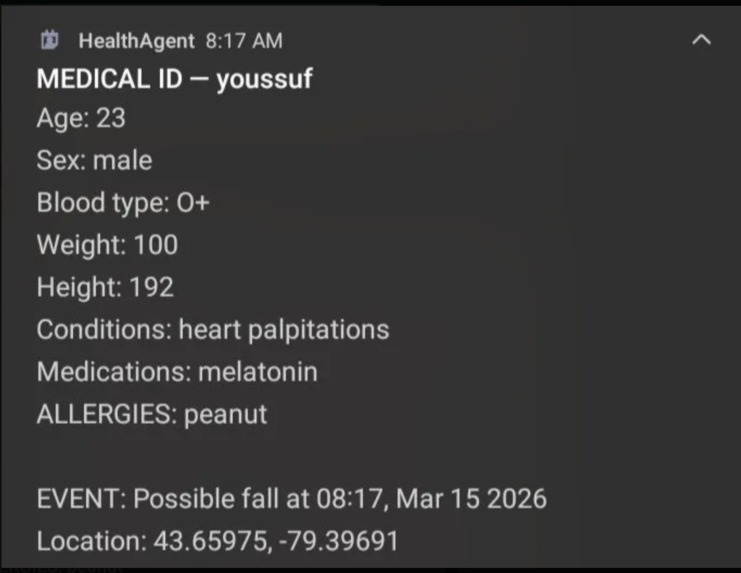
the Emergency Information
Inspiration
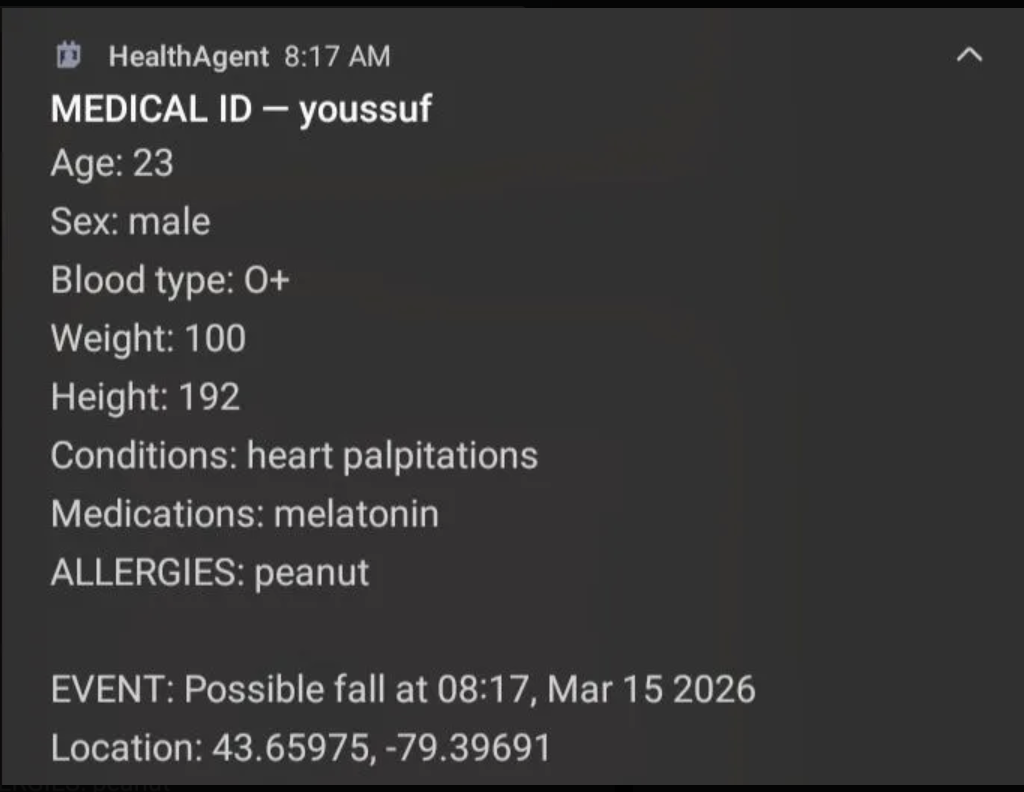
Paramedics frequently operate without complete patient medical history, with some studies suggesting up to 86% to 94% of ambulance clinicians have experienced being unable to access necessary health information during a call. This lack of information is a significant factor in patient safety, with roughly 90% of surveyed paramedics reporting that missing information led to less appropriate care pathways. So we decided to create HealthWithU an emergency application that pops up the users information when fall detected. while playing a loud noise to catch the helpers attention, reading the medical status and critical information as well as showing it as a pop up on the phone.
What it does
HealthWithU is a voice-enabled medical assistant that continuously builds and maintains a personal health record through natural conversation. Users interact through voice or text the system automatically extracts and stores symptoms, allergies, medications, chronic conditions, and vitals from what they say. This structured medical data is persisted across sessions, so when an emergency occurs the app has an up-to-date profile ready to display instantly.
Beyond emergencies, the assistant provides daily health support: medication schedule tracking with adherence monitoring, symptom logging with severity and duration, and context-aware follow-up questions informed by the user's full medical history.
How we built it
The backend is a Python Flask server exposing a RESTful JSON API over the local network. It serves both the web portal and the Android app through the same set of endpoints.
For AI conversation, we use Backboard as the primary LLM provider it wraps OpenAI's GPT-4o model inside a persistent memory layer, meaning the assistant remembers the user's medical history, allergies, and past conversations across sessions without re-prompting. If Backboard is unavailable, the server falls back to OpenRouter, which routes through multiple models including GPT-4o-mini and Llama 3.1.
Voice is handled by a two-layer pipeline: Gradium serves as the primary text-to-speech engine for low-latency natural voice output, with ElevenLabs as a fallback. Speech-to-text uses Google Speech Recognition on the server side, and the browser's native Web Speech API as a client-side alternative for environments where microphone access is restricted.
Medical data is stored in two layers local JSON files for immediate reads and the Backboard memory API for cloud-based cross-session persistence. Every time the user reports a symptom or updates health information, the system writes to both layers so the AI can reference the full patient history when generating responses.
The Android application was built in Android Studio with Kotlin. It communicates with the Flask server over HTTP, sending user input to the /api/chat endpoint and receiving structured JSON responses containing the AI reply, detected emotion, extracted medical data, and voice parameters. The app also implements fall detection and lock-screen emergency display.
The web portal is a single-page interface built with HTML, CSS, and vanilla JavaScript, served directly by the Flask server. It includes a real-time voice chat interface, a medical information panel showing the user's current allergies, conditions, medications, and vitals, and a voice selection system for the TTS output.
Challenges we ran into
Integrating multiple external APIs with different authentication schemes and response formats required building a resilient fallback chain, Backboard uses an async SDK with X-API-Key authentication, while OpenRouter uses a standard Bearer token with an OpenAI-compatible REST format. Handling failures gracefully across both, with detailed diagnostics, was a significant engineering effort.
Enabling cross-device communication between the Android app and the Flask server required implementing CORS headers, handling Android's cleartext traffic restrictions, and ensuring all error responses returned parseable JSON rather than HTML error pages.
Building the Android app was a steep learning curve since it was our first time working with Android Studio and Kotlin. One particularly difficult challenge was bypassing the lock screen to display emergency medical information when a fall is detected.
Accomplishments that we're proud of
We delivered a working multi-platform system a Python backend, a web portal, and a native Android app -- that demonstrates how persistent AI memory can be applied to a real patient safety problem. The system successfully extracts medical information from natural conversation, maintains it across sessions, and makes it instantly accessible in an emergency.
What we learned
Most of us had never worked with Kotlin, Android Studio, or async Python SDKs before this project. We learned how to architect a system where multiple clients (mobile and web) share a single API, how to build LLM provider fallback chains for reliability, and how to manage persistent medical data across both local storage and cloud memory layers. We also learned the importance of defining precise API contracts early so that the Android and backend teams could work in parallel.
What's next for HealthWithU
With further development, the platform could integrate with wearable devices for real-time vital sign monitoring, support caregiver and family member access to the medical profile, and connect directly with emergency dispatch systems to transmit structured patient data to paramedics before they arrive on scene.
Repositories
Server and Web Portal: https://github.com/Vionahk/HealthForU Android App: https://github.com/zhaohanjun24/HealthAgent
Built With
- android-studio
- backboard
- css
- elevenlabs
- flask
- gradium
- html
- javascript
- json
- kotlin
- openai
- openrouter


Log in or sign up for Devpost to join the conversation.