-
-
Our logo
-
Marketing material 1
-
marketing material 2
-
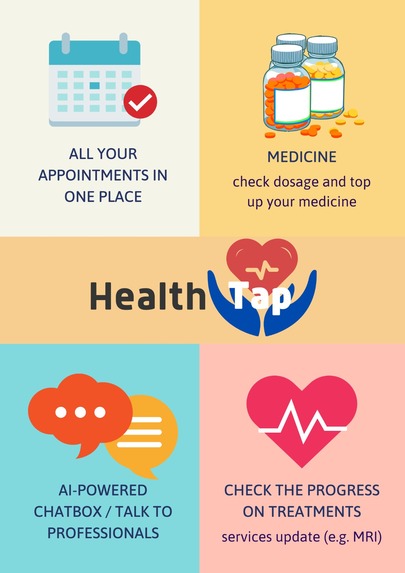
marketing material: summary
-
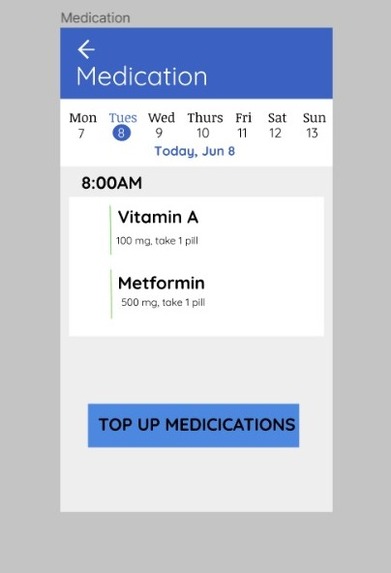
Medication page
Inspiration
One of our team members faced a lot of inconveniences when he was hospitalized. For instance, he had to fill up a long form for his meals such as his allergens, etc. However, this data is already available in the HealthHub database which could be tapped on. Furthermore, there were no updates given to him or his family members on what procedure he was going to undergo next, which made him feel like he was kept in the dark. We also realised that many people, especially the elderly, hesitate to go for checkups as it is just too cumbersome to book appointments. Hence, we wanted to address all these pain points, leading to us creating HealthTap.
What it does
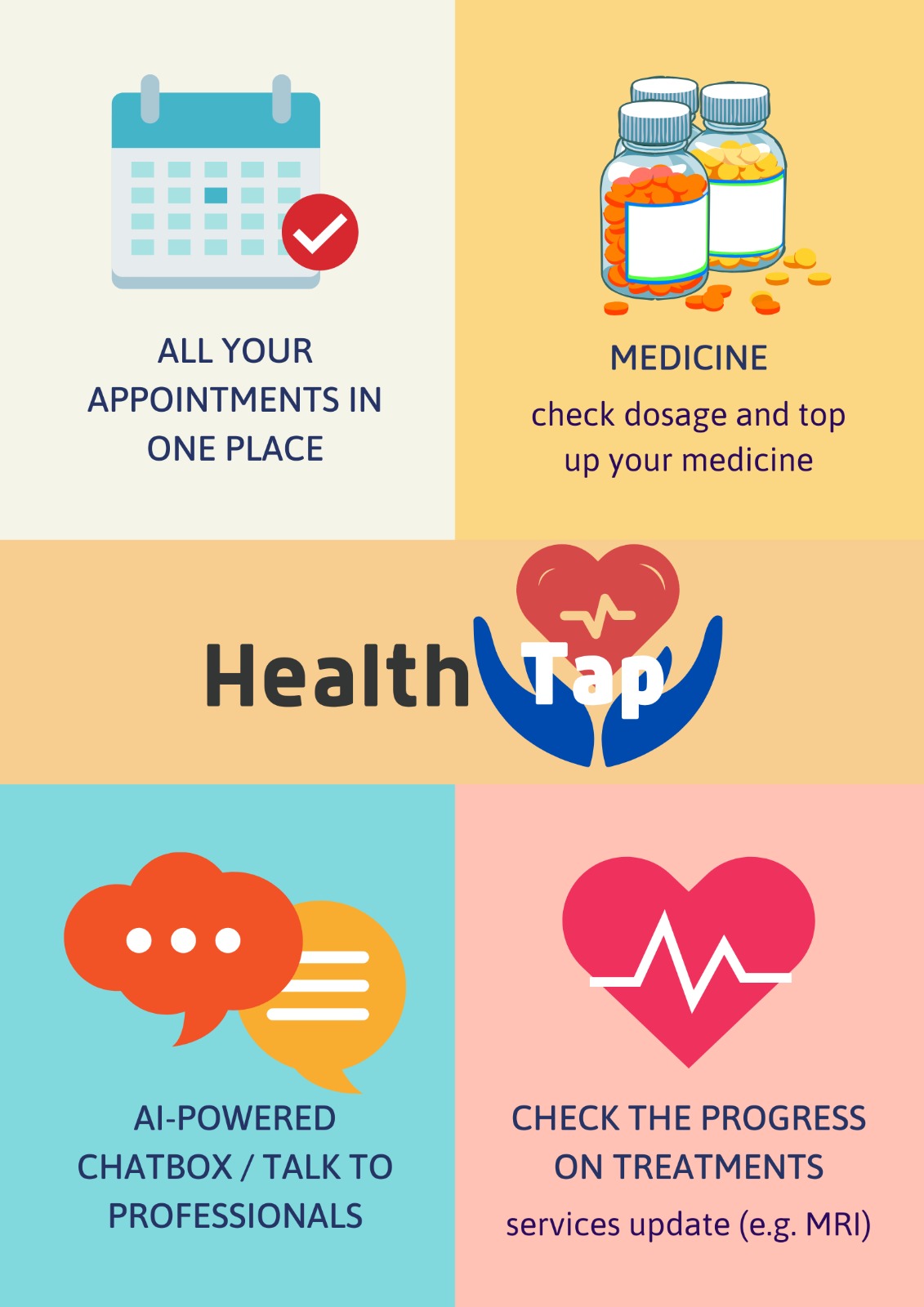
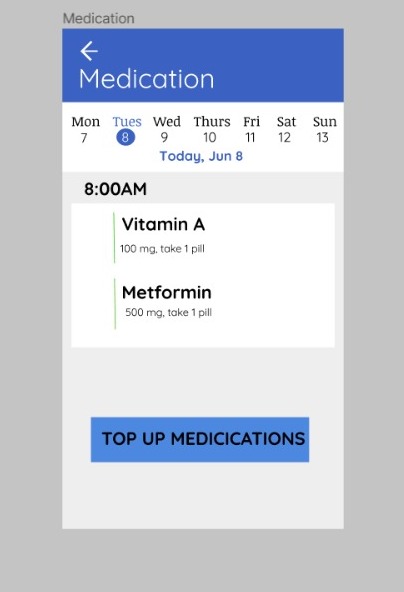
There are a few functions built into the app. 1) Booking and tracking of appointments: Our goal here is to sure ensure that the process is very simple and seamless. Minimalism was key when we designed the app to ensure it was a simple UI to use. 2) Track and receive reminders of medication: Our aim here is to ensure that medication is taken on time. Again, we are focused on making the user experience as seamless as possible. In addition, we have made it easy for consumers to book appointments to get more medication if they have run out of it. 3) AI-Powered chatbot: In order to minimise human intervention, we have made use of a chatbot to handle basic commands such as checking appointments, medication, etc. In addition, to cater to the elderly, we have implemented speech recognition as well which makes it easy for the elderly to communicate with the bot without much hassle. 4) If the chatbot is unable to answer any questions, they would be led to a human doctor or admin, depending on what the consumer chooses. This is similar to existing online consultations that is prevalent in Singapore. 5) Hospitalisation: There are a few components to this. Firstly, dietary requirements will immediately be taken note of as this app is connected to the database of HealthHub. There will be no need of filling out forms. All the patients have to do is to ensure that the information is up to date. In addition, patients can opt for updates about their procedures such as their next treatment or scan. They can have these updates sent to their phones via SMS or to any family members' phones as well.
How we built it
We used Telegram's BotFather to create the bot. We used Jupyter notebooks to edit the code and we tested the bot using telegram. We managed to use our prior knowledge of programming as well as knowledge gained from the workshop to make the bot. We created the app designs mainly using Figma which is a software used to make app designs. We created other graphics as well as our presentation using canva.
Challenges we ran into
There are several challenges we ran into. Firstly, the creation of the bot had several issues such as issues with the database. There were also bugs and errors popping up so we had to reference StackOverflow as well as ask for help in the tech helpdesk in discord. Next, we had issues regarding the design of the app. We did not know which software to use or what kind of design we wanted. So we discussed our demographics and our target group which are Singaporeans. Hence, we came up with a simple UI as the elderly will also be using the same app and hence, it needs to be easily understood and concise.
Accomplishments that we're proud of
1) We managed to create our very own telegram bot that functions! We used the things we learned from the Indeed workshop as well as prior knowledge to make this bot. We are satisfied with this and plan to develop this bot further. 2) We are also proud of the graphics we created for the app as it is very simple and has a seamless UI. The graphics for marketing materials is also something that we are proud of as it looks professional and is easy on the eye.
What we learned
We have learned several things. 1) How to develop a telegram bot: The workshop was rather useful in allowing us to understand this and we are sure to try our hand in future projects that involve telegram bots. 2) Making use of Figma to design app interface: Figma is the software that we used to make the design for the app and it has a lot of functions. Fortunately, we learned to use it well and managed to come up with the designs for the app 3) Making graphics for posters, app design: We made use of canva which further reinforced the knowledge we had about making graphics.
What's next for HealthTap
1) More languages; Singapore has 4 main languages and many elderly do not speak fluent English. Hence, we would want to include more languages for the app as well as the bot in the future to involve as many consumers as possible. 2) We plan to expand to other countries with weaker healthcare systems. If they do not have a database, we could make one to include things like their dietary requirements and medication, etc. This would allow us to continually expand. 3) Forming more contracts with governments 4) Connecting to the AI database from MSD


Log in or sign up for Devpost to join the conversation.