HealthMate: Your AI-powered Health Companion
Inspiration
The idea for HealthMate was inspired by the growing need for personalized health monitoring and wellness solutions in the digital age. As technology continues to evolve, the integration of AI and data science in health management has the potential to provide individuals with tailored insights into their well-being. I wanted to create a simple yet powerful tool that could help users track their fitness progress, receive real-time feedback, and maintain a healthier lifestyle. By leveraging AI and machine learning, HealthMate serves as an intelligent health companion that not only stores data but also offers suggestions and keeps users engaged in their wellness journey.
What I Learned
During the development of HealthMate, I learned several key concepts:
Flask Web Development: I gained hands-on experience with Flask for building the backend of a web application. This allowed me to build a lightweight and efficient server to handle user requests, interact with a database, and serve dynamic content to the frontend.
Database Management: By using SQLite, I learned how to structure and manage a database for storing health metrics, ensuring data persistence and integrity.
JavaScript and Frontend Development: I learned how to work with JavaScript to create interactive UI elements, such as dynamic content updates, and form submission without page reloads.
APIs and Data Integration: I learned how to integrate external APIs (e.g., health-related APIs) to fetch and display data, which helped enhance the application’s utility and user experience.
UI/UX Design: I gained a deeper understanding of frontend design principles to make the application easy to use and visually appealing.
How I Built the Project
The project was built using a combination of technologies:
Backend:
- Flask was used to create a RESTful API for handling user requests (fetching and saving health data).
- SQLite was used for database management, where user health metrics (steps, heart rate, and calories) are stored and retrieved.
Frontend:
- HTML and CSS were used to build the static user interface.
- JavaScript was used for dynamic interactions, including form submission and fetching data without reloading the page.
Features:
- A chatbot interface was included (for future expansion) to provide personalized health tips based on user input.
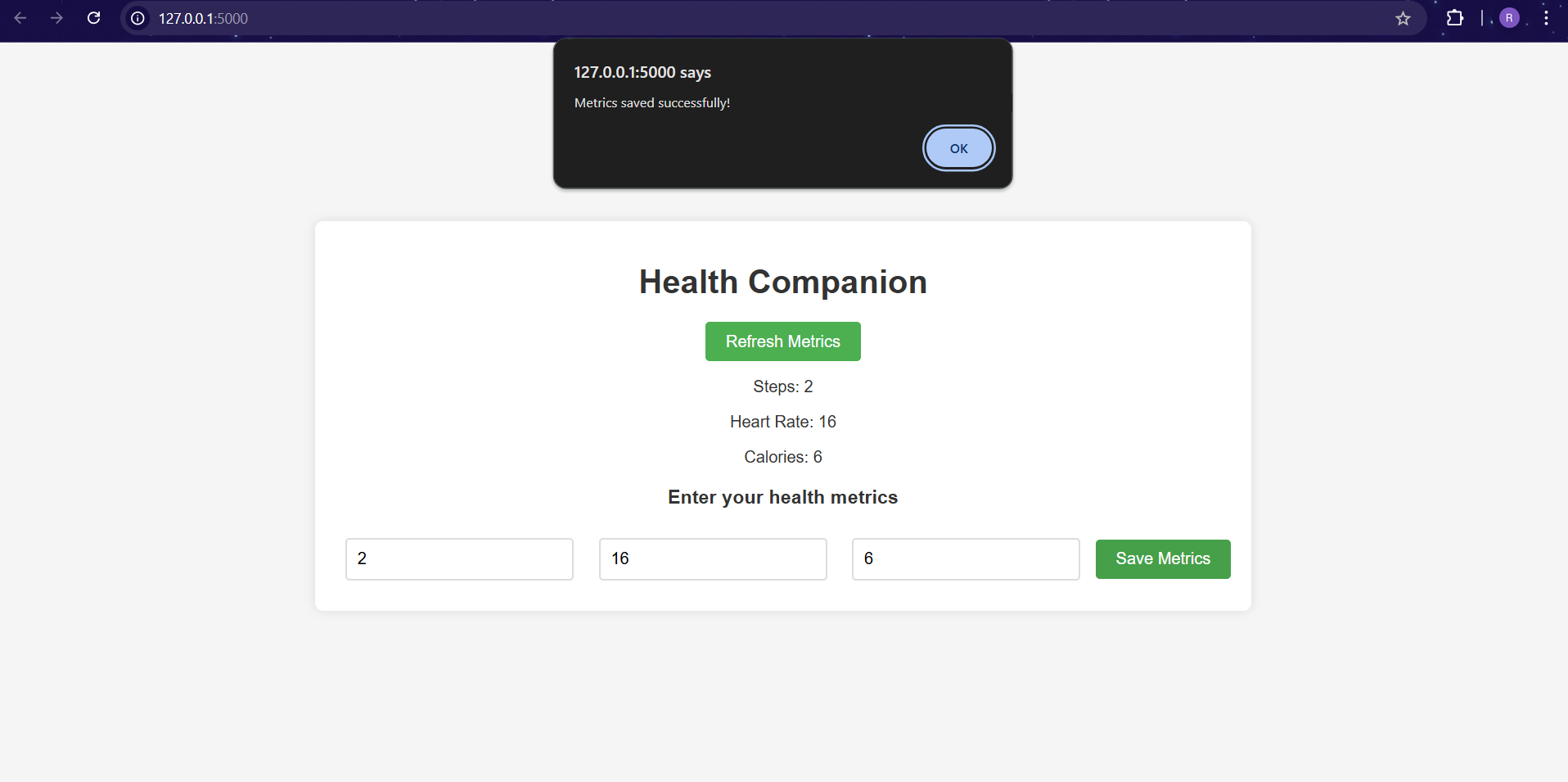
- The application allows users to input health metrics, such as steps taken, heart rate, and calories burned, and saves these metrics to the database.
- The latest metrics can be fetched and displayed in real time using the frontend.
Deployment:
- The app was run locally using Flask’s built-in server for testing. For production, it could be deployed on cloud platforms such as Heroku or AWS.
Challenges Faced
Database Setup: One of the initial challenges I faced was properly setting up the SQLite database and ensuring that the health metrics were stored and retrieved correctly. I had to carefully handle database connections and ensure that the table creation script ran correctly the first time the app was used.
Frontend-Backend Communication: Integrating the frontend with the Flask backend using AJAX (via JavaScript) for seamless user interactions was tricky at first. I had to ensure that API requests were sent correctly and responses were parsed properly in the frontend.
Handling Data Validation: I needed to validate user input before sending it to the database, ensuring that the data was both valid and meaningful (e.g., no negative values for steps or heart rate). Handling this input validation on both the frontend and backend was a learning experience.
User Authentication: Initially, I wanted to add user authentication to store metrics for individual users. This would have required adding user sessions or OAuth integration. However, I opted to keep the project simple for now and plan to implement authentication in future versions.
Future Improvements
- User Authentication: Implementing user login and registration will allow users to track their health data over time.
- AI-Powered Insights: Adding AI/ML models to analyze user health data and provide personalized insights or recommendations.
- Mobile App: Extending the project to a mobile platform using frameworks like React Native or Flutter.
- Integration with Health Devices: Integrating with fitness tracking devices like Fitbit or Apple Watch to automatically fetch health metrics.
Conclusion
Building HealthMate was an exciting journey that taught me a lot about full-stack development, API integration, and database management. The challenges I faced helped me grow as a developer, and I am excited to continue improving the app with new features and enhancements. Ultimately, HealthMate serves as a tool to empower individuals to take control of their health and wellness, making it an exciting step forward in the intersection of AI and personal well-being.

Log in or sign up for Devpost to join the conversation.