-
-
-
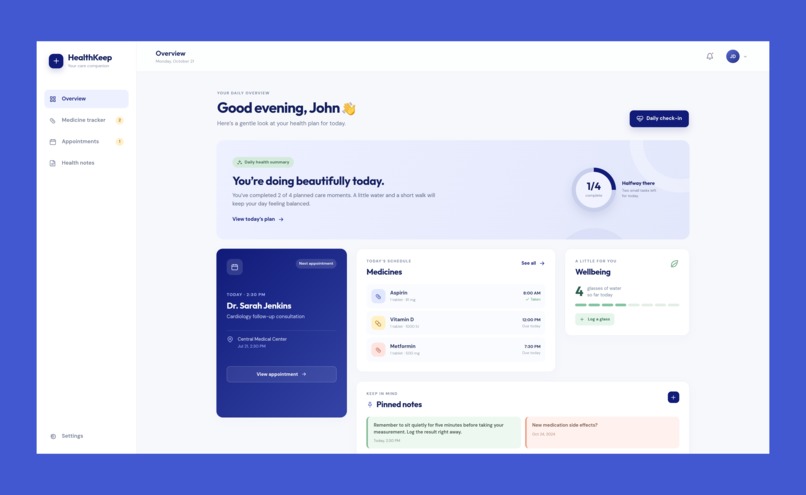
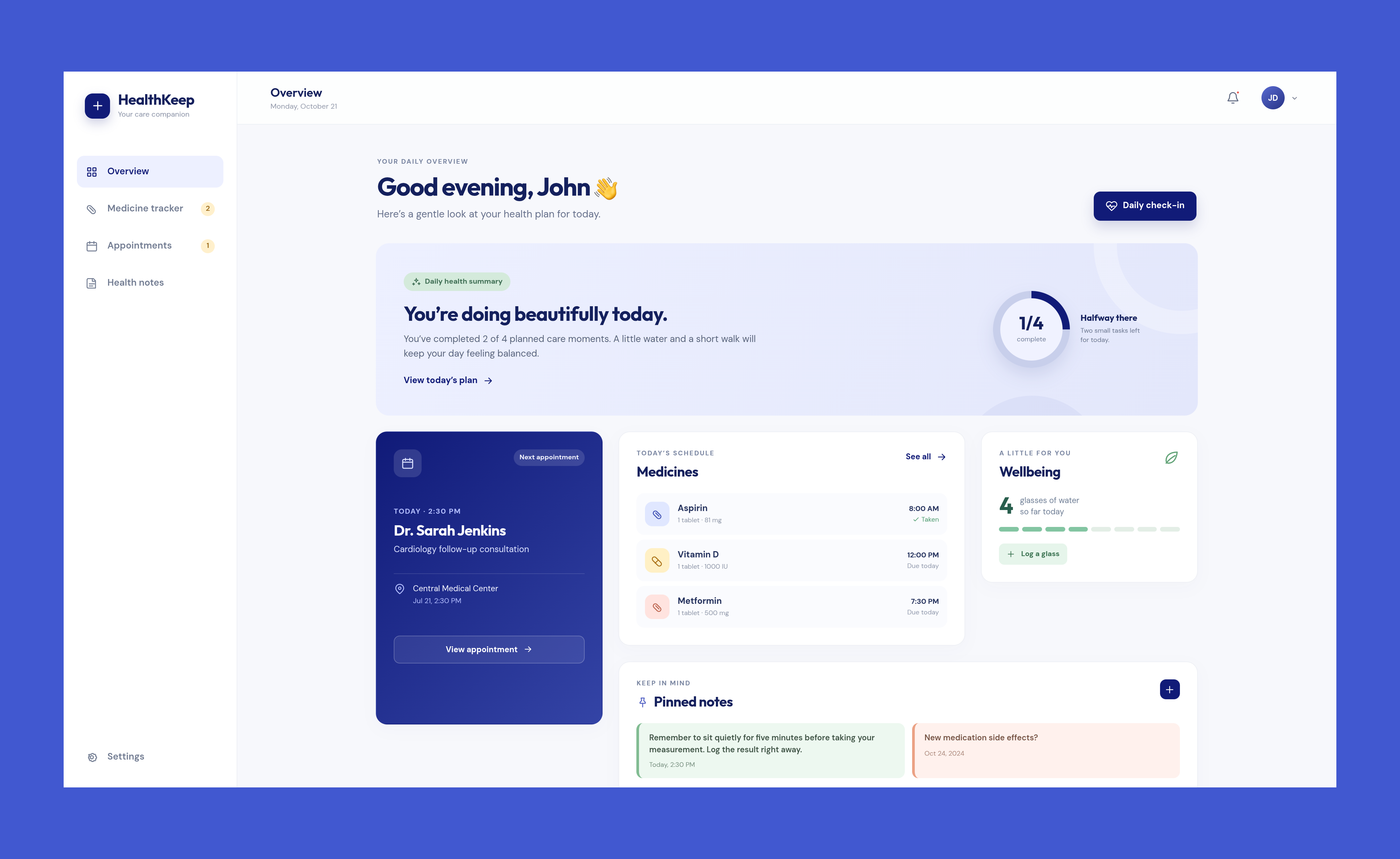
Dashboard/Overview Page
-
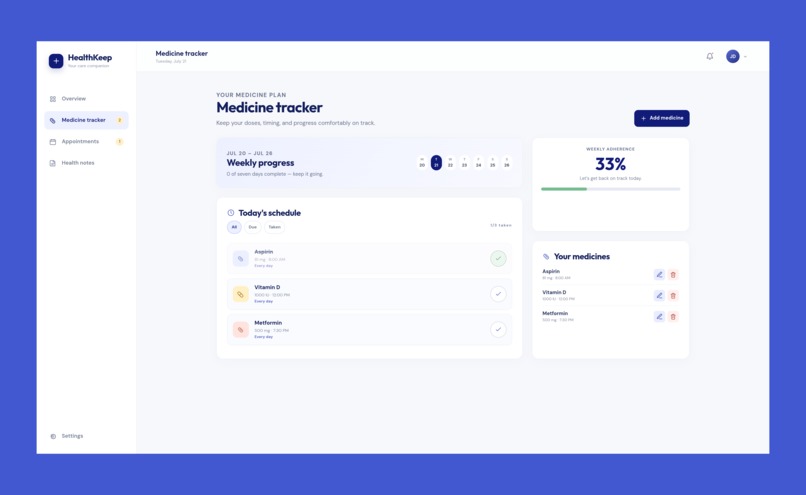
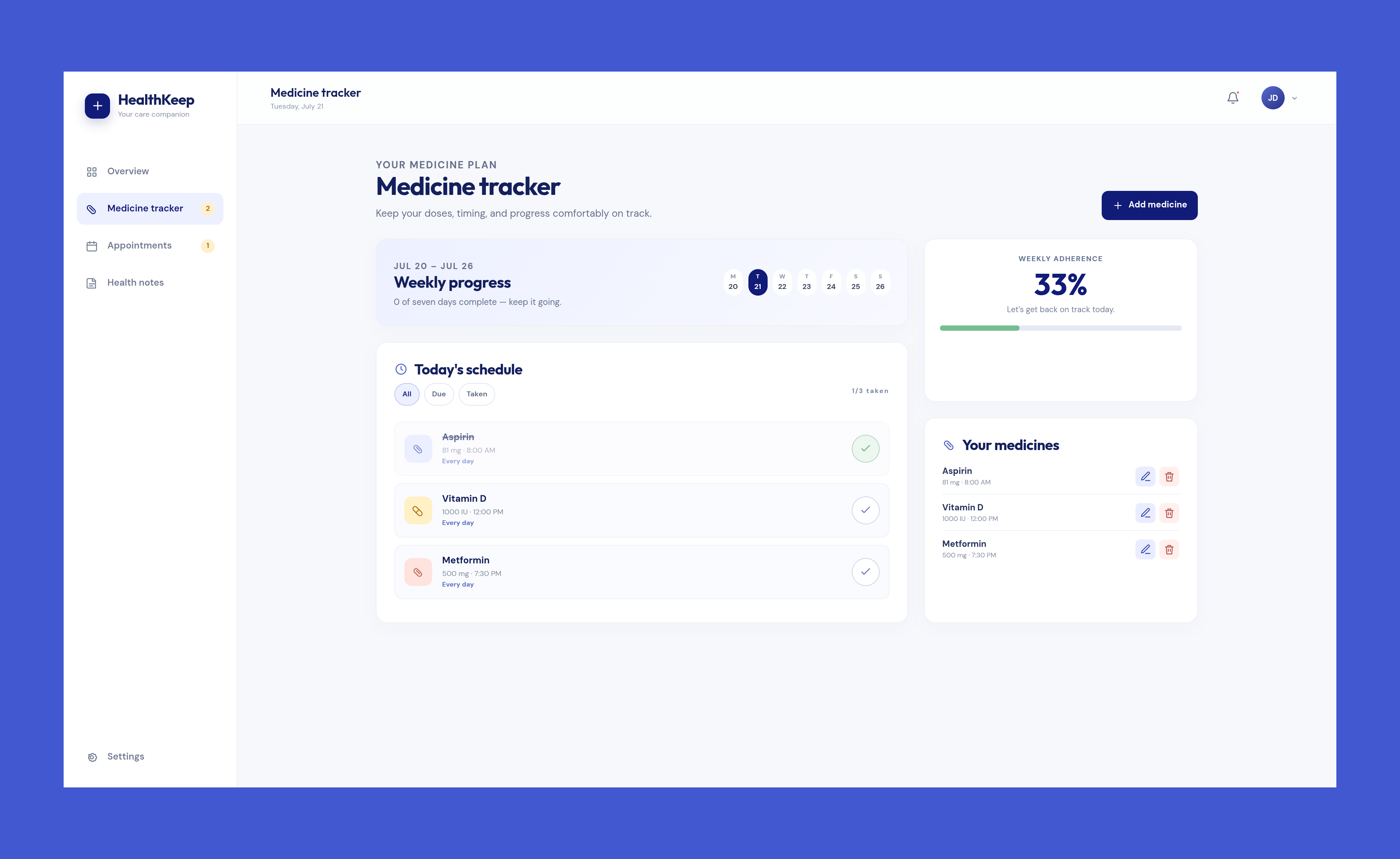
Medicine Tracker Page
-
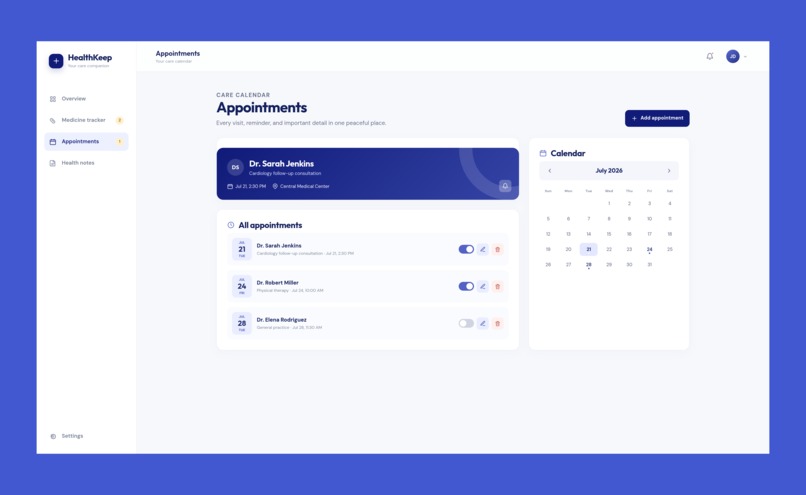
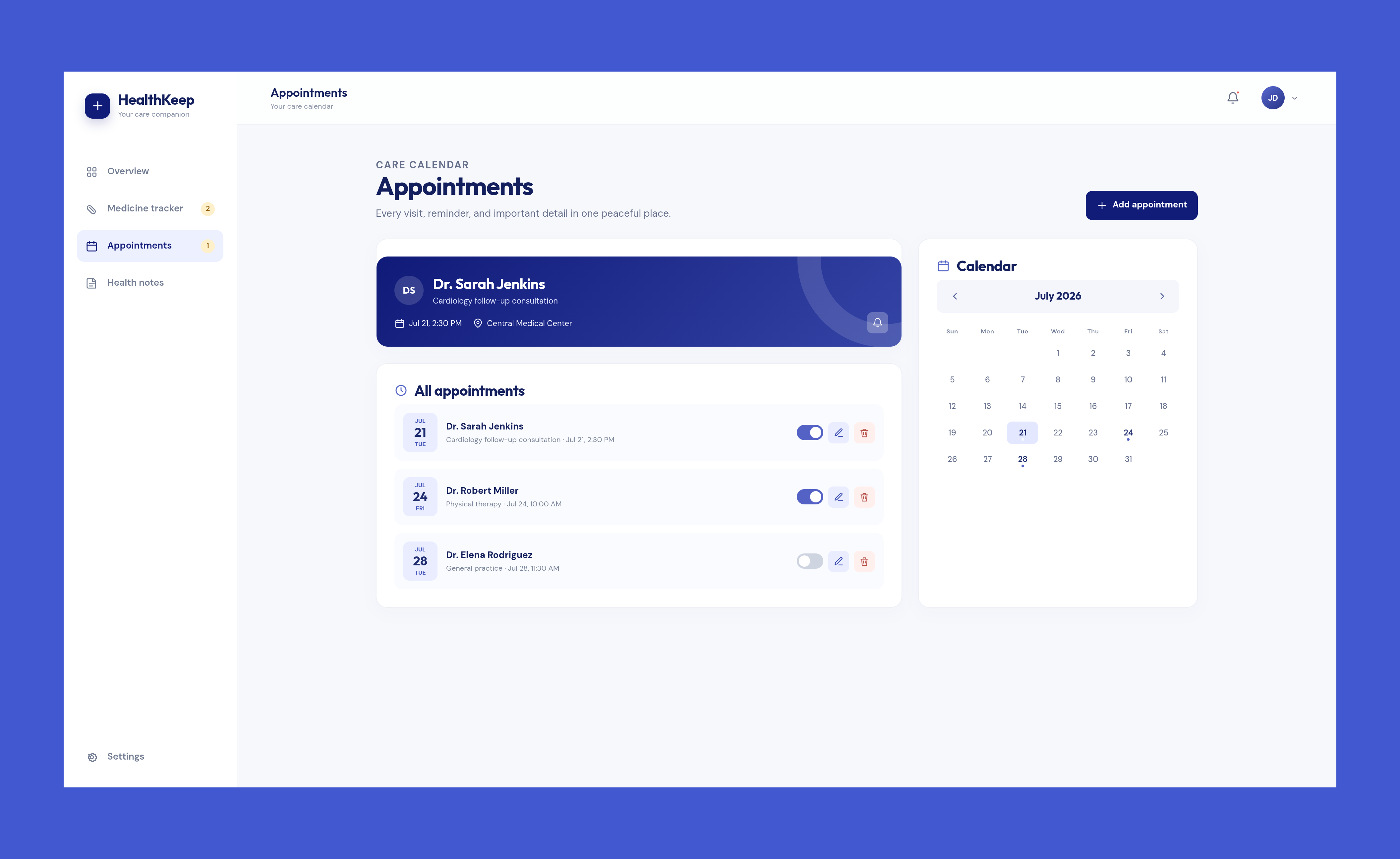
Appointments Page
-
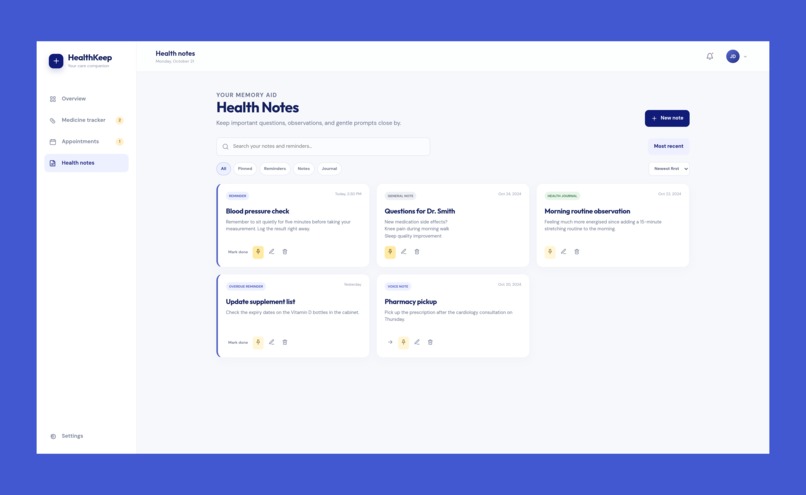
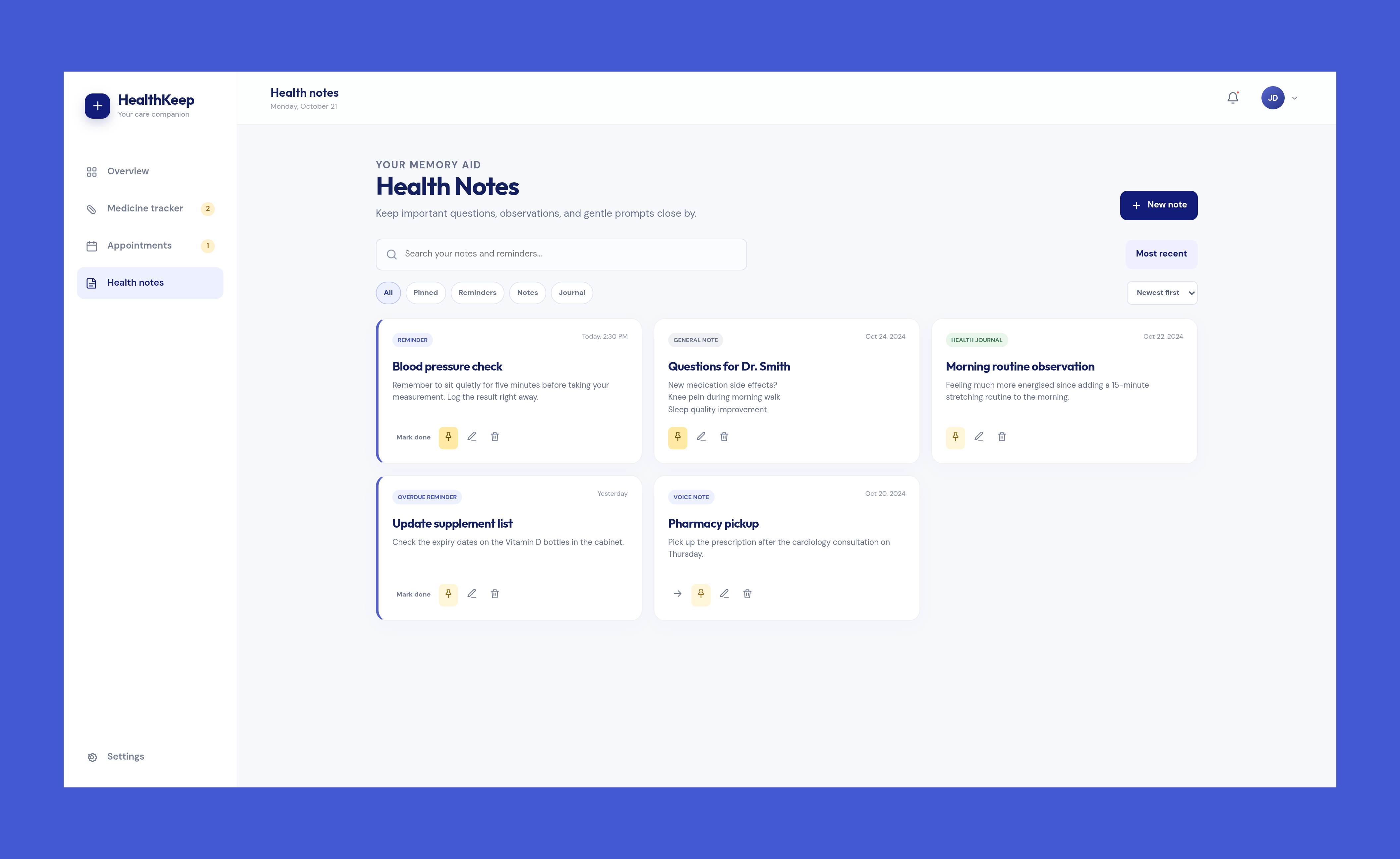
Health Notes Page
-
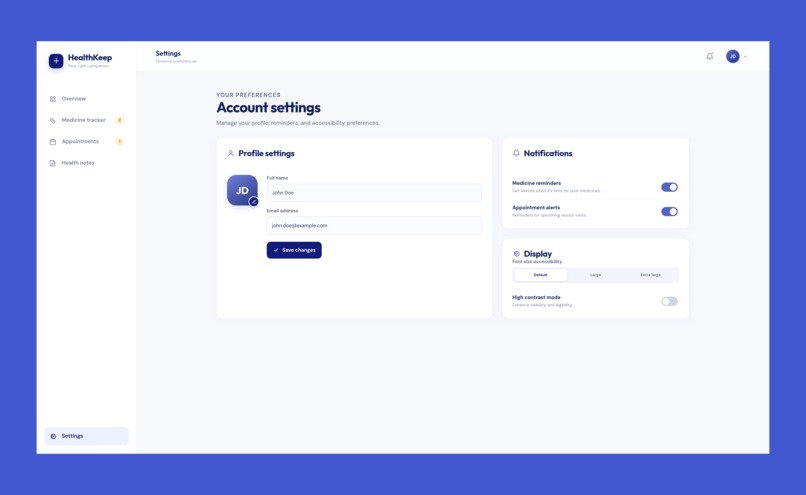
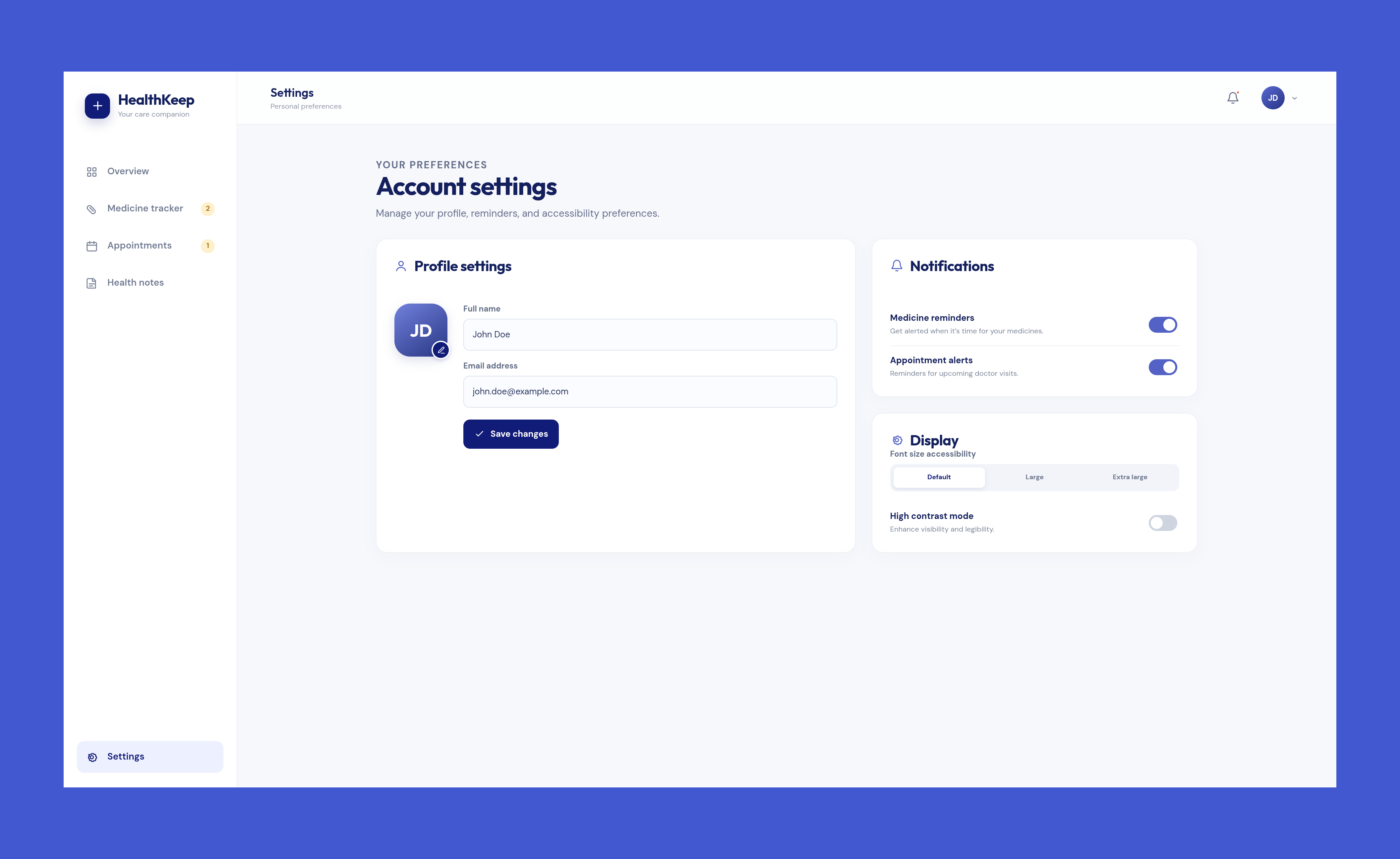
Settings Page
Inspiration
It started with a simple, painful observation: our grandparents forget to take their medicines, miss hospital appointments, and sometimes don't even drink enough water in a day, not because they don't care about their health, but because there's no one gently nudging them through the day. Most health apps are built for young, tech-savvy users, packed with logins, complicated dashboards, and features nobody over 65 asked for. We wanted to build something different: an app so simple that an elderly person could open it and immediately understand what to do, with zero friction, zero signup, and zero learning curve. HealthKeep was born from the idea that small, consistent reminders can prevent big health risks.
What it does
HealthKeep is a no-login, browser-based companion app designed specifically with elderly users in mind. It brings together four essential daily health routines in one simple, calming interface:
Medicine Tracker: Add medicines with dosage, frequency, and time. Get visual reminders and mark doses as "taken" with one tap. Hospital Appointment Reminder: Keep track of upcoming doctor visits with date, time, hospital name, and doctor details, so nothing is ever missed. Notes/Reminders: A simple space to jot down anything important a question for the doctor, a symptom to remember, or a to-do with optional reminder tagging. Water Intake Tracker: A simple glass-by-glass counter to encourage older adults to stay hydrated throughout the day, since dehydration is a major and often overlooked health risk in aging populations.
Everything works instantly in the browser with no account creation, no passwords, and no data sent to any server, making it accessible, private, and frictionless for the exact audience that needs it most.
How we built it
I kept the tech stack deliberately simple so we could focus our time on getting the experience right for older users rather than fighting with tooling. I designed the UI first, focusing on large tap targets, high-contrast text, calming colors, and a card-based layout to make navigation intuitive. From there, we built the entire app using:
- HTML for structuring the four core sections: Medicine Tracker, Appointment Reminder, Notes, and Water Tracker
- CSS for a clean, accessible, and responsive design that scales well on both desktop and mobile browsers
- Vanilla JavaScript to handle all the app logic: adding/editing entries, marking medicines as taken, calculating reminders, and updating the UI dynamically without any framework overhead
- Browser localStorage to persist all user data directly on the device, so the app needs no backend, no database, and no login
- Notification API for in-browser medicine and appointment reminders
Using plain HTML, CSS, and JavaScript meant no build tools, no dependencies, and no installation step for the user or us the app just runs directly in the browser. This simplicity mirrored the philosophy of the product itself: if the app is meant to be effortless for elderly users, the underlying build should be just as lightweight and transparent.
Challenges we ran into
- Designing for a non-technical audience: Every design decision had to be filtered through the question, "Would a 70-year-old understand this instantly?" We went through multiple rounds of simplifying flows, enlarging buttons, and reducing steps per task.
- Reminders without a backend: Since we deliberately avoided logins and servers, implementing reliable notifications while keeping the "no backend" promise required careful use of the Notification API and local scheduling logic.
- Balancing features vs. simplicity: We wanted to add more (family sharing, voice input, medication images) but had to prioritize ruthlessly to keep the core experience clutter-free within our timeframe.
- Data persistence tradeoffs: Relying on localStorage meant handling edge cases like storage limits and clearing data gracefully, without ever making the user feel their information could unexpectedly disappear.
Accomplishments that we're proud of
- Built a fully functional, zero-setup health companion that works the moment you open it: no signup, no barriers.
- Created a UI that's genuinely usable by elderly users, validated through informal testing with older family members.
- Combined four essential daily health habits (medicine, appointments, notes, hydration) into one cohesive, non-overwhelming experience.
- Kept the entire app privacy-first; no data ever leaves the user's device.
What we learned
- Designing for accessibility isn't just about big fonts; it's about reducing cognitive load at every single step.
- Constraints (no backend, no login) can actually sharpen a product's focus rather than limit it.
- Small, unglamorous features like a water tracker can have as much real-world health impact as more "impressive" technical features.
- Testing with the actual target audience (older adults) early, even informally, surfaces usability issues that we would never catch.
What's next for HealthKeep
- Offline-first PWA support so HealthKeep can be installed like a native app and work fully offline.
- Voice-based input and reminders for users who find typing difficult.
- Family/caregiver view: an optional, privacy-respecting way for a family member to check in on adherence without requiring the elderly user to manage a login themselves.
- IndexedDB migration to support richer data (like prescription photos) as the app scales.
- Smart reminder escalation if a medicine isn't marked as taken after a set time; gently repeat the reminder.
- Partnering with local clinics and elderly care communities to pilot HealthKeep with real users and gather feedback for the next version.
Built With
- api
- browser
- css
- design
- html
- javascript

Log in or sign up for Devpost to join the conversation.