-
-
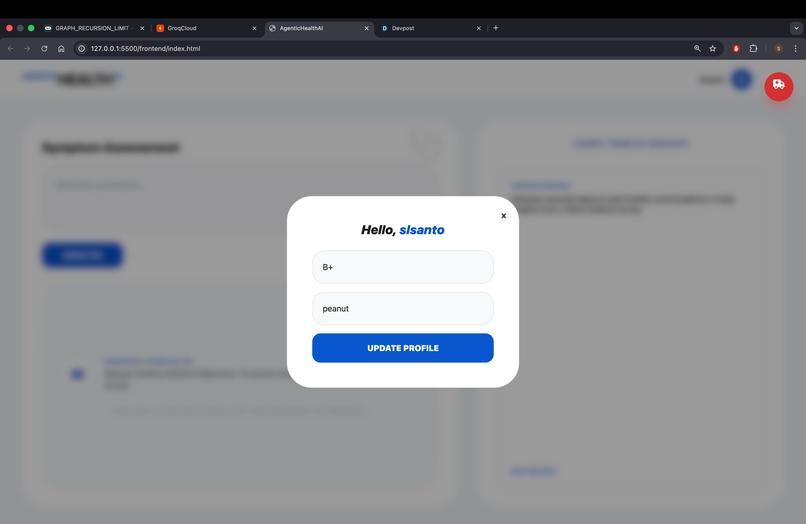
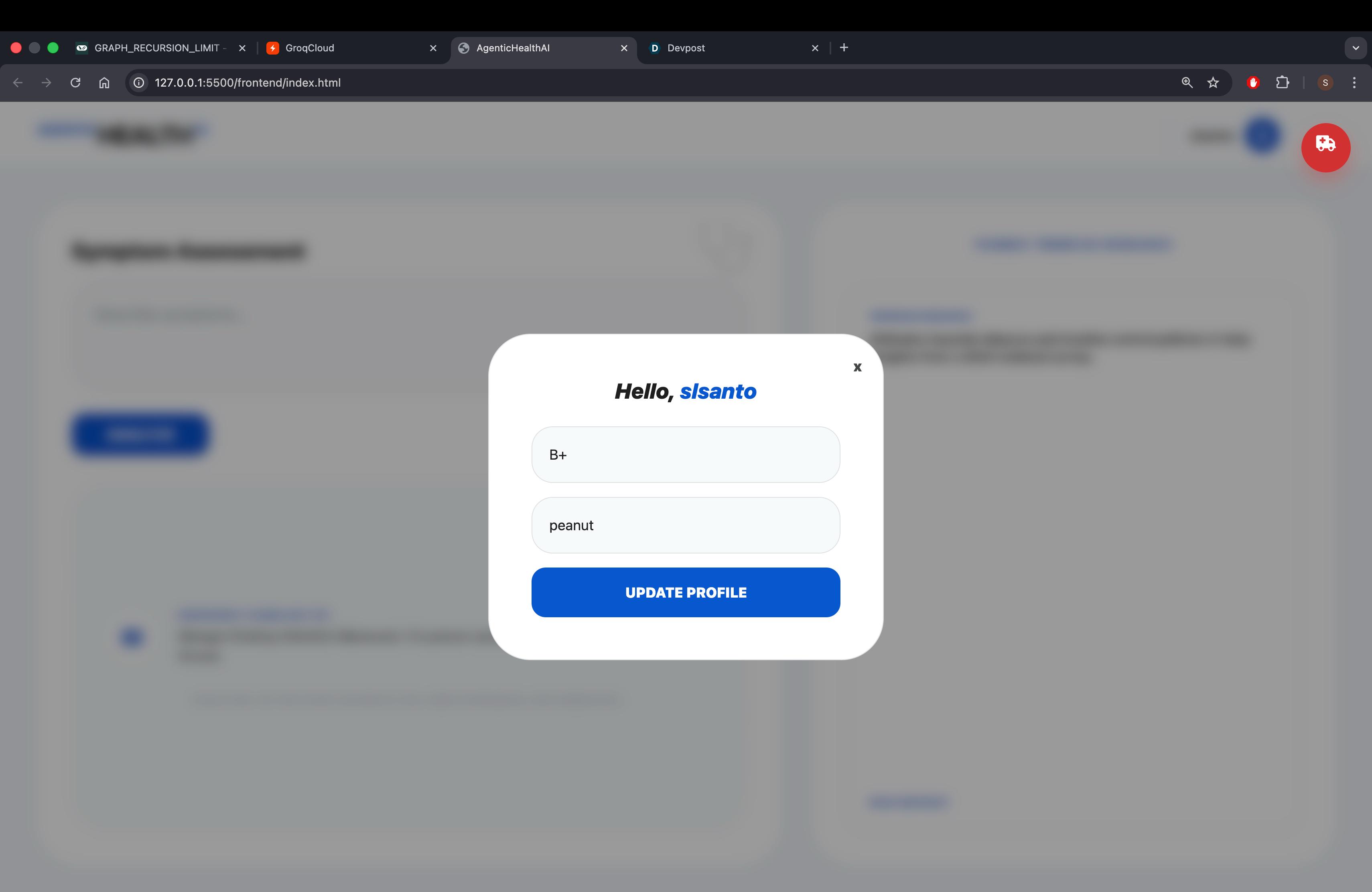
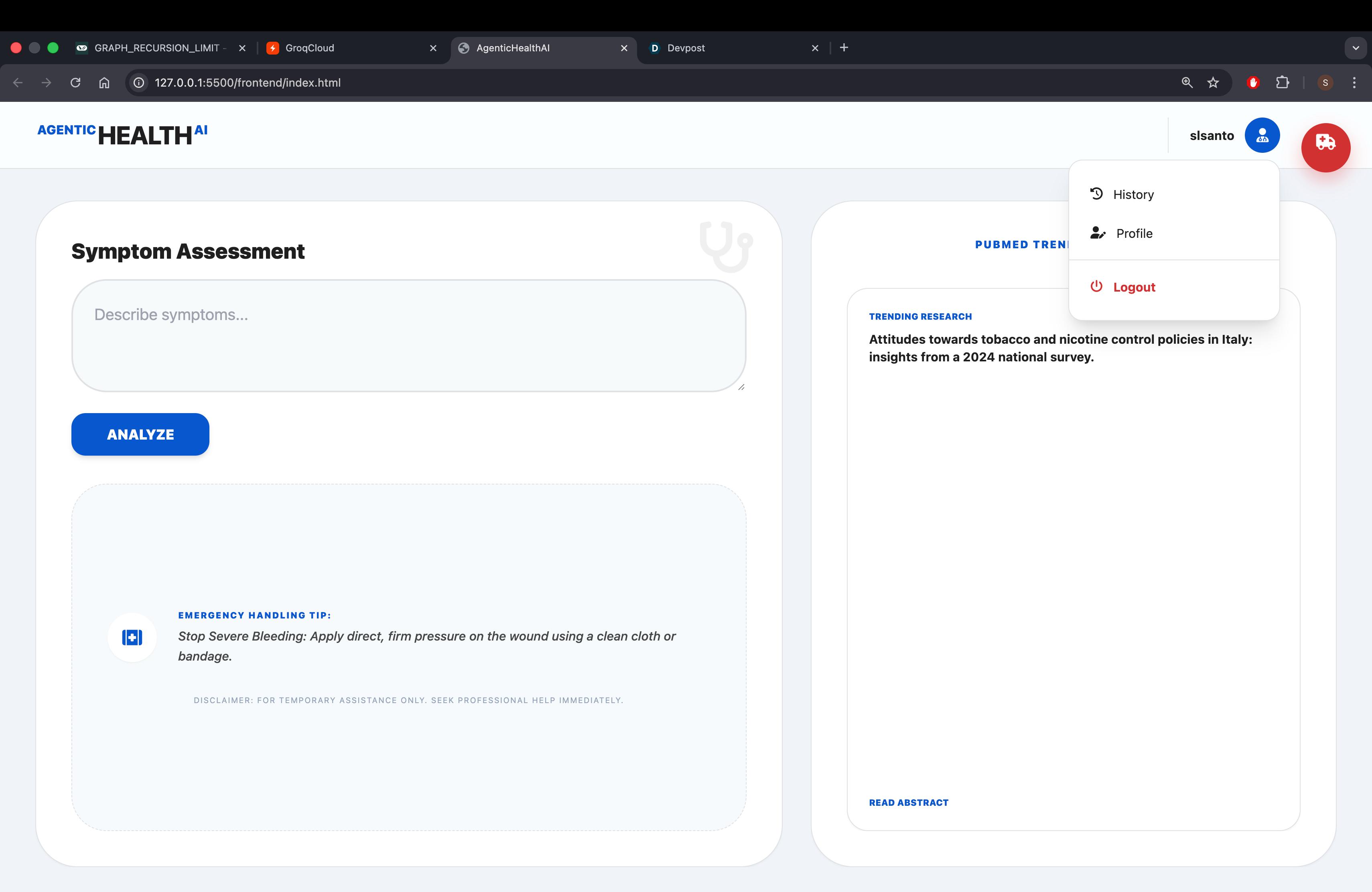
profiletab
-
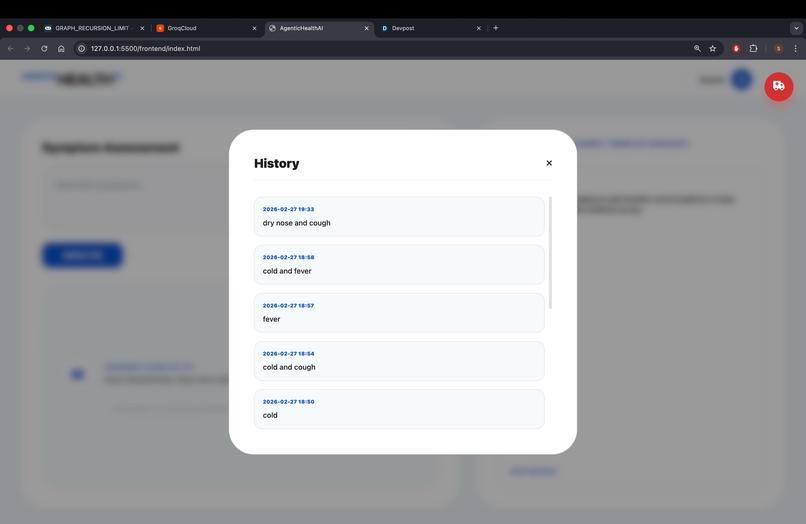
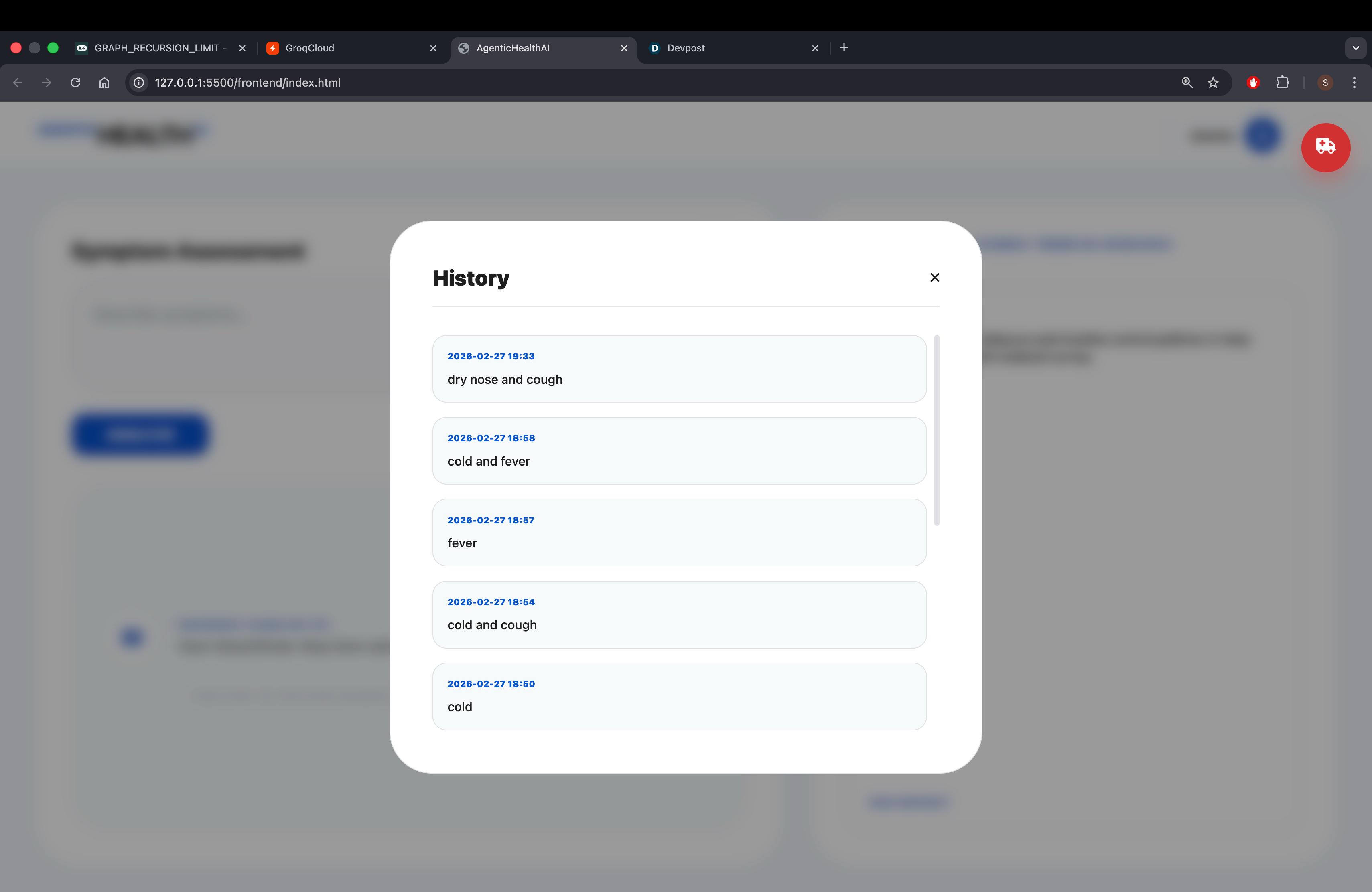
history_tab
-
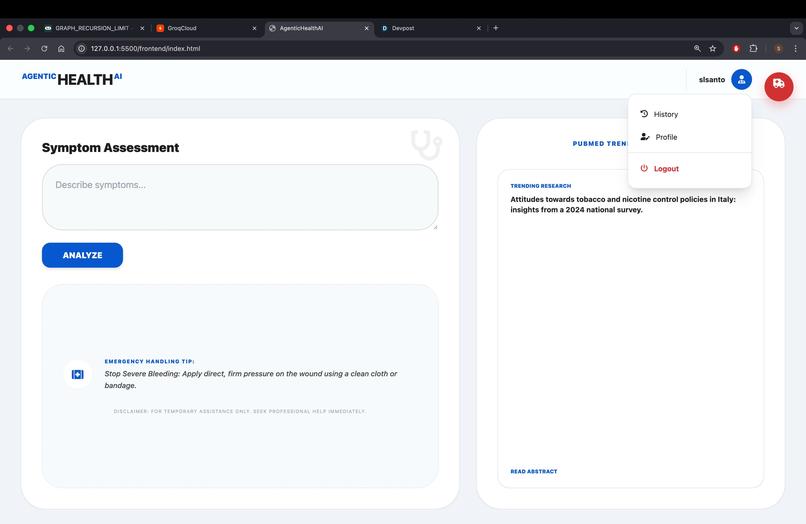
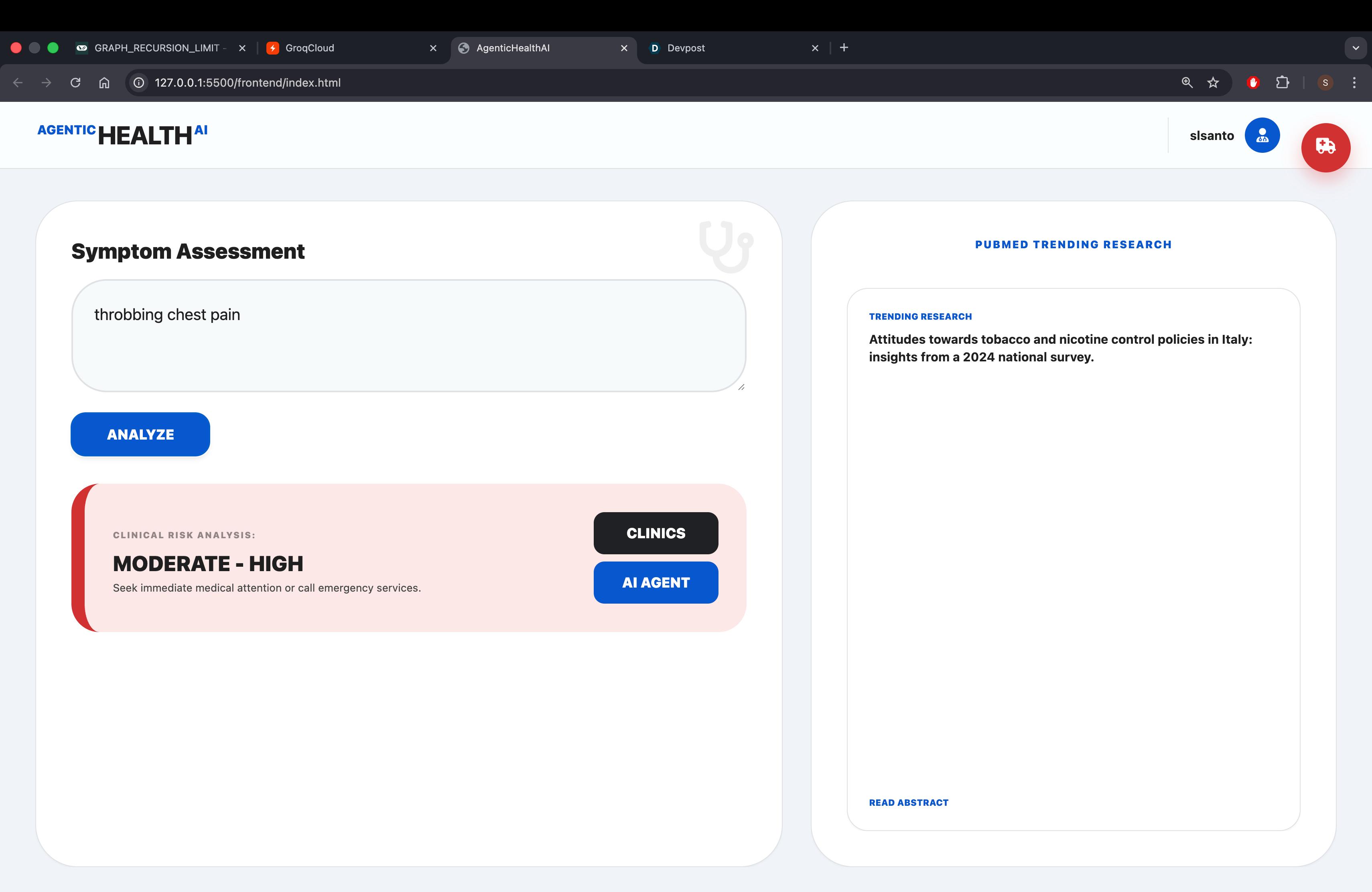
homepage
-
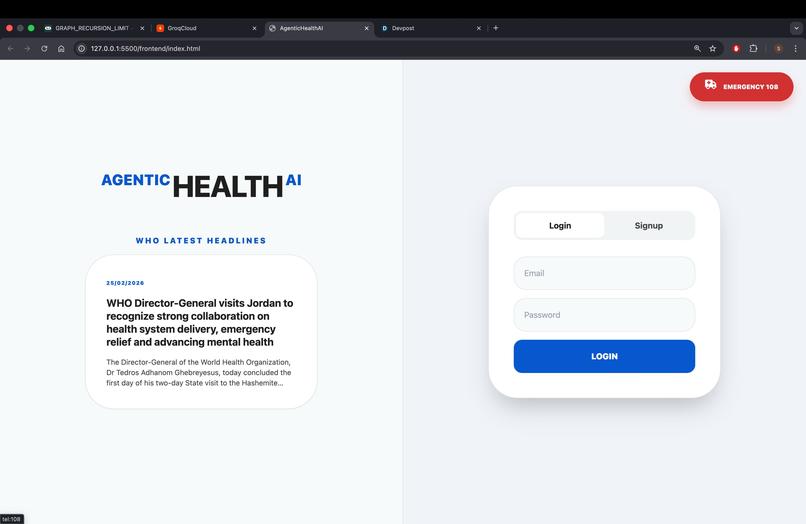
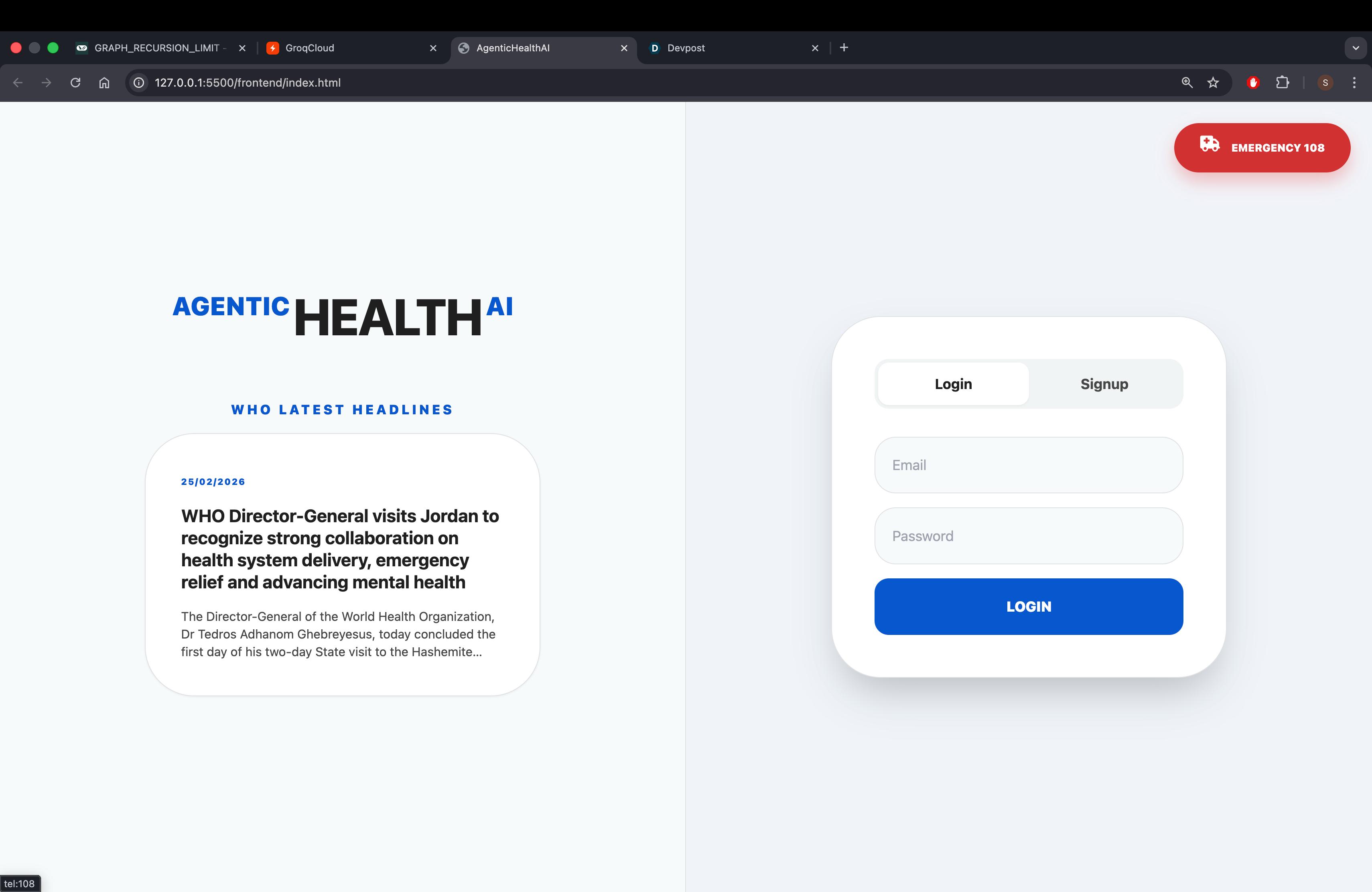
auth_page
-
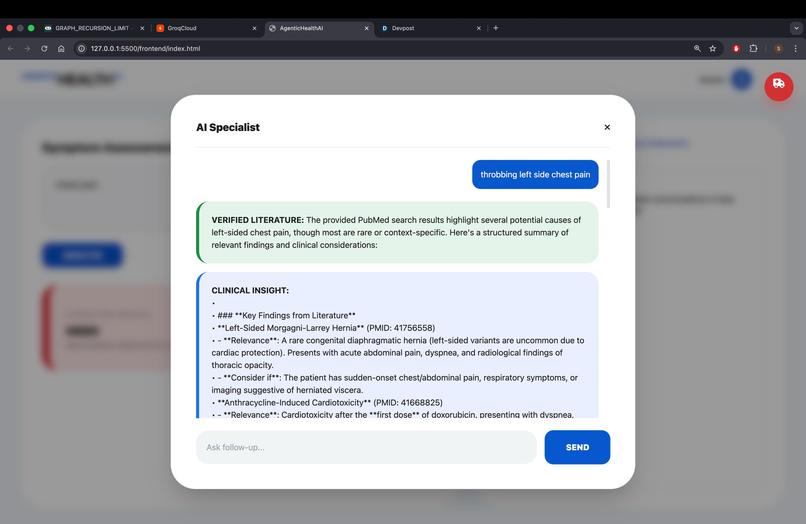
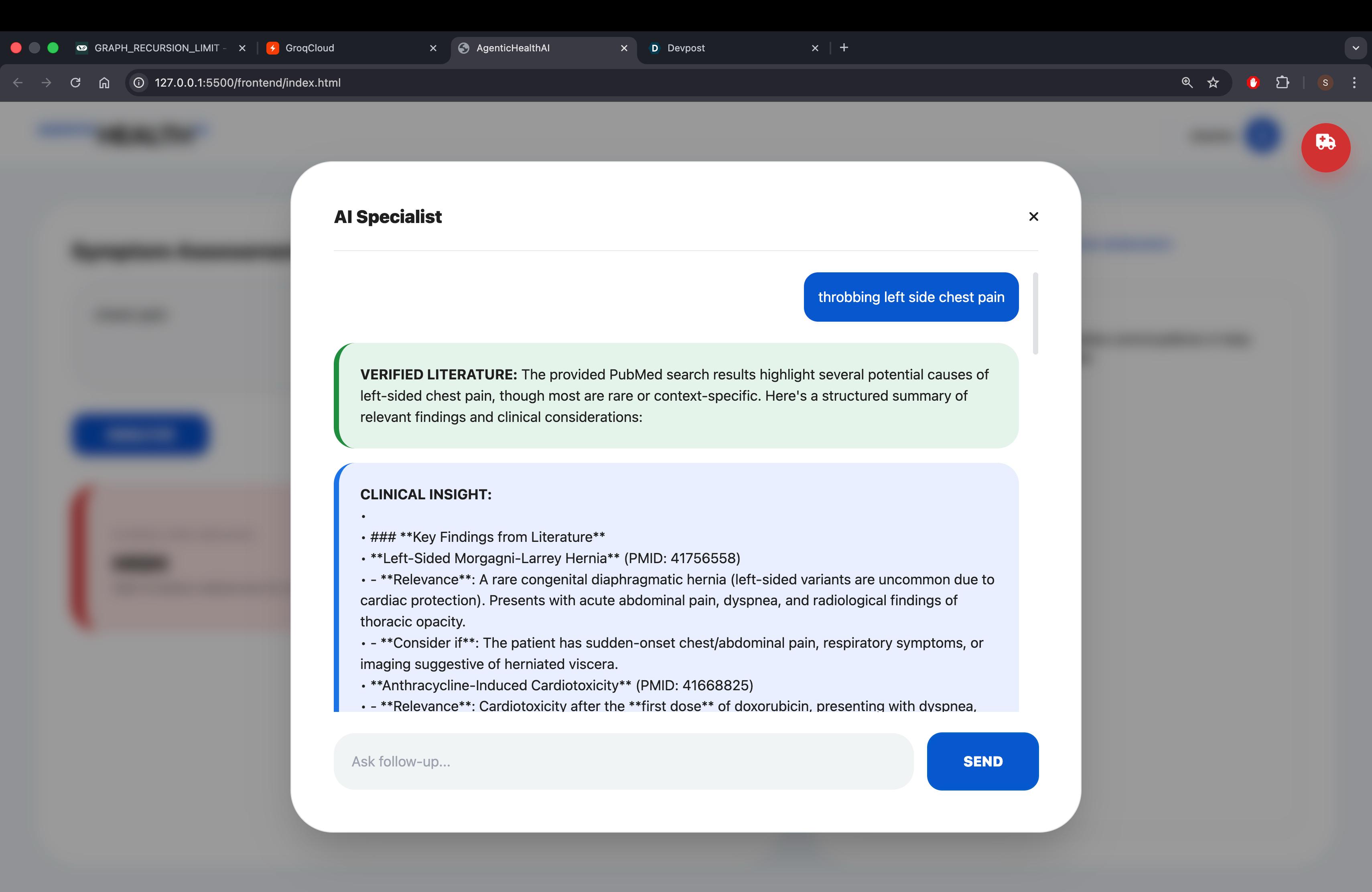
aiagent_chatbox_output
-
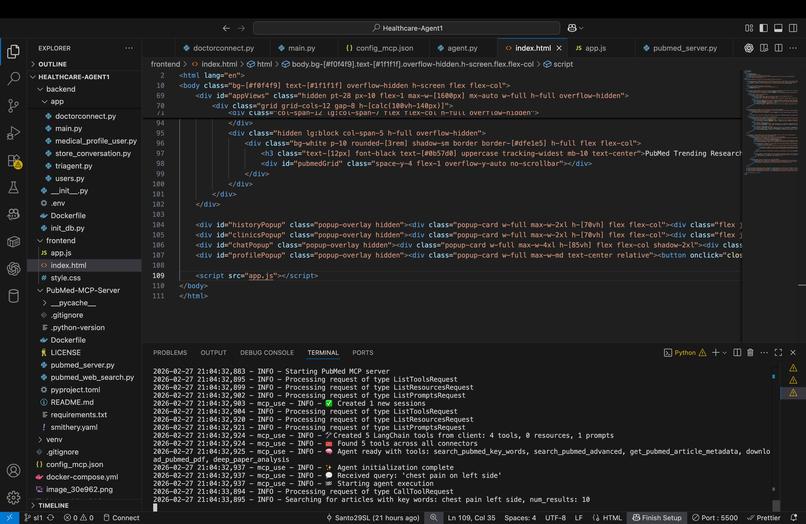
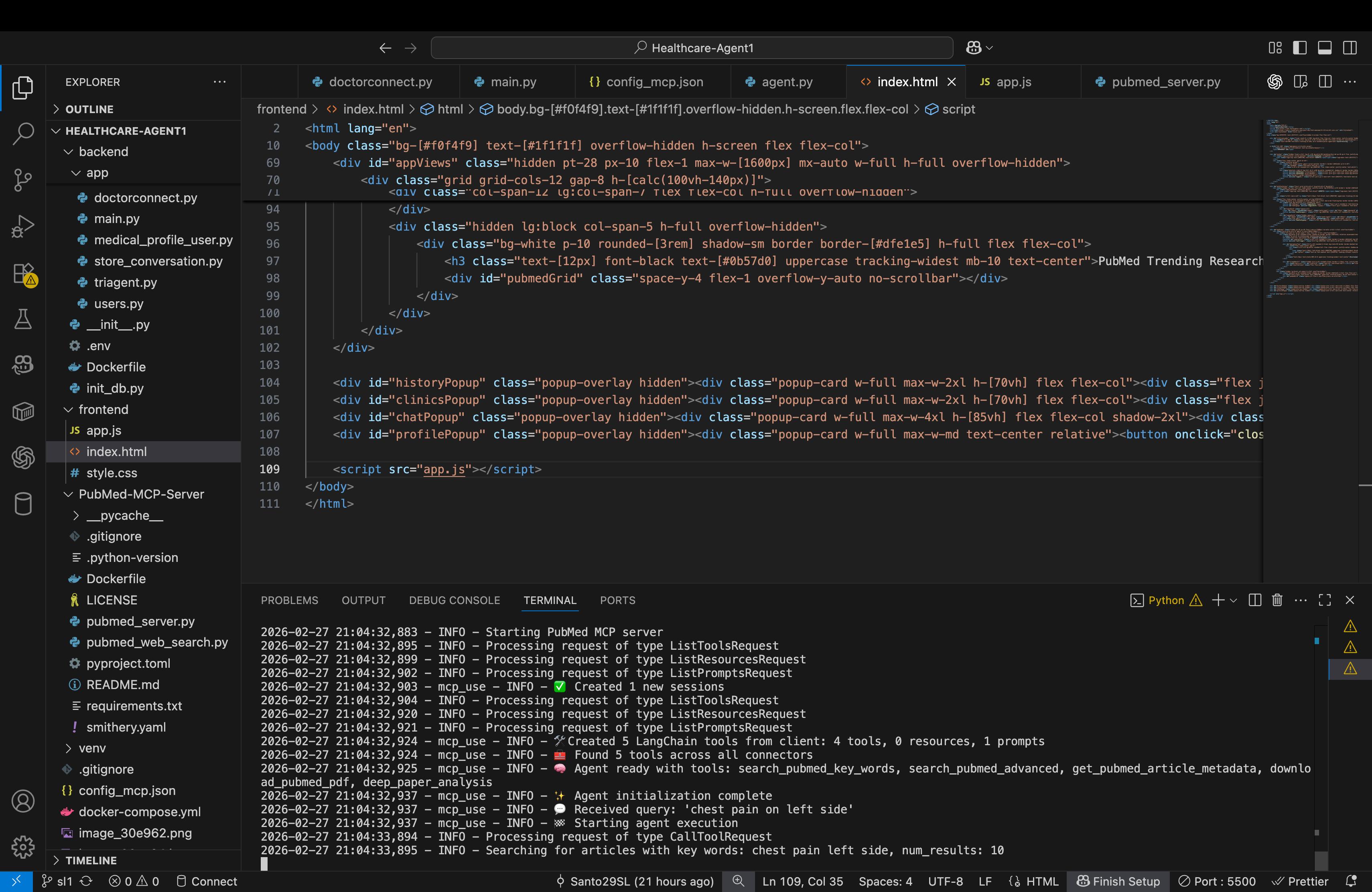
bakcendworkflow_mcprun
-
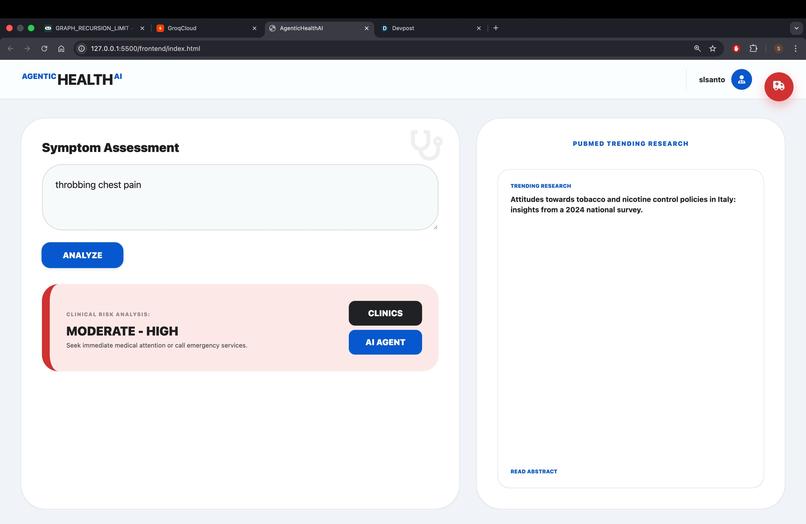
riskanalysis_agent
Inspiration
We often seek medical advice from all across the internet every now and then, but yet almost always end up in a confused, panic-stricken state when it comes to misleading symptoms and diseases, leading us to draw wrong assumptions and develop social anxiety.
To improve upon this, we came up with an idea that can analyse the risk factor for symptoms posed, connect with nearby doctors if needed, and also chat with a medical AI agent simultaneously for assisted guidance.
What it does
The application logs user data (blood group and allergies), retrieves the user prompt symptoms, and follows the workflow below:
- Triagent (Agent One)
- Performs analysis and segregates the risk of the symptom into 3 categories: LOW MODERATE-HIGH HIGH
- Based on a rule-based self-made AI model.
Risk categorization logic (conceptual representation): Risk=f(Symptoms,Severity,Duration,MedicalHistory)
Doctor Connect
Retrieves nearby doctors as per user location from the database using Geocoder (lat, lon) upon clicking the contact clinic option.
There is also an in-call option that redirects directly to the phone number.
AI Agent (MCP + PubMed + LLM formatted)
Retrieves data from PubMed articles and formats them using LLM into a summarized, detailed, step-by-step procedural manner for ease of use for patients. Example backend call: response = mcp_client.fetch_pubmed(query) formatted = llm.format(response)
Profile Tab
User details
Analysis history of previous conversations
Emergency Icon Call
Automatically dials 108 (India-specific ambulance number) upon activation.
Homepage Features
Basic medical emergency handling tips
PubMed trending articles
Symptom assesment tab
generates traigent risk analysis
clinic contact or chatbot option
Login Page
Basic login page with signup feature that also shows WHO latest headlines in RSS format for general information regarding ongoing CDC outbreaks or global medical affairs.
Example RSS integration snippet:
fetch(RSS_URL) .then(res => res.json()) .then(data => displayHeadlines(data));
How we built it
Gathered requirements, planned tools, languages, and workflows.
Backend
- Initialized environment and managed MCP server connection using LangChain, Geocoder, and Pydantic. 2.Set up doctor database (lat, lon, phone, specialty) and integrated with doctorconnect.py. 3.Created agent.py for PubMed retrieval and LLM formatting using MCP calls and Groq API keys. 4.ntegrated memory to store analysis history. 5.Implemented cli.py chatbot runnable via command line.
Middleware Integrated using FastAPI.
Frontend 1.Built full website using HTML, CSS (Tailwind + Framer), JavaScript. 2.Integrated:
- Emergency call option
- Update profile
- WHO & PubMed RSS feeds
- Static 10 emergency medical tips -Sample route call: axios.post("/analyze", userSymptoms)
Challenges we ran into
- Proper MCP calling and setup across AI agents (primary concern) 2.Cross-platform OS requirement mismatches
- Buggy frontend
- LLM token and recursion handling
- PubMed and WHO RSS feed display
Accomplishments that we're proud of:
- Learning the usage of MCP tools, LangChain, API integration, and implementing total frontend + middleware + backend architecture.
- Understanding database workflow — all these learnings are considered heartening to us.
What we learned
We have grasped significant knowledge in:
- MCP tools usage
- API integration
- Multiple-agent serving pipeline With the completion of this prototype, we are fascinated with GenAI, ML, DB, and Web Development technologies and look forward to learning more.
What's next for Agentic_HealthAI
Future plans:
- Use real-life live doctor database
- Improve triagent.py
- Automatically alert nearby hospitals during emergency calls Goal: Fast+Secure+Reliable Medical AI Assistance


Log in or sign up for Devpost to join the conversation.