-
-
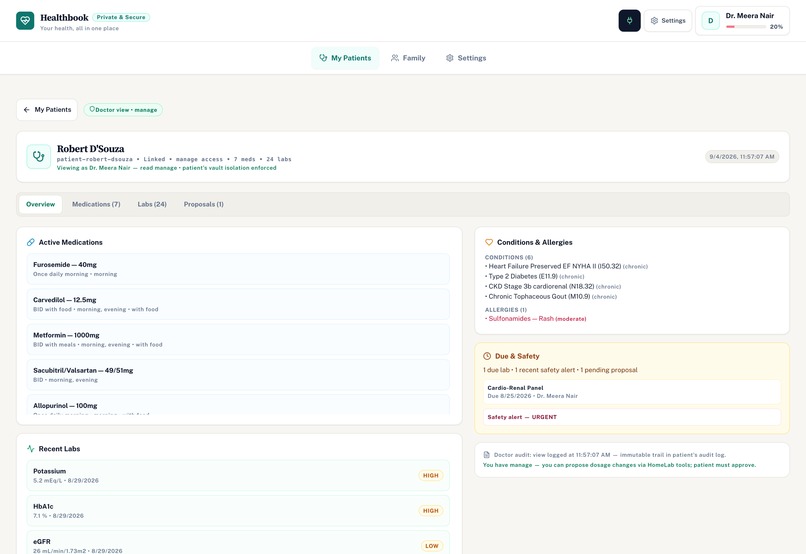
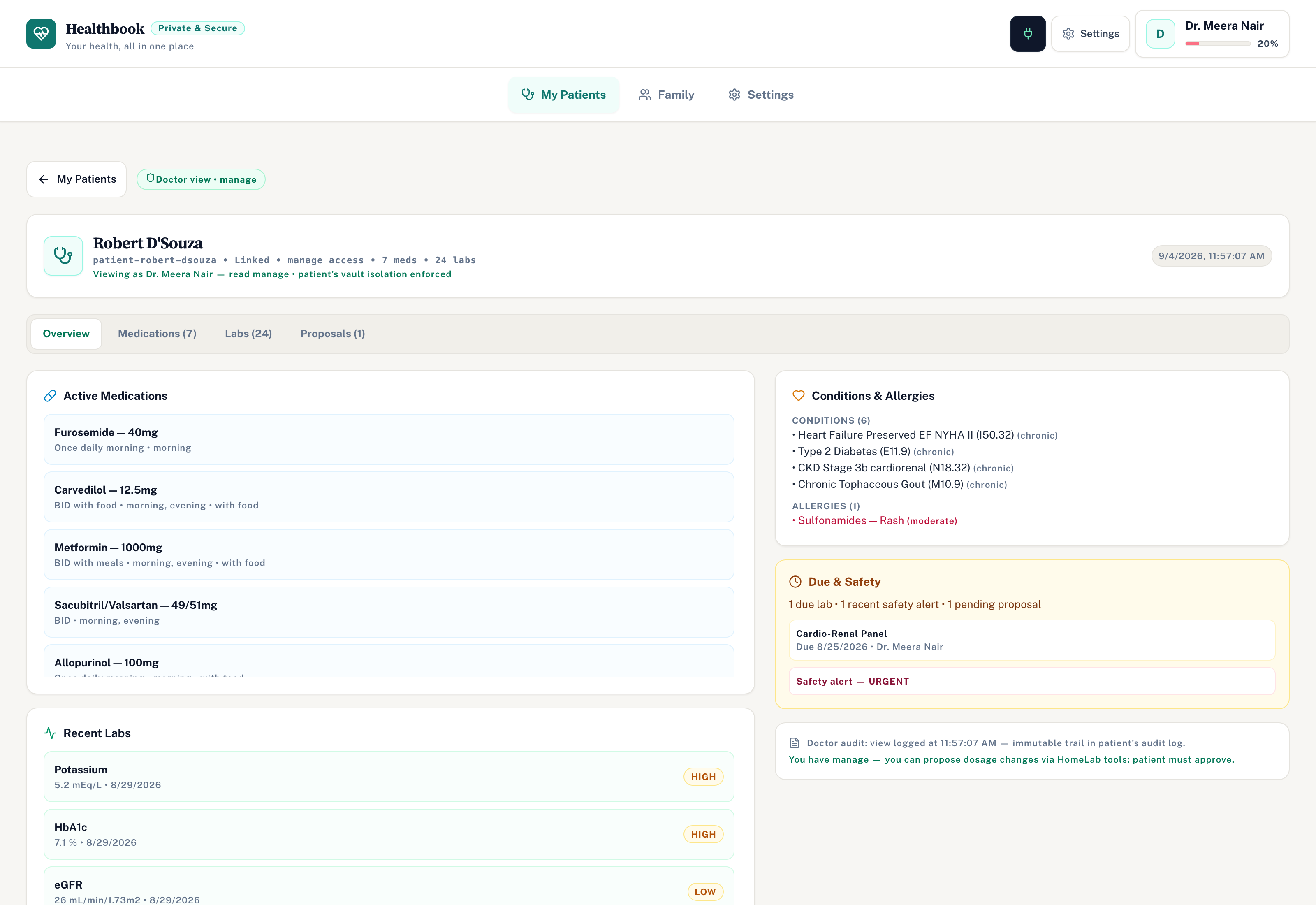
Doctor Patient Chart
-
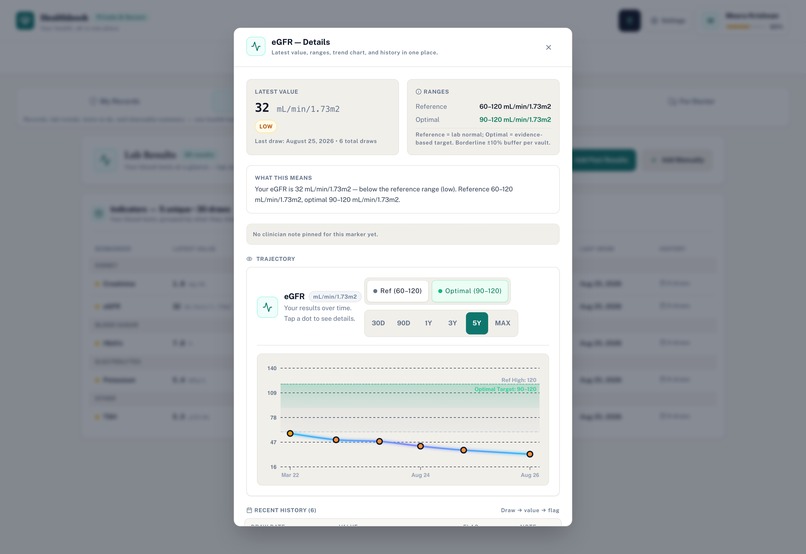
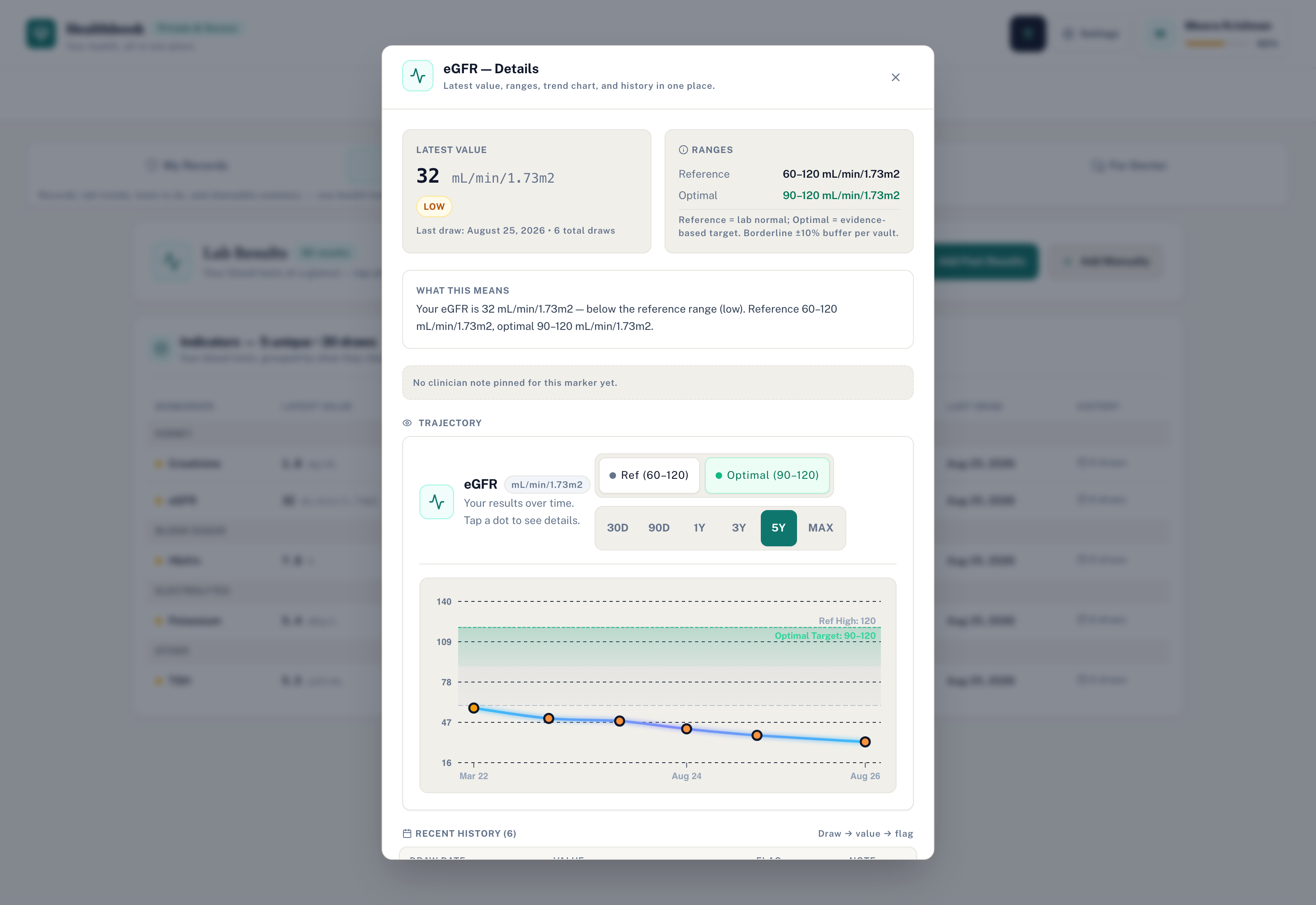
Patient Lab Biomarker Trajectory
-
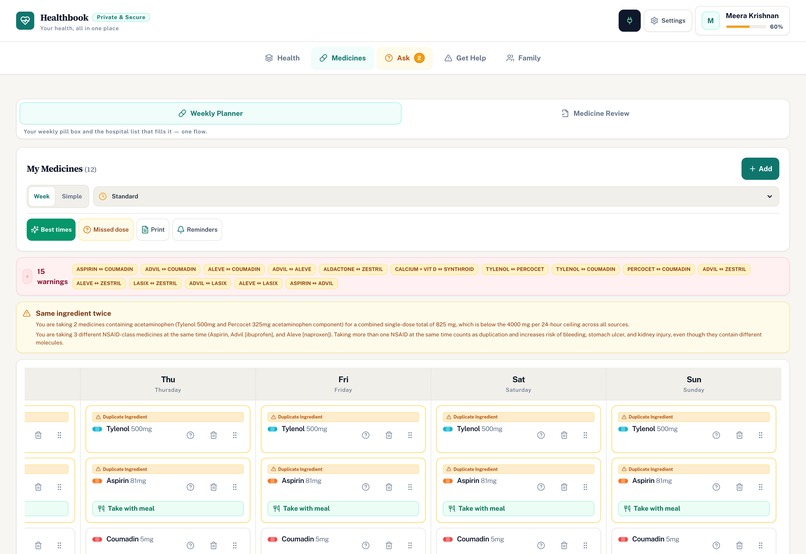
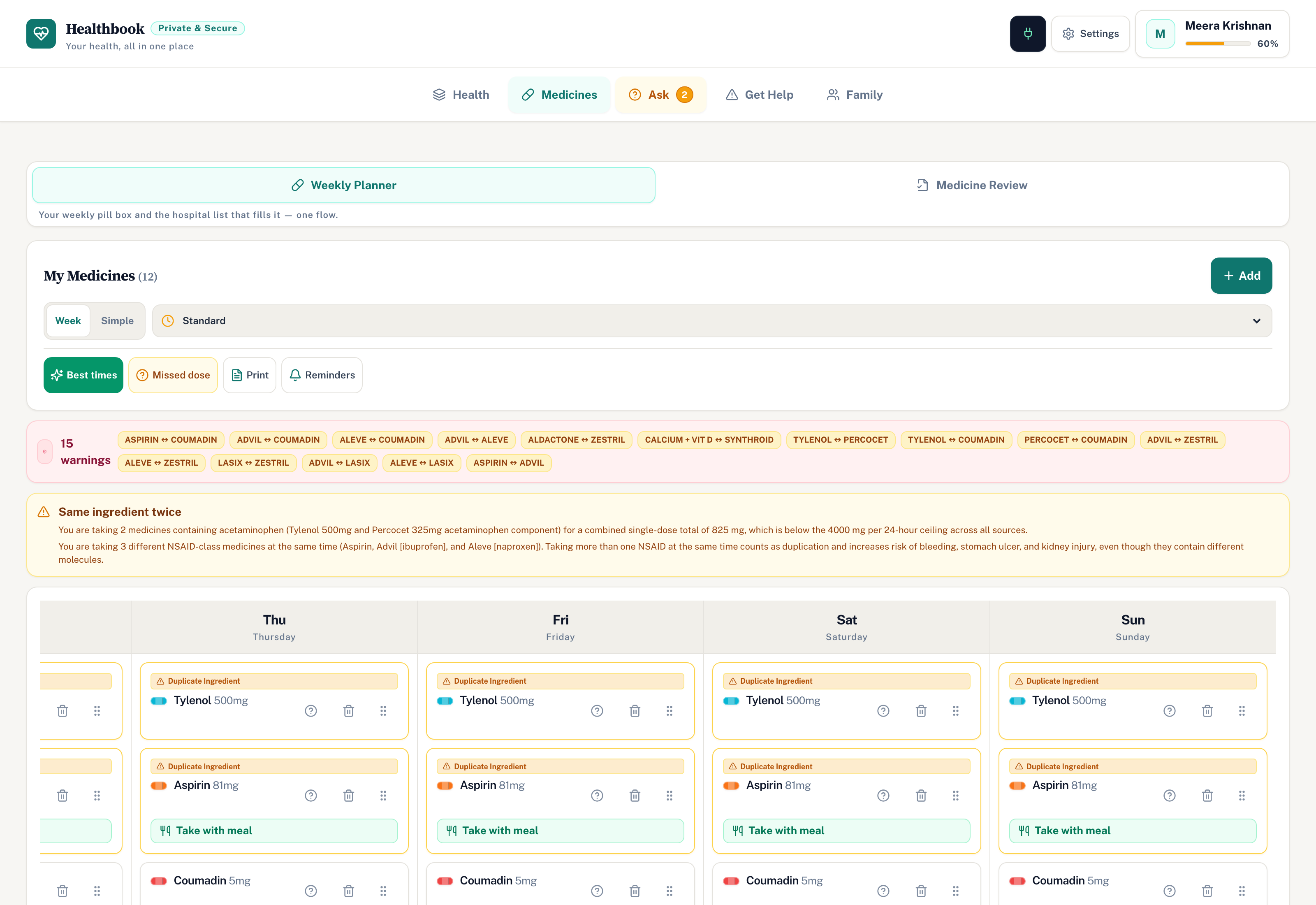
Patient Weekly Medication Planner
-
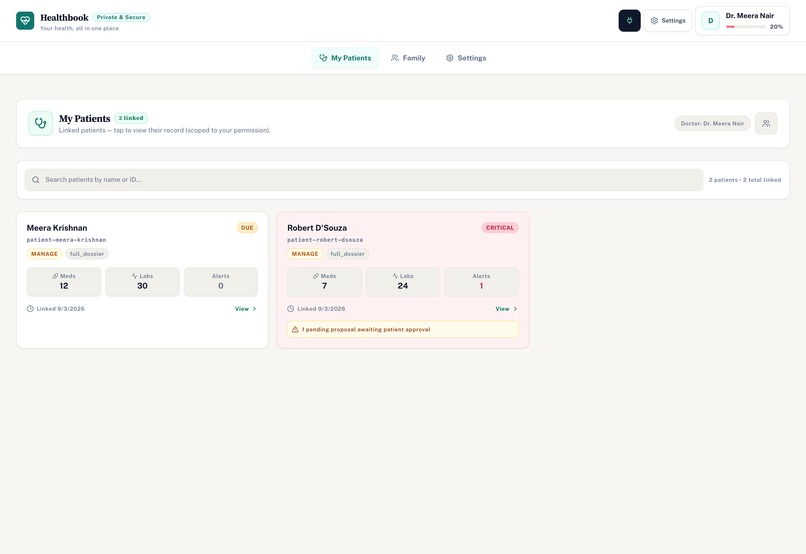
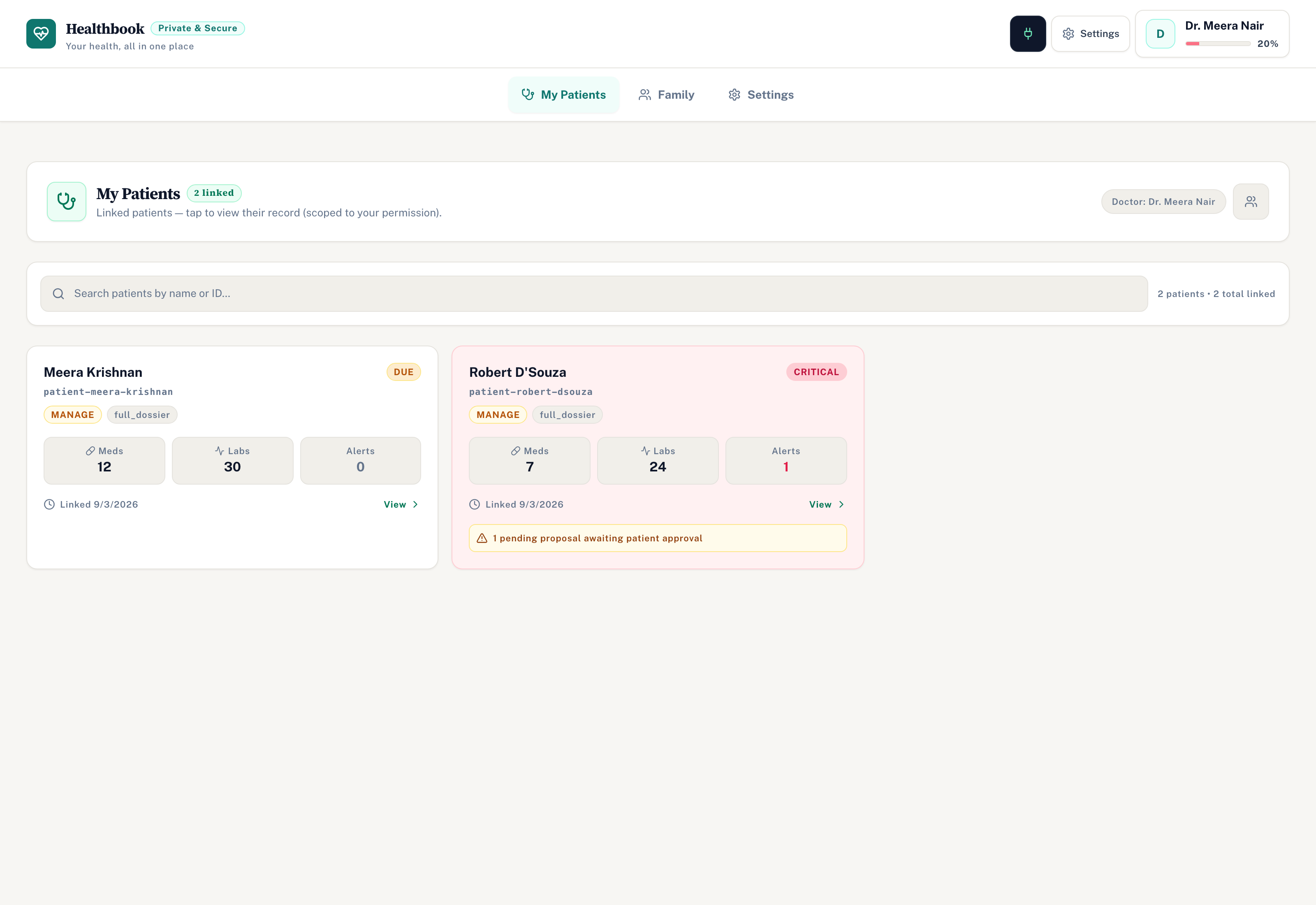
Doctor Triage Dashboard
-
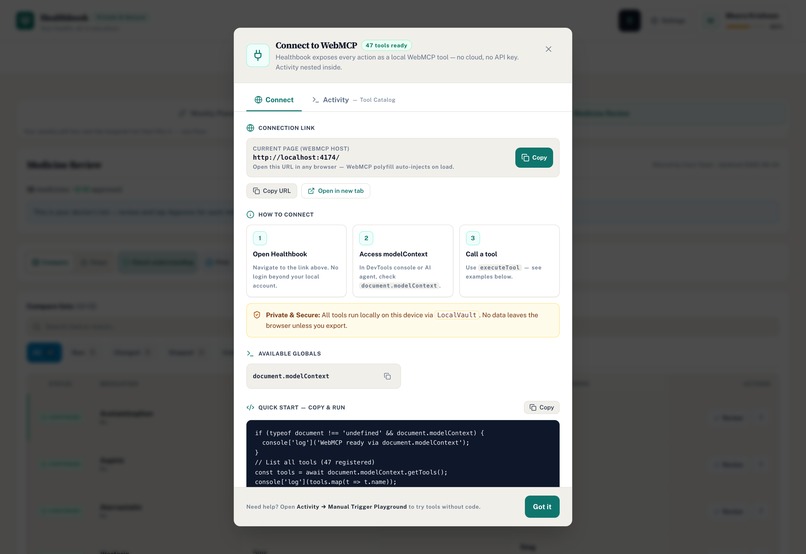
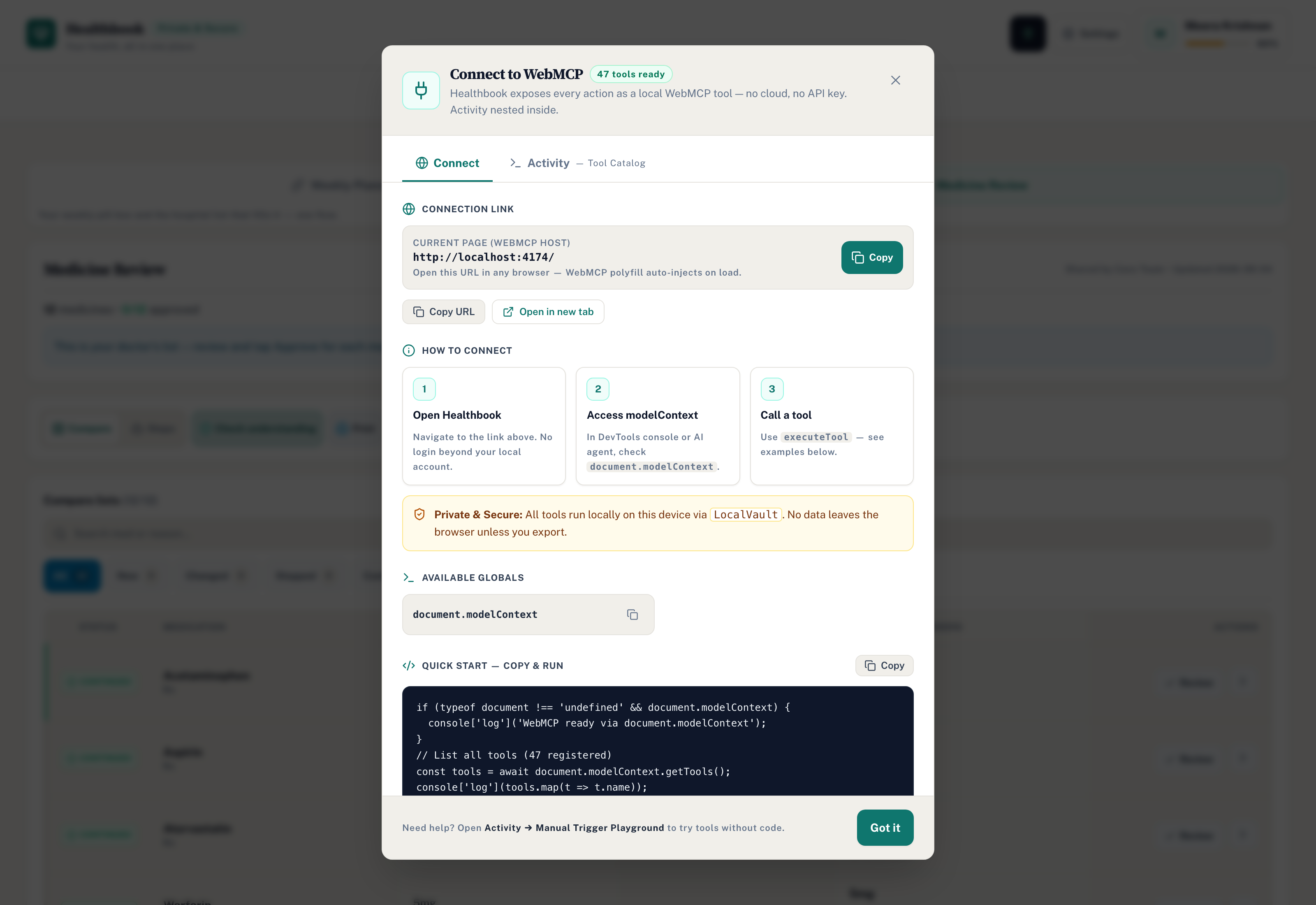
WebMCP Agent Tools
-
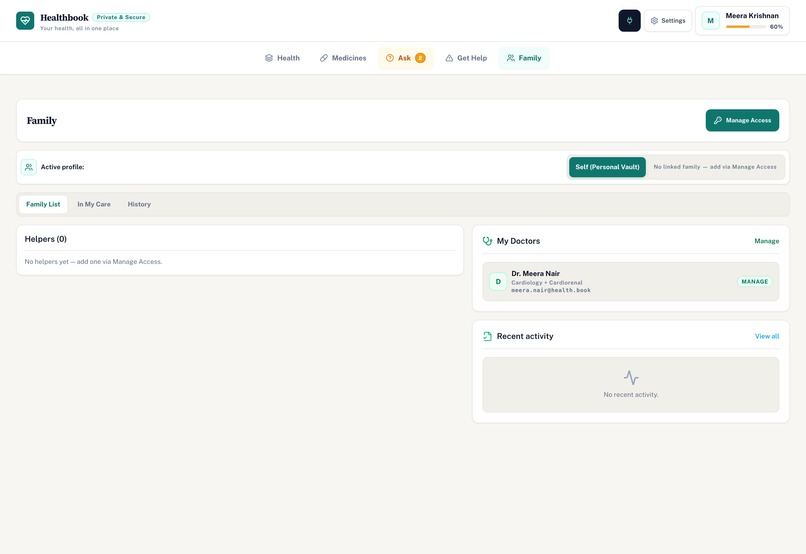
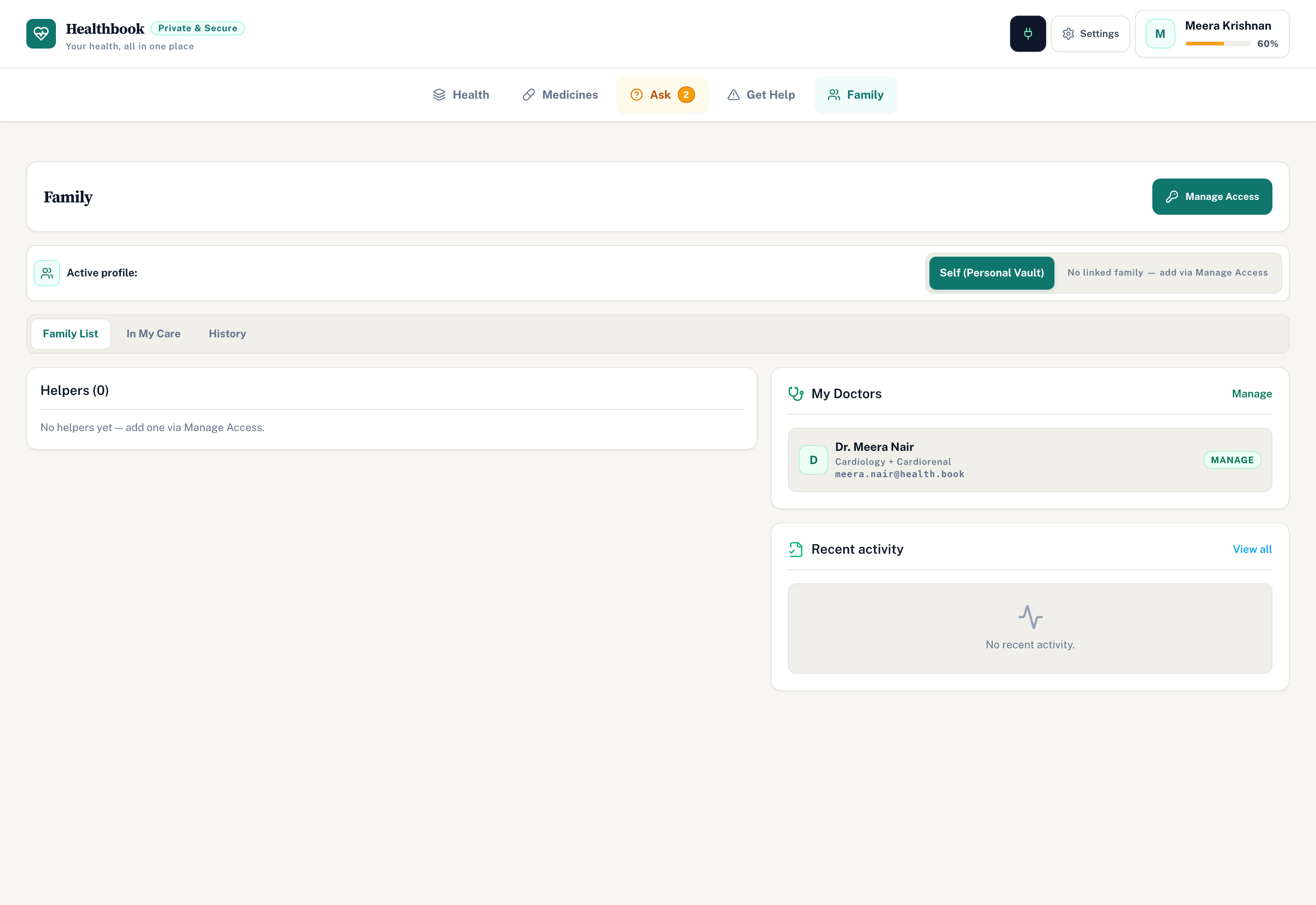
Family Care Circle
-
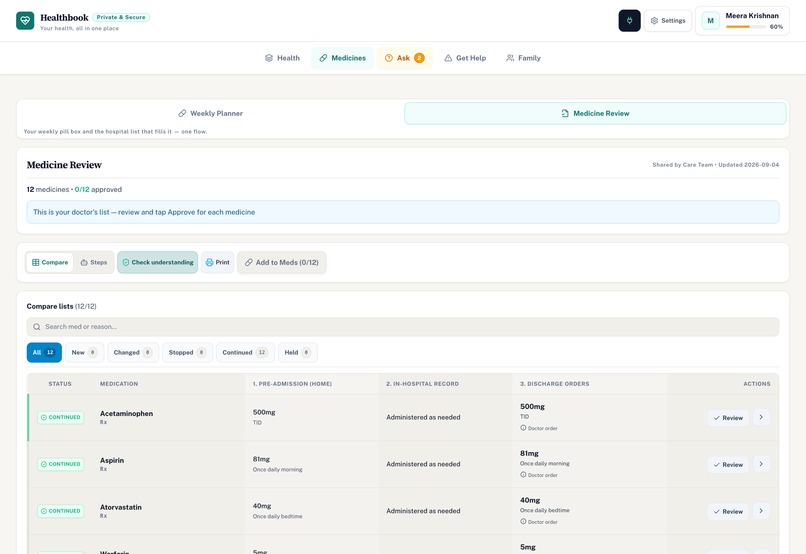
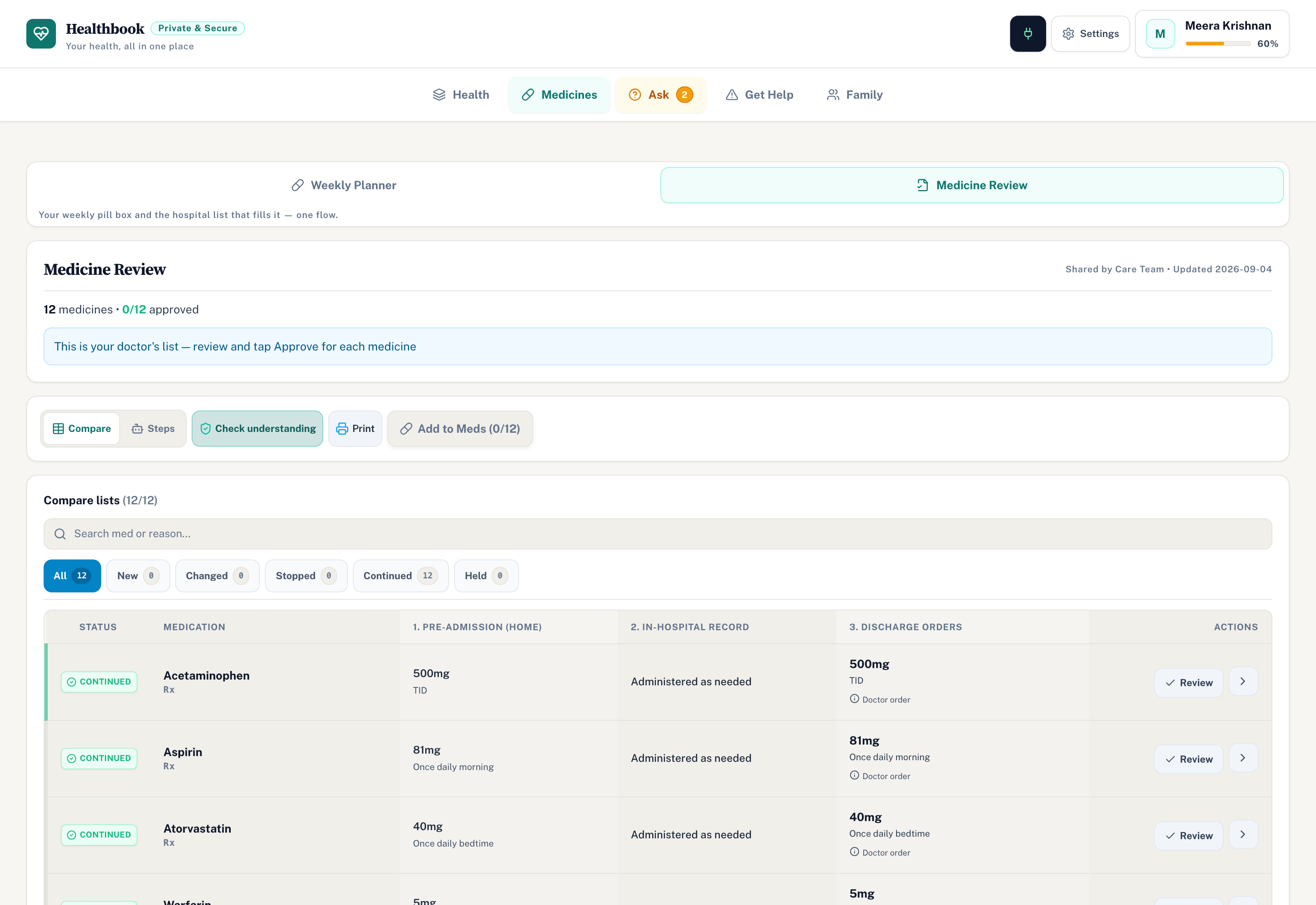
Patient Medication Reconciliation
-
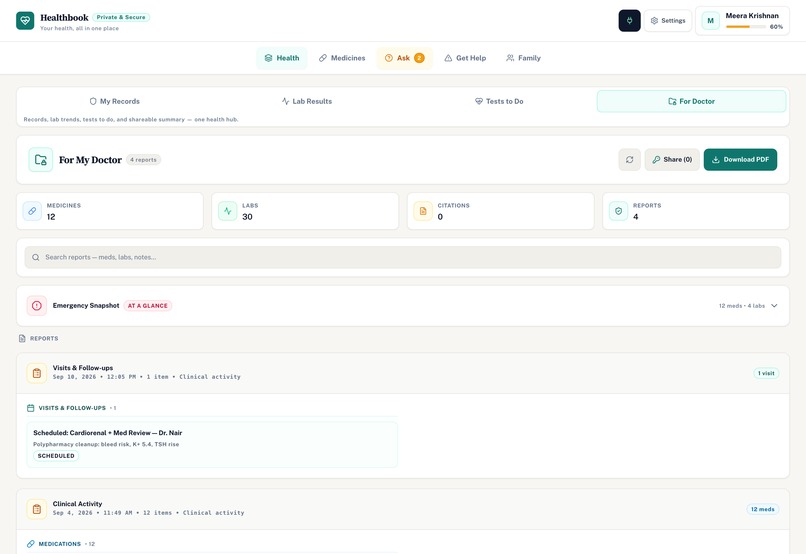
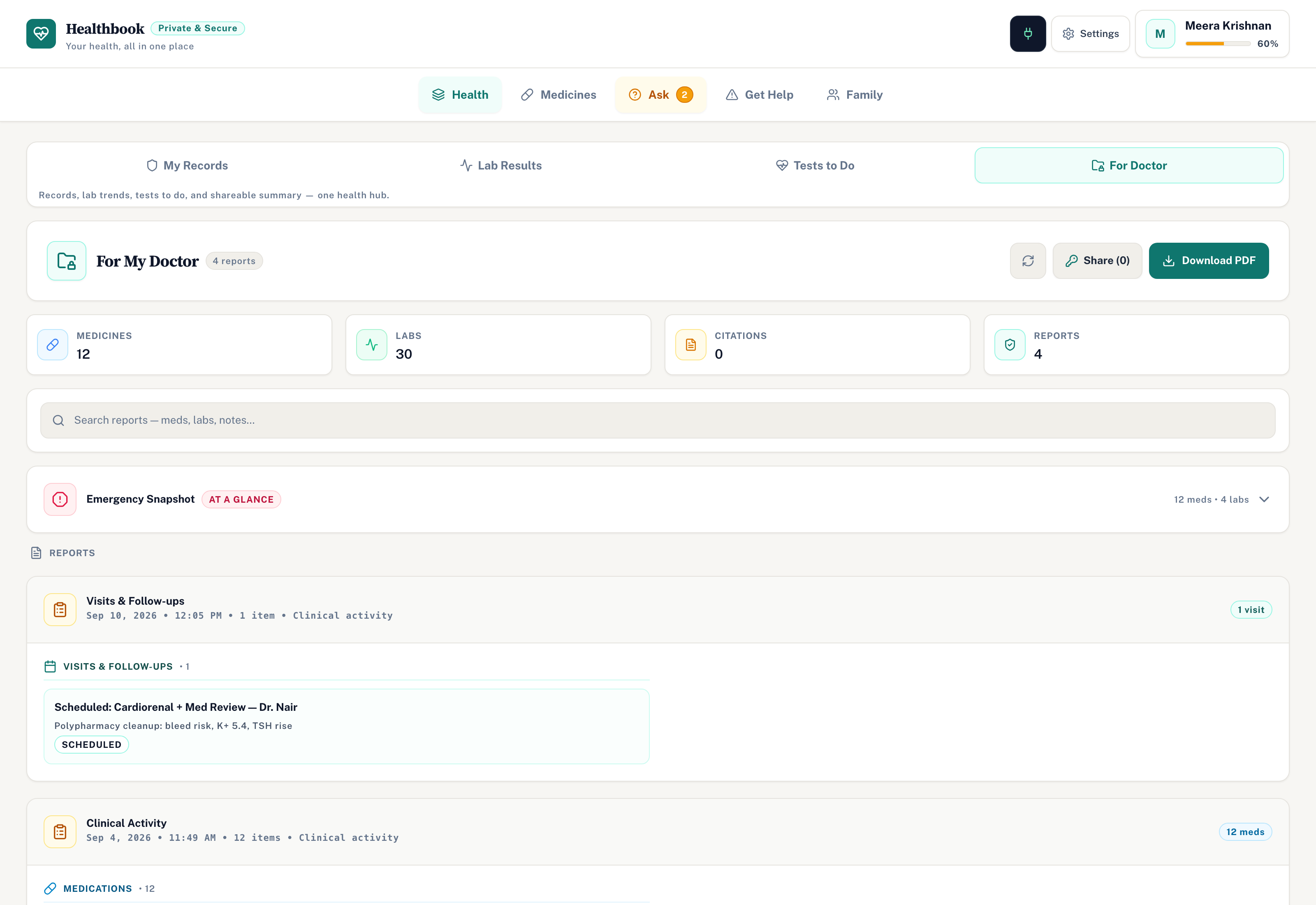
Patient Clinical Dossier
Inspiration
We kept seeing the same gap after discharge. Patients leave the hospital with three different medication lists, follow-ups get lost, and family members end up doing double-entry on scratch paper. An eighty-year-old patient comes home holding a stapled discharge summary, trying to remember if their new blood pressure pill clashes with their morning grapefruit, while their primary doctor has no idea what got stopped during the hospital stay.
Most medical software solves this by throwing more forms at the user. Chatbots go the other direction, spitting out three paragraphs of generic advice that you still have to manually retype into another app. We wanted one place that remembers where each clinical fact came from, tracks biomarkers across visits, and gives doctors and caregivers a shared view of the actual pill routine.
What it does
HealthBook runs in the browser and gives both people and agents tools to work on the exact same records.
- PillMap organizes medications into a seven-day by four-slot grid for morning, noon, evening, and bedtime. You can drag pills around, spot red interaction arcs between conflicting drugs, and check meal timing flags like taking with food or avoiding grapefruit.
- LabStory takes five years of lab PDFs at once, normalizes different units like mg/dL and mmol/L, and plots them on individual biomarker charts. Medication start and stop dates sit directly on the chart, so you can see if a drop in kidney function happened right after starting a new drug.
- RxBridge compares pre-admission, in-hospital, and discharge lists side by side. It marks each pill as Continued, Dose Changed, Stopped, New, or Held, and explains the reason in plain language.
- HomeLab tracks lab rechecks with countdown cards, lets patients photograph outpatient slips, and gives doctors a way to propose dose changes directly into the patient's queue.
- Safety and calendar lets patients report acute symptoms with photos, runs a basic triage check, and exports lab due dates and follow-ups to standard calendar files.
- Care Circle allows family members to act on behalf of a patient with view, manage, or full permissions, keeping an audit log of every change.
- Dossier pulls meds, labs, and danger reports into an emergency snapshot where each line links back to the original PDF highlight.
How we built it
We built the interface with React 18, TypeScript, Vite, and Tailwind CSS. State lives first in the browser vault, with optional background sync to Supabase Postgres for multi-profile access and doctor-patient links.
Instead of writing a chatbot that talks about medical records, we wired forty-seven WebMCP tools directly into document.modelContext. When an agent connects, it does not just suggest advice in a chat window. It inspects the actual client state, runs interaction algorithms, and calls functions like suggest_schedule, propose_dosage_change, or correlate_meds.
Any action that changes a schedule or modifies a dose routes through an approval gate in the UI. The agent stages the change, the user sees the preview on the canvas, and nothing updates in the vault until the user clicks approve.
For clinical verification, we use deterministic local checks for drug-drug and food-drug rules, combined with Exa search proxies for medical fact verification and optical character recognition for lab slips.
Challenges we ran into
The hardest part was making tool execution safe when dealing with real medications. An agent suggesting a schedule tweak might look reasonable on paper, but moving a pill from morning to bedtime can trigger an interaction with an evening drug. We had to build strict dependency checks so the agent cannot silently move pills without the client validating contraindications first.
Normalizing lab data was also surprisingly difficult. Different labs report the exact same test under slightly different names, and reference ranges fluctuate between hospitals. We had to map disparate units into consistent internal standards so five years of historical draws would render on a single chart without breaking the scale.
Getting WebMCP tools to behave cleanly across both native model contexts and polyfilled browser environments took several iterations. We had to make sure tool schemas remained strict, arguments validated cleanly, and tool cancellation signals properly cleaned up background operations.
Accomplishments that we're proud of
We are proud that the agent actually works on the page instead of living in a side box. Watching an agent take a prompt, inspect a messy medication list, shift a morning pill load, and paint a red interaction arc across the weekly grid feels like how software should work.
What we learned
We learned that agent tools are only as good as the approval interfaces around them. If an agent changes state in the background without clear visual feedback, users immediately lose trust. Giving the user a clear before-and-after ghost preview on the pillbox turned out to be far more important than making the agent faster.
We also learned that clinical workflows have very little tolerance for vague summaries. Doctors and patients do not want a model to tell them that kidney markers improved; they want to click a point on a chart and verify the exact draw date and reference range from the original slip.
What's next for HealthBook
We want to expand the optical character recognition pipeline to handle poorly lit, handwritten clinic notes and multi-page discharge packets more reliably.
We also plan to add direct FHIR export so patients can download their compiled records and hand them directly to hospital electronic health record systems without manual transcription. Finally, we want to refine the doctor review queue so specialists can handle batch approvals across multiple linked patients even faster.
Built With
- ai
- postgresql
- react
- vercel

Log in or sign up for Devpost to join the conversation.