-
-
Health Score
-
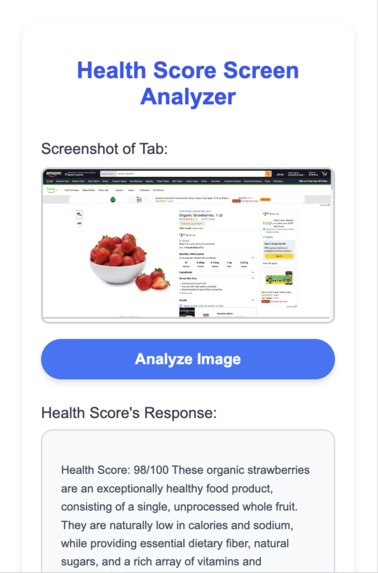
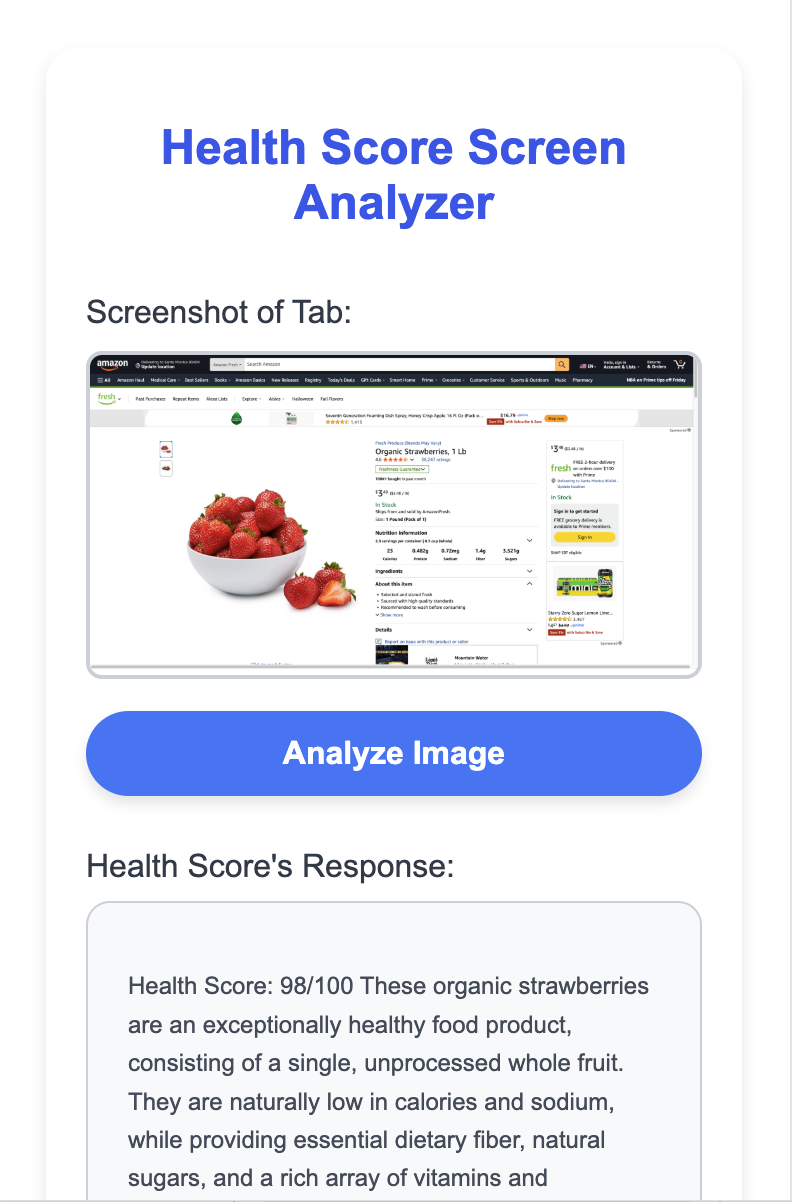
Health Score light mode
-
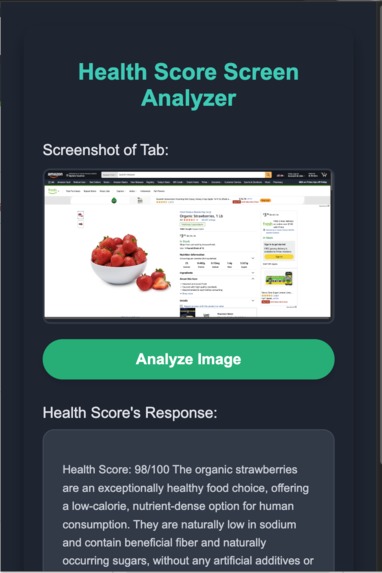
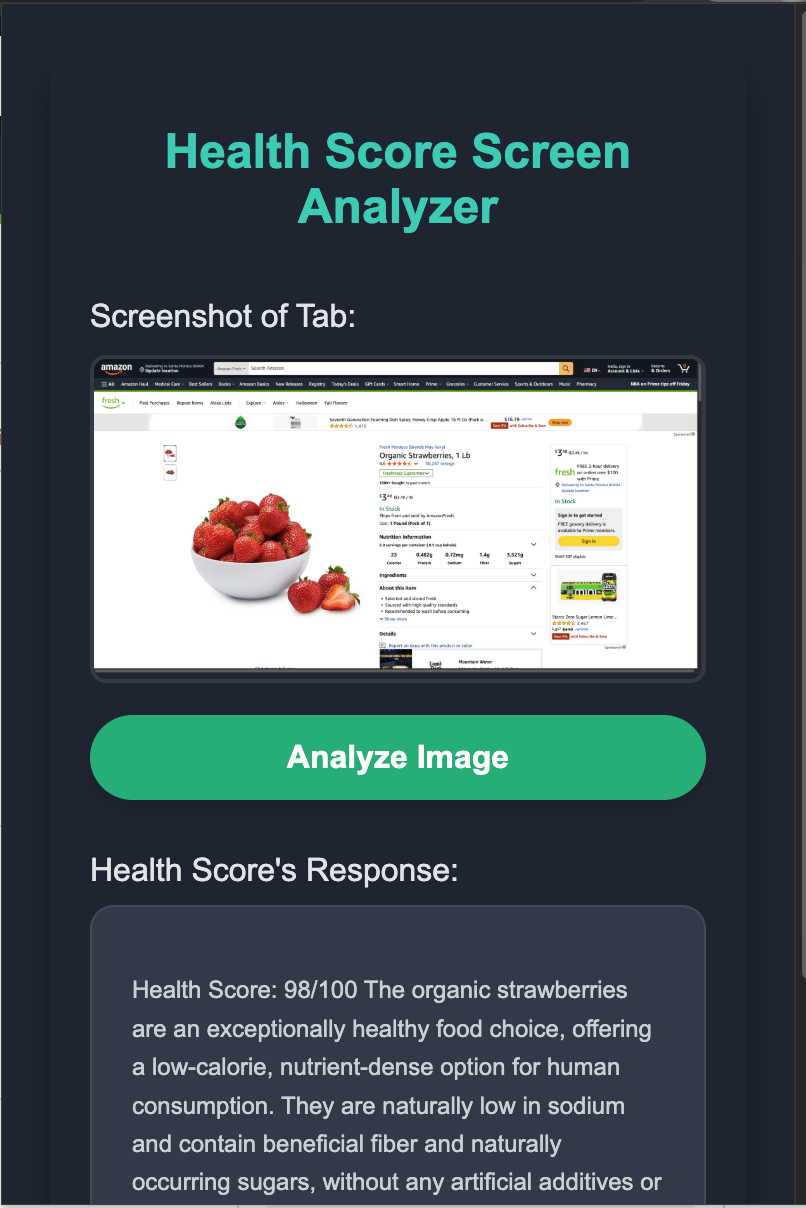
Health Score dark mode
-
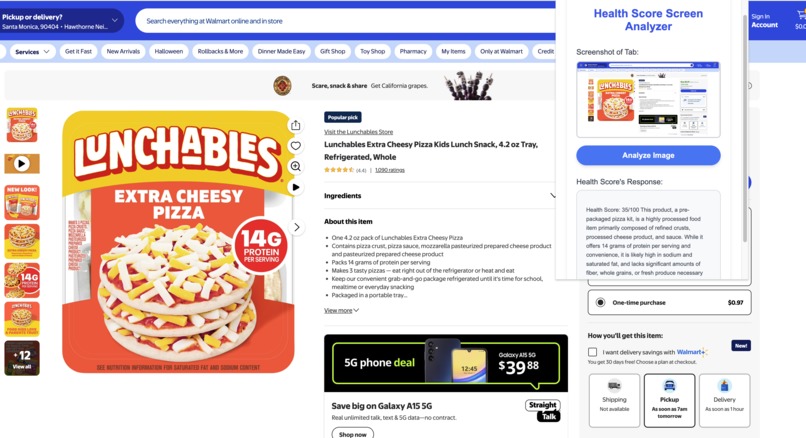
Rating a food product
-
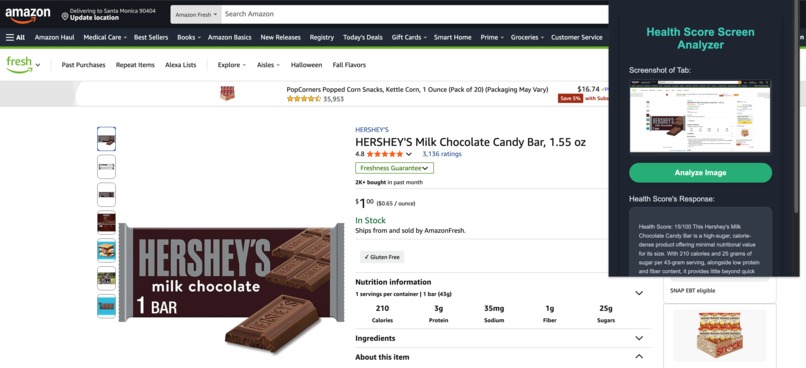
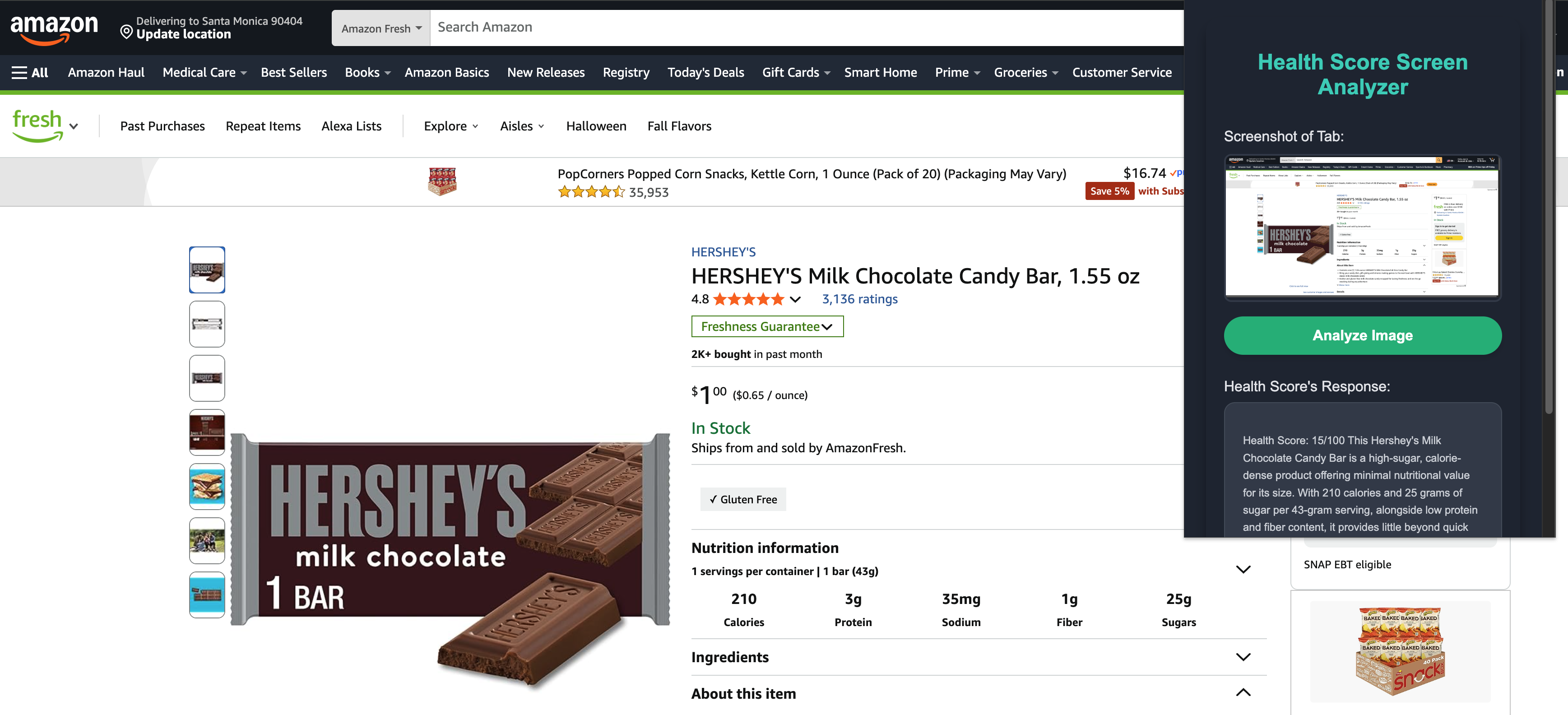
Rating a food product
-
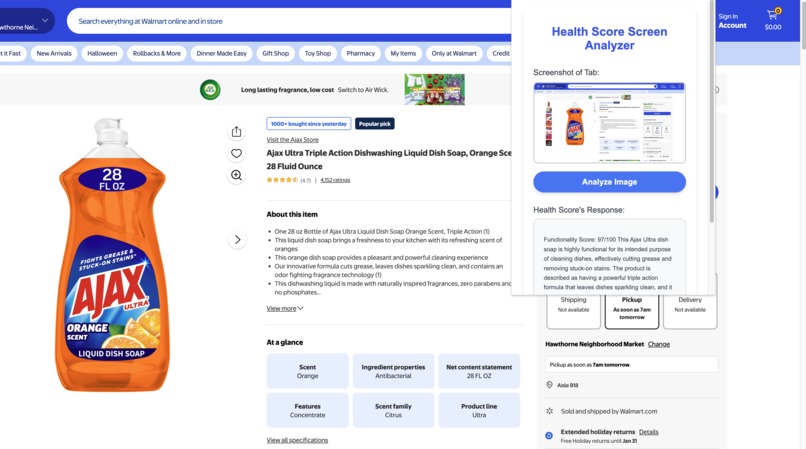
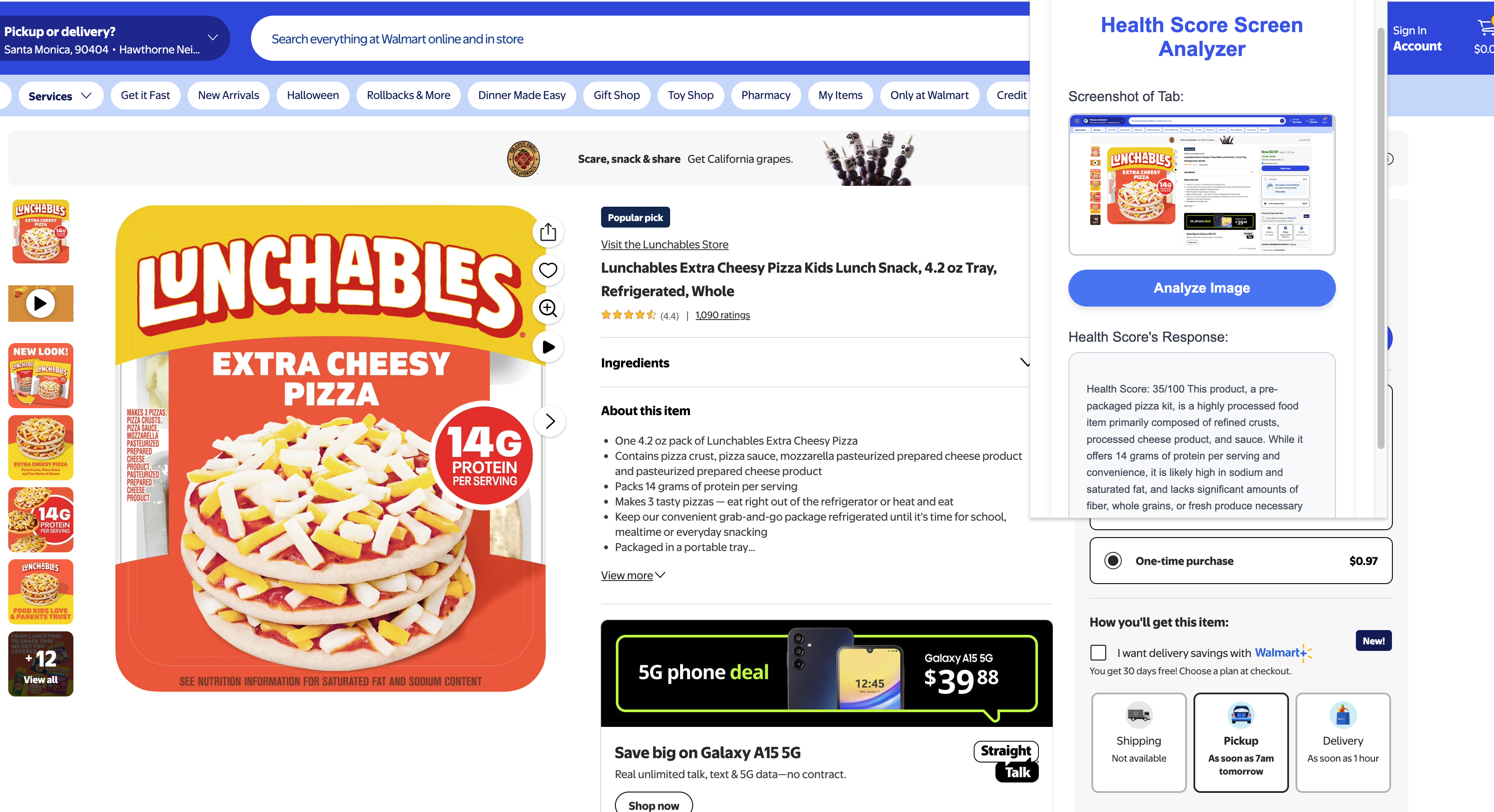
Rating a non food product
-
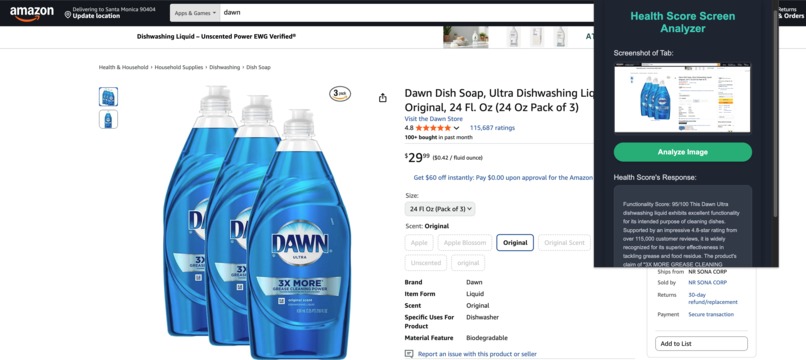
Rating a non food product
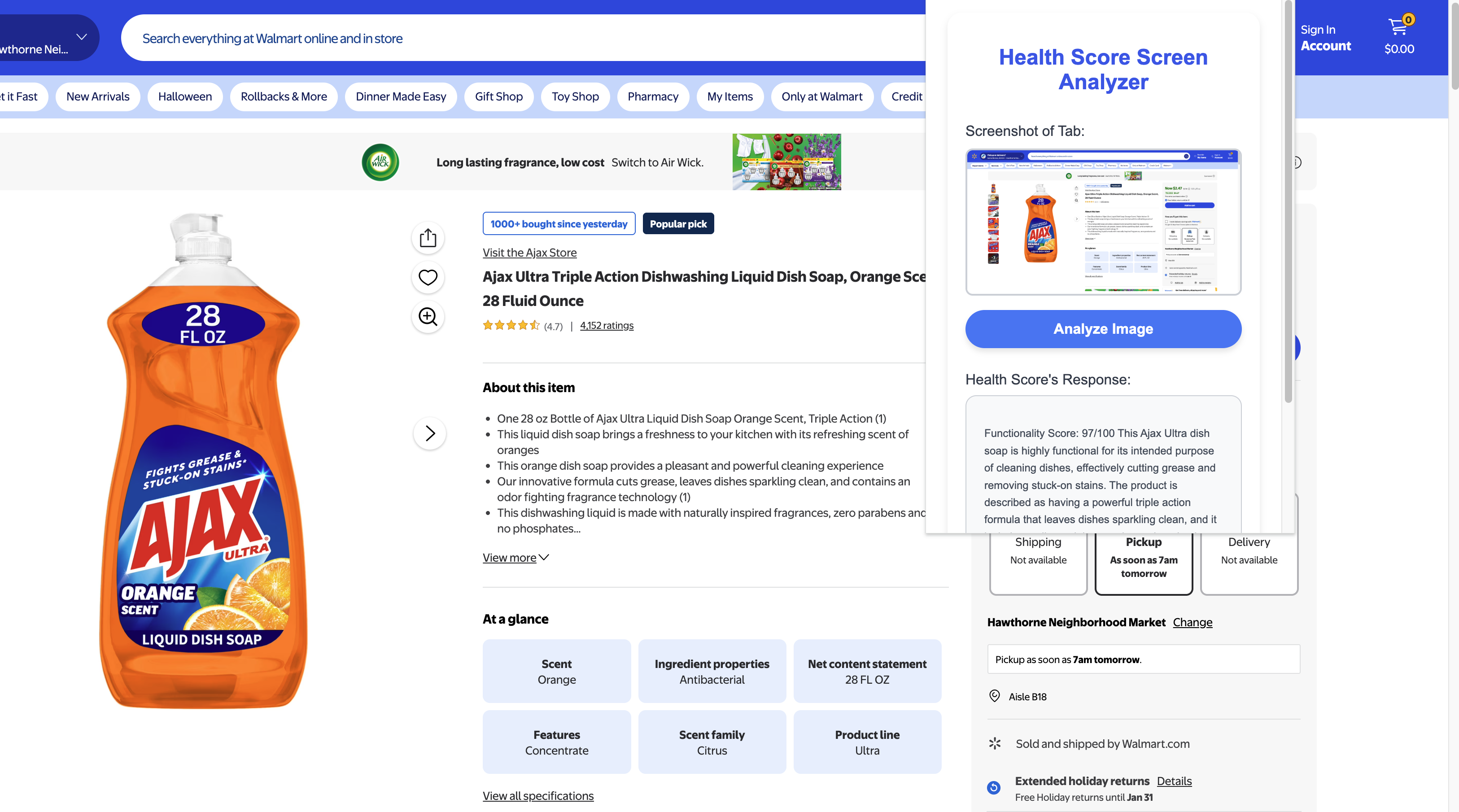
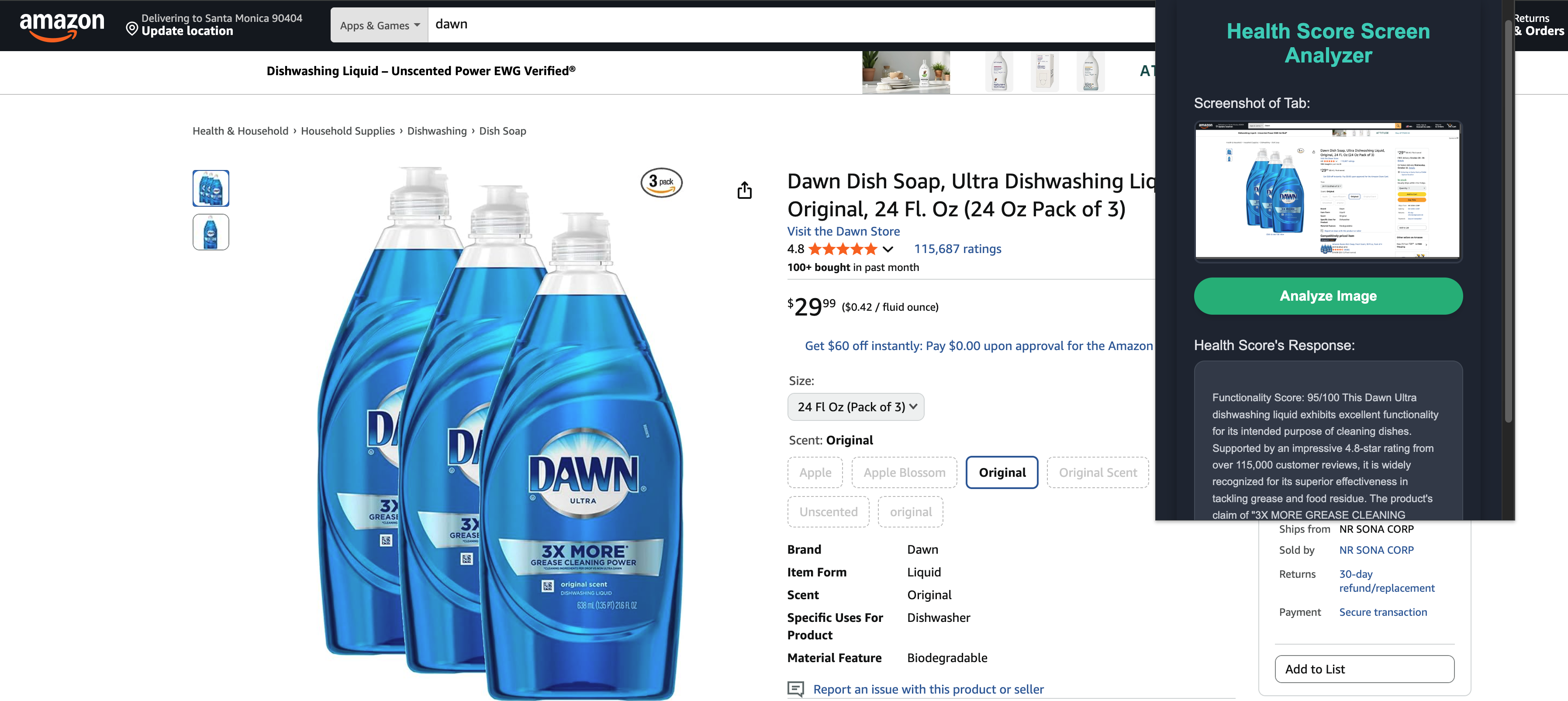
💡 Inspiration
The primary inspiration was the frustration consumers feel when trying to make quick, informed purchasing decisions online, especially regarding health and safety. Reading tiny ingredient lists on product photos, cross-referencing nutritional facts, or researching complex chemical names on a cleaning product is tedious. We wanted to leverage AI's visual and analytical capabilities to solve this context-switching problem, providing an instant, objective verdict directly on the screen.
🚀 What It Does
The extension transforms your browser into an AI-powered product consultant with a single click:
- Instant Capture: Takes a screenshot of the product you're viewing in the active tab.
- Multimodal Analysis: Sends the image and a specialized prompt to the Gemini AI model.
- Objective Scoring: Returns a clear, unbiased Health Score out of 100 (for consumables) or an Efficacy Score (for non-consumables).
- Quick Decision: Displays a concise, single-paragraph summary justifying the score, allowing the user to make a fast, confident purchasing decision.
💻 How I Built It
The extension was built using a lean architecture focused on the AI core:
- Core AI: Google Gemini 2.5 Flash API for fast, multimodal analysis (combining the screenshot image and the text prompt).
- Browser Integration: The Chrome Extension API handles image capture and UI display.
- Front-End: HTML, CSS, and Vanilla JavaScript (
popup.js). We implemented an auto-theming solution using the@media (prefers-color-scheme: light)query to provide seamless Light and Dark Modes. - Prompt Engineering: We developed a fixed prompt to enforce a highly structured output, ensuring the AI consistently returns the Score: X/100 format.
🚧 Challenges We Ran Into
- UX Feedback Timing: We refined the JavaScript to ensure the initial instruction message disappeared only after the screenshot was successfully loaded into the preview, providing better user continuity than hiding it immediately on button click.
- Aesthetic Consistency: Achieving a professional look required careful debugging of CSS, especially ensuring the Light Mode's Deep Blue header and Vibrant Blue accents worked harmoniously against the white background.
- CSS Overrides: Forcing specific aesthetics, like button styles and colors, to adapt perfectly to the native environment of a standard Chrome popup window required iterative CSS refinement.
🎉 Accomplishments That We're Proud Of
- Structured AI Output: Successfully utilizing prompt engineering to force the multimodal Gemini model to deliver a quantified, objective score and a highly concise summary based on the visual evidence.
- Seamless Theming: Implementing an elegant, automatic Light/Dark mode that adapts to the user's OS preference, significantly improving accessibility and the overall user experience.
- Clean Architecture: Creating a powerful tool using minimal dependencies, relying only on the browser's native APIs and the Gemini API call.
🧠 What We Learned
We significantly advanced our skills in multimodal prompt engineering, learning how to instruct an AI model to interpret complex visual data (like product labels) and return a highly structured, analytical, and objective response. This project also reinforced best practices for building responsive, visually polished Chrome Extension UIs.
⏭️ What's Next for Health Score
- Selective Analysis: Add a feature allowing the user to draw a selection box over a specific area of the screen (e.g., only the ingredients list) for more targeted and potentially faster analysis.
- Comparative History: Implement local storage to allow users to save and compare the scores and summaries of different products they've scanned.
- Deep Dive: Introduce a secondary feature that, upon clicking the initial score, generates a more detailed analysis of the top beneficial and concerning ingredients from the scanned image.


Log in or sign up for Devpost to join the conversation.